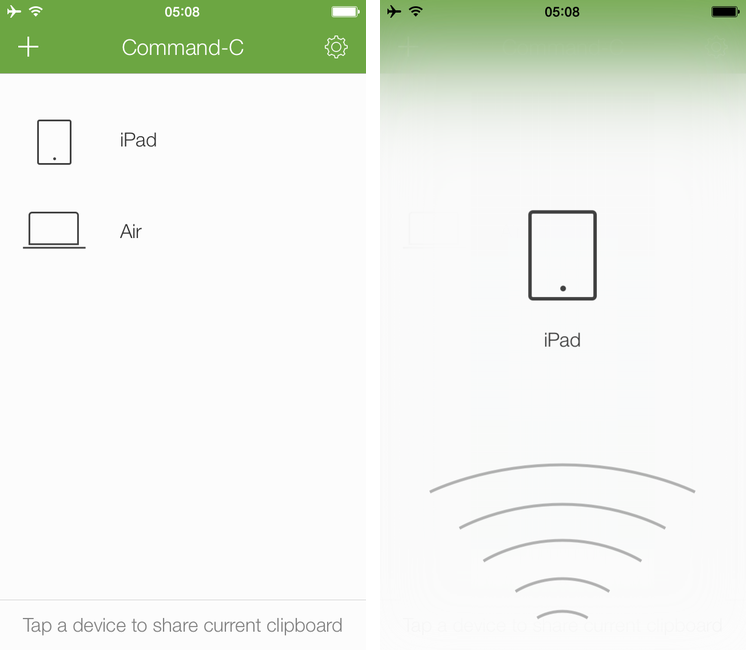
Even if my workflow these days primarily consists of reading and writing on the iPad, there are still times when I need to share content – either text or pictures – across my iOS devices, from my iPad to my Mac, or from OS X to iOS. While I can normally achieve inter-device communication using something like Evernote to keep my notes in sync everywhere, it’s not an ideal solution: why having to save and sync a temporary bit of text that simply needs to be acted upon once? Command-C, created by Italian developer Danilo Torrisi, is a clipboard sharing tool that I’ve been testing for the past couple of months and that has allowed me to eschew syncing services when I just want to quickly copy & paste between my Mac and iOS devices.
Posts in reviews
Command-C: A Local Clipboard Sharing Tool for OS X and iOS 7
Capturing The Now with Kennedy
Developed by Brendan Dawes, Kennedy is an interesting new take on mobile journaling focused on “capturing the now” with a $1.99 iPhone app.
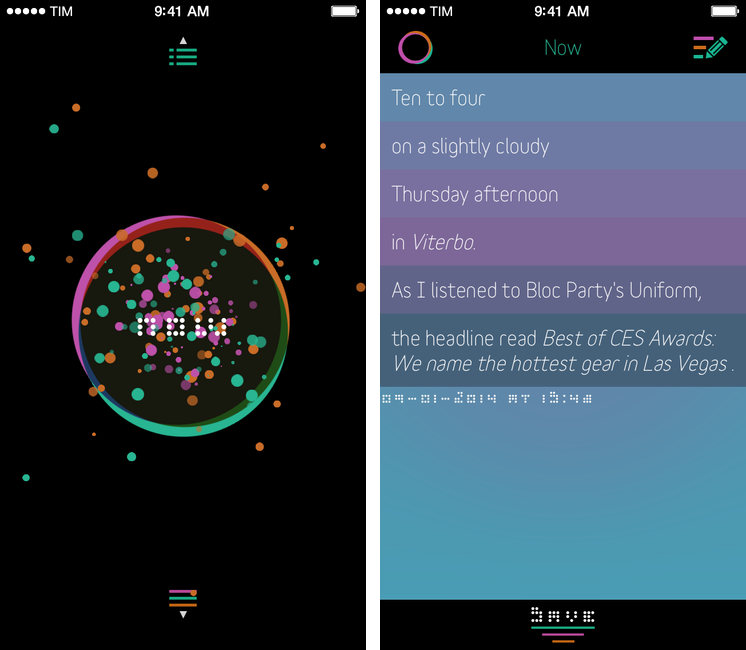
Kennedy is a data-oriented journaling app that can save your current location, date and time, weather conditions, what music you’re listening to, and even headlines from the news in individual collections of personal data points called Captures. When you open the app, you’re presented with a beautifully animated “Now” button that, once tapped, will start gathering data from built-in iOS services for location, time, and music; after a few seconds, the “Now” will become a list showing the data points that were captured by the app, such as “Ten past three, on a slighly cloudy Thursday afternoon in Viterbo”. When saved, Captures can be accessed by tapping a list button in the lower portion of the main screen; you can search for specific text in your Captures, as well as edit them at any time.
WriteRight: A Text Editor with English Synonyms and Antonyms
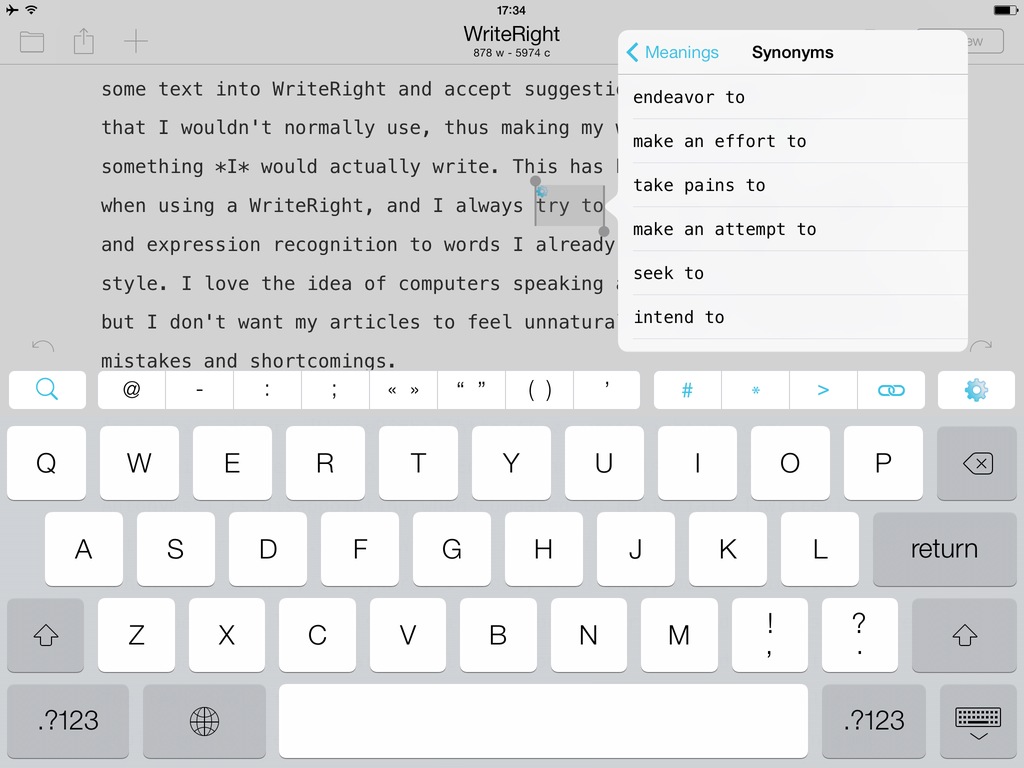
A $2.99 app available for iPhone and iPad, WriteRight is a text editor that, instead of offering powerful Markdown tools or customizable sharing features, focuses on providing synonyms, antonyms, and other phraseology-related features through a built-in grammatical engine that supports both English and Spanish.
Quick iTunes Affiliate Link Creation with Affiliate for Mac
Developed by Bytesize Apps, Affiliate is a $1.99 utility for Mac that simplifies the process of creating affiliate links for iTunes and Amazon. I was especially interested in checking out Affiliate as, after Apple launched a new affiliate program with PHG in August 2013, we’ve been using affiliate links every day at MacStories, and I’ve been looking for a solution to quickly generate them.
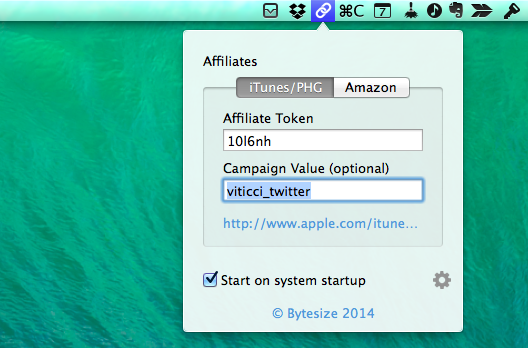
Affiliate lives in the menubar and intercepts iTunes/Amazon links you to copy to the clipboard, adding your affiliate token/tag to them automatically. In the app’s popover, you can configure an affiliate token and campaign tracking code for iTunes (PHG) and an affiliate tag for Amazon links. Every time you copy an iTunes link anywhere on your computer (iTunes, an email message, the browser – anything), Affiliate will see it, append your affiliate data in the proper format, and place the affiliate link in the clipboard for you to paste anywhere you want. The app plays a sound and displays a notification when it generates a URL and the process is simple and immediate.
Unfortunately, in its current version Affiliate doesn’t support international Amazon links (it’ll only work with .com Amazon URLs) and it doesn’t come with an option to choose from multiple campaign tracking codes for iTunes links. We use various tracking codes at MacStories, and I need to choose from multiple ones depending on the link I want to share; for this reason, I still have to use a fill-in snippet created in TextExpander with support for multiple options. I like, however, how Affiliate can detect an iTunes link that’s already an affiliate one and clean it up for you, turning it into an affiliate link for your token.
If you don’t care about the limitations mentioned above (that will likely be fixed soon) and if you generate affiliate links on a daily basis for your blog or Twitter account, I recommend getting Affiliate. It’s fast, it automatically puts affiliate links in the clipboard, it’ll save you time, and it’s $1.99.
deGeo: A Simple, Useful Geotag Remover for iOS
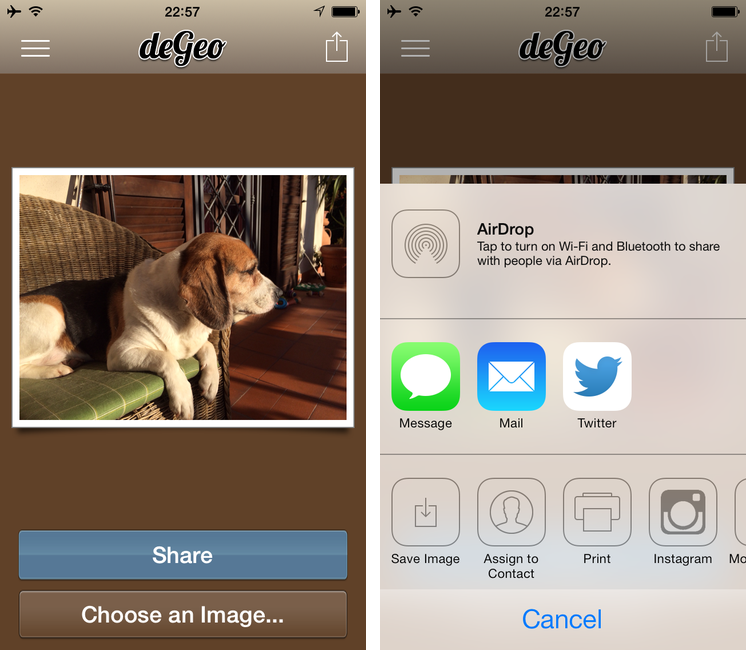
If you take pictures on your iPhone (or iPad) and you’ve allowed Apple’s Camera app to use your location, your photos will contain hidden, uneditable geotag data that are embedded in the files and that you can’t remove using system apps. Last week, I covered Photos+ by Second Gear, an alternative Photos app that allows you to view locations attached to photos through inline map views. deGeo, a $0.99 app for the iPhone and iPad, takes the opposite approach: it’s a geotag remover that lets you pick photos from your Camera Roll, clean them up to remove metadata, and share them or export them again with no location data attached.
Photos+: A Photo Browser with Metadata Support for iPhone
Ecoute 2 Review
Last year, when we reviewed Ecoute, we called it the best music player for iOS. Apple’s Music app has never been packed with features when compared to iTunes on the Mac, but it’s the app that the majority of people use because it’s free and built into the operating system.
With iOS 7, Apple redesigned the Music app with some questionable choices for artist and album navigation and more advantages over third-party clients through the inclusion of iTunes Radio streaming and a special widget in Control Center to like songs and add them to your wish list. The Music app is, effectively, irreplaceable if you care about iTunes Radio and managing your music and playlists, but I think that the new Ecoute for iOS 7 does several things better than Apple’s app. Read more
Tydlig: An Innovative Free-Form Calculator for iOS
Developed by Andreas Karlsson, Tydlig wants to reimagine how a calculator should work in the modern age of iOS devices and multitouch screens. Rather than mimicking every aspect of old physical calculators in the transition to pixels, Tydlig eschews conventions by turning an iPhone or iPad’s screen into a canvas where numbers can be placed anywhere, linked together, and rearranged. The result is a breath of fresh air into the landscape of iOS calculators, but it also takes a while to get used to it and it likely won’t appease purists. Read more
Party DJ Brings iTunes DJ Feature Back to iOS 7 With App for iPhone and iPad
Developed by Alex Price, Party DJ is an iOS 7 app that brings back one of the old features of iTunes DJ and Apple’s Remote app: the possibility to collaborate with friends on what music to play through a voting system. The app, available today on the App Store, comes in two versions: a paid, $1.99 “host + remote” app to handle playback and queue management, and a free Remote companion to install on iPhones or iPads that can vote songs. Price is the developer behind CameraSync, a longtime favorite of mine, and I was immediately intrigued when he showed me Party DJ a few weeks back. Read more