This Week's Sponsor:

Copilot Money

Copilot Money, The Best Money Tracker, Launches on the Web – Limited-Time: Get 26% Off + 2 Months Free


Posts in reviews

Twitterrific 5.6 With Live Streaming

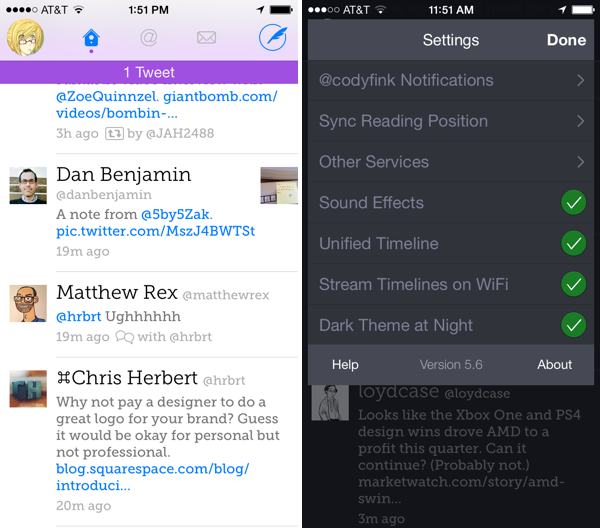
Hey! Live streaming for Twitterrific is really here. It works over Wi-Fi, and can be enabled by toggling the setting in the settings. Live streaming works similarly to “pin timeline” settings in other apps, where enabling live streaming makes it so that you’re always viewing the latest tweets in your timeline. You can scroll around, but the timeline will jump to the most recent tweet when left idle (useful for anyone who docks their iPhone in a cradle at their desk). On the flip side, Live streaming keeps the display turned on, which can unintentionally drain your battery if you set your phone down or forget to put it to sleep. I think it needs some fine tuning before it’s just right.

Something to keep in mind is that Twitterrific enabled background refreshing in a previous update, which fetches tweets when you’re outside of the app. If you only check the app a few times a day, Live streaming might not be such a big deal. If you’re always on Twitter, however, Live streaming is worth turning on, despite some caveats.

The other biggie found in Twitterrific 5.6 is list management. You can create, add people to, and remove people from lists. You can create and delete lists, as well as set whether they’re private. I would expect to find a lot of this functionality in the sidebar, but Twitterrific has it tucked away in a contextual menu. Creating and managing lists is done by tapping and holding on an avatar in your timeline, selecting “Manage in Lists,” and going from there. I kept looking for list settings, a hidden add button, and kept wondering what I was missing — it’s pretty well hidden. You can also get to it by tapping the gear icon when viewing someone’s profile.

As for the smaller things, you can now view images in Direct Messages, as well as copy discussions from the share menu.

Live streaming for Twitterrific has obviously been a long time coming. Twitterrific 5 has been a series of big incremental improvements, starting with things like Push Notifications and Muffling, and performance continues to blow me away. To celebrate their big update, Twitterrific 5.6 is $0.99 for a limited time in the App Store, and those who’ve previously purchased the app can download the update for free. And you’re getting a lot of bang for your buck: the app works across iPhone and iPad.

Perhaps the last remaining question is when is The Iconfactory going to bring these updates back to the Mac?


Imgur MemeGen

MemeGen

MemeGen

Occasionally1, I like to entertain my coworkers and online friends with memes based on inside jokes or Internet news.2 I’ve been trying a couple of meme generators for iOS over the past years, and eventually even thought about rolling my own solution with Python and PIL, but eventually gave up because that looked like too much work little potential for meaningful return.

Last month, Imgur released a free meme generator app for iPhone, which is pretty good and certainly better than many similar apps on the App Store. Imgur already hosts the majority of memes shared on Reddit, so it makes sense for the company to have a dedicated app with upload capabilities.

Read more


Redd, A Reddit Client for iOS 7

Redd

Redd

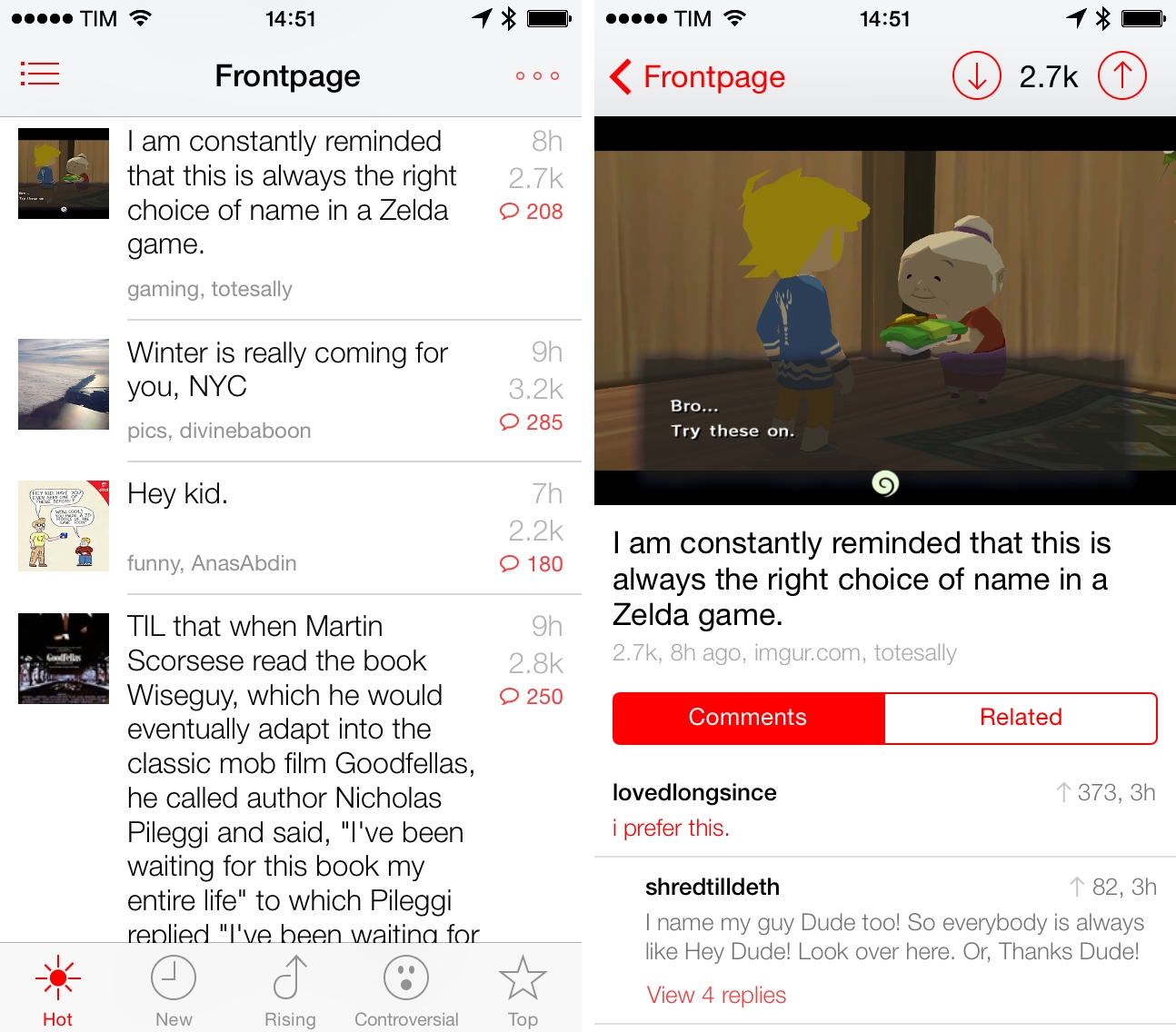
I’m not an active Reddit user, but I enjoy checking the front page and a few subreddits to stay on top of tech/gaming news and the latest meme. For years, I’ve been using Alien Blue on my iPhone and iPad to read threads, view links and photos, and navigate to my favorite subreddits, and I think that the app remains the premier Reddit client for iOS with tons of options and settings. I was curious, however, to try out Redd, a $0.99 Reddit client for iPhone specifically designed for iOS 7. Read more


MyPhotostream: A Lightweight Photo Stream Viewer for OS X

Myphotostream

Myphotostream

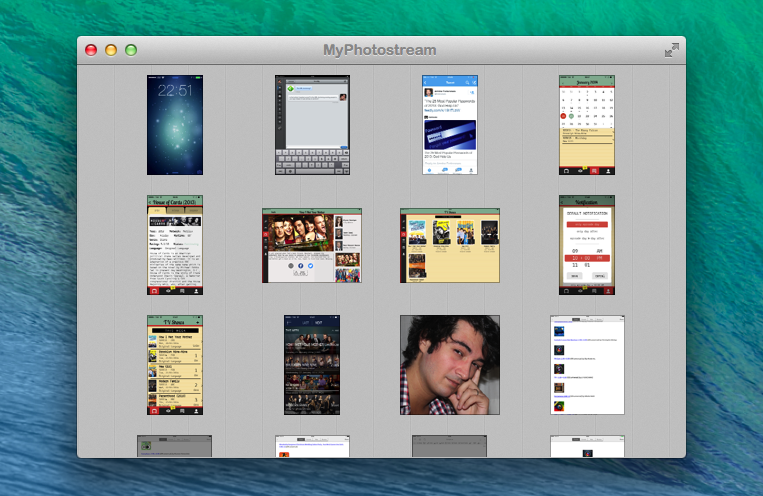
When it works[1], Photo Stream is convenient. The underlying principle is simple enough: you take a picture on one device, it automatically transfers to all other devices with iCloud.

In practice, it’s a convoluted feature. Apple is using quantity and time-based limitations for Photo Stream, which comprises both your Photo Stream (called “My Photo Stream”) and Shared Photo Streams, which are all part of iCloud, but only your Photo Stream counts against storage. I wouldn’t be surprised to know it took Apple more time to come up with Photo Stream rules than to build the actual technology. It’s difficult to explain, and I suggest listening to this Mac Power Users episode to grasp how Photo Stream works and what it can do.

In my workflow, I have new solutions to quickly transfer photos from iOS to OS X or avoid my Mac entirely, but there are still times when I need/want to leave iPhoto running and drag photos out of it and into the Finder or another app[2]. MyPhotostream is a lightweight Photo Stream client that runs on your Mac and provides read-only access to your personal Photo Stream (not the shared ones). Read more


Tracking TV Shows with TV Files

TV Files

TV Files

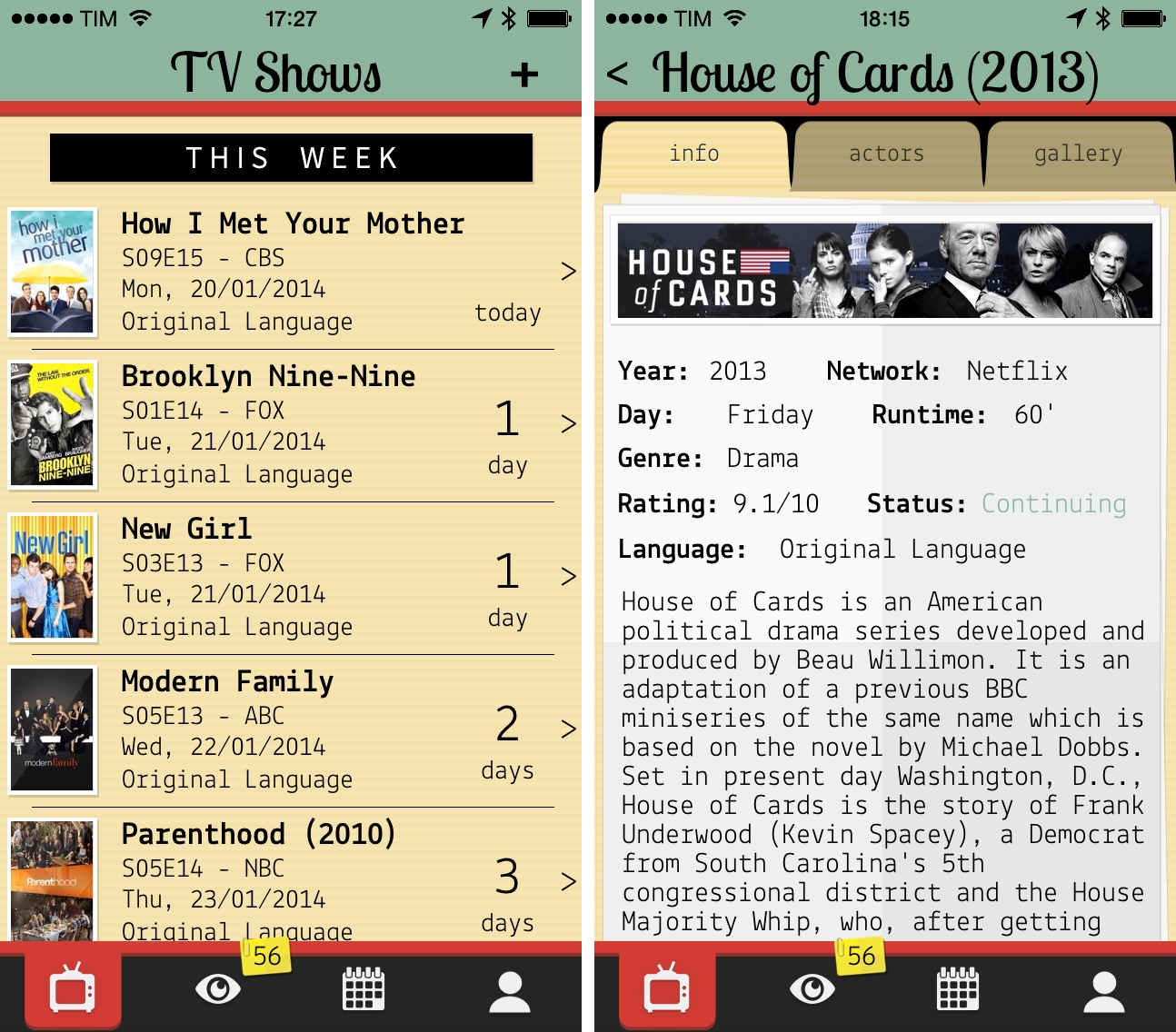
My experiment to add calendar events for TV shows I watch failed miserably. Because of programming schedules that change often and holiday breaks I can’t always predict, I ended up with a calendar full of repeating weekly events for episodes that had been delayed. Therefore, I started looking for a good TV show tracker app for my iPhone and iPad, and lately I’ve been using TV Files, developed by Italian team Whale True. Read more


An Overview of OmniOutliner 4

Finally.

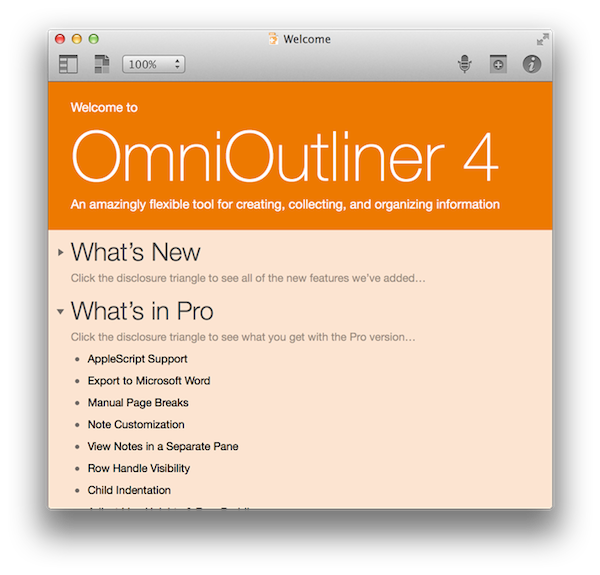
It was just over a year ago that CEO Ken Case of The Omni Group outlined the company’s plans for 2013, following a successful “iPad or Bust!” campaign that allowed the company to bring all five (well okay… “four”) of their desktop productivity apps to the iPad. So it was back to the Mac as it were, with OmniFocus 2 being at the forefront of the company’s plans with OmniOutliner 4 due afterwards in the first quarter. As an app that was first released in January, 2005, OmniOutliner 3 was in need of an update. As Ken Case said himself, “… other than a few tweaks to the inspectors and toolbars, its design has mostly stayed the same: it’s starting to feel a bit long in the tooth.” 2013 came and went, and as they say, all good things take time.

OmniOutliner 4 is a big update. For posterity, we’ll call it Outliner for the rest of our overview. And honestly, I really don’t know where to start.

Read more


PaintCode: Vector Drawing to Code

header-image

header-image

If you are active in the Apple developer community, you are probably already familiar with PaintCode. It is a unique Mac app capable of turning your vector graphic design into pure Objective-C code. PaintCode is a professional quality app and the price tag is a reflection of that fact. The normal selling price of $99.99 (currently $19.99 via MacHeist) is a big pill to swallow for the average user but for a professional iOS/OS X developer it is merely a business investment. However, it is up to you to get your money’s worth out of the app.

PaintCode is full of tools that blend together the look and feel of traditional vector drawing apps while including customizable fields you would more commonly see in Apple’s Interface Builder. It supports numerous object shapes and custom bezier paths, as well as detailed color options including linear and radial gradients. The app is versatile and the uses are limited only by your imagination.

I thought the best way to give you an overview of PaintCode would be to come up with a sample project that I could walk you through. So I decided to make a menubar icon for a non-existent app. This app lets you drag files to the menubar icon to delete them, thus the icon needs to be a little trash can. Read more


Simbol for iPhone

Simbol

Simbol

Developed by Amit Jain, Simbol is an iPhone utility to view symbols and special Unicode characters. If you ever play with URL schemes on iOS, you know how tedious it is to convert special characters to HTML codes: Simbol comes with this feature built-in, allowing you to tap on each symbol to copy its HTML or entity code (of course, you can also copy the symbols themselves).

The main screen of the app shows a list of symbols organized in categories; in this first version, categories include Special Symbols, Math Symbols, and Reserved Characters, among others. There is a search bar at the top to look for a specific character by name and you can tap & hold on each symbol to add it to a temporary holding tray for equations. Personally, I just find it handy to be able to quickly search for something like “greater than” and copy its HTML code without having to Google for it.

If I had to nitpick, I’d say that it would be nice to have Favorites, a way to launch searches from Launch Center Pro, and the possibility to hide characters in the main screen, showing only category names. Much like Apple did with albums in the Music app, you can’t view a simple list of categories because symbols will always be shown inline, which makes it hard to scroll the app’s main list if you only want to open a specific category.

Simbol is a good idea, does one thing well, and it’ll save me the time I’d spend looking for HTML codes on Google. It’s free on the App Store.


Yahoo News Digest

As someone who both enjoys long form content and sharing what I think others might enjoy, it’s easy to write off Yahoo News Digest as something that feels indifferent. Unlike the Evening Edition, which features important world news summarized by real people, Yahoo boasts its mobile digest as a product of algorithms, whose editors bring together the day’s hot topics into smart summaries from multiple sources. It’s considered to be the result of Yahoo’s $30 million acquisition of Summly, with founder Nick D’Aloisio taking charge behind the company’s initiative into the “news for everyone” space.

It’s not a new endeavor, however, if you consider previous forays like Livestand, which brought news and weather together in a magazine-like format on the iPad. Then there’s Yahoo’s self titled app, which later integrated Summly to create an endless stream of news, entertainment, sports, and lifestyle content. Even Yahoo’s homepage is a landing page for those subscribed to Internet service providers like AT&T, delivering trending topics, stories, local weather, and stocks to anyone who wants to log into their provider’s email accounts. This is unlike Google, whose homepage is barren sans occasional promotions and informational snippets. Needless to say, Yahoo has been dishing out news for a long time.

Yahoo News Digest is their attempt to modernize the thirty minute local or national news segment, re-imagining it for mobile as series of articles covering current events from around the world. Digested down to eighteen articles, nine for the morning and nine for the evening editions, Yahoo shares what they consider to be the most relevant articles of the day, rounding out the day’s news under traditional topics such as US News, World News, Entertainment, Sports, etc. It’s a news service built for the masses.

So… Is it any good?

Read more