Posts in news

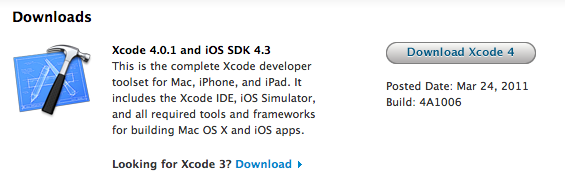
Apple Releases Xcode 4.0.1

Together with iOS 4.3.1, a few minutes ago Apple released an update for its development application Xcode, which reaches version 4.0.1 and adds a number of bug fixes and stability improvements. Xcode 4 was released on March 9th.

First off, Apple fixed a bug in the installer that caused the app to hang at 99% complete, never finishing the installation process. Apple also fixed another error that prevented indexing of projects, and another one that didn’t allow developers to have automatic downloads of documentation from Apple’s servers.

You can find the full changelog below, and Xcode 4.0.1 in the Mac App Store or Apple’s website.

  • Improved Assistant editor logic when switching among different file types
  • Fixed a bug in “Install Xcode.app” that hangs at 99% complete, never finishing
  • Fixed a bug that prevented indexing of some projects
  • Fixed a bug related to nil settings in the Core Data model editor
  • Fixed a bug that prevented automatic download of iOS documentation
  • Fixed a bug in LLVM GCC 4.2 and LLVM compiler 2.0 for iOS projects
  • Additional bug fixes and stability improvements

Apple Releases iOS 4.3.1 [Direct Links]

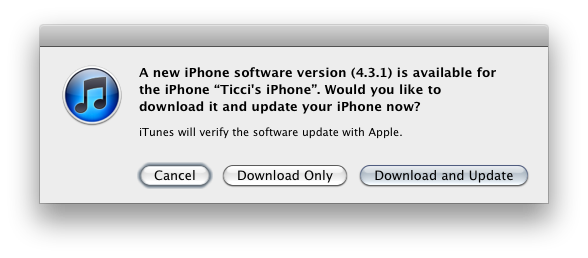
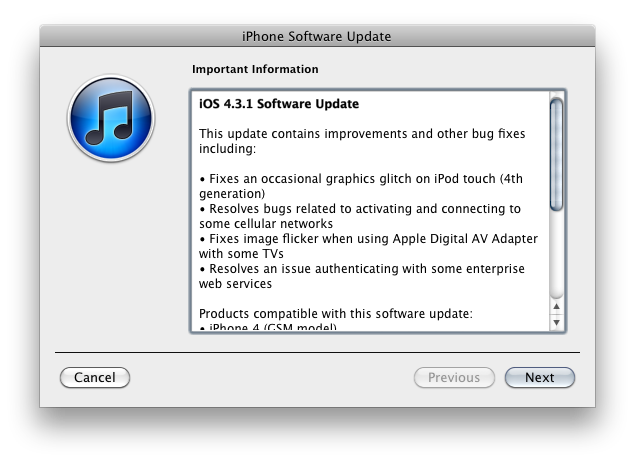
Apple just released iOS 4.3.1. It’s available now in iTunes if you check for updates. The new version of iOS fixes graphic glitches for iPod touch 4G owners, resolves issues when authenticating with enterprise services and other bugs when activating and connecting to cellular data networks. iOS 4.3.1 isn’t available for the Verizon iPhone.

Screenshot of the changelog below, direct links after the break.

Read more


New York Times 3.0 for iPhone Released: Now With More Content

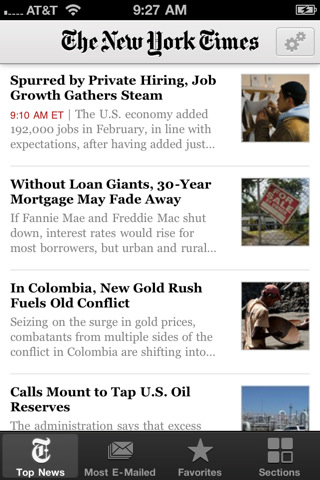
The official New York Times app for iPhone was updated yesterday to include a series of new features and more content, bringing it at the same level of functionality of the iPad version, last updated in December 2010. The new version 3.0 doesn’t make any mention of the NYT’s upcoming paywall implementation or Apple’s in-app subscriptions, with the App Store description still reporting that New York Times for iPhone will be “free until early 2011”. We assume another update will be released shortly, to enable the paid subscriptions that the NYT is about to launch for its website, smartphone and tablet apps.

Navigation has been improved, enabling swipes to switch between articles – only on the iPhone 4. The process is quite smooth overall, and definitely helps navigating the app with touch. The app itself got more content thanks to the addition of blogs, which are now part of regular coverage. As for breaking news, those of you who care about being alerted in real-time can now enjoy the new push notification system that will alert you of major news events even if the New York Times app is closed or running in the background.

Whilst sections can still be accessed from the rightmost tab in the bottom toolbar, a new Favorites tab next to it allows you to bookmark sections and save articles you want to read later. We would like to see some sort of online sync with the iPad app, where sections and articles that you bookmark on the iPhone are automatically imported on the iPad, and vice versa. The UI is elegant as usual, and now the app is even more “visual” thanks to the addition of photos and videos within articles. These photos and videos got their own section as well (which can be bookmarked) and they play just fine using Apple’s default media player, although I haven’t been able to test their support for AirPlay streaming yet.

All in all, The New York Times 3.0 for iPhone is a nice update with lots more content and the interesting idea of Favorites, but we know the app will soon go under another update to enable the paywall. Or perhaps the functionality has already been built into the app and the developers are just waiting for March 28 to flip the switch. In the meantime, you can get the app for free here.


GV Mobile for Google Voice Comes Back with Huge Update

There was a time last year when Apple eased its policy on Google Voice applications for the iPhone, and many users were waiting for the official Google Voice app to come back to the platform. But before the official client, a popular third-party one came around and quickly became many users’ favorite way to access the VoIP service from iOS: GV Mobile. The app, an unofficial client, was installed by thousands of people but eventually fell down in the charts due to the release of the official GV application by Google, which was also updated multiple times in the past months to work on the iPad and iPod touch. GV Mobile, on the other hand, was never updated. People even forgot about it.

GV Mobile is coming back today with a huge update that will surely convince many loyal Google Voice users to give it a try once again. Version 2.0 is a complete redesign with a plethora of new features, optimizations and bug fixes. It’s still sold at $2.99 in the App Store.

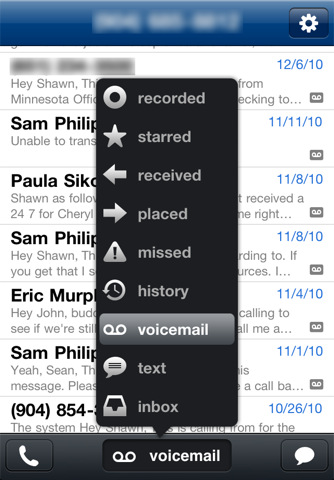
The new GV Mobile has a new beautiful user interface with dark menus and popups, it’s got push notifications (finally) and picture messaging. You can now text to multiple recipients (up to 5), search and browse all your GV folders you’ve created in the webapp. There’s a lot of other stuff in this update, such as the comeback of spell check and favorites, support for GV actions (read/unread,star/unstar,spam,block,archive/unarchive) and more call methods. Everything’s been revamped, redesigned and refined for this update.

You can find GV Mobile for iPhone here. If you’re serious about Google Voice, you should try it even if you like the official app.


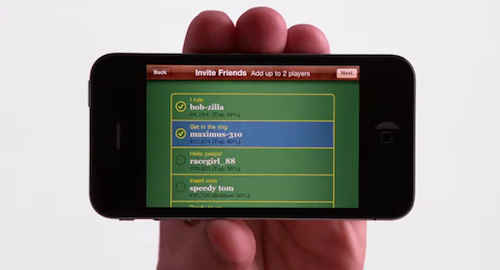
Real Racing 2 HD To Support Fullscreen 1080p Video-Out

Development studio Firemint has announced that they’ll be the first ones to support fullscreen 1080p video-out in an upcoming major update of Real Racing 2 HD. The new version, still not available in the App Store, will allow iPad 2 users to connect their device to an HDTV and enjoy the game at 1080p without black borders, in all its fullscreen glory. This sounds like a major breakthrough on the iOS platform, and something we wish more developers will support in the future. Admittedly, being forced to play an iOS game on a television with black borders all around it is not a great experience.

The new feature doesn’t use scaling, it’s full HD being mirrored to the TV. It runs at 30 frames per second and, while playing with the iPad connected via HDMI adaptor, the device’s screen will display a map of the location in real-time.

Check out the demo video below. Read more


New MobileMe Cloud Music Service To Cost $20 Per Year?

According to a report posted last night by The Music Void, Apple is finalizing the details of a new MobileMe “locker” service for music that would allow users to store their songs in the cloud, and stream them to iOS devices anywhere. The website reports Apple has been pushing music labels to accept the terms for an April launch, and apparently Warner has already agreed to Apple’s cloud-based plans for the new MobileMe “locker”. Of course, to guarantee an optimal rollout of the first version of the service, Apple would need to sign Universal and EMI over – two other big players in the music industry. The Music Void speculated Sony may be the most difficult one to convince (perhaps because of the eBook reader rejection?), but in the end the major music labels should accept (once again) Steve Jobs’ plans to move music to the cloud, for everyone.

In the past weeks, several rumors surfaced indicating Apple is about to launch a revamped MobileMe. Many reports, however, claimed the new MobileMe would be free, whilst The Music Void says the locker service would cost around $20 per year. Considering this “locker” cloud service was also mentioned by the WSJ in February, we speculate Apple may be planning on making the sync features of MobileMe free (email, contacts, calendars, bookmarks, etc.) and launching other paid options as well, such as a locker for music, movies, and so forth.

Last week, another rumor claimed the new MobileMe might launch next month for free, and a German website previously reported Apple is organizing a media event to announce iOS 5 and MobileMe in the second week of April. At this point it seems very clear that Apple is working on something new for MobileMe, and we should know more in a few weeks when Apple previews iOS 5. [via 9to5mac]


Twitter Updates iOS App with iPad 2 Camera Support, More Bug Fixes

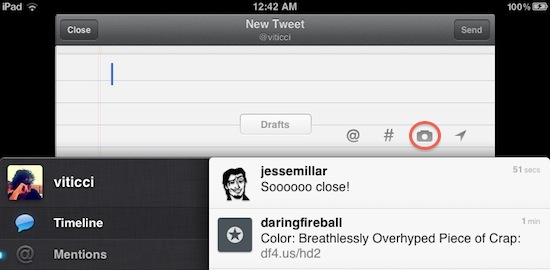
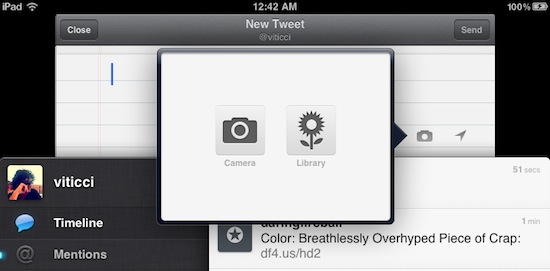
The official Twitter app for iOS was updated a few minutes ago to include support for the iPad 2’s camera. A pretty much obvious update considering the camera is one of the biggest features in the new device, and it didn’t take long for Twitter to support it. A new camera icon has found its way in the “new tweet” compose box; you can upload media from your library or shoot a new photo or video with the iPad and send it off to your favorite online service. The UI is quite nice, and luckily enough this update doesn’t bring any #dickbar to the timeline.

Twitter 3.3.2 also includes fixes: the developers have disabled “significant location change monitoring that was causing compass to appear constantly when in app” and the changelog mentions “bug Fixes from user reported crashes” as well. We hope this update fixes the annoying DM bug too, the one that kept your messages unread on each app relaunch / crash.

You can find Twitter for iOS in the App Store here.


Pulse Mini Updated With Same Features of iPad Version

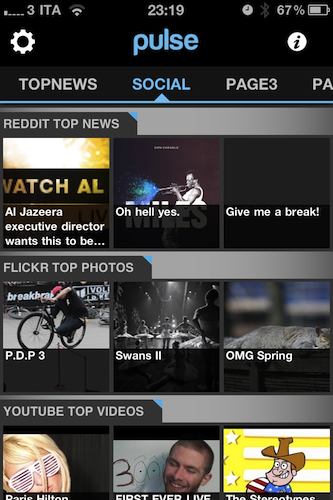
Pulse, the news reader for iOS developed by Alphonso Labs, was updated earlier today in its iPhone version to add much of the functionality from the iPad counterpart, insanely successful and quite possibly the first app that started the “visual news reader” trend on the tablet. Pulse Mini 2.0 for iPhone is faster with more responsive sources and image loading times, smoother scrolling and overall faster performances. Google Reader sync has been optimized to allow for offline reading and syncing back to the cloud as soon as the app gets online again. Search has been enhanced to include top results and relevant titles. Pulse Mini 2.0 is definitely a step forward in terms of usability and underlying engine.

New features have been added, too. As in the iPad version, you can now read content from a variety of sources like Reddit and Digg without manually adding anything – they’re baked into the app. Same applies for Youtube, Vimeo and Hacker News. Similarly, Alphonso Labs added more recommended publications to the list of blogs and websites you should subscribe to, making it easier for new users to find great content without being forced to log into Twitter of Facebook.

Pulse Mini for iPhone is free. With the increased speed, Reddit support (we love it) and more sources, it’s an app to check out.