Posts in news

iPad 2 Too Popular In South Korea? Carriers Suspend Online Sales

Apple may still be facing problems with tight supplies for the iPad 2 as South Korea’s two major carriers, SK Telecom and KT Corp, announced that they were forced to suspend online sales of the iPad 2 due to “depleted inventory.” According to Reuters, Korean operators are heavily betting on iPad 2 that went on sale in South Korea last week, as well as smartphones and tablets in general – seen as an incredibly profitable source of income due to data expansion and mobile Internet traffic.

Our iPad 2 inventory has been depleted and we apologize for failing to provide enough supplies due to the product’s global supply shortages,” SK Telecom said in a posting on its website.

The companies declined to reveal sales.

The release of the iPad 2 in additional Asian countries (including Hong Kong and Singapore) was originally announced in March. Recently, Apple has been reportedly facing supply issues with key iPad 2 components due to Japan’s earthquake and tsunami that affected many manufacturers and facilities the company relies on, although at the Q2 2011 earnings call Apple COO Tim Cook confirmed that pre-payment deals and outstanding teamwork from Apple will ensure a steady flow of supplies and iPad 2 shipments throughout the quarter. The iPad 2 still reports waiting times of 1-2 weeks in most Apple online stores (including South Korea), but it’s the first time we hear a carrier had to suspend online sales due to high demand and tight supplies.
Apple: Apps Downloaded Using A Promo Code Can’t Be Reviewed Anymore

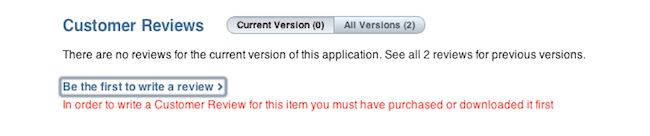
As noted by forum poster Therealtrebitsch on TouchArcade, Apple recently tweaked the App Store system to prevent users who downloaded apps using a developer’s promo code from leaving a review or rating. The change comes as an unexpected move as it basically doesn’t count promo code-based downloads as regular purchases anymore, but it’s in line with Apple’s latest efforts to modify the App Store’s ranking algorithm to showcase apps based on quality, rather than raw download numbers.

Hi,

Anand here again from iTunes Store Customer Support. Thanks for writing back and letting me know your concern. I understand that you are still not able to write a review. I know how disappointing it can be when things don't work out the way they should.

I am sorry to inform that it is no longer possible to rate or review an app if it was downloaded using a developer’s promotional code.

However, I took the liberty of submitting your feedback to Apple on your behalf. Please know that Apple takes the feedback from our customers very seriously. This is the reason for our feedback page - to create a forum where our users can vent, praise or share whatever feelings they have to allow us to meet your needs, and grow as a company. I suggest that you use the link in order to share your feedback with us. I would also encourage you to share this link with all of your friends and family who wish to submit the feedback, and have them all submit the same request.”

—–

It is no longer possible to rate or review an app if it was downloaded using a developer’s promotional code.

You can review this app by purchasing it on a different iTunes account using something other than a developer’s promotional code, such as a Gift Card, Gift Certificate, or other payment options.

Two weeks ago, several reports indicated Apple had tweaked its App Store algorithm to better promote apps in the Top Free charts based on “ratings and active usage”, rather than download numbers, which could be easily altered by developers using techniques like pay-per-install networks (which Apple doesn’t accept anymore) and promo codes. It was a common practice, in fact, among many developers to give away promo codes (which are limited in the iTunes Connect developer portal and can’t be generated over and over) hoping that customers who got the app for free would leave a positive review or rating. Clearly Apple must have thought that this was another practice to alter the App Store’s ranking system, and introduced a new rule to prevent apps downloaded through a promo code from being reviewed.

I have tested this personally and, sure enough, an app I downloaded last week with a promo code can’t be reviewed or rated in iTunes. An app I downloaded with a promo code last year, however, can still be reviewed. Same applies for a Mac App Store app I redeemed two months ago. It’s unclear how this new system works (Apple hasn’t posted an update in iTunes Connect yet), but we speculate apps recently downloaded with a promo code can’t be reviewed – quite possibly going back until two weeks ago when the rumors about a new algorithm started.


Google Chrome Canary Lands On OS X

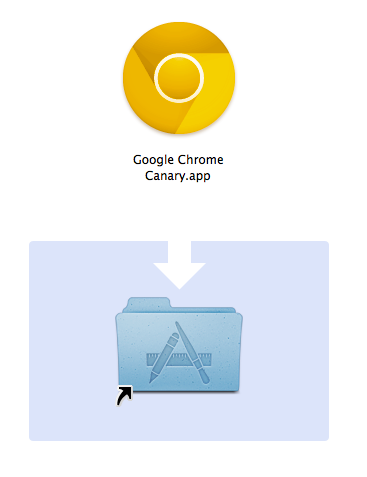
With an unexpected move that was reported earlier today by MG Siegler at TechCrunch, Google decided to (finally) release Chrome Canary for Mac. The new, highly unstable and cutting-edge version of Chrome is available for download here. What made Chrome Canary the proverbial unicorn among Mac users is the fact that this version of the browser is considered a pre-developer build – a step above Chromium, but an anticipation of things to come in the Google Chrome Dev, Beta and Stable channels. Available for several months on Windows, Canary is, put simply, the Chrome version to use if you want to see the latest developments, and try early features that will be implemented on other Chrome channels at a later date. Canary is not meant for daily, stable usage – instead, it’s best to run it alongside a beta or stable Chrome installation.

The Google team writes on the official Chromium blog:

The Mac version of Google Chrome Canary follows the same philosophy: it automatically updates more frequently than the Dev channel, and does not undergo any manual testing before each release. Because we expect it to be unstable and, at times, unusable, you can run it concurrently with a Dev, Beta, or Stable version of Google Chrome. Your Canary data remains separate, but if you set up Sync in each version of Chrome that you use, you can automatically continue using the same set of bookmarks, extensions, themes, and more.

The current stable version of Chrome is labelled 11; meanwhile, the Dev and Beta channels are already using version 12, whilst Canary has already made the jump to version 13 – the one that’s going to come out as stable in at least a couple of months from now. But if you want to test the latest features and experience the bleeding edge, Canary is awaiting here. With a shiny new yellow icon.


Penultimate 3.0 Comes With A Paper Shop For Notebook Templates

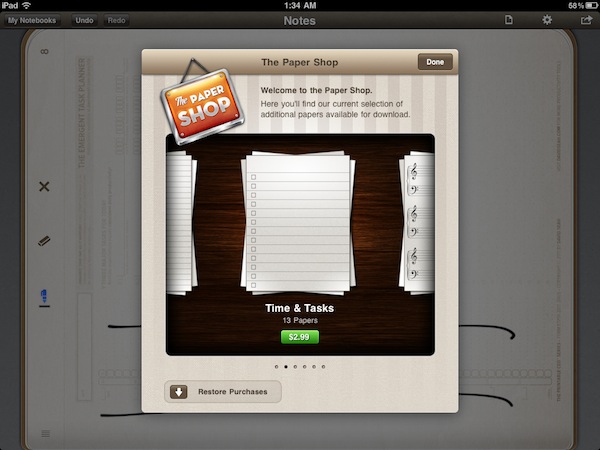
Penultimate, the popular handwriting app for iPad that’s been sitting in top-selling App Store productivity list for months, was updated earlier today to version 3.0, a major new version that extends the app’s notebook capabilities by embedding a completely new Paper Shop that, through in-app purchases, allows you to customize the look of Penultimate’s pages to your needs.

After playing around with the Paper Shop for a bit, it seems obvious to me that this was the next step for the Cocoa Box Design developers: as they saw people using Penultimate in the most variegate ways (a blank page and an iPad opens to a world of possibilities), they decided to offer alternative page designs that can turn Penultimate into a music annotation tool (staff papers, tablatures, chord charts), a task manager, a game board (tic-tac-toe papers, hangman, dots and boxes) or a professional writing utility. All these papers are available at different prices in the Paper Shop, which is also powered by a delicious design and attention to detail.

On top of that, Penultimate 3.0 can also import your own custom image for a personalized page design. For instance, I imported some of David Seah’s productivity tools as .png files and they were correctly recognized and converted by Penultimate to native app pages, retaining the original structure of the documents. The importing process works with storyboards, language learning grid papers, design docs – you name it. As long as the image is clear and in high-res, Penultimate will turn it into a custom page file that you can sketch and draw on. Terrific.

Penultimate 3.0 is a great update to the most popular and powerful handwriting app for iPad. Get it here.


Company Promises To Automate Your Home Using iPads

How great would it be to control everything in our homes using only iOS devices? I’ve always dreamed to fire up my Espresso machine remotely using an iPhone app, or being able to close all my windows from an iPad with live webcam feeds. I know, crazy futuristic stuff that current home automation techniques haven’t fully addressed yet, especially when it comes to security concerns and reliability. But ask Solstice Multimedia about it: the Denver-based company with a decade-long experience in telecommunications and residential services thinks that turning your house into a full-featured iPad-controlled system is totally possible. They even promote a 3,400-square- foot model home with two iPads built-in at $718,000. Okay.

Price of the model home itself aside, the iOS-based system relies on a dual-iPad setup that will cost you roughly $5,000. Optional audio, video and security equipment will take the cost to $60,000 – that’s a whole lot of equipment, right? I assume so. Apparently the system’s “brain” is built into the home’s “mechanical room” with WiFi connection to the 2 iPads, but a third device can be used to control everything without having to touch a screen on your wall. So, basically, the iPad is the engine, and mechanical parts take care of lights, motorized blinds, cameras, and other stuff. The Denver Post reports:

A model home in the Overlook neighborhood in Lone Tree’s Heritage Hills is equipped with two built- in iPads that can control all of the electronic systems in the home, including lights, motorized shades, music and television systems, baby monitors and closed-circuit cameras.

“The iPad has brought the entry-level price point down significantly, because an 8-inch in-wall touch screen before cost upwards of $3,000 or more,” Deatherage said. “Now we can get a $500 iPad and still provide most of the functionality that an in-wall touch panel can give.

I’m pretty sure Apple won’t release an iHome anytime soon, so if you’re willing to automate your living room using iPhones and iPads this might be your best chance yet. Go take a look on Solstice Multimedia’s website. [via Cult of Mac]


Caffeinated RSS Reader for Mac Finally Out As Beta

Back in December 2009, I was browsing Ember looking for some cool new apps to cover on MacStories. As I browsed the online gallery to find interesting projects worth a mention on the site, I stumbled upon the first screenshots of a new RSS reader for Mac, Caffeinated. The app looked elegant and super-slick, and as you may remember from my initial coverage of the private alpha version, it was also a fast way to access Google Reader from the desktop. But since then, the app disappeared from our radars and lots of things changed in RSS app landscape: Reeder for Mac was released as beta, Google Reader clients for iOS started proliferating implementing features that weren’t previously possible on the desktop. Caffeinated, however, wasn’t dead at all: it was being rebuilt from the ground up, and that was a long process looking back at my first article. As promised by the developer a few weeks ago, a first beta of Caffeinated is finally available today.

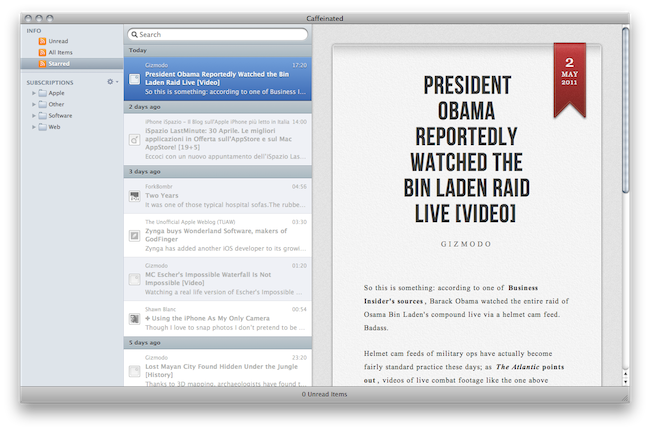
From a design perspective, not much has changed since my initial coverage. The app still looks as slick as ever with minimal sidebars and iOS-like scrolling and cells, but it’s the underlying engine that went under a massive re-construction. The app is way faster than I remembered, perhaps not as fast as the current Reeder for Mac beta but definitely snappy and promising. The app takes less than a second to start up with a neat opening animation, subscriptions can be manually refreshed with a keyboard shortcut but there’s no way to set automatic reload times yet. In fact, this first beta of Caffeinated is so limited there’s no access to the Preferences yet, and sharing options haven’t been implemented. As the developer writes:

Caffeinated was built for speed and customisability. The app is theme-able, the API exists but I have yet to write documentation or build in appropriate preferences, if you are interested in themeing with this beta, just give me a shout and I can walk you through it – its really not that difficult.

This is mainly a usable taster of what is to come…so be patient ( I know you have already! ) but it will be worth the wait in the end.

Overall, this first beta of Caffeinated – quite possibly one of the most anticipated Mac apps of 2010, before some users lost hope and began to think the project went the way of the dodo – is pretty buggy and clearly unfinished, but it’s a sign of interesting things to come in the (hopefully) near future. If you want to take Caffeinated for a spin, go download beta 1 here.


Things Cloud Sync Beta Goes Live

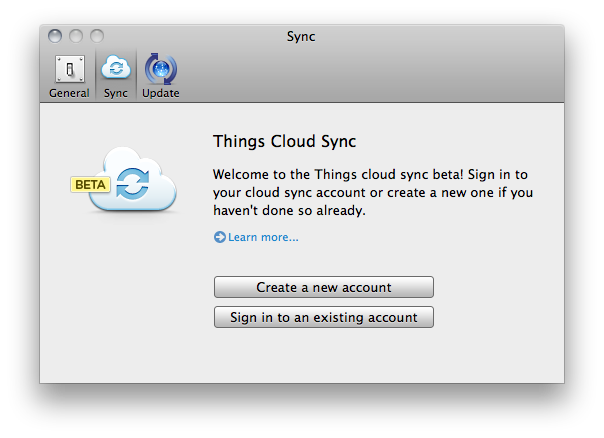
Years in the making, Cultured Code finally flipped the switch on the initial beta of Cloud Sync for Things, the popular GTD application for Mac, iPhone and iPad. Things, featured several times by Apple in the past and winner of a Design Award in 2009, was long criticized for the lack of over-the-air sync for tasks and projects across desktop and mobile devices, something that was implemented by other GTD-oriented applications like OmniFocus and Wunderlist with decent results in the past few years. Cultured Code, however, decided to wait before making a public announcement about their OTA sync plans; then, back in December, they revealed that, yes, they were working on a sync service for Things (which counts thousands of users worldwide), but it would take longer than expected due to the extremely unique nature of the product. And today, Cultured Code is letting registered beta users try the first version of Things Cloud Sync, although with some limitations.

We’re not able to test the actual implementation of sync right now, but details can be gathered from the developers’ blog and official sync page. This first version of cloud sync for Things will only work Mac-to-Mac, as the iOS clients haven’t been updated to test the functionality yet. The initial rollout of cloud sync is meant to test the reliability and scalability of the service, which, unlike most OTA sync tools out there, doesn’t want you to manually trigger a sync session but it’s aimed at constantly transmitting changes to the cloud – think of a continuous client for GTD. As Cultured Code explains, this is all based on a database system that makes sure current beta users can run the limited Things 1.5 version without corrupting their existing personal Things database. As explained in “State of Sync, Part III”:

Things will sync frequently. While there will be a way to initiate sync manually there should hardly be any reason for doing so. Every change you make is transmitted to the cloud almost instantly. No matter when you quit the app, your data is safe with the server already. Whenever you open Things, switch applications, or wake your computer from sleep, Things will check back with the server to see if there are any updates to pull.

Things will always connect to the server using an encrypted connection. Not only during log-in, as many web sites do, but for every connection. This means that your to-dos will never be sent in the clear.

The current beta of Things 1.5 can be downloaded here, but Cloud Sync is exclusive to users who signed up to Cultured Code’s list months ago and are receiving an activation email today. To stay up to date with Things sync development, follow Cultured Code’s blog here.


Fluid for Mac Goes 1.0, Introduces $4.99 Version for Extra Features

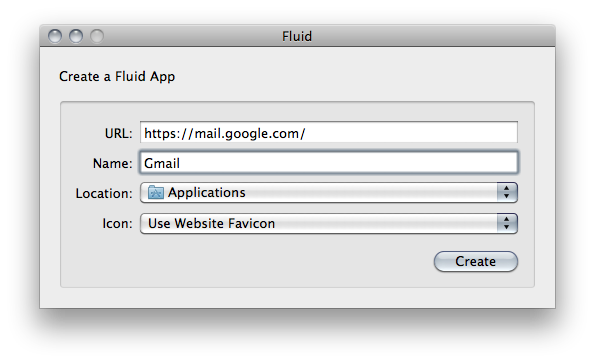
Fluid, the popular tool that allows you to turn websites into “native” Mac apps, was finally updated to version 1.0 yesterday after 3.5 years of development, bringing the app to “stable” status and introducing a new $4.99 price point that unlocks “extra features” – some of them previously available for free in the beta versions. For those who are not familiar with Fluid, it basically enables you to turn any website into a standalone desktop application that – technically speaking – is nothing but a Cocoa wrapper. By wrapping a website into its own desktop package, Fluid gives you the “illusion” of having a native Gmail or Facebook app while, in fact, you’re simply running a webpage into a separate window. Fluid, however, has got its very own perks, like the possibility to choose a custom Dock icon for a website, or displaying unread badges for new items and notifications – something that a browser normally doesn’t through tabs. In this way, Fluid becomes a pretty handy solution to put your Campfire chats in the Dock, or get Gmail out of the browser and into its own desktop window.

The new version 1.0, improvements and bug fixes aside, comes with an optional $4.99 purchase that will unlock three features: userscripts & userstyles, separate cookie storage, and possibility to “pin” apps to the OS X menubar. Whilst the first two features are self-explanatory (separate cookie storage is new to Fluid 1.0 though), “pin to status bar” is the big addition to this Fluid release. Much like Twitterrific and Twitter for Mac can be toggled by a menubar item to hide / show the main window, Fluid apps can now live in the menubar and get out of the way when you don’t need them. If you combine this with some clever mobile user agent tweaking, you end up with a sweet way to create useful iPhone-like desktop apps that don’t clutter your Mac’s screen, but they’re still there.

Fluid is not available in the Mac App Store, but you can download the free version here. A $4.99 license can also be purchased here with a Paypal payment.


Lima: Browser-based Cydia Alternative Demoed on Video

With 1.5 million users logging into the app every day and an estimated user base of 10 - 15 million iPhone, iPad and iPod touch users, Cydia has become the undiscussed leader of the jailbreak community thanks to the thousands of tweaks and utilities available for download and purchase. Developed as an alternative to the App Store to find a place for those apps that Apple would never approve, Cydia turned into a full-featured marketplace where users can go to find the latest modification to the iPhone’s graphic files, or hacks to enable functionalities that Apple left out in the last software update. Cydia is the single reason to jailbreak an iOS device, but some developers think there’s still room for healthy competition and fresh new concepts in the jailbreak scene.

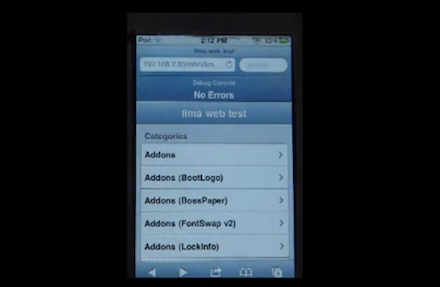
Lima, created by the same folks behind the Icy package installer, is a new browser-based Cydia alternative that’s still in the early stages of development but will be focused on speed, reliability and ease of use. Instead of building an app package, the devs of Lima opted for the browser option: Lima will likely gets its own homepage, and let users log in with their online accounts to download and install tweaks. It’s unclear whether Lima will allow users to add custom sources and how many developers will support the platform once it’s available, but devs weighing in iPhoneDownloadBlog’s original coverage seem to confirm that Lima will offer an option to manage repositories, as well as a backup system for installed packages.

You can follow the development of Lima on the Infini Dev Team’s blog, and check out the first demo video below. Read more