Posts in news

IconSettings Offers Quick Home Screen Access To iOS Settings

Just two weeks ago we covered iPhone URL schemes, those native URLs specific to iOS applications like Facebook or Twitter that can be used to launch an app’s section (Facebook’s Messages view, Twitter’s Mentions tab) with a single tap. As it turns out, however, URL schemes aren’t exclusive to third-party apps that have implemented them, as Apple is using the same system to assign a unique URL to specific sections in the iOS Settings app. Which means that, in theory, you should be able to easily launch Bluetooth settings or iCloud’s control panel by tapping on a link.

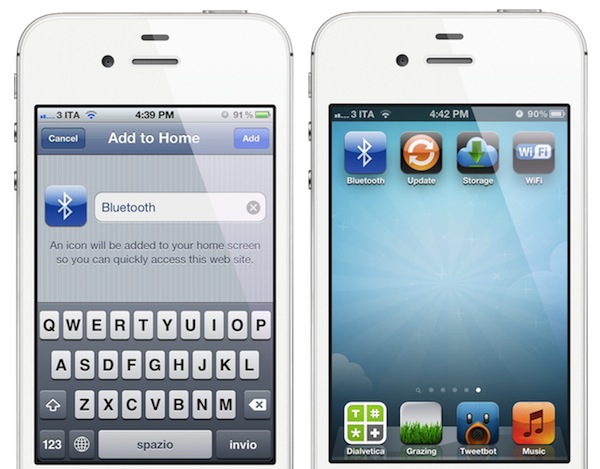
Of all the solutions that have surfaced in the past weeks to create Home screen shortcuts for Settings without jailbreaking a device, I’d say IconSettings is the most clever, nicest and easiest to use. As noted by Engadget, you just visit this webpage, decide which settings panels to turn into Home screen icons, and manually add a webpage to the Home screen using Safari. That webpage will turn into an icon, which will launch the settings panel you chose from the list. Quite simple.

There’s a catch: whilst jailbreak apps like SBSettings really put iOS Settings’ in another location (in SBSettings’ case, a dropdown menu), IconSettings simply creates visual bookmarks for URLs that redirect to the Settings app. And by “redirect” I mean that you’ll briefly notice Safari launching before you’re brought to the selected settings panel you need. This should be no big deal as the animation is very short, but this method will still leave an open tab in your Mobile Safari (remember, you’re still launching a URL). So yes, IconSettings is a pretty cool web-based trick to create Home screen shortcuts for commonly accessed Settings, but keep in mind that Safari will keep track of these URLs.

If you don’t have a jailbroken device and you’re willing to compromise to have Settings shortcuts on your Home screen, check out IconSettings here. Its icons are fairly good-looking, too.
Apple Launches iTunes Match

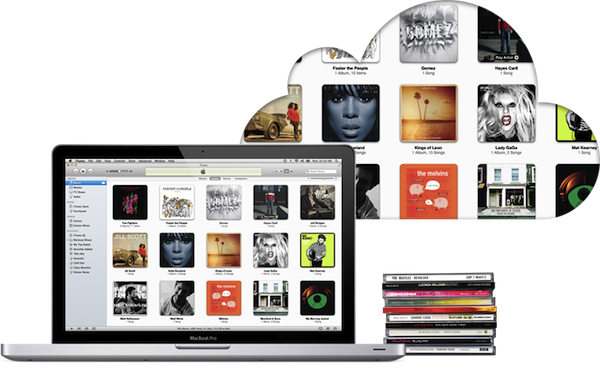
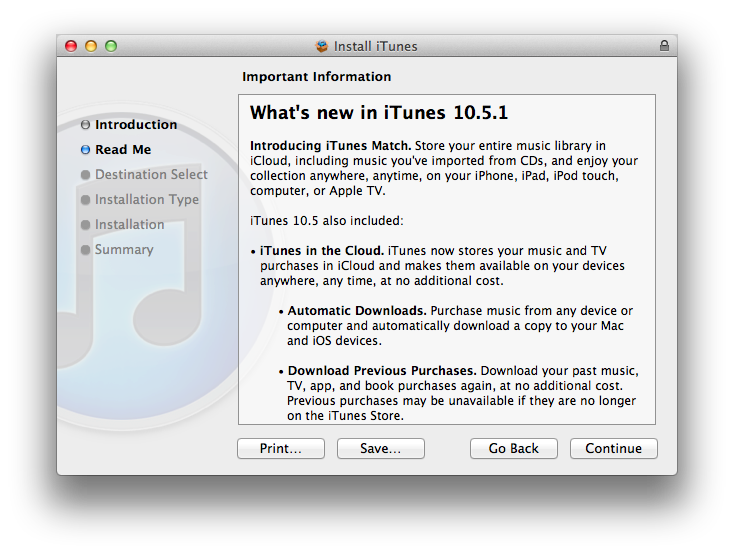
Apple today released iTunes 10.5.1, a software update that enables iTunes Match, a new music service integrated with iTunes in the Cloud that allows customers to “scan & match” their local music libraries, and store their songs and albums in Apple’s cloud. iTunes Match is currently available to U.S. customers only, and it costs $24.99 per year via iTunes subscription; iOS 5.0.1 and iTunes 10.5.1 are required to use iTunes Match.

Unlike other cloud music services, iTunes Match uses a scan technology that enables Apple to match songs in a user’s library with the ones the company already has on the iTunes Store, whilst the ones that aren’t recognized in the scanning process are directly uploaded to Apple’s servers. Because the iTunes Store offers more than 20 million songs, Apple believes most user libraries will be matched in seconds with the catalogue Apple already has, thus avoiding uploading an entire music library, which could take weeks on an average Internet connection. Furthermore, while the songs that aren’t matched with Apple’s iTunes Store are uploaded “as they are” (the exact file that a user has on a computer), matched songs are automatically upgraded to 256-Kbps AAC DRM-free quality, even if the original copy was of lower quality.

iTunes Match isn’t a streaming service like Spotify and Rdio in that it requires users to go through a “scan & match” process before they can start using the service. It is, however, deeply integrated with OS X and iOS 5: on the desktop, iTunes can download and play songs from iTunes Match, and the native Music app on iOS device is capable of downloading any song or album stored in your iCloud account, provided you’ve enabled iTunes Match in the Settings. iTunes Match doesn’t come with a huge catalogue of artists and genres available for streaming right away, but it allows users to scan & match their libraries, and download their songs (matched or not) at any time, on any device, with deep system integration.

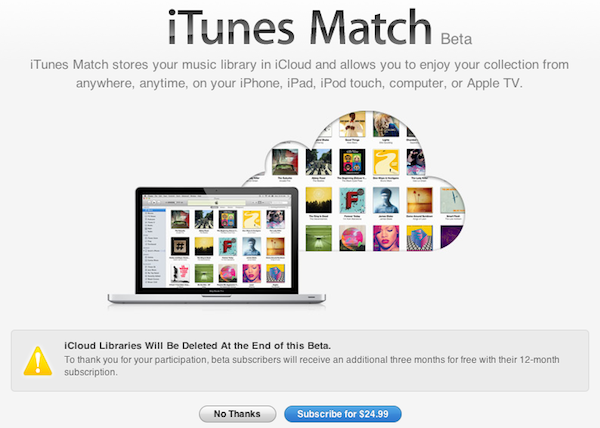
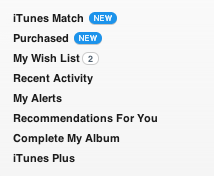
At the moment of writing this, iTunes 10.5.1 includes iTunes Match but the service is still mentioned as “beta” within iTunes:

We will have a complete overview of iTunes Match later today on MacStories. iTunes 10.5.1 is available now on Apple’s website or through Software Update.


Apple Releases iTunes 10.5.1 with iTunes Match

Apple has just released version 10.5.1 of iTunes, which has been in testing with developers for some weeks to test the new iTunes Match music service. iTunes 10.5.1 is available now on Apple’s website and Software Update. It’s still unclear whether iTunes Match will open to the public today, and we’ll update this story as soon as we know more.

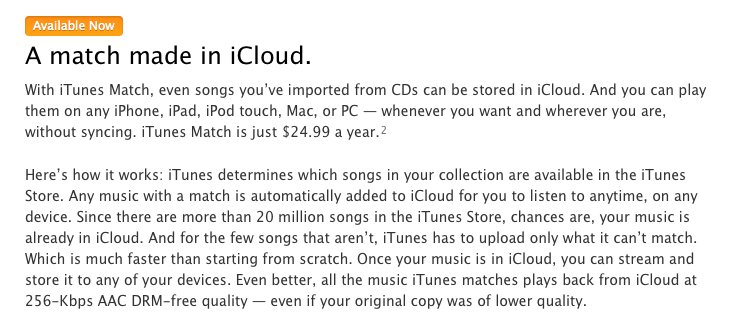
Update: It appears iTunes Match is indeed launching today as confirmed by Apple on the iTunes webpage.

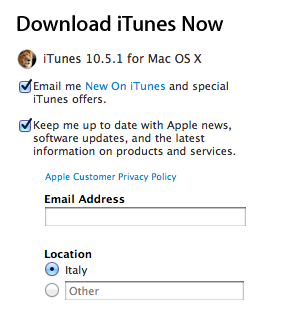
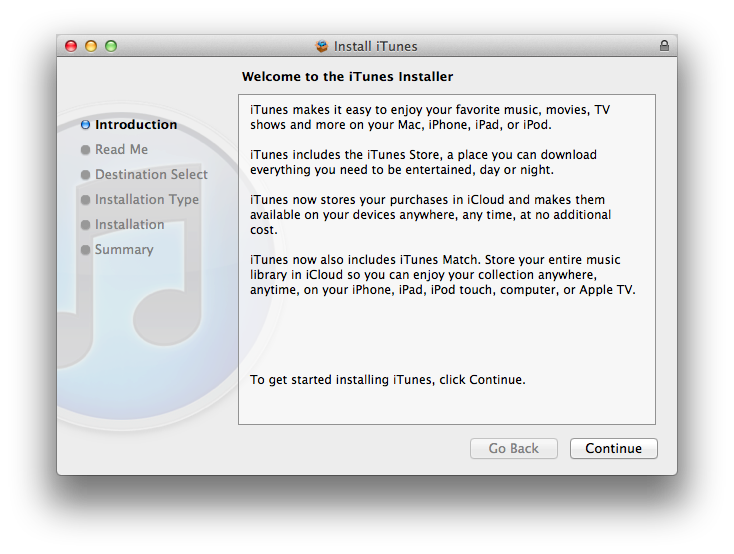
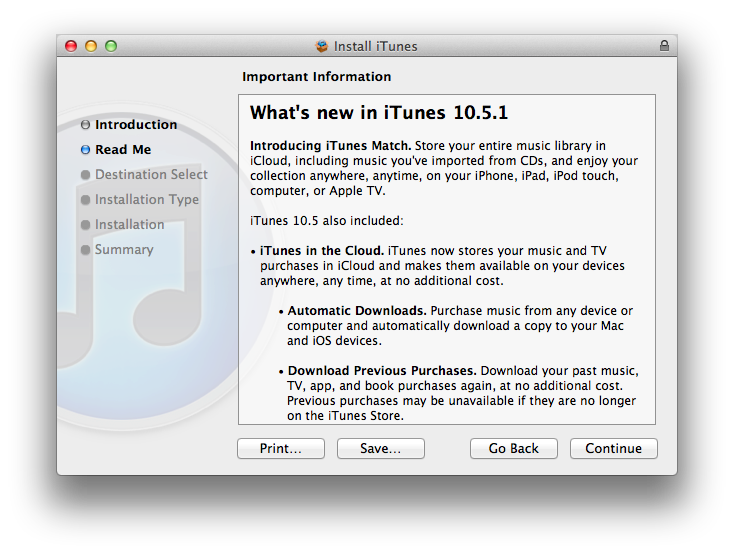
Screenshots from the iTunes 10.5.1 installer and iTunes 10.5.1, still showing iTunes Match as “beta”. More information about iTunes Match available here.


Apple’s iPhone 4S Rollout Continues with November 25 Launch In India

As reported by The Next Web, Apple’s iPhone 4S is set to launch in India on Friday, November 25. Indian carrier Aircel has confirmed that it will begin selling the device next week, whereas another major operator in India, Airtel, is rumored to be joining sales on the 25th as well. Airtel and Aircel brought the iPhone 4 to India only in May, almost a year after the original US release, and this November launch seems to signal Apple’s intention to have a rapid rollout for the iPhone 4S in more than 70 countries before the end of 2011.

Prices for the iPhone 4S in India haven’t been confirmed by the carriers, but The Next Web suggests the 16 GB model will be priced between ₹ 35,000 and ₹ 40,000, with additional price drops for the iPhone 4 and 3GS.

Based on the latter’s launch and the fact that the unlocked iPhone 4S starts at $649 in the USA, however, we expect to see the iPhone 4S to be priced somewhere between ₹ 35,000 and ₹ 40,000 for the 16GB model and offered carrier unlocked with a reverse subsidy. This would mean that customers would pay the full price of the phone upfront and then be reimbursed part of the cost in the form of discounted tariffs for the next two years of usage.

We also expect to see both carriers drop the prices of the iPhone 4 and iPhone 3GS—which currently retail at ₹ 34,500 and ₹ 19,990 respectively—after the launch of the iPhone 4S.

As of today, the iPhone 4S is available in 44 countries around the world: the device launched in 7 initial countries on October 14th; 22 countries followed on October 28th, and last week (on November 11th) the iPhone 4S launched in 15 more countries including Hong Kong and South Korea. On November 11, Apple also started selling unlocked iPhone 4S units in the United States.


iPhone 4 and iPhone 3GS Continue To See Strong U.S. Sales in Q3

According to the latest data by research firm NPD, Apple’s iPhone 4 and two year old iPhone 3GS continued to lead US smartphone sales in the third quarter of 2011. The data, based on NPD’s Mobile Phone Track and Smartphone Track services, shows declining smartphone prices reaching an average selling point of $135 in Q3, although ”consumers originally considered paying more”. The top five phones in Q3 according to NPD:

  • 1 - Apple iPhone 4
  • 2 - Apple iPhone 3GS
  • 3 - HTC EVO 4G
  • 4 - Motorola Droid 3
  • 5 - Samsung Intensity II

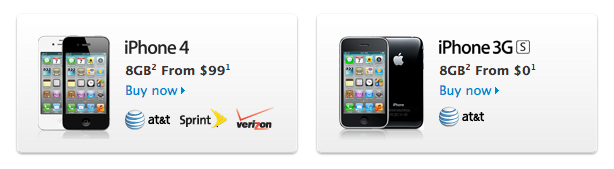
Despite their age and typical slowdown in popularity and the rise of Google’s Android operating system in smartphone market share, the iPhone 4 and 3GS still lead sales in the United States. In October, Apple announced the iPhone 4S, which went on sale on October 14th in seven countries and reported over 4 million sales in the first weekend of availability. US carriers AT&T and Sprint said they were very pleased with the initial results of iPhone 4S pre-orders, which isn’t included in NPD data for Q3, but Apple didn’t provide specific US numbers for iPhone 4S sales. Alongside the iPhone 4S, however, Apple also introduced a new 8 GB iPhone 4 model, sold at $99 on a two-year contract, and kept the iPhone 3GS around for free with a carrier contract. At Apple’s Q4 2011, CEO Tim Cook said about the free iPhone 3GS:

We did it because we want the iPhone more accessible to a broader market and so not only did we take the 3GS to free in a postpaid plan, but we also lowered the price of the iPhone 4….we did both of those because as we looked at it, these are still fantastic products and we think we can do reasonably well in selling these in the postpaid market. It also has the advantage of having a lower price in the prepaid market…we did it for both the prepaid and postpaid markets, they are both very important to us. It has been our thinking for a while to do that.

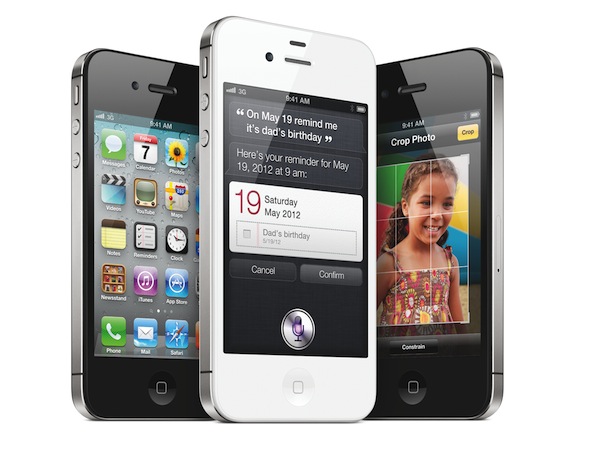
The iPhone 4 and iPhone 3GS run the latest version of iOS, but Apple made a major software feature of iOS 5, the voice-based assistant Siri, exclusive to the iPhone 4S. With a lower price point, it’s likely the iPhone 4 and 3GS will continue to be an important source of revenue from customers willing to get an iPhone, but not necessarily the (more expensive) new model.


iCloud Libraries To Be Wiped Tomorrow As Apple “Prepares” For iTunes Match Launch

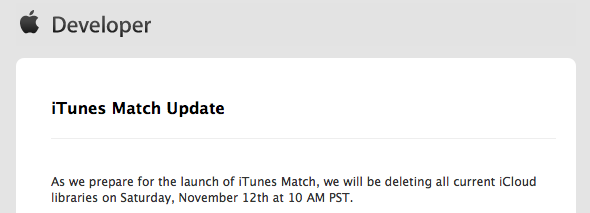
In an email sent to developers a few minutes ago, Apple has announced that iCloud music libraries will be wiped tomorrow, November 12th, at 10 AM PST. Since Apple began testing iTunes Match in August, iCloud libraries have been wiped periodically as part of Apple’s testing process to build and optimize the service. Currently, iTunes Match is being tested by registered developers in the United States, and it requires iTunes 10.5.1 beta.

As we prepare for the launch of iTunes Match, we will be deleting all current iCloud libraries on Saturday, November 12th at 10 AM PST.

Please turn off iTunes Match on all of your computers and iOS devices. On your computer, choose Store > Turn off iTunes Match. On your iOS device, tap Settings > Music, then turn off iTunes Match. On your Apple TV, please choose Music > Turn off iTunes Match.

The songs on your computer should not be affected. As always, please backup regularly and do not delete the music you add to iCloud from your computer.

iTunes Match is Apple’s upcoming scan & match service for music built into iTunes and iCloud. iTunes Match will scan a user’s music library, find songs that match with Apple’s iTunes Store, and upload results that haven’t matched correctly. Songs stored in iCloud can be downloaded on any device, at any time, as long as you’re subscribed to iTunes Match, which costs $24.99 per year. At the “Let’s talk iPhone” media event in October Apple said iTunes Match would launch by the end of the month, but as the company missed its own deadline many started wondering whether additional beta time was required to finalize iTunes Match. On November 3rd, Apple seeded to developers a new beta of iTunes 10.5.1 for additional iTunes Match testing.


Apple Still Investigating iOS 5 Battery Life Issues

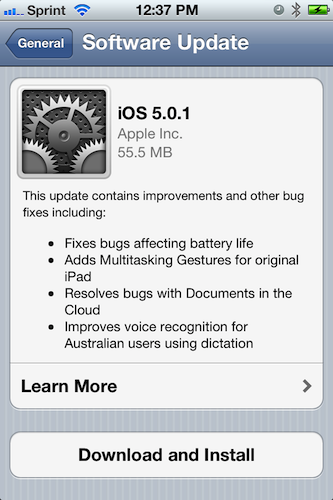
Apple yesterday released the iOS 5.0.1 software update which, among other fixes and features, included optimizations for battery life of devices running iOS 5. In particular, a number of users in the past weeks have reported shorter than normal battery life on the iPhone 4S, Apple’s latest iPhone model released on October 14th. Apple promised that the iOS 5.0.1 update would fix a software issue that had affected battery life on iOS 5, not just the iPhone 4S.

Yet after the release of iOS 5.0.1, which was distributed over-the-air to iOS 5 devices as well as through iTunes, several users on Apple’s Support Communities reported battery life issues similar to pre-iOS 5.0.1 scenarios, if not worse after the upgrade. In a statement issued to All Things D, Apple says they will continue to investigate issues with battery life:

The recent iOS software update addressed many of the battery issues that some customers experienced on their iOS 5 devices,” the company said in a statement. “We continue to investigate a few remaining issues.

As Apple keeps working on iOS 5 and improving the system’s battery management, a number of users suggest that disabling some of iOS’ Location Services and Notifications might improve battery life dramatically. Apple doesn’t specifically recommend any of the “tips and tricks” found online, though it does offer a Feedback page for all users willing to report back about their experience with iOS devices.


Apple Starts Selling Unlocked iPhone 4S In US Online Store

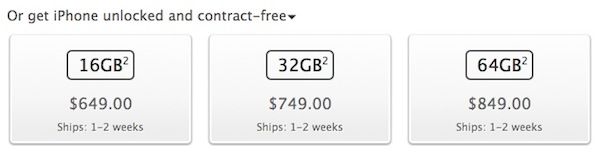
Alongside the international launch in 15 more countries, Apple today began offering unlocked iPhone 4S units through its US online store. Current orders for unlocked iPhones ship in 1-2 weeks, and the models are available at $649 (16 GB), $749 (32 GB) and $849 (64 GB). The unlocked iPhone 4S only works on GSM networks such as AT&T in the United States and allows for micro-SIM cards from local GSM networks when travelling internationally. The unlocked iPhone 4S doesn’t work on Verizon or Sprint.

The unlocked iPhone includes all the features of iPhone but without a contract commitment. You can activate and use it on the supported GSM wireless network of your choice, such as AT&T in the United States.* The unlocked iPhone 4 or iPhone 4S will not work with CDMA-based carriers such as Verizon Wireless or Sprint.

If you don’t want a multiyear service contract or if you prefer to use a local carrier when traveling abroad, the unlocked iPhone is the best choice. It arrives without a micro-SIM card, so you’ll need an active micro-SIM card from any supported GSM carrier worldwide. To start using it, simply insert the micro-SIM card into the slot on your iPhone and turn it on by pressing and holding the On/Off button for a few seconds. Then follow the onscreen instructions to set up your iPhone.

Apple launched the iPhone 4S in October and promised unlocked versions would be available starting in November. The unlocked and contract-free iPhone 4S can be purchased from Apple’s online store here.


AirPort Base Station and Time Capsule Firmware Update 7.6 Released

Earlier today Apple released an AirPort Base Station and Time Capsule Firmware update, reaching version 7.6. The update is compatible with all 802.11n AirPort Express, 802.11n AirPort Extreme and Time Capsule models and adds a number of fixes:

  • An issue with performance on overlapping wireless networks
  • An issue with AirPlay audio streaming
  • An issue with configuring multiple entries for DNS servers

Apple recommends upgrading from AirPort Utility 5.5.3 or later. The new version can be downloaded by checking for updates directly in AirPort Utility.