Posts in news

Apple Releases OS X 10.8.5

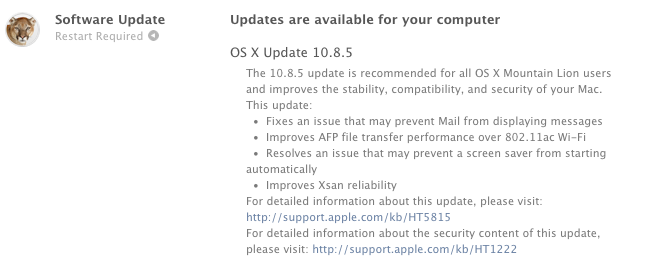
Apple has released OS X Mountain Lion 10.8.5, an update that brings improvements for file transfers, WiFi, Mail, and more. The last update to Mountain Lion, version 10.8.4, was released in June, ahead of WWDC. It appears that this new version fixes a CoreText bug that caused strings of text containing Arabic characters to crash certain Mac apps.

Full changelog below:

  • Fixes an issue that may prevent Mail from displaying messages
  • Improves AFP file transfer performance over 802.11ac Wi-Fi
  • Resolves an issue that may prevent a screen saver from starting automatically
  • Improves Xsan reliability
  • Improves reliability when transferring large files over Ethernet
  • Improves performance when authenticating to an Open Directory server
  • Addresses an issue that prevented a smart card from unlocking preference panes in System Preferences
  • Contains the improvements included in MacBook Air (Mid 2013) Software Update 1.0

OS X 10.8.5 is currently available through Software Update on the Mac App Store. We’ll post links to standalone downloads as soon as they’re available.

Update: Download links from Apple.


Chrome For iOS Update Brings New Icon, Improved Voice Search and Navigation

Released earlier today on the App Store, Chrome for iOS version 29.0.1547.11 (according to Google’s release notes) brings various search and navigation improvements, as well as a new white-themed icon that seems to be aimed at making Chrome fit more with the upcoming aesthetic of iOS 7.

The first improvement is better handling of single sign on with other Google apps for iOS, something that the company has been focusing on lately to provide an even tighter integration between its apps for iPhones and iPads.

Alongside bug fixes and stability improvements, Google has added a way to more easily swipe back from a webpage to search results: when you search on Google and choose a result, when you go back to your search query you’ll see a new animation and, more importantly, your previous results instantly appear on screen. Switching back and forth between results was cumbersome in the old Chrome, as it wasn’t fast and often led to problems with the Google Search page reloading again.

Last, Google says that Voice Search has been enhanced with pronoun support for chaining queries like “Who is Barack Obama?” followed by “Who is his wife?”. in my tests, the feature worked as advertised with US English Voice Search, correctly displaying results for the aforementioned person/wife combination, as well as “What is the capital of Italy?” and “What is its population?”. However, improved pronoun support doesn’t seem to be working with Italian yet, which wouldn’t be surprising considering that Google rolled out international versions of Voice Search months after the US launch.

You can get the latest Chrome for iOS update on the App Store.


September 10th iPhone Event: All the Other Stuff

Today’s iPhone event was short and to the point. Instead of introducing handfuls of new products and apps, we were presented with a quick iOS 7 overview of what was already announced at WWDC, some iWork and app updates (more on that in a second), and then the iPhones themselves alongside accompanying cases. Honestly, this made for one of the most satisfying iPhone events in ages.

Read more


iPhone 5c: Everything You Need to Know

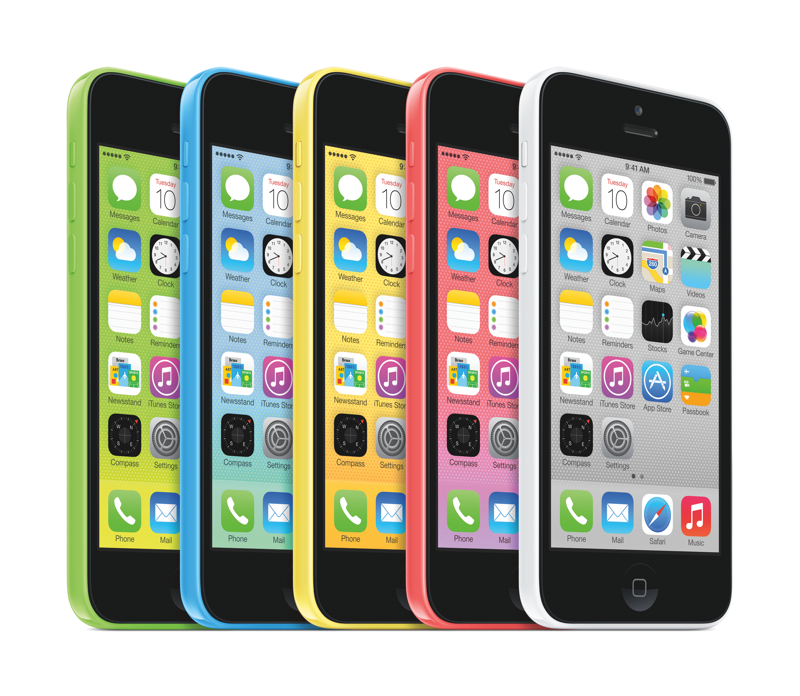
During today’s media event at the Apple Campus in Cupertino, California, Apple’s senior vice president of Worldwide Marketing, Phil Schiller, took the stage to announce the iPhone 5c. The iPhone 5c is Apple’s first plastic-bodied phone with a 4-inch screen, is shaped like the iPod touch, and is also Apple’s first iPhone that’s available in an array of bright colors. The 16 GB iPhone 5c starts at $99 on contract.

Read more


Apple Announces iOS 7 Coming On September 18

As widely expected, Apple has today confirmed the official release date of iOS 7 at a media event held on the company’s campus in Cupertino. iOS 7 will be released on Wednesday, September 18th, for the iPhone, iPad, and iPod touch.

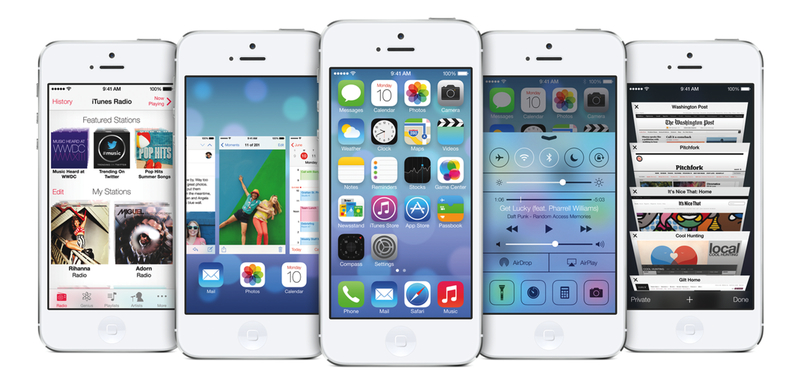
iOS 7 is a major rethinking of Apple’s mobile operating system that sports a redesigned user interface with a focus on clarity and deference, and new features such as Control Center, new Multitasking, improved Notification Center and Siri, iTunes Radio, AirDrop, and more. iOS 7 was first announced at Apple’s WWDC earlier this year, where Apple also confirmed that the update would include over 1500 new APIs for developers to create apps with.

Apple hasn’t announced a Golden Master seed of iOS 7 yet, but it will presumably be released to developers today. Typically the last developer release before a public launch, the GM seed will allow developers to make final preparations to their iOS 7-ready apps and submit them to the App Store.

For more coverage, check out our September 10 news hub and follow @macstoriesnet on Twitter.


Sponsor: Smile

Our thanks to Smile for sponsoring MacStories with PDFpen for iPad.

PDFpen is the goto solution for signing and editing documents from your iPad or iPad mini. Correct typos, highlight and add notes, and annotate documents with simple taps. Because PDFpen works with iCloud and Dropbox, you can be sure that your documents are conveniently available at your Mac. And because sharing those documents is just as important as making changes, PDFpen lets you send documents to services like Evernote, Google Drive, and Box. The next time you receive an email with that all important document, sign it with your finger, correct glaring typos, and send it back in just a few moments. It’s fast, easy, and powerful.

PDFpen for the iPad is only $14.99. You can learn more and watch a product demonstration on Smile’s product page, or download it from the App Store. In addition, don’t forget to check out PDFpen for the Mac, the perfect companion for getting things done when you’re at your desk.


Opera Launches New Coast Browser for iPad

Released today on the App Store, Coast is a new browser by Opera based on iOS’ WebKit engine and built exclusively for the iPad. Coast is, according to Opera, “the result of its designers tossing out 20 years of preconceptions about what a browser should be”, as it tries to reimagine how a tablet browser should be in 2013 without toolbars, buttons, and URL fields but with a focus on gestures and web content.

The Opera team writes:

The iPad is nearly buttonless; why shouldn’t the apps for it be? Elements such as back and forward buttons are gone from Coast. All navigation is done by swiping the way you naturally would on an iPad – just like in a good iPad app. A single button takes you to the home screen, and another shows the sites you have recently visited – that’s about it for buttons in Coast.

When using touch-based navigation, small buttons that work on a regular computer don’t work well on a tablet. It’s not about just enlarging already existing elements; it’s about making the design interesting and uncluttered.

Essentials such as website security are handled in the background, with can’t-miss warnings when a suspicious site is accessed and extensive info on site reputation.

While I personally don’t need another iPad browser as I’m fine with Chrome, I think that Coast shows some interesting ideas and approaches. Sites are organized in Home screens, and Coast’s default behavior is to save a site’s “apple-touch-icon” file (the same one that Reeder uses) as a preview. Website icons can be rearranged like app icons on the iOS Home screen, and the effect is quite nice. You can’t personalize the background photo, and that’s too bad because I don’t like the built-in one.

There are some good animations in the app. You can delete icons and open pages by swiping up and putting them into a delete area that quickly bounces when it deletes content; icons flip to reveal a website’s homepage, and Google search is always accessible by swiping down on the Home screen. My favorite detail is how the dot indicators for open pages come up from the bottom of the screen when you open the “tab view” (they are not called tabs in Coast – in fact, there are no text-based menu labels at all).

I don’t think that Coast will revolutionize iPad web browsing because, admittedly, Safari offers a superior feature set for the average user with iCloud Tabs, the upcoming iCloud Keychain, Reader, Reading List, and more. But Coast does have some intriguing ideas and it’s worth checking out.


Introducing “Writing On The iPad: Text Automation with Editorial”

Short version

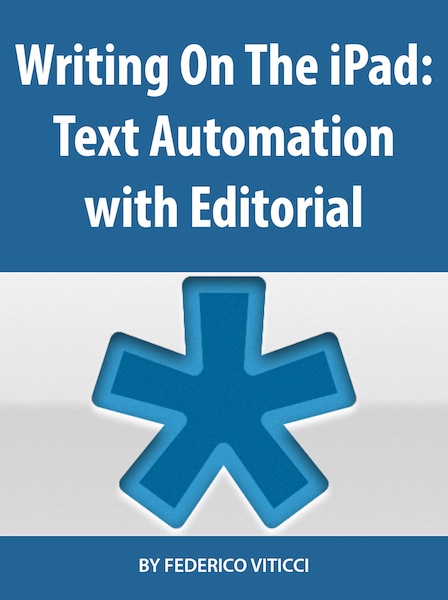
My first book is now available on the iBookstore. It’s an extended edition of my Editorial review that comes with:

  • Completely reformatted layout and design with Retina screenshots, annotated videos, interactive graphics, and more
  • 20 exclusive new workflows
  • 5 new videos
  • 10,000 additional words
  • A photo of yours truly in the Introduction

You can read the book on your iPad, and it’s $2.99 for a limited time.

Get it here.

Longer version (based on the book’s Preface)

Editorial is a text editor for the iPad that supports Markdown, syncs documents with Dropbox, comes with a snippet system to speed up typing, and – a feature that truly makes it stand out from similar apps – is powered by workflows and scripts to automate writing, editing, and publishing. Editorial is developed by Ole Zorn, an independent software developer based in Germany. Editorial was released on August 15th, 2013; prior to the public release, I had been testing the app since late November 2012.

“Writing On The iPad: Text Automation with Editorial” contains my review of Editorial with an in-depth explanation and critique of the app’s numerous features and workflow tools. My goal with this book is to provide a convenient, portable resource to learn more about Editorial, how the app changed the way I work on iOS, and how, through Editorial’s automation, scripts, and workflows, it’s possible to turn an iPad into a powerful tool for writers.

Originally, my Editorial review was here published at MacStories.net on August 15th, 2013, when Editorial for iPad was released on the App Store. However, following many readers’ suggestions due to the length and scope of the review, I decided to offer an iBooks version of it. “Writing On The iPad: Text Automation with Editorial” contains the original review reformatted for iBooks, plus 20 extra workflows and 5 additional videos. You can consider it a “Director’s Cut” edition of my Editorial review, now available in a multi-touch interactive book made exclusively for the iPad and iBooks.

The exclusive workflows included in the Extras chapter are:

  • Show Word Definition
  • Sort Lines Alphabetically
  • Convert Selection To HTML
  • Markdown Link from Clipboard
  • Markdown Image From Clipboard URL
  • Reference Link from Clipboard
  • Count Occurrences of Word
  • Count Links and Footnotes
  • Fill Login
  • Get RSS Feeds
  • URL Sharing Tools
  • Get Pinboard Bookmarks
  • Feed Wrangler
  • “Mark As…” On Feed Wrangler
  • Clean and Flip
  • Rich Text To Evernote
  • Save Tab
  • Reopen Tab
  • Manage Tabs
  • Clip Webpage

Alongside converting the review to the iBooks format and including new content, I also updated screenshots for Retina displays, created galleries to group multiple screenshots together, and annotated some screenshots to better describe the user interface of Editorial. The videos have been enhanced with textual overlays for comments, and I’ve created a glossary for common terms used throughout the book.

I consider this the best version of my Editorial review. Thanks to iBooks’ interactivity, clean layout, and embedded rich content, I hope that you will enjoy a pleasant and convenient reading experience that should help you in getting started with Editorial and understanding the capabilities of advanced workflows and iOS automation – an area that is often underestimated, but quickly growing among the iOS power user community.

I hope that you’ll like what I’ve done. This is a new experience for me, and I would love to receive your feedback either via email or Twitter.

Once again: my new book is available here, and it’s $2.99 for a limited time.


Apple Confirms: Media Event On September 10

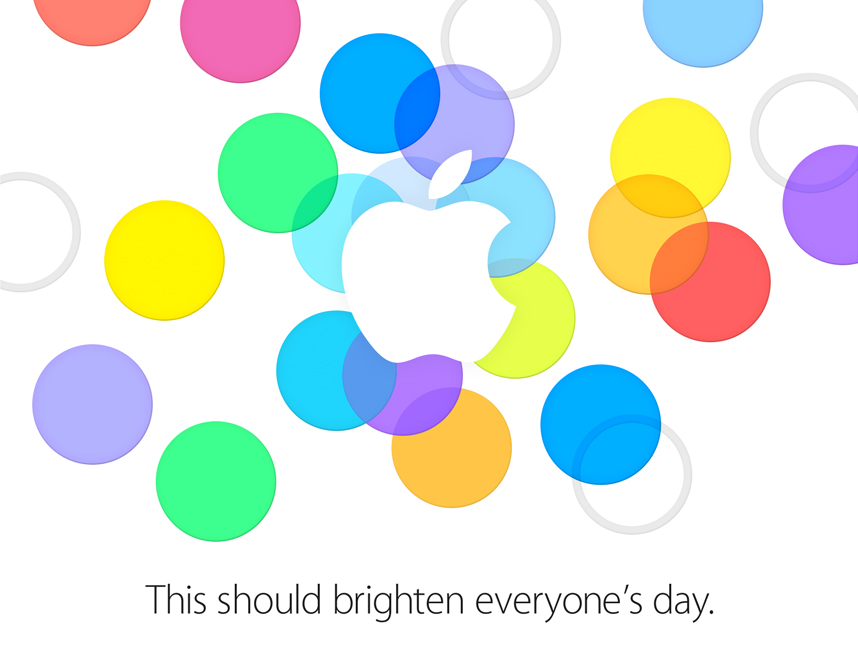
As first reported by The Loop’s Jim Dalrymple, Apple has today sent invitations to selected members of the press for a September 10th media event on Apple’s campus in Cupertino. The date of the event was also reported by AllThingsD’s Ina Fried last month.

According to speculation from the past few months, Apple’s event will focus on the introduction of new iPhone models, namely the successor to the iPhone 5 (so far unofficially called the “iPhone 5S”) and a possible new lower-price entry in the iPhone line – the “iPhone 5C”. Our Cody Fink shared his thoughts on the possibility of an entry-level iPhone back in July; as for the iPhone 5S, recent rumors have suggested that the device may include a fingerprint sensor, improved camera, and a golden color option.

Apple’s new major iOS update, iOS 7, is also expected to make its formal debut at the media event. Originally announced at Apple’s developer conference in June, iOS 7 has seen six beta releases for registered developers throughout the summer with changes and improvements to the redesign and new features that Apple unveiled in June. Typically, Apple releases “golden master” builds of iOS updates at its September media event, so an iOS 7 GM is to be expected on September 10, with Apple asking developers to start submitting iOS 7 apps to the App Store shortly after. Other software releases that may make an appearance on September 10 include OS X Mavericks, a new version of iTunes with iTunes Radio support, redesigned Apple apps (such as iWork) for iOS 7, and a new version of iCloud.com with an iOS 7-matching redesign.

As shared by Tim Bradshaw, the event’s invitation reads “This should brighten everyone’s day”, possibly hinting at the new iOS 7 and (rumored) iPhone 5C colors.

We’ll be covering Apple’s September 10 announcements with a dedicated hub on MacStories. You can subscribe to this tag page via RSS to receive every update for Apple’s September 10 media event.