This Week's Sponsor:

Copilot Money

Copilot Money, The Best Money Tracker, Launches on the Web – Limited-Time: Get 26% Off + 2 Months Free


Posts in news

Introducing Directional Podcast

Directional

Directional

Thanks to Jory Raphael for the awesome artwork.

In recording The Prompt every week, my friend Myke Hurley and I realized that we love talking about games. We love games and the community of game makers and players behind them. We’ve been playing games since we were kids, and whenever we touched upon the topic of mobile gaming, Nintendo’s history and current games, Sony and Microsoft, indie games, and everything in between on The Prompt, we felt that we could go on for hours with our discussions. Eventually, we knew that we needed a separate venue to properly dedicate ourselves to the topic.

Which brings us to today: Myke and I are announcing Directional, a podcast about games, gamers, game makers, and surrounding culture. Here’s how we like to describe Directional’s focus:

We reflect about past trajectories and current directions, old games and new hits. Directional focuses on the games that are paving the way, the games that laid the foundations and just how dedicated games consoles exist in the smartphone age.

I’m extremely excited and grateful for this opportunity, and I look forward to beginning this second podcasting adventure with Myke next week. The Prompt has been an amazing and rewarding success for us, and, again, I hope that Directional will distinguish itself for quality and opinion, not just what’s trending.

Directional will be a weekly show on 5by5, with the first episode airing next week. We have some great stuff planned, and I can’t wait to share what we’ve been working on. I think you’ll also like our music.

We don’t have a webpage or RSS feed yet, but you can follow @DirectionalShow on Twitter for updates.


Evernote for Mac Gets Descriptive Search With Natural Language Support

Evernote for mac

Evernote for mac

With an update released today, Evernote is bringing descriptive, natural language-based search to its Mac client. The feature, which can be activated from Evernote’s search bar, aims at making it easier to find specific notes using a natural input system for note names and content, as well as more advanced filters for date, location, device, and attachments.

Descriptive search is, essentially, a refined interface for Evernote’s existing search system, which has long enabled users to find notes by combining tokens in the search menu. Instead of clicking to choose search options and combine them, you can now type commands such as “notes created this month” or “notes with images and created this year” and Evernote will display a suggestion based on matching search results for your account. Read more


Apple Posts New Ad Shot Entirely on iPhones, Edited on Macs

To further commemorate the 30th anniversary of the introduction of the original Macintosh on January 24, 1984, Apple has published a new ad shot entirely with iPhones on a single day in 15 different locations around the world. The creative production of the ad was overseen by Jake Scott, son of Ridley Scott, who directed the iconic 1984 commercial. On January 24, 2014, iPhone-equipped crews sent by Apple to 15 separate locations started uploading raw footage to a server in the United States, where Angus Wall and a team of 21 editors could edit using Macs.

Apple’s new commercial doesn’t only focus on Macs – while they’re prominently displayed, Apple highlights how the impact of the Mac has changed the computer industry, leading to the creation of the iPhone, iPod touch, and iPad. All Apple products are shown in the ad: there’s a father making breakfast for his son using an app to control his prosthetic hands; a conductor analyzing musicians’ performance with a Mac; kids using iPads at school, and more.

From sunrise in Melbourne to nightfall in Los Angeles, they documented people doing amazing things with Apple products. They shot over 70 hours of footage — all with the iPhone 5s. Then it was edited and scored with an original soundtrack. Thanks to the power of the Mac and the innovations it has inspired, an effort that normally takes months was accomplished in a matter of days.

In one day, Apple received footage for 45 stories from 15 locations spanning multiple timezones, which required 36 hours of productions in Los Angeles; Apple used 100 iPhones to shoot over 70 hours of footage. As Apple notes, “initially, the team of cinematographers thought they would need lots of professional equipment and software”, but in the end only iPhones with “additional equipment” were used.

Even more impressively, Apple notes that Jake Scott and his team transformed a sound stage in Los Angeles to oversee production remotely using Macs, iPads, and external displays. Scott could direct cinematographers remotely with FaceTime (as shown by Apple, a second iPhone followed each shooting session for real-time feedback) and have an instant overview of footage coming from around the world.

In order to direct 15 separate locations filming in a single day, Jake Scott transformed a sound stage in Los Angeles into a command center. He equipped it with an arsenal of Apple products including iMac, Mac Pro, and iPad, along with large projection displays positioned around the room. From there he was able to watch every scene as it was shot, and direct all the action remotely via FaceTime. Many involved in the production believe this innovative approach to a multilocation shoot will be adopted by other filmmakers.

Today’s commercial is the culmination of Apple’s efforts to communicate the importance of the Mac and the stories of people who use Apple devices. Today’s message, unlike the dedicated Mac webpage, isn’t about the Macintosh per se, but the ecosystem of Apple products that it helped creating.

You can watch the commercial below. Read more


Rymdkapsel Now on Mac and PC

There aren’t too many games that get my attention, but rymdkapsel was one of them. It was the right kind of addicting eerie fortress defense meets Tetris meets what-are-these-monoliths that brought something unique and different to the touchscreen. The game’s back, now available on Mac, PC, Linux, through Steam or the rymdkapsel page.

The desktop edition of the game includes new game modes: Plus mode features four new mysterious monoliths to unlock, and Zen mode removes the invading space aliens from the game for a meditative experience.

A special Monolith edition of the game is exclusively available from the developer, and includes DRM free versions of the game for all desktop platforms, a Steam code, the original Android version of the game, a complete 45 minute soundtrack, ringtones, and a bonus game for the PC (Windows) version.

Rymdkapsel is available for $7.99 through the Humble Store and on Steam. The Monolith edition of the game is $11.99 and exclusively available on the Humble Store. You can also get the soundtrack separately on Bandcamp for €4.


Rap Genius Brings Annotated Lyrics to the iPhone With ‘Genius’

Rap Genius and its community have been making themselves the de facto place to get the scoop on what’s actually being said and what it all means, replacing sites like SongMeanings and A-Z Lyrics (a common Google search result). The state of music lyrics is infuriating, considering the best source for a lot of this stuff are artist wikis, lyric books that come packaged with CDs, and any number of shady lyrics sites looking for hits.

MusicXMatch solves a lot of these issues, have great apps on iOS and in Spotify, but their desire to connect to social networks like Facebook, and emphasis on timed lyrics make it more suitable for karaoke and sharing than reading and reflecting.

Genius lets you read at your leisure.

Genius is basically the mobile version of their website, bringing together other avenues like Rock and Poetry into a single application. It works the way I’d expect it to, being less reliant on your media library and more about search and popular tracks. Just as you’d find on Rap Genius, you can tap on lyrics to reveal annotations about what an artist might be trying to say, or why it’s a particularly punchy and meaningful line. The app provides a good way to get in the know about all the little cultural references that can be found in today’s music, and completely bypasses the company’s recent Google controversy.

Rap Genius is so big and community driven that it’s hard not to find a popular song or artist today that doesn’t have their lyrics added to the database. And like other apps, Genius shows you lyrics for songs in your iOS device’s local music library, or lets you activate the microphone to get lyrics for a song that’s playing around you.

It’s free to download from the App Store, and you don’t have to sign into Rap Genius to start searching for lyrics.


Ember 1.1 Brings Annotations, Screenshot Auto-Import To iOS

Ember

Ember

Ember for iOS, Realmac’s image organization app for iOS first released in December, has been updated today to version 1.1, which starts bringing some of the Mac app’s features to the iPhone and iPad as In-App Purchases. In this release, Realmac added support for Annotations and Screenshot Auto-Import as two separate IAPs priced at $4.99 and $0.99, respectively. The app is still free, and can be used with iCloud sync as a companion utility to the full Ember for OS X experience.

Ember is an app to collect and organize images, and the iOS app, especially on the iPhone, has the convenience of having a camera always available. Therefore, adding annotations to iOS is the right move for Realmac, as users who depend on Ember for pictures they take are likely to take those directly on iOS. In the app, you can now use the Smart Drawing, freehand, and text tools that Realmac first brought to Ember for Mac months ago; new to both Ember for iOS and OS X (the Mac version has also been updated to 1.3 today), blur and pixelate tools let you obfuscate parts of images that you don’t want anyone else to see.

Ember’s annotations tools on iOS are like a simpler version of Skitch. There’s a toolbar at the top of the screen with available tools, and edits can be drawn on screen by touching and swiping; once added, they can be rearranged on the canvas, but they can’t be manually resized with a pinch gesture like Skitch. In my tests, I found that I couldn’t make text annotations bigger, as Ember kept using a font size too small for my taste; I then realized that to change annotation size, you have to tap the color popover, which gives you three sizes to choose from.

Overall, Ember 1.1 provides a mix of the functionalities seen in Marco Arment’s Bugshot and Evernote’s Skitch, only in an app that syncs with iCloud across devices, including the Mac. At this point, the major feature missing from Ember for iOS is Subscriptions, which I assume will be added at some point as another In-App Purchase in the Ember Store.

It will be interesting to see how Realmac will keep adding more functionality to Ember on OS X in the future while trying a different business model on iOS. Right now, the annotations tools aren’t as flexible as Skitch in terms of manual editing options, but they work well and they’re easy to use.

Ember for Mac is available at $49.99 on the Mac App Store, with a free trial available from Realmac’s website. Ember for iOS is free on the App Store with In-App Purchases.


Apple Q1 2014 Results: $57.6 Billion Revenue, 51 Million iPhones, 26 Million iPads Sold


Apple has published their Q1 2014 financial results for the quarter that ended on December 28, 2013. The company posted revenue of $57.6 billion. The company sold 26 million iPads, 51 million iPhones, and 4.8 million Macs, earning a quarterly net profit of $13.1 billion.

We are really happy with our record iPhone and iPad sales, the strong performance of our Mac products and the continued growth of iTunes, Software and Services,” said Tim Cook, Apple’s CEO. “We love having the most satisfied, loyal and engaged customers, and are continuing to invest heavily in our future to make their experiences with our products and services even better.

The quarter sets a new record for Apple: before today’s results, the company’s record was $54.5 billion revenue reported for Q1 2013. Read more


Apple Celebrates 30 Years of Mac

Mac

Mac

To celebrate 30 years since the introduction of the original Macintosh (January 24, 1984), Apple has launched a special webpage and released a commemorative video focused on the impact that the Mac had on modern technology.

Thirty years ago, Apple introduced the Macintosh with the promise to put the creative power of technology in everyone’s hands. It launched a generation of innovators who continue to change the world. This 30‑year timeline celebrates some of those pioneers and the profound impact they’ve made.

In the video, Apple shows musicians, designers, photographers, teachers, scientists, and other users who, with the Mac, have been able to be more creative, more productive, and more satisfied with computers thanks to the Mac’s constant evolution and refinement. In an interview with Macworld published yesterday, Apple’s Phil Schiller and Craig Federighi shared their thoughts on rumors of “convergence” of iOS and OS X and stated how, because of its nature and design, the Mac “keeps going forever”.

Apple’s special 30 Years site features beautiful photography and special icons for old Macintosh models displayed in a scrollable timeline at the bottom. Each Mac model has an associated story of how it was used – for instance, Apple talked to Moby, the Miller brothers (creators of Myst), and educators, among others, about the role that the Mac had in their lives.

Apple’s mini-site focuses on people and their stories rather than computer specs. In the timeline, the only product-only preview photos are the original Macintosh (where there are photos of Jobs and part of the original Macintosh team) from 1984 and the latest Mac Pro, displayed in 2014 (even though it was technically released in 2013). Apple is also allowing readers to answer questions to a poll about their first Mac, with results displayed in each model’s page under a “What people did with it” section. Unsurprisingly, Apple chose to celebrate human creativity instead of advancements in technology, which has been a common theme in the company’s campaigns lately. The 30 Years site is exceptionally well done.

As reported by 9to5Mac, Apple is also celebrating 30 Years of Mac with special window displays at its retail stores. As part of Apple’s press tour for the Mac’s anniversary, ABC’s David Muir interviewed Tim Cook, Craig Federighi, and Bud Tribble; the full interview will air tonight, and a first excerpt is available here.


Apple Brings New Features, Design Changes To iWork for iCloud

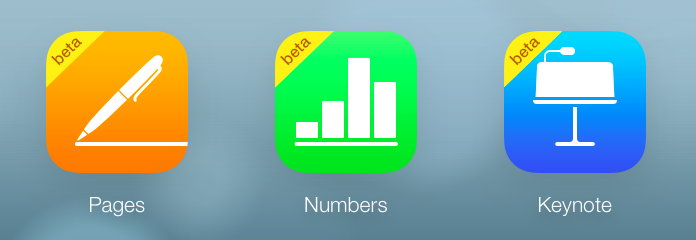
In an update released earlier today, Apple brought various design changes and feature additions to iWork for iCloud, the company’s suite of iWork applications for web browsers available at iCloud.com. Today’s update (the first since November 2013) focuses on collaboration, editing, Accessibility improvements, and bug fixes.

All of Apple’s three web apps (Pages, Numbers, and Keynote) have been refreshed with an iOS 7-inspired design that Apple first introduced to iCloud.com last year. The new design, however, has only been applied to the apps’ document libraries for now, as the document editors retain the service’s old user interface. From the main screen, it’s now possible to view a list of shared documents you have access to by clicking on the clock icon in the top toolbar, which will display a “Shared with Me” popover, listing shared documents. The three apps have also received support for sharing documents protected with passwords, a feature that will be added to iWork’s OS X and iOS counterparts as well.

The same new features were also added in terms of editing: keyboard shortcuts for object manipulation and support for floating tables (with formatting) are now available on iCloud.com, alongside other app-specific changes such as endnote editing in imported documents for Pages, or text flowing to adjacent cells in Numbers.

Apple first introduced iWork for iCloud as beta in October 2013, when the company also unveiled the next generation of iWork apps for OS X – both of which were met with widespread criticism. Following the launch of the new iWork suite, Apple confirmed that it was listening to its users and promised to bring back old features to the Mac apps while rolling out updates to its iWork for iCloud public beta.

You can read the changelog of today’s iWork for iCloud update below. Read more