This Week's Sponsor:

Copilot Money

Copilot Money, The Best Money Tracker, Launches on the Web – Limited-Time: Get 26% Off + 2 Months Free


Posts in news


Super Mario Run is Coming

The Super Mario Run marketing blitz has begun. With the launch of Super Mario Run on iOS just one week away, Shigeru Miyamoto was interviewed by The Verge and BuzzFeed News. The creator of Mario spoke at length with both publications about the game, Nintendo’s goals for it, and how it was made.

Miyamoto discussed the thought process behind Super Mario Run’s gameplay with The Verge:

“We felt that by having this simple tap interaction to make Mario jump, we’d be able to make a game that the broadest audience of people could play.”

Nintendo’s strategy to expand its audience extends beyond gameplay though, as Miyamoto explained to BuzzFeed News:

“Kids are playing on devices that they’re getting from their parents when their parents are upgrading,” Miyamoto said. “We wanted to take an approach of how can we bring Nintendo IP to smart devices and give kids the opportunity to interact with our characters and our games.”

It’s a strategy that makes a lot of sense given the dominance of smartphones and rise of casual gaming.

Nintendo’s goal to make Super Mario Run a one-handed game necessitated designing it for portrait mode, which led to new opportunities for Nintendo’s creative team. Miyamoto told The Verge that:

“Once we did start to focus on the vertical gameplay and one-handed play, we were surprised at how much having that vertical space in a Mario game could add to the verticality of the game itself and how that added a new element of fun to Mario,” Miyamoto explains. “They’re all brand new levels that we created for this game, but because of the vertical orientation, it gave us a lot of new ideas for how to stretch the game vertically. I think it’s been maybe since the Ice Climbers days that we’ve had a game where you’re trying to climb a tower.”

Miyamoto also shared with BuzzFeed News that the inspiration for creating an “endless runner” style Mario game was influenced by fans who do speed runs through Mario and other games. You may have seen videos of speed runs; there is no shortage of them on YouTube. BuzzFeed explains that:

Watching online videos of these gamers’ astounding speed runs and other feats of gaming skill, Nintendo employees noticed that the gamers never let up on the D-Pad. Mario always kept running, and all of the skill came down to the incredible precision of the jumping. What if, the Nintendo braintrust reasoned, all players could have that experience?

In addition, Nintendo executive Reggie Fils-Aimé and Shigeru Miyamoto paid a visit to The Tonight Show Starring Jimmy Fallon last night, demoing Super Mario Run and the Nintendo Switch console that is slated for release in March. If anyone wasn’t sure before, there is no doubt that Jimmy Fallon is a huge Nintendo fan and geek. This video is wonderful:


Ulysses Gains Touch Bar Support, Tabs, TextBundles, and More

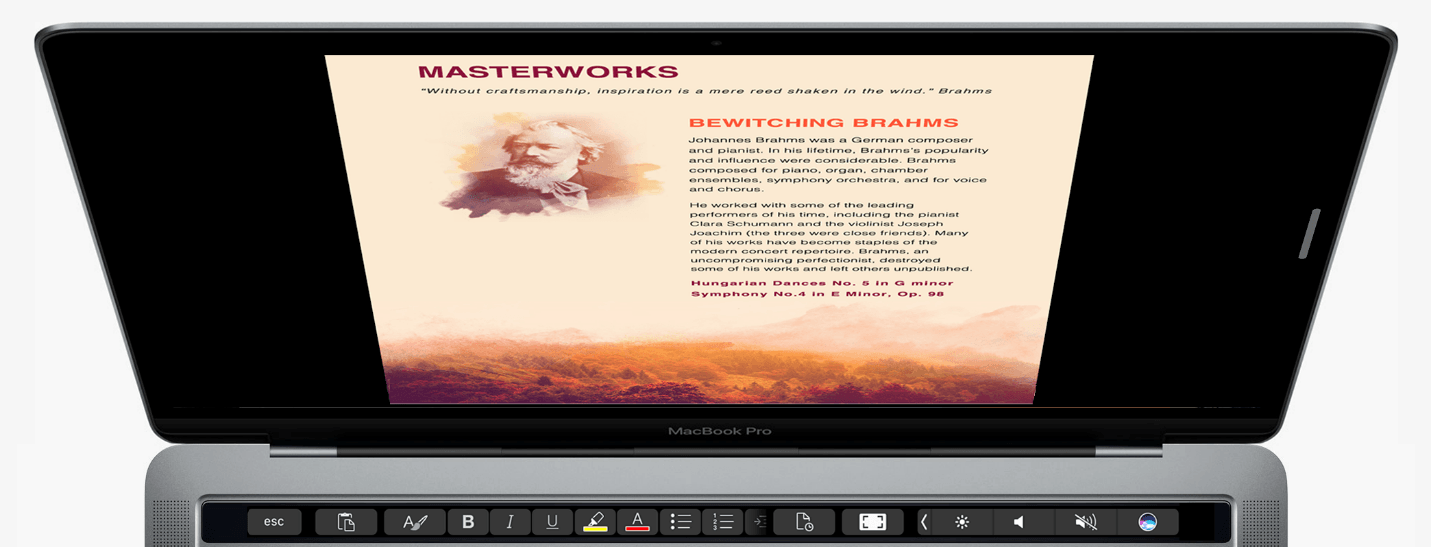
The Soulmen updated Ulysses for macOS and iOS with interesting new features today. On macOS, Ulysses added support for Apple’s latest hardware and software features. If you have a new Touch Bar MacBook Pro, you can customize the Touch Bar with Ulysses functionality. In addition, if you have Sierra installed, multiple sheets can be open at one time in tabs, which is something that I’ve found handy as I work on things like the MacStories Weekly newsletter where I tend to jump among multiple documents editing and checking formatting.

Another addition to Ulysses on the Mac and iOS is TextBundle and TextPack file support. TextBundle is a specification for bundling together Markdown text and referenced images in a way that’s portable and avoids sandboxing issues for apps sold on the Mac and iOS App Stores. TextBundle files work with documents stored in external folders. I had no trouble creating TextBundles on my Mac, but on iOS, where I had less time to test the update, I could create a TextBundle document, but I was unable to add images to it.

On the Mac, right-click an external document and choose edit to save sheets as TextBundles.

On the Mac, right-click an external document and choose edit to save sheets as TextBundles.

The update to Ulysses also added support for importing Evernote ENEX files on the Mac, but I had trouble with it on one of my machines. After you export notes from Evernote as an ENEX file you should be able to drag the ENEX file into a Ulysses group, the sheet list, or onto the Ulysses Dock icon to import the file. That worked for me on one Mac, but not another where it crashed Ulysses. I can’t tell if my situation is an edge case, but in any event, The Soulmen are working on a fix. In the meantime, I suggest testing Evernote importing with a single note before trying to import a more extensive set. Finally, Ulysses already included the ability to set character, word and page goals for your writing, but with the Mac and iOS updates today, you can also set reading time goals.

Ulysses 2.7 is a free update to existing customers. New users can purchase Ulysses from the Mac App Store for $44.99 and the iOS App Store for $24.99.


Apple Publishes Best of 2016 App Store Lists

Today, Apple unveiled the 2016 edition of its annual Best of App Store lists for iPhone, iPad, Mac, Apple Watch, and Apple TV. The lists highlight the best apps and games released by third-party developers on each platform during the past year.

The top picks this year for each platform are Prisma (iPhone), Sketchbook Motion (iPad), Bear (Mac), MySwimPro (Apple Watch), and Twitter (Apple TV). The games of the year are Clash Royale (iPhone), Severed (iPad), Life is Strange (Mac), Field Day (Apple Watch), and Riptide: GP Renegade (Apple TV).

In addition, this year Apple published lists of the ‘10 Best Apps of the Year’ and ‘10 Best Games of the Year’ on the iOS App Store and Apple TV App Store, and an extended list of the ‘Best Apps & Games of 2016’ on the Mac App Store.

Like last year, Apple has picked a mix of paid and free apps from developers big and small. Among the notable indie picks are apps from Shiny Frog, Devolver Digital, and Drinkbox Studios. A recap of all the winners and runners-up (from the US App Store) and links to MacStories reviews where applicable is available below.

iPhone

App of the Year

Prisma

Runner-Up

MSQRD

Game of the Year

Clash Royale

Runner-Up

Reigns (MacStories review)

iPad

App of the Year

Sketchbook Motion

Runner-Up

Bear (MacStories review)

Game of the Year

Severed (MacStories review)

Runner-Up

Chameleon Run

Mac

App of the Year

Bear

Game of the Year

Life is Strange

Apple Watch

App of the Year

MySwimPro

Game of the Year

Field Day

Apple TV

App of the Year

Twitter

Game of the Year

Riptide GP: Renegade


Single Sign-on Launches for tvOS and iOS

Today Apple launched its new Single Sign-on feature to all devices running version 10 or later of tvOS and iOS. The feature requires no software update or any other user action to get it.

Announced at this year’s WWDC, Single Sign-on was originally intended to ship with tvOS 10 in September, but ended up being delayed to later in the fall. The feature, which is available only in the U.S., allows users to enter their TV credentials once to gain access to content their TV plan entitles them to from a variety of video apps like NBC or USA NOW. Its delay was a disappointment to anyone who has experienced the annoyance of repeatedly proving that they pay for cable or satellite service. Now that Single Sign-on has officially arrived, its usefulness depends entirely on whether your TV provider is a launch partner.

Apple has a support page listing the details of which TV providers currently support Single Sign-on, and also which apps support the feature.

TV Providers:

  • CenturyLink Prism
  • DirecTV
  • Dish
  • GVTC
  • GTA
  • Hawaiian Telcom
  • Hotwire
  • MetroCast
  • Sling

Apps:

  • A&E (iOS only)
  • Bravo Now (tvOS only)
  • E! Now (tvOS only)
  • Hallmark Channel Everywhere (iOS and tvOS)
  • History (iOS only)
  • Lifetime (iOS only)
  • NBC (tvOS only)
  • Syfy Now (tvOS only)
  • Telemundo Now (tvOS only)
  • USA NOW (tvOS only)
  • Watch HGTV (iOS and tvOS)
  • Watch Food Network (iOS and tvOS)
  • Watch Cooking Channel (iOS and tvOS)
  • Watch DIY (iOS and tvOS)
  • Watch Travel Channel (iOS and tvOS)

Look for Apple to update these lists in the weeks and months to come as more TV providers and apps come on board.


WWDC App Updated With Filters, 3D Touch, and Apple TV Dark Mode

Apple’s WWDC app typically gets a major update in the run-up to its annual developer conference. The remainder of the year, it’s unusual for the app to receive updates other than bug fixes and compatibility updates.

Now, you can filter WWDC session videos by whether they have been downloaded or watched.

Now, you can filter WWDC session videos by whether they have been downloaded or watched.

Today’s update of the WWDC app is a little different. Apple has introduced three substantive changes to the WWDC app:

  • Filters to show whether a session video has been downloaded or watched;
  • 3D Touch support for peeking and popping session lists; and
  • Support for dark mode on the Apple TV.

For developers, the WWDC app’s utility extends beyond the conference itself, so it’s nice to see Apple refining the app this late in the year. With hundreds of videos available, the new filters are a welcome way to weed out watched, space-hogging videos.


Setapp From MacPaw Enters Beta Testing

MacPaw, makers of popular Mac utilities CleanMyMac, Gemini II, and other apps, wants to become the Netflix of the Mac app world. MacPaw’s new subscription service called Setapp, which entered public beta today, gives users access to a wide variety of macOS productivity apps for $9.99 per month. Developers who participate in Setapp are paid based on a formula that accounts for the price of the app outside the service and the number users after MacPaw takes a 30% cut.

I’ve spent time with a preview version of Setapp, and it couldn’t be easier for users to set up. After signing up and installing Setapp, it appears as a folder in Finder with icons for each of the apps that are part of the service, but the apps aren’t installed until you are ready to use them. When you’re ready, double-clicking an app’s icon opens a preview with an app description and screenshots so you can take a closer look at what the app does before installing it.

Double clicking an app in Setapp opens a summary of the app so you can check it out before installation.

Double clicking an app in Setapp opens a summary of the app so you can check it out before installation.

For developers, Setapp is an opportunity to stand out in a much smaller store than the Mac App Store, albeit one with competition from very well-known, quality apps like Ulysses, iThoughtsX, iStats Menu, Marked, TaskPaper, and MacPaw’s own apps, CleanMyMac and Gemini II, to name a few of the nearly 50 available as of the beta launch. By teaming up, the service should also help developers avoid subscription fatigue among customers who can pay one monthly fee for the apps they want instead of a number of small fees to several developers.

Setapp is an interesting option for consumers and, based on the lineup of apps already in place, appears to be an attractive one for developers too. We will continue to use Setapp during the beta period and take a closer look at the service when the final version launches.

Note: We will be giving away immediate access to the Setapp beta to 50 Club MacStories members in this week’s issue of MacStories Weekly, which will bypass the usual period between signing up for the beta and receiving access to the app.


How Aqua and Bondi Saved Apple

Stephen Hackett of 512 Pixels has published a book called Aqua and Bondi: The Road to OS X & The Computer That Saved Apple, a history of the critical role OS X and the iMac G3 played in Apple’s comeback from the brink of financial ruin in the late 90s. As Hackett explains in the introduction to the book,

OS X and the iMac’s stories are intertwined, but are often told separately. Apple’s strength is most obvious when its hardware and software are working in harmony, and that’s what was needed to save Apple in the late 1990s. Turns out, it worked.

Aqua and Bondi shares that story for those who haven’t read it before. It’s a consideration of Apple at a very interesting time in its life and the products it shipped.

I had the pleasure of reading an advance copy of Aqua and Bondi and love it. Not only is the story of OS X and the iMac G3 told in a compelling and accessible way, but the book is full of fantastic photos drawn from numerous sources, including Hackett’s own collection of colorful iMacs.

Aqua and Bondi is available from the iBookstore and as a PDF from aquaandbondi.com for $3.99.


Apple’s Plans for the (RED) Campaign Against AIDS Are Bigger Than Ever

Apple, which has a long-standing relationship with (RED), today announced that:

In honor of World AIDS Day, Apple® is offering more ways than ever for customers to join (RED) in its mission to create an AIDS-free generation. Apple is the world’s largest corporate contributor to the Global Fund, and this year marks its 10th anniversary supporting (RED) in the fight to end AIDS.

In an interview with Buzzfeed, Tim Cook said the (RED) campaign is “designed to reach people via all the different ways in which a customer might touch us.” Apple certainly seems to have accomplished Cook’s goal with an impressive array of plans this year:

  • 400 Apple Stores will turn the Apple logo on the stores red or display special window treatments;
  • 20 games are offering special (RED) content as in-app purchases, the proceeds of which will be donated to the Global Fund;
  • Apple will offer special products, including a Product (RED) smart battery case for the iPhone 7 (pictured in this article on The Verge), a (RED) leather case for the iPhone SE, a (RED) Beats Pill+ portable speaker, and (RED) Beats Solo3 wireless headphones, which will join the year-round Product (RED) products that Apple offers;
  • From December 1-6, Apple will donate $1 for every Apple Pay purchase made on apple.com and at Apple Stores up to $1 million;
  • Bank of America will donate $1 for each Apple Pay transaction made with its cards up to the same $1 million maximum and for the same period as Apple; and
  • iTunes has an exclusive (RED) holiday album from The Killers called Don’t Waste Your Wishes, 100% of the the US proceeds of which will be donated the Global Fund.

Tim Cook elaborated in his conversation with BuzzFeed on why Apple participates in events like the (RED) campaign against AIDS:

“We look for ways we think we can uniquely contribute to the world in which we live,” Cook said. “And we’ll always touch more people through our products than anything else. … It’s that area — an area in which we have expertise — where we think we can make a contribution that multiplies well beyond simply writing a check. We want to advocate for human rights in a way that people can look at what we’re doing and say ‘you know, I could be a part of something like that’ — ‘I could do something like that.’ For us this is critically important.”