This Week's Sponsor:

Dropzone 5

Improve your Drag-and-Drop Workflow


Posts in news

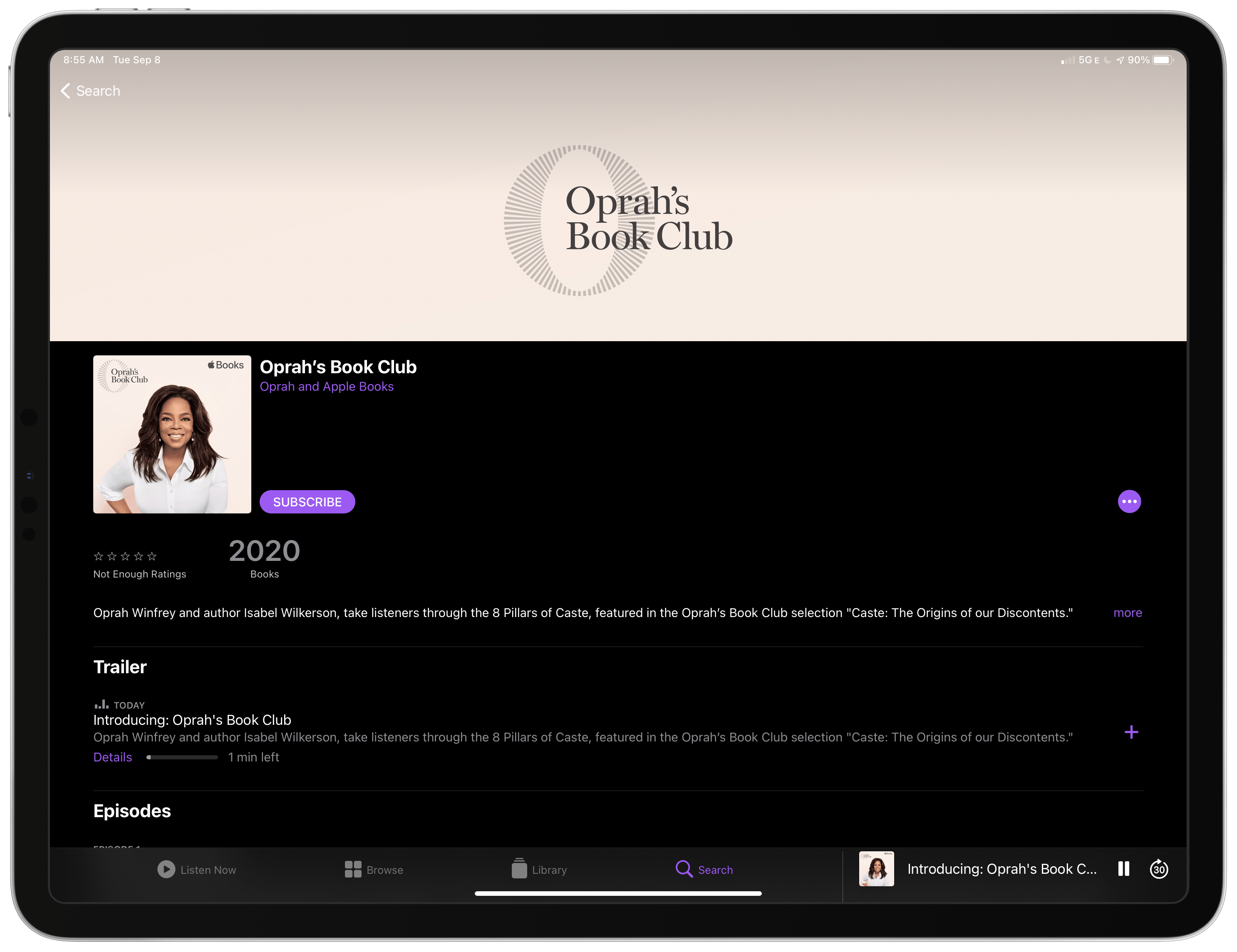
Apple Launches Oprah’s Book Club Podcast Featuring 8-Part Series on Isabel Wilkerson’s “Caste: The Origins of Our Discontents”

Last month, Oprah Winfrey declared Caste: The Origins of Our Discontents by Isabel Wilkerson one of her most important Book Club selections ever and announced several related tie-ins with Apple services, including Apple News, Books, Music, and Podcasts. In the announcement, Winfrey commented that:

“This might be the most important book I’ve ever chosen for my book club,” said Oprah Winfrey. “‘Caste: The Origins of Our Discontents’ provides a new way of seeing racial inequality, giving rise to countless aha moments and helping us truly understand America as it is now and how we hope it will be.”

Today, Apple and Winfrey extended coverage of Caste even further with an eight-episode podcast series hosted by Winfrey and Wilkerson that will “take listeners through the 8 Pillars of Caste.” A trailer and the first episode are available now. Episode one covers “what called [Wilkerson] to write Caste, how society needs a new way to talk about racism and why Oprah says Caste is one of the most profound books she’s ever read.”

Apple’s relationship with Winfrey dates back to June 2018 when she and the company announced a multi-year partnership to create original programming for Apple’s platforms. Oprah’s Book Club was launched in 2019 as a cross-over project that integrates Apple Books and TV+. With Caste, Apple and Winfrey are flexing their ability to leverage several services at once like never before, providing customers with a wide variety of ways to learn more about the book and its important subject matter, which is something I expect we’ll see more of in the future from Apple.

The Oprah’s Book Club podcast is available as a free download in the Apple Podcasts app and other podcast players.


MacStories Unwind: A Fitness App Preview, Bear Extends Its Linking Feature, and iPad Software Keyboard Frustrations

AppStories+ Deeper into the world of apps
0:00
26:57

AppStories+ Deeper into the world of apps


Sponsored by: Sidequest – Helpdesks and personal task inboxes that teams love, 100% inside Slack

This week on MacStories Unwind:

MacStories

Club MacStories

  • Monthly Log
    • Ryan’s fall hardware wishes
    • Stephen on considerations for a Work From Home Mac setup and how Apple could improve it
    • John reviews the Powerbeats Pro
  • Unplugged:
    • Bad design leads to a burned burrito
    • Widget and sidebar app wishes plus an App Clip diversion
  • Join Club MacStories

AppStories

Unwind


Apple Releases iOS 13.7, Bringing COVID-19 Exposure Notifications Express to the Public

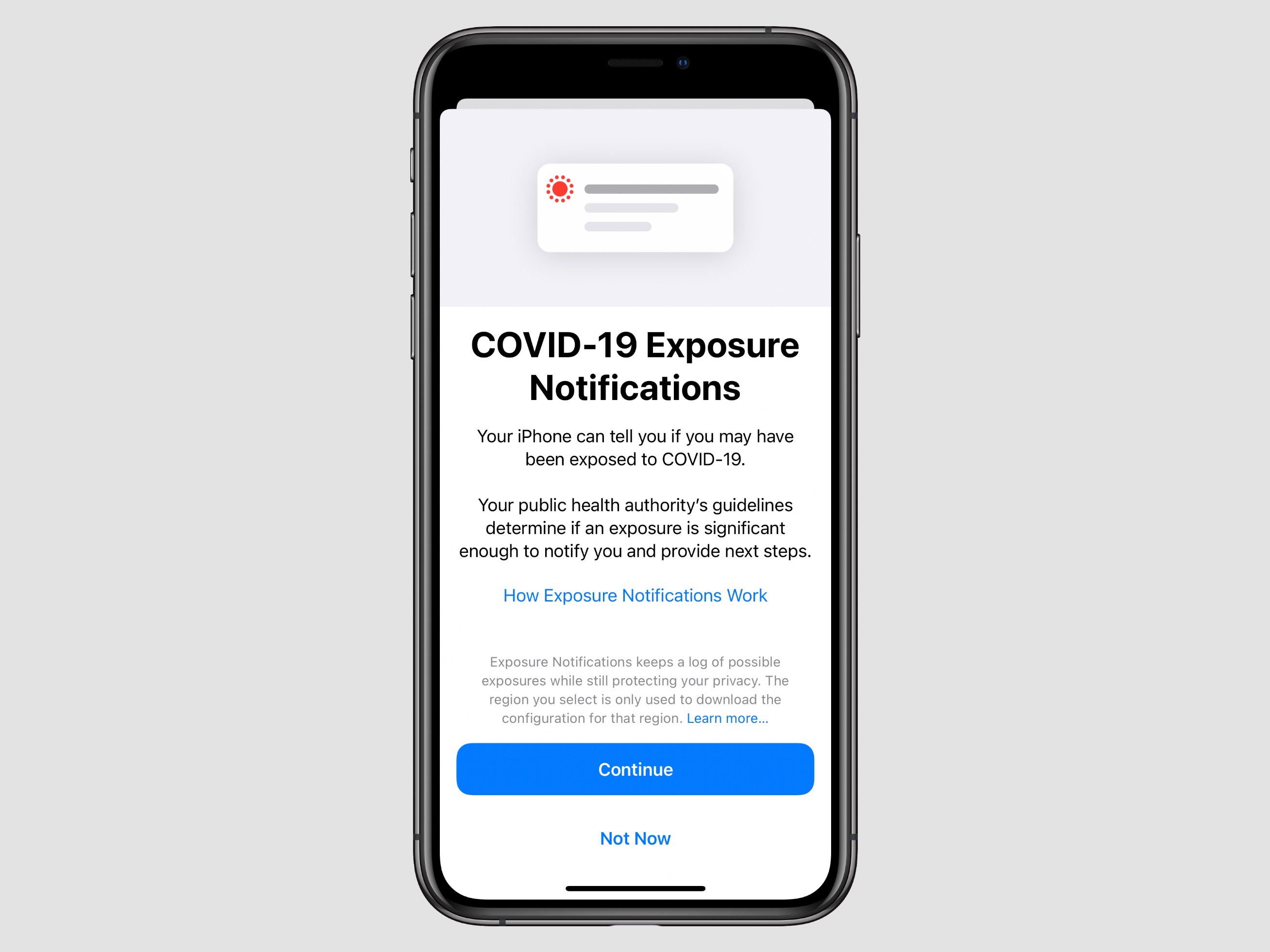
For the first time that I can ever recall, Apple is releasing a point update to iOS just a week after the update’s first beta debuted. iOS 13.7 is rolling out now to iPhone users, bringing the COVID-19 Exposure Notifications system to users without the need to download a separate third-party app. This version of the system is being dubbed Exposure Notifications Express. Per an Apple-Google quote provided to The Verge:

As the next step in our work with public health authorities on Exposure Notifications, we are making it easier and faster for them to use the Exposure Notifications System without the need for them to build and maintain an app. Exposure Notifications Express provides another option for public health authorities to supplement their existing contact tracing operations with technology without compromising on the project’s core tenets of user privacy and security.

After installing the update, from Settings ⇾ Exposure Notifications users can either opt-in to the new system, which was developed in a partnership between Apple and Google, or sign up to be notified when the system becomes available in their region. Currently, even though a separate app download isn’t necessary anymore, Apple is still only activating its system in areas where public health authorities are explicitly on board and have the processes in place to utilize data gathered from iPhones and Android devices for the sake of contact tracing. This means availability still doesn’t extend to all iPhone users, but it will hopefully expand quicker than when a separate app download was required. In the US, Exposure Notifications Express will launch in Maryland, Nevada, Virginia, and Washington D.C. with more states expected to be supported throughout the remainder of the year.


MacStories Unwind: Apple Gaming in 2020, Sleep Tracking, and Final Cut Pro X

AppStories+ Deeper into the world of apps
0:00
29:06

AppStories+ Deeper into the world of apps


Sponsored by: Tinderbox 8 – Visualize, Analyze, and Share Your Ideas

This week on MacStories Unwind:

MacStories

Club MacStories

  • MacStories Weekly is on hiatus until Friday, September 11th.
  • Next week, though, we’ll have an all new August issue of the Monthly Log and another episode of the Club-exclusive podcast, MacStories Unplugged
  • Join Club MacStories

AppStories

Unwind


Apple Releases iOS 13.7 Developer Beta with COVID-19 Exposure Notifications, No Third-Party App Required

Today Apple released a beta version of what must surely be the final major point update to iOS 13, version 13.7, which includes one big feature: support for built-in COVID-19 exposure notifications without the need to first download a separate app.

When Apple initially committed to build an exposure notification system alongside Google, it explained that while its system would be dependent on apps from public health authorities at first, at a later date the company would have the feature built-in to iOS with no need for an additional app download. Beta users will still need to explicitly opt-in to the system if they wish to use it, however; simply downloading iOS 13.7 will not enable COVID-19 exposure notifications. You can opt-in from Settings ⇾ Exposure Notifications.

Ever since Apple released the first phase of its exposure notification work as part of iOS 13.5 in May, adoption of the technology by authorized apps has been relatively limited. In the US, for example, it was just earlier this month that the very first state launched an app with support for Apple’s system. Now, for beta users at least, exposure notifications are no longer entirely dependent on the work of third parties – though that statement may deserve an asterisk.

Apple explained back in May how COVID-19 exposure notifications will now work:

After the operating system update is installed and the user has opted in, the system will send out and listen for the Bluetooth beacons as in the first phase, but without requiring an app to be installed. If a match is detected the user will be notified, and if the user has not already downloaded an official public health authority app they will be prompted to download an official app and advised on next steps. Only public health authorities will have access to this technology and their apps must meet specific criteria around privacy, security, and data control.

If at some point a user is positively diagnosed with COVID-19, he or she can work with the health authority to report that diagnosis within the app, and with their consent their beacons will then added to the positive diagnosis list. User identity will not be shared with other users, Apple and Google as part of this process.

This documentation makes it sound like downloading a separate app might be necessary after an exposure has been detected, but it’s unclear. It’s possible that the entire process can work without an app, but that Apple will, where available, promote and integrate with apps from authorized health authorities as well. It’s also unclear if the feature will be restricted to certain geographic domains or if it will be available to all users. 13.7’s beta release notes state rather vaguely that “System availability depends on support from your local public health authority.”

Requiring a separate app download, and even before that requiring health authorities to first develop their own apps, always seemed like too great of hurdles to allow mass adoption of Apple and Google’s system. Here’s hoping today’s release is the start of changing that.


GoodNotes Launches iCloud Document Collaboration

One of the tech trends I expect has been accelerated by the current state of the world is a demand for collaboration features in software. On Apple’s platforms the company offers its native iCloud collaboration features that apps can adopt, and which are also available in first-party apps like Notes, Reminders, and the iWork suite. While iCloud doesn’t provide the kind of instant, real-time collaboration found with a service like Google Docs, the undisputed king of this domain, it’s nonetheless a solid option that provides valuable utility in apps that support it.

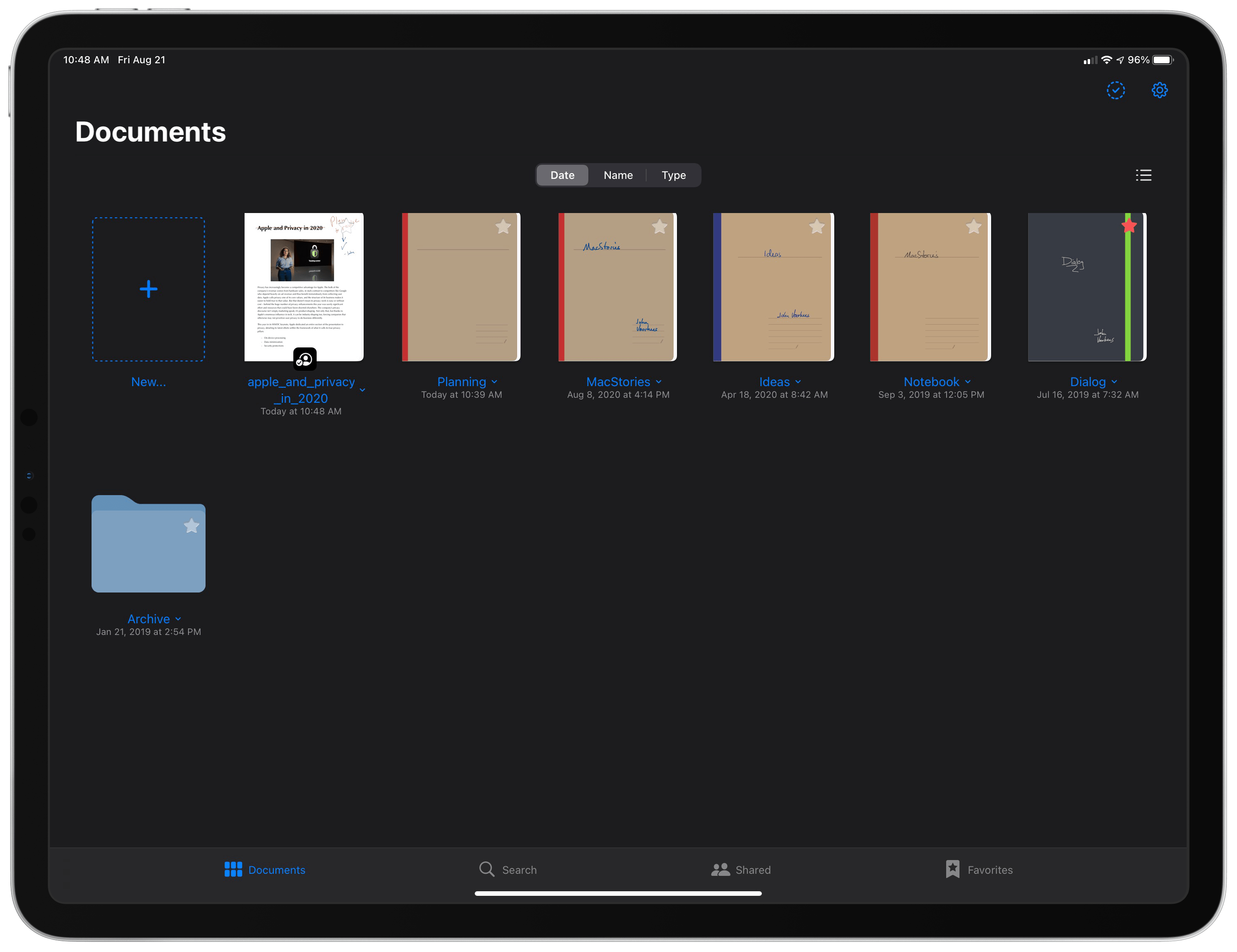
The latest app to add iCloud collaboration is GoodNotes, which in today’s version 5.5 enables you to share documents with other GoodNotes users so you can work together in the same document at once. The way this works is simple: from your documents library, tapping a document’s title will open a context menu where Collaborate is a new option; or, while working in a document, tapping the share icon will also reveal the Collaborate option. Like other apps supporting iCloud collaboration, the feature works by generating a link which grants collaborators access to the shared files, provided they have the source app installed. In this case, anyone who has the link can access the file. Once a document has been shared, it will be badged with a special icon in your library, and all shared documents are additionally housed in a new Shared tab in GoodNotes’ navigation bar.

Collaboration means that multiple people work in a document at once making their own annotations and changes, though there will regularly be a delay of 15-30 seconds before changes appear for all users. As such, GoodNotes’ collaboration doesn’t serve as a replacement for more real-time solutions such as collaborative whiteboard apps, but rather it’s better suited for situations where changes are made over an extended period of time. For example, sharing meeting notes before or after a meeting takes place to get feedback from your team, or letting multiple people annotate a draft-in-progress. As an app, GoodNotes offers tools for a range of use cases in areas of business, education, or personal uses, so there will likely be lots of scenarios where the new collaboration option is valuable despite lacking real-time updates. When there is an update to a shared document, you’ll be notified via a blue badge accompanying the document in your library, which can also inform you of which page in the document received changes.

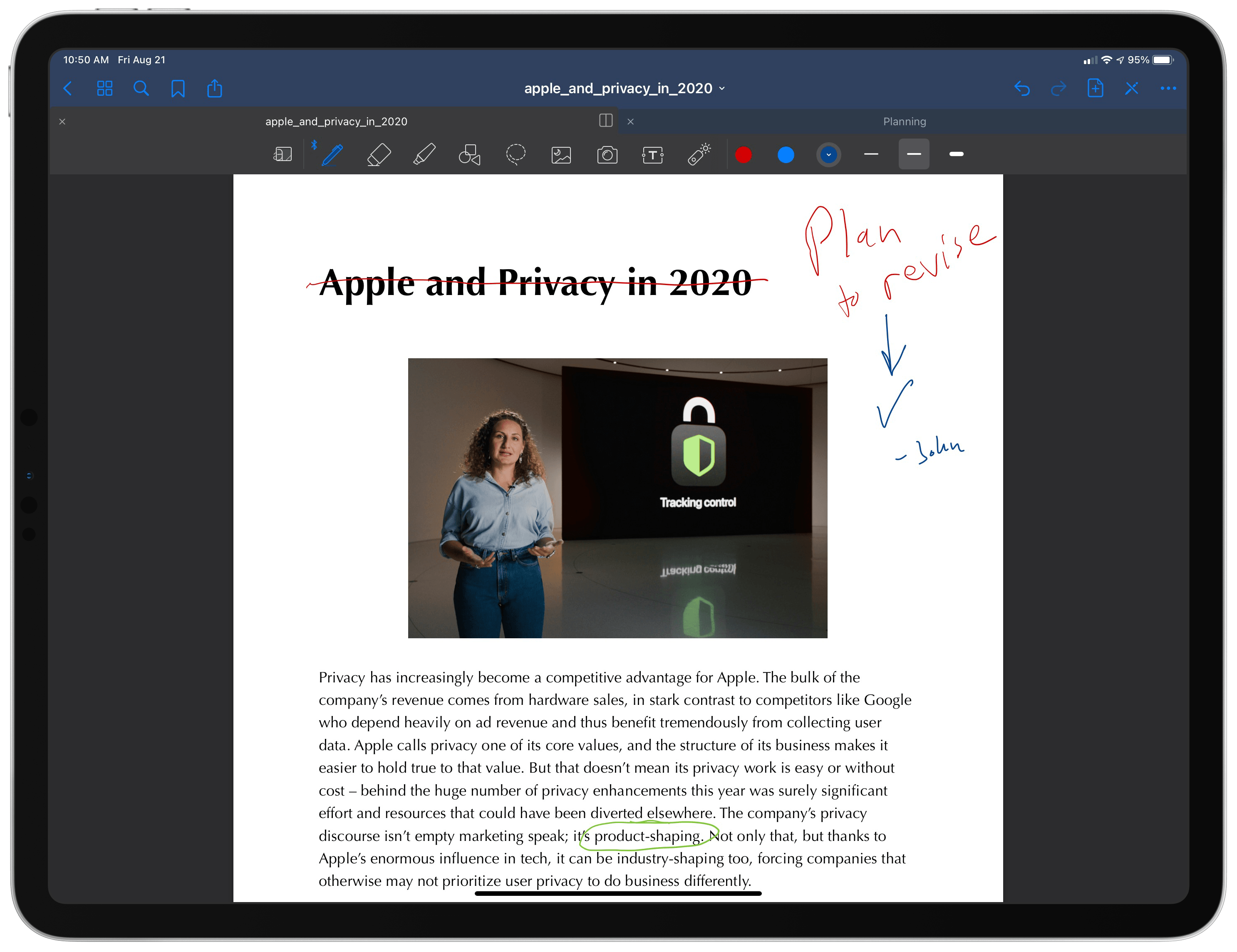
John and I used different colors to indicate who made which annotations.

John and I used different colors to indicate who made which annotations.

Besides the slow sync time, another key limitation I discovered in my testing is that GoodNotes doesn’t offer a way to identify who made which annotations in a document. Unlike an app like Apple Notes, where you can choose to highlight the text written by each collaborator, there’s no such equivalent feature built-in here. What this means is that if you want to know who is responsible for certain notes or changes, you’ll need to coordinate with collaborators ahead of time and ask them to use specific colors so you know who is who, or else everyone will need to find a different identifying method such as initialing every annotation. Hopefully this drawback will be resolved in a future update. Finally, it’s also worth noting that collaboration features currently don’t work for managed Apple IDs, such as those commonly employed in schools.

Collaboration is such an important feature in 2020, and Apple’s current APIs for iCloud collaboration have been adopted by so few apps, that it’s always nice to see a new one add it. The limitations aren’t great, but my hope is that today’s release should be considered more a 1.0 of collaboration rather than the final version. If GoodNotes’ team (or Apple, via API improvements) can cut down on the lag between changes syncing among collaborators, and can offer a native way to know who made which changes, collaboration could become a key differentiator for the app. Even without those potential enhancements though, in 2020 the addition of collaboration is a valuable asset for any app, and GoodNotes is no exception.


Apple Releases Updates to Final Cut Pro X, Motion, and Compressor with Workflow and Other Enhancements

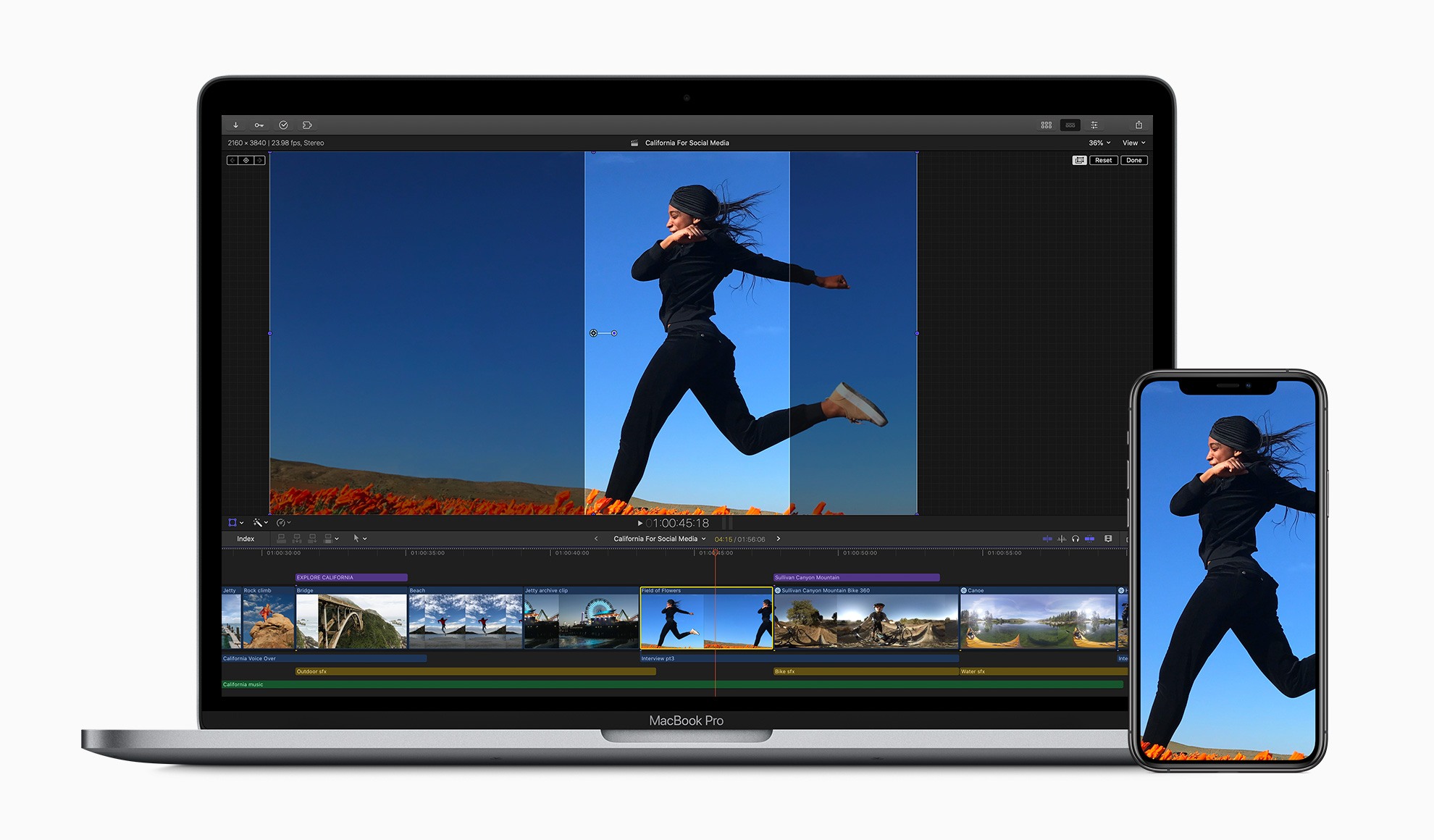
In a press release today, Apple announced that it has updated its video editing app Final Cut Pro X to version 10.4.9 as well as Motion and Compressor.

The update to Final Cut adds several features designed to improve the editing process including:

  • New tools for cropping video to fit with popular social media formats such as square and vertical video
  • Improvements to proxy workflows with support for ProRes Proxy and H.264 formats which Apple says can be as small as 12.5% of their original size
  • Linking to proxies generated by apps like Frame.io via XML
  • Exposure of ProRes RAW camera settings in Final Cut Pro’s inspector
  • Metal-based plug-ins for RED RAW and Canon Cinema RAW Light, which improve performance
  • Improvements to 360-degree video workflows

With Motion, third-party 3D models are now available when creating effects and graphics. The app also adds a new customizable Stroke Filter that can automatically outline an object or text using its alpha channel. Compressor has been updated too with custom LUT effects and the ability to convert log-encoded video to SDR or HDR footage using Camera LUTs.

I’m a fairly light user of Final Cut Pro X, but one of the things that I found most frustrating about it in the past was the app’s lack of support for popular social media formats, so I’m glad to see that creating square and vertical video will be easier now. I expect that many video creators will be equally happy with the improvements to proxy workflows and integration with cloud-based apps like Frame.io, which has become very popular.

The updates are free for existing users. New users can purchase Final Cut Pro X for $299.99 and Motion and Compressor for $49.99 each on the Mac App Store. The three apps are also available as a bundle to education users for $199.99. More information about the updates is available on Apple’s Final Cut Pro X webpage.


MacStories Unwind: New Privacy Features Coming this Fall, Apple Music 1, and a TV Bundle

AppStories+ Deeper into the world of apps
0:00
16:28

AppStories+ Deeper into the world of apps


Sponsored by: Airmail Pro – Fast, Customizable Email on All Your Devices

This week on MacStories Unwind:

MacStories

Club MacStories

  • MacStories Weekly
    • Anybuffer
    • A collection of iPad apps Ryan would like to see on the Mac
    • A column on the business dilemma of bringing iPad apps to Apple Silicon Macs
    • A Club member iOS 14 Home screen
  • Join Club MacStories

AppStories

Unwind


AppStories, Episode 180 – Mac Catalyst Revisited: Apple’s Mac App Strategy Emerges

This week on AppStories, we revisit Mac Catalyst, the technology used to bring iPad apps to the Mac, to discuss what’s changed since WWDC 2019, debate where Mac Catalyst fits in Apple’s overall app strategy, and share some of our favorite Mac Catalyst apps.


AppStories+ Deeper into the world of apps

AppStories Episode 180 - Mac Catalyst Revisited: Apple’s Mac App Strategy Emerges

0:00
37:18

AppStories+ Deeper into the world of apps

Permalink