

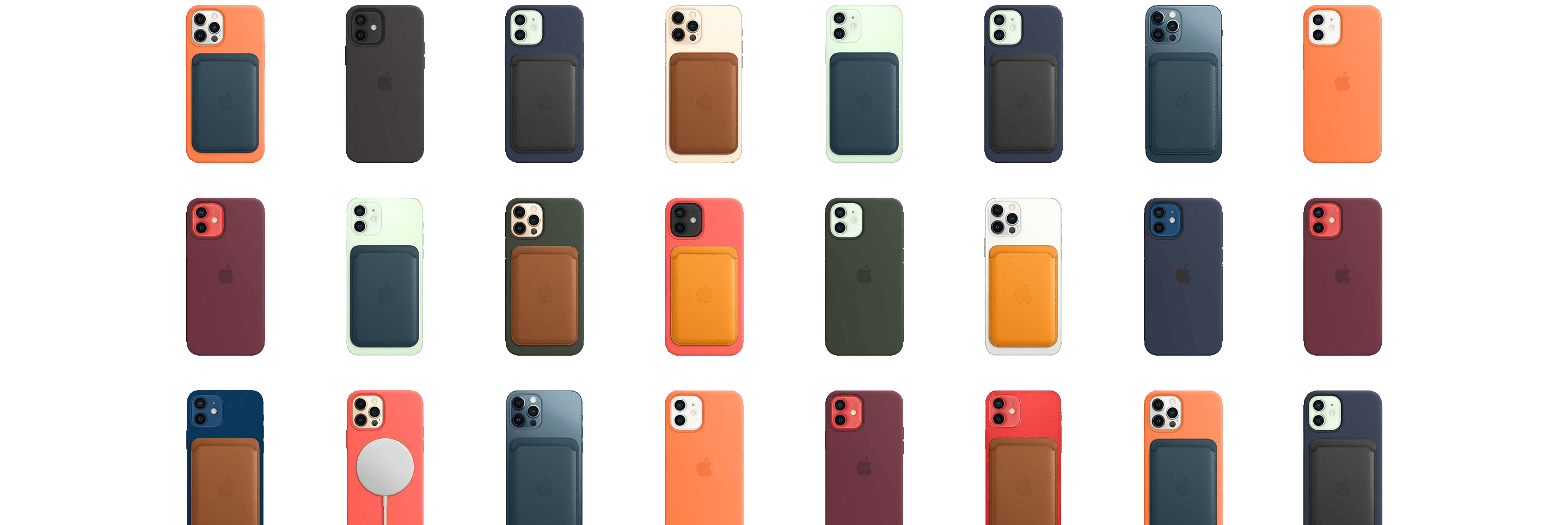
At this morning’s virtual event Apple announced the return of one of its long-lost technologies: MagSafe. Instead of the old magnetic laptop charging method, the new MagSafe is a magnetic ring built into Apple’s iPhone 12 lineup. This ring magnetically attaches a variety of brand new accessories from both Apple and third-parties.
Posts in news
MagSafe’s Return and Apple’s New iPhone Accessory Lineup
Apple’s October 13, 2020 Keynote: By the Numbers
As usual, Apple sprinkled facts, figures, and statistics throughout the keynote today. Here are highlights of some of those metrics from the event, which was held online from the Steve Jobs Theater in Cupertino, California.
HomePod mini
- The HomePod mini is just 3.3 inches tall, 3.8 inches wide, and weighs .76 pounds (345 grams)
- The mini analyzes your music to adjust playback dynamics 180 times/second
- The tiny smart speaker features 360-degree sound using a custom acoustic waveguide
- HomePod mini uses 99% recycled rare earth elements
- The neodymium magnet in the speaker driver is made of 100% rare earth elements
- The mesh fabric of the mini is made of 90% recycled plastic
Replay Apple’s October 13, 2020 Keynote and Other Videos

If you didn’t follow the live stream or announcements as they unfolded at the Steve Jobs Theater in Cupertino today, you can replay it on Apple’s Events site and catch the product videos on Apple’s YouTube channel.
The keynote video can be streamed here and on the Apple TV using the Apple Events app. A high-quality version is also available through Apple Podcasts as a video and audio podcast or you can watch it on YouTube. First debuted at the September event, there is also an American Sign Language version of the event, which is available here.
Apple also posted other product videos and a 51-second recap on its YouTube channel, which are embedded after the break.
You can follow all of our October event coverage through our October 2020 event hub, or subscribe to the dedicated RSS feed.
Apple Announces New iPhone and HomePod mini Availability
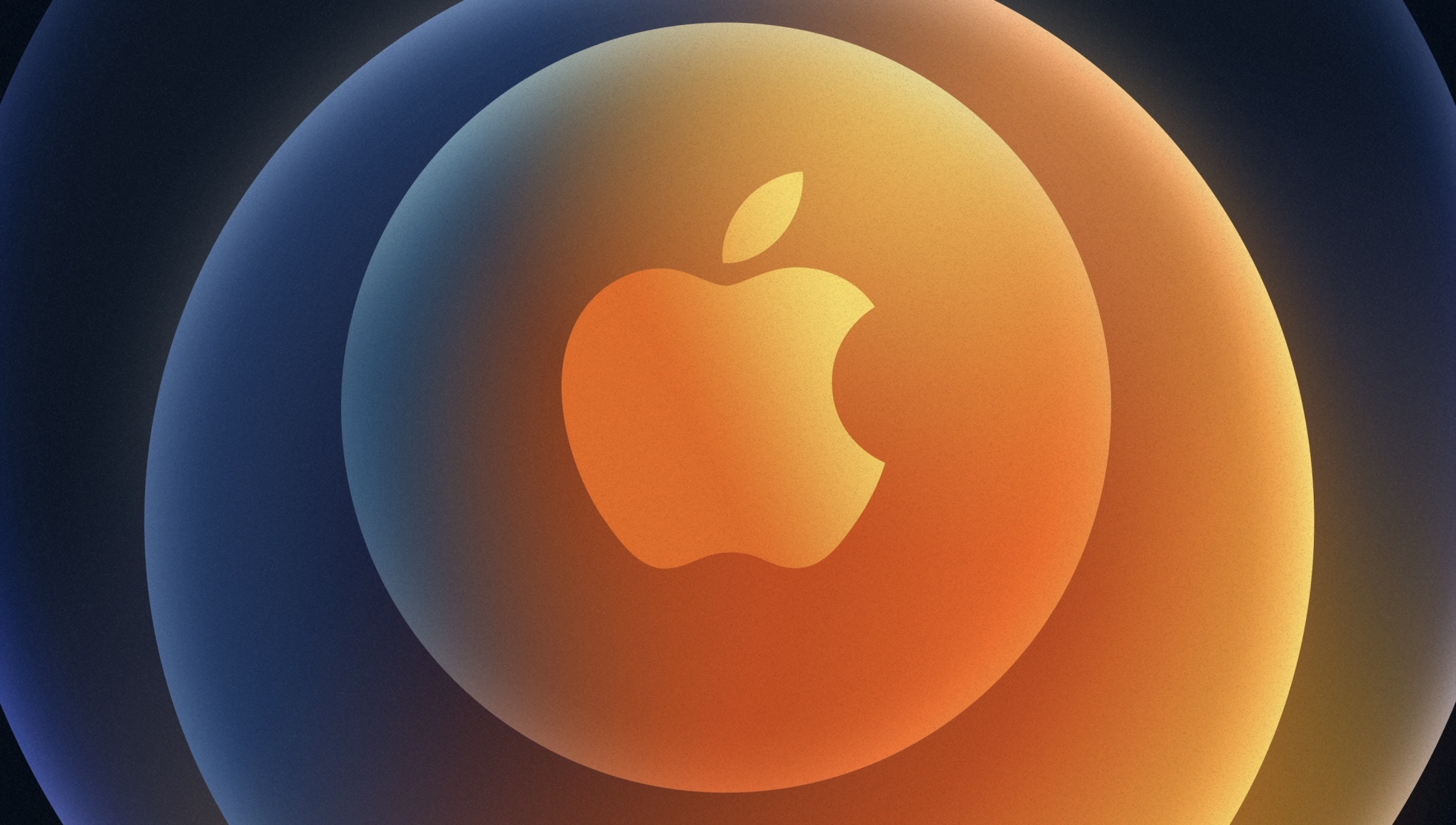
Today Apple announced the following preorder and availability dates for its iPhone 12 lineup:
- iPhone 12
- Preorder Date: October 16
- Availability: October 23
- iPhone 12 mini
- Preorder Date: November 6
- Availability: November 13
- iPhone 12 Pro
- Preorder Date: October 16
- Availability: October 23
- iPhone 12 Pro Max
- Preorder Date: November 6
- Availability: November 13
Apple also announced dates for the new HomePod mini:
- Pre-order: November 6
- Availability: the week of November 16
Today’s iPhone announcements continue what is shaping up to be an unusually spread out product release schedule. What wasn’t mentioned today are a launch date for the iPad Air, a release date for macOS Big Sur, or Apple Silicon Macs, the first of which Apple said at WWDC would be released before the end of the year. I suspect that, as a result, we’ll see one more Apple event in 2020, most likely in November.
You can follow all of our October event coverage through our October 2020 event hub, or subscribe to the dedicated RSS feed.
MacStories Unwind: Food Tracking, Time Tracking, and Text Editing, Plus Federico on His Review and American TV






Sponsored by: CardioBot – Heart Rate and Activity Tracker
This week on MacStories Unwind:
MacStories
- FoodNoms’ Widgets Thoughtfully Combine Goal Summaries with Actions to Make Food Tracking Easier Than Ever
- Timery Debuts Powerful Time Tracking Widgets for iOS 14
- Ulysses 21 Brings Revision Mode to iPhone and iPad Alongside Updated Design
- Apple Announces October 13, 2020 Online Media Event
- 4K YouTube Content Begins to Show Up on the Apple TV 4K
- Apple Health Records Expands to the UK and Canada
- Instagram Celebrates Its 10th Anniversary on the App Store with Classic Icons and Adds New Stories Archive and Anti-Bullying Features
Club MacStories
- MacStories Weekly
- 11 more app Giveaways
- A collection of apps with widgets
- Ryan’s iPadOS 15 wishes
- An interview with Markus Müller Simhofer, developer of MindNode
AppStories
Unwind
- Federico’s Pick:
- Coraggio by Carl Brave
- John’s Pick:
- Tiny World on Apple TV+
Apple Will Extend TV+ Free Trial and Announces Season 2 of Dickinson
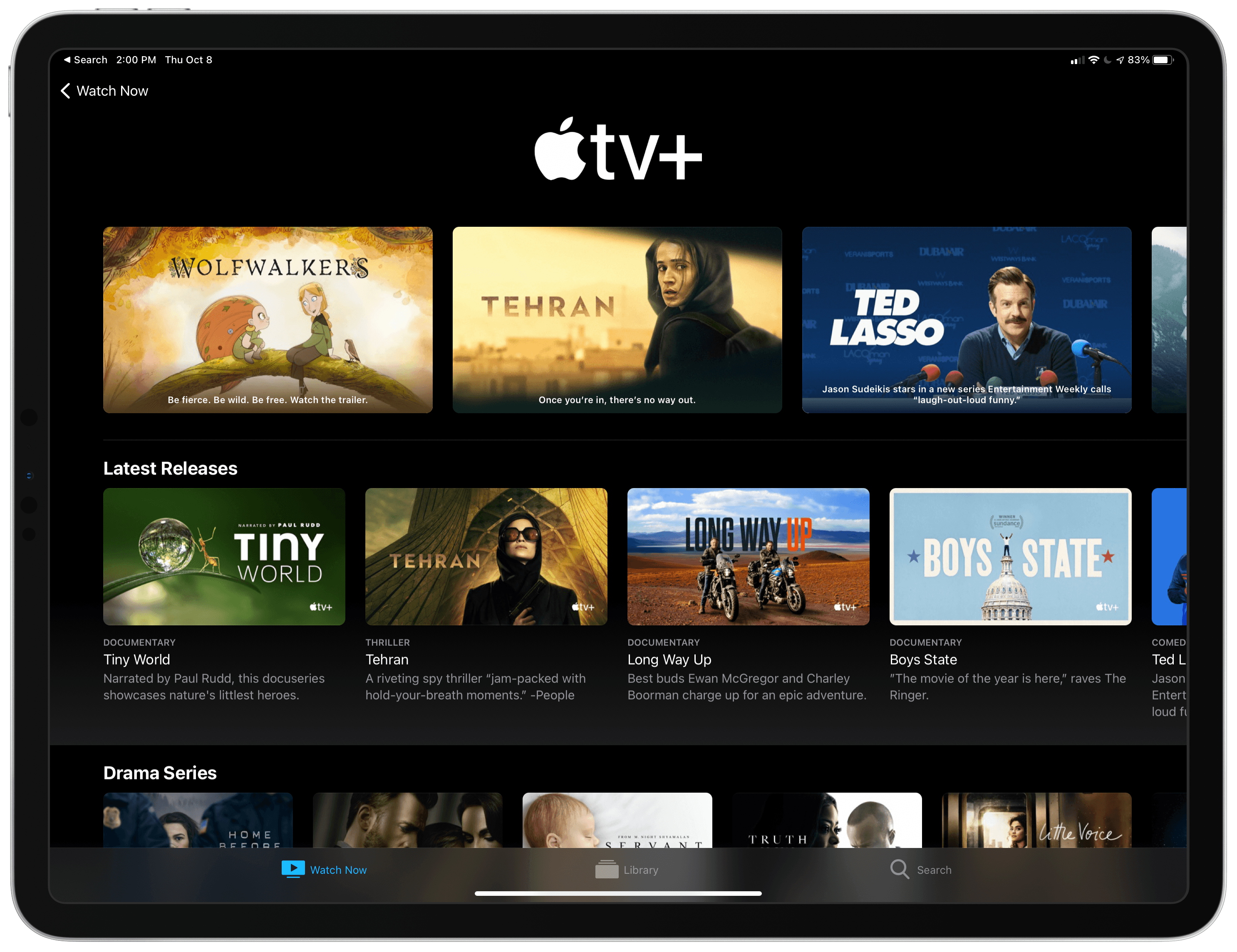
9to5Mac reports that Apple is automatically extending the free trial for TV+ for existing customers. The free trial available to customers who purchased certain Apple products after September 2019 will be extended until February 2021, adding up to three months more for free. People who are paying monthly or annually for the video streaming service will be given an equivalent amount of store credit that can be used to purchase any content on the iTunes Store.
According to Benjamin Mayo of 9to5Mac:
These refunds and extensions will be automatically applied to user’s accounts, so customers won’t have to do anything at all to take advantage of Apple’s generosity. Email notifications will be sent out in the coming days.
Separately, Apple announced today that season two of Dickinson will begin on January 8, 2021, which anyone with the extended TV+ free trial will now be able to begin watching before signing up for a paid plan.
I’m not surprised that Apple is extending the TV+ free trial. TV shows from TV+ and other services have been interrupted worldwide due to the pandemic. By extending the free trial, Apple has a chance of hooking viewers on the second season of some of their favorite shows, making it more likely that they will stick around as paying customers after the trial expires.
Apple Health Records Expands to the UK and Canada
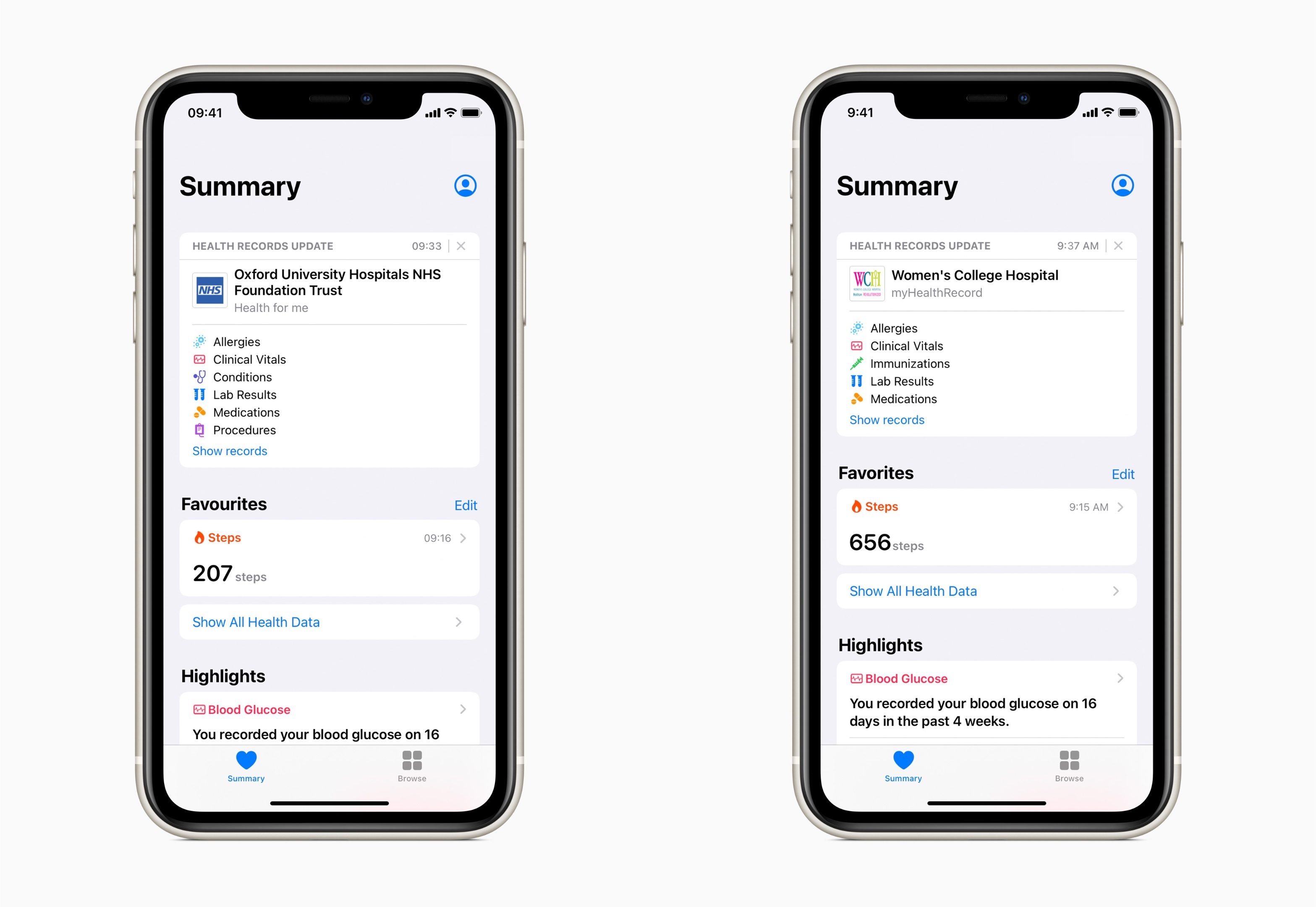
Apple’s Health Records feature was added to the Health app for US residents in early 2018. In the years since, Apple says the feature has been adopted by over 500 institutions with over 11,000 care locations. Now, Health Records is expanding to the UK and Canada for the first time.
Initially, the feature will be used by two institutions in the UK and three in Canada. In the UK, Health Records is being adopted by Oxford University Hospitals NHS Foundation Trust and Milton Keynes University Hospital NHS Foundation Trust. In Canada, Women’s College Hospital, St. Joseph’s Healthcare Hamilton, and Mackenzie Health are adding the feature.
Apple’s Kevin Lynch commented that:
“We designed Health Records on iPhone to empower people to easily view their health records at any time, and we are thrilled to put this feature in the hands of customers in the UK and Canada,” said Kevin Lynch, Apple’s vice president of Technology. “We believe people should have access to their health information in the most private and secure way, and we have worked hand in hand with healthcare institutions and organizations to put privacy at the center of the patient experience.”
It’s great to see Health Records extending beyond the US. Healthcare is a highly regulated industry worldwide, so it’s no surprise that it has taken time for the feature to expand beyond the US. Hopefully, this is just the start of a broader rollout.
Apple Announces October 13, 2020 Online Media Event
As tweeted by Federico, Apple has announced a media event for October 13, 2020, at 10:00 am Pacific. The event will be held online only.
Based on widespread speculation, Apple is expected to introduce its new lineup of iPhones. Rumors point to the possibility of over-ear headphones and, perhaps, the long-rumored AirTag location trackers too.
Apple may also take the opportunity to release macOS 11.0 Big Sur and preview upcoming Apple Silicon-based Macs, which the company said at WWDC are coming before the end of the year. If Apple’s September Apple Watch and iPad event is any indication, the final 11.0 version of macOS Big Sur could be released to the public shortly after the event.
AppStories, Episode 187 – Must-Have Music Widgets for Your iPhone→
This week on AppStories, we take a tour of music widgets, one of our favorite widget categories, exploring the many widgets we’re using them to listen to music and follow our favorite artists.

AppStories Episode 187 - Must-Have Music Widgets for Your iPhone
0:00
43:10
43:10