This Week's Sponsor:

Dropzone 5

Improve your Drag-and-Drop Workflow


Posts in news

M1 iMac Review Roundup

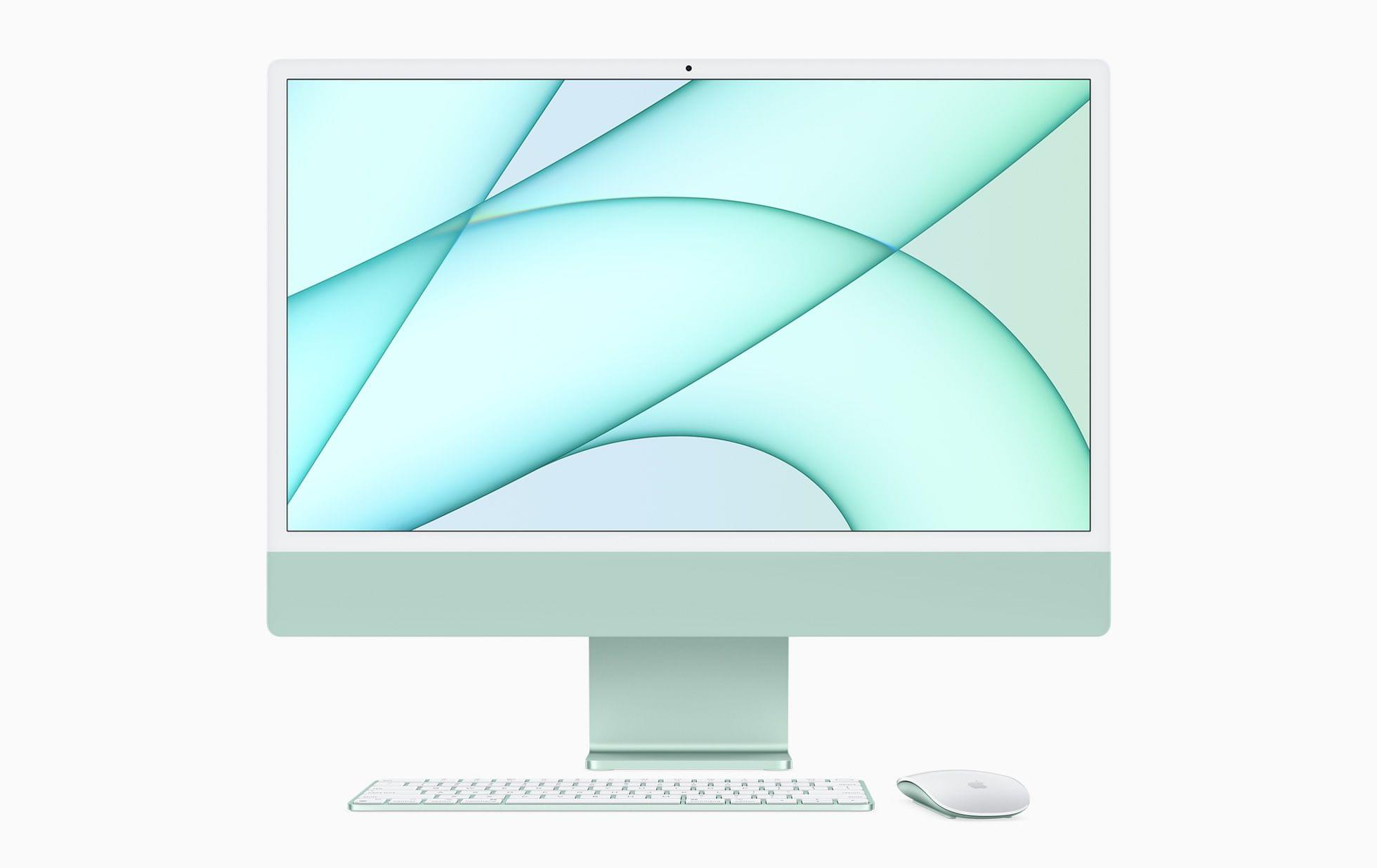
The new M1 iMac, iPad Pro, and Apple TV 4K will begin arriving on customers’ doorsteps and be available in Apple Stores this Friday. However, today, embargoes have lifted for just the iMac.

Here’s what reviewers are saying about Apple’s colorful new desktop Mac:

Jason Snell writing for Six Colors thinks Apple made the right choice by going with subdued colors on the front of the iMac:

But when you sit down to work at the iMac, you get a different impression. The bright color is there, visible on the stand. Above that is a more muted version of the accent color on the “chin” beneath the display. The bezels around the display itself are a neutral gray. It’s effectively a gradient, with your peripheral vision noticing the bright color, but that accent fading away until you’re left with whatever is on the display itself. It works really well, though I imagine that if you’re someone who prefers using Dark Mode in brightly lit rooms, it will be a pretty dramatic contrast. (I’m a Light Mode person myself, and I found the overall effect quite harmonious. But then, my office wall is orange.)

Jason and Myke Hurley recorded a special episode of their podcast Upgrade, which is out today too.

Read more

Access Extra Content and Perks

Founded in 2015, Club MacStories has delivered exclusive content every week for nearly a decade.

What started with weekly and monthly email newsletters has blossomed into a family of memberships designed for every MacStories fan.

Learn more here and from our Club FAQs.

Club MacStories: Weekly and monthly newsletters via email and the web that are brimming with apps, tips, automation workflows, longform writing, early access to the MacStories Unwind podcast, periodic giveaways, and more;

Club MacStories+: Everything that Club MacStories offers, plus an active Discord community, advanced search and custom RSS features for exploring the Club’s entire back catalog, bonus columns, and dozens of app discounts;

Club Premier: All of the above and AppStories+, an extended version of our flagship podcast that’s delivered early, ad-free, and in high-bitrate audio.

Learn more here and from our Club FAQs.


AirPods and HomePods Will Not Support Apple Music’s New Lossless Audio

When Apple announced that Spatial Audio and Lossless Audio are coming to Apple Music, it wasn’t entirely clear from the press release whether Lossless Audio would work with AirPods or HomePods. Since then, Apple has confirmed to T3 that AirPods Pro and AirPods Max do not support Lossless Audio. In a statement to Chris Welch of The Verge, Apple definitively said:

“Lossless audio is not supported on AirPods, any model,” an Apple spokesperson said by email.

AirPods support Spatial Audio, but if you want to listen to Lossless Audio, you’ll need wired headphones, an Apple TV, or a Mac connected to good speakers.

If you were thinking you might be able to get around the wireless limitations of Lossless Audio with a Lightning cable connected to your AirPods Max, you’re out of luck there too, according to Billboard’s Micah Singleton who raised the question with Apple. The Verge’s story confirms what Singleton was told too.

In addition, MacRumors reports it has confirmed from an unnamed source that the original HomePod and HomePod mini do not work with Lossless Audio either.

Access Extra Content and Perks

Founded in 2015, Club MacStories has delivered exclusive content every week for nearly a decade.

What started with weekly and monthly email newsletters has blossomed into a family of memberships designed for every MacStories fan.

Learn more here and from our Club FAQs.

Club MacStories: Weekly and monthly newsletters via email and the web that are brimming with apps, tips, automation workflows, longform writing, early access to the MacStories Unwind podcast, periodic giveaways, and more;

Club MacStories+: Everything that Club MacStories offers, plus an active Discord community, advanced search and custom RSS features for exploring the Club’s entire back catalog, bonus columns, and dozens of app discounts;

Club Premier: All of the above and AppStories+, an extended version of our flagship podcast that’s delivered early, ad-free, and in high-bitrate audio.

Learn more here and from our Club FAQs.


Apple Releases Two Pride Watch Bands and a New Pride Watch Face

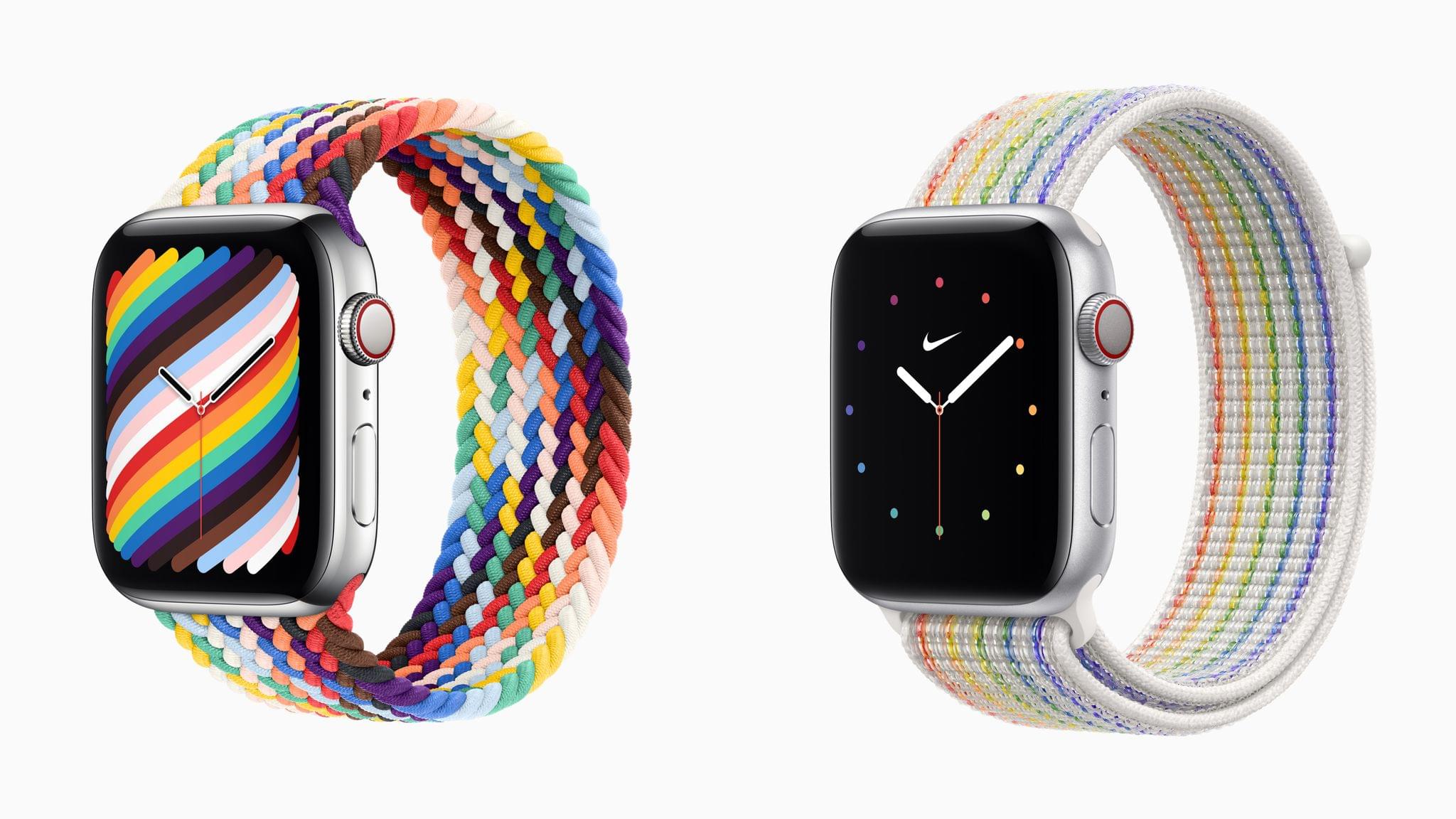
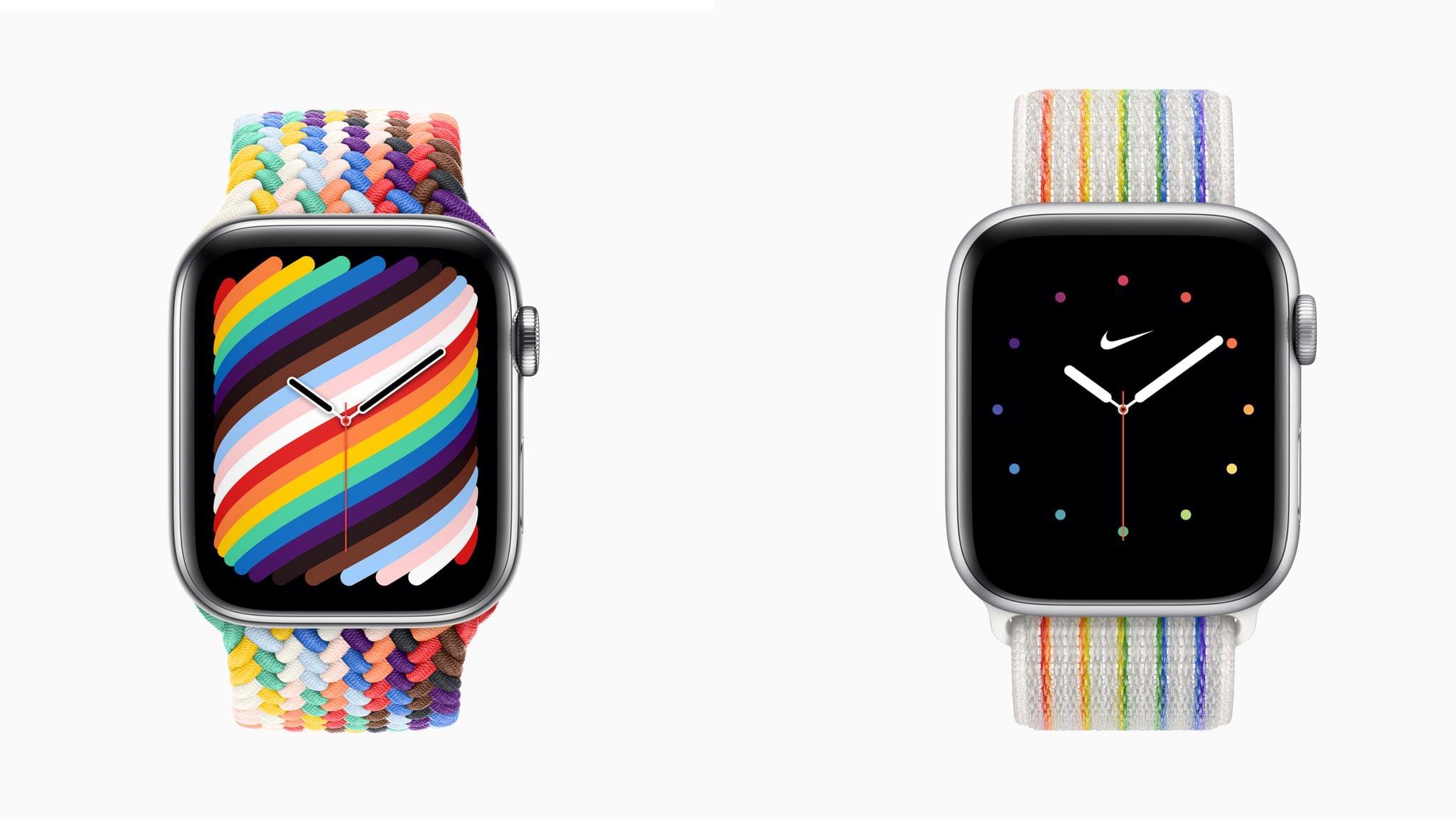
Apple has released two Pride Edition Apple Watch bands to coincide with International Day Against Homophobia, Transphobia, and Biphobia, which is today. The company also announced a new Pride watch face that coordinates with the colors of the new Pride Edition Braided Solo Loop band and will be released as part of a future watchOS update.

Apple explains in its press release that:

The Pride Edition Braided Solo Loop artfully weaves together the original rainbow colors with those drawn from various Pride flags to represent the breadth of diversity among LGBTQ+ experiences and the history of a movement that has spanned generations. Black and brown symbolize Black and Latinx communities, in addition to those who have passed away from or are living with HIV/AIDS, while light blue, pink, and white represent transgender and nonbinary individuals.

The Pride Edition Braided Solo Loop is available now on apple.com for $99.

The company also released the Pride Edition Nike Sport Loop with the six colors of the original rainbow and reflective materials to enhance visibility when outdoors at night, which is $49 and available now.

This year’s Pride bands also incorporate an App Clip in the packaging to make it easier for customers to add the coordinated Pride watch face.

Access Extra Content and Perks

Founded in 2015, Club MacStories has delivered exclusive content every week for nearly a decade.

What started with weekly and monthly email newsletters has blossomed into a family of memberships designed for every MacStories fan.

Learn more here and from our Club FAQs.

Club MacStories: Weekly and monthly newsletters via email and the web that are brimming with apps, tips, automation workflows, longform writing, early access to the MacStories Unwind podcast, periodic giveaways, and more;

Club MacStories+: Everything that Club MacStories offers, plus an active Discord community, advanced search and custom RSS features for exploring the Club’s entire back catalog, bonus columns, and dozens of app discounts;

Club Premier: All of the above and AppStories+, an extended version of our flagship podcast that’s delivered early, ad-free, and in high-bitrate audio.

Learn more here and from our Club FAQs.


Apple Announces Spatial Audio and Lossless Playback for Apple Music Subscribers Coming in June

Source: Apple.

Source: Apple.

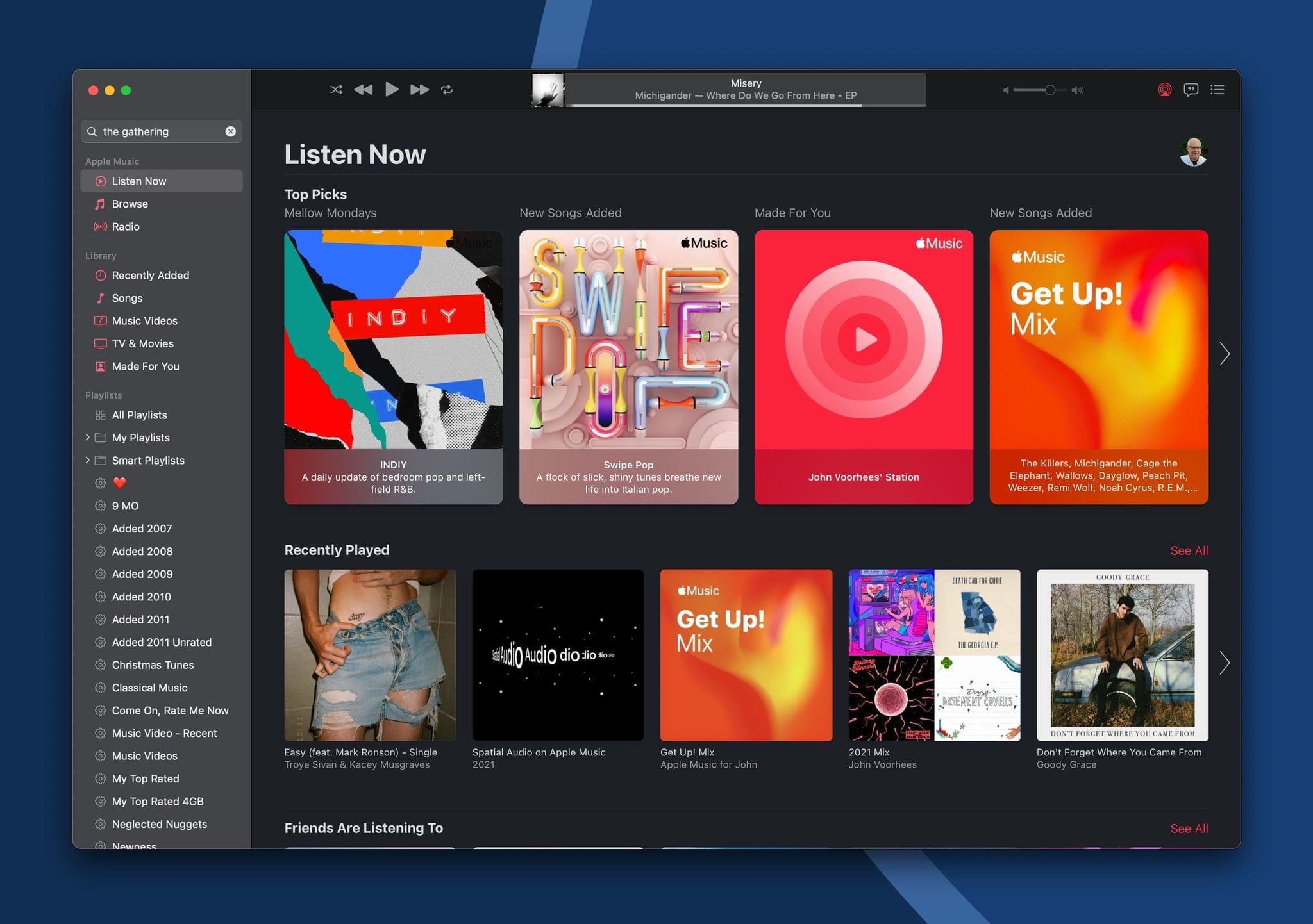
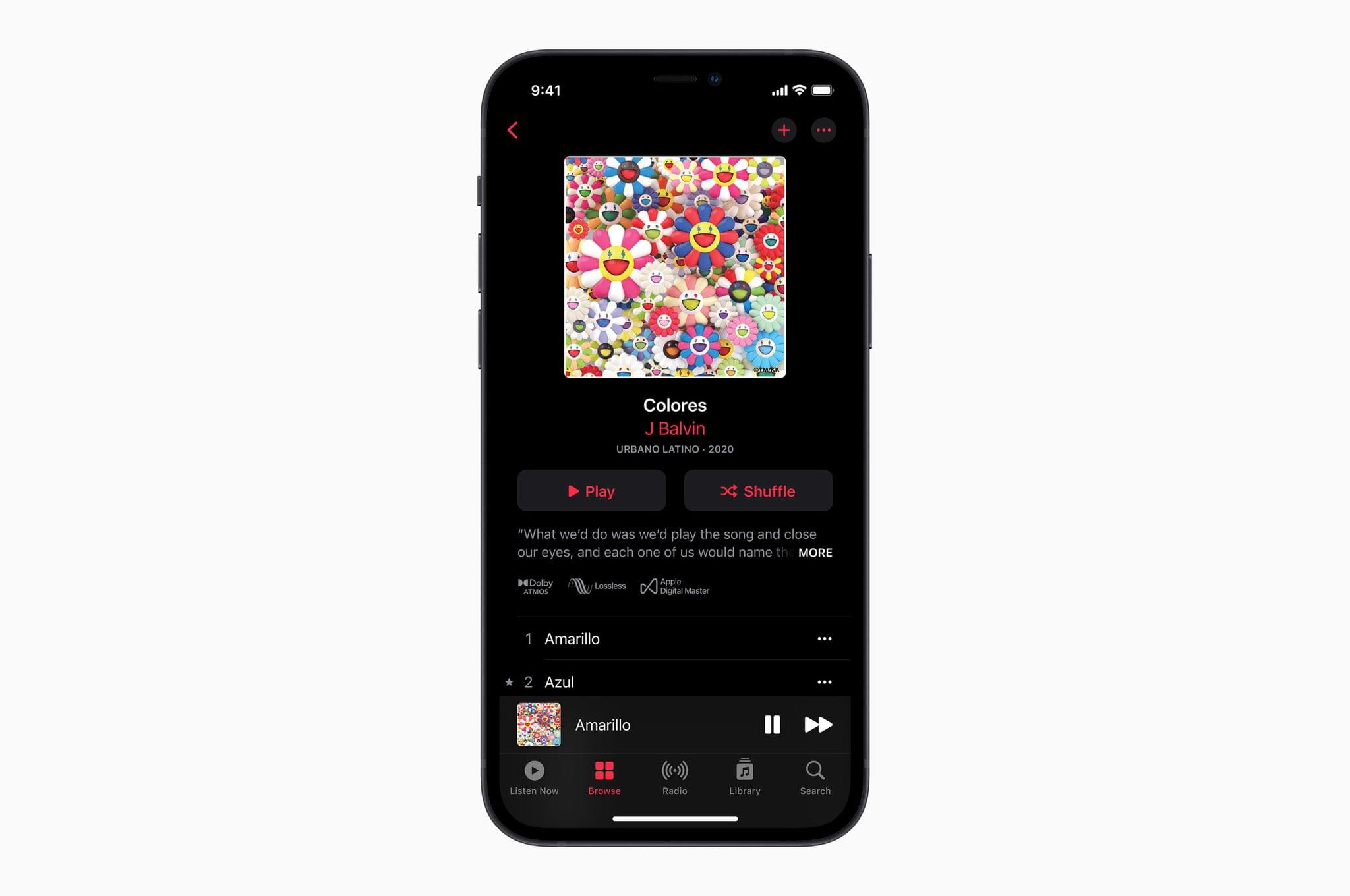
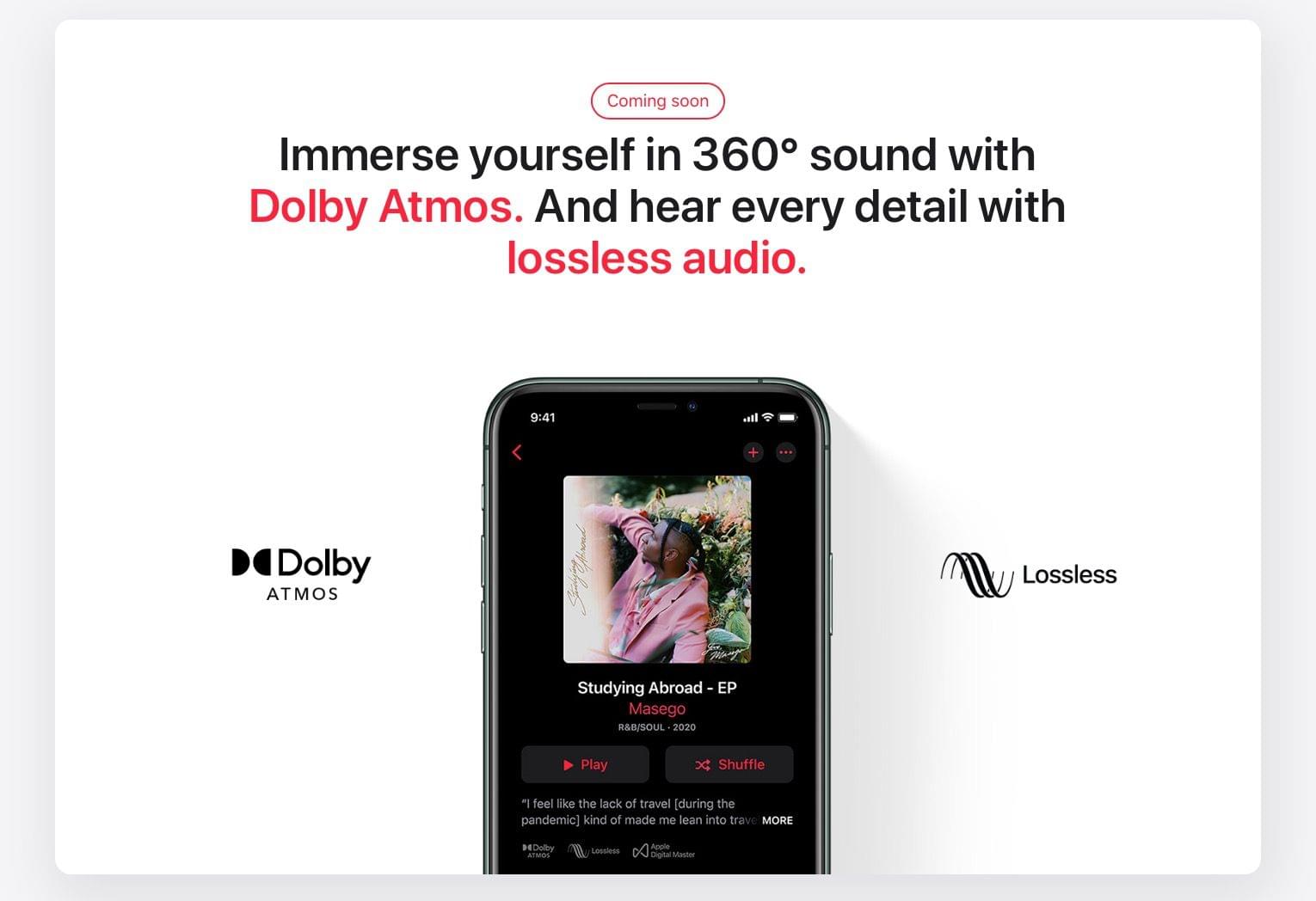
Today, Apple announced that beginning in June, it will offer Spatial Audio with support for Dolby Atmos to its Apple Music collection. The company also announced that it is bringing Lossless Audio to the entire Music catalog. Both features are being added to Apple Music at no additional cost to subscribers.

According to Apple’s press release:

“Apple Music is making its biggest advancement ever in sound quality,” said Oliver Schusser, Apple’s vice president of Apple Music and Beats. “Listening to a song in Dolby Atmos is like magic. The music comes from all around you and sounds incredible. Now we are bringing this truly innovative and immersive experience to our listeners with music from their favorite artists like J Balvin, Gustavo Dudamel, Ariana Grande, Maroon 5, Kacey Musgraves, The Weeknd, and so many more. Subscribers will also be able to listen to their music in the highest audio quality with Lossless Audio. Apple Music as we know it is about to change forever.”

Spatial Audio will be the default playback option for AirPods and Beats headphones with an H1 or W1 chip, including AirPods, AirPods Pro, AirPods Max, BeatsX, Beats Solo3 Wireless, Beats Studio3, Powerbeats3 Wireless, Beats Flex, Powerbeats Pro, and Beats Solo Pro. The feature will be available with other headphones, too, by going to Settings → Music → Audio and setting Dolby Atmos to ‘Always On.’ The playback feature is also supported by the latest models of iPhones, iPads, Macs, and Apple TVs. At launch, Apple says there will be thousands of tracks available with Spatial Audio and Dolby Atmos support and that new ones will be added continuously. Music that supports the feature will be badged in the Music app so subscribers can find it more easily.

Source: Apple.

Source: Apple.

In addition to Spatial Audio, Apple is offering lossless audio versions of the entire Apple Music catalog beginning in June, which Apple confirmed to The Verge, is an Apple Music exclusive. In other words, you won’t be able to purchase lossless versions of music from the iTunes Store. The 75 million songs in the catalog will use the ALAC (Apple Lossless Audio Codec) format and start with CD-quality 16-bit audio at 44.1 kHz and go up to 24 bit at 48 kHz. Apple will also offer Hi-Resolution Lossless up to 24 bit at 192 kHz, for which subscribers will need an external USB DAC. Lossless playback is also opt-in due to the large file sizes involved. After iOS, iPadOS 14.6, macOS 11.4, and tvOS 14.6 are released, you’ll go to Settings → Music → Audio Quality to pick between Lossless and Hi-Res Lossless. From the details released today, it is not clear whether AirPods and Beats wireless headphones will support Apple’s lossless formats.

As someone who owns good quality headphones, I’m glad to see Apple adding lossless options to Apple Music. Spatial Audio is intriguing too. It remains to be seen how widely adopted it will be, but I’ve enjoyed it with video via the TV app, so I’m eager to try it with Apple Music too.

Access Extra Content and Perks

Founded in 2015, Club MacStories has delivered exclusive content every week for nearly a decade.

What started with weekly and monthly email newsletters has blossomed into a family of memberships designed for every MacStories fan.

Learn more here and from our Club FAQs.

Club MacStories: Weekly and monthly newsletters via email and the web that are brimming with apps, tips, automation workflows, longform writing, early access to the MacStories Unwind podcast, periodic giveaways, and more;

Club MacStories+: Everything that Club MacStories offers, plus an active Discord community, advanced search and custom RSS features for exploring the Club’s entire back catalog, bonus columns, and dozens of app discounts;

Club Premier: All of the above and AppStories+, an extended version of our flagship podcast that’s delivered early, ad-free, and in high-bitrate audio.

Learn more here and from our Club FAQs.


MacStories Unwind: A Darkroom Update and Pixelmator Pro Teaser, a New Flagship Apple Store in Rome, Snowman’s Upcoming App, and Thoughts on Shortcuts Notifications

AppStories+ Deeper into the world of apps
0:00
18:39

AppStories+ Deeper into the world of apps


Sponsored by: Musens – The Beautiful Music Player

This week on MacStories Unwind:

MacStories

Club MacStories

  • MacStories Weekly
    • Darkroom
    • A Morpho Converter giveaway
    • Recording Streaming Video with PlayOn and Channels
    • Don’t treat your RSS and Twitter like inboxes

AppStories

Unwind

Access Extra Content and Perks

Founded in 2015, Club MacStories has delivered exclusive content every week for nearly a decade.

What started with weekly and monthly email newsletters has blossomed into a family of memberships designed for every MacStories fan.

Learn more here and from our Club FAQs.

Club MacStories: Weekly and monthly newsletters via email and the web that are brimming with apps, tips, automation workflows, longform writing, early access to the MacStories Unwind podcast, periodic giveaways, and more;

Club MacStories+: Everything that Club MacStories offers, plus an active Discord community, advanced search and custom RSS features for exploring the Club’s entire back catalog, bonus columns, and dozens of app discounts;

Club Premier: All of the above and AppStories+, an extended version of our flagship podcast that’s delivered early, ad-free, and in high-bitrate audio.

Learn more here and from our Club FAQs.


Apple Prepares to Open Its Latest Flagship Store in Rome’s Historic Via del Corso Shopping District

Today, Apple took the wraps off its latest flagship store in the heart of Rome’s Via del Corso shopping district. The store is Apple’s first in Rome’s historic center, although the company has long had a presence in Rome and other parts of Italy, including another flagship store that was opened in Milan in 2018. The new Rome location isn’t open yet but will be soon.

As with many of Apple’s other flagship stores around the world, restoration of the historic location was spearheaded by the architectural firm Foster + Partners. The new store is located next to Piazza di San Silvestro, in the center of Rome within a short distance of landmarks like the Spanish Steps and Trevi Fountain.

Palazzo Marignoli, the building in which Apple’s new store is housed, has been carefully restored to its late 19th century glory. The palazzo once housed Caffè Aragno, a destination for writers, painters, and other creatives of Rome, a history that fits nicely with Apple’s vision of its flagship stores as destinations for creativity through technology.

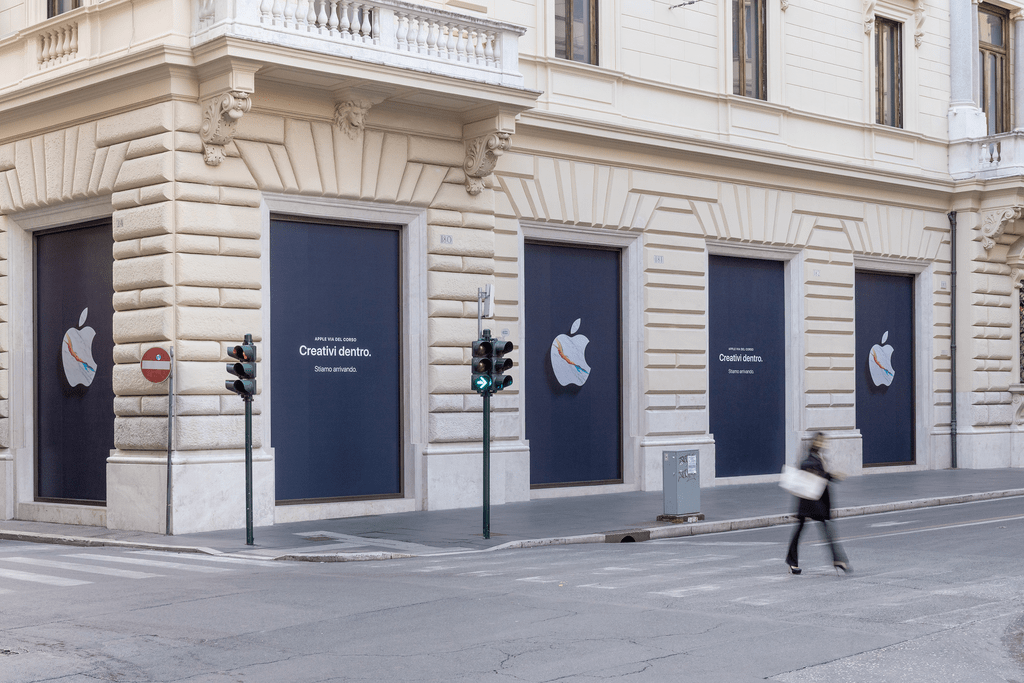
In fact, you can see from the photo above, which was taken earlier today, that the window coverings say ‘Creativi dentro’ or ‘Creative inside.’ According to Apple, the message honors Rome’s rich cultural history embodied by Carrara marble, the predominant stone used in the store’s construction and the material that has been used by Roman architects and sculptors for centuries to create artistic masterpieces.

Six colors, Roman edition.

Six colors, Roman edition.

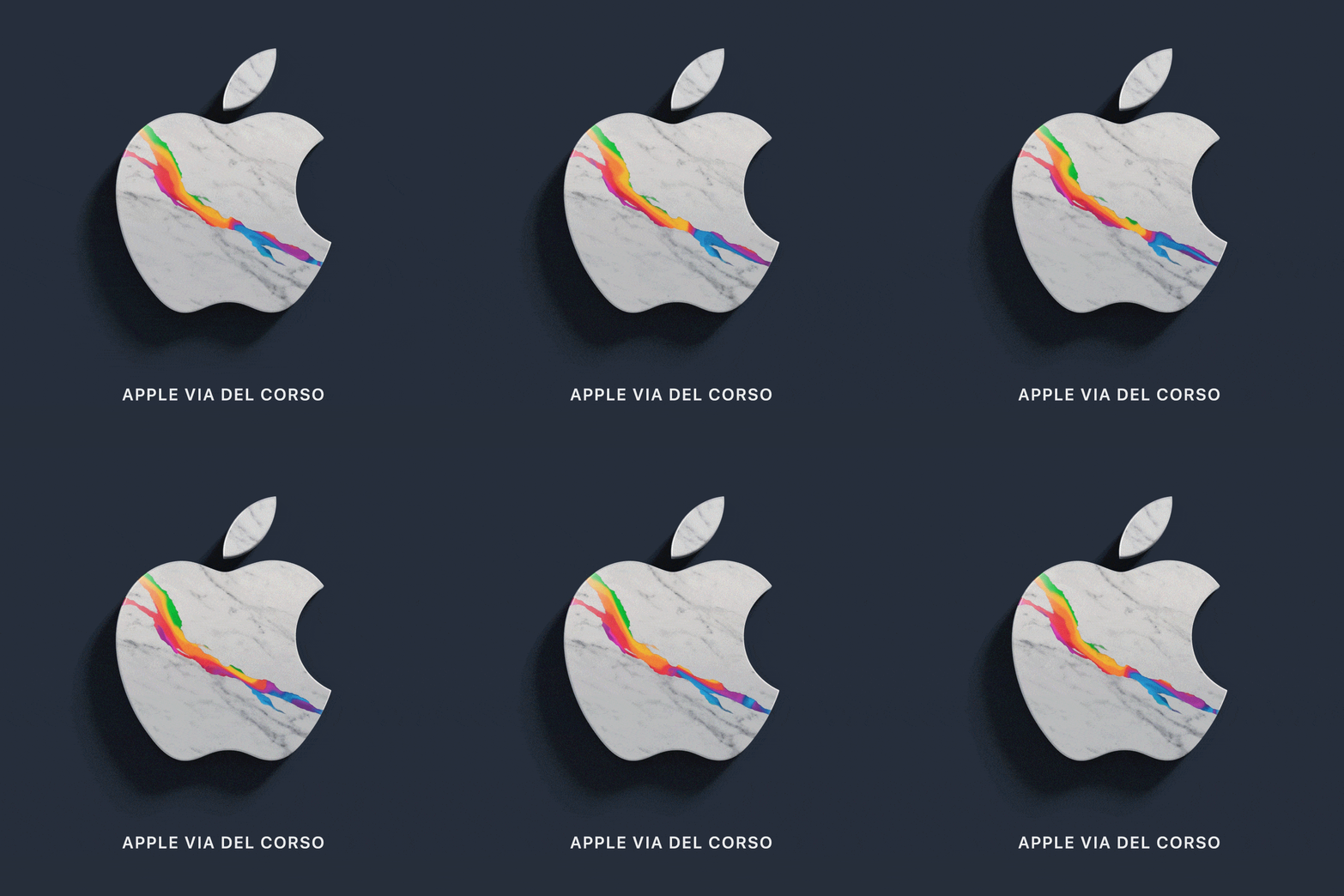
The same marble is incorporated into the Apple logo which weaves the company’s signature six colors into the veins of the stone. According to Apple, the logo symbolizes the fusion of Rome’s cultural history with Apple’s mission to provide tools that unlock everyone’s creativity with programs like those that will be led by Apple Creatives in the Via del Corso store when it opens to the public.

Alessandra Gatta contributed to this story with Italian-English translations.

Access Extra Content and Perks

Founded in 2015, Club MacStories has delivered exclusive content every week for nearly a decade.

What started with weekly and monthly email newsletters has blossomed into a family of memberships designed for every MacStories fan.

Learn more here and from our Club FAQs.

Club MacStories: Weekly and monthly newsletters via email and the web that are brimming with apps, tips, automation workflows, longform writing, early access to the MacStories Unwind podcast, periodic giveaways, and more;

Club MacStories+: Everything that Club MacStories offers, plus an active Discord community, advanced search and custom RSS features for exploring the Club’s entire back catalog, bonus columns, and dozens of app discounts;

Club Premier: All of the above and AppStories+, an extended version of our flagship podcast that’s delivered early, ad-free, and in high-bitrate audio.

Learn more here and from our Club FAQs.


Pixelmator Pro Teases ML Crop Feature and Announces a 50% Off Sale

Source Pixelmator.

Source Pixelmator.

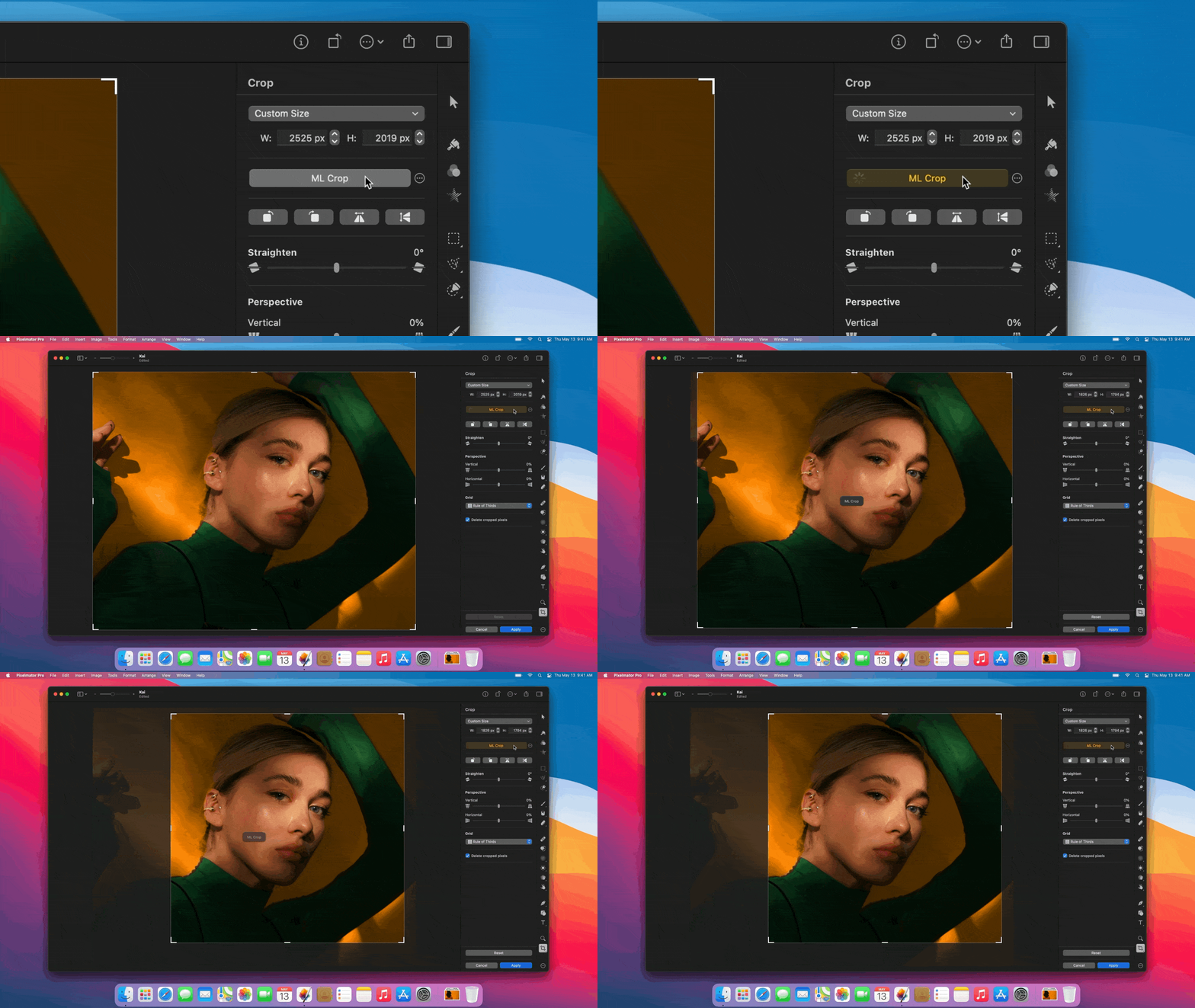
Some of the most impressive additions to Pixelmator Pro in recent updates have been the ones that rely on machine learning. From the auto enhancement feature added in 2018 to last year’s ML Color Match and ML Super Resolution, a wide variety of the app’s tools have harnessed machine learning to help photographers edit their images. Today, the Pixelmator team announced that their extending Pixelmator Pro’s reliance on machine learning to its cropping tool with ML Crop.

Source: Pixelmator.

Source: Pixelmator.

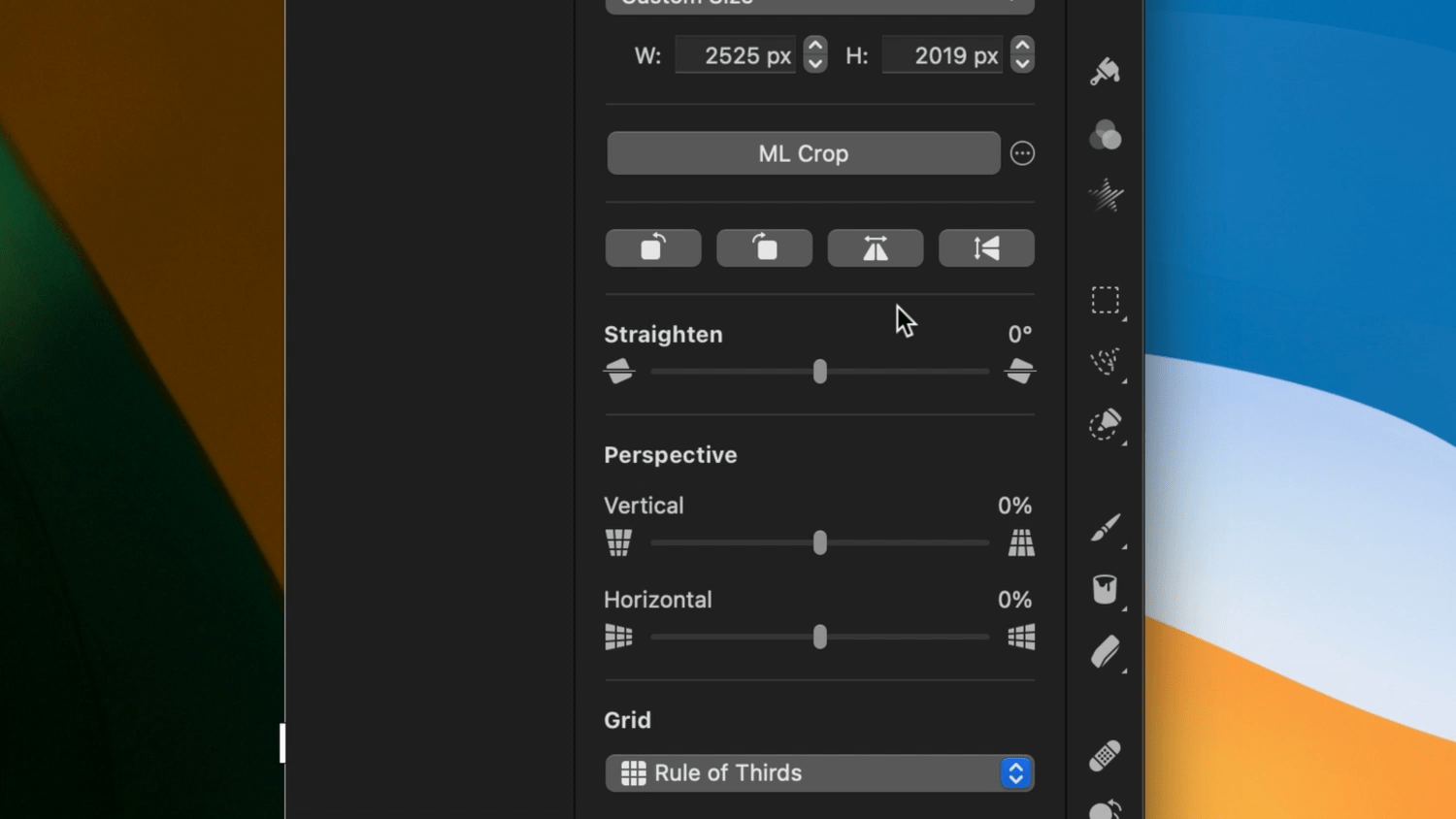
ML Crop uses machine learning to analyze the composition of a photo and suggest how you might like to crop it with the click of a single button. From the video in Pixelmator’s blog post, which is excerpted in the GIF above, the feature looks promising. ML Crop joins features that let you quickly set primary and secondary colors for an image and edit colors in a composition using drag and drop.

In addition to the sneak peek at ML Crop, Pixelmator announced today that the app is currently on sale for 50% off, which makes it a great time to jump in and give Pixelmator Pro if you haven’t yet.

Access Extra Content and Perks

Founded in 2015, Club MacStories has delivered exclusive content every week for nearly a decade.

What started with weekly and monthly email newsletters has blossomed into a family of memberships designed for every MacStories fan.

Learn more here and from our Club FAQs.

Club MacStories: Weekly and monthly newsletters via email and the web that are brimming with apps, tips, automation workflows, longform writing, early access to the MacStories Unwind podcast, periodic giveaways, and more;

Club MacStories+: Everything that Club MacStories offers, plus an active Discord community, advanced search and custom RSS features for exploring the Club’s entire back catalog, bonus columns, and dozens of app discounts;

Club Premier: All of the above and AppStories+, an extended version of our flagship podcast that’s delivered early, ad-free, and in high-bitrate audio.

Learn more here and from our Club FAQs.


AppStories, Episode 217 – Our 2021 macOS WWDC Wishes

This week on AppStories, we begin our annual pre-WWDC wish list episodes with our 2021 wishes for macOS.

Sponsored by:

  • Appfigures – Analytics, intelligence, and App Store optimization tools. Sign up for free, and then use the code AppStories3030 at checkout for 30% off for the next three months.
  • Things – The award-winning to-do app.
  • Pingdom – Start monitoring your website performance and availability today, and get instant alerts when an outage occurs or a site transaction fails. Use offer code APPSTORIES to get 30% off. Offer expires on January 31, 2022, and can be used only once.

Permalink

Snowman Announces New Creative Studio and Its First App, Pok Pok Playroom, A Digital Play Experience for Kids

Today, Snowman, the studio behind some of our favorite games on Apple platforms like Alto’s Adventure and Odyssey, Where Cards Fall, and Skate City, announced Pok Pok, a new creative studio that is launching an app on May 20th called Pok Pok Playroom.

Pok Pok Playroom is an app designed to encourage interactive play with a series of digital toys that spark curiosity and creativity in kids in a low-key, calming environment. The app’s digital playroom includes multiple brightly colored toys that prompt children to explore through independent play. Here’s how Snowman explains the app in its announcement:

Pok Pok’s first app is called Pok Pok Playroom. It’s a playroom filled with educational toys that spark creativity, imagination and learning through open-ended play. There is no right or wrong way to play, only lots of opportunities for experimentation and exploration. Pok Pok puts kids at the centre of the experience so they can follow their noses and learn at their own pace.

I’ve been eagerly awaiting Pok Pok Playroom since I got a demo of an early version at WWDC in 2019 from Esther Huybreghts who, along with her husband Mathijs Demaeght, are the artist-duo and parents of two young children behind its development. I’ll have more to say about Pok Pok Playroom when it’s released on May 20th, but for now, check out the trailer, which does an excellent job of providing a feel for what the app is like:

Alongside the announcement of the trailer and app release date, Snowman announced that Pok Pok Playroom is part of a new creative studio called Pok Pok. The studio, which was incubated inside Snowman for the past few years, was co-founded by Huybreghts and Demaeght, along with Snowman’s Melissa Cash, Ryan Cash, and Jordan Rosenberg, and will continue to build Pok Pok Playroom and new content for it that will be released periodically.

For more information about the app and studio, visit playpokpok.com.

Access Extra Content and Perks

Founded in 2015, Club MacStories has delivered exclusive content every week for nearly a decade.

What started with weekly and monthly email newsletters has blossomed into a family of memberships designed for every MacStories fan.

Learn more here and from our Club FAQs.

Club MacStories: Weekly and monthly newsletters via email and the web that are brimming with apps, tips, automation workflows, longform writing, early access to the MacStories Unwind podcast, periodic giveaways, and more;

Club MacStories+: Everything that Club MacStories offers, plus an active Discord community, advanced search and custom RSS features for exploring the Club’s entire back catalog, bonus columns, and dozens of app discounts;

Club Premier: All of the above and AppStories+, an extended version of our flagship podcast that’s delivered early, ad-free, and in high-bitrate audio.

Learn more here and from our Club FAQs.