Posts in Linked

An In-Depth, Technical Analysis of the HomePod Concludes It’s a Bona Fide Audiophile Speaker

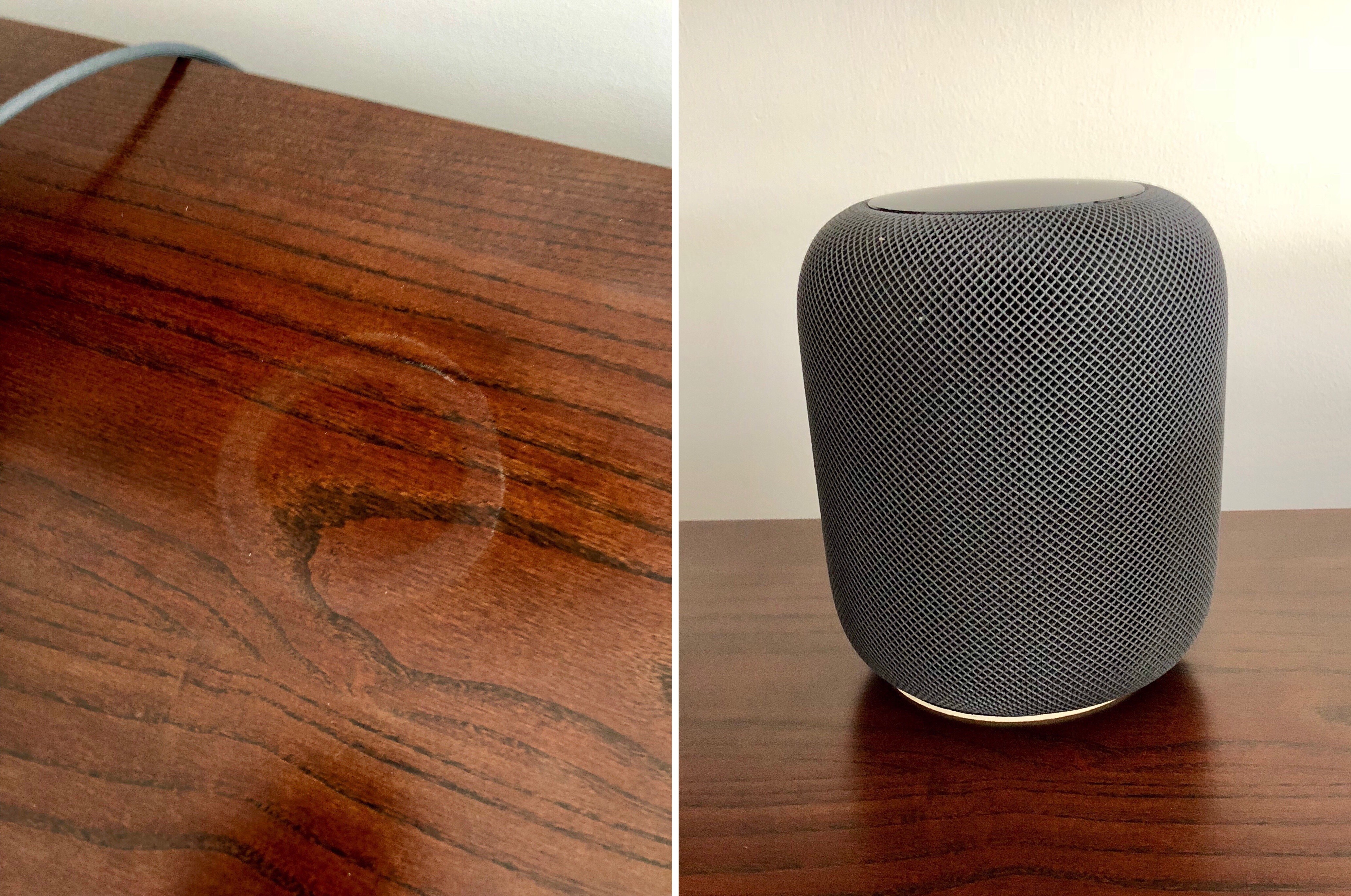
Given Apple’s emphasis on the audio quality of the HomePod, the lack of technical reviews from audiophile publications at launch struck me as odd. That’s why I was intrigued when I saw this tweet last night from Phil Schiller, Apple’s Senior Vice President of Worldwide Marketing:

https://twitter.com/pschiller/status/962883051184275456

The review, by Reddit user WinterCharm in the audiophile subreddit, is an in-depth, technical analysis of the HomePod that includes a side-by-side comparison with a pair of KEF X300A high-end bookshelf speakers that sell for $1000 at retail. There’s a lot here that is beyond my limited understanding of audio equipment and testing, but the conclusion of WinterCharm’s hours of analysis is crystal clear:

I am speechless. The HomePod actually sounds better than the KEF X300A. If you’re new to the Audiophile world, KEF is a very well respected and much loved speaker company. I actually deleted my very first measurements and re-checked everything because they were so good, I thought I’d made an error. Apple has managed to extract peak performance from a pint sized speaker, a feat that deserves a standing ovation. The HomePod is 100% an Audiophile grade Speaker.

Judging from the comments to the post, WinterCharm isn’t the only audiophile excited about the HomePod and eager to try two as a stereo pair when that feature is released in a future software update.

Permalink

Loup Ventures’ HomePod Siri Tests

Loup Ventures, a US-based venture capital firm, ran a series of Siri tests on the HomePod to evaluate the assistant’s capabilities on Apple’s new speaker. After 782 queries, Siri understood 99% of questions but only answered 52% of them correctly – meaning, Siri on the HomePod failed to answer one out of two questions. I’d love to see a full data set of the questions asked by Loup Ventures, but, overall, it doesn’t surprise me that the Google Assistant running on the Google Home speaker was the most accurate in every category.

While Apple has clearly a lot of work ahead for Siri on the HomePod (this was the consensus of all the reviews, too), it also appears that Siri simply performs worse than other assistants because it doesn’t support certain domains. Here’s Gene Munster (whom you may remember for his Apple TV set predictions), writing on the Loup Ventures blog:

Adding domains will quickly improve Siri’s score. Some domains like navigation, calendar, email, and calling are simply not supported. These questions were met with, “I can’t ___ on HomePod.” Also, in any case that iPhone-based Siri would bring up Google search results, HomePod would reply, “I can’t get the answer to that on HomePod,” which forces you to use your phone or give up on the question altogether. Removing navigation, calling, email, and calendar-related queries from our question set yields a 67% correct response, a jump from overall of 52.3% correct. This means added support for these domains would bring HomePod performance above that of Alexa (64%) and Cortana (57%), though still shy of Google Home (81%). We know Siri has the ability to correctly answer a whole range of queries that HomePod cannot, evidenced by our note here. Apple’s limiting of HomePod’s domains should change over time, at which point we expect the speaker to be vastly more useful and integrated with your other Apple devices.

Adding new supported domains would make Siri’s intelligence comparable to Alexa (at least according to these tests), but Apple shouldn’t strive for a honorable second place. Siri should be just as intelligent (if not more) than the Google Assistant on every platform. I wonder, though, if this can be achieved in the short term given Siri’s fragmentation problems and limited third-party integrations.

Permalink

The Problem of Many Siris

Bryan Irace writes about one of the biggest challenges Apple faces with Siri:

It’s no easy task for a voice assistant to win over new users in 2018, despite having improved quite a great deal in recent years. These assistants can be delightful and freeing when they work well, but when they don’t, they have a tendency to make users feel embarrassed and frustrated in a way that GUI software rarely does. If one of your first voice experiences doesn’t go the way you expected it to – especially in front of other people – who could blame you for reverting back to more comfortable methods of interaction? Already facing this fundamental challenge, Apple is not doing themselves any favors by layering on the additional cognitive overhead of a heavily fragmented Siri experience.

I think Irace is right on in this observation – Siri’s fragmentation is a real problem.

On the more optimistic side, it could be taken as good news that the fix appears fairly obvious: create a single Siri that’s consistent across all platforms. This seems like it would be a clear net positive, even though such a change could reduce Siri’s accuracy in some cases; for example, I’m guessing Siri on the Apple TV is currently tuned to expect TV and movie queries more than anything else, so it can more effectively produce the right kind of results – tweak that tuning, and Apple will have to work even harder at helping Siri understand context.

One thing that’s concerning about the apparent simplicity of this fix is that Apple hasn’t made it yet, meaning, perhaps, that the company thinks there’s nothing wrong with Siri’s current fragmentation. This conversation would be different entirely if Apple had begun showing an increased effort to unify Siri across its platforms, but recently, the opposite has been true instead. The latest major Apple product, HomePod, includes a stripped-down Siri that can’t even handle calendar requests. And SiriKit, which launched less than two years ago, was designed in a way that fundamentally increases fragmentation. Irace remarks:

If the Lyft app is installed on your iPhone, you can ask Phone Siri to order you a car. But you can’t ask Mac Siri to do the same, because she doesn’t know what Lyft is. Compare and contrast this with the SDKs for Alexa and the Google Assistant – they each run third-party software server-side, such that installing the Lyft Alexa “skill” once gives Alexa the ability to summon a ride regardless of if you’re talking to her on an Echo in your bedroom, a different Echo in your living room, or via the Alexa app on your phone.

The only recent occasion that comes to mind when Siri has moved in the right direction – gaining knowledge on one platform that previously existed only on another – was when iOS 10.2 brought the full wealth of Apple TV Siri’s movie and TV expertise to iOS. This only happened, though, because iOS 10.2 introduced the TV app.

Until Siri can answer the same requests regardless of what platform you’re on, most people simply won’t learn to trust it. Users shouldn’t have to remember which device’s Siri can answer which questions – all they should have to remember is those two key words: “Hey Siri.”

Permalink

Connected , Episode 179: The Tiny Head Pandemic

The boys are joined by Emojipedia founder Jeremy Burge to talk about a rash of App Store rejections regarding the use of emoji. After that, discussion turns to HomePod reviews and the possibilities of watchOS 5.

Another fun episode of Connected this week, with a great discussion about a recent emoji controversy with the Master of emoji himself, Jeremy Burge. You can listen here.

Sponsored by:

  • Linode: High performance SSD Linux servers for all of your infrastructure needs. Get a $20 credit with promo code ‘connected2018’
  • Squarespace: Make your next move. Enter offer code WORLD at checkout to get 10% off your first purchase.
  • Casper: Start sleeping ahead of the curve. Get $50 off select mattresses with the code ‘CONNECTED’.
Permalink

New Emoji Announced for 2018

Today the latest batch of emoji approved for addition to the Unicode standard was announced. Jeremy Burge at Emojipedia has the scoop:

The emoji list for 2018 has been published which adds 157 new emojis to the standard. This brings the total number of approved emojis to 2,823.

The latest emoji set includes (finally!) a redhead option, along with a superhero and super villain, kangaroo, llama, bagel, cupcake, and much more.

Emojipedia has created a video featuring designs of the newly approved emoji in a style resembling Apple’s emoji set. While we won’t get a glimpse at Apple’s own designs until later in the year, the video does a great job providing a preview of what we can expect.

In recent years it has become tradition for Apple to add the newest emoji to a point release of iOS, so if that pattern holds, we’ll get our hands on these newest emoji options with iOS 12.1 or 12.2 before the end of the year.

Permalink

What Is Apple’s Video Strategy?

Pavan Rajam shares a broad look at Apple’s video-related efforts, evaluating the company’s current position and its potential for greater impact in the fast-shifting market.

Today, there is no meaningful exclusive video content on Apple platforms. Apple, thus far, has relied on its design and engineering prowess to differentiate its video offerings.

It’s clear this strategy isn’t working.

The iTunes Store is arguably the best transactional video storefront, but that alone is not enough to stop consumers from adopting subscription services. The TV app has a great UI and cross app integration, but that does not justify the $150 price to get it on your TV. Apple TV is the best designed, most capable streaming video box on the market, but that isn’t enough to justify its premium pricing when the same streaming services are available on every other platform with a significantly lower cost of entry.

Rajam’s overview makes clear the significant challenges Apple faces in this market. Though the company is making heavy investment in developing original content, it’s unknown what the plan for distributing that content will be: will it be widely available across all platforms, or exclusive to Apple hardware? Both approaches have clear benefits and drawbacks, so the question goes back to what the bigger goal is.

Apple ultimately has to decide what is more important: Apple TV as a premium hardware product line or a streaming video service that runs across all of its platforms.

I expect that by the end of this year, whether Apple’s video content is released by then or not, we will at least have the answer to that question.

Currently, a big reason video services like Netflix thrive is that they’re available to a huge number of customers – regardless of what TV, phone, or computer you own, you can get Netflix. It would be against industry practice for Apple to create a video streaming service that’s exclusive to its hardware. Hollywood likely wouldn’t appreciate that either, as creators want their work shared as widely as possible. For those reasons, I have a hard time seeing Apple launch a service that isn’t, at the very least, available to users on some other platforms.

If Apple did make its service available on select other platforms, such as Android and the web, it could still position Apple TV as the only way to watch its shows on the big screen. Non-Apple users would still have access to the service, but if Apple does its job and creates truly compelling new shows that people love, many of those users may then be willing to splurge for a premium set-top box. Asking anyone to pay $150 for access to a streaming service is a hard sell, but if you can first hook people on shows they love, they’ll eventually want to watch those shows in a way that’s most comfortable: on their TV.

Permalink

Slack Overhauls Emoji Support Across Platforms

In other emoji-related news, Slack today announced that they’re going to support new emojis (including those from Emoji 5.0 released in 2017) across multiple platforms. If you use Slack on a regular basis, you know that the company has been notoriously slow over the past couple of years in adopting the latest emojis despite having launched features based entirely on them.

As noted by Jeremy Burge at Emojipedia, however, better emojis on Slack have brought a deeper change for Slack users on non-Apple platforms:

Users of iOS or macOS will see the least change to design in this release, as Slack previously defaulted to using Apple designs on all platforms.

Apple’s emoji designs remain the set displayed when accessing Slack on any Apple platform.

Those using on Windows, Android, or any non-Apple platform will see a consistent set between: but it’s not what you might expect. Google’s emoji designs are being used for all non-Apple platforms now as shown by this alert:

And:

While Apple’s emoji font is entirely owned and copyrighted by Apple, Google’s emoji font (named Noto Color Emoji) is provided with an open source license which allows other projects to use this within the terms set out in the SIL Open Font License. Given this, it’s possible that Slack believes it is on firmer ground to be using Noto Color Emoji rather than embedding Apple emoji images on competing platforms.

Jason Snell argues that this move will lead to a different emoji experience for Slack users who access the service from non-Apple platforms:

The result is emoji fragmentation, where different users of Slack will see different versions of the same general concept. Also, users like my friend Erika might prefer one set of emoji designs to another, but they no longer have a choice in the matter.

That’s the bad news. The good news, at least, is that Slack is rolling out support for new emojis, including gender splits and skin tones, that it previously didn’t.

I wonder if Apple’s apparent push toward locking their emoji designs to the iOS ecosystem may have played a role in Slack’s decision to implement an open-source emoji set instead (see also: WhatsApp). Still, I’m happy that I can share all modern emojis on Slack; I’ll have to rethink some of my typical emoji reactions now.

Permalink

Emoji Use in Apps Leading to App Store Rejections

Over the last several weeks, a few different emoji-related App Review stories have been shared by developers on Twitter. Though it’s common practice to use emoji throughout an app’s interface, Apple has begun rejecting some apps for just this reason.

Emojipedia founder Jeremy Burge researched the issue and summarized what seems to be a shift in Apple’s handling of emoji use. In a piece titled “Apple’s Emoji Crackdown” he walks through his current understanding of what’s permissible regarding emoji use, and what isn’t – though with the caveat that none of this has been officially addressed by Apple yet. He concludes:

It would be a shame to see emojis banished from all apps due to potentially over-zealous app reviewers.

Using an emoji as a core part of an app’s UI, or in-game character seems to be a fairly clear overstepping of the mark, and now that Apple has begun enforcing this, I don’t expect that side of things to change.

It’s understandable there is much confusion about this right now, especially as the Apple Color Emoji font until now has been treated by many as a font like any other. If…thought about as “a set of images created and owned by Apple”, the terms for what seems reasonable do shift.

Despite the lack of word from Apple on an official policy change, the signs don’t look good. Apple owns the rights to its emoji designs, and there is currently no way for developers to license those designs, so we may begin seeing a lot less emoji use in apps soon.

Permalink

Sebastiaan de With Tackles RAW Photo Editing

Editing RAW photo files can be intimidating for beginners. There are a seemingly endless number of adjustments that can be made, and it’s not always clear what each does. However, if you take the time to learn the tools and shoot RAW images on your iPhone or another camera, the results can be stunning.

Sebastiaan de With, the designer of Halide, an excellent RAW camera app for iPhone, has published the second in a series of articles about shooting and editing RAW photos. As de With explains at the outset of this second article in the series:

This guide will walk you through the basics of RAW editing and adjustment. Most of these pointers also apply to editing RAW files from other cameras, but some parts focus on iOS editing workflows and how to transfer your RAW files from your iPhone to your Mac or PC.

The remainder of the article is full of great tips and eye-opening examples of what can be done on a Mac or iOS to edit RAW photos. If you’re interested in photography on any platform, this is a must-read article. In an upcoming installment de With will cover advanced editing and editing with depth channels.

Permalink