


Any game with Dropbears has to be good, right? Maybe not any game, but it works for Mallow Drops, a title created by Gritfish Games and published by Green Stripe Snake. Mallow Drops debuted on Steam late last year and landed on the App Store earlier this week. Part platformer, part sliding tile puzzle, the real key to Mallow Drops’ success is its unique gameplay.
Posts in news
Game Day: Mallow Drops
Apple Updates TestFlight with Improved Testing Options
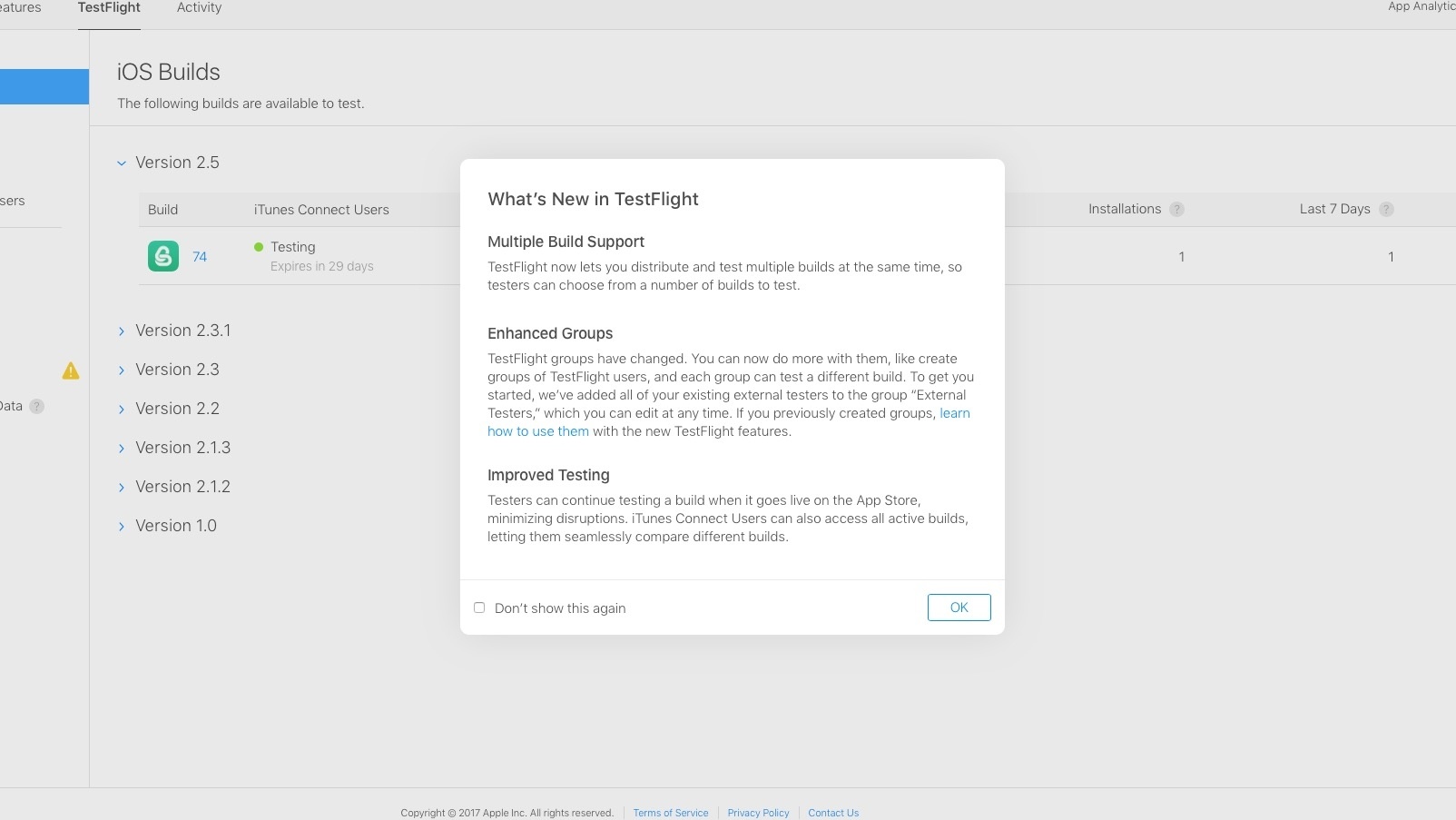
Yesterday Apple launched TestFlight 1.5 on the App Store. The update’s release notes didn’t highlight any specific changes, but developers are discovering today that its release was timed with a few major updates.
Developers can now create different builds of an app to be distributed to different groups of testers. These changes will make A/B testing of apps possible for the first time, so developers can gauge feedback from different groups who are testing different versions of the same app.
Multiple builds can also be distributed to the same people so that testers can choose from a variety of builds that they wish to test.
https://twitter.com/stroughtonsmith/status/851837283900825600
Longer testing periods is another change – up from 60 days to 90 days. These are not yet noted in Apple’s official documentation, so they are likely still in the process of rolling out. Developers we’ve spoken with as well as the MacStories team have been able to see builds with an expiration time of 90 days.
MailButler - Your Personal Assistant for Apple Mail [Sponsor]

No one has ever said ‘I want to spend more time on my email.’ Staying on top of important messages is critical, but managing your inbox can quickly become an unproductive time sink. MailButler is a series of Apple Mail add-ons that supercharge it so you can get through your email messages quickly and efficiently.
Just because you are catching up on email messages at 1:00 AM doesn’t mean you want your message to hit someone’s inbox at that hour. With MailButler, you can schedule your emails to be sent during normal working hours and then track whether the recipient opened your message. MailButler also helps you put your best foot forward with beautifully-designed, professional message templates and signature management.
MailButler is just as effective at managing messages you receive. When you need to focus on your work, you can pause your inbox until you are ready to deal with it. MailButler also makes unsubscribing from unwanted email much faster than hunting for that tiny ‘unsubscribe’ link buried at the bottom of a message. As you process messages, MailButler can even turn them into tasks or Evernote or OneNote notes, which is a more effective way to handle actionable and reference items than letting them sit in your inbox.
Everyone could use help with email. MailButler is the assistant you need to take back control of your inbox. Try MailButler for free today.
Microsoft Releases Social Scheduling iMessage App, ‘Who’s In’
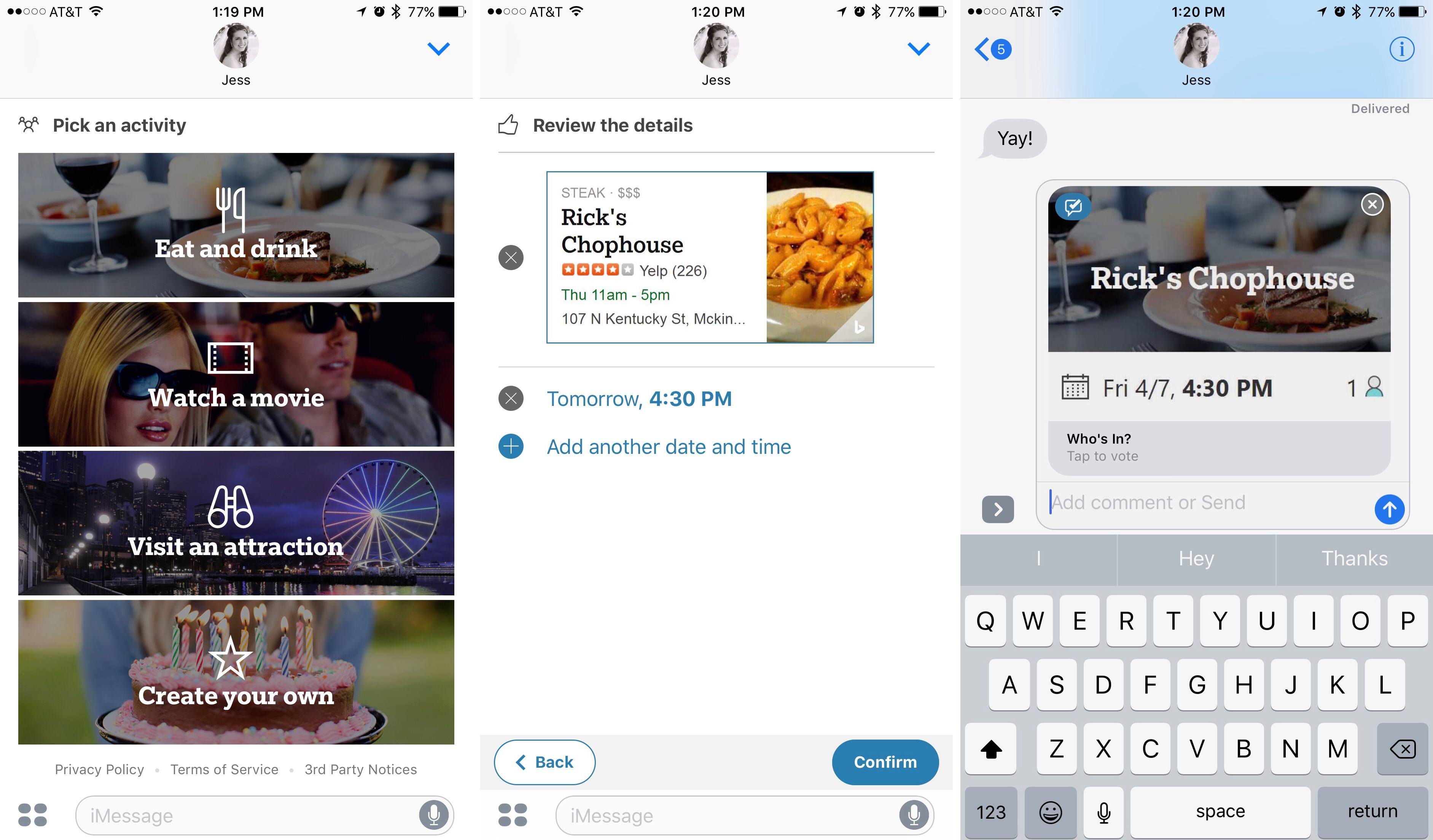
Microsoft has introduced a new app called ‘Who’s In’ to the iMessage App Store. The app is designed to help friends plan social events together without ever leaving the iOS Messages app.
When you want to coordinate an event with friends, opening ‘Who’s In’ will present several types of activities to choose from:
- Eat and drink
- Watch a movie
- Visit an attraction
- Create your own
After making your selection, a Bing-powered list of relevant options will be presented such as restaurant names, movie titles, etc. These are sorted based on your location, and once you’ve picked one, you’ll be asked to specify a date and time for the event to take place. These details are all compacted into an iMessage card that gets saved into your message body so you can send it to friends. When they receive your message, they can vote on whether they’ll be attending or not.
In many ways ‘Who’s In’ resembles the scheduling app Doodle, but with a more narrow focus on the specific activities featured in the app.
‘Who’s In’ is available for download from the iMessage App Store.
Apple Launches Clips Video App for iPhone and iPad
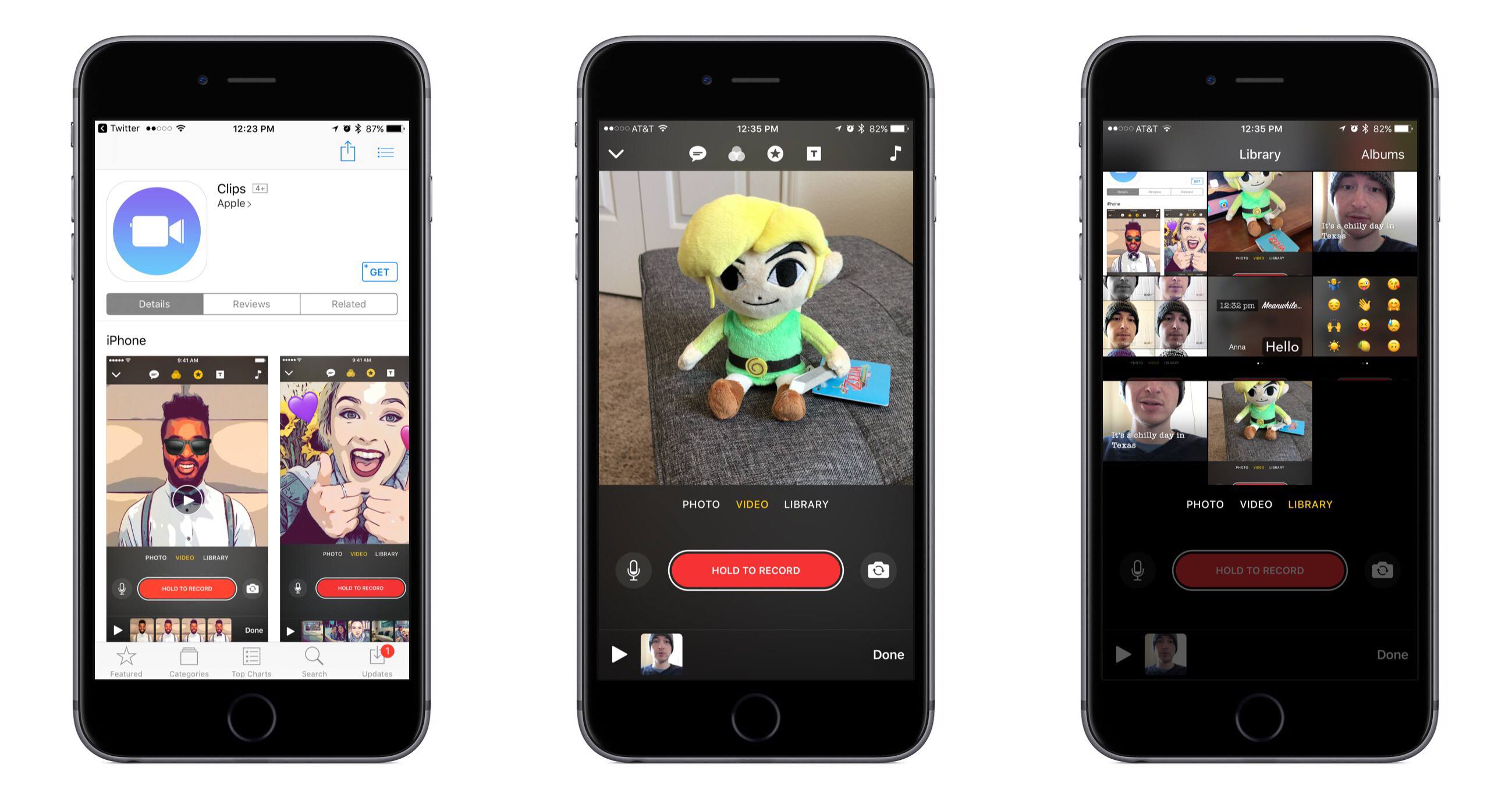
Apple has released a new app for iPhone and iPad, the previously announced video tool Clips.
Apple describes Clips as an app “for making and sharing fun videos with text, effects, graphics, and more.” Essentially it’s a stripped-down version of a video editor like iMovie, optimized to make edits fast and user-friendly on mobile. Its key focus is allowing you to shoot seconds-long clips and string them together into a video worth sharing.
The Omni Group Releases OmniOutliner 5 for Mac
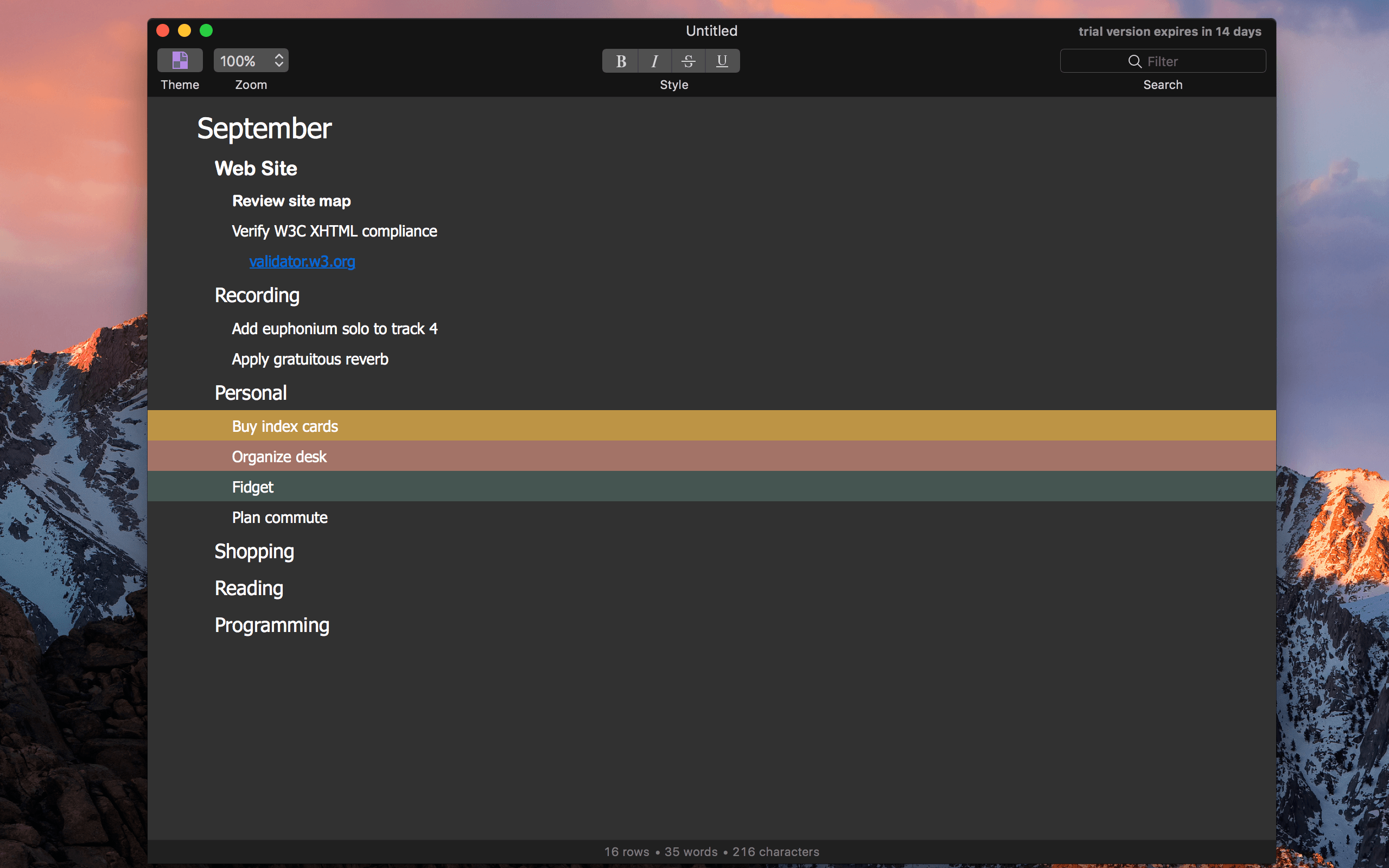
Timed perfectly with the fifth day of the month, The Omni Group today released OmniOutliner 5, in what the company called “the biggest update to our outlining app ever.”
Apple Reveals its Mac Pro, Display Plans and More

I recall staring at the then-new Mac Pro at WWDC, which was displayed in a clear tube, not unlike the original iPhone. The design was unlike anything on the market then or since. That was 2013. The Mac Pro shipped just before Christmas 2013, but it hasn’t been updated since.
As the years wore on, pro users fell out of love with the Mac Pro. It was less upgradeable than other pro PC systems, and its internals quickly began to show their age. Disillusionment with the Mac Pro evolved into open speculation about whether Apple cared about the pro user market anymore.
Apple answered that question today. A new modular, more upgradeable Mac Pro is in the works. As John Gruber describes it on Daring Fireball Apple is working on:
a “completely rethought” Mac Pro, with a modular design that can accommodate high-end CPUs and big honking hot-running GPUs, and which should make it easier for Apple to update with new components on a regular basis.
To go along with the new Mac Pro, Apple is developing a new pro-level display. Unfortunately, the new Mac Pros and display won’t ship in 2017, and no firm launch date has been announced. In the meantime, Apple has bumped the speeds of existing Mac Pros:
The $2999 model goes from 4 Xeon CPU cores to 6, and from dual AMD G300 GPUs to dual G500 GPUs. The $3999 model goes from 6 CPU cores to 8, and from dual D500 GPUs to dual D800 GPUs.
In addition to the Mac Pro, Apple told Daring Fireball and a group of four other writers that it has a new iMac that will ship this year that is designed with pro users in mind.
So what went wrong? Why hasn’t the Mac Pro seen an update for so long? Senior Vice President of Software Engineering Craig Federighi told Matthew Panzarino of TechCrunch and the other writers in the room:
I think it’s fair to say, part of why we’re talking today, is that the Mac Pro — the current vintage that we introduced — we wanted to do something bold and different,” says Federighi. “In retrospect, it didn’t well suit some of the people we were trying to reach. It’s good for some; it’s an amazingly quiet machine, it’s a beautiful machine. But it does not address the full range of customers we wanna reach with Mac Pro.
Apple’s discussion with five writers covered a lot of ground. In addition to the new Macs discussed, Federighi said Apple is committed to the Mac mini and that scripting and automation on macOS remain ‘super important’ to Apple. It was also revealed that notebooks make up 80% of the Mac market and the pro market makes up roughly 30% of the Mac user base.
With the increasing drumbeat of discontent from pro Mac users over the past months, it is refreshing to see Apple address the pro market head-on and explain what happened with the Mac Pro. It’s disappointing that new Mac Pros are still many months off, but the breadth and depth of Apple’s candor with the writers it spoke to should provide comfort to pro users who can hold off on buying new hardware for a while longer. The key now will be whether Apple can execute its plans for the pro market.
CloudBerry Backup - macOS Cloud Backup to AWS, Azure, Google Cloud, and More [Sponsor]
Backing up your data is critical. CloudBerry Backup is a cross-platform backup solution for saving files and folders to the cloud storage service or your choice. With CloudBerry, you can backup to a wide array of cloud services, including Amazon S3 and Glacier, Microsoft Azure, Google Cloud, Rackspace, and many more.
However, CloudBerry Backup isn’t just about choice among cloud storage providers. The app includes sophisticated backup tools too. You can create flexible backup schedules, reduce storage overhead and speed up backups with compression, and limit backups to new and modified files after your initial backup. Data is sent securely to cloud storage providers using SSL security protocols and backups can be encrypted at their source with strong 256-bit keys. Retention policies are also available to ensure that you are preserving only the files you want to back up. You can even use CloudBerry Backup for backups to local or network attached storage.
Just last month, CloudBerry released version 2.0 of Backup for macOS, which adds multi-threaded upload support for faster file uploads. The update also added advanced file filtering, which provides greater flexibility in specifying which files get backed up.
Cloudberry Backup is available in freeware and Pro versions with a 15-day trial. The Pro version includes data encryption and compression for just $29.99.
Our thanks to CloudBerry Lab for sponsoring MacStories this week.
IFTTT Adds New Applets for iOS Calendar and App Store
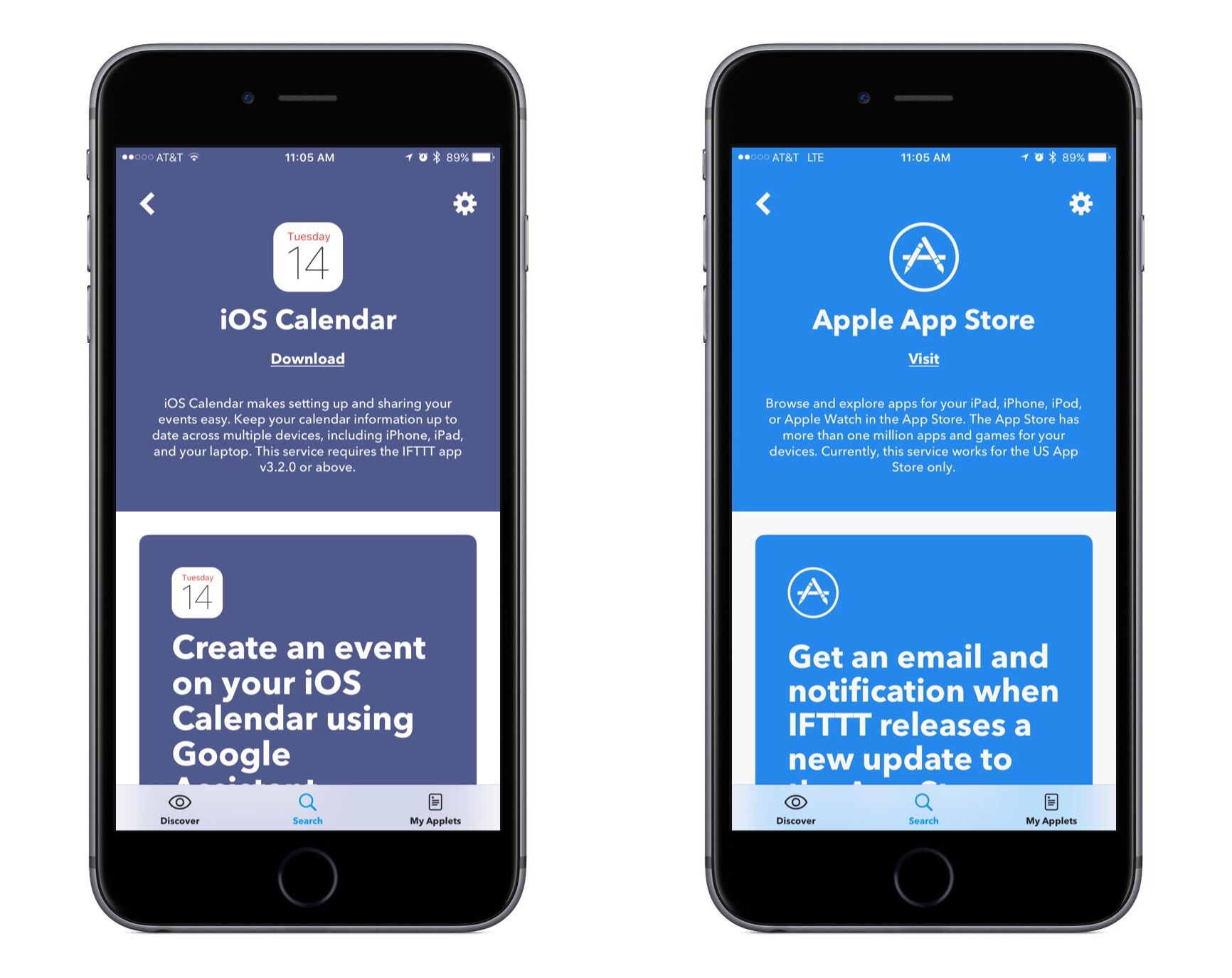
IFTTT, the popular web automation platform, has two new Apple-supported applets launching today: iOS Calendar and the App Store.
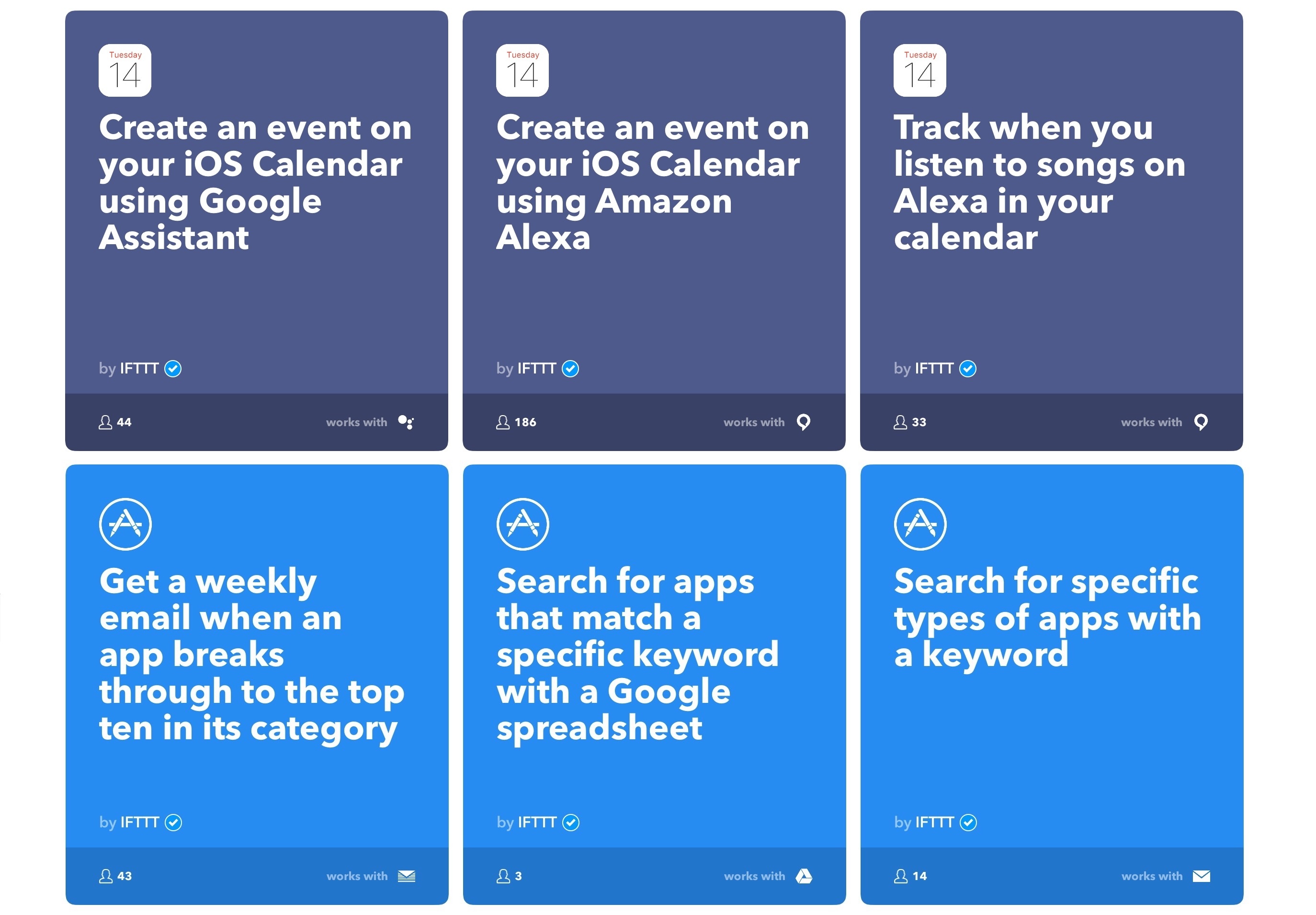
Both of these new applets feature recipes created by IFTTT. These include several recipes prominently featuring integrations with Apple’s competitors, such as recipes that enable creating an iOS Calendar event using Google Assistant or Amazon Alexa.
The applet for iOS Calendar works as you would expect, with triggers such as:
- New event added to any calendar
- New event added to specific calendar
- New event added from search
The latter of these is the most interesting. It allows your trigger to fire whenever a new event contains a specific keyword or phrase. Searches for keywords look into an event’s title, location, notes, and invitees, making this a great option when crafting recipes with a deep level of specificity.
The App Store applet features a variety of interesting triggers, including:
- New top ten app in a category
- New app from search
- New app featured in a collection
- Top ten app goes on sale
- App price dropped
- App version updated
IFTTT is available on the App Store.