Posts in news

Apple Cuts Affiliate Commissions on Apps and In-App Purchases

Today, Apple announced that it is reducing the commissions it pays on apps and In-App Purchases from 7% to 2.5% effective May 1st. The iTunes Affiliate Program pays a commission from Apple’s portion of the sale of apps and other media when a purchase is made with a link that contains the affiliate credentials of a member of the program. Anyone can join, but the Affiliate Program is used heavily by websites that cover media sold by Apple and app developers. The announcement, which was made in the May Affiliate News email that Apple sends to participants in the program says:

Starting on May 1st 2017, commissions for all app and in-app content will be reduced from 7% to 2.5% globally. All other content types (music, movies, books, and TV) will remain at the current 7% commission rate in all markets. We will also continue to pay affiliate commissions on Apple Music memberships so there are many ways to earn commissions with the program.

With ad revenue in decline, affiliate commissions are one way that many websites that write about apps generate revenue, MacStories included. Many developers also use affiliate links in their apps and on their websites to supplement their app income. This change will put additional financial pressure on both groups, which is why it’s especially unfortunate that the changes are being made on just one week’s notice.

Nike Announces New, Limited Edition Apple Watch Dubbed ‘NikeLab’

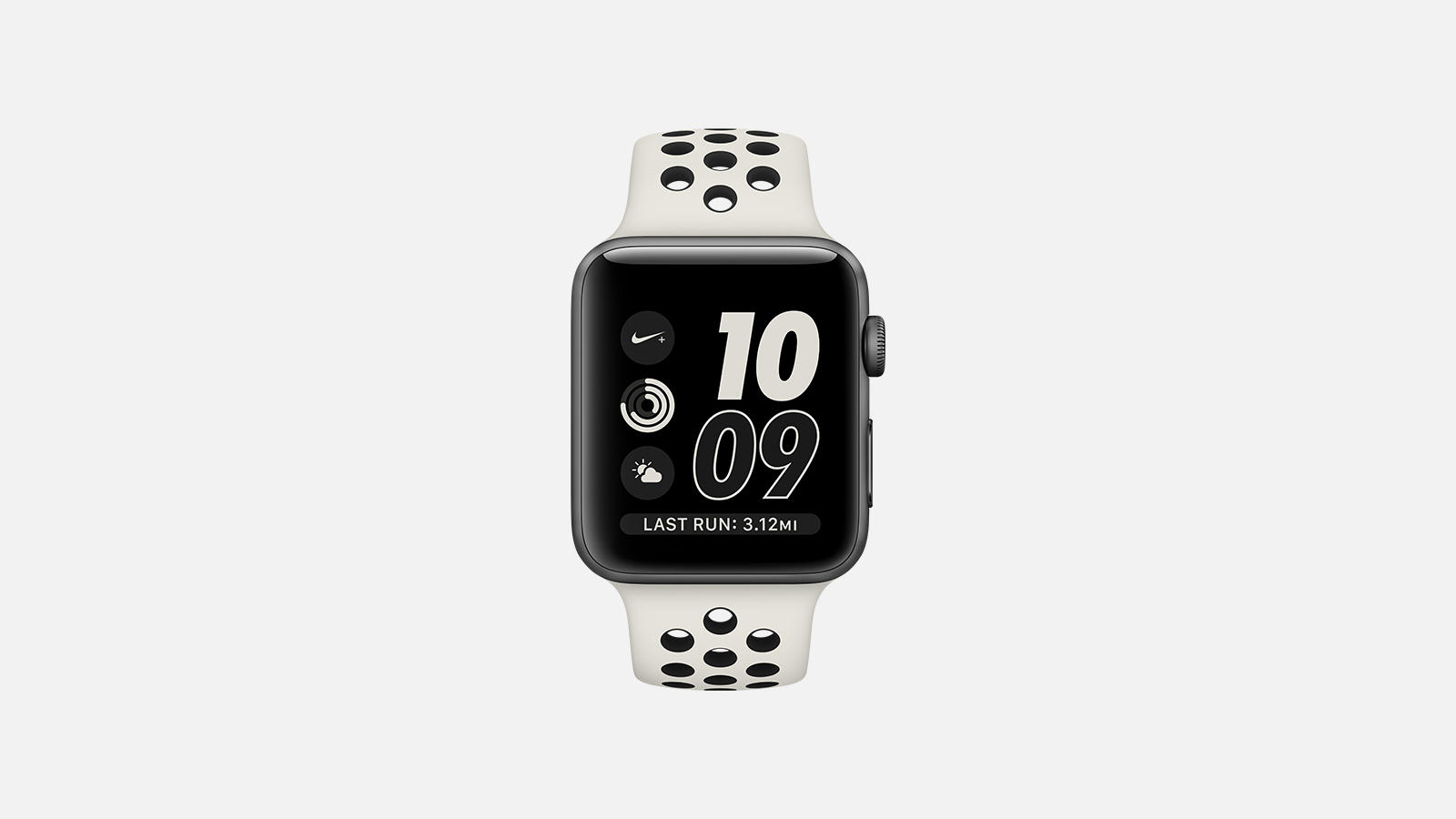
Nike has news out today concerning the latest fruits of its partnership with Apple. A new model of Apple Watch called ‘Apple Watch NikeLab’ is coming soon:

The limited edition, neutral-toned Apple Watch NikeLab maintains the beloved features of its predecessor: deep integration with the Nike+ Run Club app, exclusive Siri commands, GPS, a two-times-brighter display and water resistance to 50 meters, all made possible by a powerful dual-core processor and watchOS 3. ​

I don’t understand why Nike felt the need to give this Watch a new name rather than releasing it as an extension of the Nike+ line. Perhaps it’s simply a marketing angle, as they are presenting the NikeLab as a limited edition model.

If you’d like to get your hands on the Apple Watch NikeLab, it goes on sale April 27th on nike.com, at NikeLab stores, and at an Apple Tokyo pop-up in Isetan. Assuming this is a comprehensive list of sellers, it means you won’t be able to get the Watch from the Apple Store. It also appears unlikely that the band will be available for separate purchase, though that remains unclear.


Apple Shares New Videos Highlighting Environmental Efforts

Four new videos were released by Apple this morning, each focusing on a different aspect of the company’s environmental efforts. The videos feature different Apple employees who have roles focused on the environment, and they all share a similar artistic style and comedic tone.

One video shares how Apple creates artificial sweat to test the durability of its Apple Watch bands, another discusses how Apple Park was designed with a high level of “breathability,” a third covers Apple’s ambitions to produce zero waste company-wide, and the final video is about how solar farms can co-exist with traditional farming.

Video embeds after the break.

Read more


Apple Announces New Activity Challenge for Earth Day

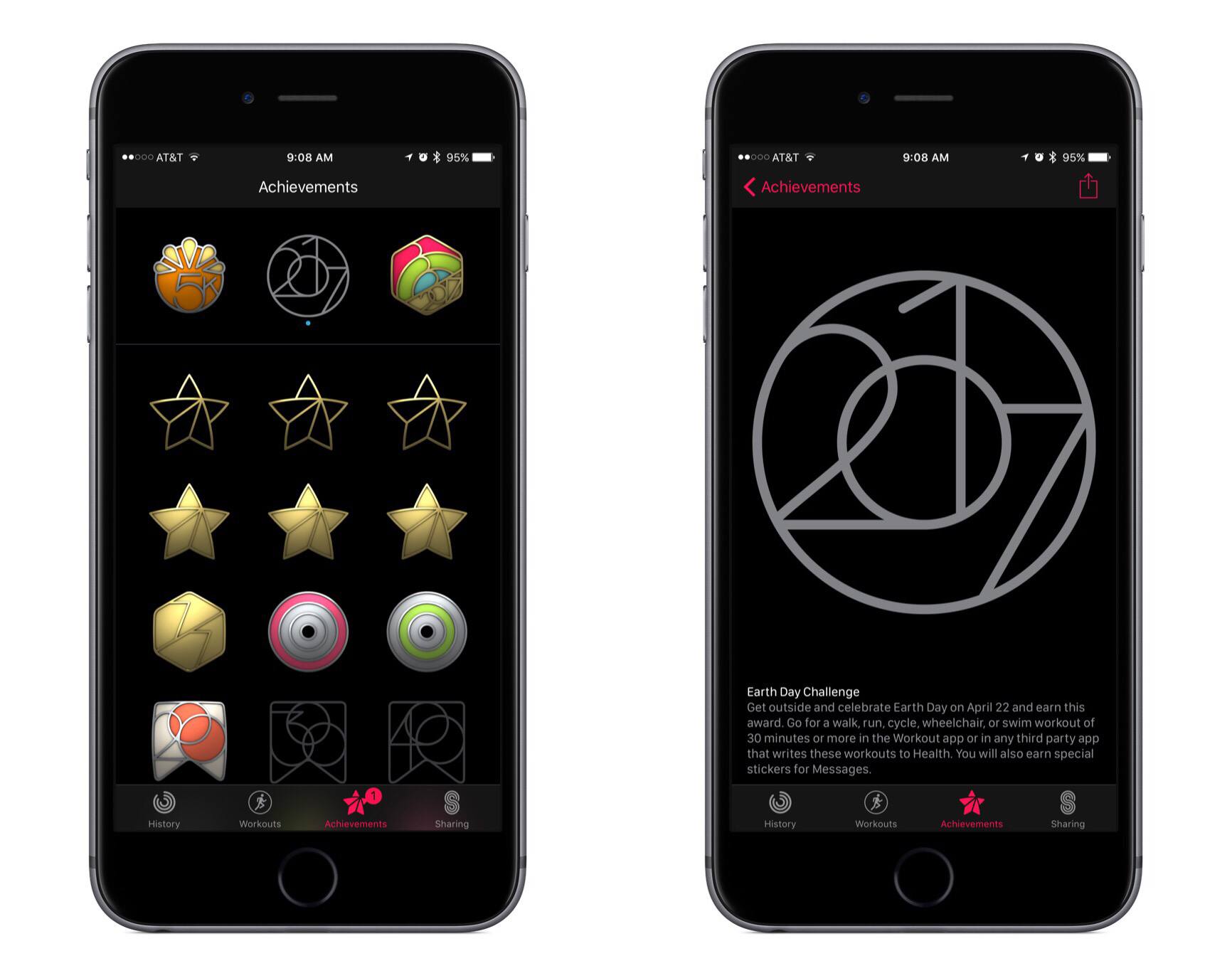
This morning Apple notified Apple Watch users that the company’s third activity challenge was coming up soon. Following challenges for Thanksgiving (U.S. only) and the start of the new year, the latest challenge is in celebration of Earth Day on Saturday, April 22nd.

This new challenge encourages Apple Watch owners to complete a 30-minute or longer walk, run, cycle, wheelchair, or swim workout on Earth Day. Doing so will earn a special Achievement in the Activity app, as well as unlock a few new iMessage stickers.

My wife and I are two-for-two on prior activity challenges, so I’m sure we’ll aim for the trifecta and complete the Earth Day challenge as well. If Apple pushed these challenges more frequently, they might be less motivating, but so far I think the company has struck a healthy level of frequency by centering challenges around special occasions.


Google Maps Adds Your Timeline, Directions Widget, and iMessage App

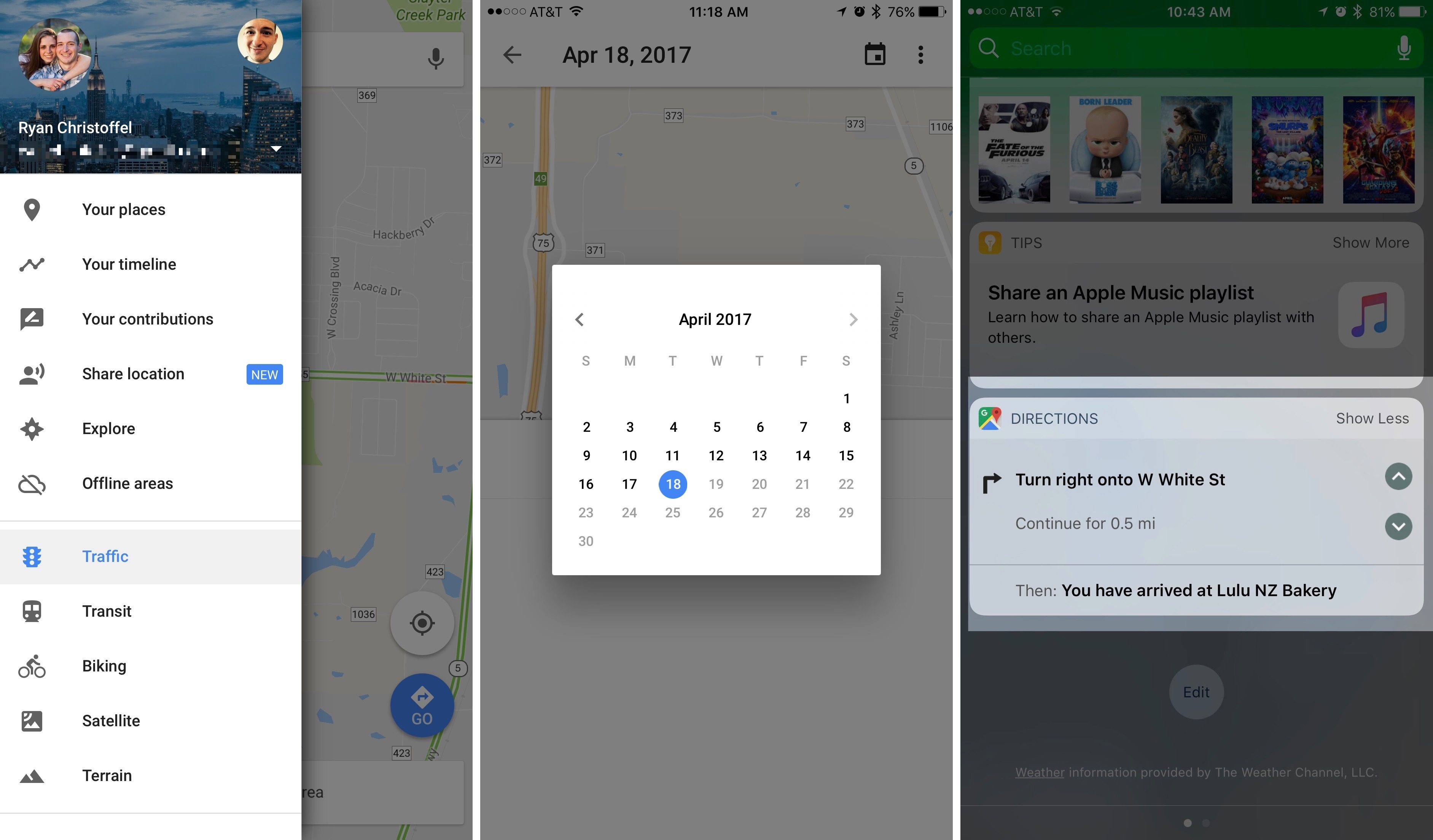
In its latest update, Google has added several new features to Google Maps for iOS. Most prominent among them is Your Timeline, a feature that has been available on the web and on Android since 2015, but is welcome nonetheless. Your Timeline keeps track of all the locations you’ve visited and allows you to easily view that travel history in one place.

Your Timeline is available in a couple of different locations within the Google Maps app. The primary way to access it is from the main menu, where it’s prominently listed near the top. The other place Your Timeline will appear is on the place cards of locations you’ve visited before. While viewing information about, for instance, a restaurant you visited on a prior vacation to London, you would see a label that tells you how long ago you last visited. Tapping that label will take you straight to Your Timeline and to the date of your visit, so you can easily view other exploits from your trip.

There are a couple of nice touches with Your Timeline that deserve mention. One is that you have the option to fully customize the information that’s logged in Your Timeline. Besides simply editing a location’s name or other basic details, you can also assign an activity to that trip. Options include ‘Boating,’ ‘Hiking,’ ‘Catching Pokémon,’ and many more. A second feature is that you can opt-in to receive monthly emails summarizing all the places you visited that prior month, which is a nice way to revisit and reflect on time past, and perhaps a source of encouragement to visit new places and try new things more often.

Although Your Timeline took almost two years to reach iOS, time has at least meant that it’s arrived well-polished.

The latest update to Google Maps also brought with it a new directions widget and an iMessage app. The directions widget provides directions for your current trip, allowing you to scroll through each step of the journey without needing to unlock your device. The new iMessage app serves only a single purpose: sending your static location to friends. Once you open the iMessage app, a still image of your current location is loaded up and available to send by message. It’s a simple utility, but perhaps some will find it useful.


Snapchat Introduces New AR Feature: World Lenses

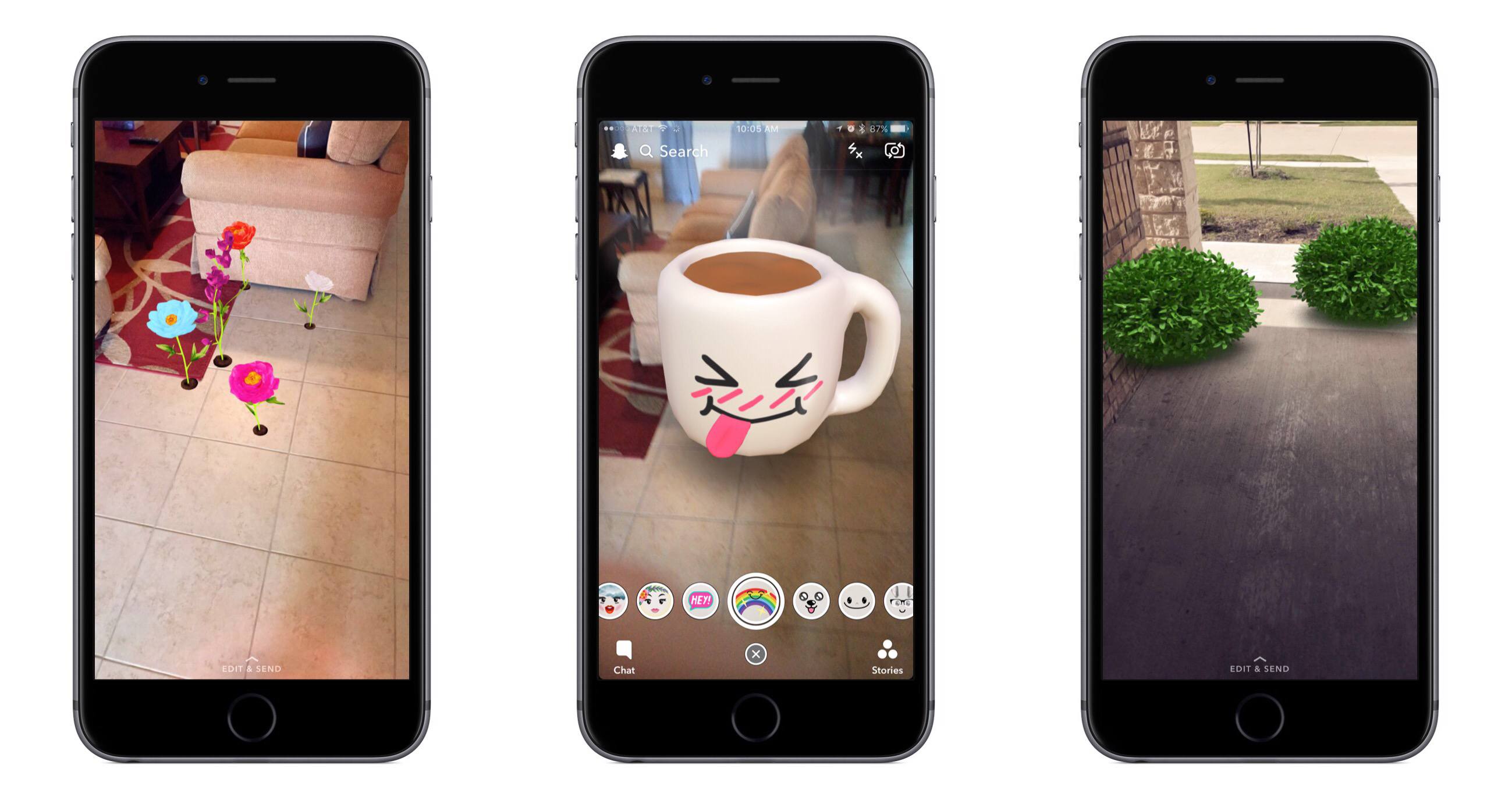
One of the most popular Snapchat features since its launch has been Lenses, the AR tool that enables you to overlay photo subjects with all kinds of fun, sometimes wacky filters – you can make yourself or someone else look like a dog, bunny, or bumblebee, give them disproportionate features, colored hair, and more.

Today Snapchat has launched an expansion of its Lenses feature called World Lenses. Snap shares the news:

While Snapping with the rear-facing camera, simply tap the camera screen to find new Lenses that can paint the world around you with new 3D experiences!

There are a wide variety of Lenses available today, including floating bubbles, speech phrases, a house of mirrors-like effect, and more. Many of the Lenses contain several options within themselves – the speech phrases, for example, can be tapped on to cycle through alternate words and styles.

The current number of World Lenses available in the app seems healthy, but there are apparently many more in the pipeline. The Verge reports that the lineup of Lenses will change daily.

Snap has released a short video that shows World Lenses in action.


Logitech Adds HomeKit Support to Its POP Smart Button

Logitech announced today that it is adding HomeKit support to its POP Smart Button, which debuted last year. The second generation POP button connects to your home WiFi, supports up to three customizable gestures, and acts as a sort of macro to trigger other HomeKit devices. For example, you could put a POP button in your bedroom that when pressed in the morning would change the temperature of your HomeKit thermostat and turn on your lights. You could add another POP button to turn off the lights and lock your doors when you leave home. The POP button also works with some non-HomeKit devices like Sonos music systems and Logitech’s Harmony Hub home entertainment control device.

The adoption of HomeKit support by Logitech greatly expands the utility of POP buttons and may be a sign of the growing popularity of HomeKit devices. With the increasing number of HomeKit-enabled products, the POP button should make it even more convenient to trigger HomeKit’s scene functionality.

Logitech says that the POP Smart Button will be available soon exclusively at Apple Stores and on Apple.com and later this year from other retailers. The base POP Smart Button Kit will retail for $59.95 and includes one button and a bridge to connect it to your home WiFi. Additional Pop buttons will be available for $39.95 each.


Clean Up Your Inbox Today (and Keep It That Way Forever) with SaneBox [Sponsor]

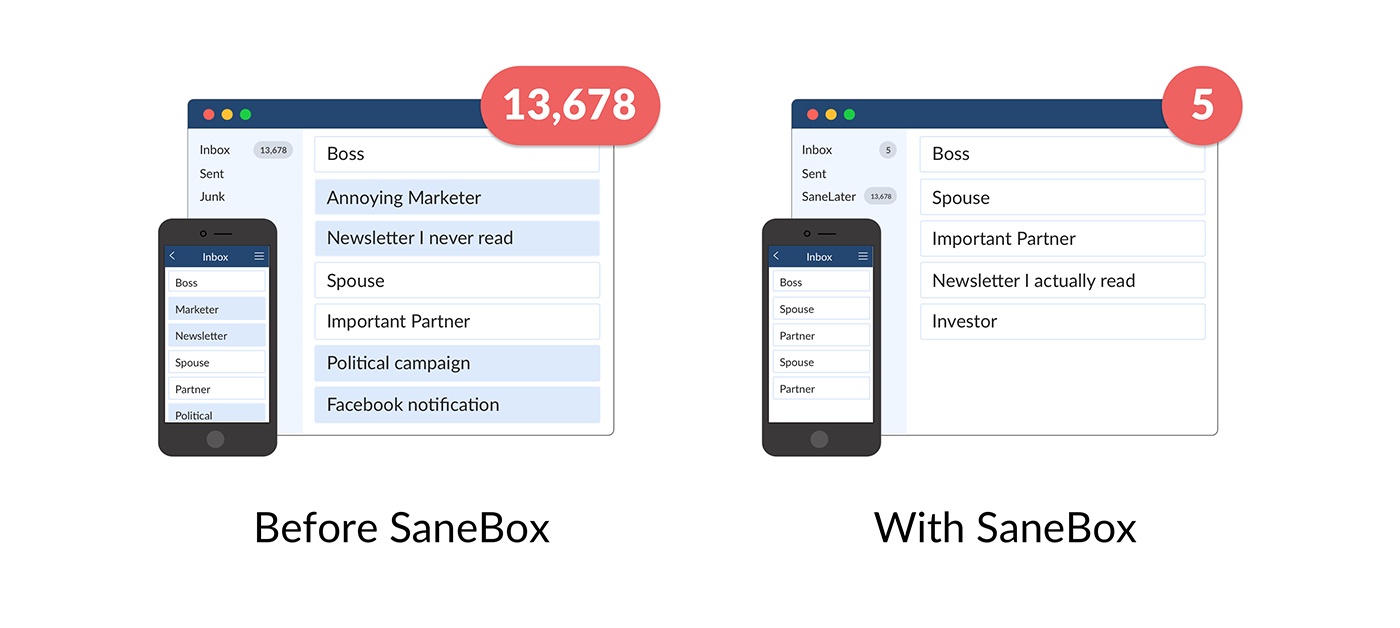
What if you had someone to go through your email and find just the important messages? SaneBox does exactly that. Once set up, it leaves your important messages in your inbox and moves the rest to a SaneLater folder for reviewing later. That initial inbox purge is powerful because it reduces your inbox to a manageable number of messages. With additional training to tell SaneBox what’s important to you, it only gets better at dealing with your daily deluge of messages.

There’s much more to SaneBox than shuffling unimportant messages into a designated folder, though. If there’s something you never want to see ever again, send it to the SaneBlackHole, which is much easier than unsubscribing to unwanted messages.

You can also set up SaneReminders by sending messages to an address that sends a reminder to you at a later date if the recipient of your message hasn’t responded after a certain amount of time. Or forward a message to SaneReminders to have it pop back into your inbox at a later date when you are ready to deal with it.

SaneBox works on top of your existing email setup. There’s no particular app to download or new email account to set up. It all works server-side so you can use any email client you want.

Sign up today for a free 14-day SaneBox trial to take back control of your email. MacStories readers can receive a special $25 credit automatically by using this link to sign up.


Internet Archive Adds Early Macintosh OS and App Emulation

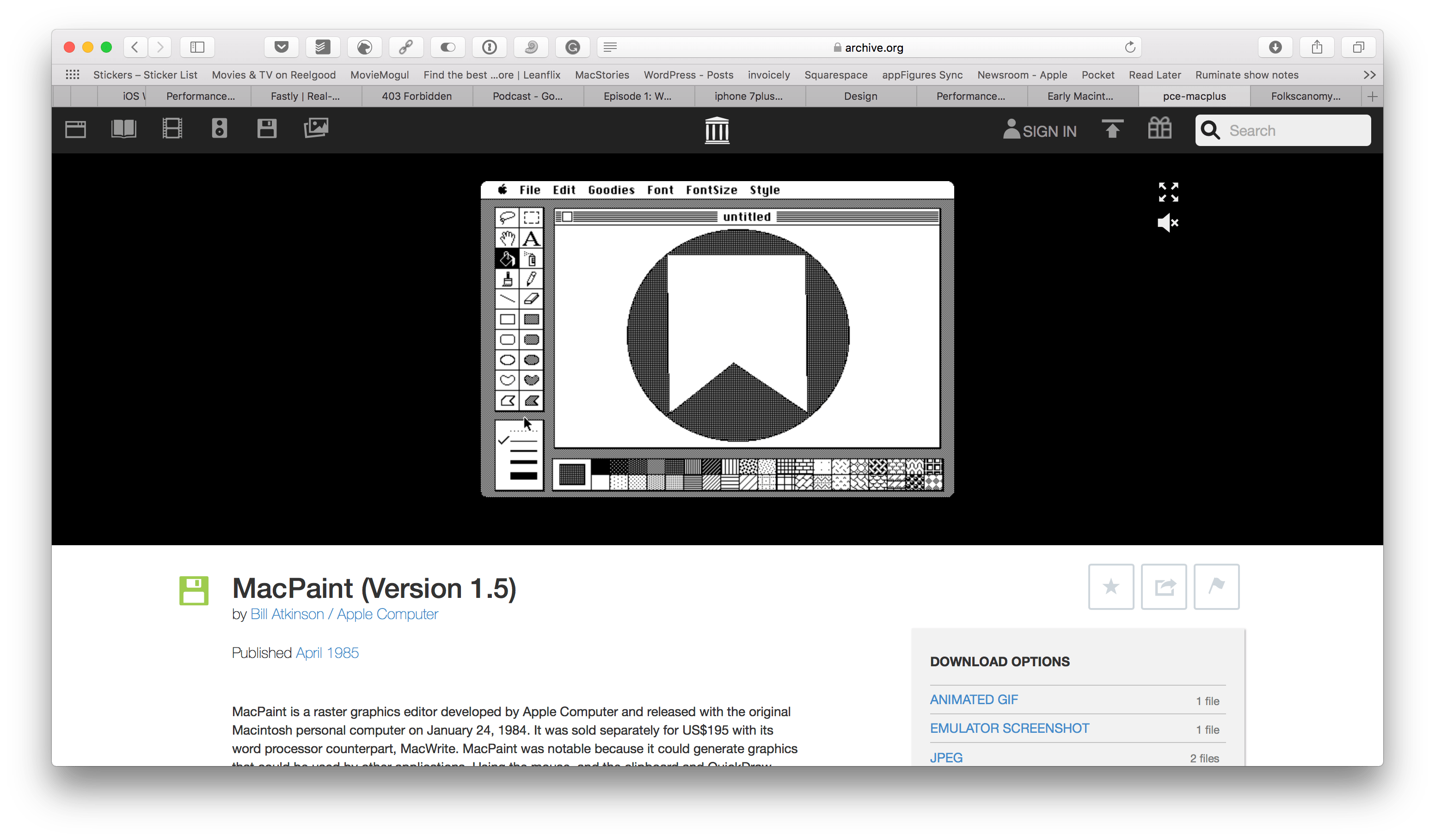
Over the weekend, the Internet Archive introduced a curated collection of Mac operating systems and software from 1984 through 1989. The Internet Archive already hosts browser-based emulators of early video games and other operating systems, but this is its first foray into Mac software.

The collection includes classic applications like MacPaint, programming tools such as MacBasic, and many games including Dark Castle. Each app can be run in an in-browser emulator and is accompanied by an article that chronicles its history. It’s fun to play with the apps in the collection and realize just how far apps have come since the earliest days of the Mac. It’s also remarkable how many computing conventions used today were introduced during those earliest days.

I’m happy to see the Internet Archive start this collection. These operating systems and historically-significant apps may still run on old hardware maintained by a handful of people, but it’s emulation efforts like these that make those apps accessible to a broader audience.