
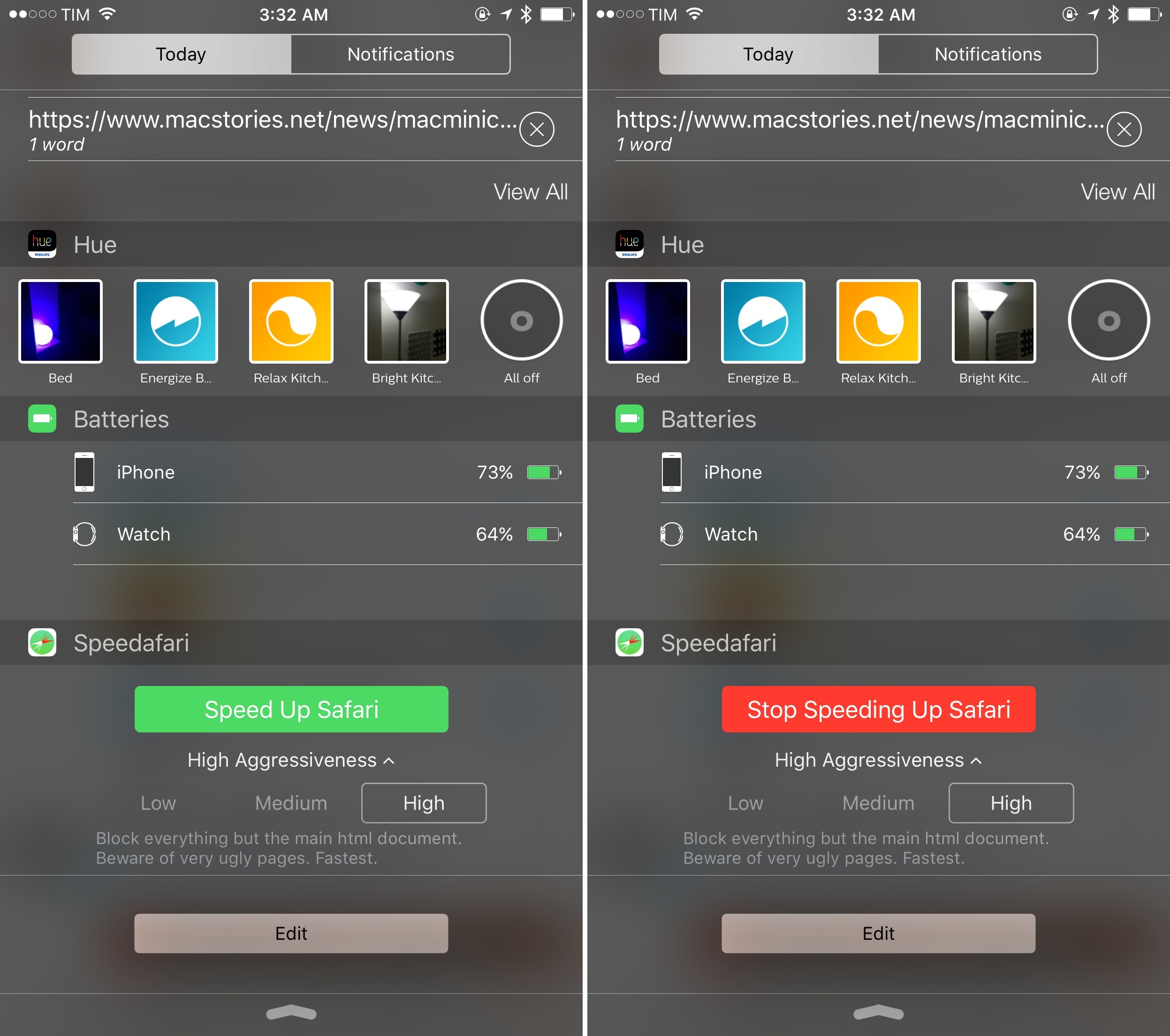
Among the dozens of Content Blockers available for iOS 91 – most of which are based on blocking ads and scripts, often with the same sets of rules – Speedafari strikes me as an ingenious idea, built with a clever interaction in mind.
Posts in iOS
Speedafari Is an iOS 9 Content Blocker for Slow Connections
Safari View Controller and Automatic Safari Reader Activation
In my review of iOS 9, I included a link in a Safari footnote mentioning the possibility for developers to activate Safari Reader programmatically in their apps. Apple has some documentation on this: if available, apps can choose to switch Safari View Controller to Reader mode automatically, without requiring users to tap the Reader button first. I wrote that I hadn’t seen any example of the feature, but I was curious.
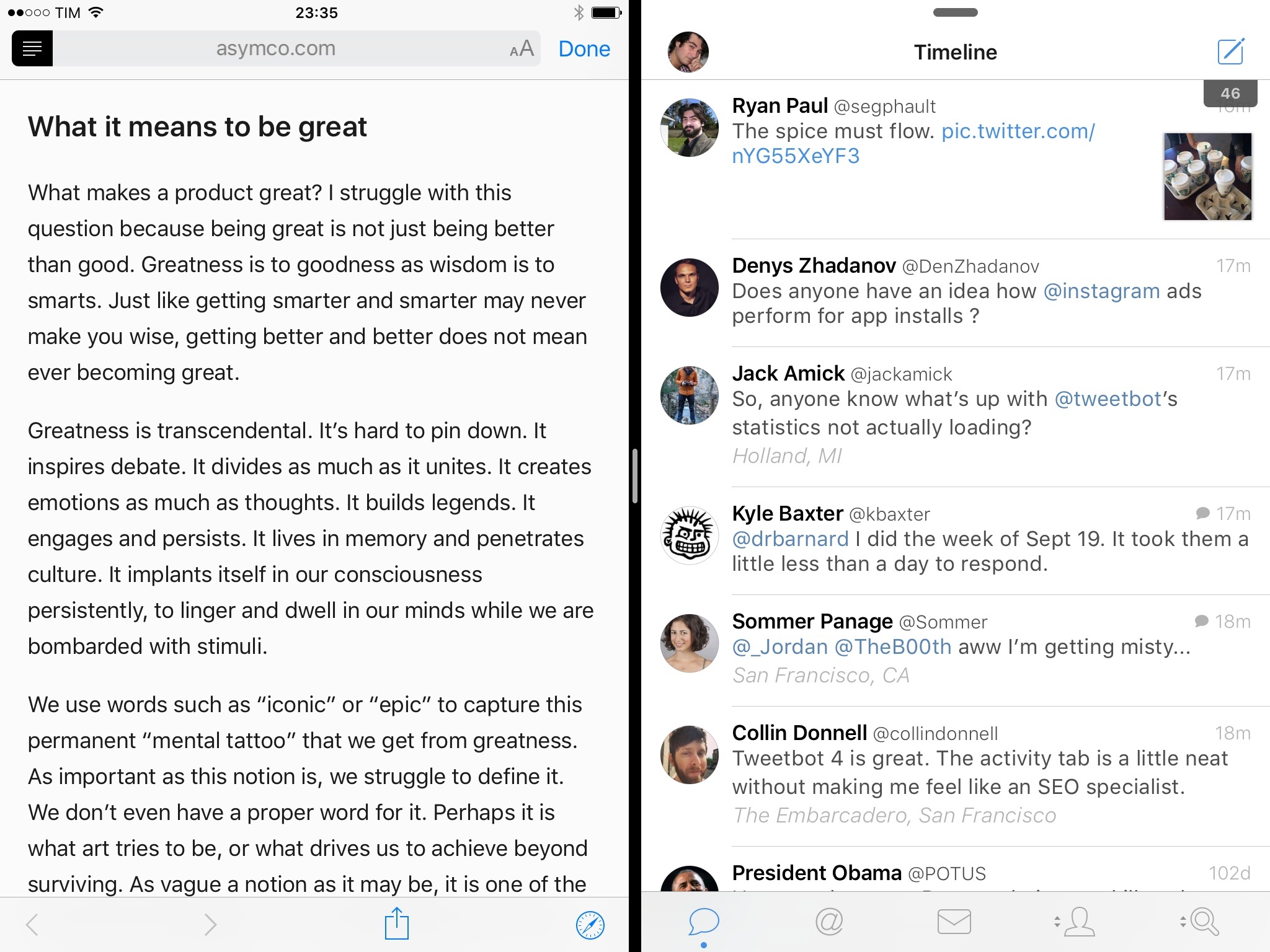
Newsify, a powerful (and highly customizable) RSS reader for Feedly, has recently been updated with a watchOS 2 app and support for iOS 9 multitasking. Among the various new options, Newsify lets you pick Safari View Controller (called “in-app Safari” in its Settings) for viewing articles, with an additional Reader view that can also be toggled in Settings. This way, every time you tap on an article’s web view in Newsify, it’ll open Safari View Controller in Reader mode by default, stripping away unnecessary content.
Here’s what you can do to try this out. Open Newsify, go to Settings > Article Browser > Globe Button Action and choose ‘Open in Safari’. In the same screen, under Safari Open Action select ‘Open Safari In-App (Reader view)’.
Now, go back to the list of articles, tap one, and tap the globe icon to open the article’s web view. Safari View Controller will open the webpage, briefly load the main content, and then Reader will activate automatically, with the same appearance settings you used the last time you opened it elsewhere on iOS.
I think this is a great way to provide a “readability” mode in apps by combining the benefits of Safari View Controller with the convenience of Safari Reader. I hope that more apps will consider this option.
Shut Up Is an iOS 9 Content Blocker to Hide Comments on the Web
Developed by Ricky Romero and based on Steven Frank’s popular Shutup.css, Shut Up is an iOS 9 Content Blocker that hides comments on the web.
We’ve all been there: you’re reading a great article on one of your favorite blogs, you scroll down…and you wish you didn’t. Most comment sections can be an unregulated, nasty place on the Internet, and what Shut Up aims to do is to provide a system-level blocking solution that will try to hide comments in Safari and Safari View Controller. This will allow you to browse and read without fearing for your intellectual safety when reaching the bottom of webpages – not to mention gains in performance and readability when the browser doesn’t have to load comment sections.
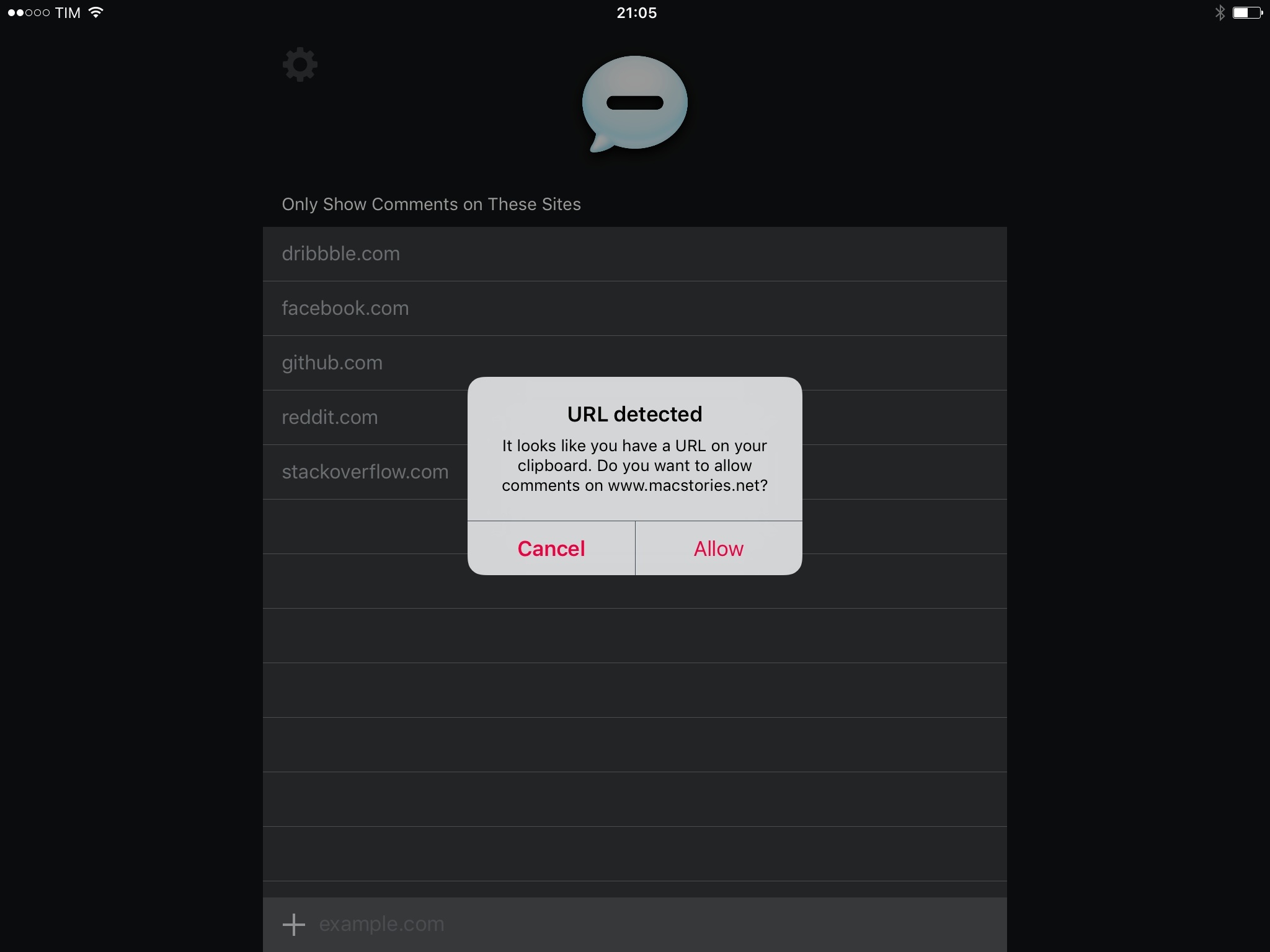
I’ve been testing Shut Up for iOS 9 over the summer, and it’s the Content Blocker I prefer for hiding comments. What I like about Shut Up is that, besides being based on Frank’s stylesheet and working well for the websites I visit, it offers a whitelist to specify websites where you do want to see comments – either because they usually have great conversations, or because they’re meant to be read as “comments” (such as Facebook or Reddit threads). Shut Up comes with a built-in list of allowed sites, and it also detects URLs in your clipboard when you open the app, letting you easily whitelist its domain.
Given the removal of Peace (which also licensed Shutup.css) from the App Store last week, I recommend giving Shut Up a try. It’s free on the App Store.
Just Press Record Is a Simple Voice Recorder for watchOS 2 and iOS 9
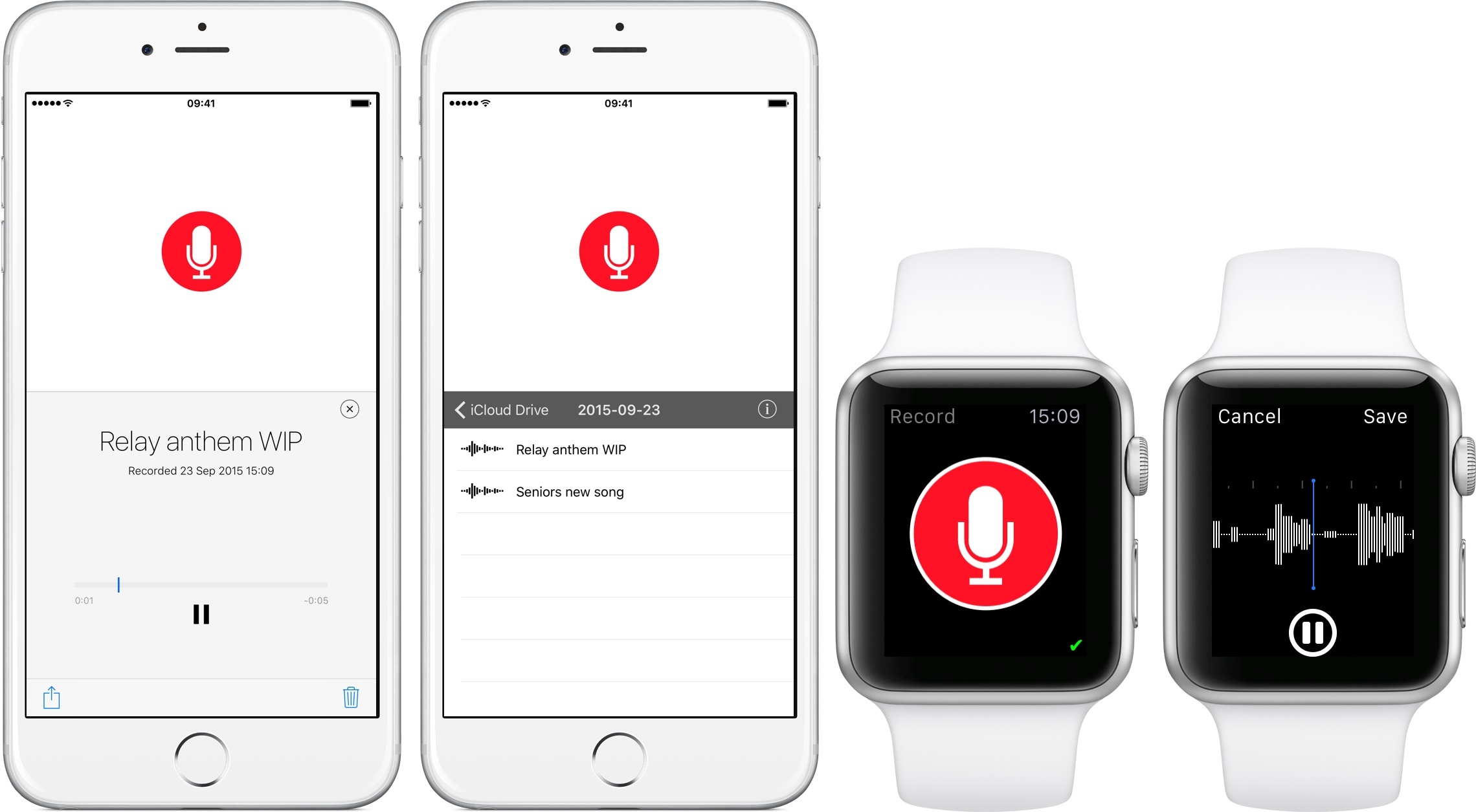
Among the various first-party omissions on watchOS 2, the lack of a Voice Memos app for Apple Watch is perhaps the most curious one. Given the OS’ support for audio recording and playback, a native Voice Memos app for the Watch would be an ideal companion for capturing ideas and audio notes anywhere. Just Press Record, a $2.99 Universal app, wants to provide the missing voice recorder for Apple Watch users.
Pixelmator Updated with iOS 9 Support, iPad Multitasking
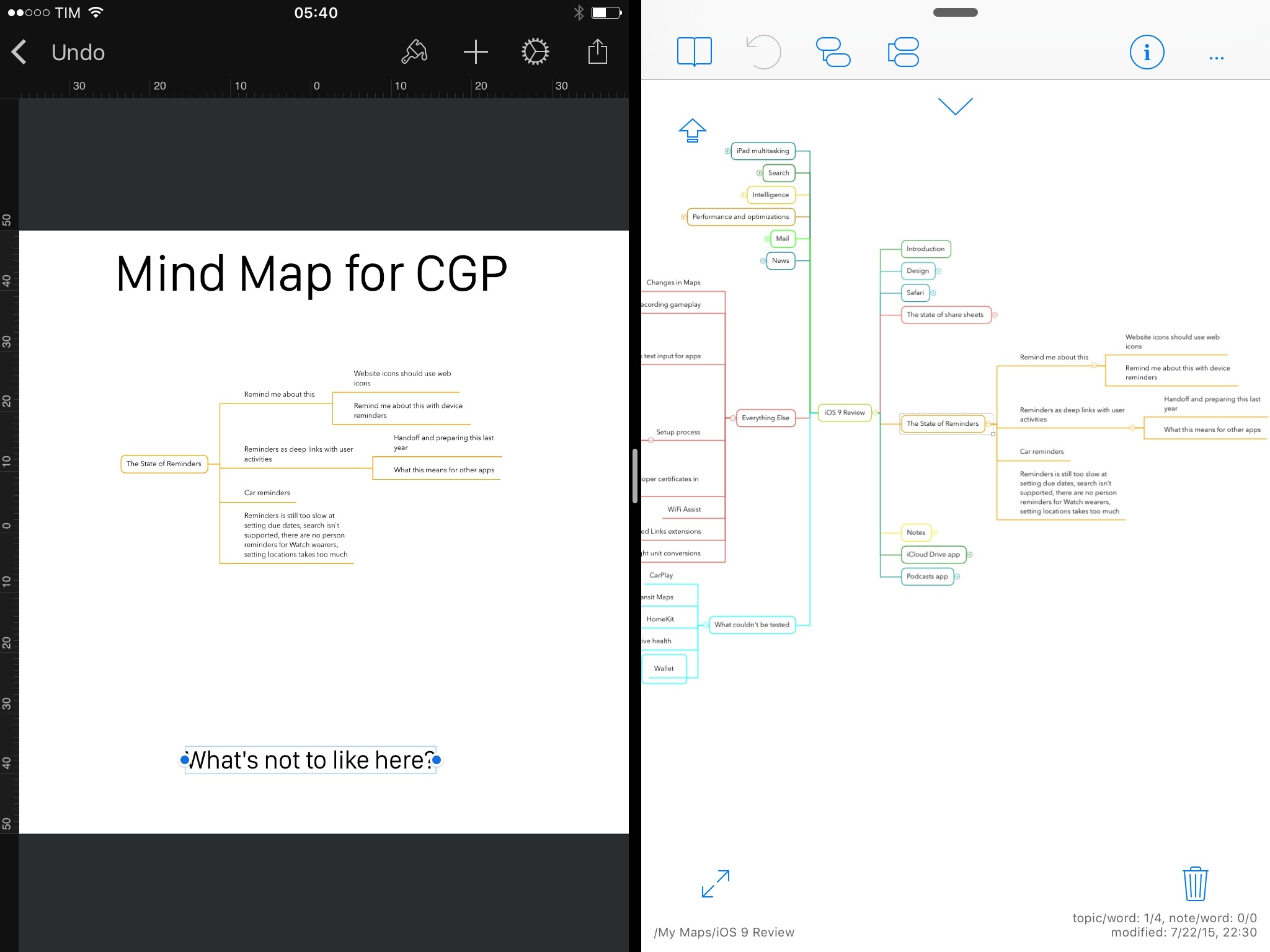
The excellent Pixelmator for iOS – which I use regularly on my iPhone and iPad to assemble screenshots that can’t be automated with scripts – has been updated today with support for 8K images and iOS 9. I’ve been playing with a beta version of Pixelmator 2.1 on my iPad running iOS 9, and the ability to work with the app’s canvas alongside other apps in Split View is a refreshing change that saves me time when creating images off multiple assets.
iOS 9 and YouTube Picture in Picture with YouPlayer
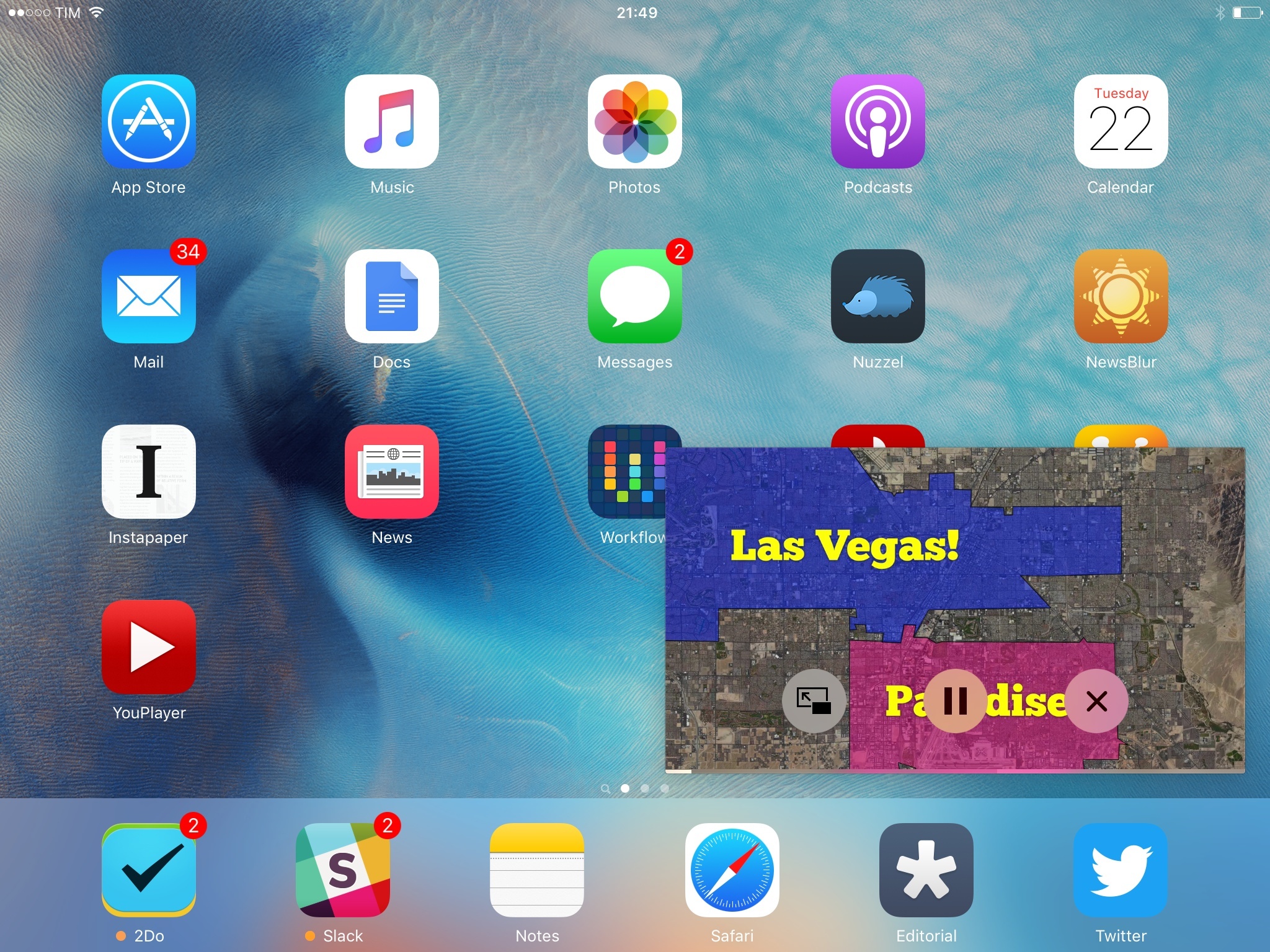
With the release of iOS 9 last week, I was hoping YouTube would be ready with an app update to support Picture in Picture. As I suspected, though, YouTube hasn’t brought iOS 9’s improved video playback experience to their official app yet, and I wouldn’t be surprised to know they’re not thrilled to enable a floating video player that would make ads and annotations non-tappable.
To overcome the lack of Picture in Picture for YouTube – a perfect use case for the feature, especially if you consider YouTube as a music player – I’ve started using YouPlayer, a free app by Homegrown Software that supports iOS 9 multitasking on iPad and, more importantly, Picture in Picture for all videos.
Twitter for iOS Adds Universal Links Support on iOS 9

Readdle’s Documents for iOS 9 and Safari File Downloads
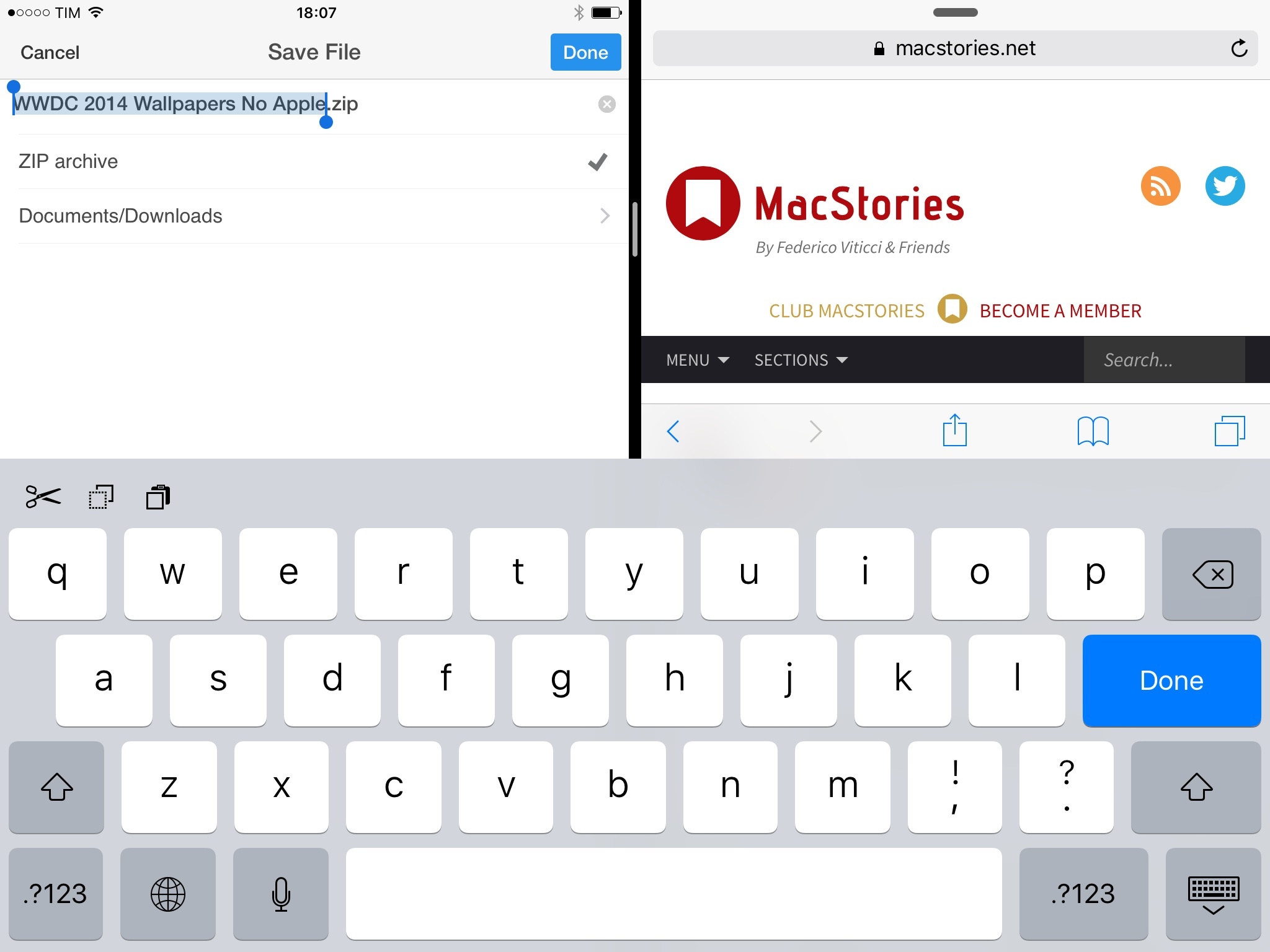
Given iOS Safari’s baffling lack of a proper file management interface in 2015, I was relieved to see an update to Readdle’s file management app Documents with iOS 9 support yesterday.
Documents is a good file manager for iOS: its options aren’t overwhelming, it lets you organize files in folders with decent search filters (unlike others), and now it can be used alongside other apps thanks to Slide Over and Split View. More importantly, it comes with a built-in web browser that, upon tapping download links, will bring up a downloader UI to start a download, choose where to save it, and monitor its progress.
Since releasing our eBook version of my iOS 9 review yesterday, the question I’m being asked the most is how to download the .zip archive containing two EPUB files directly on iOS. The problem is twofold: readers need to download a .zip file and expand it, then choose to open one of the EPUBs in iBooks for iPhone or iPad.
The main issue is that Safari seems to do nothing when tapping a download link (such as a link to a .zip file) in a webpage. In reality, Safari starts the download invisibly in the background (something I mentioned in the past) without showing any indicator or progress bar: if you leave the tab open long enough, the download will eventually complete and show you an outdated Open In menu to send the downloaded file to another app. In our case, because the .zip archive is well over 100 MB, tapping its download link in Safari may result in nothing showing in the browser for several minutes while the download is actually happening in the background, without the user knowing.
For this reason – and this goes beyond our eBook – I recommend using Readdle’s Documents app to download and manage files on iOS 9: it’s been updated for iOS 9 multitasking and search, it has a web browser with a downloader feature, and it’s free on the App Store.
1Password 6.0 for iOS 9 Adds iPad Multitasking, Spotlight Search
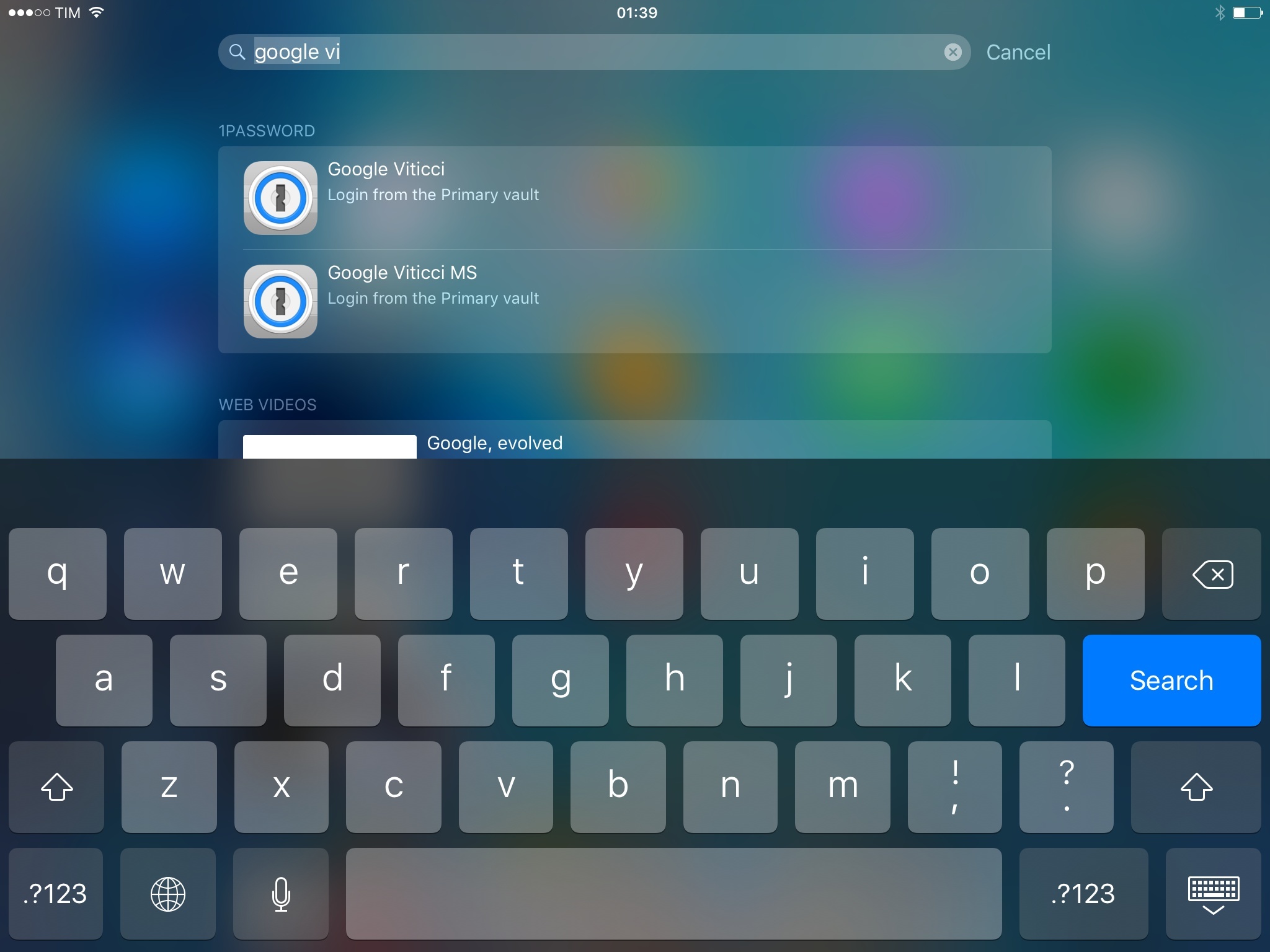
Terrific update to 1Password for iOS released today: version 6.0 adds iPad multitasking support so you can manage your 1Password in other apps, plus a refreshed design, a new Diceware password generator, and Spotlight search.
Besides Slide Over and Split View, I’m excited about the ability to find 1Password items directly from iOS search thanks to CoreSpotlight indexing. Once enabled in Settings > General, 1Password search will let you look up logins, notes, and other items by searching for their title. iOS search will show a 1Password icon for these results, vault information, and it’ll let you tap an item to open it in 1Password.
I search for logins and secure notes in 1Password every day. The ‘Favorites’ shortcut and last year’s action extension helped in getting to often-used items more quickly, but I still do quite a bit of manual search in my vault on a daily basis. Being able to easily search for 1Password content shows why local app search in iOS 9 will change how we navigate and launch apps, and it’s a clever addition by AgileBits.
1Password 6.0 is available on the App Store.