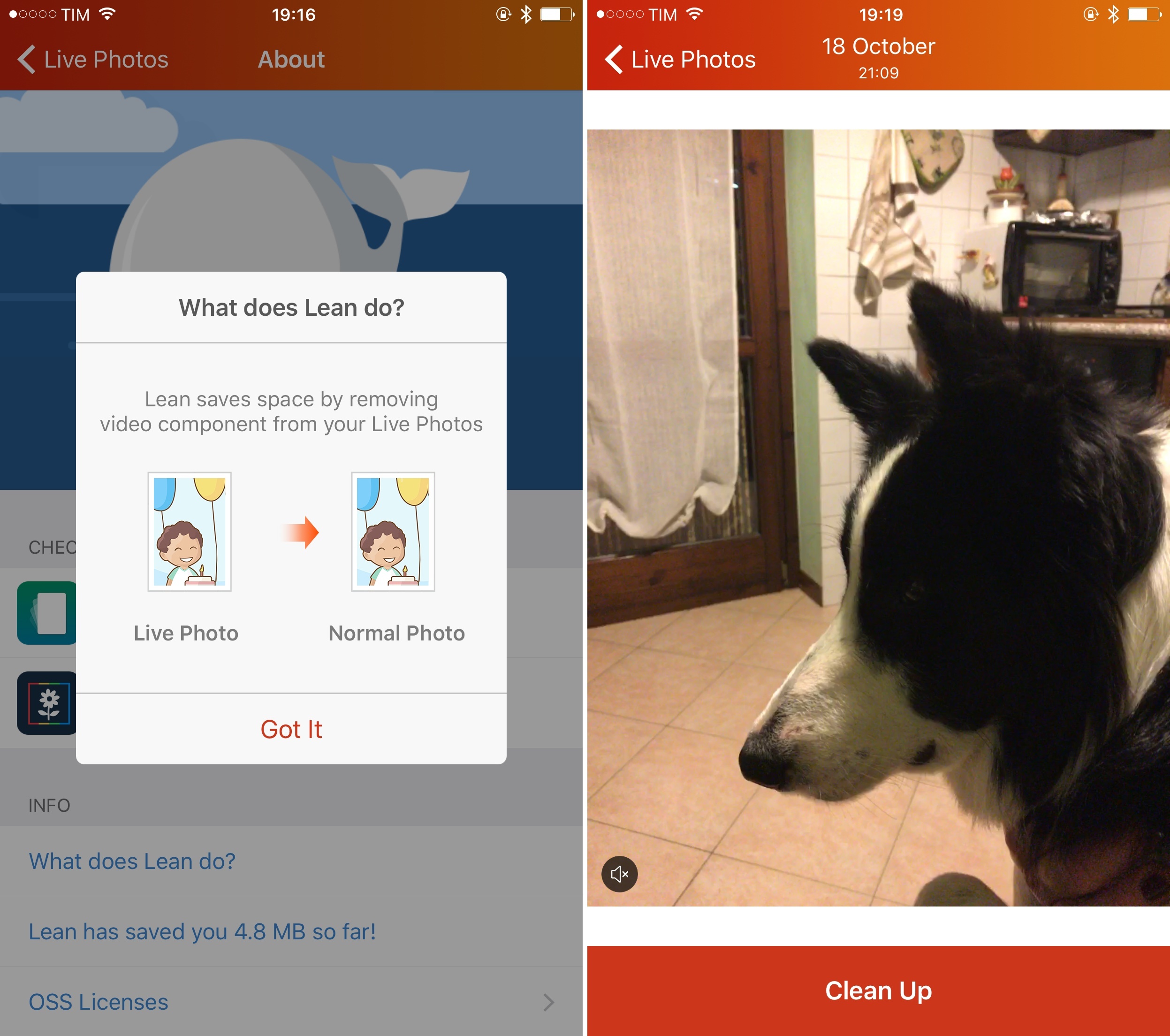
In my story about the iPhone 6s Plus earlier today, I mentioned how apps to clean up Live Photos and re-save them as static images were about to hit the App Store. The first one, Lean by Tiny Whale (the creators of Lively), has been released today for free, and it’s a good example of the tools developers are making to enhance the Live Photos experience.
Posts in iOS
Lean Lets You Clean Up Live Photos by Removing Video From Them
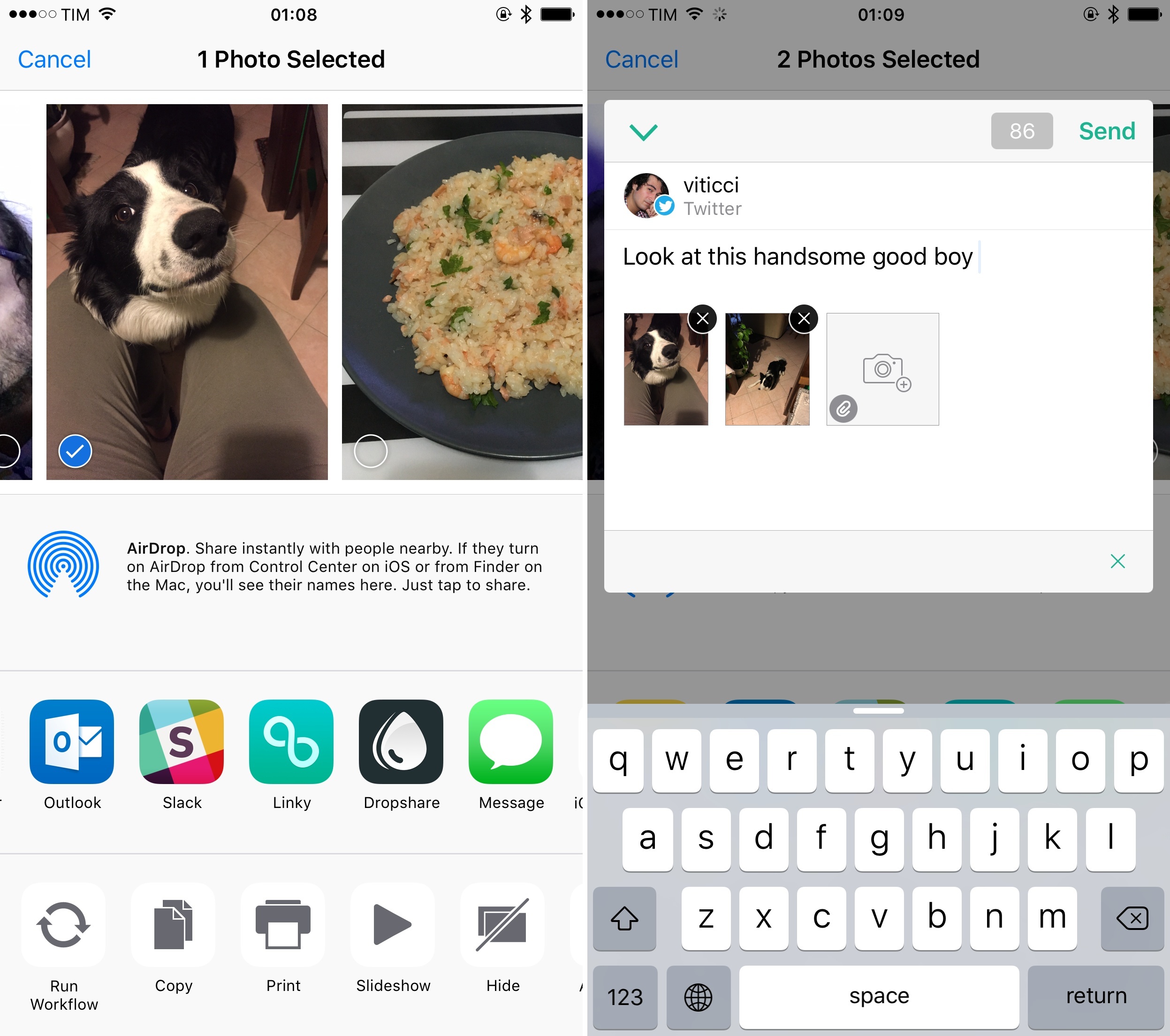
Tweeting Multiple Pictures from iOS’ Photos App with Linky
Ever since Twitter rolled out the ability to include multiple pictures in a tweet, I’ve been annoyed by the lack of such option in iOS’ tweet sheet. There are times when I’d rather not open my Twitter client to tweet some pictures or screenshots – maybe I don’t want to get distracted by news happening on Twitter, or maybe I just want to share from the Photos app without seeing mentions that I want to reply to.
Twitter’s (or Apple’s?) decision not to support the feature with the native iOS extension is baffling, but, thankfully, the latest update to Linky for iPhone and iPad offers an elegant (and obvious) solution to the problem.
Watch Keypad Lets You Call Any Number from Your Apple Watch
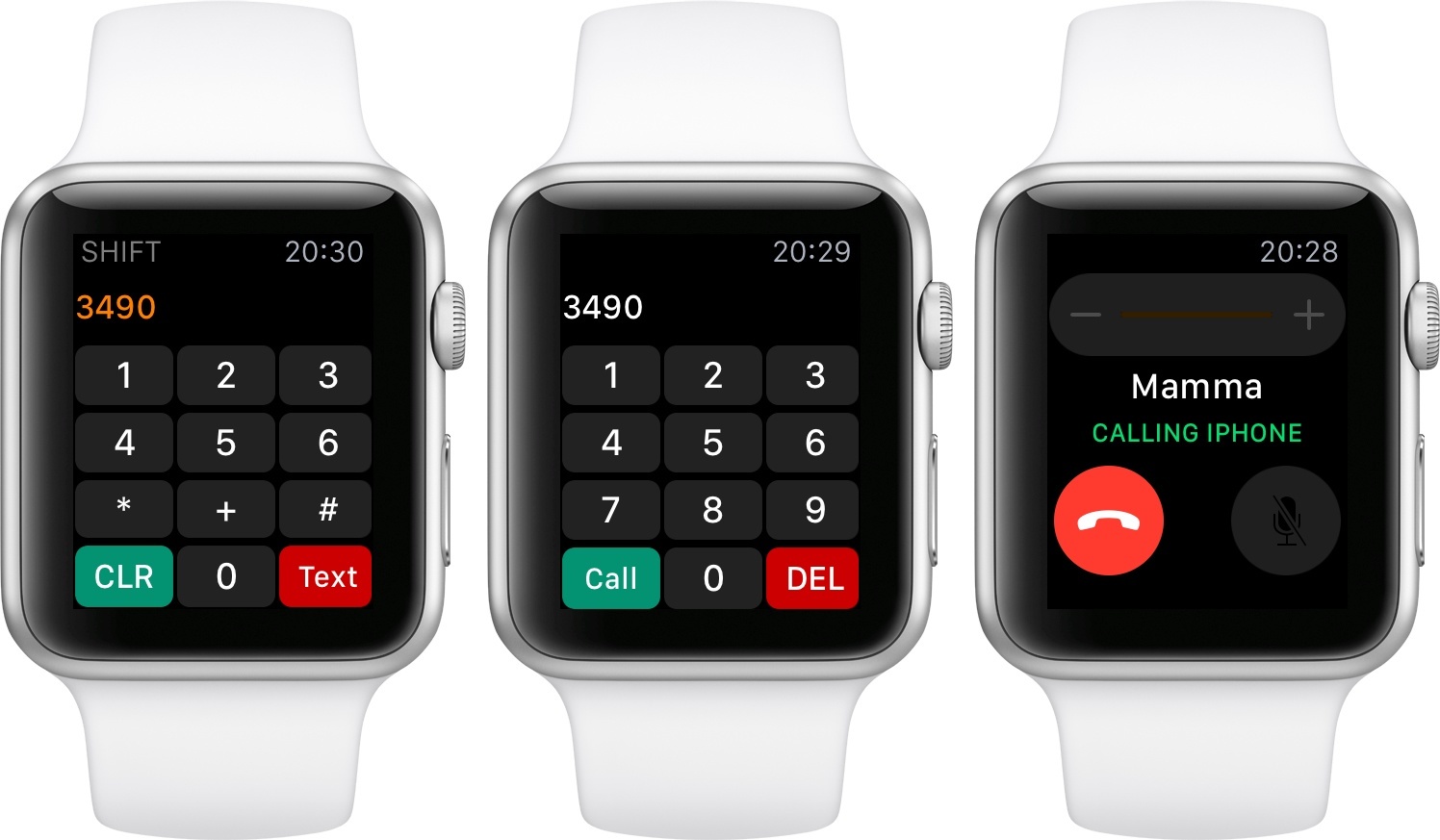
Developed by Rob De Ruiter, Watch Keypad is a useful app for watchOS 2 that lets you call or text any number from your Apple Watch.
I know what you’re thinking – nobody really has to remember phone numbers in the age of cloud-synced contacts and address books. Thinking back to a decade ago, it’s odd to consider how many phone numbers I used to remember – dozens of them for close friends and family members – and compare that to today, as I barely know my own number. Still, there are times when I need to call a number that is not in my contacts list (and that I can’t tap directly in a webpage or in Maps). For those occasions, having the ability to do so from the Watch – which may be best when doing something else, such as cooking or chores – is a good option.
Watch Keypad launches fast and shows a keypad with numbers and buttons to delete and call. Upon each press, the app will play a sound and a subtle vibration to communicate input (sort of like PCalc does). Spinning the Digital Crown upwards will reveal a different set of keys (such as asterisk and clear), as well as a different button to send a text with the built-in Messages app. The app’s primary functionality – phone calls for typed numbers – is handled by the iPhone, which will initiate a call with the native Phone app and display the special green status bar when a call is happening. A list of recent calls is also available in the Watch Keypad app itself, both on the Apple Watch and iPhone.
Watch Keypad fixes a very specific omission – the lack of a keypad in Apple’s Phone app for Apple Watch. De Ruiter’s solution works well, and it’s only $0.99 on the App Store.
Screenshot Markup and Loupes with PointOut for iOS
As I shared on Twitter last month and in the first issue of MacStories Weekly for Club MacStories members, I found myself having to call out areas of apps and system features in screenshots for my iOS 9 review.
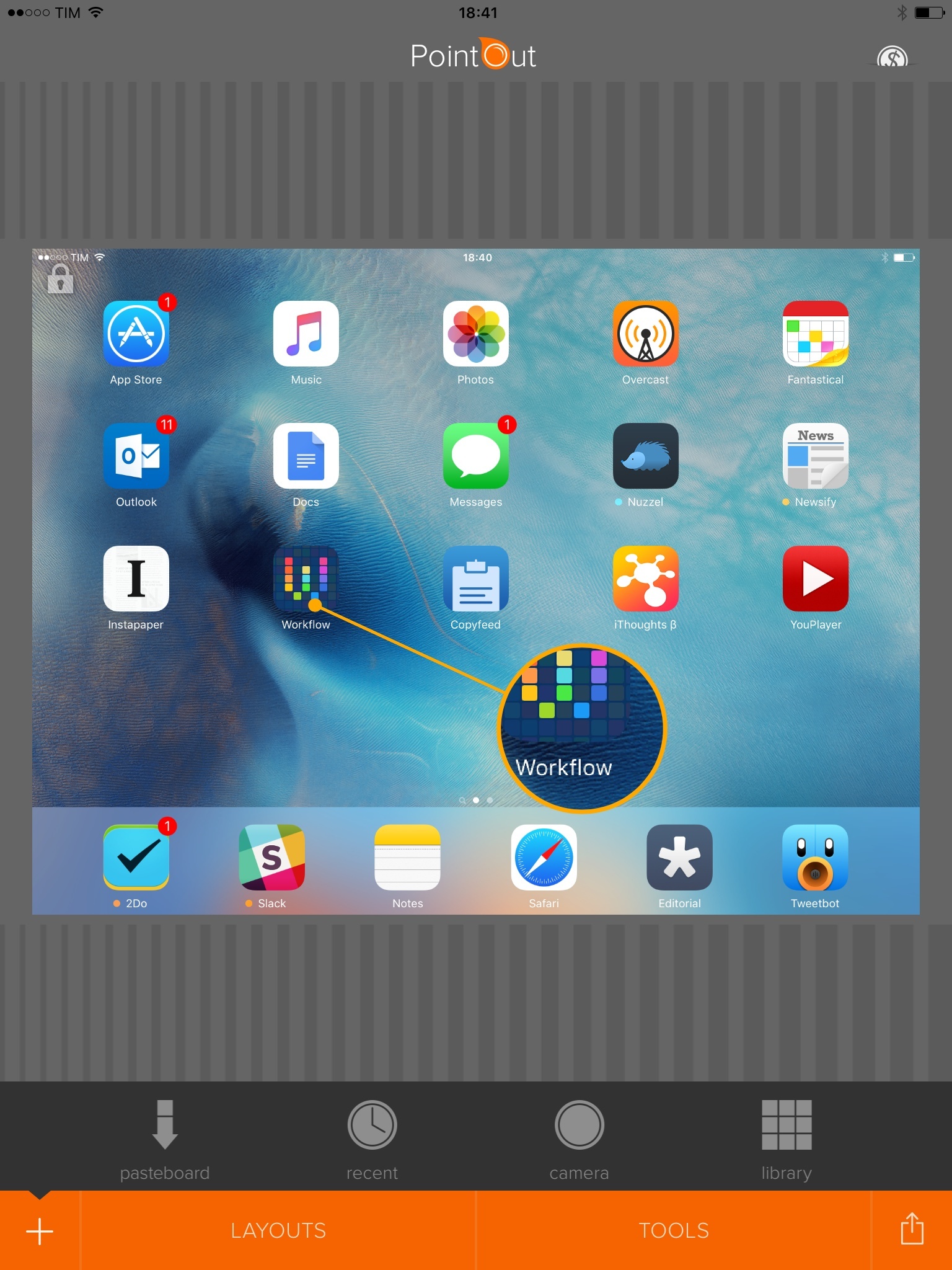
What I wanted to achieve had long been possible with desktop apps such as Acorn and Napkin, but I had a surprisingly hard time finding apps which could add loupes on top of screenshots on iOS. I ended up using OmniGraffle with this workflow, but the process required too many taps. While I appreciate OmniGraffle’s powerful set of features, I don’t need all of them and I’d rather have a dedicated utility for this type of image markup.
Created by indie developer Demarca Marek Moi, PointOut is a free app for iPhone and iPad that supports multiple types of image annotations and canvas layouts. You can add pointers, borders, split the canvas in multiple sections (each zoomed on a specific image detail), and tweak colors and thickness for every element. It’s a powerful image annotation app with more options and controls than the simple (but also excellent) Pinpoint. But, I’m primarily interested in PointOut’s diagram-like loupe, added in the latest update and which matches exactly what I need for my iOS screenshots.
Live GIF Lets You Generate Animated GIFs From the iPhone 6s’ Live Photos
Live Photos are one of the best features of the iPhone 6s. While not revolutionary from a technical perspective (they’re video files associated with an image), the simple and natural implementation of Live Photos is breeding a new type of medium – the moving photo that comes alive under your touch. Harry Potter-esque in their effect and delightfully blended with 3D Touch, I genuinely believe that Live Photos make for one of the best demos of a new iPhone in years.
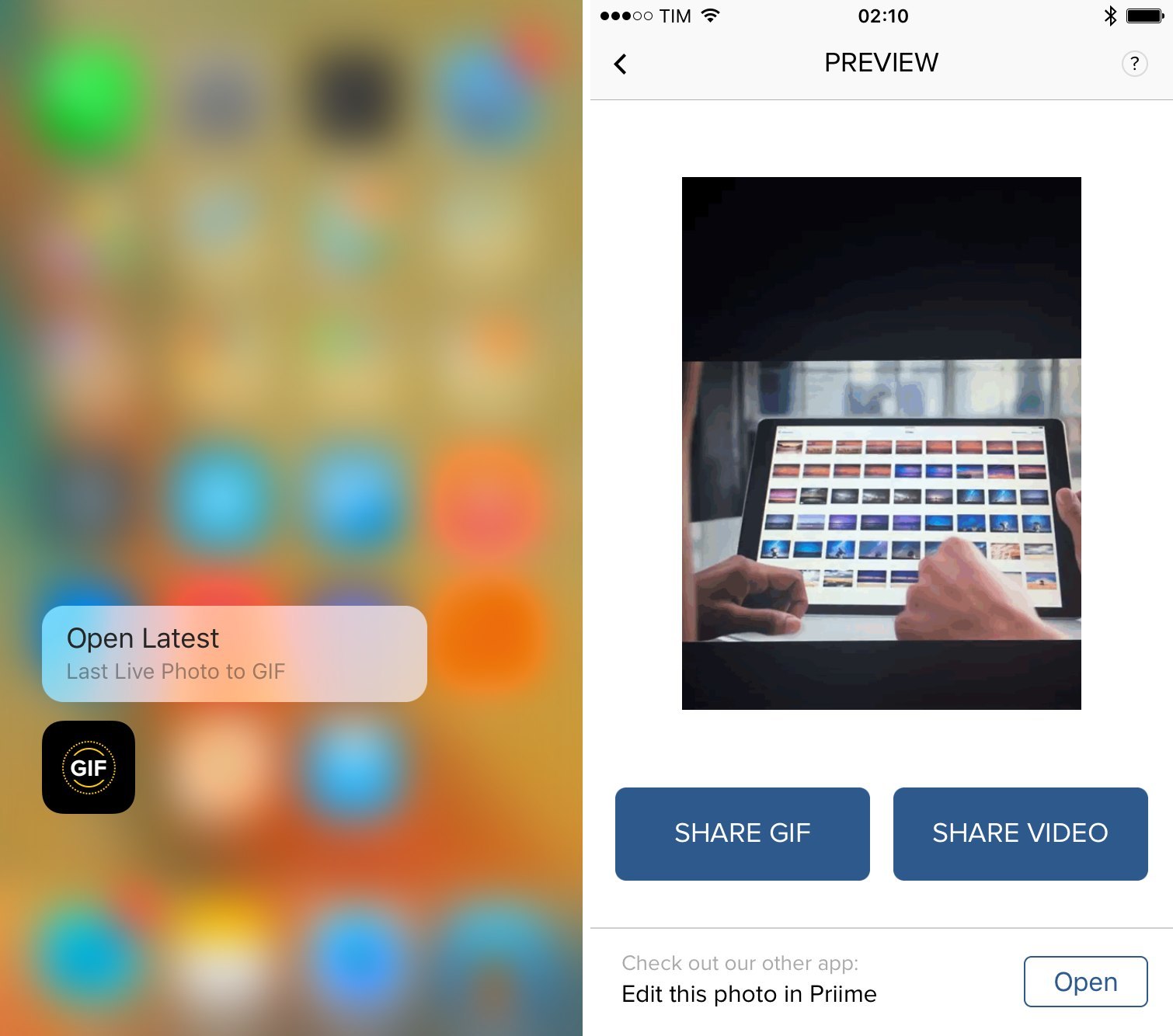
There’s one caveat with sharing Live Photos, though: at least for now, unless you’re sharing with someone who has an iPhone or unless the app you’re using is able to convert Live Photos on the fly, there isn’t a way to export Live Photos to GIF or movie formats from Apple’s Photos and share the result with the world. This is what Live GIF, a new $1.99 app released today by Priime, wants to offer a solution for.
Live GIF launches to a screen that automatically filters your photo library to only show Live Photos in a grid. You can press firmly on a Live Photo to peek at the video, or you can tap on one to start the conversion process, which typically lasts a couple of seconds. When done, the app will show an animated GIF (without audio, of course) with two buttons to share as GIF or share as video. In both cases, you’ll be shown the system share sheet so you can send the converted file to any app or extension you want. Keep in mind that GIFs are saved with looping, while videos are saved without looping and include audio.
And that’s all Live GIF does. In my tests, the app never failed to generate GIFs and videos for my Live Photos, which I was able to share via iMessage, Slack, and upload elsewhere with other apps. Live GIF provides an important missing functionality for iOS 9.0 and the current version of Live Photos – and it can be especially useful if you’re planning to share Live Photos on the web or with friends who don’t have iPhones.
Live GIF is available at $1.99 on the App Store.
Tweetbot 4 Adds 3D Touch Support on iPhone 6s
Released earlier this month, Tweetbot 4 marked an important comeback for Tapbots. After years of stagnation, the iPad app received a fantastic update with a new design and column view, while the iPhone app continued refining the foundation of Tweetbot 3 with power user features and various visual tweaks.
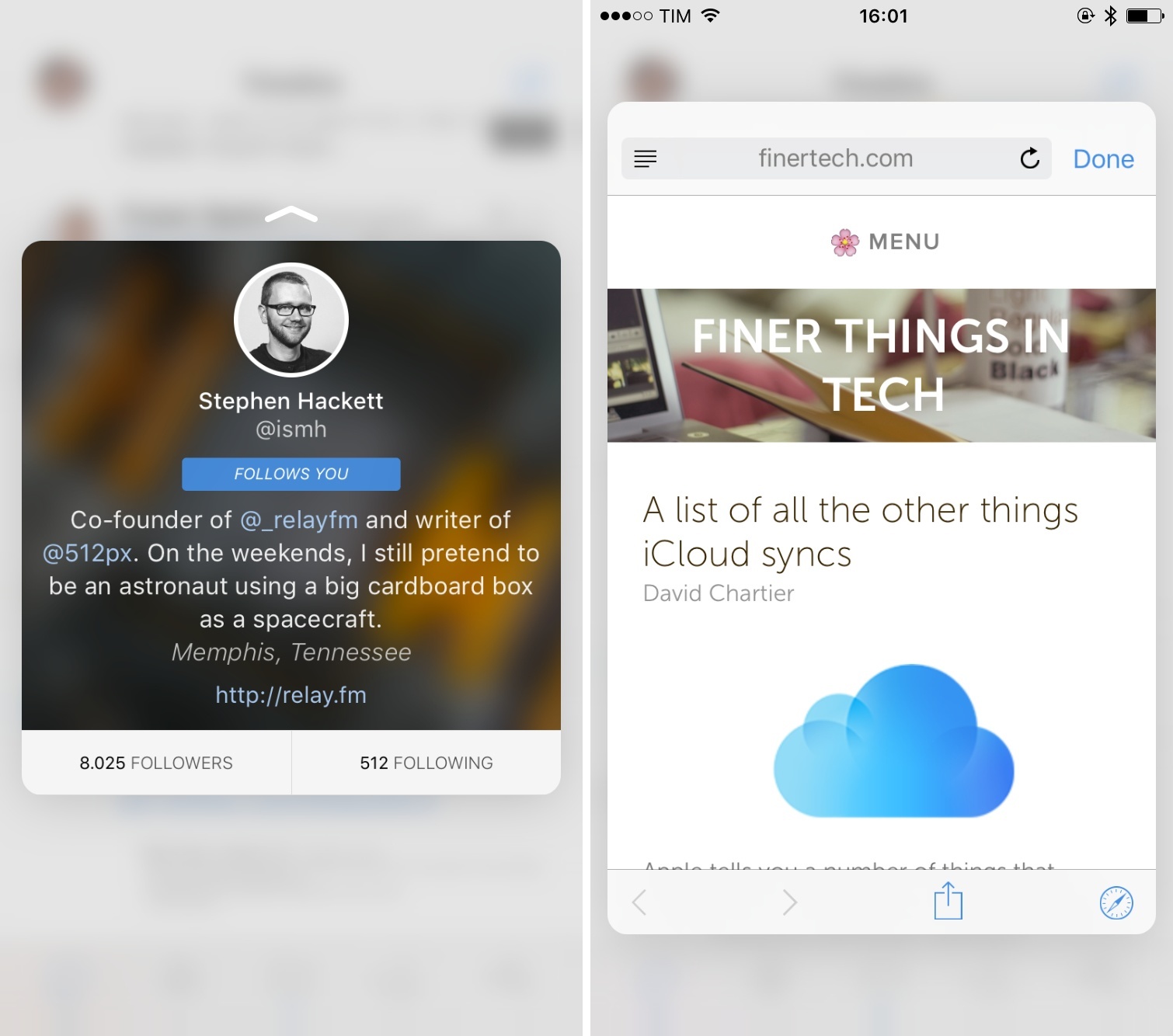
Among changes, however, Tweetbot 4 didn’t launch with 3D Touch integration on the iPhone 6s – a choice motivated by developed Paul Haddad with an understandable desire to test the new input method on an actual device first. Today, Tapbots has released Tweetbot 4.0.1, which brings support for 3D Touch in the form of Home screen shortcuts and peek & pop gestures inside the app.
The Relay FM iOS App
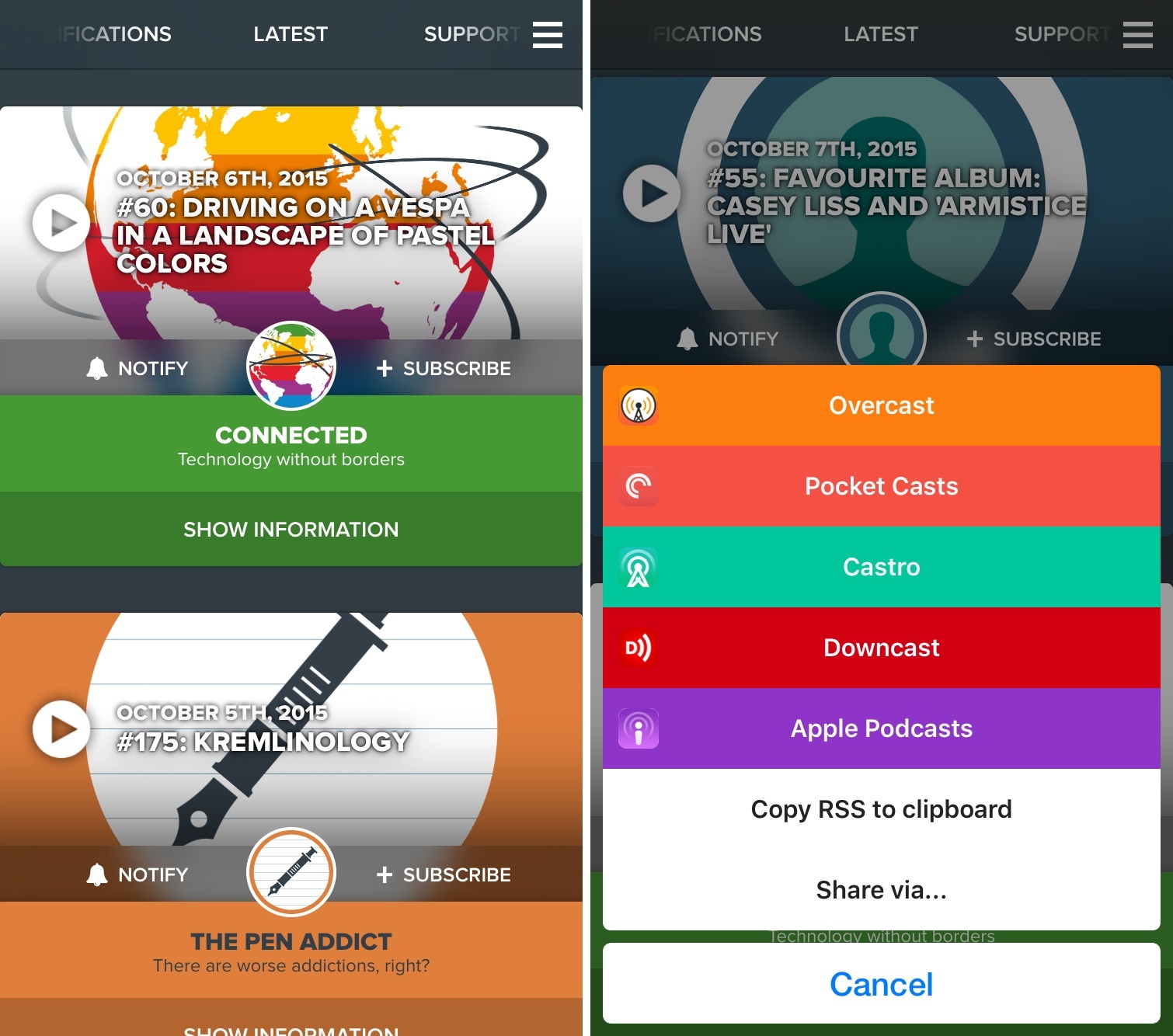
Earlier today, Relay FM launched its native iOS app to stream episodes from the network’s roster of shows. You can check out the blog post at Relay FM, and this article on TechCrunch about it.
Fantastical 2.5 Brings watchOS 2 Complication, iPad Multitasking on iOS 9
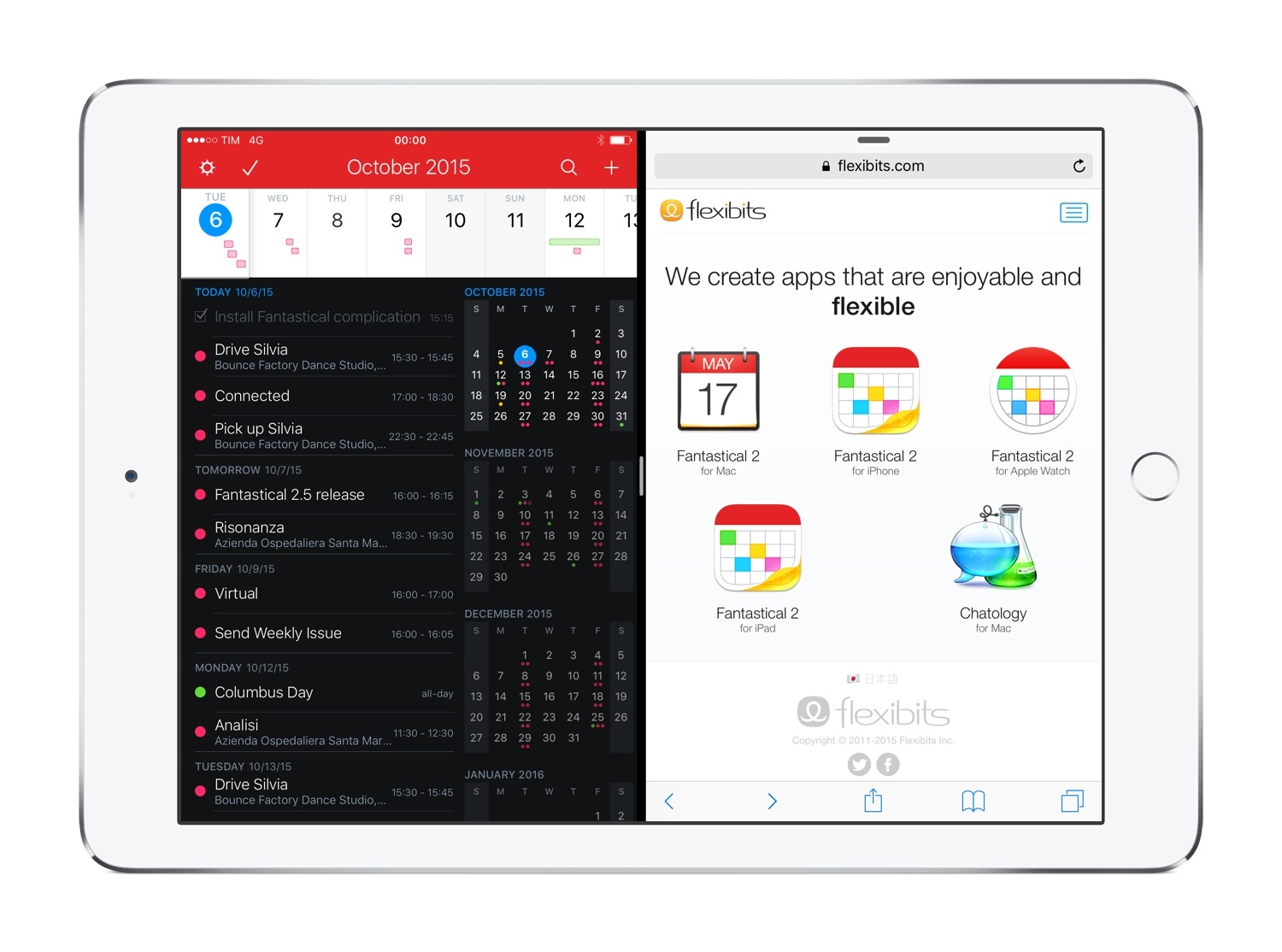
Despite my appreciation for Apple’s updates to the Calendar app on iOS 9, I still find Flexibits’ Fantastical to be the more powerful, flexible Calendar and Reminders client we deserve. Fantastical is an app which I’ve loved covering over the years because of Flexibits’ unwavering commitment to quality. Today’s 2.5 update continues to confirm the indie studio’s penchant for new versions that truly take advantage of what iOS has to offer.
Speedafari Is an iOS 9 Content Blocker for Slow Connections
Among the dozens of Content Blockers available for iOS 91 – most of which are based on blocking ads and scripts, often with the same sets of rules – Speedafari strikes me as an ingenious idea, built with a clever interaction in mind.