Posts in iOS

Slack as a Shared Notification Layer

I'm looking forward to Nuzzel notifications here.

I’m looking forward to Nuzzel notifications here.

Here’s an interesting announcement from the Slack team earlier today:

You’ll soon find a button on many of your favorite apps and sites that says “Add to Slack”. Clicking the button will take you to an authentication page where you’ll pick which Slack team you’d like to integrate with the service, and which channel (or your own @slackbot) the service will report to (provided your Team admin/owners allow team members to add integrations).

Once configured, any web apps or services that send you notifications or emails can start automatically reporting those to Slack. Many apps and services will also give you the ability to share things into Slack without leaving their app; handy!

(Emphasis mine.)

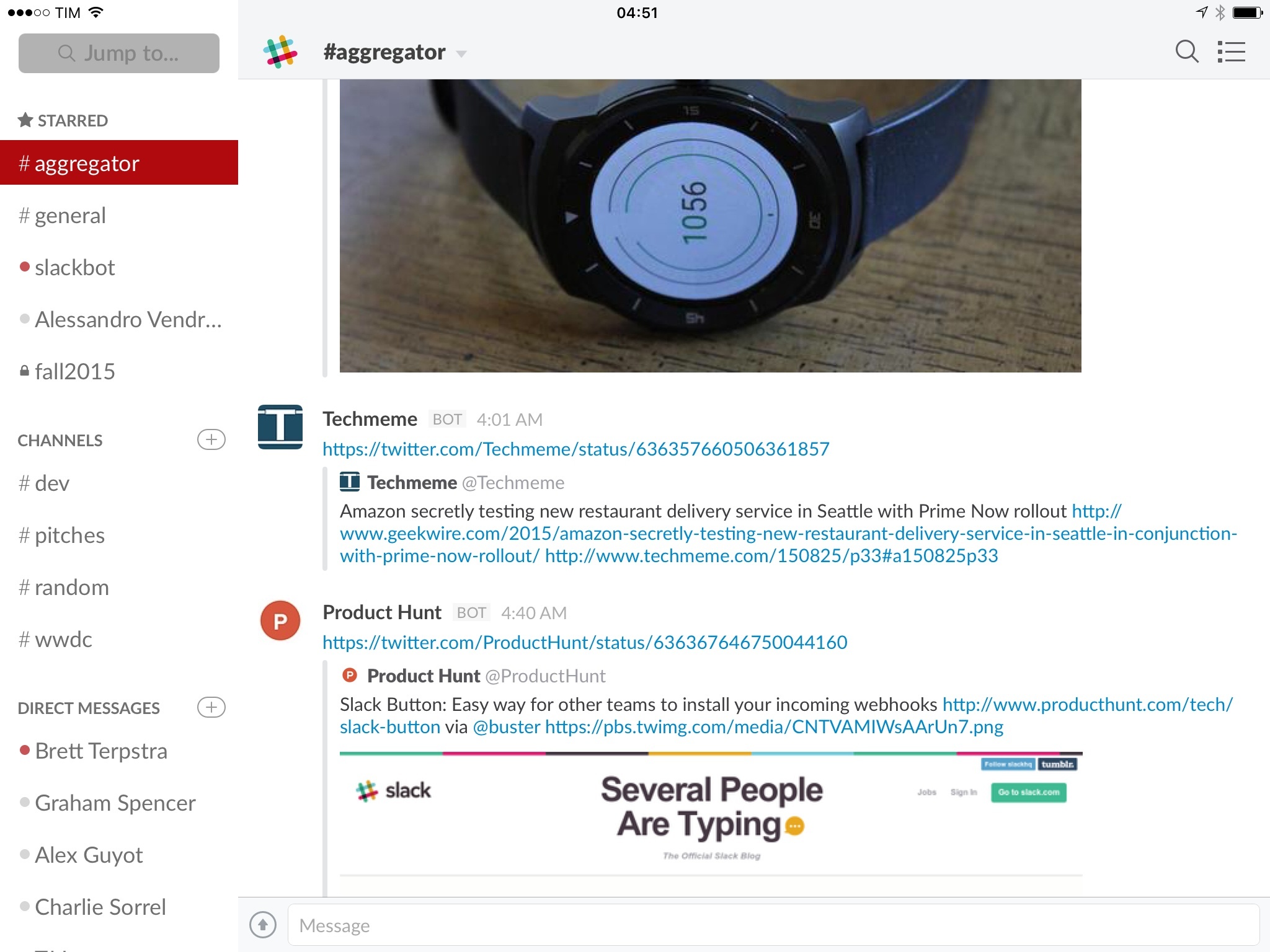
We use Slack at MacStories, and we pay for the fantastic service it offers. Something I’ve recently started testing is using Slack as a shared notification layer for multiple users: rather than being alerted of important news or updates myself and then having to communicate them manually to others, I can let the notification go to Slack directly so everyone can know instantly and take action more quickly. I’ve been doing this with integrations such as RSS, Zapier, IFTTT, and the recently launched email in both regular Slack channels as well as a dedicated #aggregator channel where bots only report notifications and links.

With today’s announcement, Slack is making it easier for developers to build support for Slack notifications even if their apps have nothing to do with Slack as a chat service. This is where Slack radically differs from everything I’ve tried before: it’s not just a chat room with a bunch of integrations – it’s a whole layer of services, commands, file management, search, and collaboration that is primarily advertised as a communication tool.

It makes sense, then, to properly support rich notifications as extensions for Slack: because users are spending hours in Slack anyway, services like Nuzzel can support native device push notifications (individual) and Slack notifications (shared), allowing multiple people to receive the same notification and coordinate accordingly (inside Slack, of course).

I’ve set up Nuzzel integration today (on the website), and, if my understanding is correct, I can expect my Twitter alerts powered by Nuzzel (and years of carefully curating my following list) to be available to other team members through Slack notifications. I have a feeling this is going to be a pretty great addition to our Slack setup, and I fully expect more web services to start supporting Slack notifications as a feature soon.


1Password 5.5 Brings UI Tweaks and Improvements to Touch ID, Apple Watch App, and Security

Released today on the App Store, the latest update to our favorite password manager brings some nice minor adjustments. Most of the changes improve the flow and ease of use of the app, and while there aren’t any game changers here, numerous tiny annoyances that have been frustrating me for a while have been wiped out.

The first feature mentioned in the release notes is the ability to switch between multiple vaults with only two taps using their new vault switcher. I personally only use one vault with 1Password so I don’t have much to say here, but I’m always a fan of doing things in fewer taps so this feature gets a thumbs up from me.

My favorite changes have to do with Touch ID and security tweaks. There have been quite a few times when I’ve accidentally canceled the Touch ID dialogue, and until now that meant that I was then required to type my password back in before the app would unlock. With version 5.5, there is now a very nice looking fingerprint button that will show up beneath the password input box. If you accidentally cancel Touch ID before unlocking the app, you can now tap the fingerprint button to bring the Touch ID prompt back up and unlock without typing. The feature of course still respects your Touch ID timeout settings, so if you’re trying to unlock when Touch ID has been disabled until the next time your password is typed, tapping the fingerprint button won’t do anything.

Next on security, in regard to the 1Password extension, the extension and the main 1Password app now share unlock settings. This means that if you unlock the app, the extension is unlocked, and vice versa. If you, like me, have experienced typing your password into the extension (which should then enable Touch ID) and then going to the main app and discovering that you now need to type the password again, then you’ll be happy about this feature as well. Timeout settings are still respected on the extension as well, also of course.

Another small but appreciated security improvement: if you fill your login credentials on an unsecured website (think http://) when the saved URL for the login is secure (think https://), 1Password will warn you that this is about to happen. This is one of those features that you hope you would never need anyway but if you do it could save you a lot of trouble.

Finally, among some other various and very minor changes, the Apple Watch app has been updated to allow you to see the PIN numbers on your credit card entries. Convenient if you’re into that sort of thing.

Overall, 1Password 5.5 is a solid update. Mostly polish, but polishing shiny things just makes them shinier, and who doesn’t like that? If you don’t have 1Password yet then I’m not sure why you read all of this, but you can find it in the App Store, and you should go buy it right now.

Dropbox Adds Support for Storing URLs Alongside Files

Example from the Linked Dropbox Blog post

Example from the Linked Dropbox Blog post

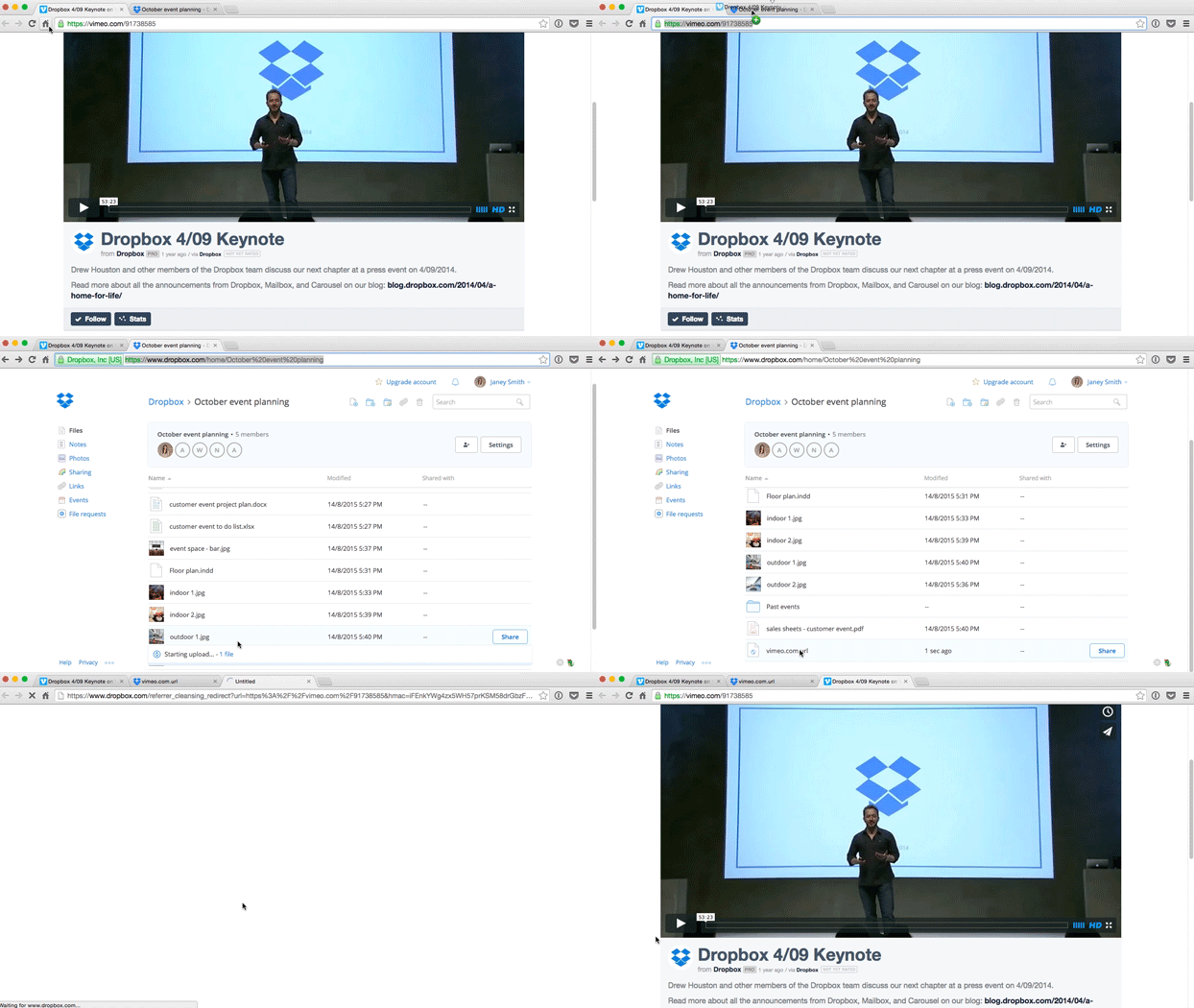
Dropbox yesterday announced a new feature to allow you to drag URLs from websites into your Dropbox folders to store them alongside your files. The feature is available on both the desktop and web versions of dropbox, and is as easy as dragging from the address bar on a web browser and dropping the URL into a local Dropbox folder or the Dropbox web app in a browser window. The URL is stored right alongside the rest of your files. Clicking on it from a Finder window opens it right away, while clicking on it from the browser version will open a page with a large “Open in new tab” button in the center. You can open the same page on the Dropbox mobile app, and open the URL in Safari from there, but there’s no way as of yet to store URLs to your Dropbox from mobile.

The new feature is reminiscent to me of a similar feature in the upcoming iOS 9/OS X El Capitan version of Apple’s Notes app. You can save URLs directly into your notes, which allows you to easily keep relevant sources or other web media close at hand while working on or reviewing the note. Dropbox’s take on this allows that type of easy organization of sources or relevant web media without forcing you to use a proprietary file format. While Notes may let you view previews of the URLs inline, in exchange the files can only be opened in the Notes app. If you want them elsewhere you’ll need to export them to PDF and lose any interactivity with the file or the associated URLs. With Dropbox’s new URL storing feature, you can store websites alongside files no matter what the project that you are working on may be, and then access them from any platform.

The lack of support for adding URLs from mobile does seem like a shame to me. I often go through Twitter on my iPad or iPhone, and it would be great to be able to quickly save URLs to my Dropbox via the iOS share sheet when I come across something relevant to a project I’m working on. That said, it seems like such an obvious feature that I would be surprised if it was not implemented eventually. Hopefully we’ll see it soon.

While I’m not certain right now if I will go all in with this feature and start saving all of the sources for projects I’m working on into Dropbox alongside the project files, it’s definitely nice to have the option. In fact that’s my favorite part of the implementation: it will integrate directly into existing workflows without requiring any changes whatsoever. Since the URLs are stored separately from the files, the most you’ll need to do is move your project into it’s own folder (but let’s be real, who doesn’t keep projects in their own folders anyway?) and then you can drag links on top of the folder to store them alongside the rest of the project. You can do this right now, the feature already works.

This feature is an excellent example of Dropbox innovating on its platform while still staying true to itself. Rather than getting sucked into the modern trend of proprietary file formats with fancy inline previews and interactivity, Dropbox kept things simple, and kept their hands out of our file extensions; yet they still made a way for us to achieve the same overall goal that apps like Notes and Evernote have shown to be useful. I love seeing implementations like this from Dropbox, and I hope they continue finding new ways to make their system more powerful without adding layers of complexity for their users to deal with.


Twitterrific Update Brings Early iOS 9 Features

San Francisco, Safari View Controller, and Safari Reader in Twitterrific 5.13.

San Francisco, Safari View Controller, and Safari Reader in Twitterrific 5.13.

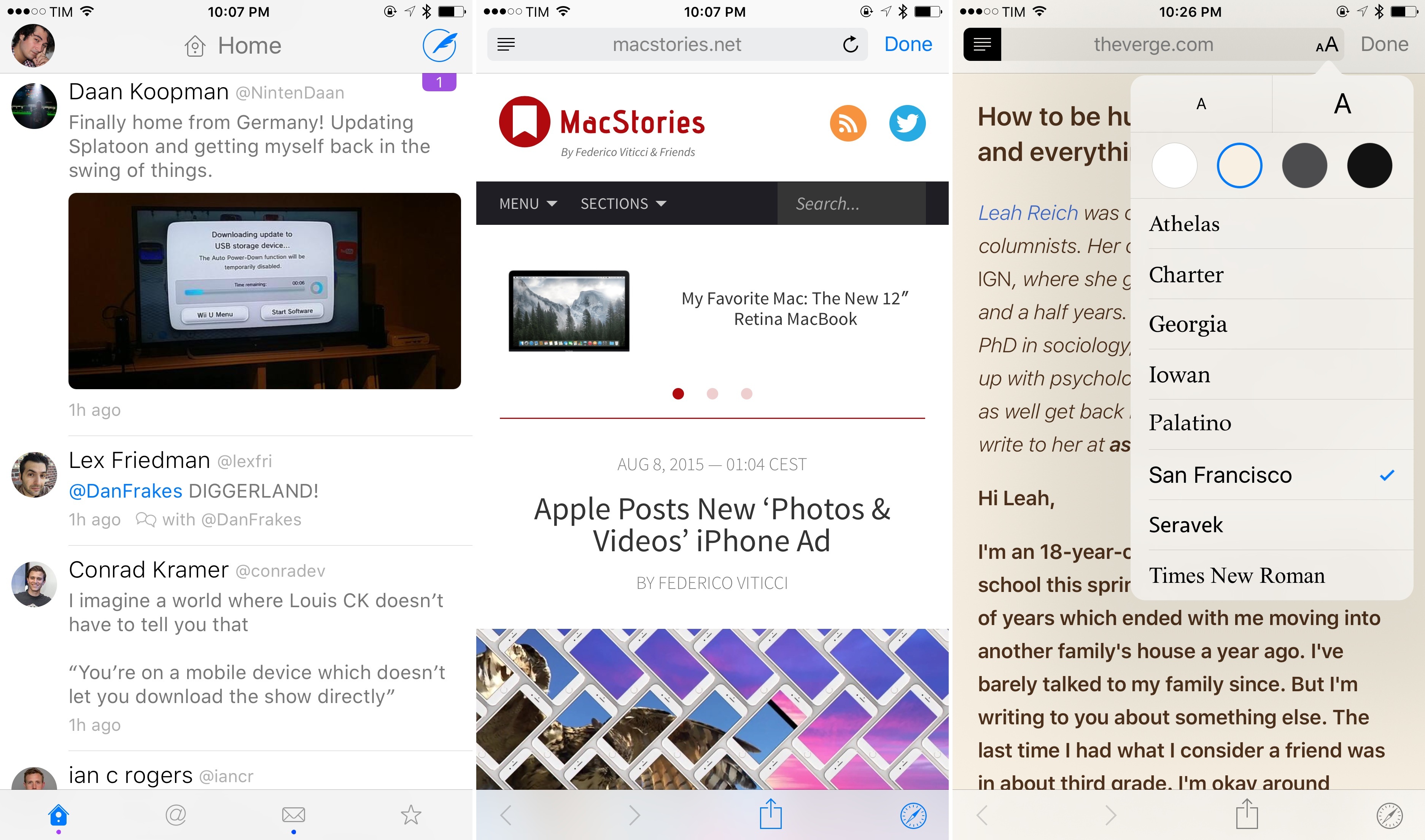
The latest version of Twitterrific, released today on the App Store, brings a number of nice improvements such as hashtag autocompletion, better support for Handoff, and some welcome fixes for quoted tweets and the media viewer. What’s even nicer is that, if you’re running the iOS 9 beta, Twitterrific for iOS 8 already supports Safari View Controller and the San Francisco font thanks to some clever coding by The Iconfactory.

Read more


Graava Action Camera and watchOS 2

Graava is a new action camera that promises to automatically edit footage using sensors that include GPS, accelerometer, microphone, gyroscope, and heart rate monitor. Unlike similar solutions such as GoPro, Graava wants to remove the friction from manually picking the best footage out of a session using connected sensors to figure out what’s interesting and worth saving and what’s boring and can be discarded. Graava has opened preorders for $249 today and it ships early next year. You can read more about it at The New York Times and TechCrunch, and watch the great promo video above.

What immediately caught my attention is that Graava will rely on an Apple Watch app to monitor a user’s heart rate and detect sudden changes that may correspond to interesting moments. That, of course, would require watchOS 2, which will give developers deeper access to the Apple Watch hardware. According to Graava’s website, “Android Gear and Apple Watch equipped with heartbeat sensors are supported”, so I am assuming Graava will ship a watchOS 2 app once it launches next year.

This is another example of the kind of richer experiences that watchOS 2 will enable developers to build. Graava could also work by connecting to Bluetooth chest monitors to gather a user’s heart rate data – and they likely will – but it is far more convenient to rely on a device that is accurate enough and worn all the time and that works with a full-featured app. Even more interesting is that Graava won’t use the heart rate sensor to build a strictly fitness-related app: rather, it’ll use the data collected by it for additional context used in video editing. It’s an intriguing use case, and I’m curious to see how well Graava’s automatic process will actually work.

You can check out Graava’s website and preorder information here.


Billings Pro Adds Mobile Estimates and Apple Watch Features

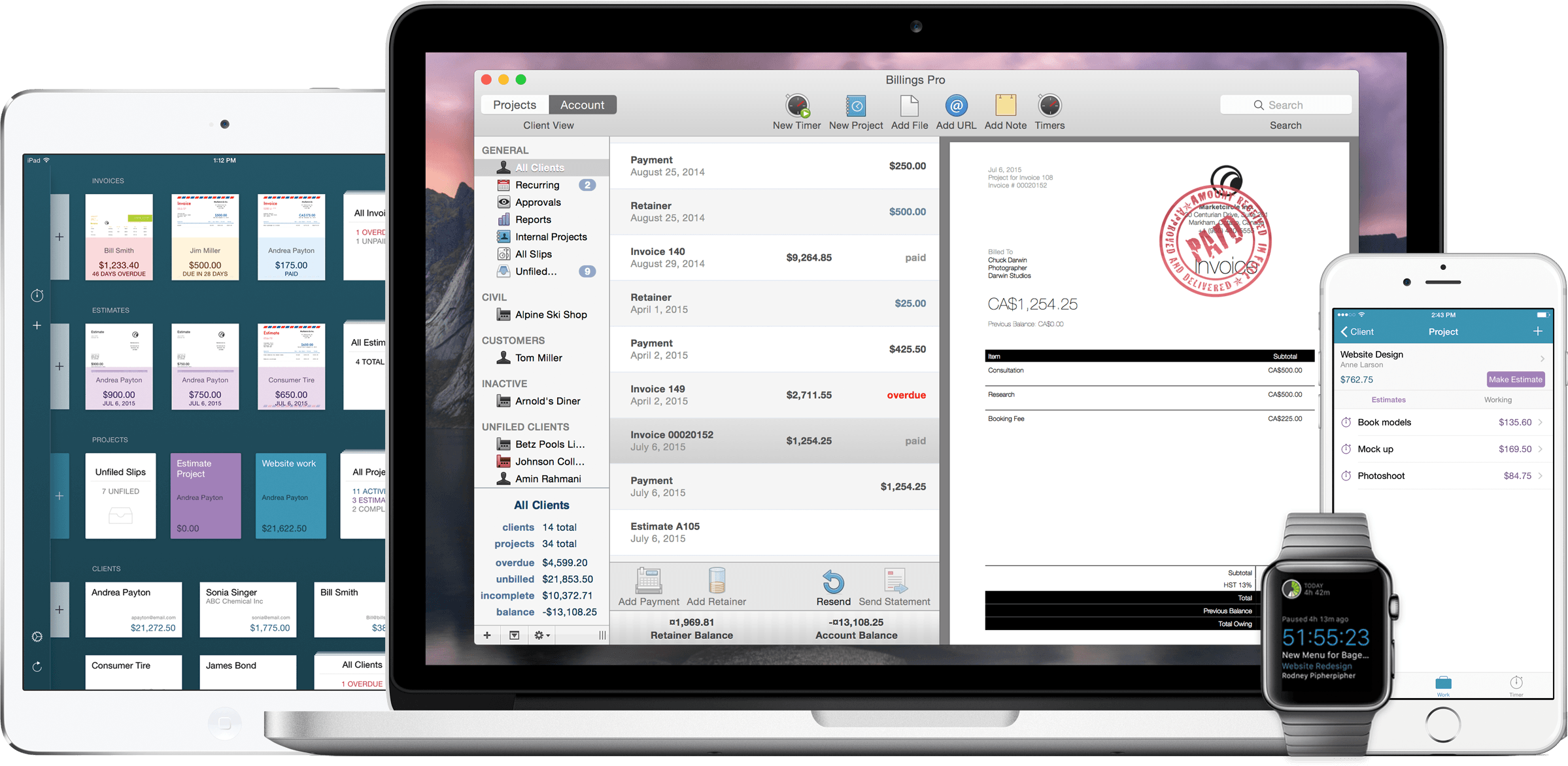
I’ve used Billings for invoicing and time tracking since shortly after I first started freelancing years ago. I recently (finally) upgraded to Billings Pro, and I’ve been testing out the most recent update to the apps for Mac and iOS. The latest version brings Apple Watch support, mobile estimates, and seamless integration of all of the Billings Pro features across all my devices.

Read more


Pocket Launches Public Beta with Recommendations

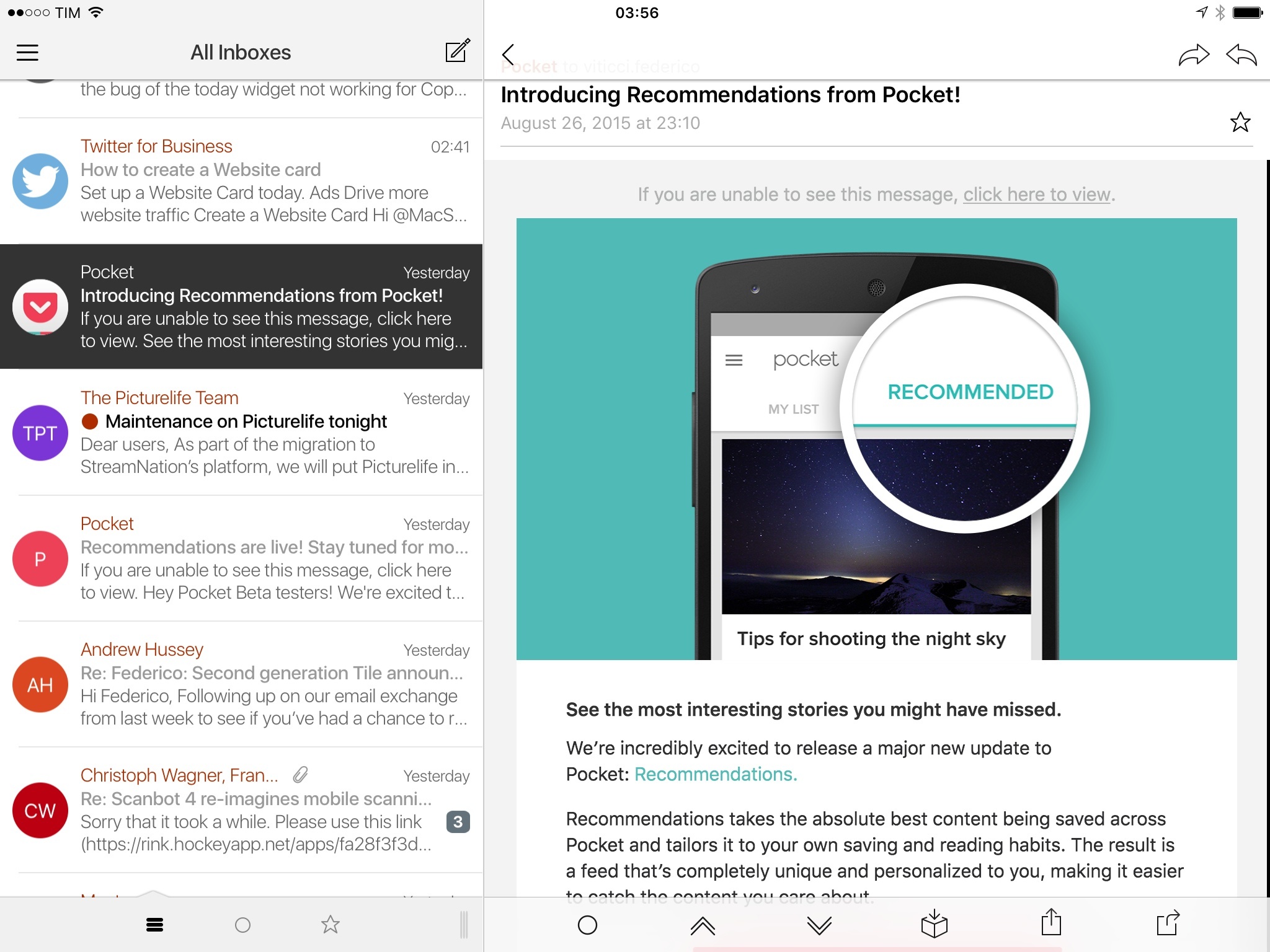
Pocket wants to build a save button for the Internet, and with over 2 billion items saved to the service the company is now turning to personalization as a way to entice users to save more to get more out of it.

Today, Pocket founder Nate Weiner has announced a public beta of Pocket for iOS, Android, and the web, featuring a new Recommendations feature to receive new items similar to what has been saved in the main list.

Read more