Posts in Featured

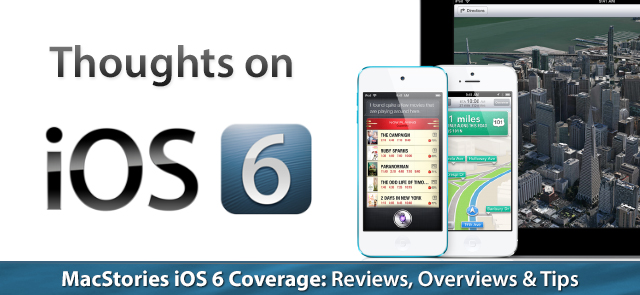
iOS 6: Tips, Tricks & Hidden Features

Every time Apple releases an OS X or iOS update we enjoy giving our readers quality walk-throughs, feature guides and my favorite – tips and tricks. Every Apple power user can attest that shortcuts and knowing many of the little things is a fantastic way to improve the user experience. I enjoy discovering as many as I can so that I feel well-versed as an iOS user and can help friends and family when they are either troubleshooting or simply want to know how to do thing easier or faster. There’s so much fulfillment when you’re able to help someone and it’s also a great way to start a conversation with another Apple user. We uncovered most of these ourselves but this thread on the MacRumors forums site has a fantastic list as well.

More iOS 6 coverage here.

Read more

Access Extra Content and Perks

Founded in 2015, Club MacStories has delivered exclusive content every week for nearly a decade.

What started with weekly and monthly email newsletters has blossomed into a family of memberships designed for every MacStories fan.

Learn more here and from our Club FAQs.

Club MacStories: Weekly and monthly newsletters via email and the web that are brimming with apps, tips, automation workflows, longform writing, early access to the MacStories Unwind podcast, periodic giveaways, and more;

Club MacStories+: Everything that Club MacStories offers, plus an active Discord community, advanced search and custom RSS features for exploring the Club’s entire back catalog, bonus columns, and dozens of app discounts;

Club Premier: All of the above and AppStories+, an extended version of our flagship podcast that’s delivered early, ad-free, and in high-bitrate audio.

Learn more here and from our Club FAQs.


The iOS 6 Trilemma

In some ways, iOS 6 is not a major update. And yet, in others, it’s possibly the biggest thing to happen to iOS since iPhone OS 1. Both of these assertions have far-reaching consequences for the users, third-party developers, and Apple itself.

In June, soon after the official announcement and preview of iOS 6, I concluded my general overview of the software with four questions. Looking back at that article now, those questions are more relevant than ever.

  • “Will the App Store redesign also bring new curation and search features, as many developers asked?”
  • “We didn’t quite get the “silver” system theme that was rumored; Apple seems to be moving towards blue gradients as a standard UI element, but not everyone’s liking the change for toolbars and status bars. Will they reconsider or improve upon today’s beta in terms of looks come Fall 2012?”
  • “With a new iPhone likely to be released in October, will we see even more features being added to the OS to take advantage of the new device’s hardware?”
  • “Will Google release a standalone Maps application?”

The answer to three of them is “no”. The last one – whether Google will release a standalone Maps application for iOS on the App Store – could be a “most certainly yes”, but we don’t know any more details.

iOS 6 is a controversial release, in that through the following days we’ll likely witness several news outlets and independent bloggers declare Apple’s doom or absolute genius, depending on the Internet clique they choose to side with. I think that, in this case, the truth lies somewhere in the middle – a gray area that needs a calm and thorough consideration. At the same time, I also believe that the “controversial” nature of iOS 6 needs to be analyzed for its various facets and reasons of existence. Why did Apple choose these features for iOS 6? What does the user make of it?

I have been testing iOS 6 for the past weeks, and I have (slowly) come to the conclusion that there’s no easy way to cover this update with a traditional review strategy. Instead, I have decided to take a look at the software from multiple perspectives, understanding the possible implications, downsides, and improvements for each one of them.

While last year I would have answered to the question “Should I upgrade to iOS 5 right away” with a resounding “Yes”, this year I’m not so sure about the “right away” part. Read more

Access Extra Content and Perks

Founded in 2015, Club MacStories has delivered exclusive content every week for nearly a decade.

What started with weekly and monthly email newsletters has blossomed into a family of memberships designed for every MacStories fan.

Learn more here and from our Club FAQs.

Club MacStories: Weekly and monthly newsletters via email and the web that are brimming with apps, tips, automation workflows, longform writing, early access to the MacStories Unwind podcast, periodic giveaways, and more;

Club MacStories+: Everything that Club MacStories offers, plus an active Discord community, advanced search and custom RSS features for exploring the Club’s entire back catalog, bonus columns, and dozens of app discounts;

Club Premier: All of the above and AppStories+, an extended version of our flagship podcast that’s delivered early, ad-free, and in high-bitrate audio.

Learn more here and from our Club FAQs.


Apple: Two Million iPhone 5 Pre-Orders In First 24 Hours

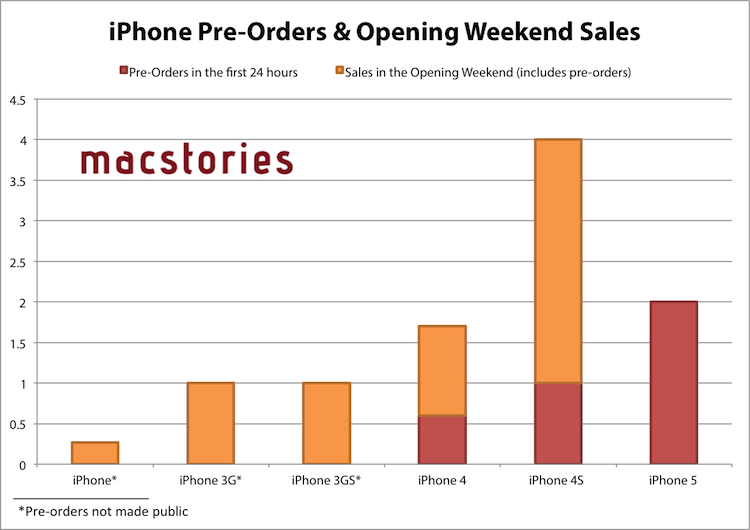
With a press release, Apple announced that the iPhone 5 topped two million pre-orders in the first 24 hours. The new device has doubled the record previously set by the iPhone 4S, which set 1 million pre-orders in the first 24 hours.

Apple has been doubling pre-orders for new iPhones every year: in 2010, the iPhone 4 saw 600,000 pre-orders in the first 24 hours, the iPhone 4S saw over 1 million, and, now, the iPhone 5 is seeing over 2 million in the same timeframe.

Apple today announced pre-orders of its iPhone 5 topped two million in just 24 hours, more than double the previous record of one million held by iPhone 4S. Demand for iPhone 5 exceeds the initial supply and while the majority of pre-orders will be delivered to customers on September 21, many are scheduled to be delivered in October. iPhone 5 is the thinnest and lightest iPhone ever, completely redesigned to feature a stunning new 4-inch Retina display; an Apple-designed A6 chip for blazing fast performance; and ultrafast wireless technology*—all while delivering even better battery life.**

“iPhone 5 pre-orders have shattered the previous record held by iPhone 4S and the customer response to iPhone 5 has been phenomenal,” said Philip Schiller, Apple’s senior vice president of Worldwide Marketing. “iPhone 5 is the best iPhone yet, the most beautiful product we’ve ever made, and we hope customers love it as much as we do.”

Last weekend, Apple said that it was blown away by the success of initial pre-orders, and this morning U.S. carrier AT&T confirmed the iPhone 5 has been the most successful device (in terms of pre-order numbers) to date. Pre-orders for the iPhone 5 began in the initial launch countries (US, Canada, UK, France, Germany, Australia, Japan, Hong Kong, Singapore) on Friday, September 14th, for a release set on the 21st. On September 28th, more countries will follow (Austria, Belgium, Czech Republic, Denmark, Estonia, Finland, Hungary, Ireland, Italy, Liechtenstein, Lithuania, Luxembourg, Netherlands, New Zealand, Norway, Poland, Portugal, Slovaki, Slovenia, Spain, Sweden, Switzerland) though it’s still unclear whether those countries will get online pre-orders as well.

(click for full size)

Furthermore, Apple is targeting 100 countries and 240 carriers by December 2012 for iPhone 5 availability.

The iPhone 5 is a major upgrade featuring a taller screen, new CPU, improved camera processing, faster performance, 4G LTE, and more. Check out our complete overview for all the details.

Access Extra Content and Perks

Founded in 2015, Club MacStories has delivered exclusive content every week for nearly a decade.

What started with weekly and monthly email newsletters has blossomed into a family of memberships designed for every MacStories fan.

Learn more here and from our Club FAQs.

Club MacStories: Weekly and monthly newsletters via email and the web that are brimming with apps, tips, automation workflows, longform writing, early access to the MacStories Unwind podcast, periodic giveaways, and more;

Club MacStories+: Everything that Club MacStories offers, plus an active Discord community, advanced search and custom RSS features for exploring the Club’s entire back catalog, bonus columns, and dozens of app discounts;

Club Premier: All of the above and AppStories+, an extended version of our flagship podcast that’s delivered early, ad-free, and in high-bitrate audio.

Learn more here and from our Club FAQs.


iCloud.com Gets New Apps: Our First Impressions

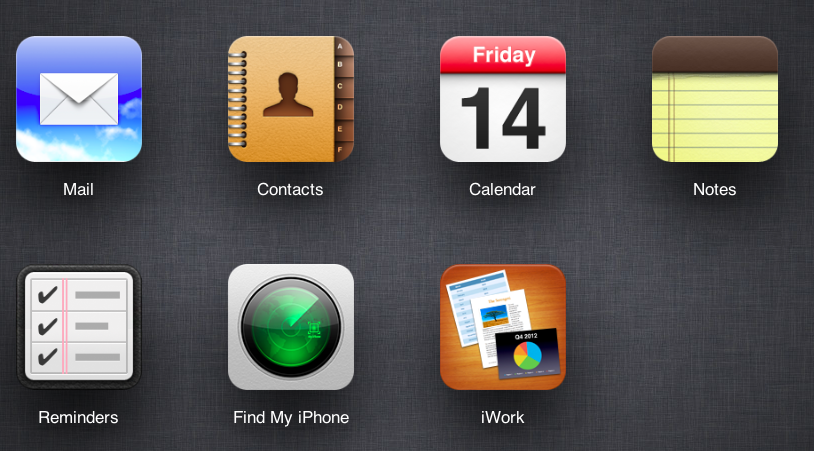
As noted by 9to5mac, Apple today launched an updated version of its iCloud.com website to include new apps and tweaks to existing ones. Surfaced online earlier this year, the new iCloud.com – meant to be a web-based companion to native iCloud software on iOS and OS X – features the new Notes and Reminders apps introduced with Mountain Lion, and design and user experience changes to Mail and Find My iPhone. Read more

Access Extra Content and Perks

Founded in 2015, Club MacStories has delivered exclusive content every week for nearly a decade.

What started with weekly and monthly email newsletters has blossomed into a family of memberships designed for every MacStories fan.

Learn more here and from our Club FAQs.

Club MacStories: Weekly and monthly newsletters via email and the web that are brimming with apps, tips, automation workflows, longform writing, early access to the MacStories Unwind podcast, periodic giveaways, and more;

Club MacStories+: Everything that Club MacStories offers, plus an active Discord community, advanced search and custom RSS features for exploring the Club’s entire back catalog, bonus columns, and dozens of app discounts;

Club Premier: All of the above and AppStories+, an extended version of our flagship podcast that’s delivered early, ad-free, and in high-bitrate audio.

Learn more here and from our Club FAQs.


The iPhone 5’s Exclusive Feature: A Better Experience

What strikes me as different about the iPhone 5 announcement is that, for the first time in years, it doesn’t bring any new, big exclusive software feature.

The iPhone 4 introduced FaceTime. The iPad 2 had Photo Booth. The iPhone 4S got Siri. In Apple’s recent history, major updates to iOS devices were (almost) always complemented by some exclusive software functionality. Particularly with the iPhone, the company’s biggest source of revenue, Apple has always made sure since the 3GS (which got voice control, among other things) new iPhone models would have both new hardware and software to appeal to customers.

Not so with the iPhone 5.

If we exclude the five rows of icons on the Home screen, the possibility to take still photos while recording video, and face detection for 1080p HD video recording (both briefly mentioned here), the iPhone 5 doesn’t offer anything exclusive, software-wise, over the iPhone 4S.

I haven’t tried the iPhone 5 yet, so I can’t judge the capabilities of the device. But I can attempt to understand the reasoning behind this choice.

For now, Apple has got its software ecosystem pretty much figured out. There’s the Post-PC strategy, the App Store, feature parity between iOS and OS X, and a new iTunes coming out next month. Albeit slowly, Siri is evolving, and it is coming to more devices. iOS 6 will be released next week, and it’ll introduce previously-announced new features like Maps, Passbook, and Facebook integration. From a software standpoint, Apple is now performing the excellent art of iterating – or, this is how Apple rolls. Sometimes it’s more visible; other times things look the same. But they’re always changing.

And I believe this time things are changing with a different focus. The iPhone 4S leveraged Apple’s interplay of hardware and software – mentioned on several occasions during today’s keynote – to introduce one last big new iOS feature with a bang – Siri. If you look at iOS’ releases one by one, like we tech writers do every few months, it seems like they haven’t changed much. But it is only when you look back that you realize the differences were indeed palpable. And the iPhone 4S did have one big difference, software-wise.

With the iPhone 5, Apple is shifting from a “look at what’s new” mindset to a “look at how much better it is” approach. If you only looked at the screens of an iPhone 4S and iPhone 5 and used them without holding them in your hands, you wouldn’t notice much differences in the software. Sure, you’d see the bigger screen, but you wouldn’t be curious to immediately go check out that new app. But the thing is, we don’t use iPhones like that. We hold them in our hands, we touch them, we make calls with them and we stream content wirelessly from the Internet with them.

It’s not about the hardware alone. Because on that front, yes, things are new. It’s about how the hardware allows for a better experience without having to do anything new. It’s about refining what is already good. It’s about starting from scratch.

Ultimately, the iPhone 5 is about making the overall experience better through advancements in mobile technology. The iPhone 5 may not have new apps or iOS features for now, but it does offer an unparalleled experience. It does LTE with up to 8 hours of browsing. Reports are already coming in that, thanks to the A6 processor, everything feels snappier and more responsive. And if it really is comfortable to hold, the new 4-inch screen will show more content, which I see as a welcome improvement.

On a simple iOS feature-by-feature checklist, iPhone 5 loses. But on a scale of “Does this work better than before?”, I think it will be indisputably better than its predecessors. The interplay of hardware and software wasn’t functional to adding new features this time: the integration Apple prides itself upon should serve as a catalyst to make everything work better, without having to reinvent what we already know.

I think Apple’s Design webpage for the new iPhone sums it up best: ”if convention was standing in the way, we left it behind”.

iPhone 5 is about paradoxes. It’s bigger, but it’s slimmer. It’s got LTE, but longer battery life. It’s thinner, but it’s got a better camera, an redesigned speaker system, and new microphones. It’s new – but really, is it?

After the iPhone 5, new iOS devices won’t be judged by how many new apps they bring, but by how much they make the experience better.

Access Extra Content and Perks

Founded in 2015, Club MacStories has delivered exclusive content every week for nearly a decade.

What started with weekly and monthly email newsletters has blossomed into a family of memberships designed for every MacStories fan.

Learn more here and from our Club FAQs.

Club MacStories: Weekly and monthly newsletters via email and the web that are brimming with apps, tips, automation workflows, longform writing, early access to the MacStories Unwind podcast, periodic giveaways, and more;

Club MacStories+: Everything that Club MacStories offers, plus an active Discord community, advanced search and custom RSS features for exploring the Club’s entire back catalog, bonus columns, and dozens of app discounts;

Club Premier: All of the above and AppStories+, an extended version of our flagship podcast that’s delivered early, ad-free, and in high-bitrate audio.

Learn more here and from our Club FAQs.


Apple Announces New iTunes for OS X, iPod Touch 5th Generation, and a New iPod Nano

Apple hasn’t forgotten about the iPod or iTunes, announcing Wednesday a new iPod touch and a new iPod nano.

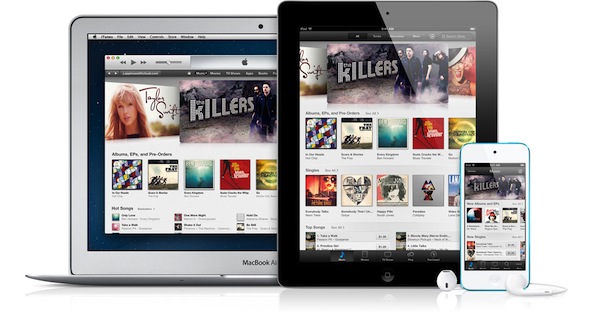
After the iPhone’s introduction, Tim Cook brought on Eddy Cue to talk about iTunes, introducing it as the #1 music store in the world, with over 200 million customers using iTunes, worldwide availability in 63 countries, and over 26 million songs available. “Two thirds of our downloads come from iOS,” Cue said on stage, while showing off brand new iTunes and App Store designs on the iPad, then on the iPhone 5. Launching September 19th, the visual refresh brings better performance when browsing through the store, and also includes the ability to preview music browsing and share store links with friends.

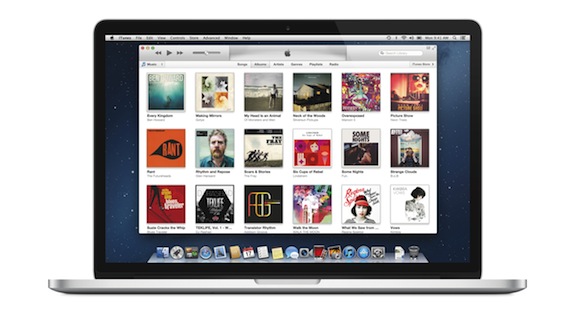
Apple also showcased an updated iTunes application for OS X, which features a new edge-to-edge design that looks similar to the iPad’s refreshed music app as of iOS 5. Album art flows across the display — clicking on an album expands album info as opening a folders does on iOS. iTunes also brings popovers that present a drop down of upcoming songs, and improved search results as you filter through music in your library. Cue also showed off a brand new mini-player design, which unlike previous designs, shows album artwork and gives the option to manage playlists and see upcoming songs as well.

More and updates past the break!

Read more

Access Extra Content and Perks

Founded in 2015, Club MacStories has delivered exclusive content every week for nearly a decade.

What started with weekly and monthly email newsletters has blossomed into a family of memberships designed for every MacStories fan.

Learn more here and from our Club FAQs.

Club MacStories: Weekly and monthly newsletters via email and the web that are brimming with apps, tips, automation workflows, longform writing, early access to the MacStories Unwind podcast, periodic giveaways, and more;

Club MacStories+: Everything that Club MacStories offers, plus an active Discord community, advanced search and custom RSS features for exploring the Club’s entire back catalog, bonus columns, and dozens of app discounts;

Club Premier: All of the above and AppStories+, an extended version of our flagship podcast that’s delivered early, ad-free, and in high-bitrate audio.

Learn more here and from our Club FAQs.


iPhone 5: Our Complete Overview

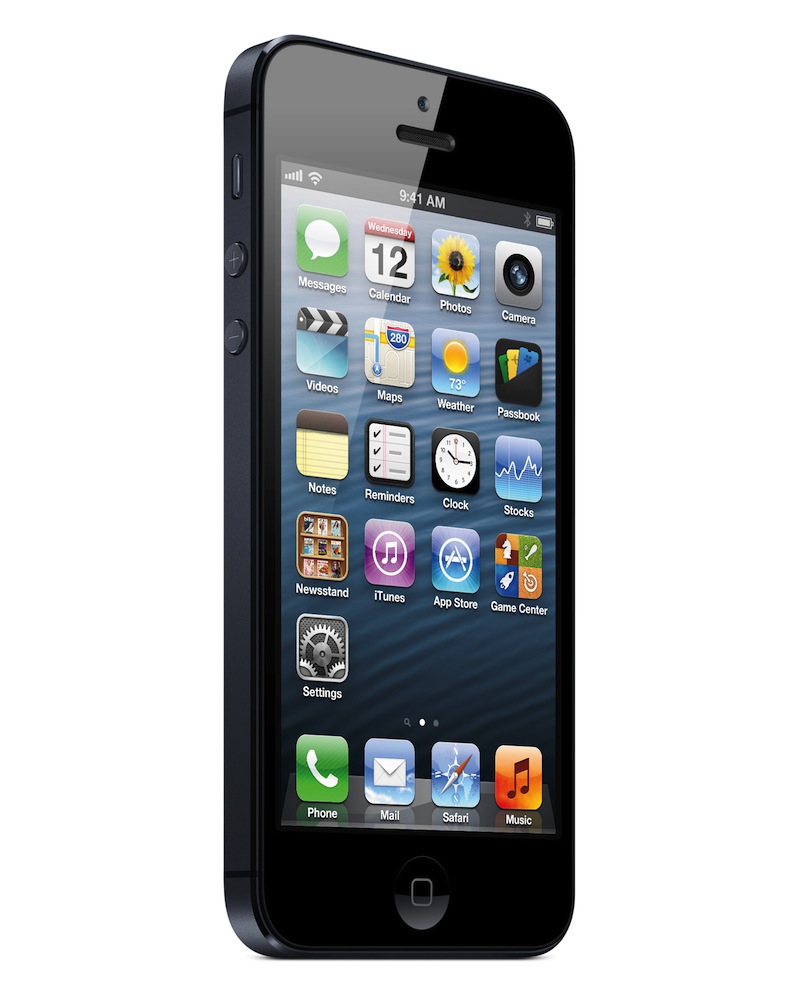
Apple’s Phil Schiller took the stage today at Apple’s media event in San Francisco to officially unveil the iPhone 5, Apple’s major upgrade iPhone family. As widely rumored, the iPhone 5 features a taller display to visualize more content, a thinner profile, and a new metal backplate. While similar in the overall aesthetic to the iPhone 4 and iPhone 4S, the changes made to the iPhone 5’s body construction, display, and glass design represent a major change from the industrial design first introduced in 2010. Read more

Access Extra Content and Perks

Founded in 2015, Club MacStories has delivered exclusive content every week for nearly a decade.

What started with weekly and monthly email newsletters has blossomed into a family of memberships designed for every MacStories fan.

Learn more here and from our Club FAQs.

Club MacStories: Weekly and monthly newsletters via email and the web that are brimming with apps, tips, automation workflows, longform writing, early access to the MacStories Unwind podcast, periodic giveaways, and more;

Club MacStories+: Everything that Club MacStories offers, plus an active Discord community, advanced search and custom RSS features for exploring the Club’s entire back catalog, bonus columns, and dozens of app discounts;

Club Premier: All of the above and AppStories+, an extended version of our flagship podcast that’s delivered early, ad-free, and in high-bitrate audio.

Learn more here and from our Club FAQs.


Interactive Fiction In The iOS Age: A Text-Based Love Story

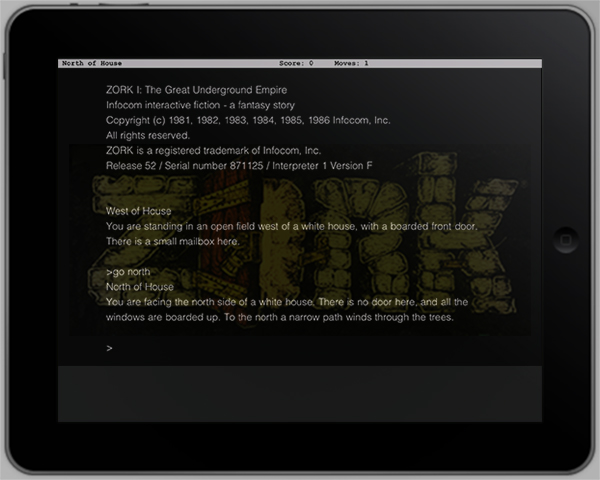
It all started with an episode of “The Big Bang Theory”. Protagonist Dr. Sheldon Cooper sits in front of his laptop, his face distorted by heavy concentration. He’s playing a game. Suddenly, he starts yelling at Leonard, his roommate: “It says there’s a troll!” Leonard answers: “Type ‘Hit troll with axe’”. Silence. “Oh yes that worked!”, Sheldon yells with a wide smile on his face. A few episodes later, the title of the game is revealed: ZORK.

At that point, I was curious. I googled the title, and just a few minutes later I was lost in the world of Interactive Fiction (hence abbreviated as IF) which is the official genre description of games commonly known as text-based adventure games.

After hours of research, I found out that although the first IF games were released in the early ’80s and quickly decreased in popularity due to the rise of graphics-based games in the middle-80s, the genre is not dead at all. IF has a vibrant and very active community of gamers, journalists, story writers, and modern implementations of any kind to emulate and play IF games on any imaginable platform. There are even modern development tools and languages available to write your own IF games.

In this post, I will discuss all these topics: the history of IF, the community and its current state, and how to play and develop IF — with a focus on IF and Apple’s operating systems – Mac OS X and iOS. The following paragraphs will be full of external links leading you to download resources, information wikis about IF, interesting essays and blog posts about the community, and all kinds of software you could use to play and write IF. Read more

Access Extra Content and Perks

Founded in 2015, Club MacStories has delivered exclusive content every week for nearly a decade.

What started with weekly and monthly email newsletters has blossomed into a family of memberships designed for every MacStories fan.

Learn more here and from our Club FAQs.

Club MacStories: Weekly and monthly newsletters via email and the web that are brimming with apps, tips, automation workflows, longform writing, early access to the MacStories Unwind podcast, periodic giveaways, and more;

Club MacStories+: Everything that Club MacStories offers, plus an active Discord community, advanced search and custom RSS features for exploring the Club’s entire back catalog, bonus columns, and dozens of app discounts;

Club Premier: All of the above and AppStories+, an extended version of our flagship podcast that’s delivered early, ad-free, and in high-bitrate audio.

Learn more here and from our Club FAQs.


Yerba Buena Poster Created By Stretching App Icons, Download A Recreated Version As A Wallpaper

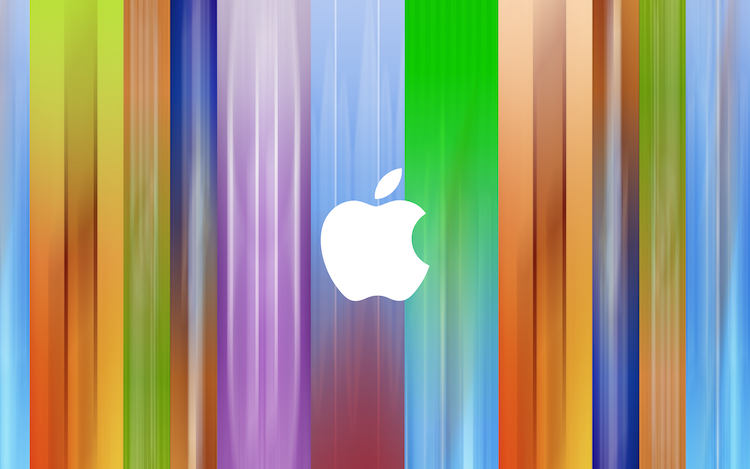
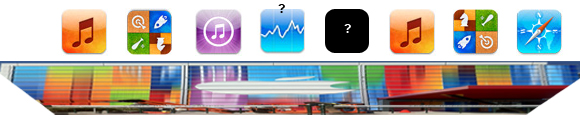
On Friday, workers put up the traditional event banners on the Yerba Buena building in which Apple is holding its special media event next Wednesday. You can have a look at the banners here, but as an eagle-eyed reader of MacRumors realised, it seems as if Apple made the poster by stretching various app icons vertically. Another one of MacRumor’s readers, roosternugget, put together a little graphic to indicate which apps were most likely used (see below). It’s pretty clever by Apple’s designers to stretch iPhone app icons vertically and use it as the event poster, given we expect the iPhone 5 itself to feature a vertically larger (or “stretched) display. If you recall, Apple also had fun with the media event invitation which subtly features a shadow with the number “5” coming down from the number 12.

With this knowledge, I decided to open Photoshop and do my best to recreate the event poster. Now it certainly isn’t a perfect recreation but I’ve done my best and it comes close to the banner featured in a photo below. I’ve created multiple versions with and without the Apple logo and for various screen resolutions so that you can use it as a wallpaper, including the following:

  • [16:10] 2880 x 1800 - aka. Retina MacBook Pro
  • [16:9] 2880 x 1620
  • [5:4] 1280 x 1024
  • iPhone 4/4S
  • iPhone 5
  • iPad (Retina)

Download the wallpapers (.zip archive)

Direct links for iOS devices:

Access Extra Content and Perks

Founded in 2015, Club MacStories has delivered exclusive content every week for nearly a decade.

What started with weekly and monthly email newsletters has blossomed into a family of memberships designed for every MacStories fan.

Learn more here and from our Club FAQs.

Club MacStories: Weekly and monthly newsletters via email and the web that are brimming with apps, tips, automation workflows, longform writing, early access to the MacStories Unwind podcast, periodic giveaways, and more;

Club MacStories+: Everything that Club MacStories offers, plus an active Discord community, advanced search and custom RSS features for exploring the Club’s entire back catalog, bonus columns, and dozens of app discounts;

Club Premier: All of the above and AppStories+, an extended version of our flagship podcast that’s delivered early, ad-free, and in high-bitrate audio.

Learn more here and from our Club FAQs.