Posts in Featured

iOS 7: Thoughts and Questions

iOS 7

iOS 7

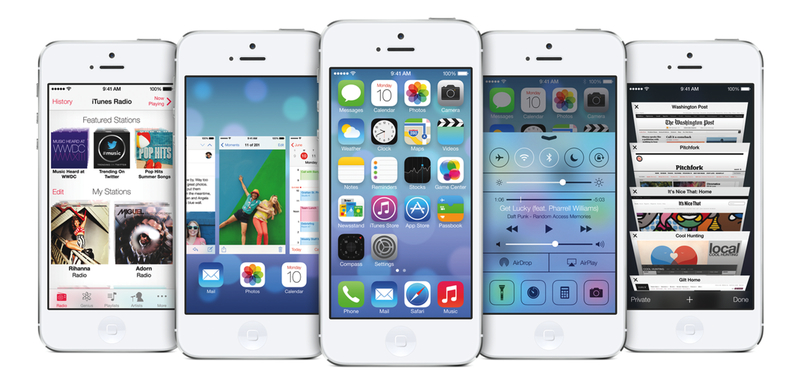
Announced yesterday at Apple’s WWDC 2013 keynote, iOS 7 is a dramatic reimagination of Apple’s mobile operating system.

iOS 7 introduces new user features and brings over 1500 new developer APIs. For users looking for a quick overview of what’s changed and improved in iOS 7, the OS’ user interface will immediately appear as the most visible change. Tim Cook referred to it as a “stunning new UI”, noting how iOS 7 is the biggest change to iOS since the introduction of the original iPhone, which ran iPhone OS 1.0. iOS 7 is unmistakably different, but how the interface looks is simply the first aspect that jumps out. Read more

Access Extra Content and Perks

Founded in 2015, Club MacStories has delivered exclusive content every week for nearly a decade.

What started with weekly and monthly email newsletters has blossomed into a family of memberships designed for every MacStories fan.

Learn more here and from our Club FAQs.

Club MacStories: Weekly and monthly newsletters via email and the web that are brimming with apps, tips, automation workflows, longform writing, early access to the MacStories Unwind podcast, periodic giveaways, and more;

Club MacStories+: Everything that Club MacStories offers, plus an active Discord community, advanced search and custom RSS features for exploring the Club’s entire back catalog, bonus columns, and dozens of app discounts;

Club Premier: All of the above and AppStories+, an extended version of our flagship podcast that’s delivered early, ad-free, and in high-bitrate audio.

Learn more here and from our Club FAQs.


Apple Releases New MacBook Airs, Previews New Mac Pro Design

Apple’s line of MacBook Airs received nice spec bumps today, which include Intel’s fourth-generation core processors, Haswell. Haswell chips include the new Intel HD 5000 graphics, which is 40% faster than the previous generation Intel HD 4000. Haswell’s main benefit isn’t just that it’s just a new, better processor, but that it’s built especially for mobile. Intel’s latest chips are designed for power savings, and incorporate smarter low-power states. It’s an extremely efficient chip, resulting in a substantial increase in battery life over the previous generation of MacBook Airs.

Read more

Access Extra Content and Perks

Founded in 2015, Club MacStories has delivered exclusive content every week for nearly a decade.

What started with weekly and monthly email newsletters has blossomed into a family of memberships designed for every MacStories fan.

Learn more here and from our Club FAQs.

Club MacStories: Weekly and monthly newsletters via email and the web that are brimming with apps, tips, automation workflows, longform writing, early access to the MacStories Unwind podcast, periodic giveaways, and more;

Club MacStories+: Everything that Club MacStories offers, plus an active Discord community, advanced search and custom RSS features for exploring the Club’s entire back catalog, bonus columns, and dozens of app discounts;

Club Premier: All of the above and AppStories+, an extended version of our flagship podcast that’s delivered early, ad-free, and in high-bitrate audio.

Learn more here and from our Club FAQs.


Apple Introduces OS X Mavericks

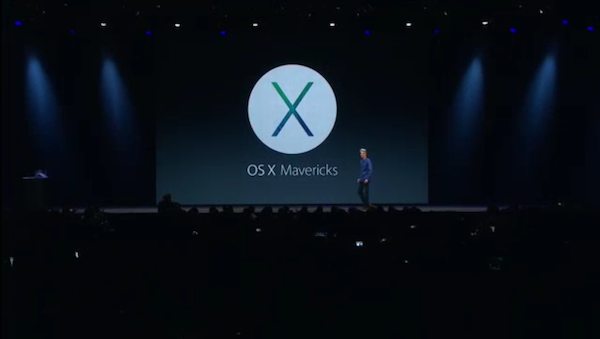
Today, during Apple’s opening Keynote at WWDC 2013, Craig Federighi introduced us to OS X Mavericks. OS X Mavericks focuses on three key areas: Apps and enhancements for everyone, battery life, and responsiveness.

Read more

Access Extra Content and Perks

Founded in 2015, Club MacStories has delivered exclusive content every week for nearly a decade.

What started with weekly and monthly email newsletters has blossomed into a family of memberships designed for every MacStories fan.

Learn more here and from our Club FAQs.

Club MacStories: Weekly and monthly newsletters via email and the web that are brimming with apps, tips, automation workflows, longform writing, early access to the MacStories Unwind podcast, periodic giveaways, and more;

Club MacStories+: Everything that Club MacStories offers, plus an active Discord community, advanced search and custom RSS features for exploring the Club’s entire back catalog, bonus columns, and dozens of app discounts;

Club Premier: All of the above and AppStories+, an extended version of our flagship podcast that’s delivered early, ad-free, and in high-bitrate audio.

Learn more here and from our Club FAQs.


Get Hype for WWDC 2013 With These Colorful Wallpapers

MacStories WWDC 2013 Wallpaper Banner

MacStories WWDC 2013 Wallpaper Banner

Designed by my friend Silvia Gatta of Icons & Coffee, MacStories’ WWDC 2013 wallpapers are simple, colorful, and delightful. Made to capture the spirit of this year’s upcoming event, these wallpapers have been tailored to look great on any of your devices. Below, you’ll find the perfect match for your iPhone, iPad, or Mac. And if you want the whole set, you can download it all in a simple bundle.

MacStories’ WWDC 2013 Wallpapers:

Please be sure to thank @aylys on Twitter if you enjoy her wallpapers.

Access Extra Content and Perks

Founded in 2015, Club MacStories has delivered exclusive content every week for nearly a decade.

What started with weekly and monthly email newsletters has blossomed into a family of memberships designed for every MacStories fan.

Learn more here and from our Club FAQs.

Club MacStories: Weekly and monthly newsletters via email and the web that are brimming with apps, tips, automation workflows, longform writing, early access to the MacStories Unwind podcast, periodic giveaways, and more;

Club MacStories+: Everything that Club MacStories offers, plus an active Discord community, advanced search and custom RSS features for exploring the Club’s entire back catalog, bonus columns, and dozens of app discounts;

Club Premier: All of the above and AppStories+, an extended version of our flagship podcast that’s delivered early, ad-free, and in high-bitrate audio.

Learn more here and from our Club FAQs.


Kick Off WWDC 2013 With MacStories’ Passbook Pass

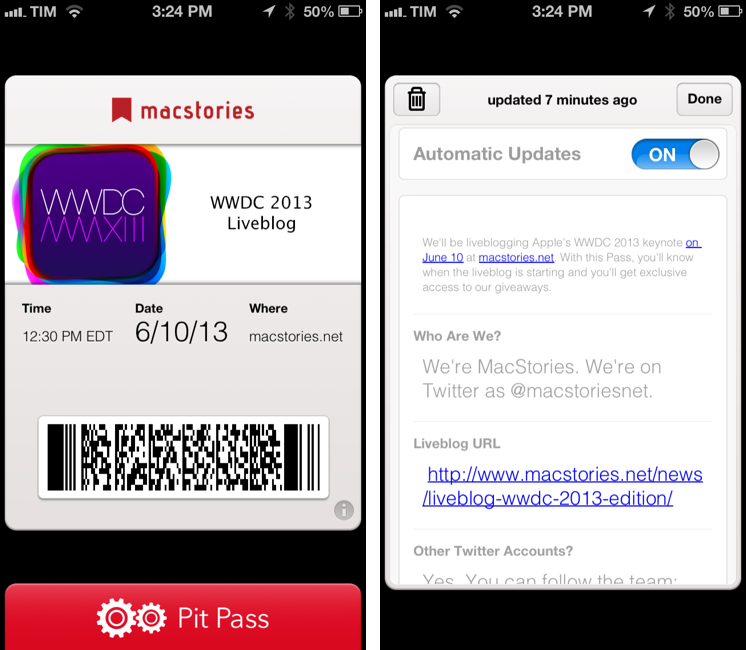
As soon as I saw what Second Gear’s Justin Williams had done with PitPass.io, I knew that the system would be a great fit for our WWDC 2013 liveblog. I asked Justin if we could set up reader passes before WWDC, and he was kind enough to work with us. So while we’re putting the finishing touches on this year’s liveblog, you can now install a MacStories pass using this link.

The pass will do a couple of interesting things. Firstly, you can install it directly from an iPhone or iPod touch, or, if you’re on a Mac, using Safari, which will let you add the pass on your iOS devices through iCloud. The pass itself will show you a date and time for our liveblog (12:30 PM EDT, 9:30 AM PDT) on the front, and you can tap the “i” button in the bottom right corner to access more information. On the back of the pass, you’ll find a direct link to our liveblog, links to our Twitter accounts, and a “Giveaway” section.

Passbook supports push notifications, and we’ll use them to reward readers who install our pass on their devices. We will send two push notifications between today and June 10: one with promo codes to redeem apps we like; the last one with a reminder just before the liveblog will start.

I want to personally thank Justin Williams for his support and work on the WWDC liveblog pass. Make sure to check out his apps at Second Gear and upcoming Passbook service, PitPass.io.

You can install the MacStories WWDC 2013 Liveblog pass here.

Access Extra Content and Perks

Founded in 2015, Club MacStories has delivered exclusive content every week for nearly a decade.

What started with weekly and monthly email newsletters has blossomed into a family of memberships designed for every MacStories fan.

Learn more here and from our Club FAQs.

Club MacStories: Weekly and monthly newsletters via email and the web that are brimming with apps, tips, automation workflows, longform writing, early access to the MacStories Unwind podcast, periodic giveaways, and more;

Club MacStories+: Everything that Club MacStories offers, plus an active Discord community, advanced search and custom RSS features for exploring the Club’s entire back catalog, bonus columns, and dozens of app discounts;

Club Premier: All of the above and AppStories+, an extended version of our flagship podcast that’s delivered early, ad-free, and in high-bitrate audio.

Learn more here and from our Club FAQs.


Vesper Review: Collect Your Thoughts

Vesper for iPhone

Vesper for iPhone

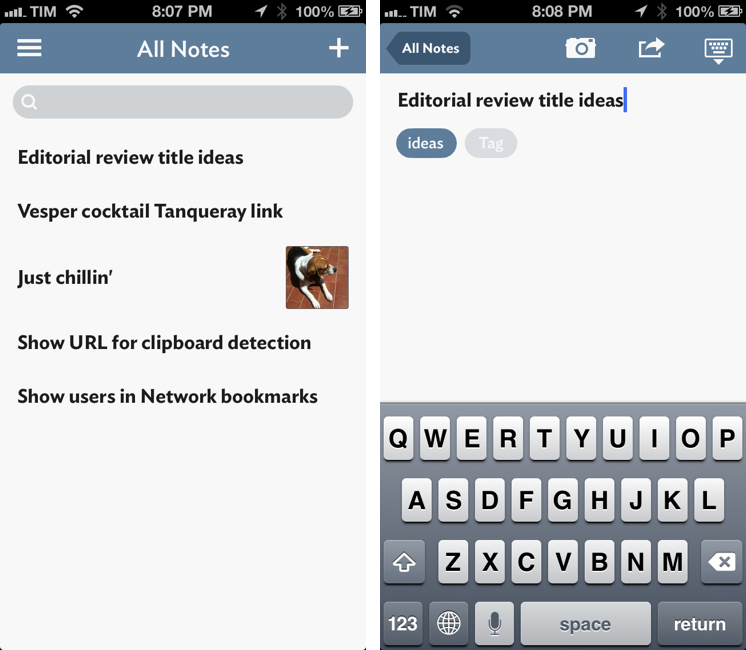
It wouldn’t be fair to judge Vesper solely by the names of its creators. A new note-taking app for iPhone released today, Vesper has been designed by Dave Wiskus, developed by Brent Simmons, and directed by John Gruber. There’s more to Vesper than the fame of the all-star team behind it, though.

Long-time MacStories readers should be familiar with the iOS apps that I like and use for taking notes, collecting thoughts, and organizing tasks. For years, my entire workflow was based on Dropbox: I would save articles, notes, random bits of text, and even tasks in text files handled by apps like Writing Kit, TaskAgent, Byword, nvALT, and Notesy. Those are still excellent apps, but my setup is more variegate now: my daily thoughts and memories are collected in Day One; longer articles are still stored in Dropbox and edited with specific text editors like Sublime Text; my bookmarks are saved in Pinboard, while everything else – from reference material to annotated screenshots – goes into Evernote. On iOS, Agile Tortoise’s Drafts plays a fundamental role in the way it launches ready to receive any text and is capable of forwarding it to multiple destinations – all while allowing power users to achieve faster, automated workflows.

Specific apps, different services, all with a common thread: sync to a remote backend that ensures my text is always available anywhere.

If you take into account the apps that I have reviewed over the past two years, Vesper may seem anachronistic and uncharacteristically simple: it’s a general-purpose note-taking app with no sync, no URL scheme, no iPad version, and no Markdown integration. When I first tried Vesper a couple of weeks ago, I was skeptical in regard to the app’s reason of existence. But now, in spite of its 1.0 nature and many missing features, I see one – and, more importantly, I believe Vesper gets several things right. Read more

Access Extra Content and Perks

Founded in 2015, Club MacStories has delivered exclusive content every week for nearly a decade.

What started with weekly and monthly email newsletters has blossomed into a family of memberships designed for every MacStories fan.

Learn more here and from our Club FAQs.

Club MacStories: Weekly and monthly newsletters via email and the web that are brimming with apps, tips, automation workflows, longform writing, early access to the MacStories Unwind podcast, periodic giveaways, and more;

Club MacStories+: Everything that Club MacStories offers, plus an active Discord community, advanced search and custom RSS features for exploring the Club’s entire back catalog, bonus columns, and dozens of app discounts;

Club Premier: All of the above and AppStories+, an extended version of our flagship podcast that’s delivered early, ad-free, and in high-bitrate audio.

Learn more here and from our Club FAQs.


Introducing The Prompt Podcast


A few months ago, my friend Myke Hurley asked me if I wanted to launch a new podcast. There are many tech podcasts these days – maybe too many – and, back then, I didn’t know what I wanted to do. I have thought about this very deeply, and I’ve come to this conclusion: the great thing about the Internet is that everyone is free to produce their own content, because the readers will eventually decide what they like and what they don’t. Or, in our case, the listeners: today, Myke, Stephen, and I are announcing The Prompt.

From Stephen’s blog post:

Each week, we’ll be looking at not only the news, but the ecosystem and culture around Apple and its products.

The real twist is what we do with guests. Instead of the three of us running around trying to cover everything, we’re building an army of correspondents.

I am extremely grateful for the opportunity, and I look forward to beginning this new adventure with Myke and Stephen. I realize that there are several podcasts about Apple and technology nowadays; my hope is that, like MacStories, 512 Pixels, and 70Decibels, The Prompt will distinguish itself because of quality, not trends. Our listeners will decide.

We haven’t recorded the first episode of The Prompt yet, but, when we’ll do after WWDC, you’ll find it on the 5by5 network. Here’s something cool: if you subscribe to the 512 Podcast today, you’ll be automatically migrated over to The Prompt feed when it launches. And, to kick off things properly, you can listen to the just-posted penultimate episode of the 512 Podcast, where I was invited to announce The Prompt and discuss iOS 7 and WWDC predictions.

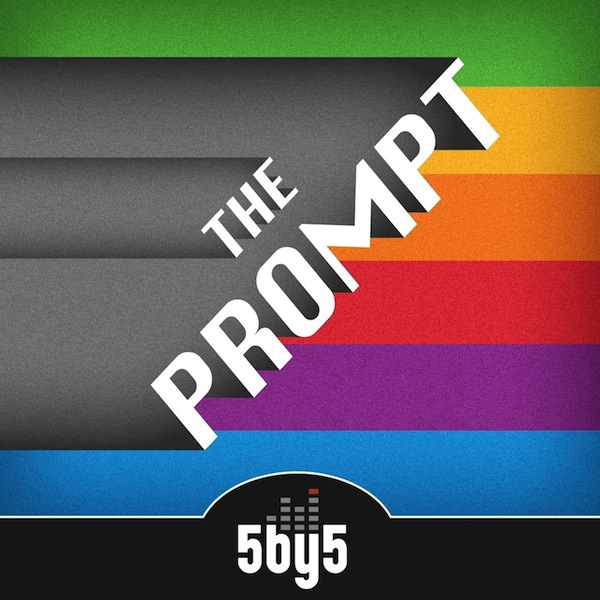
I have big expectations for The Prompt, and I hope that you’ll pardon my accent. You can follow @_theprompt on Twitter, and check out the beautiful artwork by Jory Raphael above.

Access Extra Content and Perks

Founded in 2015, Club MacStories has delivered exclusive content every week for nearly a decade.

What started with weekly and monthly email newsletters has blossomed into a family of memberships designed for every MacStories fan.

Learn more here and from our Club FAQs.

Club MacStories: Weekly and monthly newsletters via email and the web that are brimming with apps, tips, automation workflows, longform writing, early access to the MacStories Unwind podcast, periodic giveaways, and more;

Club MacStories+: Everything that Club MacStories offers, plus an active Discord community, advanced search and custom RSS features for exploring the Club’s entire back catalog, bonus columns, and dozens of app discounts;

Club Premier: All of the above and AppStories+, an extended version of our flagship podcast that’s delivered early, ad-free, and in high-bitrate audio.

Learn more here and from our Club FAQs.


Apple Starts Decorating Moscone West with WWDC 2013 Banners

With WWDC 2013 kicking off in San Francisco on Monday, Apple has today started decorating Moscone West for its five-day event. Last year, with WWDC starting on June 11, Apple began Moscone preparations on June 5, showing off colorful banners with app icons and, in the process, confirming iOS 6’s official new icon ahead of the conference.

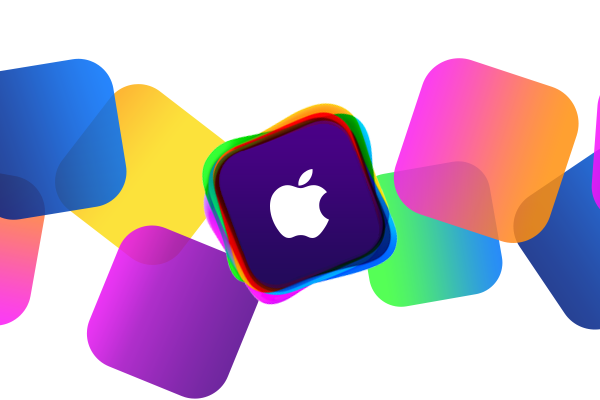
So far, banners put up by Apple at Moscone West are showing the same colorful graphics of the official WWDC 2013 logo that Apple unveiled in late April. While much has been said about whether the WWDC logo may hint at a visual refresh in the next versions of iOS and OS X, the shape used by Apple is simply reminiscent of iOS app icons – something that Apple has often used for WWDC banners.

This year, Apple is using the “Where a whole new world is developing” tagline for the initial set of banners.

We’re receiving the first photos from Moscone West, and we’re including them after the break. We will update this post with more photos as we receive them throughout the week. Read more

Access Extra Content and Perks

Founded in 2015, Club MacStories has delivered exclusive content every week for nearly a decade.

What started with weekly and monthly email newsletters has blossomed into a family of memberships designed for every MacStories fan.

Learn more here and from our Club FAQs.

Club MacStories: Weekly and monthly newsletters via email and the web that are brimming with apps, tips, automation workflows, longform writing, early access to the MacStories Unwind podcast, periodic giveaways, and more;

Club MacStories+: Everything that Club MacStories offers, plus an active Discord community, advanced search and custom RSS features for exploring the Club’s entire back catalog, bonus columns, and dozens of app discounts;

Club Premier: All of the above and AppStories+, an extended version of our flagship podcast that’s delivered early, ad-free, and in high-bitrate audio.

Learn more here and from our Club FAQs.


Dispatch: A New Email Client for iOS with App Actions and Snippets

Dispatch for iPhone

Dispatch for iPhone

In April, I wrote about Triage, my new favorite email app for iPhone. Here’s how I concluded my review:

Triage is based on a simple, efficient, and rewarding process that works by leveraging the iPhone’s most obvious gesture and one-handed operability. Unlike other new email apps, Triage doesn’t let you scan your inbox to turn messages into to-dos: it uses a one-message-at-a-time approach to see what’s up, what needs attention, and what can be kept for later.

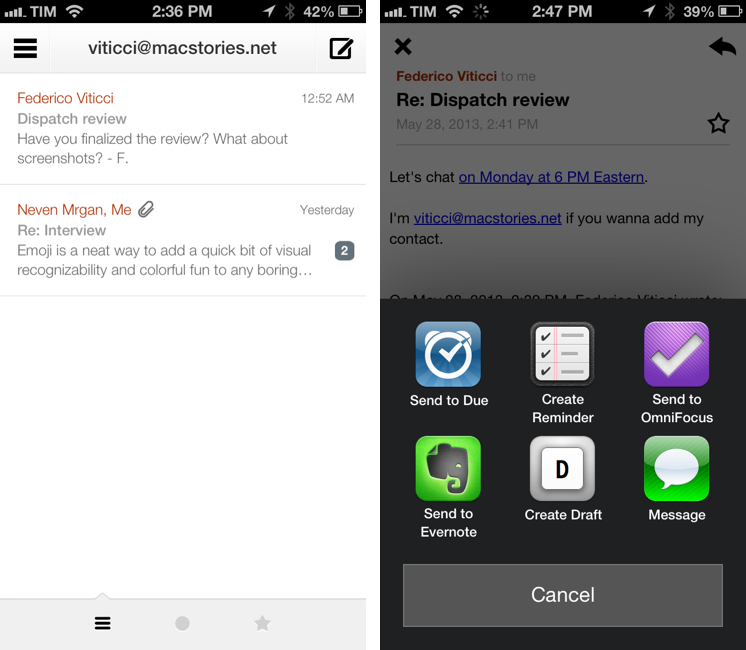
Dispatch, made by Muh Hon Cheng and Lin Junjie, is a new email client for iPhone that’s aimed at the later part. I have been using every day it for the past two months, and it’s now on my Home screen alongside Gmail and Triage.

As I explained in the past here on MacStories, my iOS email workflow was perfectly fine until Sparrow showed interesting new ways to interact with messages on the iPhone. Sparrow got acquired by Google, which, a few months later, came out with a completely revamped Gmail app that is now my primary client for searching and composing longer messages on the iPhone and iPad[1]. I don’t like how Google’s app relies on web views across several areas of the interface; in spite of Google’s additions, Gmail doesn’t make for a great experience to archive or delete emails with a one-handed operation. That’s what Triage is for.

At this point, I have two wishes left ungranted from email on iOS: a fully native Gmail app and a client with inter-app communication. Dispatch wants to be the second one. Read more

Access Extra Content and Perks

Founded in 2015, Club MacStories has delivered exclusive content every week for nearly a decade.

What started with weekly and monthly email newsletters has blossomed into a family of memberships designed for every MacStories fan.

Learn more here and from our Club FAQs.

Club MacStories: Weekly and monthly newsletters via email and the web that are brimming with apps, tips, automation workflows, longform writing, early access to the MacStories Unwind podcast, periodic giveaways, and more;

Club MacStories+: Everything that Club MacStories offers, plus an active Discord community, advanced search and custom RSS features for exploring the Club’s entire back catalog, bonus columns, and dozens of app discounts;

Club Premier: All of the above and AppStories+, an extended version of our flagship podcast that’s delivered early, ad-free, and in high-bitrate audio.

Learn more here and from our Club FAQs.