

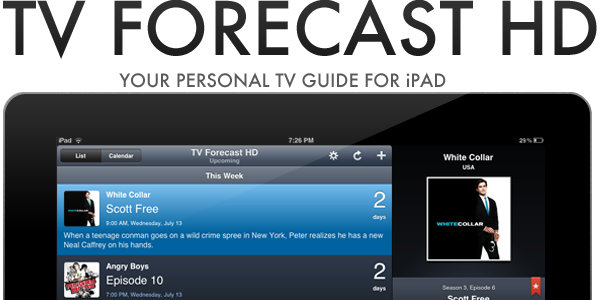
If you are anything like me, you probably don’t watch much live TV anymore; instead just watching a few shows a week on TV and the rest via an online catch-up service. If that sounds like you as well, you may be interested in a new iPad app that makes it easier to track when your favorite shows are airing on TV. The app, TV Forecast HD, is developed by Big Bucket Software (also the developer behind The Incident) and is an entirely redesigned version of TV Forecast, which is currently available for the iPhone. Jump the break for the full review of TV Forecast HD, which has just been made available today.
Posts in reviews
TV Forecast HD Is A Beautifully Refined iPad App That Keeps Track Of Your Favourite TV Shows
Simplify: A Spotify Music Controller and Artwork Widget for Mac
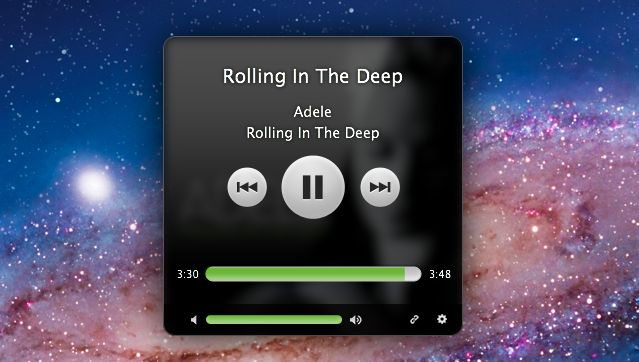
Spotify, the European music streaming service that has attracted millions of paying subscribers in the past two years, is finally launching in the United States, with some saying the big opening could happen as early as next week. For those not familiar with Spotify, the concept is very simple: instead of owning music, you stream it from the company’s servers that host a huge catalogue of songs from both major and less-known labels. You can build playlists, mark items as favorite, and pay to get unlimited access, higher quality bitrates, mobile apps and caching options for offline access. Whereas Apple’s upcoming iTunes Match service will scan songs you already own to mirror them online, Spotify lets you create your own online library of songs you don’t own (though a “buy” option has been recently introduced), but that you can stream at any time. It’s similar to other services like Rdio and MOG, but the company never managed to close a deal with US music labels and get the green light for launching its service until last week.
I’ve been a Spotify user for two years, and it’s completely revolutionized the way I listen to music. I still enjoy buying some music from iTunes, but Spotify’s biggest advantage over traditional marketplaces is that I can pay a monthly fee (or buy yearly access altogether with a gift card) to listen to just about anything I want, from any device. Spotify has a beautiful Mac client and an iPhone app that’s continually updated with new features; however, the company still hasn’t revealed its plans about an iPad app that would be much welcome one year after the iPad came out. Read more
MacStories Product Review: The Samson Meteor Mic
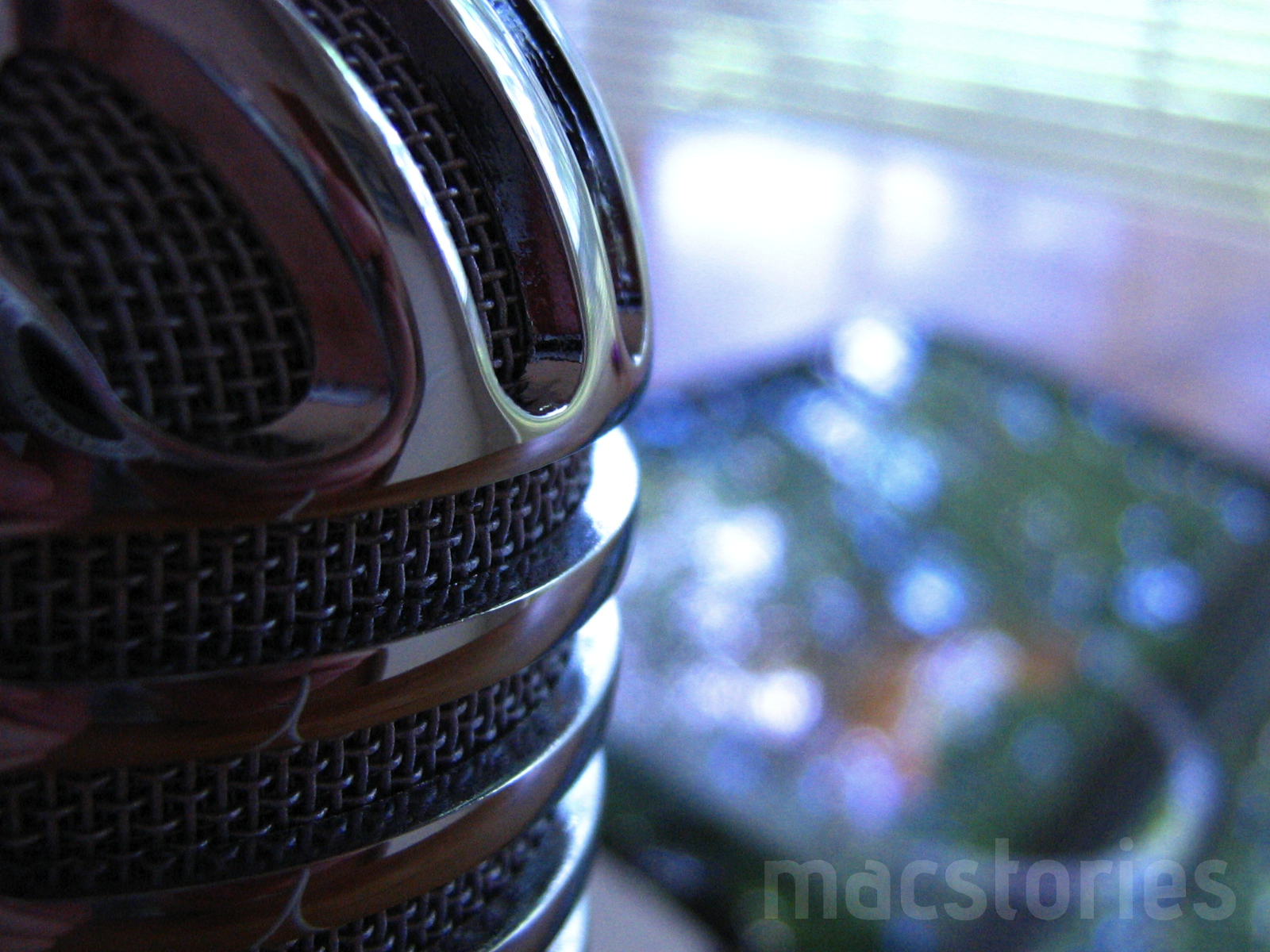
When it comes to podcasting, you shouldn’t have to be an audio expert like Dan Benjamin or Dave Hamilton. Audio equipment, mixers, those damn XLR cables — for someone who just wants to jump into garageband and hit record, there’s no need to buy $500 in equipment. You should, however, invest in an easy solution that’ll improve your game ten fold. Today, I’m looking at the Samson Meteor Mic, a $99 cardioid condenser microphone that’s perfect for podcasting on a budget.
Capture: The Fastest App To Record Video On Your iPhone
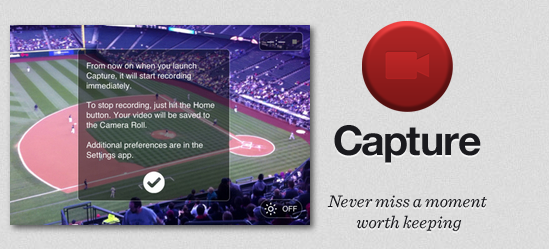
Released today at $0.99 on the App Store and created by the same developers of Canned, Capture is a minimal and simple utility for the iPhone that addresses a common issue with the iPhone’s Camera app: sometimes you need to capture a moment quickly, but the app takes too long to launch or switch to video recording. Brought to my attention by Ben Brooks, Capture is simply great at what it does: the developers describe it as “a record button for your home screen” and, really, that’s not too far from the truth. Capture starts recording a video as soon as you tap on its (beautiful) icon. You launch the app, and it starts recording after one second. No need to switch to the “video” tab as in Apple’s Camera, no need to wait because, and I don’t know how exactly, Capture is immediately available after you tap on it.
I can see why Capture could become an essential tool for many: by placing the app on the iPhone’s dock, you have quick access to video recording by pressing an icon. This is certainly useful for people who want to “capture” a particular moment in their kids’ life or, overall, users frustrated by the general slowness of Apple’s Camera when it comes to recording a video quickly. For reporters and citizen journalists, Capture might be exactly what they were looking for.
Capture is fast, elegant, lets you activate the iPhone’s Flash but has no support for switching between rear and front facing cameras yet. If you need an app to record video in seconds without waiting, get Capture at $0.99 on the App Store.
MacStories Product Review: The Toddy Smart Cloth

Our gadgets occasionally need a good wipe down thanks to our junk food stained fingers, and there’s nothing quite as gross as trying to watch your favorite Hulu and Netflix programming through a thin buildup of grease and fingerprints. You might not care to notice, but your iOS devices are probably filthy fingerprint magnets that you’ll rub on a pant leg or sweaty workout t-shirt just to clear away the sweaty fog. Even if it’s not about the germs, your devices deserve to shine unfiltered from any dirt or grime that’s accumulated on those glass displays. Today I’m looking at one amazing little cloth that’ll wipe away the sludge better than any towel or necktie I’ve ever used.
Take Five for Mac Updated to Give You More Control
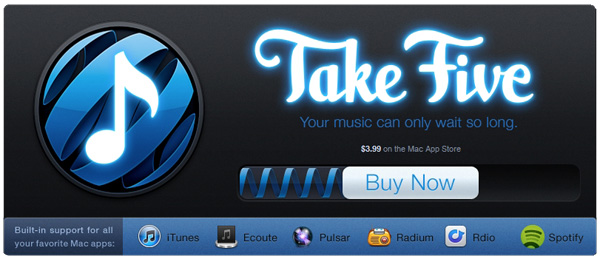
Back in March we covered Take Five for Mac from the Iconfactory crew. The app is simple and efficient and does one thing and does it very well – stopping and restarting your music so you don’t have to remember.
Today, Take Five has been updated to version 1.1 which may sound like a minor update but in actuality is very significant. Version 1.1 brings two new and requested features; one is the ability to pause music in the following apps/services: iTunes, Ecoute, Pulsar, Radium, Rdio and Spotify. The other is that Take Five can also now pause your music without a timer by holding down the option key while clicking the pause button. The update also addresses a bug where Take Five would stop responding when used with CoverSutra.
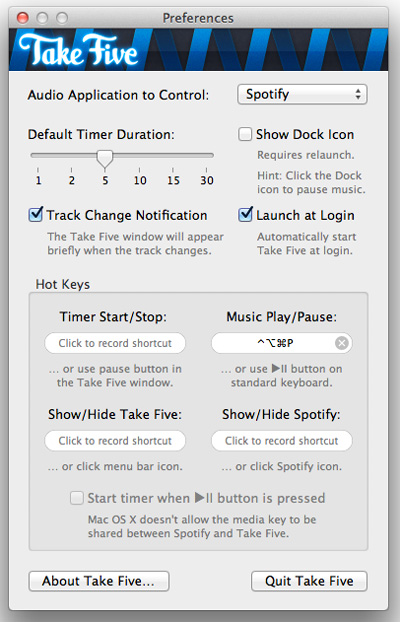
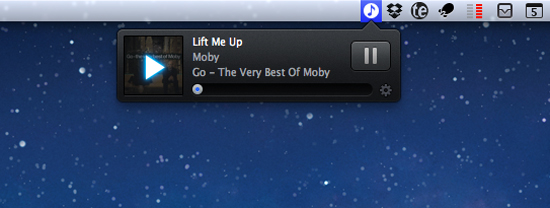
I am a heavy Ecoute user (and future Spotify user if it ever gets service in the US) and the additional control within the new Take Five is welcome. Spotify and Rdio users will also love the 1.1 update as well as users of the other services listed. Take Five is only $3.99 in the Mac App Store, or if you’re already a Take Five user, check for updates.
Review: Saver For iPhone, Expense Tracking Made Less Painful And More Beautiful
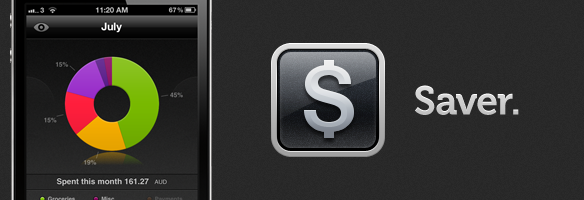
Just like flashlight apps, GTD apps and games, there are a slew of personal finance and budgeting apps within the App Store — navigating the ocean of similar apps to find a good one can be difficult. Today I am here to shine the spotlight on one such app that has just launched, which I suspect will be perfect for many of you. The app in question is Saver and it is available for the iPhone and iPod Touch — developed by Alex Solonsky and ‘Redmadrobot’. Jump the break for a full review Saver.
Swapp For Mac is One Impressive App When Working With Multiple Monitors
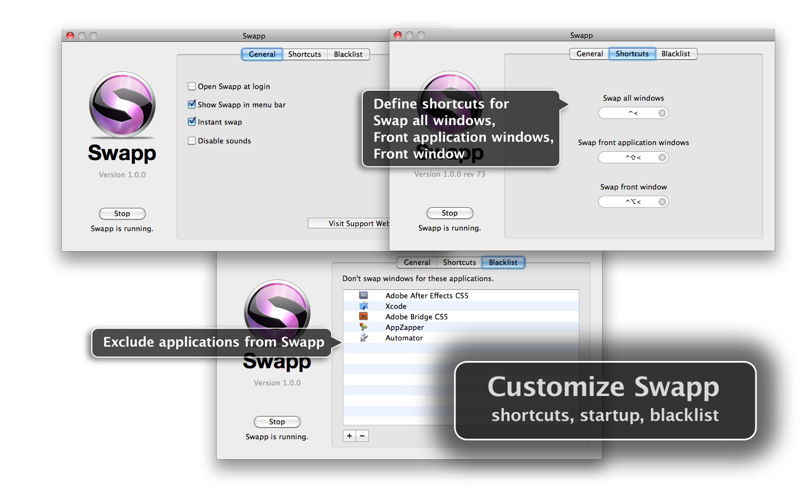
Okay you MacBook Pro plus Cinema Display users, I’ve got an app for you that impresses me more than the balls Tyler Glenn had to wish the USA a happy fourth of july with his pair of patriot boxers at this year’s iTunes Festival. (Can you tell I’m watching the Neon Trees today)? If you’ve ever wanted to swap windows between your MBP and Cinema Display monitors, move the front most window over, or move all of an app’s windows (say all of your open Safari windows) to the next monitor, Swapp for the Mac is impressive.
BeachWeather: A Weather App To Check On Your Favorite Beaches (With A Huge Database)
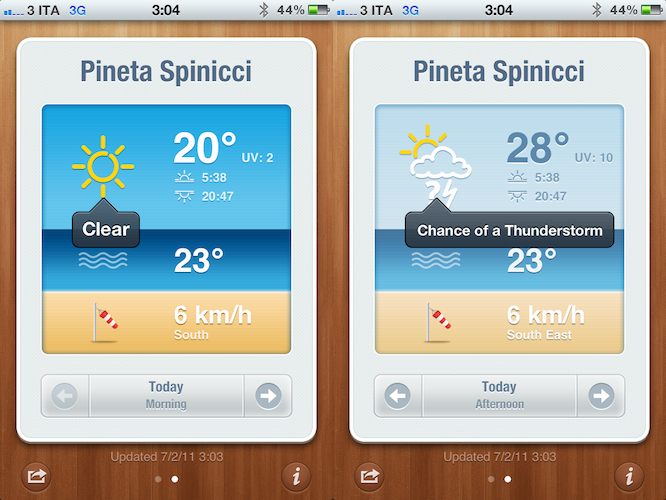
In the past few weeks, I’ve bought, reviewed and overall enjoyed a couple of different weather apps for my iPhone. Let alone the useful weather widget Apple is introducing with iOS 5, I’ve found myself going back to apps like WeatherSnitch and the recently updated Shine (which now includes data for international locations) to check on forecasts and the simple weather data I need to get by on a daily basis. This new app by StudioDalton, however, called BeachWeather, might just be what I was looking for this summer’s vacation: rather than a new default weather app to tweak by adding the locations of the beaches I’ll visit throughout this summer, a beautiful and focused weather utility that’s specifically aimed at checking how’s weather like…at the beach. By weather, I mean forecasts, UV index, wind speeds, and air & sea temperature – not the most complex data points when having to check on whether or not you can go to the beach with your friends and family.
BeachWeather, released today, impressed me because of its colorful design (which kind of reminded me of Robocat’s Outside for the general color scheme) and, more importantly, huge database of locations available inside the app. See, every year I go with my friends to a beach 45 minutes away from my town, and that’s not exactly a “popular” beach. Not one of those you see on television or rendered on tourist guides. It’s next to the camping I spent most of my summers in, and I still enjoy going there when I’ve got some free time. But it’s certainly not one of those beaches you constantly stumble upon on Google Image Search when you’re looking for “vacation in Italy”. Yet, BeachWeather’s database had this very specific beach available, alongside others a few miles away from it. None of those can be deemed as “popular”, nor do they often appear in other weather apps for the iPhone. In fact, unlike other weather apps, BeachWeather is, well, focused on beaches, not cities and towns. I don’t know what kind of online database/service the developers are using, but I was definitely impressed with my (local) results. Obviously, your mileage may vary depending on your location, but after taking a peek inside other countries’ locations I can say the database is really, really huge.
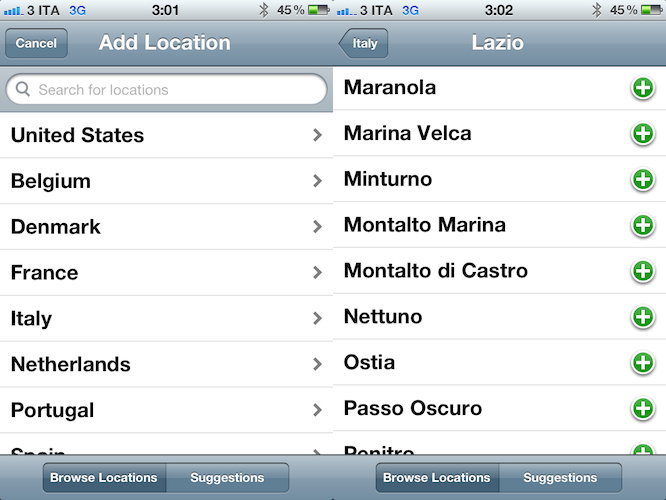
In the app, you can add multiple locations by browsing by country, or getting recommendations based on your location. Recommendations were accurate and, in fact, I added the first three ones the app suggested. When dealing with multiple locations configured in BeachWeather, the app presents a “card” interface to swipe between available beaches and check on weather forecasts. The app provides a 3 day forecast with data organized in tabs and associated with an icon or color depending on what’s the weather like. At the bottom of the card, you can navigate between Today: Morning, Today: Afternoon, Tomorrow: Morning, Tomorrow: Afternoon, and a forecast for the third day. A screenshot of the card can be shared on Twitter, Facebook, or via email, and you can tap on the forecast’s icon to get a translucent black popup telling you what does it mean – e.g. “clear” or “mostly cloudy”. In my tests, weather data from BeachWeather seemed to fall in line with those of other websites like the Italian Meteo.it or the universal Yahoo Weather. Other apps like WeatherSnitch, Apple’s Weather and Shine reported forecasts similar to BeachWeather.
BeachWeather is a real gem if you’re like me and you need an answer to the question “What’s the weather like at the beach today?”. You can download BeachWeather at $0.99 on the App Store.