Posts in reviews

A Look at SwiftKey Note

Third party keyboards have been showing up on iOS, not as system replacements, but as individual apps that aim to provide an alternative to Apple’s standard keyboard. Keyboard replacements on Android, and apps on iOS like Fleksy, aim to either provide an alternate method of inputting characters (such as swiping over characters with your finger) or predict what you’re going to say next.

Apple’s keyboard for iOS is good, but not great. Auto-Correct doesn’t provide the right balance of letting me decide what I want to say[1] without disabling it completely, and popovers dismiss corrections rather than select them. Apple’s keyboard feels counterintuitive, and dare I say Apple’s smaller displays don’t lend themselves well to cramped keyboards[2] with buttons for dictation and international keyboards.

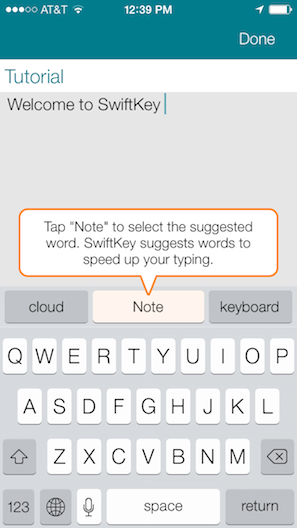
SwiftKey Note doesn’t replace Apple’s keyboard layout, but it does attempt to improve upon automatic corrections while offering easy-to-tap suggestions as you type. Does it hit the ball out of the park? Not completely, but it’s decent and for the most part has better suggestions than Apple.

Read more


Launch Center Pro for iPad Review

Launch Center Pro

Launch Center Pro

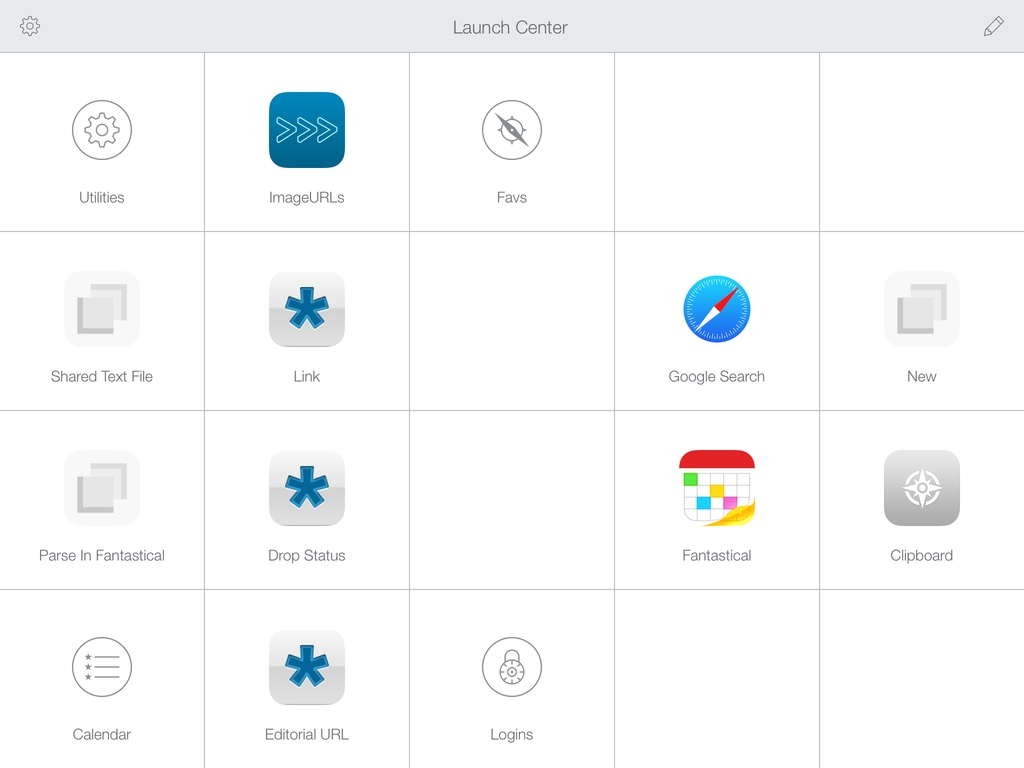
Contrast’s Launch Center Pro, the app that started the small revolution of iOS automation in June 2012, arrives today on the iPad with a new version (sold separately at $4.99) that takes everything you know about Launch Center Pro for iPhone and scales it up to the bigger screen. Launch Center Pro for iPad doesn’t do anything dramatically different from its iPhone counterpart: you can create custom actions, play around with Dropbox and clipboard integration, and do all the things that were possible in Launch Center Pro 2.1 – only now on your iPad too.

Finally.

Read more


Vox 2.0

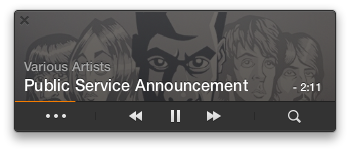
Vox is a simple and powerful drag and drop media player for the Mac, letting you drag in folders and individual tracks to create custom playlists. The app supports just about any media format, from FLAC to AAC to WAV, and has a built in equalizer so you can dial in the perfect sound. Vox has been around since 2007, and I’m amazed that it continues to be free.

I mentioned it briefly in the footnotes when I talked about GoodReader’s iOS 7 design, but there’s so much music out there that’s not in iTunes. Upcoming artists are putting demos and downloadable Mixtapes on SoundCloud, Bandcamp has become an avenue for independent game makers to sell soundtracks, and Amazon’s willing to send you the digital equivalent when you buy physical albums. If you love supporting your favorite artists, iTunes also ignores common perks that you get when preordering music direct, including exclusive tracks, different masters, custom artwork, and swag. A lot of music ends up in my Downloads folder, and instead of waiting on iTunes, I just drag my folders of newly acquired tunes into Vox.

Read more


Pushpin for Pinboard Updated with New iOS 7 Design, iPad UI, Search Improvements

Pushpin

Pushpin

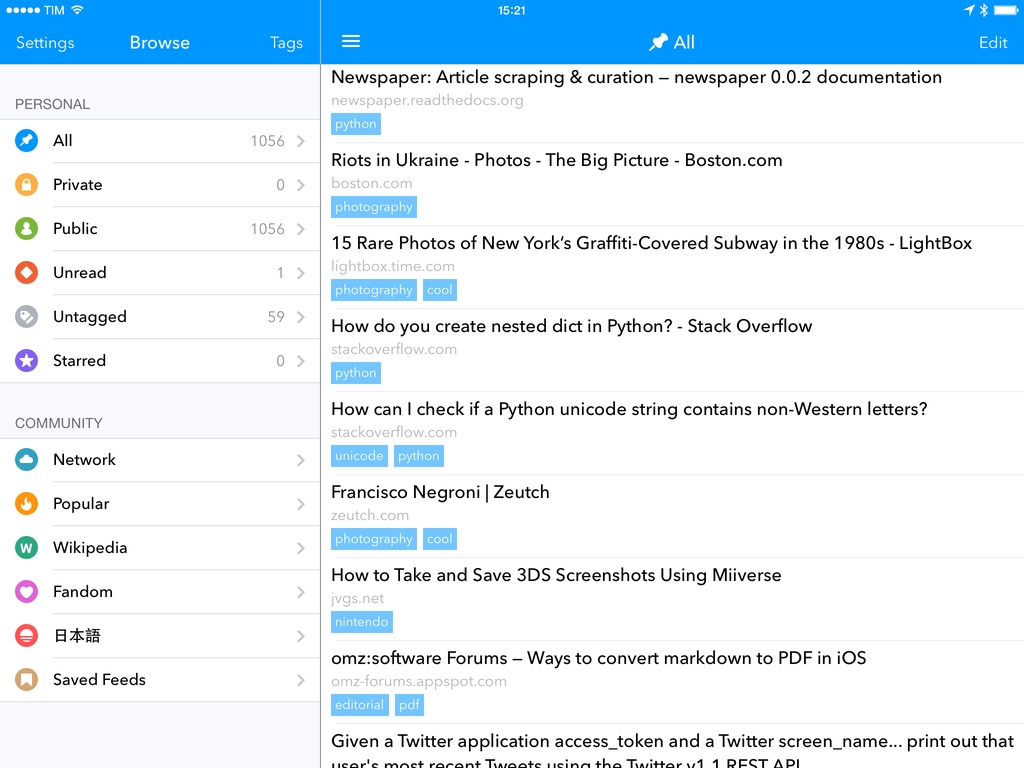
Pushpin, a full-featured Pinboard client that used to be my personal favorite before iOS 7, has today been updated to version 3.0, which brings a new design, a split pane interface on the iPad, and several other features. On the iPhone, I now prefer Pinswift, but Pushpin remains the best Pinboard experience for the iPad, which is where I spend most of my time bookmarking links and discovering new ones every day.

Read more


Etymologies, Pronunciation, and Notes with WordBook

WordBook

WordBook

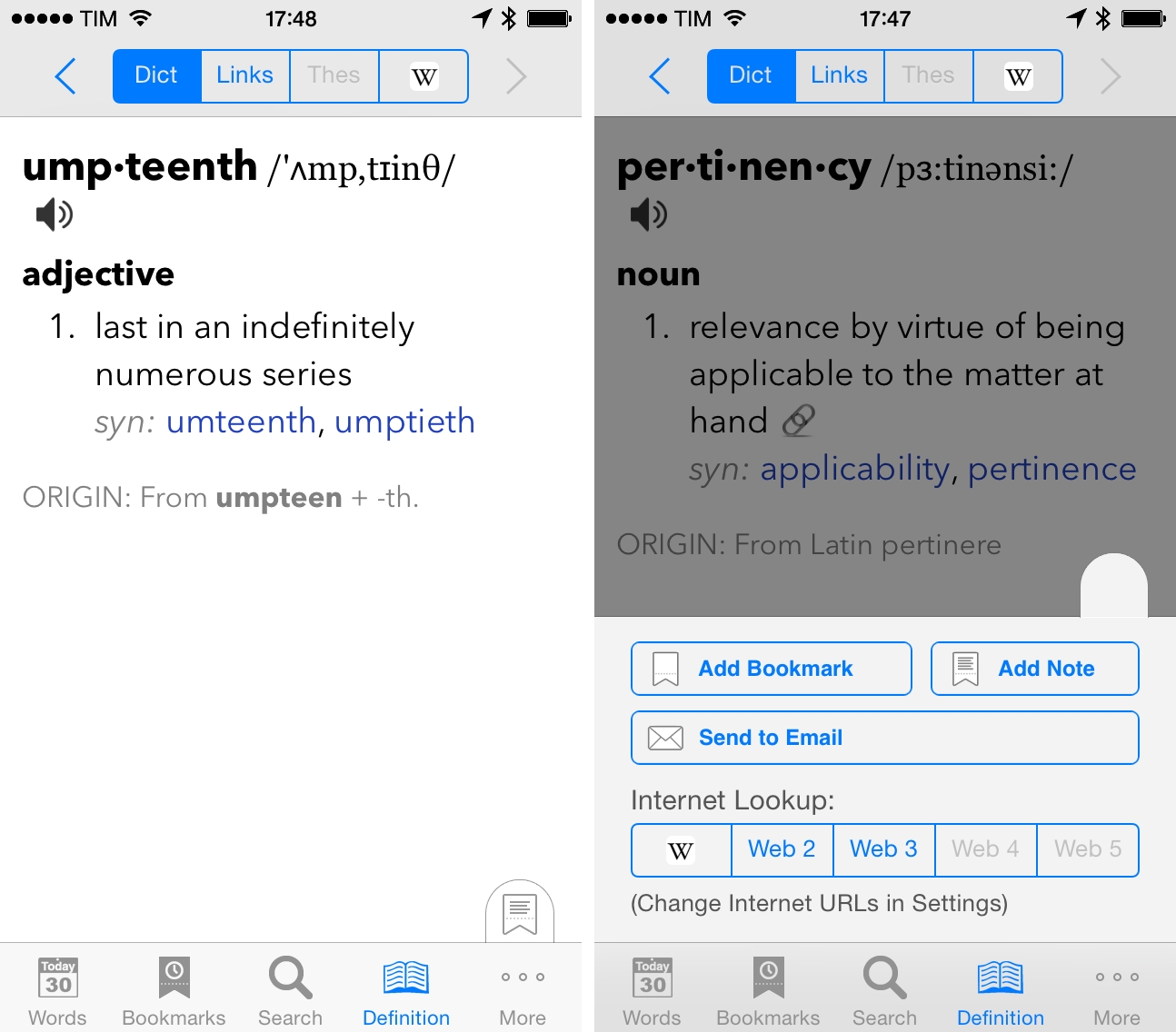
I was recently looking for a dictionary app that could handle standard dictionary features (thesaurus, synonyms, web lookups, etc) as well as user notes for words, and I decided to check out WordBook after reader Jeff Clatworthy recommended it to me on Twitter. As I mentioned last night on The Prompt, WordBook isn’t the prettiest app around, but it does exactly what I need for definitions and notes.

Because English isn’t my first language, I often want to associate Italian expressions with English words to remember the context of a definition – for instance, I would associate “for the umpteenth time” with “per l’ennesima volta” in Italian, which makes it easier for me to remember the word “umpteenth”. Surprisingly, I wasn’t able to find a dictionary app with this kind of feature (Terminology, my favorite one, doesn’t have one) and, of course, Apple’s built-in dictionary lookup functionality on iOS is limited to the basics. WordBook has an option to add notes to words and, in trying the app, I also found other features that I like.

Read more


Twitterrific 5.6 With Live Streaming

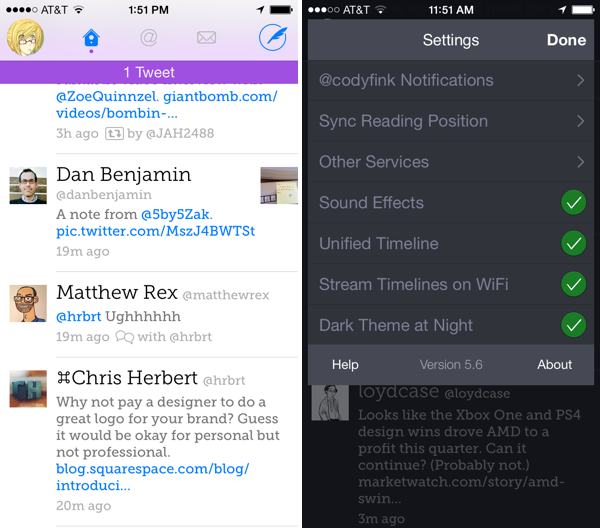
Hey! Live streaming for Twitterrific is really here. It works over Wi-Fi, and can be enabled by toggling the setting in the settings. Live streaming works similarly to “pin timeline” settings in other apps, where enabling live streaming makes it so that you’re always viewing the latest tweets in your timeline. You can scroll around, but the timeline will jump to the most recent tweet when left idle (useful for anyone who docks their iPhone in a cradle at their desk). On the flip side, Live streaming keeps the display turned on, which can unintentionally drain your battery if you set your phone down or forget to put it to sleep. I think it needs some fine tuning before it’s just right.

Something to keep in mind is that Twitterrific enabled background refreshing in a previous update, which fetches tweets when you’re outside of the app. If you only check the app a few times a day, Live streaming might not be such a big deal. If you’re always on Twitter, however, Live streaming is worth turning on, despite some caveats.

The other biggie found in Twitterrific 5.6 is list management. You can create, add people to, and remove people from lists. You can create and delete lists, as well as set whether they’re private. I would expect to find a lot of this functionality in the sidebar, but Twitterrific has it tucked away in a contextual menu. Creating and managing lists is done by tapping and holding on an avatar in your timeline, selecting “Manage in Lists,” and going from there. I kept looking for list settings, a hidden add button, and kept wondering what I was missing — it’s pretty well hidden. You can also get to it by tapping the gear icon when viewing someone’s profile.

As for the smaller things, you can now view images in Direct Messages, as well as copy discussions from the share menu.

Live streaming for Twitterrific has obviously been a long time coming. Twitterrific 5 has been a series of big incremental improvements, starting with things like Push Notifications and Muffling, and performance continues to blow me away. To celebrate their big update, Twitterrific 5.6 is $0.99 for a limited time in the App Store, and those who’ve previously purchased the app can download the update for free. And you’re getting a lot of bang for your buck: the app works across iPhone and iPad.

Perhaps the last remaining question is when is The Iconfactory going to bring these updates back to the Mac?


Imgur MemeGen

MemeGen

MemeGen

Occasionally1, I like to entertain my coworkers and online friends with memes based on inside jokes or Internet news.2 I’ve been trying a couple of meme generators for iOS over the past years, and eventually even thought about rolling my own solution with Python and PIL, but eventually gave up because that looked like too much work little potential for meaningful return.

Last month, Imgur released a free meme generator app for iPhone, which is pretty good and certainly better than many similar apps on the App Store. Imgur already hosts the majority of memes shared on Reddit, so it makes sense for the company to have a dedicated app with upload capabilities.

Read more


Redd, A Reddit Client for iOS 7

Redd

Redd

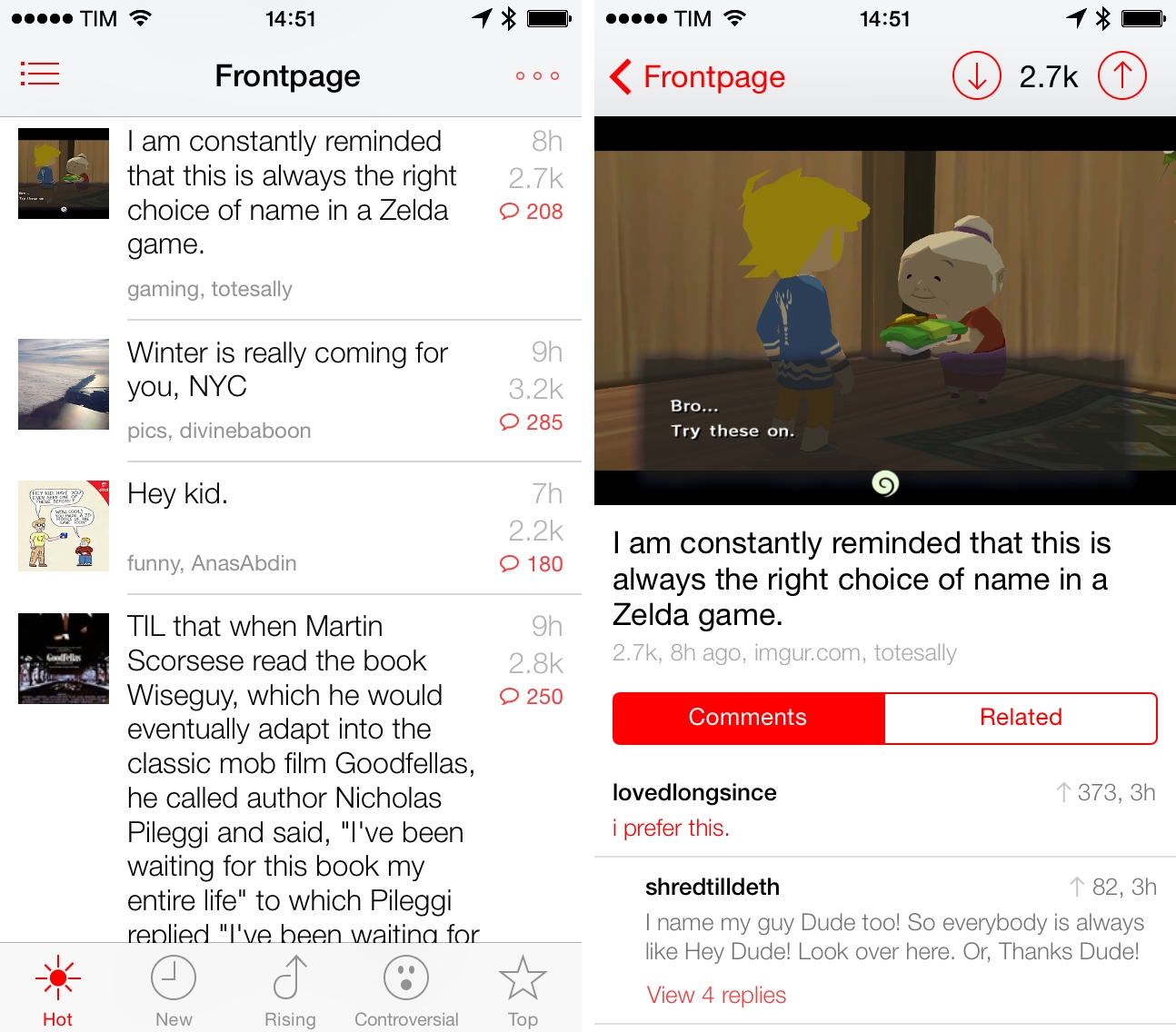
I’m not an active Reddit user, but I enjoy checking the front page and a few subreddits to stay on top of tech/gaming news and the latest meme. For years, I’ve been using Alien Blue on my iPhone and iPad to read threads, view links and photos, and navigate to my favorite subreddits, and I think that the app remains the premier Reddit client for iOS with tons of options and settings. I was curious, however, to try out Redd, a $0.99 Reddit client for iPhone specifically designed for iOS 7. Read more


MyPhotostream: A Lightweight Photo Stream Viewer for OS X

Myphotostream

Myphotostream

When it works[1], Photo Stream is convenient. The underlying principle is simple enough: you take a picture on one device, it automatically transfers to all other devices with iCloud.

In practice, it’s a convoluted feature. Apple is using quantity and time-based limitations for Photo Stream, which comprises both your Photo Stream (called “My Photo Stream”) and Shared Photo Streams, which are all part of iCloud, but only your Photo Stream counts against storage. I wouldn’t be surprised to know it took Apple more time to come up with Photo Stream rules than to build the actual technology. It’s difficult to explain, and I suggest listening to this Mac Power Users episode to grasp how Photo Stream works and what it can do.

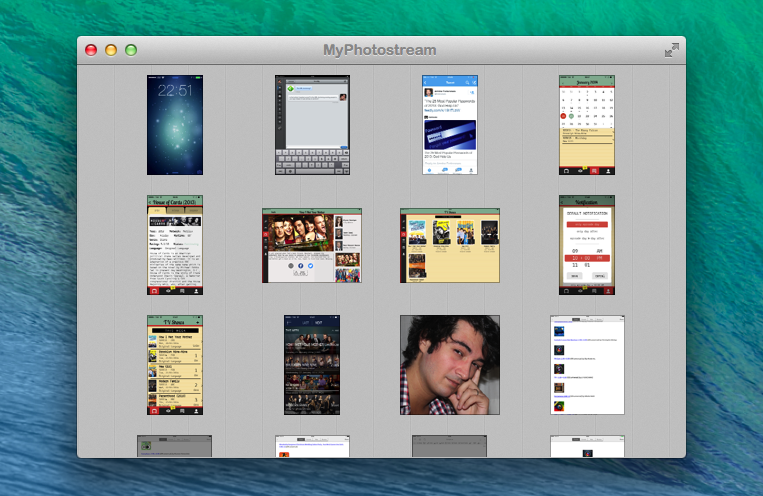
In my workflow, I have new solutions to quickly transfer photos from iOS to OS X or avoid my Mac entirely, but there are still times when I need/want to leave iPhoto running and drag photos out of it and into the Finder or another app[2]. MyPhotostream is a lightweight Photo Stream client that runs on your Mac and provides read-only access to your personal Photo Stream (not the shared ones). Read more