In the years I’ve spent working on iPad as my primary computer, I’ve learned to appreciate the platform’s advantages over the Mac (a richer app ecosystem and superior modularity, for instance), and I’ve accepted its limitations. Despite the advances in the past 18 months with iPadOS 14, the Magic Keyboard, and iPadOS 15, there are still several areas where iPadOS falls short: I can’t record podcasts on it with the setup I like (unless I deal with some ridiculous cable shenanigans); the Files app still lacks Finder features such as smart folders or the ability to navigate into hidden folders; and, due to Apple’s restrictions, iPad utilities like clipboard managers can’t run persistently in the background like they can on a Mac.
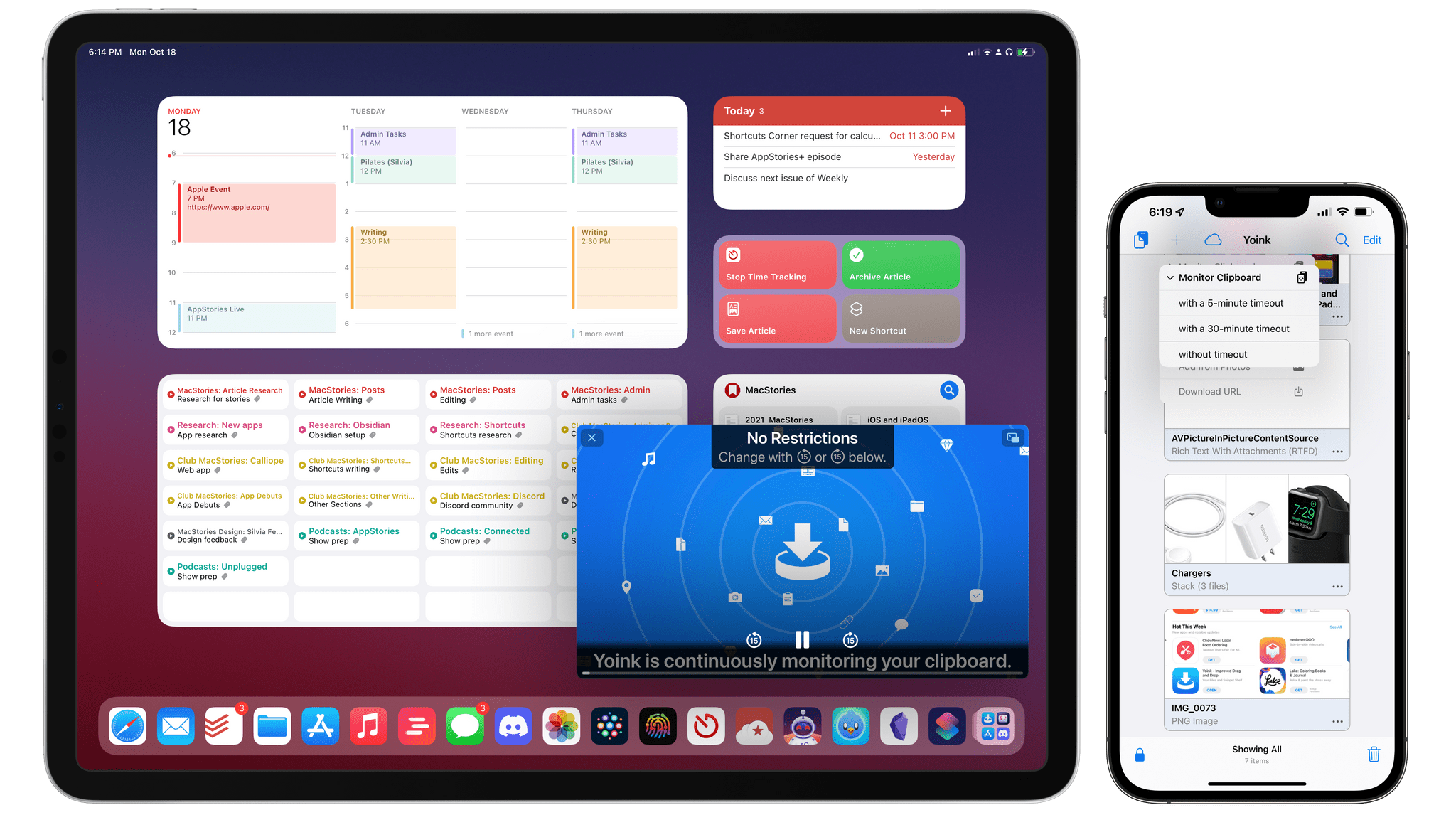
While I continue to believe Apple will have to address these issues in the next iterations of iPadOS, Matthias Gansrigler didn’t want to wait for Apple to let his clipboard manager Yoink run continuously in the background and automatically capture anything the user copies to the system clipboard. So, using a clever workaround made by possible by new APIs introduced in iOS and iPadOS 15, he figured out how to turn Yoink – already a capable and modern clipboard manager and shelf app – into a “true” clipboard manager that, like those you may have seen on macOS, can monitor everything you copy and automatically save it for you. The result is unlike anything else I’ve seen on iOS and iPadOS, and it unlocks the kind of flexibility and peace of mind I’ve long missed from macOS. It’s almost too good to be true, and I hope I won’t cause any trouble by writing about it.
Read more
This week, Federico and John are joined by Alex Guyot live in the Club MacStories+ Discord community for a special episode recapping and breaking down everything announced by Apple at its latest online event, including the Apple Music, HomePod, and AirPods 3 announcements and the all-new MacBook Pros.
Read more
As we covered on MacStories last month, one of the major additions to the Reminders app this year is the ability to create custom Smart Lists that filter your reminders based on various criteria. While Reminders doesn’t grant the same versatility seen in apps such as Todoist or OmniFocus for these custom views, there is...
It was a busy week on the Club MacStories+ Discord, and I’ve tried my best to collect highlights from the community below. There isn’t a Discord URL scheme to reopen these links in the Discord app directly; my preferred approach for these is to view them as separate tabs in Safari for iPad or Mac....
As I shared before on Twitter and AppStories, one of the sleeper hits of this year’s iOS and iPadOS release is the updated Reminders app. Although Reminders remains an approachable, lightweight to-do app that doesn’t burden casual users with options and settings, Apple managed to add complexity for those who seek more control in the...
Today, I’m pleased to introduce Apple Frames 2.0, an all-new version of my popular shortcut to put screenshots inside physical device frames of Apple products. The new Apple Frames, which you can download at the end of this post or on the MacStories Shortcuts Archive, has been completely rewritten so it’s faster and lighter, comes with support for the latest iPhone 13 lineup and iPad mini, brings support for framing iMac and MacBook Air screenshots, and, at long last, is available internationally in seven different languages.
This is a massive update to Apple Frames, so let’s dive in.
Read more
This week, Federico and John share a long list of iOS and iPadOS 15 tips, highlighting lesser-known features that they are using to get the most out of the latest versions of the OSes.
Read more
It was a busy week on the Club MacStories+ Discord, and I’ve tried my best to collect highlights from the community below. There isn’t a Discord URL scheme to reopen these links in the Discord app directly; my preferred approach for these is to view them as separate tabs in Safari for iPad or Mac....
As I continue to put my personal and professional life back together after the release of the iOS and iPadOS 15 review, I’ve finally had the time to sit down and figure out something that has been bothering me for a while: I’ve taken personal reminders out of my task manager and put them in...




 John
John