Federico Viticci

10876 posts on MacStories since April 2009

Federico is the founder and Editor-in-Chief of MacStories, where he writes about Apple with a focus on apps, developers, iPad, and iOS productivity. He founded MacStories in April 2009 and has been writing about Apple since. Federico is also the co-host of AppStories, a weekly podcast exploring the world of apps, Unwind, a fun exploration of media and more, and NPC: Next Portable Console, a show about portable gaming and the handheld revolution.

This Week's Sponsor:

Inoreader

Build your own newsfeed and cut through the noise


DropPhox: The Easiest Way From Your iPhone’s Camera to Dropbox

DropPhox, a $1.99 app by DaVinciWare, provides an easy solution to take pictures and videos on your iPhone, and instantly upload them to the popular service Dropbox, used these days by a plethora of applications and external services. The app’s tagline, in fact, is “Snap and send to Dropbox”.

Once authenticated with your Dropbox credentials in the settings, the app will create a folder in your Dropbox to save photos and videos shot on the iPhone. By default, the path is /DropPhox. In the in-app settings you can also choose to keep GeoTags while uploading, whilst you’ll have to head over the Settings app to modify other preferences. The selection here is pretty rich: you can edit the date format (International, US, Japan), choose the photo size (keep original, or automatically scale to 600x800, 960x1280, 1200x1600) and select the badges you’d like to see on the homescreen and tab bar. I particularly appreciate the possibility to choose photo size as most of my iPhone 4 pictures will end up being resized at 600x800 anyway.

With DropPhox set up to upload to Dropbox correctly, there really isn’t much else to say: open the app and start shooting. As you take pictures and videos, the queue will upload them to Dropbox in the background. It’s very nice. After taking a photo or video, you’ll only have to tap on an additional “Use” button to send stuff to Dropbox.

DropPhox could use some additional UI refinements, but it works well as a way to get photos and videos on to Dropbox in seconds. Sure, everything will depend on the speed of your Internet connection, and that’s why the size settings are very welcome (especially when using an iPhone 4 on 3G). Go download it here.


Apple Gets Back To Basics with Lion

Apple Gets Back To Basics with Lion

Great post by David Chartier at Macworld:

iOS and Mac OS X are symbiotic entities. When designing iOS, Apple distilled the Mac down to something pocketable, but the core concepts are there, such as an app-centric workflow, an always-accessible “home base” Dock, and a fierce pursuit of intuitive interfaces. After gaining knowledge and experience from nearly five years and four versions of iOS, Apple clearly felt that it’s time to return the favor in Lion. Apple is incorporating some of the fresh simplicity of iOS back into its point-and-click desktop computing platform that, at its conceptual core, is almost three decades old.

It’s all there in the first beta: AirDrop lets you share files in your local network with one click (and I wonder if iOS 5 will gain support for this feature). The Finder is streamlined, redesigned and it’s got Coverflow-like navigation in the icon view. There is a unified UI for managing Mail and Calendar accounts. The Launchpad really looks like an iOS homescreen. Mission Control, one of my favorites, brings Spaces, Exposè and full-screen apps all together into a simpler interface.

We only have one beta of Lion, but the future points in this direction: simplification.

Permalink

OS X Lion Adds TRIM Support for SSDs

Here’s some great news for SSD owners like me (on a 2008 unibody MacBook Pro) or people that bought a new shiny MacBook Air with integrated Flash storage earlier this year: the developer beta of Mac OS X Lion adds support for the TRIM command on SSD. As you can see in the screenshot above captured by MacGeneration, there’s a “Oui” (yes) next to TRIM command info.

What’s the big deal with TRIM support? To put it simply, operating systems like Snow Leopard that don’t have TRIM support will treat solid state drives as regular, spinning drives when writing and deleting blocks of data. Snow Leopard doesn’t exactly know it’s dealing with an SSD, and while you’ll notice incredible performance improvements in daily usage, the same performances will slowly degrade over time without TRIM support. TRIM correctly tells the operating system which blocks of data are no longer in use in the solid state unit, and the OS passes the information along to the SSD controller so it can wipe blocks internally.

Basically: this is great news for SSD aficionados and, looking forward, a smart move from Apple as the move to solid state drives in all Mac computers seems inevitable.


OmniFocus for iPhone 1.9 Released with Improved View Settings, In-App Browser

A major update to OmniFocus for iPhone was released yesterday in the App Store, including support for new view settings that make it easier to switch between next, available and remaining actions or all items saved in OmniFocus. The OmniGroup developers also improved the design of the date picker (start and due dates) which now has a series of shortcuts to increment the start or due dates quickly by 1 day, 1 week or 1 month. Admittedly, being able to jot down a due date without having to manually scroll a list was one of the features I was really looking forward to have in OmniFocus for iPhone.

Other improvements in version 1.9 include a rewritten in-app browser (finally, it is much more stable and incredibly useful for those users like me that insert a lot of web links in tasks’ notes), Map mode available from the main screen and the possibility to view dropped contexts in the Context list.

OmniFocus for iPhone is available here. Check out the full changelog below. Read more


iFixit Tears Down 2011 MacBook Pro

iFixit didin’t waste any time and, shortly after the release of the new MacBook Pros, tore down a 15” model to see the changes performed by Apple in this revision. It turns out, not much. Most changes are visible in the logic board (quad-core processor, AMD GPU, Thunderbolt chip) and in the way the battery is attached to the laptop.

A few notes from the teardown below.

Battery life decreased from previous generations, as Apple is performing more accurate tests with more realistic estimates (their tests include Flash installed while browsing the web):

No pentalobe screws;

iFixit thinks Apple made some improvements to wireless performance under the hood;

Broadcom BCM4331 chip.

The RAM in this machine is PC3-10600 RAM. That’s the same RAM used in the 2010 revision of the 21.5” and 27” iMacs, but different from earlier Apple laptops. PC3-10600 RAM is backwards compatible with the PC3-8500 RAM in older MacBook Pro Unibody machines, but you can’t use PC3-8500 RAM in this machine

The wireless card bracket is aluminum, rather than the plastic in previous revisions. Perhaps this change was made for thermal reasons, as a visible pink thermal pad is used to transfer heat from the board to its aluminum bracket.

Holy thermal paste! Time will tell if the gobs of thermal paste applied to the CPU and GPU will cause overheating issues down the road.


Rumor: iTunes In The Cloud Will Let You Backup Your Music Collection, Stream It

At a shareholders meeting yesterday, Apple clarified its position on the massive data center they’ve been building in Maiden, North Carolina confirming that launch is set for a Spring 2011 and it will to host the iTunes and MobileMe services. Many, however, have speculated in the past months whether the move of iTunes to the cloud would bring a new way of streaming songs and albums sold in the iTunes Store through a monthly subscription, or an easy-to-use way of uploading your personal media to the cloud.

According to a new report by the Financial Times, the iTunes online service will simply function as a backup solution for your music collection, which will be available over the internet on all Apple devices.

Apple, which rocked digital music services such as Pandora, Rdio and MOG last week by announcing plans to keep 30 per cent of all revenues from subscriptions taken out through its App Store, has clarified its plans for using remote storage, known as the cloud, according to several music industry executives.

More than a year after buying Lala, a cloud-based digital music service, Apple is now looking to use the cloud mainly to allow users of its iTunes store to back up their collections and access them from any Apple device.

One person with knowledge of Apple’s plans said the company did not want to undermine the market that it dominates for paid downloads, likening its plans for the cloud to “insurance”.

Rumors surfaced in the past weeks suggested Apple was working on a new version of MobileMe that would work as a “locker” for your personal media, stored in the cloud and accessible from all your Mac and iOS devices. Such a system would not compromise Apple’s lead in the digital music distribution market, but would let users upload their music to an online service always available. In the meantime, Google is rumored to be finalizing the details of its Google Music service for Android devices, and European company Spotify is reportedly nearing a U.S. launch after closing deals with major music labels. Spotify lets you stream any song available in the service’s online library through a monthly Premium subscription; it appears at this point that Apple is building the exact opposite, a cloud service that will let you backup / stream the songs and albums you already own.

References of a “MediaStream” service found in the iOS 4.3 SDK suggested Apple might be working on a new platform to allow users to stream their media from the cloud to iOS.


Engadget’s Hands-On With The New MacBook Pros

The folks at Engadget got their hands on a new MacBook Pro, a $2,199 configuration with 2.2GHz quad-core i7, AMD Radeon HD 6750M, 750 GB hard drive, 4 GB of RAM. The machine “clocked a preliminary GeekBench score of 9647”. Unfortunately, they can’t test Thunderbolt devices right now:

We just got our new 15-inch MacBook Pro review unit, and although it looks almost exactly the same as the previous MBP, it has that fancy new Thunderbolt icon on the side, which ought to make I/O nerd hearts flutter the world over. Unfortunately, there aren’t any Thunderbolt peripherals on the market yet, so we can’t really test the new connection yet, but we can report that backwards compatibility with Mini DisplayPort performs as advertised and that all of our display adapters worked without issue – the first time we can ever remember Apple switching a standard and not requiring all new dongles.

They saw a demo with a prototype Promise RAID unit, however:

We also watched a 5GB file transfer in just a few seconds – all very impressive, but we’re definitely anxious to try some of this stuff ourselves once Thunderbolt devices start shipping sometime in the spring.

This is why Thunderbolt will (sooner or later) change the way we think of desktop connectivity.


BGR: iOS 4.3 GM Next Week, Build 8F190?

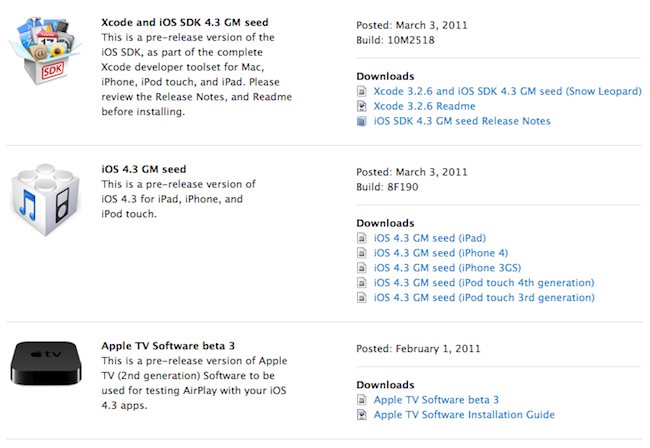
Boy Genius Report claims Apple has finalized the code of iOS 4.3 and a GM build with version number 8F190 should be available in a few days, perhaps next week. We’ve heard Apple was set to release this build weeks ago, but major issues were found in Bluetooth connectivity, AirPlay and camera roll, among others.

One of our Apple sources has just informed us that it looks like Apple has finalized the code for its upcoming iOS 4.3 release. The build, we’re told, is 8F190 for those keeping track.

At this point it seems clear that Apple will announce the availability of the GM build at next week’s media event, where the next-generation iPad will be unveiled as well. The iPad 2 is rumored to run an updated version of iOS 4.3 with FaceTime and Photo Booth enabled.


OS X Lion Apps Require Xcode 4.1 [Update: Released]

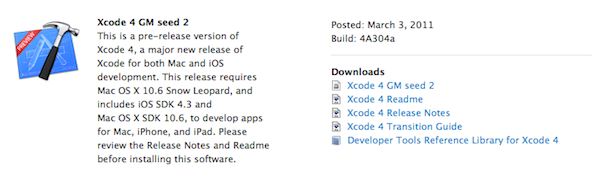
So, Apple released the first developer preview of OS X 10.7 Lion today. While we’re updating our post with all the details as they come in, we have noticed on the developer website that Xcode 4.1 will be required to build apps for Lion.

You will need to build and compile your apps for Lion using Xcode 4.1 Developer Preview. This version of Xcode is only for developing and testing your apps for Lion. Continue to use Xcode 3.2.5 on a Snow Leopard partition if you plan to submit Mac or iOS apps to the App Store.

The new build of Xcode isn’t available yet, the Dev Center is under heavy traffic right now, but we’ll keep you posted as Apple releases Xcode 4.1 to developers. Read more