Federico Viticci

10876 posts on MacStories since April 2009

Federico is the founder and Editor-in-Chief of MacStories, where he writes about Apple with a focus on apps, developers, iPad, and iOS productivity. He founded MacStories in April 2009 and has been writing about Apple since. Federico is also the co-host of AppStories, a weekly podcast exploring the world of apps, Unwind, a fun exploration of media and more, and NPC: Next Portable Console, a show about portable gaming and the handheld revolution.

This Week's Sponsor:

Inoreader

Build your own newsfeed and cut through the noise


Apple Online Store Running Out of iPad 1s

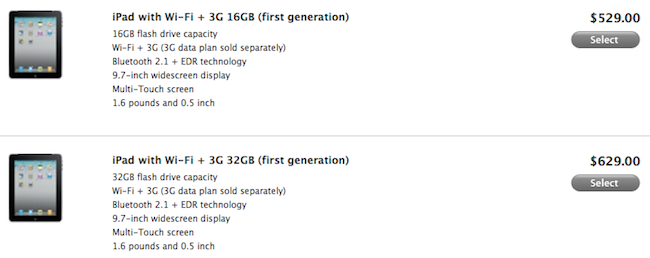
Planning to get your hands on the original iPad? Perhaps at a nice discounted price directly from the Apple online store? It might be too late, at least if you’re looking for cheap, WiFi-only models. When Apple announced the iPad 2 on March 2, we noted the company was getting rid of stock in its Clearance webpage; the original iPad was sold at $399 – $100 off, not a bad deal if you didn’t care about the new features of the iPad 2.

Now the Apple online store is selling the last units available, and they are WiFi + 3G 16 GB, 32 GB, 64 GB models. The most expensive ones, and likely the most difficult ones to get rid of in a few weeks. Still, if you really want to get a 3G iPad 1 that runs on AT&T’s network, head over here and click the Buy button. [via Macgasm]


More Than 75,000 iPad Apps Are Now Available

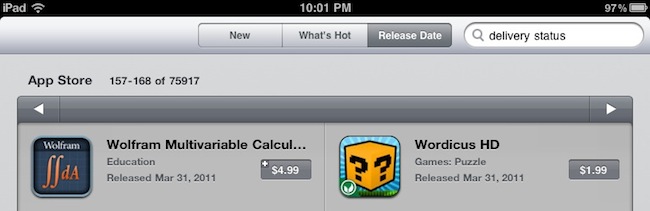
Back in December, we ran a story about the incredible rise of native iPad software in the App Store: in nearly 260 days since the release of the original iPad in April 2010, third-party developers created more than 50,000 apps specifically for the device. As the iPad was a relatively new device in 2010, that was quite an accomplishment. Especially considering that the iPad App Store had “only” 20,000 apps in August, and 10,000 in June. By the end of 2010, Apple closed with roughly 60,000 native apps available for iPad owners.

In the past months, however, many interesting things happened in the tablet market: Apple announced and released a successor to the iPad after much speculation, Google unveiled a version of its Android OS meant for tablets, Android Honeycomb. Motorola was first to release a Honeycomb-based tablet, the Xoom, which is capable of running Android apps built from scratch for the tablet form factor – rather than blown up versions of smartphone apps. On the other hand, RIM will release its BlackBerry PlayBook onto the market in a few weeks – this one is also capable of running Android apps alongside native BlackBerry apps. Other manufacturers will follow throughout 2011 with their own vision for “the tablet”.

Back to the initial point, anyway. If there’s one segment (let’s just forget about tech specs for a minute) where Apple has a huge advantage over its competitors, that would be the App Store. Since our report from December, the iPad App Store has grown to accomodate over 75,000 native apps – even more than the ones mentioned in Apple’s press releases. Compared to 20 apps available for the Xoom, I think we can all agree that’s a huge advantage for Apple. And even if geeks can say “most of those 75,000 apps suck”, the numbers still hold true: 75,000 apps are available, the 100,000 milestone will be reached in a couple of months. And Apple will make a strong remark about that figure at their next public event. Perhaps at the WWDC itself where, and everything falls into the place, a new version of iOS will likely be announced and demoed.

75,000 apps for the iPad doesn’t come as a surprise if we consider Apple’s powerful marketing machine and the iTunes Store infrastructure. But to think the iPad came out 365 days ago and now we can choose from a selection of 75,000 different apps – I believe that says something about the current status of the tablet market.


Rolando Comes Back with iOS 4 Support and Retina Graphics

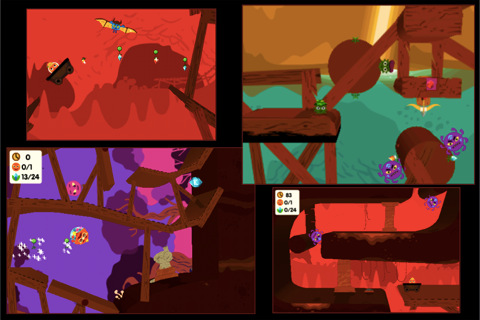
Back in 2009, Rolando was one of my favorite games on the iPhone. The game featured fancy colored graphics and the whole gameplay revolved around these cute tiny creatures called, indeed, “rolandos” that you had to control with your fingers to avoid enemies, and complete levels. The game became an instant hit in the App Store, with game publications posting raving reviews about it and Apple featuring it for weeks in the App Store. The success was well-deserved: top-notch graphics and a great gameplay had been implemented into a multitouch experience that, back then, was an example of true excellence for the platform.

Then the iPhone 4 and iPad came along, iOS 4 was released, Retina Displays pushed into the market and, like many other 2008-2009 games, Rolando disappeared from the charts due to lack of updates from the developers. Finally, this is changing today with the release of new versions of Rolando 1 and Rolando 2 for iPhone that support the latest iOS 4.x and the Retina Display, and also fix an issue with corrupted saved games. I’ve just installed the apps on my iPhone (again), and they really shine on the Retina Display. The gameplay is still the same as this is just a “technical” release aimed at enhancing OS compatibility and graphics, but it’s enough to let me play Rolando all over again.

If you’ve never tried Rolando and you need a new game in your collection, here’s your chance. Both Rolando 1 and Rolando 2 are currently available at $0.99 in the App Store.


Boxcar Beta for Mac Now Available

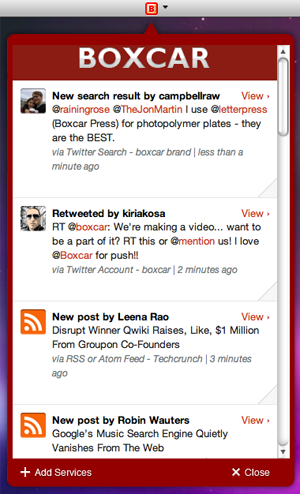
Popular notification service Boxcar is taking a huge step forward in delivering a continuous stream of updates and notifications to millions of users with the release of a desktop client, specifically built for the Mac. As reported by MG Siegler at TechCrunch, the Mac version of Boxcar follows the steps of the iOS and web apps: once logged in with your Boxcar account and configured the online services you’d like to keep an eye on, the app will sit in the background and “listen” for changes that interest you happening across Twitter, Facebook, RSS feeds, your Gmail account and more. As new things happen while you’re busy working or browsing the web on your computer, Boxcar will “push” a notification to your desktop alerting you of what’s new.

The Mac app sits in the menubar and has support for Growl, a customizable notification service Mac users know and love. One of the biggest advantages of Boxcar over its iOS competitors is the unified dashboard that gives you instant access to your favorite services with just a few taps; the iOS interface got lost in the transition to the Mac, with the developers adopting a cleaner and simpler list of notifications you can scroll with your trackpad. Of course, there are buttons to open notifications in the browser, but it’d be nice to have deeper integration with other native Mac apps such as the official Twitter one. This is a first beta anyway, so I guess more updates will come soon with features and enhancements. The Mac app has also an option to “mute” notifications.

The Boxcar beta for Mac is available as a free download here. More screenshots below. Read more


Finally: Twitter Has Killed The Quick Bar

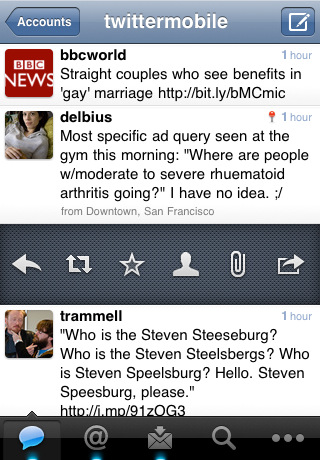
Following user criticism (an euphemism) and complaints from several aficionados of the official iPhone client, Twitter released an update to the iOS app today, and they have removed the Quick Bar. Kindly called “dickbar” by many users on Twitter in the past weeks, the bar used to appear along the top of the main timeline to show promoted and regular trends. We didn’t like it. Nobody liked it. And now it’s gone.

In an official blog post, Twitter explains:

Rather than continue to make changes to the QuickBar as it exists, we removed the bar from the update appearing in the App Store today. We believe there are still significant benefits to increasing awareness of what’s happening outside the home timeline. Evidence of the incredibly high usage metrics for the QuickBar support this. For now, we’re going back to the drawing board to explore the best possible experience for in-app notification and discovery.

Twitter also says the Quick Bar could have evolved into a full-featured notification system for mentions, direct messages, and more. I guess we’ll never know at this point, or perhaps in-app visual notifications will be implemented in other ways in the future. We’ll see.

The updated, Quick Bar-free Twitter app is available in the App Store now. The latest version also introduces bug fixes, and we hope the company is referring to the annoying DM bug here. The bug has been around for ages now, it was fixed in a previous update, then it mysteriously came back. It’d be nice to see that gone, too.


Google Is Developing A Facial Recognition App [Updated]

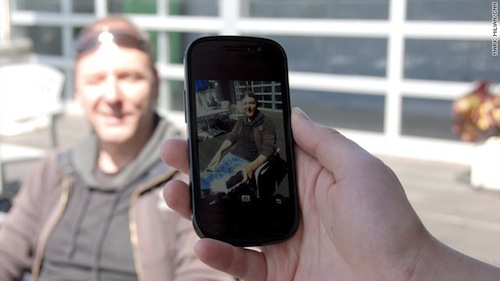
CNN reports today Google is working on a brand new facial recognition application for mobile devices, allowing users to snap pictures of their friends and automatically be redirected to a person’s public Google profile. The details on the availability of the app are scarce – the CNN report doesn’t specify whether this new app is being developed for Android or iOS devices – but it still provides insight into Google’s latest experiment that should revolutionize the way people interact with each other using mobile phones.

The app doesn’t have a name just yet, nor did any screenshots surface. But, as confirmed by engineering director Hartmut Neven, the project is being heavily tested at Google Labs with a specific focus on privacy concerns – which have always been an issue for a large company like Google that has access to millions of people’s data, email, profile information, and so forth. The app promises multiple scenarios of interactivity: a user could take a photo and automatically check out a person’s Google Profile (Google recently redesigned Profiles to make them more public and, looking forward, similar to Facebook) or browse photos shared on Facebook, Twitter and Flickr to see whether the algorithm developed by Google can recognize photos shared on social networks. However, Google told CNN that they’re looking to improve their privacy system and settings before the app is released.

Google acknowledges the nefarious ways someone could leverage facial-recognition technology. Many people “are rightfully scared of it,” Neven said. “In particular, women say, ‘Oh my God. Imagine this guy takes a picture of me in a bar, and then he knows my address just because somewhere on the Web there is an association of my address with my photo.’ That’s a scary thought. So I think there is merit in finding a good route that makes the power of this technology available in a good way.”

Neven and a Google spokesman described the facial-recognition app concept as “conservative” in relation to privacy.

It is very likely that Google will implement an opt-in system of sorts to allow users to tweak their privacy settings on various levels and enable the facial recognition software to have access to personal information. For example, Google could make sure that only “friends” or “friends of friends” can snap pictures and be redirected to a Google Profile in the browser, or the mobile app. Google isn’t new to image recognition technologies on mobile phones: their Goggles app, also available for iPhone, lets users take pictures of real-life objects and get relevant search results for the recognized product. The Goggles app can also recognize ads, and play Sudoku. Last year, Apple bought a Swedish company specialized in facial recognition and has been rumored to be willing to implement the technology in iOS since then. Apple also does facial recognition on the desktop with iPhoto, which can recognize contacts in photos and automatically sort people with the “Faces” interface.

Update: In an interesting twist of events, Google has reached out to claim that the CNN reporter “invented” the story about facial recognition linking to public, personal data. Engadget reports:

Google has reached out to clarify that there are no plans to introduce functionality of this sort yet, not without “a strong privacy model in place.” More importantly, however, the linking of facial recognition to personal data is described as “inventions of the reporter” rather than something the company’s actively pursuing.

Update #2: A CNN spokesperson sent us a statement about today’s Google story. CNN stands by their report, thus adding more questions as to whether or not Google is really building a mobile facial recognition product, but doesn’t want press or consumers to speculate about it just yet.

Google’s claims do not fit the facts of the situation. This interview was prearranged – on the record – and staffed by a Google PR rep, who raised no objections at the time and did not deny what the engineer said. Additionally, we have an audio recording of the interview, as does Google. We stand firmly behind Mark’s reporting.

Update #3: Just to put things in context, here’s what (former) Google CEO Eric Schmidt said about Google’s vision for search months ago:

Ultimately, search is not just the web but literally all of your information – your email, the things you care about, with your permission – this is personal search, for you and only for you.

We can suggest what you should do next, what you care about. Imagine: We know where you are, we know what you like.

A near-term future in which you don’t forget anything, because the computer remembers. You’re never lost.



Boxee To Bring iPad Support In May

Boxee, the company that produces a media center for a variety of platforms and devices, has announced with a blog post that the upcoming firmware update will bring support for the iPad, among other features. Boxee is aiming for a new firmware release every 3 months, and the new one should come out in May. iPad support aside, the update will bring improvements to the browser, playback controls and localization in French, German, Hebrew, Italian, Spanish, Swedish.

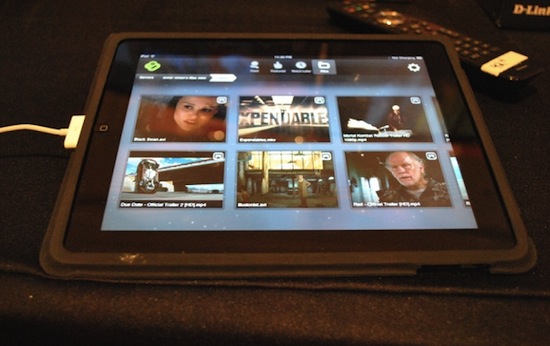
The Boxee iPad app was initially announced last year and previewed at the CES 2011 in January. Allowing users to consume video on the go and send content to other Boxee devices, the app will also enable users to stream videos from a Mac or PC by installing a server application on their computers that will handle conversions for video formats not natively supported by the iPad. Other details on the integration with the iPad software and Boxee devices are still unknown, but we’re sure the developers are up to something great as the app has been in the works for months and it appears it’s almost ready for submission to Apple now.

You can read more at Boxee’s official blog and check out a demo video of the iPad app from CES 2011 below. A Boxee remote app for iPhone and iPod touch is already available in the App Store.
Read more


iDroplets: Tiny Rubber Feet For Your iPad 2

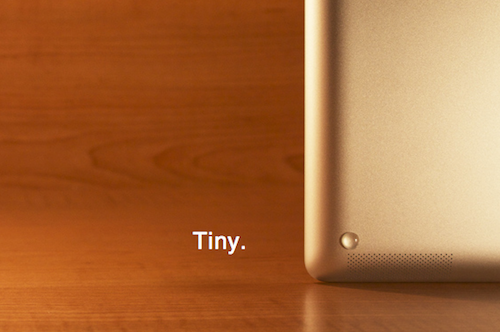
After using the iPad 2 for a while, I’ve noticed two things: the thinner and flat design makes for an incredibly better grip in my hands; second, it’s harder to pick it up from another flat surface (like a desk) than the original iPad and it tends to “slide” and move a little bit. Designer Morgan Allan Knutson apparently thought the same thing and created the iDroplets, a set of tiny rubber feet that attach to the iPad 2 with ease and also protect the edges of the device while it’s being used in typing mode with a Smart Cover.

The iDroplets cost $5 with free global shipping (as long as normal postage can reach your country) and we think it’s a pretty damn good idea. Sure you can do this by yourself if you buy four little rubber feet, but we like to support indie projects here at MacStories. So head over the (elegantly designed) product webpage, and order your iDroplets now.


Global Marketing VP Allison Johnson Is Leaving Apple

Global Marketing VP Allison Johnson Is Leaving Apple

John Paczkowski at All Things Digital reports this morning Apple’s Global Marketing VP Allison Johnson is leaving the company after 6 years for a new marketing firm she has co-founded with a former Facebook PR executive.

At Apple, Johnson has managed global advertising for some of the company’s most revolutionary products and the iconic ads for them. Those ads have been created by TBWA\Chiat\Day, which plays a powerful role at Apple.

Of course, this key part of Apple’s business is watched over closely by CEO Steve Jobs, to whom Johnson has reported directly.

Johnson, former senior vice president of marketing at HP, came to Apple in 2005 to “take a top marketing post” during the sales explosion of the iPod line. Johnson lead several of Apple’s marketing campaigns since then, and it’s surely a big loss for Apple. In January, Apple’s Design Director Sarah Brody left the company as well for Paypal.

Permalink