Federico Viticci

10640 posts on MacStories since April 2009

Federico is the founder and Editor-in-Chief of MacStories, where he writes about Apple with a focus on apps, developers, iPad, and iOS productivity. He founded MacStories in April 2009 and has been writing about Apple since. Federico is also the co-host of AppStories, a weekly podcast exploring the world of apps, Unwind, a fun exploration of media and more, and NPC: Next Portable Console, a show about portable gaming and the handheld revolution.

Six Colors’ ‘Apple in 2021’ Report Card

For the past seven years, Six Colors’ Jason Snell has put together an ‘Apple report card’ – a survey that aims to assess the current state of Apple “as seen through the eyes of writers, editors, developers, podcasters, and other people who spend an awful lot of time thinking about Apple”.

The 2021 installment of the Six Colors report card is now out, and you can find an excellent summary of all the submitted comments along with charts featuring average scores for different categories on Six Colors.

I wasn’t able to participate in last year’s report card, but I’m happy Jason invited me back to share some thoughts and comments on what Apple did in 2021. As it turns out…I had a lot of opinions I wanted to share this year, particularly about the Mac. This may be surprising coming from me – a longtime iPad Pro user – but I’m incredibly fascinated by Apple’s new direction with the Mac platform and how it’s changed thanks to Apple silicon.

I’ll have much more to share about macOS and the M1 Max MacBook Pro I’ve been testing in the near future. In the meantime, I’ve prepared the full text of my answers to the Six Colors report card, which you can find below. Once again, I recommend reading the whole thing on Six Colors to get the broader context of all the participants in the survey.

Read more


Preserve and Play the Original Wordle for Decades with WordleForever

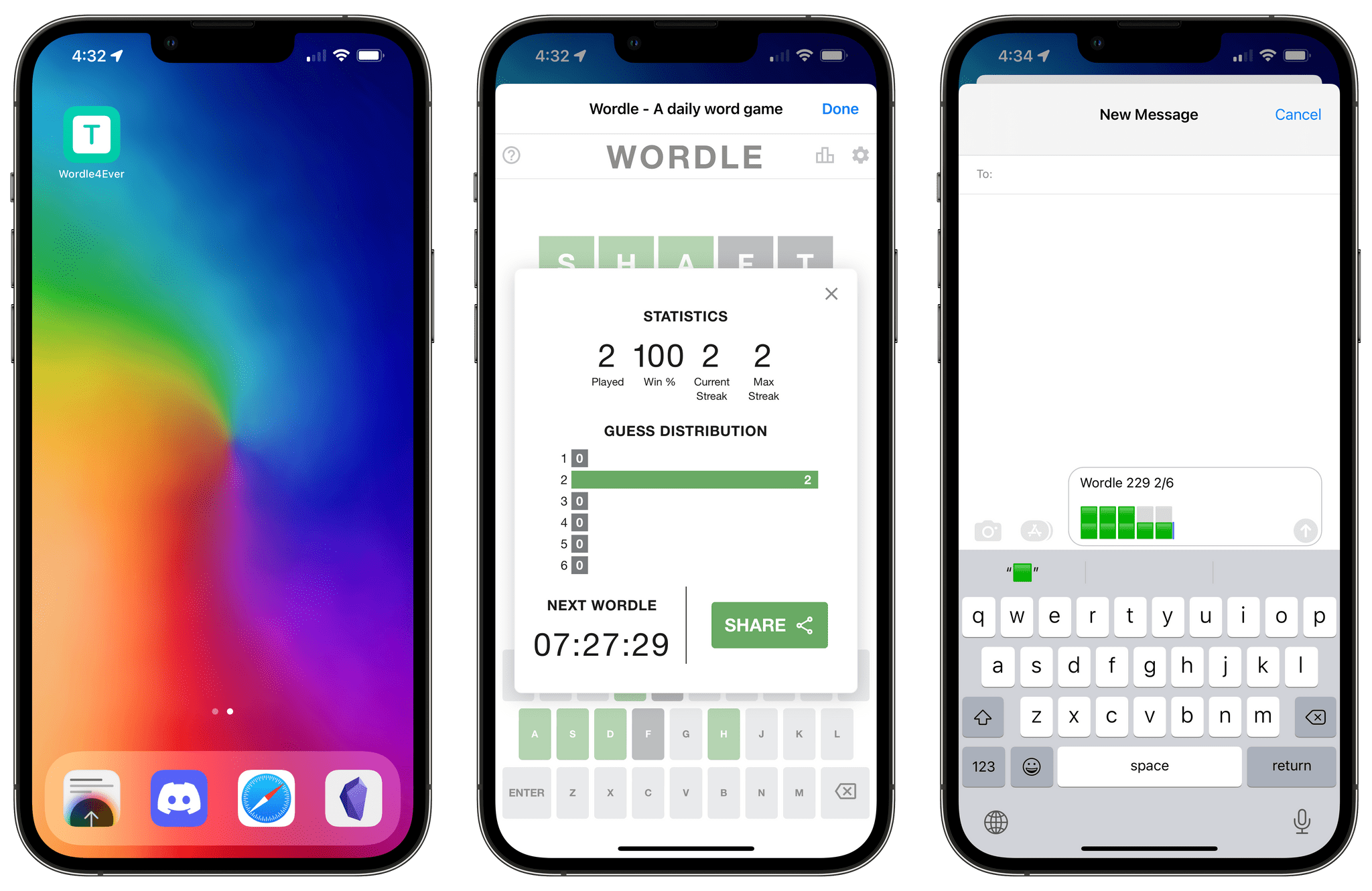
Playing the original Wordle offline with WordleForever.

Playing the original Wordle offline with WordleForever.

Update: It appears that WordleForever is only supported on iOS/iPadOS 15.4 at the moment, which are available as public betas. I was not aware of the fact that older versions of iOS/iPadOS had a bug in the Shortcuts app that prevented WordleForever from working properly. If you want to play with WordleForever now, you’ll have to install iOS/iPadOS 15.4.


Like many others over the past week, when I saw the news that Wordle had been acquired by The New York Times, I immediately felt a mix of two feelings: I was genuinely happy (and still am!) for Wordle creator Josh Wardle, who managed to turn a simple web game into a successful venture; and I was concerned The New York Times would inevitably ruin the beauty and simplicity of the original game. And I still am.

So in the spirit of game preservation (a topic I care deeply about) and out of skepticism regarding the future of Wordle as a NYT product, I teamed up with Finn Voorhees to create WordleForever, a shortcut that lets you back up the entire Wordle game offline – on your device – using Apple’s Shortcuts app so you can keep playing the game for the next few decades. With WordleForever, you can put the original Wordle on your iPhone or iPad Home Screen and play the original game (with the same words as everyone else) for years to come.

Read more


Starting the New Year with New Shortcuts, Workflows, Apps, and More

AppStories+ Deeper into the world of apps

AppStories Episode 258 - Starting the New Year with New Shortcuts, Workflows, Apps, and More

0:00
40:28

AppStories+ Deeper into the world of apps

This week, Federico and John look back at their MacStories Starter Pack coverage last week, digging into the themes and details of each of the stories they wrote and the ways you can incorporate everything into your own workflows.

Read more


MacStories Starter Pack: Reverse-Engineering the Matter API and My ‘Save to Matter’ Shortcut

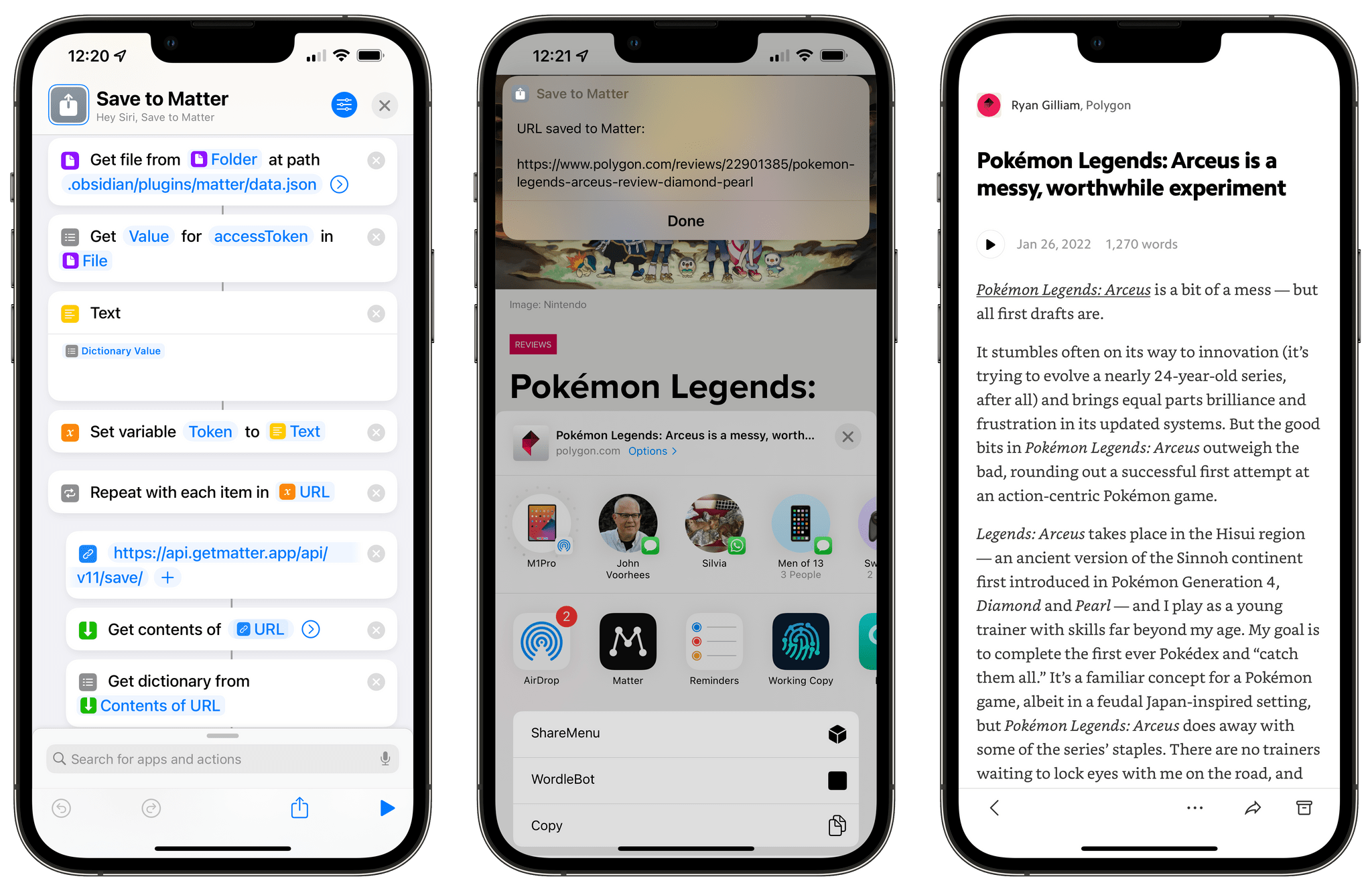
My Save to Matter shortcut.

My Save to Matter shortcut.

Editor’s Note: Reverse-Engineering the Matter API and My ‘Save to Matter’ Shortcut is part of the MacStories Starter Pack, a collection of ready-to-use shortcuts, apps, workflows, and more that we’ve created to help you get the most out of your Mac, iPhone, and iPad.

For the past few months, I’ve been enjoying and keeping an eye on the development of Matter, a new read-later service that aims to combine a powerful text parser with elegant design, social discovery features, annotations, and the ability to listen to articles as audio. I’m not one to typically care about the latest VC-backed startup that promises to revolutionize reading articles with social features, but Matter struck me for a few reasons: the app’s reader mode is gorgeous; the ability to annotate articles with highlights is great; and, more importantly, it has the best, most human-sounding text-to-audio conversion engine I’ve ever tested.

Something else happened a few months ago: Matter introduced an official plugin to sync your article highlights as Markdown notes to Obsidian. Integration with PKM-style apps is a hot trend right now in the modern crop of read-later services (John covered this very topic here), so I wasn’t shocked to see that Matter joined Readwise in supporting Obsidian with a plugin. Something about it piqued my interest though:

If Matter didn’t have a public API, how could the Obsidian plugin even sync to the Matter service?

Obviously, there had to be an API involved behind the scenes, which Matter hadn’t announced yet, but which I could potentially reverse-engineer and integrate with Shortcuts. And that’s exactly what I’ve been doing for the past month.

My experiments with the still-unannounced Matter API have developed on three separate fronts, and I’m going to share the results in three different places:

  • Today on MacStories, I’m going to share a one-click shortcut called Save to Matter that lets you save any article to your Matter queue directly from the share sheet or anywhere else on iOS, iPadOS, or macOS without having to use the Matter extension;
  • Tomorrow on MacStories Weekly for Club MacStories members, I will share MatterBot, an advanced Matter shortcut that lets you take complete control over your Matter queue with support for exporting annotations as Markdown or even downloading articles as MP3 files;
  • Next week for Club MacStories+ and Premier members only, I will share MatterPod, another advanced shortcut that lets you turn your Matter queue into a Matter podcast feed hosted on your own web server.

Before we dive in, I also want to confirm that I privately reached out to the folks at Matter weeks ago about my experiments, and they were cool with me writing about my findings and sharing shortcuts I’ve built for the Matter API.

With that being said, let’s take a look at how you can get started with the Matter API and the Save to Matter shortcut.

Read more