Federico Viticci

10775 posts on MacStories since April 2009

Federico is the founder and Editor-in-Chief of MacStories, where he writes about Apple with a focus on apps, developers, iPad, and iOS productivity. He founded MacStories in April 2009 and has been writing about Apple since. Federico is also the co-host of AppStories, a weekly podcast exploring the world of apps, Unwind, a fun exploration of media and more, and NPC: Next Portable Console, a show about portable gaming and the handheld revolution.

Samsung Announces 2560 x 1600 Display for Tablets

At the SID Display Week 2011 International Symposium, Samsung will officially unveil and demonstrate the first 10.1-inch display with 2560 x 1600 pixel resolution specifically meant for tablets. The industry-first display, built with the collaboration of Samsung’s partner Nouvoyance, will offer a “ultra-high resolution” at 300dpi using standard LCD technology. According to Samsung’s press release, the display also relies on the PenTile technology, which allows for 40% less power consumption and two-thirds number of subpixels.

Because tablets are regularly used for viewing rich-colored images, the 10.1-inch 300 dpi display is ideal for applications that require extraordinary image and text clarity such as browsing the web and viewing high-definition movies, or reading books and spreadsheets.

“In order to develop tablets with the form and function that consumers demand, a design engineer ultimately has to determine how to get the highest resolution display possible, while still fitting within the overall power budget for their design,” said Joel Pollack, executive vice president of Nouvoyance, Samsung’s affiliate company that developed the PenTile RGBW technology.

Samsung’s announcement opens the door to the possibility of having a “Retina Display” on Apple’s iPad – the iPad 2 uses Samsung’s 9.7-inch panels alongside other displays manufactured by LG, but if Apple were to double the resolution of the current generation iPad (1024 x 768), Samsung would have to cut its new display to 2048 x 1536 to fit Apple’s (rumored) need for a screen displaying 2x graphical elements. In the past months, several rumors pointed to Apple willing to implement a Retina Display on the iPad 2, which didn’t happen and left much room to speculation for an iPad 3 featuring a higher-res screen. Among the problems with a Retina Display on the iPad, power consumption was one of the technical issues ofter mentioned by bloggers and battery experts (together with production costs); if Samsung’s new display really manages to use 40% less power than other technologies though, Apple might have a chance to consider it for the iPad 3 – though this new display uses PenTile instead of Apple’s preferred IPS technology. Technical issues aside, the lawsuit Apple filed against Samsung last month (and the series of countersuits from Samsung) led many to believe the partnership between the two companies for component supply was nearing its end; Apple COO Tim Cook, however, confirmed at the Q2 2011 earnings call that Samsung is still a valuable partner in Apple’s supply chain, although action needed to be taken against its mobile division.

Samsung’s new tablet display will be demoed at the LA Convention Center between May 17-19. Read the full press release below. Read more


Search Ninja Gives Your iPhone A Better Web Search

If you’re familiar with Swearch, a neat iPhone web app that allows you to search for a specific query on multiple websites at once, then you’re most definitely going to be interested in Search Ninja, a $0.99 app that allows you to flick through search engines, star search results, and start typing in seconds to find exactly what you’re looking for. Search Ninja’s concept is simple, but the execution is powerful in the way it meets a user’s expectations when it comes to mobile search. Upon opening the app, you’re immediately greeted with a Google search field, and the iOS keyboard ready to type. No need to tap on buttons to start searching, no need to do anything before performing a regular Google Search. If you, however, want to customize the search experience and have those extra seconds to make sure you’re navigating to the right webpages, Search Ninja features an intuitive swipe interface to switch between search engines in seconds. Both on the main screen and in the embedded web view, you can swipe to change from Google to Bing, Twitter, Wikipedia, IMDB, Youtube, Flickr and many, many more. You can even add other engines if you really feel like your favorite one is missing, although the process requires a 2-step wizard screen.

Two features I particularly appreciate about Search Ninja are favorite searches and the History section. They’re very straightforward, but come in handy if you find yourself looking for the same things on your iPhone over and over, or simply want to look up an old subject again.

Search Ninja strikes me for its simplicity and clean design. Gestures to switch engines are a plus, and a very useful one. Get the app here at $0.99.


Netflix Brings Subtitles to iOS App

Users of the official Netflix app for iPhone and iPad might want to fire up iTunes and check for updates: a new version of the app is propagating now and, as confirmed by the changelog, it finally brings subtitles to the native iOS interface. Subtitles are of course available in English, and can be turned on and off from a menu in the media player, next to the volume slider and pause button. Netflix says subtitles are recommended for foreign content, or for situations when it’s impossible to listen to audio because of noises around you – “such as when working out, or in loud environments.”

Get Netflix 1.3 here.


Halo Creators Likely Working On New Game for Mobile Devices

Take this with a grain of salt, but the creators of popular first-person shooter Halo may be working on a new online game for iOS and Android devices. As noted by TouchArcade and GameInformer today, a new filing at the USPTO confirms Bungie Aerospace has trademarked “Crimson”, a “computer game software for use on mobile and cellular phones.” Sounds intriguing, but what’s Bungie Aerospace? The company is likely a subsidiary of the “real thing” Bungie, and that’s already been incorporated in Delaware and Washington. Mounting speculation suggests that this new company is the official mobile division of Bungie, something that the Halo developers hinted several times in the past. Bungie has been busy hiring and opening positions for mobile developers in the past months, so it seems pretty clear at this point that something in mobile is going on. And mobile these days means two things: iOS and Android. If Bungie is really working on a new mobile game, than we can assume it’s most definitely coming to the iPhone or iPad.

What the game really is, however, it’s unclear. TouchArcade speculates it might be heavily online based, as also suggested by a Bungie staff writer in 2010 when he said it’s be great to have a world that’s “always there for you, with lots of stories to tell.”

What this project actually is, however, is still shrouded in a cloud of secrecy and, presumably, really hardcore non-disclosure agreements.

My gut says Bungie Aerospace and “Crimson” are connected to the studio’s next project, an original IP set to be published by Activision. Word on the street is that this game is a shooter MMO — an MMO that might just offer increased connectivity via mobile apps.

As a big Halo and Bungie fan, I’m looking forward to what’s next for the company in the mobile space. A new iOS game would sure make for a big announcement at a certain Apple event in September.


iOS 4.3.3 Users Reporting WiFi Issues on iPhones, iPads

According to reports surfaced on Apple Support Communities, many users are experiencing WiFi connectivity issues on devices running the latest iOS 4.3.3. These issues are nothing new to iOS – you might remember the problems with the original iPad and WiFi routers last year – but this time it appears they’re affecting iPhone and iPod touch models as well. The story is very similar to last year’s reports: a device fails to connect to a network or is unable to navigate; the WiFi icon doesn’t appear in the statusbar even if the device is actually connected; the device randomly disconnects from a network. You can read more about what users are reporting here, or here.

Personally, I did notice my iPhone 4 keeps disconnecting from my home network (running on an AirPort Extreme station) a few times every day. It’s kind of annoying as the disconnection lasts between 30 seconds and 1 minute, but like I said it’s not happening more than 3 or 4 times a day – surely not “all the time.” On my iPad 2, WiFi signal is stable (doesn’t drop) but it’s lower than before even a few meters away from my router. Again, these are issues I wasn’t experiencing on iOS 4.3.1 or 4.3.2 and definitely seem to fall in line with Apple Support Communities’ discussion threads.

Most of the times, though, there’s no need to panic. If iOS really has a WiFi bug, you can stay assured Apple will fix it soon with a software update – if the reports will get stronger in the next weeks, Apple will issue a new version of iOS like they did before. Several users, however, forget that having a proper network configuration helps a lot when having to deal with multiple mobile devices; if the issue is not in the network, resetting your iOS settings to factory usually helps in resolving all WiFi connectivity problems. If the issue persists (like on my iPhone), then it’s certainly something Apple will have to take a look at. [via ReadWriteWeb]


New iMacs Can Only Use Apple’s Hard Drives

One of the perks of having an iMac, be it a 21.5-inch or 27-inch model, is that you’re signing up for an all-in-one solution that packs everything you need into a “screen” that only needs to be placed your desk, connected to a power source, and it’s ready to go. The iMac – certainly Apple’s top choice in the consumer desktop line – isn’t meant to offer “user serviceable parts”, meaning what you get with Apple’s standard configuration is what you’ll have to stick with until the end of the product’s life cycle. In the past years, however, users who wanted to customize their iMac experience with custom parts like, say, different internal hard drives or better RAM, were able to open an iMac (provided they followed the complex instructions that require to pay attention when disassembling the aluminum enclosure and display) and fit in compatible components to enhance the performances of the machine.

As noted by Michael at Other World Computing’s blog, however, the new 2011 iMacs – the ones with Thunderbolt, Sandy Bridge processors and better graphics – don’t allow you to use any other hard drive but Apple’s custom ones, which are running a custom firmware to provide temperature monitoring through a new 7-pin SATA connector.

For the main 3.5″ SATA hard drive bay in the new 2011 machines, Apple has altered the SATA power connector itself from a standard 4-pin power configuration to a 7-pin configuration. Hard drive temperature control is regulated by a combination of this cable and Apple proprietary firmware on the hard drive itself. From our testing, we’ve found that removing this drive from the system, or even from that bay itself, causes the machine’s hard drive fans to spin at maximum speed and replacing the drive with any non-Apple original drive will result in the iMac failing the Apple Hardware Test (AHT).

In examining the 2011 27″ iMac’s viability for our Turnkey Upgrade Service, every workaround we’ve tried thus far to allow us to upgrade the main bay factory hard drive still resulted in spinning fans and an Apple Hardware Test failure. We swapped the main drive out (in this case a Western Digital Black WD1001FALS) with the exact same model drive from our inventory which resulted in a failure. We’ve installed our Mercury Pro 6G SSD in that bay, it too results in ludicrous speed engaged fans and an AHT failure. In short, the Apple-branded main hard drive cannot be moved, removed or replaced.

To add insult to injury, the latest iMac EFI Update 1.6 unleashed 6Gb/s speeds on two internal ports – and naturally, one of them is the proprietary, firmware-limited, 7200RPM main drive that can’t take advantage of those speeds anyway.

Michael argues that by “closing” the system, Apple’s being evil in not allowing geeks and users who buy stuff on OWC or other Mac hardware shops to upgrade their iMacs to better configurations. As Marco Arment explains though (and I personally agree with him here), the iMac’s not really meant for fiddling and user customizations. Like I said above, when you purchase an iMac you’re signing up for the all-in-one idea of a machine that provides Apple’s latest and greatest innovations in desktop miniaturization technology – by using custom cables, firmwares and hard drives, Apple makes sure you get the best performances out of your iMac, with the “downside” of being unable to customize it. This aspect, of course, can also be seen a way for Apple to make sure that angry modders don’t queue up in the Apple Store asking for free replacements when they purposely opened an iMac to play around with its internals.

You can always find an old iMac online and make it your main machine to mod and improve over time, but you won’t be able to enjoy the improvements in Sandy Bridge architecture and Thunderbolt connectivity. And those, if you ask me, are pretty convincing reasons to get a 2011 iMac and stick with its default hard drives.


Alfred for Mac Adds Sync, Launches AppleScripts with Keyboard Shortcuts

We’re huge fans of Alfred here at MacStories. The minimal launcher for Mac that was released as an alternative to Launchbar and Spotlight quickly evolved into a full-featured solution to browse files, play music from iTunes, manage your system clipboard and check on dictionary definitions. Alfred hasn’t officially reached the 1.0 status, yet the developers iterated so fast in the past months that Alfred has turned into a powerful application launcher packed with functionalities aimed at getting things done using only the keyboard. Looking back at previous Alfred releases, it’s amazing to see how the app went from being a simple way to launch apps to a tool tailored to both casual and power users, thanks to the possibility of creating custom searches, shortening links, browsing the filesystem, and more. The latest stable release of Alfred, 0.9, adds a number of improvements that greatly enhance the feature set of the app.

Alfred 0.9 can now launch any AppleScript on your Mac with a keyboard shortcut. Similarly to how the excellent FastScripts enables you to assign commands to scripts saved locally, the new Global Hotkeys section in the app’s preferences lets you assign a shortcut to a specific script, and run it when Alfred is open without seeing Alfred’s actual window. Just hit the shortcut anywhere on your Mac, and the script will execute. This is true for AppleScripts, files, and apps; being able to run AppleScripts through the app you’re already using for many other things is a very welcome addition, but it’s exclusive to those who bought the Powerpack, which is highly recommended if you want to get the most out of Alfred.

Version 0.9 also comes with Dropbox and iDisk sync, meaning you’ll finally be able to keep Alfred’s settings in sync between different Macs. The app can sync themes, snippets, scripts and custom sites. Alongside iTunes Mini Player improvements, a redesigned Preferences window and several performance enhancements, Alfred 0.9 also introduces new Terminal functionalities: you can run your Terminal commands “silently behind the scenes”, as well as add your own icons to make Terminal commands look like native Alfred actions.

Overall, it’s undeniable Alfred keeps getting better on each release. We don’t know what’s coming in the final 1.0 version, but if previous updates are of any indication I guess the developers are working on something big for the major 1.0 milestone. In the meantime, you can get Alfred here for free, and buy the Powerpack for £12 ($20). Check out more screenshots and the full 0.9 changelog below. Read more


Apple Patents Keyboard with Air Feedback Technology

A new patent entitled ”Input Devices and Methods of Operation” uncovered today by AppleInsider reveals Apple has been experimenting with a new kind of desktop keyboard that, following the ongoing trend of reducing the size of keyboards to make them more compact and portable, allows users to receive tactile feedback upon pressing keys through an “air pressure” technology. As the patent notes, keyboards have become thinner and more compact over time, reducing the space between keys and the actual keyboard case design, thus preventing, in many cases, users from having proper feedback upon hitting keys with their fingers. The proposed keyboard design would use proximity sensor below each key to recognize the distance between a user’s finger and the key, allowing a built-in air system to apply a certain resistance or pressure, providing a way to receive tactile feedback on a slim and compact design.

The patent filing describes a system that would “flow air from the input device,” perhaps through openings in the surface of an individual key on a keyboard. This would provide tactile feedback to the user before they make physical contact with the key surface.

This air pressure could be used to apply air pressure against a user’s fingertips, giving tactile feedback even though the key may not move as much as a key on a more traditional keyboard.

Whilst this technology sounds like something Apple may not implement until 10 years from now (Apple, like many other companies, usually patents innovative designs and concepts that most of the times never find their way in actual products), it’s worth noting that a patent discovered earlier this year outlined a new type of keyboard capable of receiving multitouch input from the user thanks to cameras placed around the perimeter of the accessory. If Apple’s trying to reinvent the keyboard, these patents are certainly a starting point to keep in mind for the future.


University of Delaware Says “Apple Store” Coming On Campus

According to a new report by ifoAppleStore, the University of Delaware has confirmed that, as part of new campus construction plans, an Apple Store will be located next to the new Bookstore, Starbucks, and other facilities. The website says the university’s Board of Trustees announced an Apple Store will open inside the new bookstore opening this fall, although it’s not clear whether the “store” will be a full-feature retail location, a “mini store”, an authorized reseller, or something else specifically tailored to students. Indeed, several rumors in the past years suggested Apple was planning campus-specific Apple Stores, but the plans were never finalized.

ifoAppleStore also mentions the University of Delaware extended a contract with Barnes & Noble for 15 years, allowing them to demolish multiple buildings in the campus:

The project will include a new 60,000 square-foot bookstore, a Starbucks and other concessions. At its meeting yesterday, the university’s board said the new B&N bookstore will open August 30th, but didn’t say if the Apple store would open at the same time.

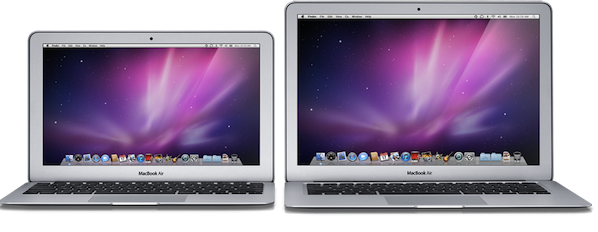
Apple already has a full-size retail store about six miles away from the University of Delaware, and that’s a very trafficked Apple Store considering Delaware has no sales tax. Smaller retail stores on campus would certainly make sense for Apple to showcase products like iPads and MacBook Airs and promote them among students, though we can’t help but think those would also be the perfect way to launch and organize discount programs without forcing students to use the online store, or driving to another Apple Store.