Federico Viticci

10769 posts on MacStories since April 2009

Federico is the founder and Editor-in-Chief of MacStories, where he writes about Apple with a focus on apps, developers, iPad, and iOS productivity. He founded MacStories in April 2009 and has been writing about Apple since. Federico is also the co-host of AppStories, a weekly podcast exploring the world of apps, Unwind, a fun exploration of media and more, and NPC: Next Portable Console, a show about portable gaming and the handheld revolution.

Hidden App Leads to MacBook Thief Identification and Arrest

Yesterday I stumbled upon a Tumblr blog that, in spite of the subject, made me laugh for a few minutes. The “This Guy Has My MacBook” blog by Joshua Kaufman had pictures of a man using a computer that was stolen from Kaufman back in March – the photos, the descriptions and the fact that this man was using a MacBook not knowing the whole Internet was looking at him were kind of hilarious. All of this in spite of the fact that, yes, that was about a guy who just wanted his MacBook back.

Soon after I found out about Kaufman’s blog, the thing went viral as dozens of other websites picked it up and wrote about this guy monitoring his Mac’s thief using Hidden, a Mac app that’s a great tracking tool which can remotely snap photos through the iSight, take screenshots, grab location and send you other detailed information about your stolen computer. As the Internet began spreading the link and the photos, I had a feeling the Oakland Police Department had to do something – Kaufman’s originally wrote on his blog OPD couldn’t help him due to “due to lack of resources”. A few hours later, Kaufman tweeted that OPD had successfully taken in the computer and arrested the thief who, by the way, was a taxi driver, hence the pictures of a MacBook inside a car (one of the mysteries when the blog became popular yesterday).

Update: (May 31, 8:37 PM PST) ARRESTED! An Oakland police officer just called me to let me know that they arrested the guy in my photos! BOOYA! The police used my evidence (email which pointed to a cab service) that he was a driver and tricked him into picking them up. Nice work OPD!

Kaufam’s story is yet another example of how important it is nowadays to consider the installation of tracking and recovering software on our Macs. Apple provides a great, free solution on the iPhone and iPad that’s called Find My iPhone which is rumored to be coming to the Mac as well with Lion, but in the meantime I would recommend the aforementioned Hidden and the excellent Witness to detect motion in your room through an iSight and receive photos of what’s happening in front of your computer. The story also reminded of a popular YouTube video about a hacker that explained how he tracked down his old Mac years after it was stolen thanks to a background daemon like DynDNS that automatically finds a computer’s IP and associates it with a web address as soon as it’s connected to the Internet. It’ a great story, different from Kaufman’s – make sure to watch the video after the break if you missed it.
Read more


Apple Begins iPad 3 Component Certification for 2012, No AMOLED

Digitimes reports Apple has started the certification process for components the company will use in the iPad 3, set to be released in 2012. Digitimes says some part markers have already landed certifications such as Radiant Opto-Electronics with LED backlight units, with others rushing to get the deals done in the upcoming months.

Taiwan-based component makers for backlight modules and light bars have received certification from Apple, however, the certification of panels is still in progress, added industry sources.

According to component makers, the timing for the launch of iPad 3 should be in 2012. Taiwan-based firms think iPad 2 will become the mainstream and Apple will lower its price to compete with other tablet PCs.

In the same post and in a separate report, Digitimes also notes Apple will continue using standard LCDs for the next-generation iPad, as opposite to rumors that claimed Apple was considering adopting AMOLED displays from Samsung Electronics. As AMOLED still wouldn’t be able to meet Apple’s demand, Digitimes believes Apple will rely on LCDs again.

Taiwan-based panel makers pointed out that Samsung brand tablet PCs have not all adopted AMOLED panels. Only its Galaxy S II smartphones feature AMOLED panels, hence, it is unlikely for iPad 3 to adopt AMOLED panels. Industry observers indicated that demand for small- to medium-size AMOLED panels has been increasing, therefore, causing a shortage. The production might not catch up with the schedule of Apple’s iPad 3. It is more likely for Apple to adopt AMOLED panels in products after iPad 3.

A series of reports from earlier this year suggested Apple could release two iPads in 2011, but that doesn’t seem to be the case anymore according to recent speculation and claims that the iPad 3 will follow Apple’s usual schedule for the device with a release in Spring 2012.


The Beatles Anthology To Launch As iTunes Exclusive

The Loop reports The Beatles Anthology series will debut exclusively on iTunes on June 14, expanding the existing music catalog of the Fab Four that was released after years of rumors and speculation last November. Apple heavily promoted the launch of The Beatles’ music on iTunes as a day music lovers and iTunes customers would never forget, granting EMI and The Beatles 5 million songs sold in two months. The Loop reports The Beatles have now sold more than 8 million songs and 1.3 million albums on iTunes worldwide.

EMI on Tuesday said the The Beatles’ three remastered Anthology music collections will debut on June 14. Anthology, Vols. 1-3 are available for preorder on iTunes starting today.

The Anthology Box Set comes with all 155 tracks from the three volumes ($79.99) and an exclusive 23-track “Anthology Highlights” collection of standout tracks from each ($12.99).

The Anthology is available for pre-order now, with a special introductory video and a “Meet The Beatles” radio series available for streaming in iTunes, for free. The new sets, Anthology box and streaming material can be viewed on The Beatles’ official iTunes page.


iOS 5 To Feature Direct Twitter Integration?

Following today’s news on iOS 5, Lion and iCloud announcements at the WWDC keynote on June 6, TechCrunch reports Twitter’s upcoming photo service, reported by various blogs yesterday and rumored to offer a similar service to Twitpic, yfrog and others, will be directly integrated into iOS 5. The new sharing option will reportedly allow users to instantly send a photo to Twitter like they can already do with videos and YouTube. Provided they have logged into Twitter from the Settings or a specific web view, iOS 5 will sport a new sharing menu to beam photos directly to Twitter, without using a third-party client.

We’ve heard from multiple sources that Twitter is likely to have a big-time partner for such a service: Apple. Specifically, we’re hearing that Apple’s new iOS 5 will come with an option to share images to Twitter baked into the OS. This would be similar to the way you can currently share videos on YouTube with one click in iOS. Obviously, a user would have to enable this feature by logging in with their Twitter credentials in iOS. There would then be a “Send to Twitter” option for pictures stored on your device.

Internal builds of iOS 4 from last year confirmed Apple was testing Facebook integration, but Twitter was never spotted in the hidden settings and code strings, at least not in the way TechCrunch claims iPhone and iPad owners will be able to share media from the Camera Roll. It’s likely that iOS 5 will bring the Facebook option back, integrate Twitter and perhaps even Flickr, but it’s too early to tell. Code strings found in the iOS 4.3 suggested Apple was working on two new features called MediaStream and Photo Stream, which, according to several reports, were targeted at letting users instantly share photos and videos with their friends using Apple’s new cloud system, now officially known as iCloud. Currently, Twitter has native apps for the Mac, iPhone and iPad available for free on the App Store.

A screenshot of an iOS 4 build featuring a Facebook preference panel in the Settings.app:

Update: Daring Fireball’s John Gruber hints at something bigger coming with Twitter integration in iOS 5:

So close to the bigger story, but yet so far. Imagine what else the system could provide if your Twitter account was a system-level service.


Lodsys Starts Filing Lawsuit Against App Developers

With a series of blog posts published earlier today, Lodsys has confirmed [via MacRumors] that they’ve started filing lawsuits against app developers allegedly infringing patents related to in-app purchases and upgrade links in their mobile applications. Lodsys initially said that they would give developers 21 days to license the patents before filing any lawsuits, but the firm decided to change its schedule in order to defend against Apple’s legal response, which showed support for iOS developers and claimed third-party “app makers” were not infringing any patent as Apple is already licensing patents from Lodsys.

Why did Lodsys sue some App Developers on May 31, 2011

Lodsys chose to move its litigation timing to an earlier date than originally planned, in response to Apple’s threat, in order to preserve its legal options.

As for why they have decided to target small, indie developers who don’t have the resources to legally defend themselves, Lodsys writes:

Why are you targeting Apple developers or Android developers? Why are you picking on small developers who cannot defend themselves?

This story is about accountability for actions. If you are a Developer, it’s about knowledge about the scope and risks of your own business.

Lodsys has only one motivation: we want to get paid for our rights.

Lodsys also posted a response to Apple’s claims that third-party developers using Apple’s SDK and agreeing to the company’s terms are not infringing patents from Lodsys. They company also says they’ve sent a letter to Apple’s legal team, which Apple can publish in its entirety if they want to.

The letter was very surprising as Apple and Lodsys were in confidential discussions and there was clearly disagreement on the interpretation of the license terms of Apple’s agreement.  Before, during and after these interactions, Lodsys has carefully considered this issue and consulted several legal experts to consider Apple’s claims.  We stand firm and restate our previous position that it is the 3rd party Developers that are responsible for the infringement of Lodsys’ patents and they are responsible for securing the rights for their applications.  Developers relying on Apple’s letter do so to their own detriment and are strongly urged to review Apple’s own developer agreements to determine the true extent of Apple’s responsibilities to them.

Lodsys previously explained that usage of in-app purchases would cost developers 0.575% of their US revenue over the period the technology was implemented – for example, an app that generates $1 million in revenue  in one year would pay $5,750 to Lodsys. Finally, Lodsys says they’ll send $1,000 as reimburse to developers hit by the lawsuit if the whole story turns out to be wrong:

While it is true that Apple and Lodsys have an obvious dispute about the scope of Apple’s license to the Lodsys Patents, we are willing to put our money where our mouth is and pay you something if we are wrong.  Therefore, Lodsys offers to pay $1,000 to each entity to whom we have sent an infringement notice for infringement on the iOS platform, or that we send a notice to in the future, if it turns out that the scope of Apple’s existing license rights apply to fully license you with respect to our claim relating to your App on Apple iOS.

As many previously suggested after Apple’s response, the story is far from over and Lodsys appears to be pursuing its agenda by suing developers that don’t agree to pay licensing fees. Several bloggers broke down Lodsys’ patent claims in the past weeks, and the EFF even came out and said Apple should stand up for its developers.

Update: Florian Mueller of FOSSpatents tweets the names of the companies and developers sued by Lodsys today.


Apple Releases Security Update To Remove Mac Defender

The promised software update to automatically find and remove known variants of the Mac Defender malware has just been released by Apple and it’s now available in the Software Update panel or Downloads website. The KB article HT4657 explains Apple has added a “OSX.MacDefender.A” definition to the malware check within File Quarantine. On Mac OS X 10.6.7, the installation process of the security update “will search for and remove known variants of the MacDefender malware”. Users will also be notified after a MacDefender variant is removed, and Apple offers more details and information in this article as well.

Mac OS X malware list is now updated daily in the background without the need of a manual software update:

Apple maintains a list of known malicious software that is used during the safe download check to determine if a file contains malicious software. The list is stored locally, and with Security Update 2011-003 is updated daily by a background process.

Security Update 2011-003 provides additional protection by checking for the MacDefender malware and its known variants. If MacDefender malware is found, the system will quit this malware, delete any persistent files, and correct any modifications made to configuration or login files. After MacDefender is identified and removed, the message below will be displayed the next time an administrator account logs in.

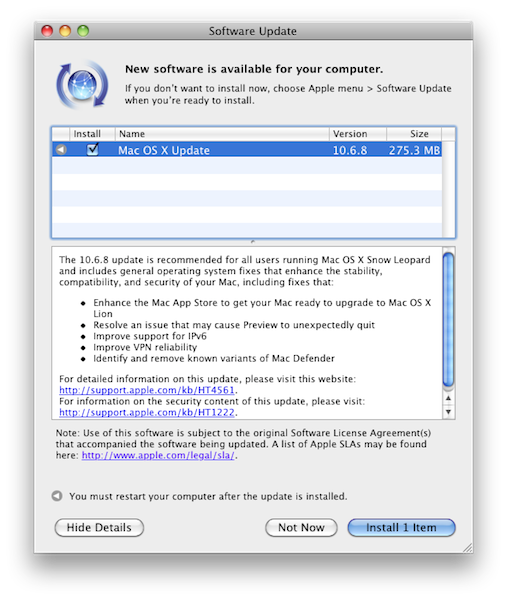
Mac OS X 10.6.8 was rumored to be the software update to include a fix for Mac Defender, but it’s likely that Apple also pushed a security update for users that will keep running the older 10.6.7 Snow Leopard version, with 10.6.8 getting the Mac Defender fix built-in. Read more


iCloud To Feature Films and TV Shows Too?

After today’s press release that confirmed Apple will hold a WWDC opening keynote on Monday, June 6, to officially unveil Mac OS X, iOS 5 and iCloud, Cnet reports the launch of the new cloud service from Apple next week may see a last-minute surprise that will make movies and TV shows available on the online “locker”. No details on how users would be able to upload, stream or purchase films and TV shows they don’t own have been posted, but it sounds like iCloud would provide a solution to store files on Apple’s servers to stream them later to a variety of devices.

Feature films could be part of Apple’s iCloud launch next week.

In the past several weeks, Apple executives have stepped up their attempts to convince some of the major Hollywood film studios to issue licenses that would enable Apple to store its customers’ movies on the company’s servers, two sources close to the negotiations told CNET. Apple began discussing a cloud service with the studios over a year ago.

An Apple spokesman declined to comment.

Cnet also reports content providers and Hollywood studios will be harder to convince than record labels and publishers, mainly because of the deals that in the US tie some studios exclusively to a cable company that airs films and shows. For instance, Warner Bros. Pictures, 20th Century Fox, and NBC Universal have an exclusive distribution deal with HBO that would prevent Apple from making their films available through iCloud immediately. As Time Warner’s CEO Bewkes (Time Warner is parent company of HBO and Warner Bros) has made several positive remarks on the new Ultraviolet video standard in the past, however, industry sources claim a deal with Apple and other cloud services could get done, and the exclusive HBO deal reworked to accommodate more distribution methods.

So if Bewkes is a believer what is the holdup? Film-industry sources have say that there’s nothing to worry about, that a deal with Time Warner to relax the HBO window will get done. But can something be completed before June 6?

Whether it can or not, Apple could still roll something out with the other three studios that are without HBO blackout agreements: Disney, Paramount Pictures and Sony Pictures.

Apple has officially announced the iCloud name today, referring to it as “upcoming cloud services offering” that seems to suggest it will go beyond music to offer a broader set of tools for online sync and storage. With the launch of the Apple TV 2nd-gen last September, Apple began offering rentals from ABC and Fox at $0.99 only through streaming, as the Apple TV doesn’t allow for local movie storage.


Pulp for Mac 2.0 Released with Cloud Sync

Times, the visual news reader for Mac that came to the iPad last year, received a major update earlier today which sees the application becoming Pulp for Mac 2.0 following the re-branding on the iPad version, and the introduction of a new cloud sync service to keep settings, articles and sources in sync across the Mac client and the tablet counterpart. I’ve been testing the new Pulp for Mac for a few months, and I’m positively impressed with the quality of cloud sync and reading experience the Acrylic Apps developers have built into this latest version. First off, the new Mac app looks just like Pulp for iPad, only running on a Mac: if you followed the development of Times / Pulp with our previous coverage, you know what to expect: you can create pages to organize content sources by topic, organize feeds and articles with different layouts, as well as import websites from Google Reader if you don’t feel like entering a website’s name manually (which takes seconds, by the way). More importantly, the release of Pulp for iPad brought the possibility of reading articles with the Magic Reader, a feature that strips away all the clutter from webpages and displays truncated RSS articles in their entirety without any manual fiddling. Pulp for Mac does everything the iPad version did, it’s got the shelf to save articles for later and syncs everything via the cloud.

The cloud service is free, and can sync ”your pages, feeds, read articles, and other settings in sync on all of your Macs and iPads”. It’s that simple: every change that’s either made on the iPad or Mac is pushed to the cloud instantly, and received on the second device in seconds. I have tested this with articles, pages and the shelf interface and it worked really well. The cloud sync can be enabled or disabled in the Settings.

I don’t particularly appreciate the page-curling effect on the Mac as I believe it wastes too much real screen estate, but the rest of the interface is really minimal, elegant, and easy to scan through. Pulp can’t be compared to other news readers like Flipboard that plug into your social streams to deliver a magazine-like experience – instead, Pulp is more focused on single websites and RSS, and on letting you build a personalized newspaper that’s now in sync with the iPad, which also received a Pulp updated today to version 1.3. If you’re already a Pulp for iPad user, you should check out the free trial for Mac and see how cloud sync and the new app work for you. If you don’t own Pulp, I still recommend you start off with the iPad version, and later consider an upgrade to the desktop application which, by the way, is an excellent port of the iPad app.

Pulp for Mac is available at $9.99 in the Mac App Store.


Apple Releases iWork for iPhone

Apple just announced the release of the iWork suite for iPhone, available today as a universal update for the existing iPad apps already available on the App Store. With the same feature set of the iPad counterparts, iWork for iPhone promises to let you easily manage and create documents, print them through AirPrint, and share them with iTunes local file sharing. All apps come with a new document manager to organize documents into folders, Keynote brings deeper compatibility with the Keynote Remote sold separately and Pages sports a new feature called “Smart Zoom” for viewing and editing data.

“Now you can use Keynote, Pages and Numbers on iPhone and iPod touch to create amazing presentations, documents and spreadsheets right in the palm of your hand,” said Philip Schiller, Apple’s senior vice president of Worldwide Product Marketing. “The incredible Retina display, revolutionary Multi-Touch interface and our powerful software make it easy to create, edit, organize and share all of your documents from iPhone 4 or iPod touch.”

Keynote, Pages and Numbers import and export documents from iWork for Mac and Microsoft Office; print wirelessly using AirPrint™; and include beautiful Apple-designed themes and templates. All iWork apps now include improved document management with thumbnail images that let you find your files quickly, organize them and group them into folders using intuitive gestures. From the Tools button in the toolbar, you can easily share any presentation, document or spreadsheet without leaving the app.

The three apps – Pages, Numbers and Keynote – retain the same feature set seen on the iPad, with the addition of document manager in the 1.4 universal update and some iPhone-specific views and zoom functionalities to make sure large documents can be edited and viewed easily on the iPhone’s smaller screen. Numbers, for example, comes with the same special keyboards of the iPhone, but places the function toolbars on top. In Pages, media, charts, tables and shapes are accessible from a Camera Roll view and file picker that’s similar to what already happens on the iPad, only smaller.

Check out more screenshots and full press release below. Read more