Federico Viticci

10766 posts on MacStories since April 2009

Federico is the founder and Editor-in-Chief of MacStories, where he writes about Apple with a focus on apps, developers, iPad, and iOS productivity. He founded MacStories in April 2009 and has been writing about Apple since. Federico is also the co-host of AppStories, a weekly podcast exploring the world of apps, Unwind, a fun exploration of media and more, and NPC: Next Portable Console, a show about portable gaming and the handheld revolution.

iPhone 4S Launches In 15 Additional Countries On November 11

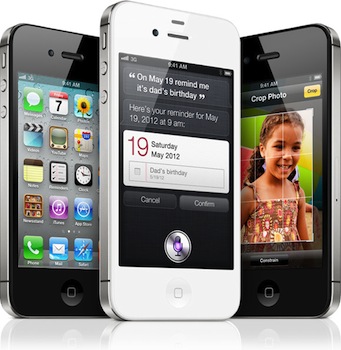
With a press release, Apple has just announced that the iPhone 4S will be launching in 15 additional countries on November 11, including Hong Kong and South Korea. The iPhone 4S launched in seven initial countries on October 14th, followed by 22 other countries on October 28th. The full list of November 11 launch countries includes Albania, Armenia, Bulgaria, El Salvador, Greece, Guatemala, Hong Kong, Malta, Montenegro, New Zealand, Panama, Poland, Portugal, Romania and South Korea, and Apple has once again confirmed that the device will be available in 70 countries by the end of 2011.

Apple today announced that iPhone® 4S, the most amazing iPhone yet, will be available in Hong Kong, South Korea and 13 additional countries on Friday, November 11. Customers will be able to pre-order iPhone 4S beginning on Friday, November 4.*

iPhone 4S is packed with incredible new features including Apple’s dual-core A5 chip for blazing fast performance and stunning graphics; an all new camera with advanced optics; full 1080p HD resolution video recording; and Siri™, an intelligent assistant that helps you get things done just by asking.

Beginning Friday, November 11, iPhone 4S will be available in Albania, Armenia, Bulgaria, El Salvador, Greece, Guatemala, Hong Kong, Malta, Montenegro, New Zealand, Panama, Poland, Portugal, Romania and South Korea. iPhone 4S is available today in 29 countries around the world and will be available in more than 70 countries by the end of the year.

iPhone 4S comes in either black or white for a suggested retail price of $199 (US) for the 16GB model, $299 (US) for the 32GB model and $399 (US) for the new 64GB model.** iPhone 4S is sold through the Apple Online Store, Apple’s retail stores and select Apple Authorized Resellers. iPhone 4 is available for just $99 (US) and iPhone 3GS is available for free with a two year contract from participating carriers.

*Pre-orders not available in Albania, El Salvador, Guatemala, Malta, Montenegro and Panama.

The iPhone 4S has been a sales success for Apple so far, generating over 4 million sales in the first three days of availability with several Apple Stores sold out of units both in the United States and Europe. At the Q4 2011 earnings call, Apple’s CEO Tim Cook said they were extremely pleased with the initial reaction of the iPhone 4S, noting that the company has enough supply to meet demand for the holiday quarter, which Apple expects to be its biggest quarter ever.


Recommended Read: “Talking to Siri” by Erica Sadun and Steven Sande

I got my iPhone 4S two weeks ago, and have been experimenting with Siri and my best American accent since then. In spite of the software still not supporting maps and directions in Italy (more countries, including Italy, will support Siri in 2012) and weather requests, I’m having my fun in playing around with Siri for things like messages, notes, emails and Wolfram Alpha questions (I thank Americans for giving me a reason to convert their units to the metric system). Siri makes for the perfect iPhone demo to non-iPhone users, but impressive presentations aside it’s actually a great tool to quickly “do stuff” that would require looking at your phone and manually interacting with apps otherwise. I can’t tell you how many times I’ve already asked Siri to send messages to my co-workers while I was driving, change songs, call my girlfriend, or create new calendar appointments.

A few days ago I was sent a link to “Talking to Siri: Learning the Language of Apple’s Intelligent Assistant” by TUAW’s Erica Sadun and Steven Sande. I’ve read the book using the Kindle app on my iOS devices and Amazon’s CloudReader on the web and, let me tell you, it’s a great book to learn more about Siri.

At first I was skeptical – why would I need a book when Siri is so intuitive? It turns out, Erica and Steve have put together an impressive collection of things Siri does that I didn’t know about, also explaining with a friendly and familiar style (if you’ve been reading TUAW, which I do) how you should ask things to Siri. The book is organized in sections, covering every system app that’s integrated with Siri as well as built-in tools such as Wolfram Alpha and Yelp. Erica and Steven have also included lots of screenshots and descriptions, so you’ll be able to immediately understand and see what they’re referring to in describing Siri. It’s an incredibly pleasant read for new iPhone 4S users, and a nice handbook to get started with Siri. Without spoiling much, let me just say that I’ve learned a lot about things you can ask Wolfram (built into Siri), how to keep adding new items to a note, sunrise and sunset times and recurring reminders.

“Talking to Siri” covers in great detail every possible combination of commands Siri supports, providing a comprehensive guide to know more about what Siri can do for you. You can buy the book on Amazon as Kindle edition.


Free and Integrated

Impressive milestone reached by WhatsApp, a free cross-platform messaging solution for iOS, Android, BlackBerry and Nokia phones: [via Ben Brooks]

Coinciding with our planet crossing the 7 billion population mark this week, last week WhatsApp crossed its own milestone for the first time by sending just over 1 billion messages in a single day. Similar to the awe we feel that our planet will now hold over 7 billion people, all of us at WhatsApp are extremely humbled and excited about the future.

I’ve been using WhatsApp for quite some time to communicate for free – even though I have a pretty good text messaging plan with my carrier – with my girlfriend and some close, non-tech savvy friends (who, however, are tech savvy enough to buy apps). WhatsApp sends free messages, but it’s a $0.99 app on the App Store. Ever since the release of iOS 5, I’ve deleted WhatsApp from my iPhone because my girlfriend and those friends have upgraded their iPhones to iOS 5, thus getting the benefits of iMessage.

I have many friends who don’t use and don’t even like iPhones. But going through my Address Book today – trying to figure out how many people are using iMessage – it’s amazing to see how every iPhone user I know has upgraded to iOS 5, and how other people I didn’t know had iPhones (or iPads, or iPods) are now “turning blue” when creating a new message. Put simply: there’s a lot of iMessage going on in my Address Book.

I’m sure WhatsApp will continue to prosper, add features and bet on its cross-platform nature. Keep in mind that BlackBerry users already have BBM, iOS users have iMessage, and Google-loving Android folks are probably using the native Google+ app for some occasional free messaging. Tools like WhatsApp – and WhatsApp is admittedly the most popular “third-party free messaging app” out there – clearly still have a market when it comes to cross-platform. They’re great if you message with a lot of friends using different phones.

But I’m thinking about people who know their friends are using iPhones, and engage in conversations with them on a daily basis. Free, native and integrated beats “free and third-party” any time for the majority of users when it comes to iOS-to-iOS communication. And it’s not like iOS-to-iOS messaging is a rare scenario nowadays, with over 250 million iOS devices out there and quite possibly a large percentage of them being iOS 5-enabled (iOS 5 runs on the older iPhone 3GS, iPod touch 3rd and 4th generation). iMessage works on the iPhone, iPad and iPod touch. It’s free and supports text and media. Apple has got a few minor issues to iron out, but there’s no doubt the system has been working well for most users since its release two weeks ago. This should explain my friends’ excitement in upgrading to iOS 5, and my surprise in discovering several new iMessage users in my Address Book.

There’s difference between “free and third-party” and “free and integrated”: whereas free services may have a big initial bang but often fail to make real money in the long term, Apple can leverage free iMessages – integrated in the native messaging experience – to sell more devices. iMessage is just one of the features that will make people think “Maybe I should get an iPhone” – but it’s a powerful one. “Free messages between iPhone users” is something even my mom immediately understood.

Frictionless integration. Let’s check back on third-party messaging apps in six months.


Apple Posts New iPhone 4S Camera, iCloud and Siri Ads

Following the first Siri ad that was released last week, Apple uploaded three new commercials on its website and YouTube channel earlier today, showcasing once again the capabilities of the iPhone 4S’ voice assistant, as well as the improved camera and iCloud support.

The new commercials cover a wide range of hardware and software features of “the most amazing iPhone yet”, albeit some of them are also available on older generation models like the iPhone 4. The camera is described as “all new” with 8 megapixels and “advanced optics”, but the ad also focuses on what’s possible to do after a photo has been taken on an iPhone, showing the built-in photo editing functionalities that “no ordinary camera can do”. From the YouTube description:

With 8 megapixels, advanced optics and more, the all new camera on the iPhone 4S may be the only camera you need.

The second Siri commercial is similar to previous one, featuring different input requests from iPhone 4S users such as map directions, weather conditions, calendar appointements and Messages. Apple describes Siri as your “personal assistant for everything”.

The iCloud ad goes a little more technical – although with Apple’s usual clear and friendly style – to show iBooks and document sync across devices, Purchase history on iTunes, Photo Stream and Automatic Downloads for songs. “Now the things you do on your phone are everywhere you want them”.

Check out Apple’s new ads here, or watch the YouTube video embeds below.
Read more


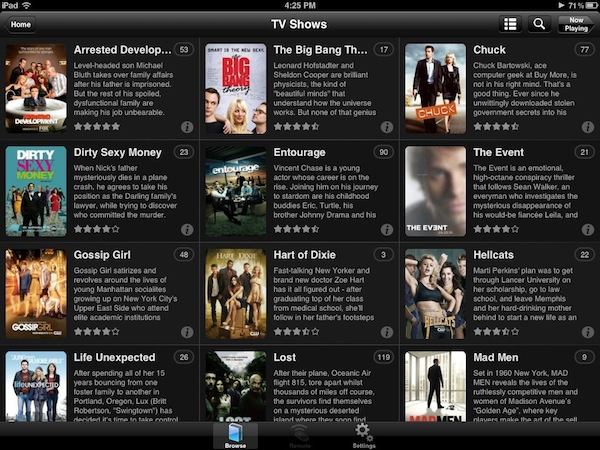
Plex 2.0 for iOS Brings Revamped Remote Access, New Home Screen - Plex 0.9.5 “Laika” Released

Back in April I wrote about Plex 1.1, a new iOS version of the popular media manager for Mac and Windows (as well as other connected devices such as Roku) that brought a new design, better streaming of movies and TV shows with Direct Play and Direct Streaming, and many changes from the original application that was released a year ago in November 2010.

With a series of releases announced via various blog posts, the Plex team launched last night version 2.0 of Plex for iOS, another major revamp of the mobile client for iPhone and iPad that brings an improved home screen design (for the grid UI that was introduced in 1.1), new remote access, better subtitle management and over 150 bug fixes. As previewed last week, the Plex team figured one of the most requested functionalities for the desktop media server – a utility that finds media on your computer or local network and handles transcoding, metadata and streaming to Plex clients – was better access of personal media (movies, music, TV shows) over the Internet. In its previous versions, Plex was capable of making a computer or external hard drive available over the Internet via port forwarding, but setup was far from easy and seamless, and the lack of any online counterpart for over-the-air sharing made it impossible to build a platform on top of a local Plex installation. With myPlex, Plex brings “real” remote access to all your media, allowing the app to communicate with my.plexapp.com through a user account (which you can create for free), letting users not only access servers (like your iMac or Mac mini) remotely, but also to share specific sections of a library with other Plex users.

myPlex is a full-featured solution to access, share and save content for later. “Access” means all your connected Plex media servers will show up online, readily available to show your sections and library; I haven’t been able to personally test the remote access part of myPlex as my router doesn’t want to play nice with port mapping, but I can see how the redesigned preference panel will make for a more intuitive experience when making a computer available online. Moreover, the screencasts posted by the Plex team (available below), show how easily it’s possible to connect media servers to myPlex.

Sharing plays another big role on myPlex: whereas in previous iterations of Plex users could only share content with others by opening up their routers for external access, providing a friend with the required authentication system to access a Plex installation, myPlex makes it extremely easy to pick a folder (say a Music collection, or a TV series), enter an email address of another Plex user, and start sharing content online. Users can share an entire Plex library or just some sections, and obviously the system will take advantage of Direct Play and Direct Streaming between remote connected users and libraries whenever possible. myPlex is a simpler interface on top of the old (manual, URL-based) sharing process, and it’s deeply integrated with the updated iOS and Mac clients. Read more


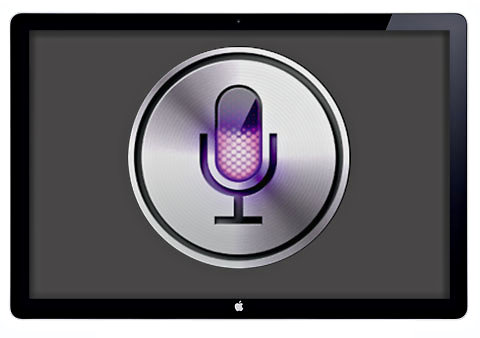
NYT: Siri-Controlled Apple Television “A Guaranteed Product”

According to an article by Nick Bilton on The New York Times, Apple is indeed working on a television product that could be publicly announced in late 2012, and released in early 2013. Rumors of an Apple-made television, not just a TV set like the Apple TV, go back to the original announcement of the iTV, a set-top box that would later become the Apple TV, which made many wonder whether Apple could ever disrupt the television market by offering content deals and a new way to access and interact with television programming. A statement by Steve Jobs in the recently released biography by Walter Isaacson gave new credence to such rumors – Jobs said “he finally cracked it”, leading many to believe Apple had been working on a hardware product set to revolutionize the television market.

According to Bilton however, the revolution isn’t strictly about the hardware design or physical remote controller – rather, the Apple television will heavily rely on Siri – Apple’s voice-based assistant for the iPhone 4S – to let users easily execute tasks such as searching for online content, switch channels, get the news and weather information, or the latest episode of a TV show.

Alternative remote ideas floated by Apple included a wireless keyboard and mouse, or using an iPod, iPhone or iPad as a remote. None of these concepts worked. But there was one “I finally cracked it” moment, when Apple realized you could just talk to your television.

Enter Siri.

It’s the stuff of science fiction. You sit on your couch and rather than fumble with several remotes or use hand gestures, you simply talk: “Put on the last episode of Gossip Girl.” “Play the local news headlines.” “Play some Coldplay music videos.” Siri does the rest.

Bilton claims several people within Apple have confirmed the existence of prototypes and parts floating around, with a source even saying the television is “a guaranteed product” from Apple, with the only question being when the company will decide to unveil it and release it. Bilton says getting components for large displays to drop under a certain price target could be an issue for Apple, and he notes that the user-friendliness of Siri applied to a television could be also hinted by Jobs saying ”it will have the simplest user interface you could imagine” when referring to such a device in his authorized biography. Siri was acquired by Apple last year, and it’s currently exclusive to the new iPhone 4S.

In the past year, Apple released the second-generation Apple TV and updated its software multiple times to include a selection of new channels, content deals, iCloud-based functionalities and deeper iTunes integration with streaming and previous purchases. A recent rumor also claimed Jeff Robin, co-creator of iTunes, has been put in charge of the Apple Television project.

[image via]


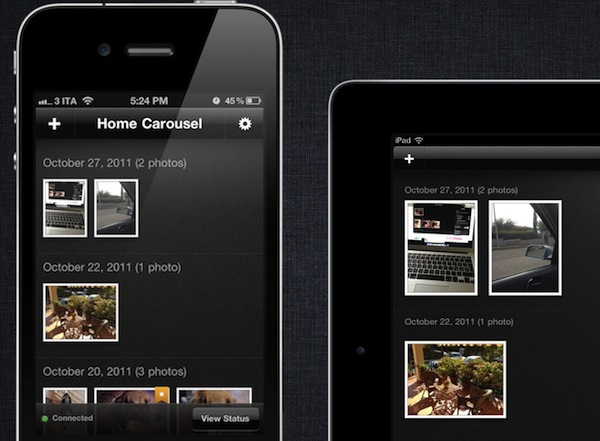
Adobe Carousel Review: Sync & Edit Photos Anywhere

With the introduction of iOS 5 and iCloud, Apple enhanced the standard photo management experience on iOS devices and Macs with Photo Stream, a new cloud service that makes all your photos available anywhere at any time through iCloud. As I detailed in my iCloud overview, Photo Stream is a new “invisible” part to iCloud that lives inside the iOS’ Photos.app or iPhoto on the Mac, allowing the operating system to instantly push photos – whether they’re actual photos or screenshots taken on iOS – up to the cloud, and back to all your devices configured with Apple’s service. So when you’re taking a new photo on your iPhone, Photo Stream ensures the photo is also pushed to your iPad and Mac, so you won’t have to sync or manually transfer files when you’re home.

Photo Stream is a convenient solution because it’s easy to use and doesn’t require any configuration, but this very lack of options and adjustments has generated quite a debate in the past few weeks among users who would like to be able to control their Photo Stream to exclude certain kinds of images, or at least manually delete the ones that aren’t worth the cloud storage. Because Photo Stream has been built to be invisible and extremely simple, it doesn’t come with any preference to, say, diversify screenshots from regular photos, or delete photos you mistakenly took from your online stream. Photo Stream is simply an on/off switch for all or nothing, and whilst it has turned out to be an indispensable tool in my workflow for photos and iOS screenshots, others would like to have some kind of control over how photos are chosen and pushed to their devices. Read more


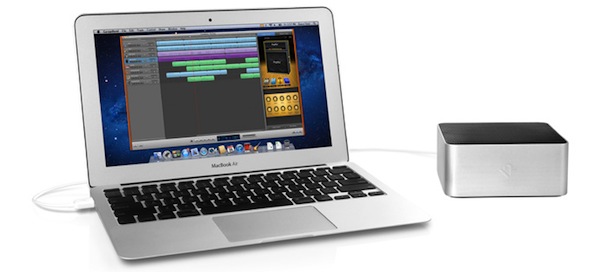
Twelve South Introduces “BassJump 2” USB Subwoofer for Macs

Twelve South, makers of beautiful Mac desktop accessories like the BookArc and MagicWand or the iOS-focused BookBook and Compass, have announced earlier today a software update for the BassJump, a portable subwoofer that can be paired via USB with Mac computers and Apple’s Cinema and Thunderbolt displays. The new BassJump features the same hardware of its predecessor, meaning that previous owners of the device will get the software update for free; the new functionalities, in fact, have been included on the software side of the BassJump, which installs as a panel in the Mac’s System Preferences app. Twelve South details in its official FAQ that all BassJump users, regardless of version 1 or 2, will get the BassJump 2 software features.

The BassJump, admittedly one of Twelve South’s most popular gadgets for Mac users, takes advantage of a standalone, proprietary software to enhance a Mac’s default sound output and turn it into an easy-to-use 2.1 audio system with the Mac’s speakers acting as tweeters; the BassJump will thus become a subwoofer, delivering deeper sound for mid and low frequencies. Whereas a portable or desktop Mac would rely on its internal speakers for all frequencies, usually resulting in lower quality for bass-filled songs, the BassJump aims at working in conjunction with a Mac’s built-in audio to offer a richer, fuller audio experience. The BassJump 2 update comes with the following improvements:

  • 8 decibels louder.
  • BassJump can be paired with external USB speakers and Apple Cinema/Thunderbolt Display speakers.
  • Save customized BassJump Settings.
  • Several user interface tweaks

With a 77mm subwoofer speaker cone and signal-to-noise ratio set at 80dB, the BassJump comes with settings for default audio, Pop, Rock, R&B, Classical, as well as custom options. Crossover Frequency Range can be adjusted between 100Hz and 300Hz, and the software requires OS X 10.5.8 or later.

Twelve South’s BassJump looks great, and as the company suggests on its website, it “sounds” like a perfect solution for the MacBook Air, which as I detailed in my review produces some good audio but could use warmer, deeper bass when playing songs or your favorite hit from YouTube. The BassJump 2 is available today at $69.99 through Twelve South’s website.


Latest Chrome Stable Gets Redesigned “New Tab” Page

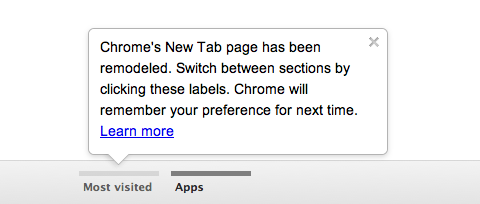
With the latest stable version of Chrome, released today, Google has set out to improve the design of the “New Tab” page, while providing users with a better way to access their most visited websites and apps at the same time. Those who use Canary, Google’s bleeding-edge version of Chrome for users willing to try the latest features and improvements ahead of their stable release, won’t be surprised by Chrome’s new tab page design: along the bottom, a Chrome logo sits next to two new tabs for most visited pages and your installed apps. These apps can be obtained from the Chrome Web Store, which also got a makeover today. Switching between top sites and apps is easy, and if you don’t feel like clicking on the tabs you can always use the arrow icons at the side to navigate, or perform a two-finger flick on your multitouch trackpad.

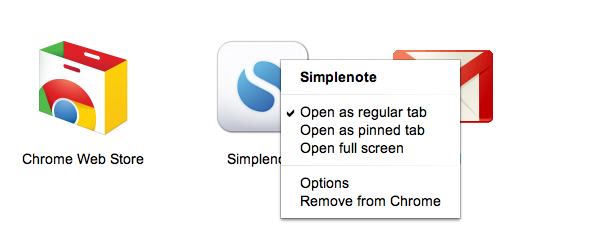
Apps can be opened as regular or pinned tabs, launched in full-screen mode, configured through the Options or removed from Chrome. It’s nice to see full-screen mode for apps takes advantage of Lion’s native full-screen, which was also recently introduced in Chrome. Websites’ thumbnails in the first tab can be removed and right-clicked as “normal” browser tabs, whereas app icons can be dragged and rearranged on screen. Furthermore, this new tab page comes with a “Recently Closed” menu for tabs and sites in the bottom right corner, too.

Google wrote about the new Chrome Web Store:

Apps and extensions are now presented in a wall of images that’s updated every time you visit the store. We hope this will help you quickly scan the store and find interesting things to try out. In addition, apps and extensions are easier to install—just hover over an image on the grid and click “Add to Chrome.”

Getting additional information about an app or an extension is just a click away. When you click on an app, extension or theme, you’ll see a panel featuring screenshots, videos and other relevant information neatly organized into separate tabs. The store also includes a brand new reviews interface that links to the Google+ profile of each reviewer. (To protect your privacy, we made sure to anonymize any reviews that you previously submitted.)

The latest Chrome version can be downloaded through the browser’s software update checker, or from Google’s website. Check out Google’s video detailing the refreshed Web Store and New Tab page after the break.
Read more