Federico Viticci

10758 posts on MacStories since April 2009

Federico is the founder and Editor-in-Chief of MacStories, where he writes about Apple with a focus on apps, developers, iPad, and iOS productivity. He founded MacStories in April 2009 and has been writing about Apple since. Federico is also the co-host of AppStories, a weekly podcast exploring the world of apps, Unwind, a fun exploration of media and more, and NPC: Next Portable Console, a show about portable gaming and the handheld revolution.

Sun: iPhone Weather Web App
Sun: iPhone Weather Web App

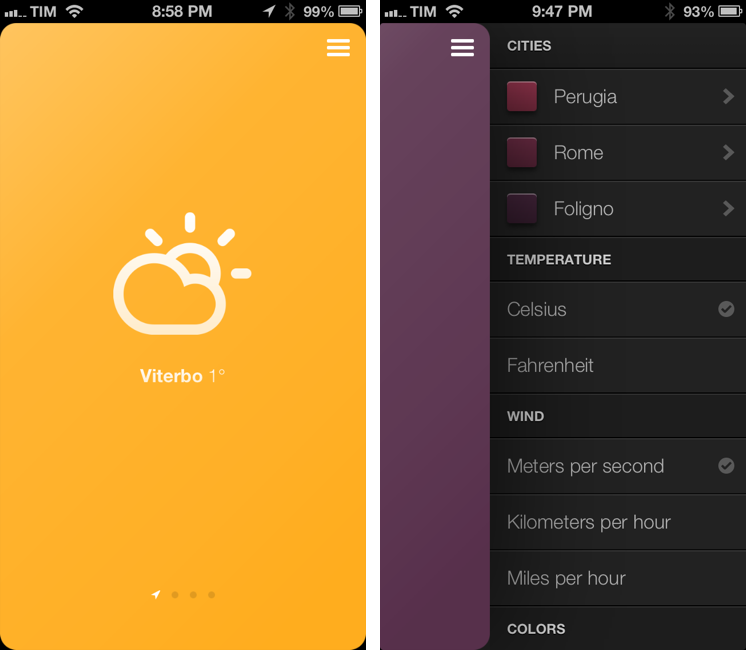
Sun is an impressive weather web app for the iPhone created by Jakob Henner. I don’t normally cover web apps on MacStories, but Sun almost feels like a native app and sports a clean and elegant interface reminiscent of the latest trends in UI design. I discovered it thanks to a tweet by Beautiful Pixels’ Preshit.

Sun has a 3D interface that lets you swipe between locations that you can add in a sidebar on the right. There are sound effects for when you open the sidebar or succesfully add a new location. You can even switch between Fahrenheit/Celsius and 9 different color schemes. Like a native app, Sun will request access to your location to display local weather without having to enter that one manually.

Another nice thing about Sun is how it dynamically changes its webclip icon depending on the latest weather information it fetched. As explained by the developer (and others on Twitter), this is possible by “drawing” the icon every time shortly after the app is launched.

There are some aspects of Sun that reveal its web origins. Animations are slower than what you’d expect from a native app; there are some random refreshes of the entire page; text selection can get funny in the sidebar.

Still, Sun is a great experiment and you should check it out here.
Permalink

Pythonista 1.3 Brings Camera Roll and Notification Center Support, New Library View, And More

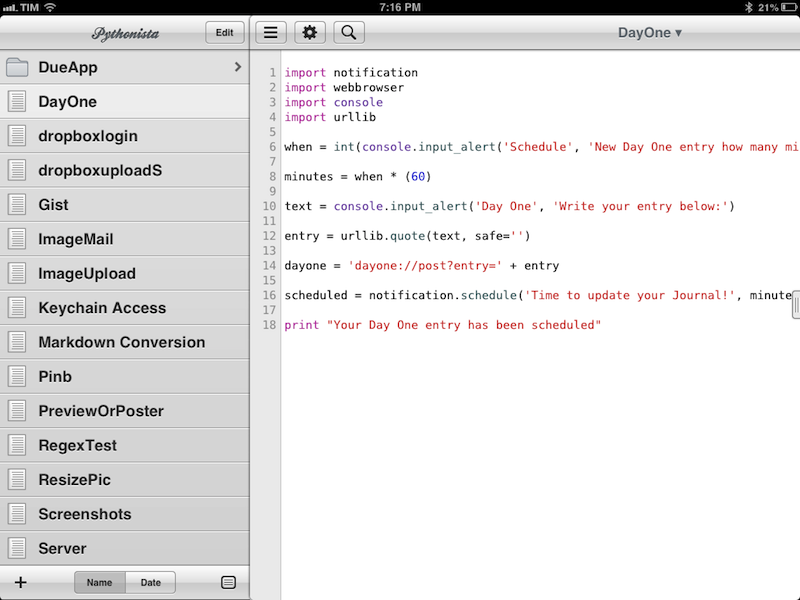
Ole Zorn’s Pythonista is one of my favorite, most-used iOS apps to date. Combining a Python interpreter with scripting capabilities that take advantage of iOS through native interface elements and features like URL schemes, Pythonista has completely reinvented my iOS workflow. With Pythonista, I can work from the iPad without wishing I had a Mac.

Back in November, I wrote an extensive review of Pythonista 1.2, providing some sample scripts and an in-depth look at the app and its functionalities. I concluded my review saying:

I believe that, going forward, Pythonista and other similar apps will show a new kind of “scripting” and task automation built around the core strenghts of iOS.

Pythonista 1.3, released today, adds a number of features aimed at making the app more “connected” with the underpinnings of iOS, enabling users to create more complex workflows that go beyond running scripts inside Pythonista. I was able to use Pythonista 1.3 for the past weeks, and I believe it’s a very solid update. Read more


RegexMatch for iPad

RegexMatch

RegexMatch

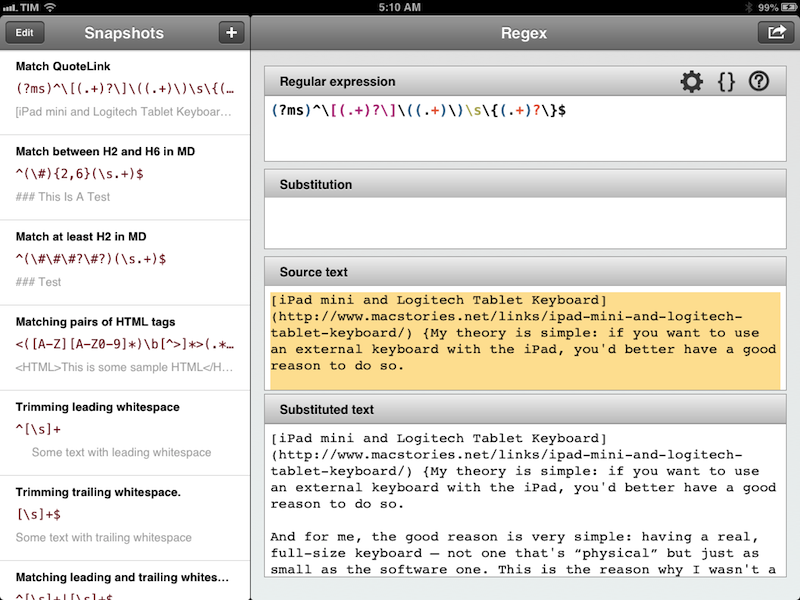
There seems to be a scarcity of easy-to-use, well designed iOS apps for testing and previewing regular expressions. I’ve only seen a few on the App Store, and they tend to look ugly or lack the feature set that I need. Fortunately, RegexMatch is a good start if you’ve been looking for a way to test and save regexes on the iPad.

RegexMatch has a clean interface that’s easy to navigate and good-looking. On the left side, there’s a sidebar listing all your Snapshots – regular expressions you’ve created and saved manually. You can create as many snapshots as you want, but I wish there was some kind of folder organization for people who, like me, will test several versions of the same regex. Read more


Apple Airs New iPad Commercial During Oscars

Hollywood

Hollywood

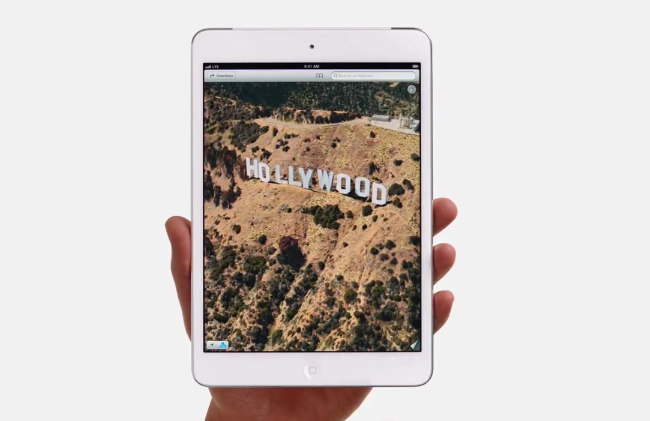
Apple aired a new iPad commercial during the 85th Academy Awards. The ad, focused on apps for photographers and video editors and iTunes Store content, also included a brief demonstration of Apple’s Maps showing a 3D animation of the historical Hollywood sign.

The new commercial uses the same style of the ones Apple aired a week ago. There is no narration, just a series of words quickly shown on screen alongside apps available on the App Store. The words that are spoken out loud are “lights”, “camera”, and “action”. The apps shown in the video include: iMovie, Pinterest, Apple’s iTunes Movie Store, MovieSlate, 8mm for iPad, Action Movie FX, and Instant. Movie Clips from Indiana Jones and Back to the Future are also shown in the ad.

You can watch the video below. Read more


iPad mini and Logitech Tablet Keyboard

iPad mini and Logitech Tablet Keyboard

David Chartier has been taking a look at various external keyboard solutions for his iPad mini in the past weeks. I have enjoyed the series and I was looking forward to reading his thoughts on the Logitech Ultrathin Keyboard mini, Logitech’s latest entry in the market of iPad keyboard/case accessories. As I feared, the Ultrathin Keyboard mini is just too cramped to be an acceptable trade-off:

The keys are cramped, even moreso than the 9.7 inch iPad’s on-screen keys in landscape, which I consider “Normal Netbook” and quite typeable if you give yourself time to warm up to them. Logitech made some questionable tradeoffs when combining and shrinking keys; take a close look at my gallery photo to see what I mean.

My theory is simple: if you want to use an external keyboard with the iPad, you’d better have a good reason to do so. And for me, the good reason is very simple: having a real, full-size keyboard – not one that’s “physical” but just as small as the software one. This is the reason why I wasn’t a fan of the Ultrathin Keyboard Cover for the bigger iPad either.

Like David, I have been getting better at touch-typing, but I still think the best solution for the iPad mini is the one I chose for the iPad last year: the Logitech Tablet Keyboard. It’s the same size of Apple’s Bluetooth keyboard, and it’s got iOS-specific keys such as a Home button and a Spotlight shortcut, which I use all the time. Here’s my review from last year, still 100% true for me.

If you use a Logitech keyboard, here’s a handy list of shortcuts (list may vary depending on the keyboard layout you have). Also, iOS supports more “advanced” keyboard shortcuts, but very few people know about them – because they require VoiceOver to be activated. Here’s how you can get more shortcuts to work; I don’t use this method, but I hope Apple will allow third-party developers to have configurable keyboard shortcuts in a future version of iOS.

Permalink

A Better Testing Process for App Store Developers

A Better Testing Process for App Store Developers

The Iconfactory’s Sean Heber, in a radar filed on Open Radar:

Allow developers to add “in development” apps to the App Store. Rather than having them go through review, they simply upload builds like normal but the builds are set as “in development” which then only go to registered testers associated with the app.

In his proposal, Sean goes through the steps a possible “beta portal” for App Store apps may require. While I’m not sure about the idea of putting available development builds in the Purchased section of the App Store (if only for the poor technical performances of that section), I do believe this is a good idea. The lack of any sort of deeper App Store integration is what helped the rise of services like Hockey and TestFlight, and it seems strange that Apple hasn’t done much in the area of testing development builds of apps. I would also add that it’s absolutely anachronistic how Apple is still forcing developers to associate builds with device IDs rather than Apple IDs of testers (device slots are limited, and many testers have multiple devices).

I’m also intrigued by Sean’s other idea – letting users pay for early access to betas:

Bonus points would be to actually allow the developer to put a price on an app - even for testers. Using a mechanism like this, the developer could gather a group of early adopters who are willing to pay for early development access - perhaps to help support the developer in their quest to build the next big game. The goal with this is to provide a way that the next Minecraft could actually happen on iOS. When Minecraft was first beginning, Notch allowed people to pay for beta “lifetime” access up front. Even when the game was barely a game or barely anything at all. That early access generated a lot of buzz and revenue for him allowing him to continue development.

Again, I’m not sure how it would work in practice, but I think the idea is fascinating and worth discussing. Imagine some sort of Kickstarter-like approach for App Store apps, managed and sanctioned by Apple, and directly controlled by the developer. The App Store needs many, more basic improvements, but this is still something Apple should consider.

Permalink

Year Walk Review

Last night, I finished Year Walk – the latest game from Simogo, creators of Bumpy Road and Beat Sneak Bandit – and even if games don’t belong in my usual area of coverage here at MacStories, I think Year Walk deserves a special mention.

Calling Year Walk a “game” is actually reductive. Even though it plays like a game, Year Walk is an experience spanning various aspects of storytelling, Swedish folklore, multitouch interactions, sound, and additional reading material available in a Year Walk Companion app.

Year Walk is the most unique “game” I have played on iOS in years. I’ll try my best to describe its appeal in this post. Read more


Reader X 2.0

ReaderX

ReaderX

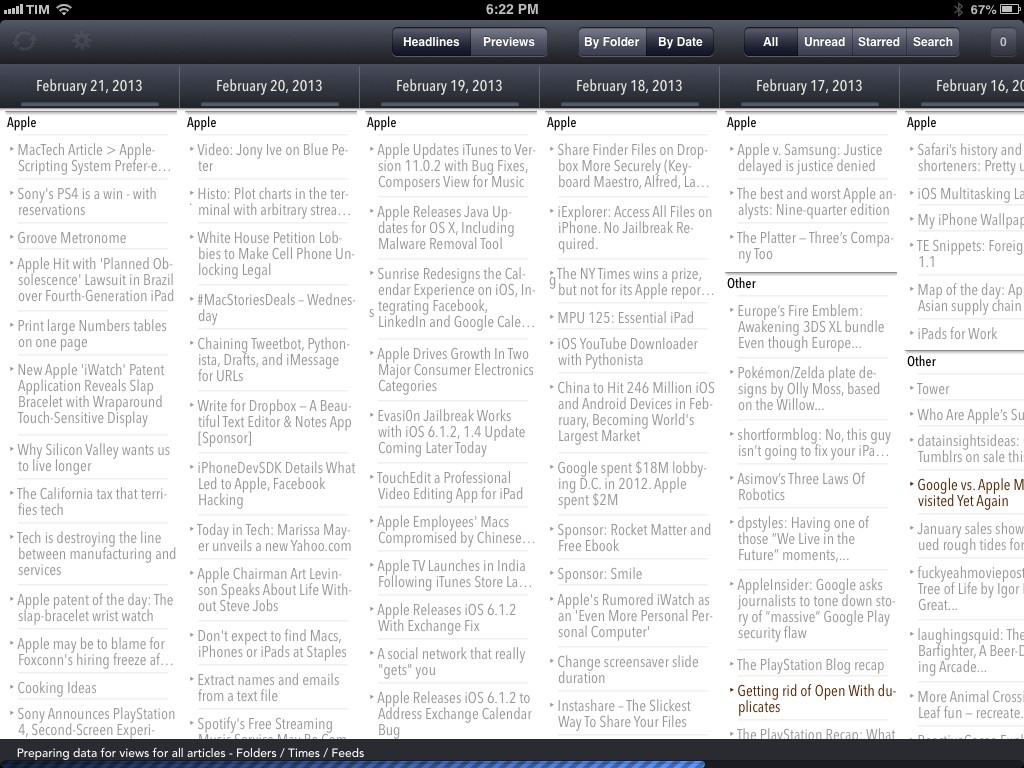
MacStories readers know that my favorite Google Reader client these days is Mr. Reader, especially after an update that added a “services menu” to the app, substantially increasing its interoperability with other apps. However, I’ve also been a fan of Reader X as a companion Google Reader app. A year after its original release in February 2012, developer Wolfgang Augustin released Reader X 2.0, which is a solid update that adds several new functionalities while building upon the original concept of the app.

Read more


Chaining Tweetbot, Pythonista, Drafts, and iMessage for URLs

DraftsMessages

DraftsMessages

Last night, Tweetbot for iOS was updated with support for the Twitter 1.1 API, which, among various requirements, includes the need of linking a tweet’s timestamp – the date and time when it was sent – to its unique URL on twitter.com. In Tweetbot, you can now open the tweet detail view and tap on the timestamp to automatically open the Twitter website in your default browser; in terms of interaction, I like this change because it lets me open tweets in Google Chrome with just one tap.

In thinking about the update last night, I realized that:

  • My team and I use iMessage for daily communication;
  • The majority of URLs we share are Twitter URLs;
  • We all use Tweetbot on iOS and OS X;
  • Easier browser access means easier bookmarklet triggering;
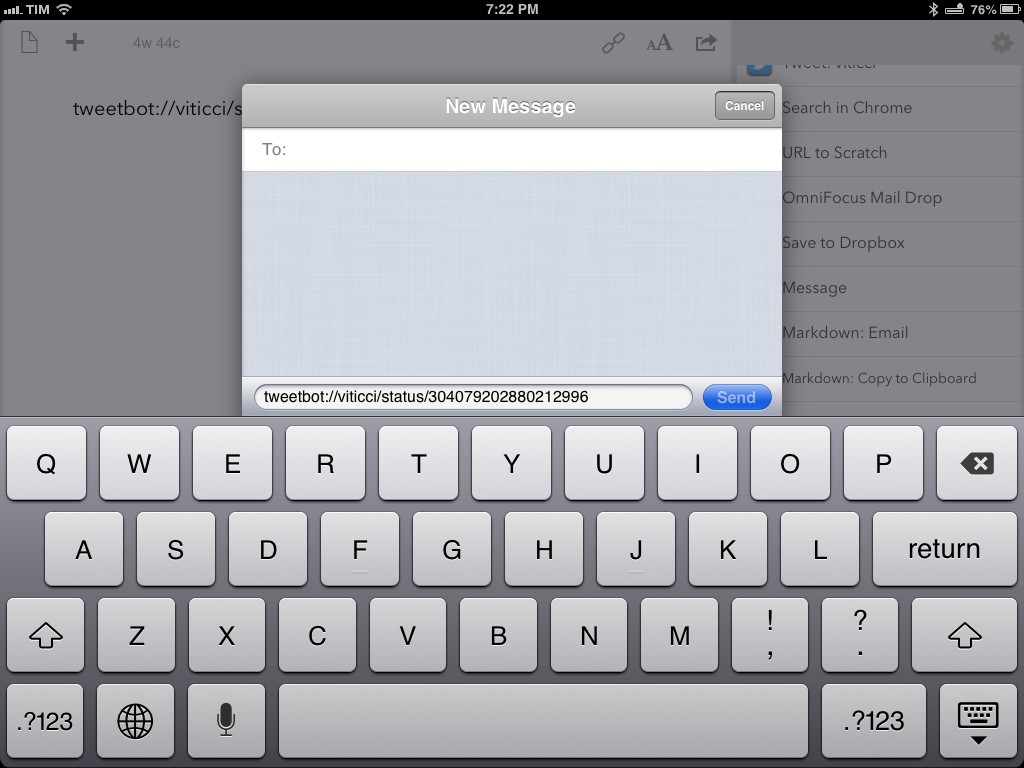
  • Drafts can access iMessage.

And I concluded that:

  • I could chain every piece of the puzzle together;
  • Hopefully somebody else will find it useful and adapt the workflow to other similar scenarios.

Therefore, I created a browser bookmarklet, a Python script, and a Drafts action to automate the entire process and demonstrate how you can convert Twitter URLs to tweetbot:// URLs and send text from Pythonista to Drafts.

As usual, I am posting the following workflow as a proof of concept that you can modify and adapt to your needs. For instance, you can change the action that is triggered in Drafts, the x-success parameter that will be triggered, or the way Twitter links are converted to Tweetbot-specific URLs.

Read more