Federico Viticci

10759 posts on MacStories since April 2009

Federico is the founder and Editor-in-Chief of MacStories, where he writes about Apple with a focus on apps, developers, iPad, and iOS productivity. He founded MacStories in April 2009 and has been writing about Apple since. Federico is also the co-host of AppStories, a weekly podcast exploring the world of apps, Unwind, a fun exploration of media and more, and NPC: Next Portable Console, a show about portable gaming and the handheld revolution.

Stuart Hall’s App Store Experiment

This is an excellent series by Stuart Hall: he developed a 7 minute workout app, and he’s been posting details, numbers, and comments on what it’s like to enter the App Store market today.

Particularly interesting is the switch to a free model with In-App Purchase, detailed in part two:

How does In App Purchase (IAP) stack up against a paid download? For this app it’s been an increase of over 3x from around $22 per day to around $65 per day. The IAP converts at approximate 2-3% of the downloads per day.

[…]

IAP increases revenues - For better or worse for the ecosystem as a whole, it’s been proven over and over again it makes more money.

While Stuart’s story won’t apply to every kind of app category and pricing scheme, there are several data points and charts worth considering. Make sure to check out part one and part two – I hope there will be a part three as well.

Permalink

Shared Accounts In Google’s iOS Apps

Alex Chitu, reporting on a feature that I also noticed after YouTube’s 2.0 update:

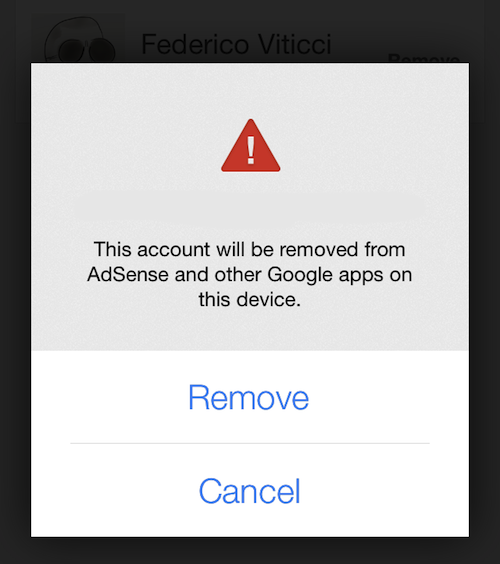
If you enter the credentials of a Google account in the YouTube app and then open the AdSense app, you’ll find the new account and you can sign in without entering the password. If you remove an account, it will be removed from the other Google apps that support this feature. I assume that most Google apps for iOS will be updated to use this brilliant feature.

Once I logged into YouTube with my account (on an iOS 7 device), I then fired up the AdSense app (that I had just downloaded from the App Store) and my account was already listed in the screen with available accounts. It does seem like the YouTube and AdSense apps are capable of sharing accounts so users won’t have to log into their account every time in each Google app. AdSense didn’t bring up an authorization screen in YouTube – it just recognized the account that I had set up in YouTube.

Google’s documentation for YouTube confirms this, but doesn’t specify which iOS apps support shared accounts:

If you’ve signed in with another Google app on your iOS device, you may see this account listed.

Google’s explanation isn’t clear; the shared account option isn’t mentioned in the documentation for Gmail and Chrome. Upon signing out from the YouTube app, an alert dialog reads:

To sign in again, just select one of your Google accounts saved on this device. You will not be required to enter your password. To remove a saved account, tap “Sign In” > “Manage” > “Remove”.

It’ll be interesting to see if and when shared accounts will be integrated with Google’s other iOS apps. In the past few months, Google enhanced the inter-app communication capabilities of Gmail, Maps, Drive, and Chrome with the ability to open links in other apps, completely foregoing the need to launch Apple apps like Safari, Maps, or Mail.

Furthermore, Google is also providing an SDK for developers to add this functionality to their apps (for web links), showcasing examples of third-party apps that support Chrome. While Google apps won’t have the same kind of system integration that they have on Android, the combination of URL callbacks and shared accounts could help the creation of a “Google app ecosystem” on iOS.


Hype HTML5 Creation Tool Gets New Features, iOS Previews with 2.0 Update

Tumult Hype, a powerful HTML5 content creation tool for OS X, was updated today to version 2.0. Designed to allow web developers and designers to create rich, animated web content without relying on plugins (like Flash) or other native code, Hype – launched in 2011 by former Apple engineers – has always been at the forefront of HTML5 editing software on the Mac thanks to a polished interface, powerful features, support for Apple’s iBooks Author, and compatibility with several web browsers and technologies. MacStories readers may be familiar with our series on Entertainment Ecosystems, which featured animated HTML5 graphics created entirely in Hype by our Graham Spencer.

Today’s version 2.0 is a major update that builds on the solid foundation of Hype to provide further support for modern web standards as well as iOS devices. In terms of additions to the Mac app, Hype now supports web audio through audio actions, a way to stop and play audio depending on a user’s interaction with a specific scene or timeline. Hype now has support for web fonts (via Google Fonts), curved motion paths (for more natural animations of objects on screen), and JavaScript improvements for developers.

On the mobile side, one notable new feature is proper recognition of touch and swipe events: this means that Hype content supports interactions through taps and swipes on a mobile device with the same speed and controls provided by standard clicks and drags with a cursor on a computer. Based on what the Hype team showed in a video and explained in the 2.0 changelog, this should result in more fluid interactions with HTML5 content on mobile devices (not just iOS ones); developers won’t have to write touch-specific code from scratch anymore, as the app will take care of handling the transition from desktop to mobile browsers. Read more


YouTube 2.0 For iOS Released With Picture-in-Picture, Updated Design

YouTube 2.0

YouTube 2.0

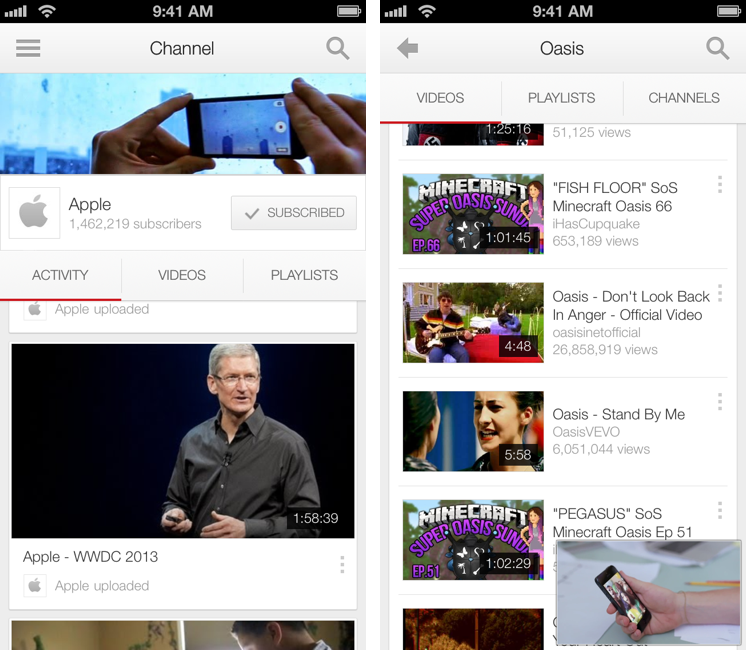
Today, Google has officially launched version 2.0 of its YouTube app on the App Store, bringing a tweaked user interface, new icon, and picture-in-picture to the mobile client.

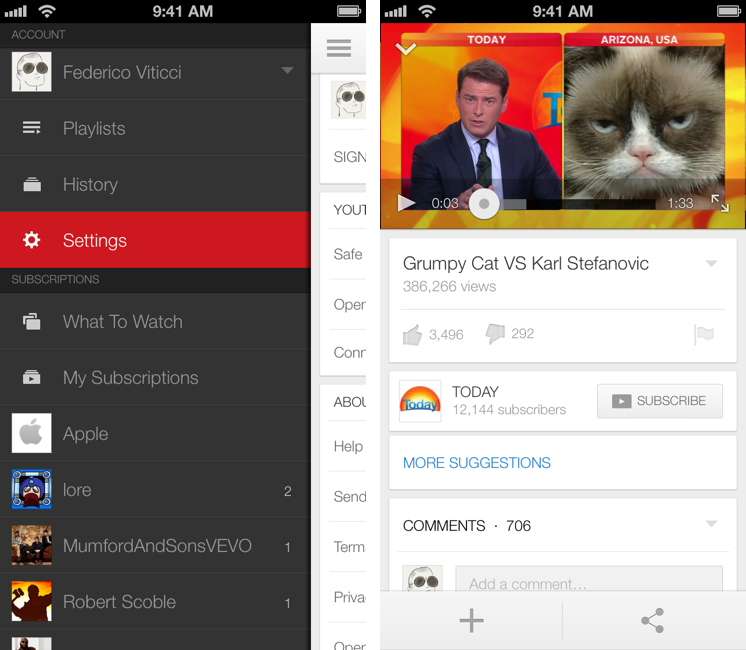
The big new feature of this version is picture-in-picture for videos, which allows you to keep watching a video while browsing or searching. This has been a popular option of third-party clients such as FoxTube for quite a while, and, in Google’s implementation, the player can be dismissed with a tap on an arrow button or a swipe down directly on the video player. Both on the iPhone and iPad, dismissing the player reveals a delightful animation and transition that quickly sends the video down to the bottom of the screen, where you can tap again to enlarge it, or swipe it away to close it.

Overall, the improved animations of the app are much snappier and responsive than version 1.4, and there are dozens of new transitions, translucency effects, and subtle interface hints that contribute to making navigation faster and fluid.

YouTube 2.0

YouTube 2.0

More importantly, YouTube 2.0 packs a tweaked design – starting from the icon – that suggests Google has been getting its iOS apps ready for the major 7.0 update coming to iOS this Fall. The app gets rid of several textures and graphical elements for a more subdued design with a focus on colors (red for selections, gray for the sidebar, whitespace for navigation and search results), transparency, gestures, and animations. It wouldn’t be hard to imagine Google going one step further with this new design and enhancing with iOS 7-only APIs such as blurs and physics effects once iOS 7 is available. The new app doesn’t mimic the look of Apple’s iOS 7 apps, but it does look like Google’s way of easing users into iOS 7’s (fast-approaching) future.

Based on my initial tests, YouTube 2.0 seems to be a powerful and welcome improvement over the old version. The picture-in-picture player is a great addition, and the app has a cleaner, more responsive interface.

YouTube 2.0 is available on the App Store.



App Stores and Discovery

Benedict Evans:

After the web directory the next stage was the ‘portal’ - a page with someone’s ideas of what might be useful. This is what Yahoo became, and it’s also what the front page of the iOS or Android app stores look like now. The purpose of these screens is not to allow people to discover your app or service - they cannot hope to be comprehensive in that way. The front pages of an app store do not exist to help developers - they can’t. Rather, they exist to help the users - to ease them into the idea of apps. But they can only scratch the surface of ‘discovery’.

Curation by the App Store’s editorial team can’t be enough if it’s not backed by robust search and discovery algorithms that can provide better search results and personalized recommendations. These are topics that I explored in July for the fifth anniversary of the App Store – and, to an extent, they can be applied to other content sold by Apple, like books and video.

Some may argue that Apple’s recent acquisition of Matcha.tv may signal an increased interest in content recommendation algorithms. While I have no doubt that Apple is working on this, it’s important to remember that the same was said for Chomp last year, and that didn’t result in an improved App Store search or recommendation experience on iOS 6. Maybe Matcha’s algorithm is truly different though, and Apple will find a way to use it to improve discovery on iTunes/App Store – but I wouldn’t expect improvements to become apparent any time soon.

Permalink


Macworld’s Review of “Jobs”

Philip Michaels reviews “Jobs” (opening in US theaters today):

But the script abandons these elements almost as soon as they appear, and the movie makers’ focus returns to marking off spaces on the Steve Jobs biography bingo card. Jobs sitting enraptured during a class about fonts? Check. Jobs tricking Woz out of his share of a bonus for developing Atari’s Breakout? Check. Jobs showing off the “1984” Macintosh commercial in its entirety? Check and mate. “This is like a video Wikipedia entry,” my colleague Armando Rodriguez told me after we finished screening the movie. That’s a harsh but not entirely inaccurate critique.

This is a common critique I’ve read in other reviews of Jobs as well. It would have been great to have something more than a documentary of Steve’s life and mannerisms starring Kutcher. I’ll still watch the movie, but I’m hoping Sorkin’s take will be something different and deeper.

Permalink

Reinventing iOS Automation: Editorial Review

Editorial for iPad

Editorial for iPad

Update: I have turned this review into an interactive book with additional & exclusive content. You can find it on iTunes, on sale for a limited time. More information is available here.

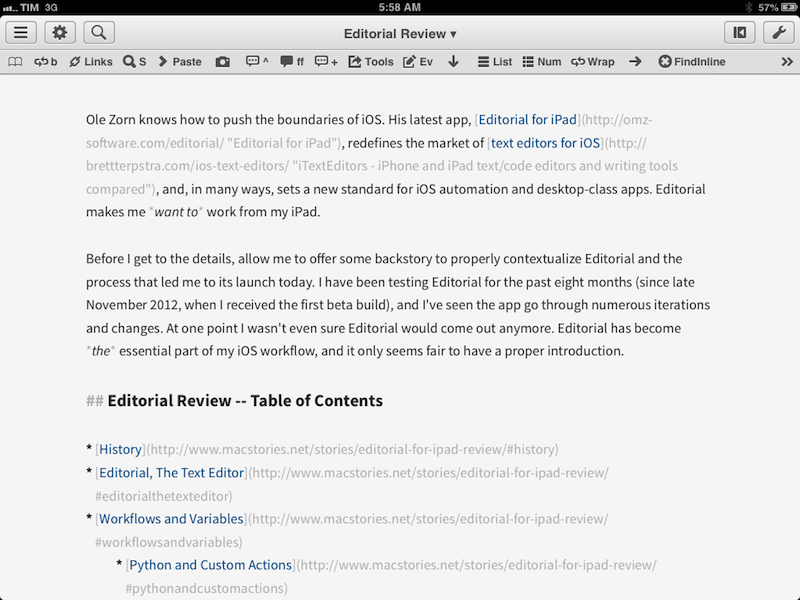
Ole Zorn knows how to push the boundaries of iOS. His latest app, Editorial for iPad, redefines the market of text editors for iOS, and, in many ways, sets a new standard for iOS automation and desktop-class apps. Editorial makes me want to work from my iPad.

Before I get to the details, allow me to offer some backstory to properly contextualize Editorial and the process that led me to its launch today. I have been testing Editorial for the past eight months (since late November 2012, when I received the first beta build), and I’ve seen the app go through numerous iterations and changes. At one point I wasn’t even sure Editorial would come out anymore. Editorial has become the essential part of my iOS workflow, and it only seems fair to have a proper introduction.

Read more