Federico Viticci

10929 posts on MacStories since April 2009

Federico is the founder and Editor-in-Chief of MacStories, where he writes about Apple with a focus on apps, developers, iPad, and iOS productivity. He founded MacStories in April 2009 and has been writing about Apple since. Federico is also the co-host of AppStories, a weekly podcast exploring the world of apps, Unwind, a fun exploration of media and more, and NPC: Next Portable Console, a show about portable gaming and the handheld revolution.

This Week's Sponsor:

Crickets

The first alarm app for families.


Apps And The Auto Industry Model→

Justin Williams on the new version of Elements for iOS 7 and the “Customization Pack” he introduced as an In-App Purchase:

I’m approaching this how you typically buy a car.

When you walk into a dealership, you may know that you want to buy a Ford Focus, but there’s not just a single Ford Focus. There’s the base model the lowest possible price, but you can enhance the car with additional add-ons and upgrades to make it the car you want. That’s how I am approaching traditional software for the forseeable future.

That’s an interesting way to put it, and I think that we’ll see several developers adopting (or switching to) this strategy in 2014.

Permalink


Plex Gets iOS 7 Update

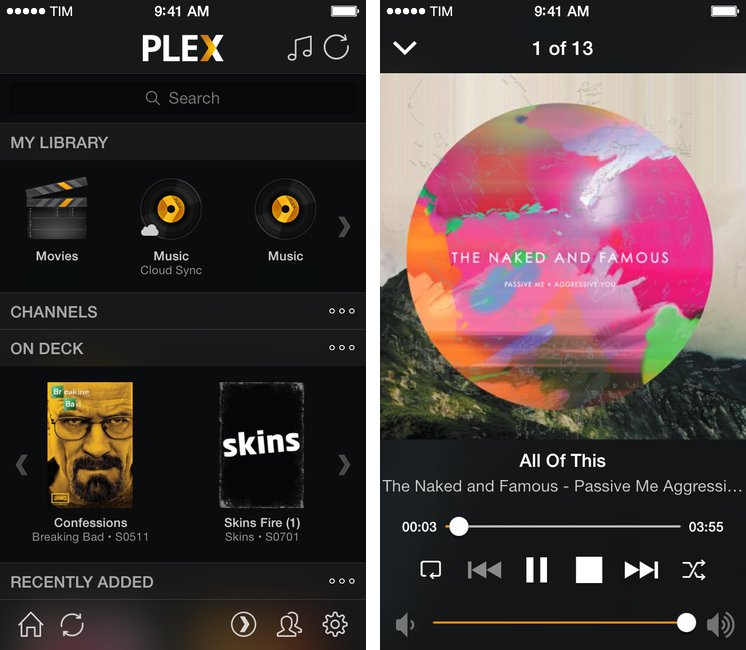
Plex for iOS, a native client for the company’s media manager, has been updated today with support for iOS 7. Version 3.3, available on the App Store, introduces a tweaked look to match Apple’s new OS, as well as bug fixes and changes to the media player.

The app hasn’t been revolutionized in its transition to iOS 7: the main screen has stayed the same, with sections to access your library, channels, and media that is either on deck or has been recently added to your Plex. There are no new options in the Settings, which still allow you to log into your myPlex account and configure playback preferences for synced and remote media.

There’s been, however, a general clean-up of the UI: gone are iOS 6 toolbars and buttons, leaving room for translucencies, redesigned icons, and simplified navigation bars. Translucencies are especially fitting as they make colorful media artwork show through the interface, but it still feels like Plex could use a major redesign (particularly on the iPad) as it has remained largely unchanged since 2011. According to the developers, “lots more user interface improvements” are coming.

The media player (pictured above) has been updated, and the app is now capable of recognizing URLs in the clipboard upon launch, so that you’ll have a shortcut to quickly put content from the web in your Plex queue.

You can get Plex 3.3 on the App Store. Last week, the company released (after a long beta period) version 1.0 of Plex Home Theater, a Mac app to access your Plex content without having to use Plex/Web.


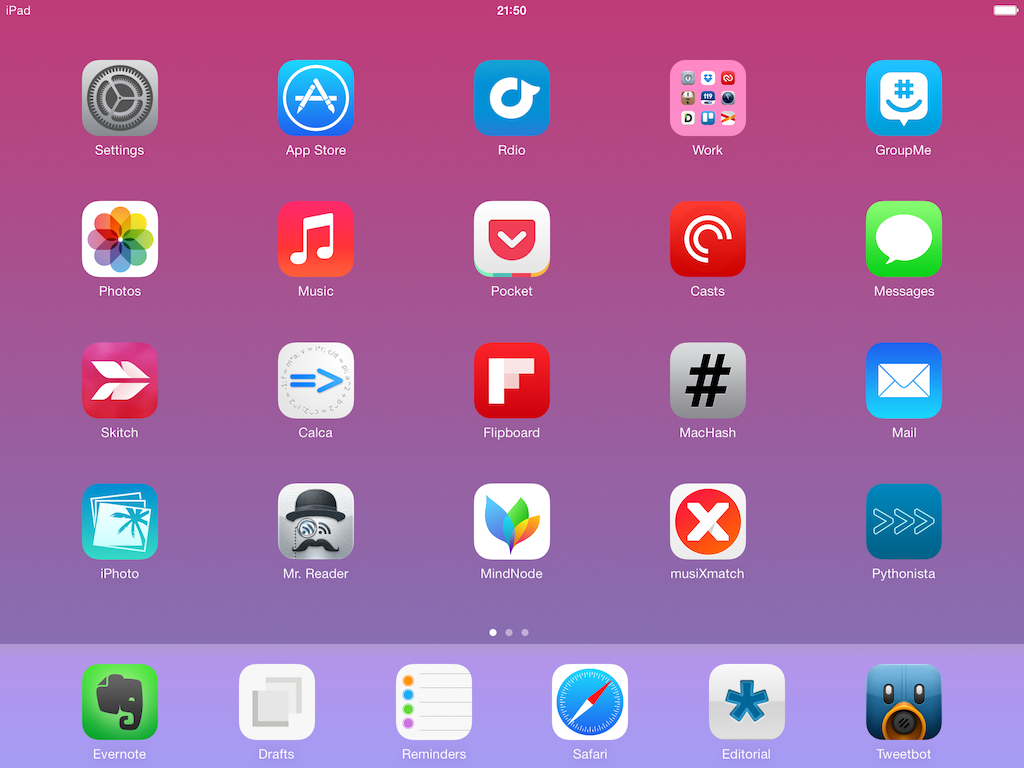
My Must-Have iPad Apps, 2013 Edition

Must Have iPad Apps 2013

Must Have iPad Apps 2013

For the past three years, I’ve been running a series called “My Must-Have Mac Apps” that, once a year, would list the apps that I found indispensable on my Mac. This year, considering the changes that I went through from a workflow perspective, I thought it would be appropriate to start focusing on iOS as well. I’d like to start with the iPad.

I’ve been working primarily from my iPad for the past 15 months. For a variety of personal reasons that I’ve discussed before, I found myself unable to work from my Mac every day, so I decided to try and see whether the iPad and iOS could be viable OS X replacements – not just companions. I ended up enjoying the iPad as a work device and, eventually, as a primary device powered by terrific apps that allow me to be more efficient on iOS.

From a high-level, conceptual standpoint, this isn’t a new topic for MacStories readers or listeners of The Prompt. In the end, though, it all comes down to the apps – the software that I use on my iPad for work and play, for productivity and entertainment.

Hence, “My Must-Have iPad Apps”. I consider this the first installment, even though it technically isn’t: I published similar articles in 2010 and 2011, but I skipped 2012 – the year when I really got serious about working from the iPad. This year’s installment is a reboot of the iPad series, which I’m going to publish regularly from now on; if you want, you can check back on the old articles linked above to see if there are apps that I’ve been using for three years (spoiler: yes).

The list below is organized in four sections: Main, for apps that I use several times every day; News, for discovering links and staying on top of RSS; Entertainment, for media consumption; and Utilities, for single-purpose apps that I use often but not heavily every day. Each app is listed with its App Store link and, at the end of the article, you’ll find my iPad app of the year. Read more


PDF Expert 5 Brings Updated Design, More PDF Editing Features to iPad

PDF Expert

PDF Expert

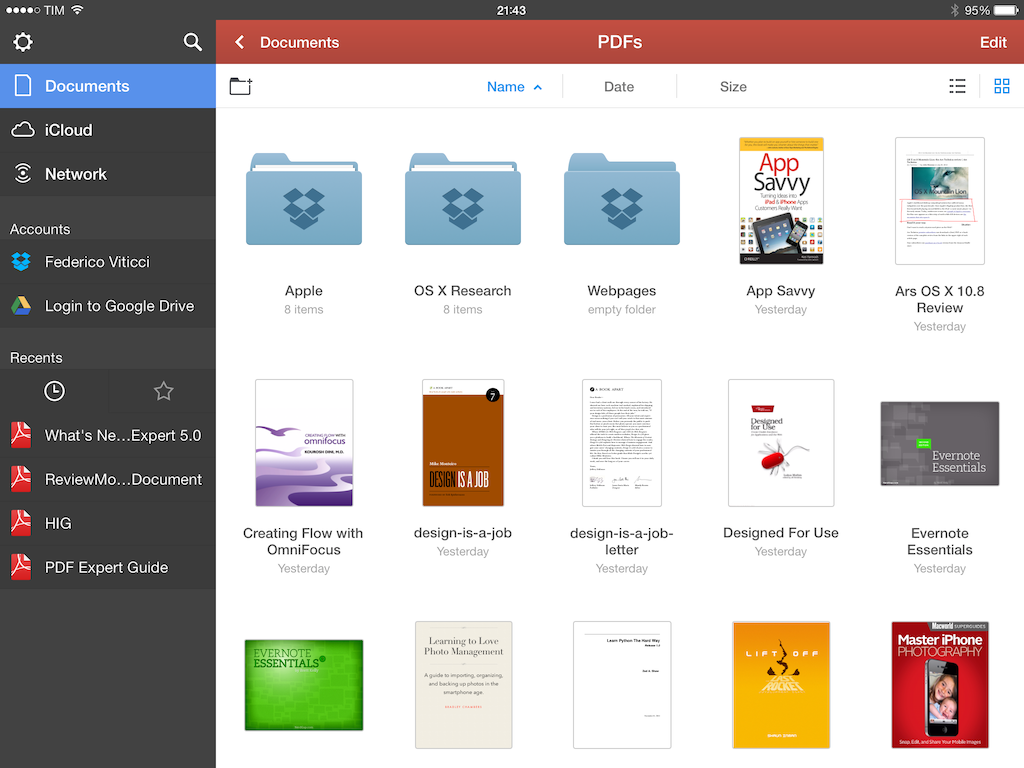
Released today on the App Store, PDF Expert 5 is Readdle’s new version of the popular PDF Expert for iPad, a feature-rich PDF manager and reader that I’ve been using on my iPad for years. PDF Expert 5, a separate app sold at $9.99 on the App Store, brings a cleaner design for iOS 7 and, more importantly, new functionalities such as better document management, an improved sidebar and document viewer, Review mode, and more. Read more


PayPal Launches Digital Gifts Store Featuring iTunes Gift Cards→

From PayPal Forward (via setteBIT, iMore):

Beginning today, just in time for the holidays, PayPal will be opening the doors (or the URL) to the PayPal Digital Gifts store.

What is PayPal Digital Gifts? It is a store that will give people the chance to purchase digital gift cards from a host of our partner merchants. We have one marquee merchant in the store today and will be adding more very soon!

Right now, the new store is limited to iTunes codes for the US iTunes Store. It’s nice that Apple is making it easier to buy iTunes credit online, but the regional restrictions are curious (an euphemism for awful): unless your PayPal account (not just the iTunes one) is a US one, you can’t send an iTunes code as a gift to someone else – not even if your account is configured with USD. PayPal’s Digital Gifts store would be very convenient to me and I hope that these restrictions will be removed soon.

Permalink

Realmac Releases Free Ember App for iOS

Ember

Ember

In July, Realmac Software released Ember, the successor to LittleSnapper that allows you to organize images in a digital scrapbook for OS X. From our review:

Ember is a very polished app with a fantastic UI, slick animations, full-screen mode and it’s simply a fun app to use and organize images with. If you’re a digital creative person and want to organize your screenshots, inspirational images and reference files, Ember could be what you need.

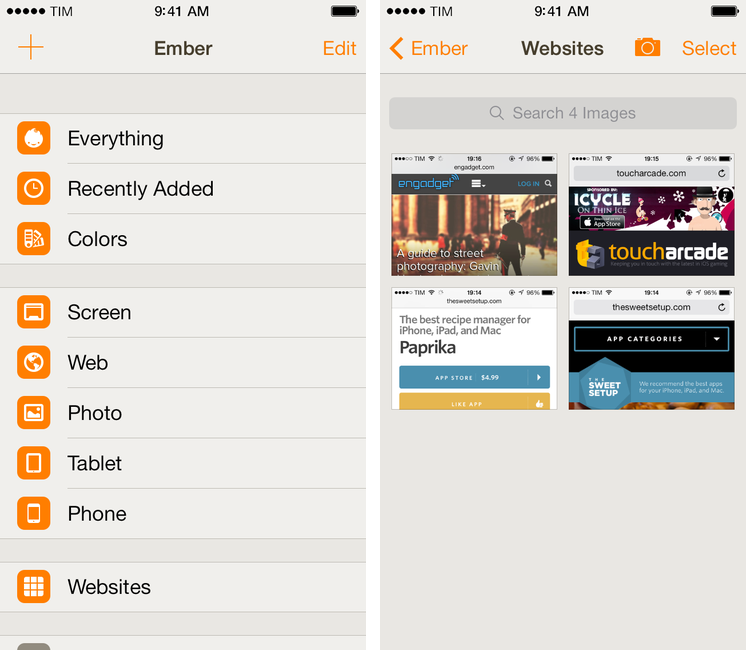
Today, Realmac is back with Ember for iOS, a free companion app for the iPhone and iPad that lets you manage and organize your library but that doesn’t come with editing features yet. Realmac decided to start with a free app as a foundation for all Ember customers; annotations will be added in a future update with In-App Purchases – a trend that’s making several indepedent developers and small software shops, such as Realmac, experiment with different business models than the traditional paid app approach. Read more