


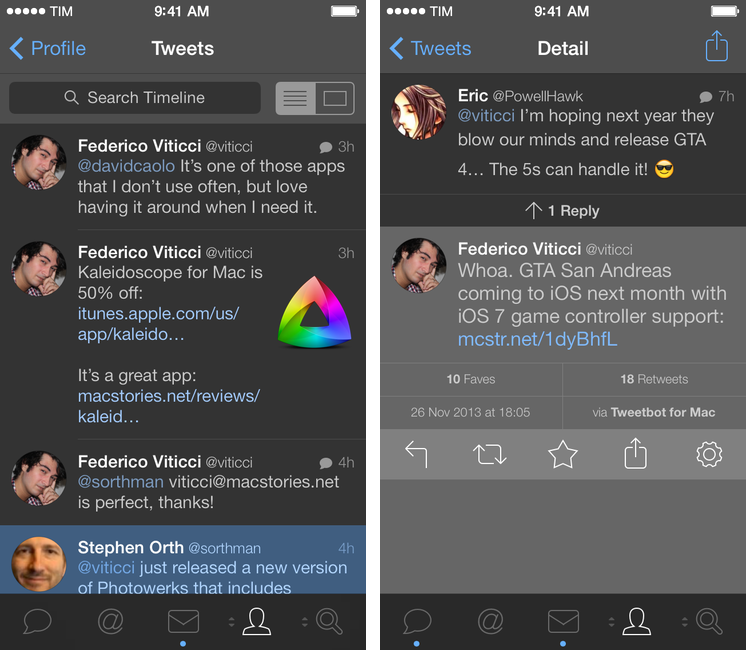
After a 3.1 update that added text size controls, timeline switching options, and quick actions, Tapbots are back today with a second major update to Tweetbot for iPhone that brings a night theme, account reordering and quick switching, plus various bug fixes. Read more
MindNode 3
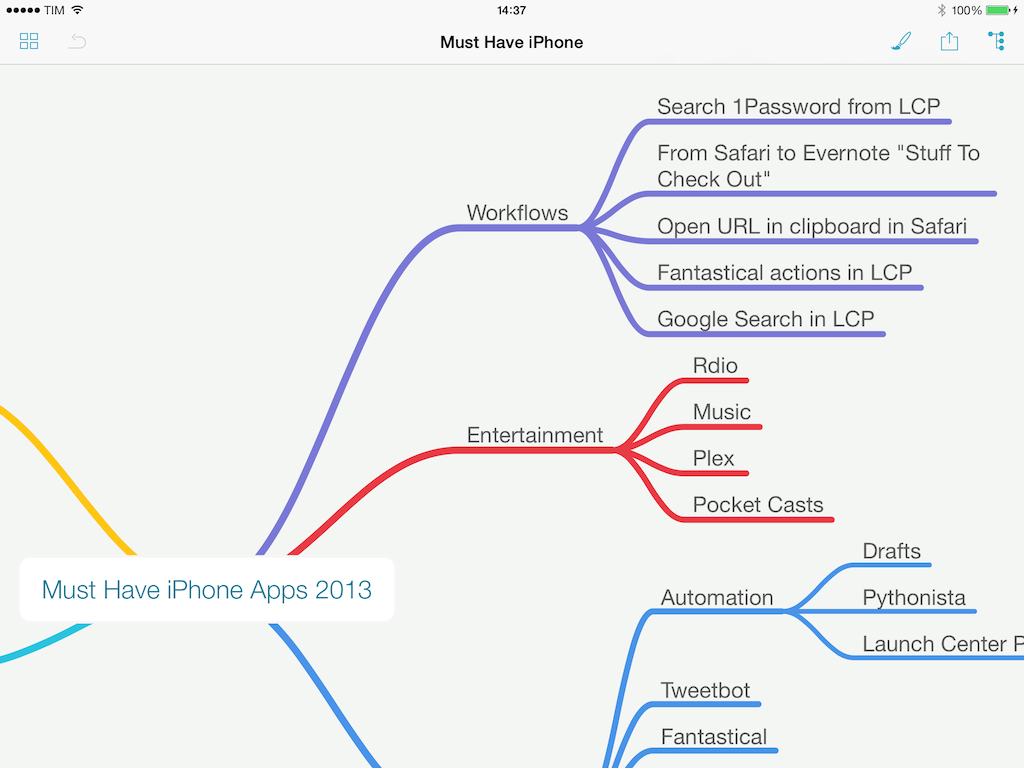
When I’m writing for MacStories, I tend to prepare articles as outlines in Evernote, where I’ll also throw in some images and hyperlinks. For pieces that are focused on a single subject (like an app review, a tutorial, or an opinion piece), the simple outline system works well because Evernote can keep everything in one place and show inline previews.
For longer articles that require deeper research and span a variety of topics, however, I like mind maps. Since I was in middle school and especially in high school, I got used to remember topics by creating mind maps (“concept maps”, as our teachers called them) with pen and paper for classes like History, Ancient Greek, English Literature, or Philosophy. Back then I had no iPhone or iPad and the school’s computers were some cheap Pentium 4s that the school administration couldn’t upgrade due to lack of regional funds, so I spent hours drawing little boxes and coloring them with highlighters. I made hundreds of them over the years.
When my brain has to jump from point to point several times and a text outline isn’t enough, I like the visual approach of mind maps. And in the modern age, unless I need specific advanced features of iThoughts, I usually open MindNode – IdeasOnCanvas’ app for the iPhone, iPad, and Mac. MindNode for iOS gets the 3.0 treatment today with a major update that redesigns the app, makes it iOS 7-only, adds new features, and cleans up some old ones while staying free for existing customers. Read more
Hardware Keyboards and iOS’ International Keyboard Layouts
I like my Logitech tablet keyboard: its build quality is good, battery seems to last forever, and it’s got handy special keys for Spotlight and the iOS Home button that work with iOS 7. However, as an Italian user who often writes in English and needs to switch between Italian and US keyboards, I was initially confused by iOS’ way of handling keyboard layouts. Hence, a quick tip. Read more
Unbound: A Photo Viewer for Dropbox
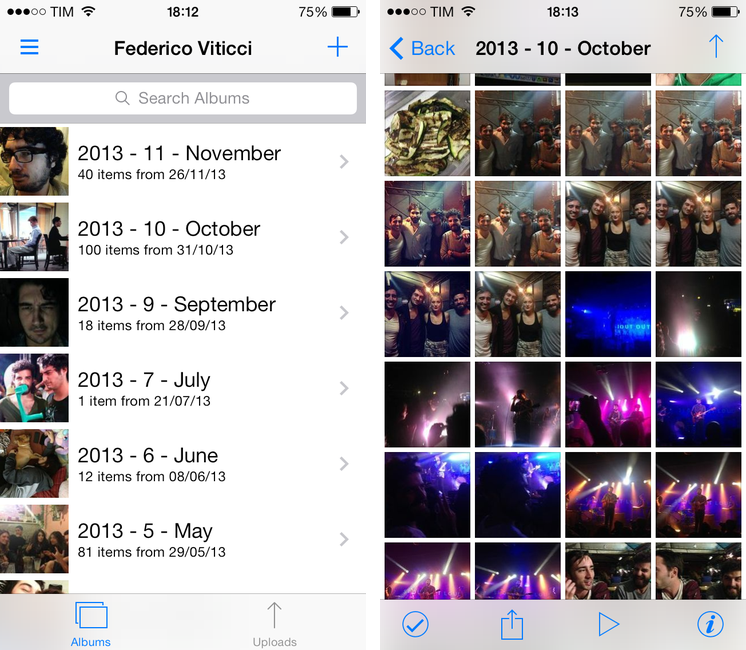
I’ve been keeping my photos in Dropbox for over a year now. I’ve remained loyal to a folder structure that organizes photos in years and months (Bradley would be proud of me) and I still use Hazel and CameraSync to upload my photos. While I’ve been happy with the uploading/organizing process of this photo backup workflow, the experience of browsing photos was never great. And I’d rather not talk about my brief, emotionally intense, and ultimately sad affair with Everpix.
Unbound by Pixite is a photo viewer for people who keep their photos in Dropbox. Unlike recent App Store trends, it comes as separate purchases for the iPhone and iPad priced at $2.99. The app is built for iOS 7, and it comes with viewing and sharing features that, right now, make it my best option to browse photos I’m storing on Dropbox. Read more
GTA: San Andreas Coming To iOS with Game Controller Support→
Today, Rockstar Games announced that GTA: San Andreas, first released for PlayStation 2 in 2004, will be released for mobile devices next month. The mobile version will include iOS and Android platforms, and, on iOS, the game will include support for iOS 7 game controllers – which have just started to become available.
From Rockstar’s PR:
Grand Theft Auto: San Andreas also features brand new touch controls including contextual control options to display buttons only when you need them and three different control schemes for driving and maneuvering, as well as a reworked checkpoint system for easier progression. Grand Theft Auto: San Andreas for mobile also comes equipped with full controller support, including Made for iOS controller capability on iOS7. It will be available for select iOS, Android, Amazon Kindle and Windows Mobile devices. Stay tuned for more details in the weeks ahead.
In the mobile version, graphics will also be remastered and upgraded to include higher detail for characters, models, color palettes, and draw distance. The game comes a year after Rockstar launched an iOS remake of Vice City, also first released on PlayStation 2.
San Andreas was the biggest GTA game of the PS2 era, and Rockstar recently used the same setting for GTA V, released for PlayStation 3 and Xbox 360. Last year’s iOS release of Vice City was praised for the improvements that went into the conversion but criticized for touch controls, and it’ll be interesting to see how Rockstar will tweak San Andreas for new touch controls and game controllers.
Shared iCloud Photo Streams for Backup→
On the same day, we got two good posts highlighting how Photo Stream works and why Shared Photo Streams can be used without the sharing part for photo backup purposes.
Shared Photo Streams, however, can be used as both storage and backup for your photos. Yesterday, my friend Tom Klaver opened my eyes to this possibility by highlighting that, in spite of the name, Shared Photo Streams don’t actually have to be shared with anyone. And unlike the standard Photo Stream, photos in Shared Photo Streams are never removed from iCloud. They are eternal. Apple offers a great cloud photo service with many benefits over other services, and it’s hidden in plain sight.
And David Chartier:
You must manually create Shared Photo Streams and manually add photos and videos to them whether they are already in My Photo Stream, your Camera Roll, or, if you’re on a Mac using iPhoto or Aperture, from other sources like apps or the web. Like My Photo Stream, photos added to Shared Photo Streams do not count against your total iCloud storage (however, it sounds like videos do; Apple needs to clear this up too). However, the great thing about Shared Photo Streams is they do not disappear and never automatically dump older photos to make room for new ones.
I am going to try a shared photo stream, but the truth is that Apple needs to simplify a lot of things here. Photo Stream was bolted onto iPhoto on the Mac, there is no web app, and albums can be local on an iOS device and they don’t sync but there are streams and, actually, you have two kinds of photo streams but only one is automatic and has limitations.
It’s seriously confusing, and people don’t have time for this. Cue Everpix.
Automate iOS Contacts, Location Services, and Open In Menu with Pythonista 1.4
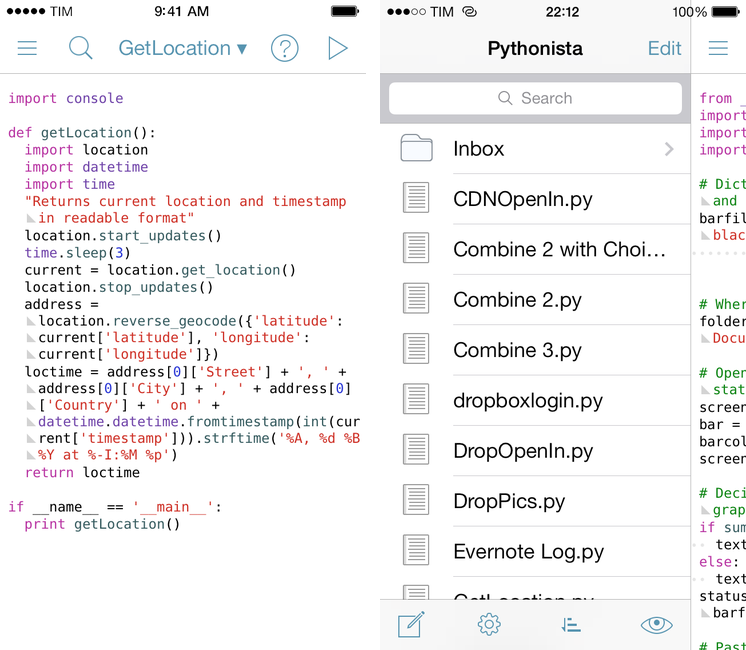
Pythonista is the app that changed my iOS workflow a year ago. A Python interpreter with native access to iOS system features like photos, URLs, and interface elements, Pythonista allowed me to convert the scripts and macros that I was using on OS X to the iPad, automating iOS in better and sometimes unexpected ways. Pythonista eventually led to Editorial, also developed by Ole Zorn, which changed the way I write and work on my iPad every day.
Pythonista 1.4, available today on the App Store, is the biggest update to Zorn’s app to date. It includes a new UI for iOS 7 (the app is also iOS 7-only starting today), new modules and enhancements to existing ones, and, more importantly, it doubles down on iOS integration by bringing native support for contacts, location, and Open In. Read more
The New, Adjustable Glif
In 2010, we wrote about an interesting Kickstarter campaign for an iPhone stand and tripod mount called Glif. Simple and elegant, the Glif allowed you to easily mount an iPhone 4 on a tripod or act as a kickstand to prop it up at an angle. After the Kickstarter success, the duo behind the project, Tom Gerhardt and Dan Provost, went on to form Studio Neat; in the past three years, they have released other products that include the Cosmonaut stylus, iPhone apps, and a book.
Today, Tom and Dan are back with an update to the original Glif (called, in a very iPad 3-esque way, “The New Glif”) that makes it adjustable for practically any smartphone size. From their description:
The Glif will fit virtually any smartphone, between 58.4–86.4mm wide and 3.1–12.7mm thick. Some exceptions include “phablets” like the Samsung Galaxy Note, or phones with incredibly bulky cases.
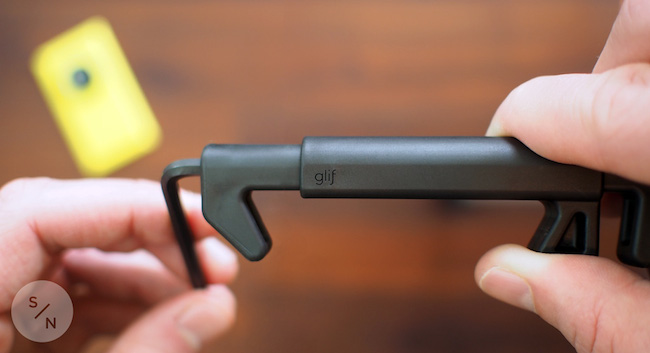
With the new Glif, you’ll get a 5/32 hex key to adjust the device for your smartphone. Besides non-Apple phones, I think that having an adjustable Glif is a good idea for users who like to keep their iPhones cases that don’t fit with the original Glif design (which is still available for purchase).
The new Glif is $30 and available here.
Mark Jardine Interview→
Sam Rosenthal interviews Tapbots’ Mark Jardine. The interview isn’t too long and it’s a good read.
Allow me to quote a single answer by Jardine, in which he talks about the reaction of some people to iOS 7:
I think a fair analogy is when photography started to go digital. There were the early adopters that embraced DSLR’s and the use of Photoshop for post. And then there were the film guys who refused to move on. In many ways, film was still better than digital, but we knew where the future of the industry was headed. And a lot of die hard film guys got left behind. iOS 7 is a reboot and it will get better over time. I’m learning and embracing the design language now so our future apps can be better because of it.