

Dashy Dashy is a new iPhone app that lets you turn an iPhone mounted somewhere in your car into a dash cam. Using the rear camera, Dashy can record a video of your trips so that, in case of an accident, you can simplify the insurance claim process with a recorded video of what...
iOS 17.2 Beta’s Sticker Reactions Need a Different Approach→
The first developer beta of iOS 17.2 was released earlier today, and among a variety of new features (I’ve been sharing some of the highlights on my Mastodon), there’s the highly anticipated expansion of Tapbacks with custom sticker reactions.
The problem is that, put simply, this feature just isn’t good enough in this first version of iOS 17.2. And since I’m always told to “file feedback early in the process to make sure things get seen”, and since blogging about iOS feature requests on my website makes me feel better than begrudgingly filing actual feedbacks about them, here we are.
Jason Snell, writing for Six Colors:
This new feature has no connection at all with the fun double-tap gesture that’s synonymous with Tapbacks. I didn’t expect stickers to be a peer to Apple’s classic collection of six Tapback icons, but I did sort of assume that at the very least, performing the Tapback gesture would also give you the option of choosing a sticker. (And the right thing for Apple to do would be to display recently used stickers alongside the Tapback icons.)
Instead, to send a sticker response you have to tap and hold on a message and then choose Add Sticker from the resulting contextual menu, then choose a sticker or emoji. It’s an extra step that really shouldn’t be necessary and makes stickers feel like an afterthought, which they apparently are.
I get why Apple doesn’t want to let users customize the default roster of “official” Tapbacks. iMessage is used by hundreds of millions of people every day, and they don’t want to overcomplicate an established feature with too many options. However, I think a much better compromise would be the following:
- Align custom sticker reactions with regular Tapbacks in the message bubble so they don’t cover text;
- Make the ‘Add Sticker’ button appear when you double-tap a message instead of requiring a long-press.
That’s it. I really like this feature, but the design isn’t quite there yet. Hopefully, there’s enough time (and willingness on Apple’s part) to change it.
With Version 1.2, Matter Now Supports over 20 Device Types→
Jennifer Pattison Tuohy, writing for The Verge on the latest update to Matter, the interoperable home automation standard:
Matter — the IOT connectivity standard with ambitions to fix the smart home and make all of our gadgets talk to each other — has hit version 1.2, adding support for nine new types of connected devices. Robot vacuums, refrigerators, washing machines, and dishwashers are coming to Matter, as are smoke and CO alarms, air quality sensors, air purifiers, room air conditioners, and fans. It’s a crucial moment for the success of the industry-backed coalition that counts 675 companies among its members. This is where it moves from the relatively small categories of door locks and light bulbs to the real moneymakers: large appliances.
And:
While it’s possible today to get your lights to flash when your laundry is done, turn a light red when your fridge’s temperature rises, or shut off the HVAC system if the smoke alarm goes off, it can be complicated to set up and often wholly unreliable. You need to download multiple apps, maybe buy a sensor or two, deal with laggy cloud integrations, and worry about whether your washer is even compatible with your smart home app in the first place. With Matter support, this type of simple command and control should be much easier to implement in any ecosystem.
I spent the past year making as many parts of my new home as connected as possible (our apartment is powered by KNX; I had this bridge installed to bring lights, temperature sensors, and shutters into HomeKit) so, as you can imagine, I’m very much on board with the idea of having my accessories be compatible with multiple ecosystems at once. We live in a “mixed assistant” household (we use Siri in English and Alexa in Italian), so the idea behind Matter is the kind of technology we’re looking for.
The problem, at least from my perspective, is that I have very little hope regarding Apple’s ability to support the new device types added to Matter in their Home app anytime soon.
Apple’s Home app is, by far, the UI I use most for manually controlling my smart home, whether it’s from the Home app itself or Control Center. It’s also leagues beyond the terrible design of the Alexa app; its integration with automations and the Shortcuts app is also incredible. But let’s be honest: the Home app already struggles to fully support device types that were added years ago, such as sprinklers; realistically, how long is it going to take Apple to integrate with robot vacuums and air purifiers?
The way I see it, any connected home standard is only as useful as the UI that lets you control its accessories. So while I’m excited about Matter and strongly believe in the initiative, the weak link for me remains Apple’s Home app.
Apple Releases iOS and iPadOS 17.1 with New Apple Music Features, Small iPad Enhancements, and More
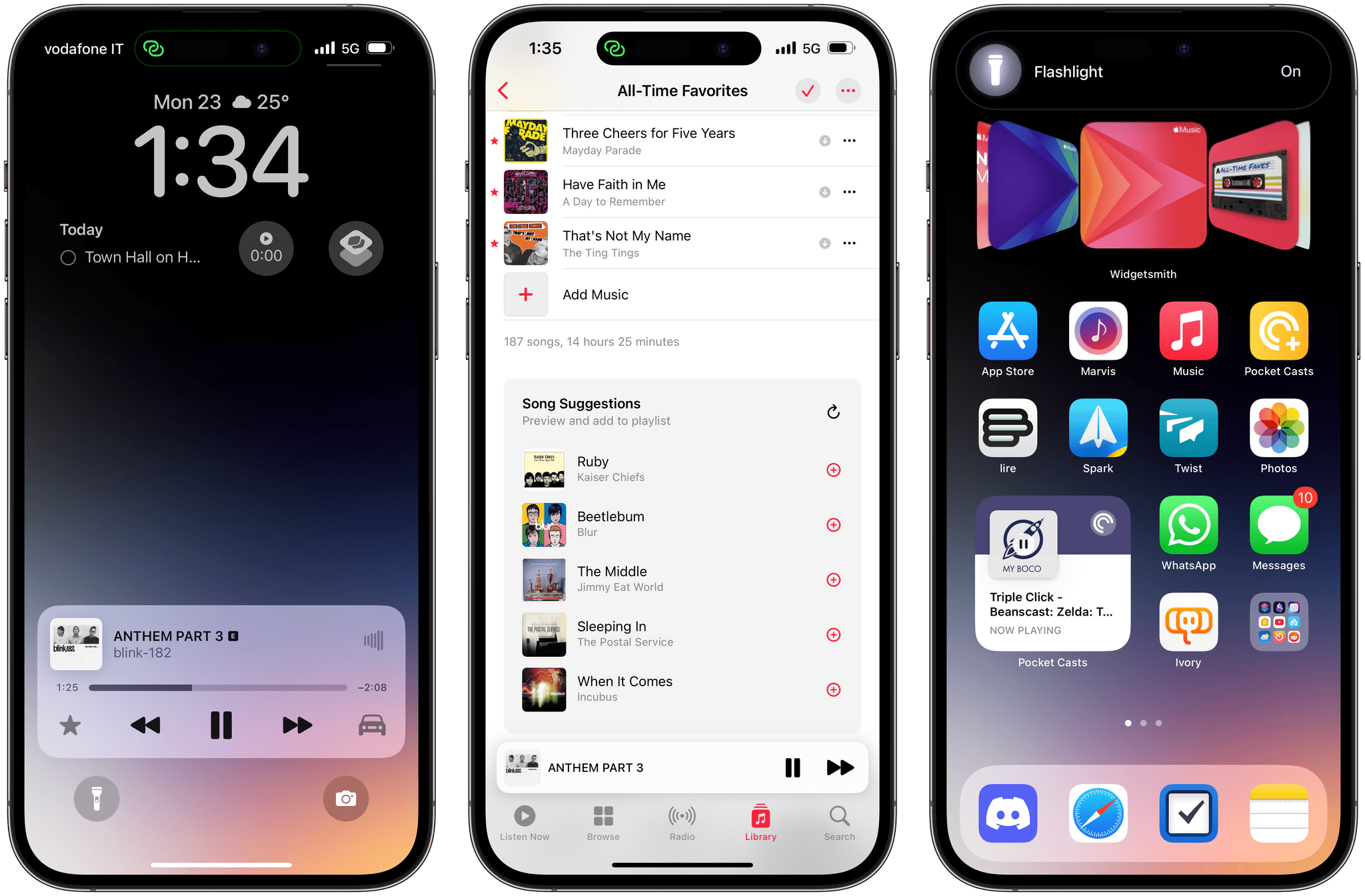
Today, Apple released iOS and iPadOS 17.1 – the first major updates to the operating systems that launched (and I reviewed) in September. I’ll cut to the chase: these are not big updates and don’t come with new emoji. Instead, iOS and iPadOS 17.1 bring a variety of previously-announced (and then delayed) features such as AirDrop over the Internet and new cover art templates in Music, but they don’t address the complete list of functionalities for this OS cycle that Apple originally announced last June.
Let’s take a look.
 Web Apps and Services
 John
John
Macintosh Desktop Experience: No Mac Is an Island→
One of the perks of a Club MacStories+ and Club Premier membership are special columns published periodically by me and John. In this week’s Macintosh Desktop Experience column, John explained how widgets in macOS Sonoma are the glue between apps and services that make the Mac feel even more like part of an integrated ecosystem of platforms and devices:
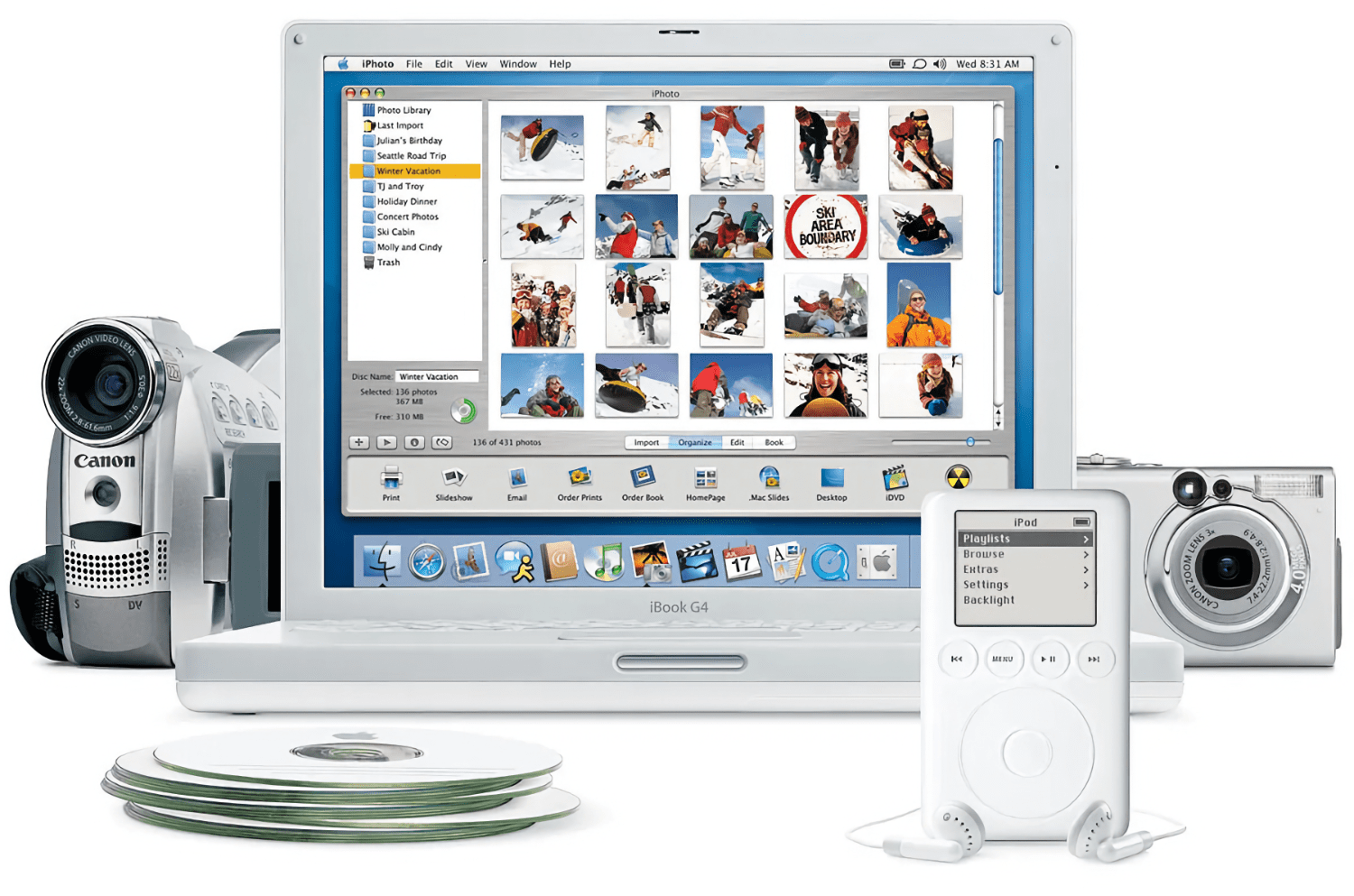
The Mac’s place in users’ computing lives has changed a lot since Steve Jobs returned to Apple and reimagined the Mac as a digital hub. Those days were marked by comparatively weak mobile phones, MP3 players, camcorders, and pocket digital cameras that benefitted from being paired with the Mac and Apple’s iLife suite.
The computing landscape is markedly different now. The constellation of gadgets surrounding the Mac in Jobs’ digital hub have all been replaced by the iPhone and iPad – powerful, portable computers in their own right. That’s been a seismic shift for the Mac. Today, the Mac is in a better place than it’s been in many years thanks to Apple silicon, but it’s no longer the center of attention. Instead, it sits alongside the iPhone and iPad as capable computing peers.
What hasn’t changed from the digital hub days is the critical role played by software. In 2001, iLife’s apps enabled the digital hub, but in 2023, the story is about widgets.
Stay until the end of the story and don’t miss the photo of John’s desk setup, which looks wild at first, but actually makes a lot of sense in the context of widgets.
Macintosh Desktop Experience is one of the many perks of a Club MacStories+ and Club Premier membership and a fantastic way to recognize the modern reality of macOS as well as get the most of your Mac thanks to John’s app recommendations, workflows, and more.
Join Club MacStories+:
Join Club Premier:
 Automation Academy: A Better Way to Import Reminders in Things Using Lingon X for Mac
I’ve decided to try something else for the next installments of the Automation Academy for Club MacStories Plus and Premier members: instead of releasing excessively long (and time-consuming, for all of us) lessons that involve multiple steps, I want to write more frequently about standalone, self-contained automations that are taking advantage of advanced features of...
Read more
Building a Link Gathering Machine
The History of Cover Flow→
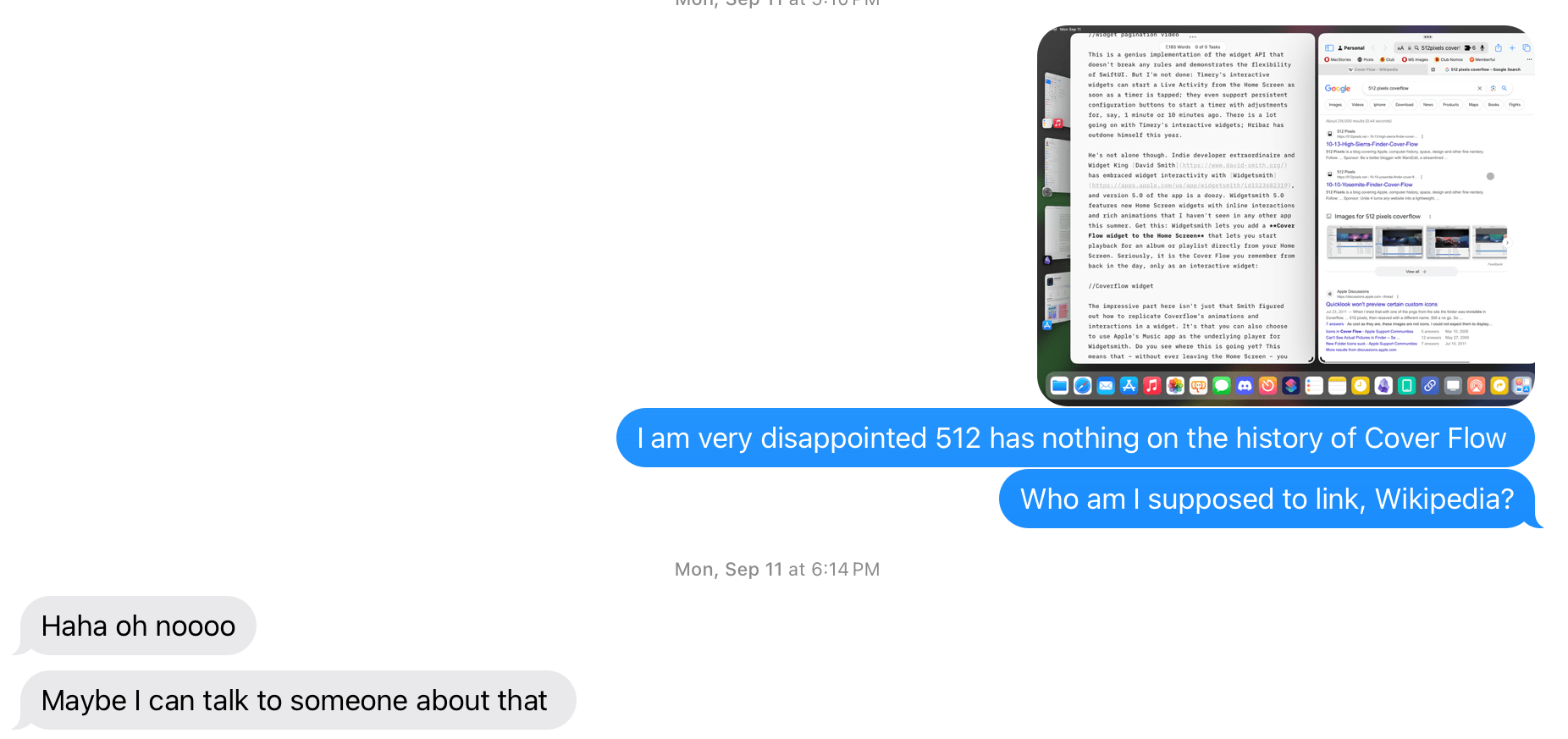
A few months ago when I was writing about Widgetsmith’s new music widgets in my iOS 17 review, I told my buddy Stephen Hackett I couldn’t believe there was no Cover Flow retrospective on 512 Pixels. Yesterday, Stephen delivered:
Over the last decade or so, Apple has been hard at work in simplifying the user interfaces that power its myriad platforms. I’ve welcomed most of that work, but it’s hard to deny that we’ve all lost some things along the way.
Today, we look at a UI element that started life in iTunes, but spread to the iPod, iPhone and Mac over time: Cover Flow.
I had completely forgotten that Cover Flow eventually found its way to Safari as well. I miss Cover Flow more today than I ever used it at the time; I wonder if a similar 3D interface could be revived for the age of visionOS and Vision Pro.