Federico is the founder and Editor-in-Chief of MacStories, where he writes about Apple with a focus on apps, developers, iPad, and iOS productivity. He founded MacStories in April 2009 and has been writing about Apple since. Federico is also the co-host of AppStories, a weekly podcast exploring the world of apps, Unwind, a fun exploration of media and more, and NPC: Next Portable Console, a show about portable gaming and the handheld revolution.
Federico and Stephen each attempted to use HomeKit Secure Video, and it didn’t go well. Myke is excited about a new folding phone, and the whole crew orders iPhone 11 Pro battery cases before solving many mysteries presented in photos of Apple’s new Mac Pro factory.
You can listen below (and find the show notes here).
0:00 01:42:10
Connected, Episode 270
AppStories+ Deeper into the world of apps
Sponsored by:
Squarespace: Make your next move. Enter offer code CONNECTED at checkout to get 10% off your first purchase.
This week, Federico and John are joined by developer Zac Cohan, the creator of Soulver, a combination notepad and calculator that reimagines how calculations are made on the Mac and iOS.
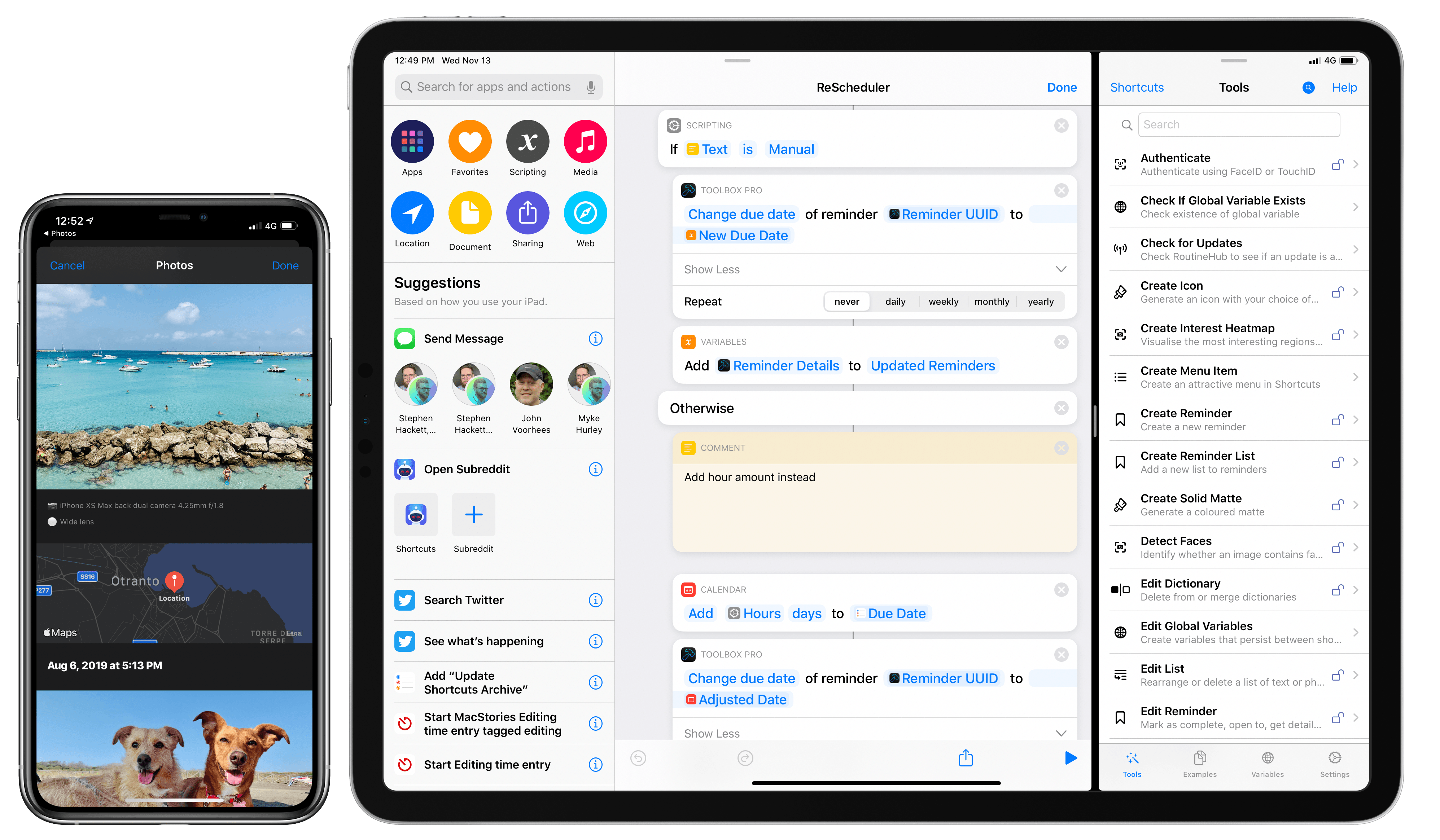
Earlier this week on MacStories, I reviewed Toolbox Pro, a new app that extends Shortcuts with over 50 actions. Toolbox Pro is based on a novel idea: thanks to parameters in iOS 13, third-party apps can provide actions that feel like native components of Shortcuts as they can execute inline (within a shortcut) without...
One of the most common Shortcuts feature requests was granted in iPadOS 13: the ability to run shortcuts automatically in the background. Federico walks through this powerful feature in detail, then Ryan surveys the App Store’s best calendar apps.
You can listen below (and find the show notes here), and don’t forget to send us questions using #AskAdapt and by tagging our Twitter account.
There’s a new MacBook Pro in town, bringing with it an updated design and a new keyboard, and Apple’s rumored AR glasses make everyone feel old. Myke is crowned the Popsocket Enthusiast, Stephen gets an email and Federico explains Toolbox Pro.
You can listen below (and find the show notes here).
0:00 01:37:37
Connected, Episode 269
AppStories+ Deeper into the world of apps
Sponsored by:
Pingdom: Start monitoring your website performance and availability today, and get instant alerts when an outage occurs or a site transaction fails. Use offer code CONNECTED to get 30% off. Offer expires on June 30, 2020.
Ahrefs: SEO Tools & Resources To Grow Your Search Traffic. Get a 7-day trial for just $7.
eero: Get your WiFi fixed as soon as tomorrow! Free overnight shipping.
In a video shared earlier today, Tom Hogarty, who’s a Lightroom product manager at Adobe, demonstrated an upcoming feature of Lightroom for iPad – the ability to import photos from external devices (such as cameras, drives, or SD cards connected over USB-C) into Lightroom’s library without copying them to the Photos app first.
Here’s how it’s going to work:
The workflow looks very nice: an alert comes up as soon as an external device is detected, photos are previewed in a custom UI within Lightroom (no more Photos overlay) and they’re copied directly into the app. I think anyone who uses Lightroom for iPad to edit photos taken with a DSLR is going to appreciate this addition. Keep in mind that the 2018 iPad Pros support up to 10 Gbps transfers over USB-C, which should help when importing hundreds of RAW files into Lightroom.
Direct photo import from external USB storage devices was originally announced by Apple at WWDC 2019 as part of the “Image Capture API” for iPadOS. When I was working on my iOS and iPadOS 13 review, I searched for documentation to cover the feature, but I couldn’t find anything on Apple’s website (I wasn’t the only one). Eventually, I just assumed it was part of the functionalities Apple delayed until later in the iOS 13 cycle. It turns out that this feature was quietly introduced by Apple with iOS and iPadOS 13.2, as also suggested by Hogarty in the Lightroom video.
According to this thread on StackOverflow, direct photo import is part of the ImageCaptureCore framework, which is now also available for iOS and iPadOS. I still can’t find any documentation for it on Apple’s developer website.
When I covered the updated Shortcuts app in my iOS and iPadOS 13 review earlier this year, I argued how, thanks to parameters, Shortcuts actions provided by third-party apps could become native features of the Shortcuts app.
With his debut app Toolbox Pro, released today on the App Store, developer Alex Hay has taken this idea to its logical conclusion: Toolbox Pro is a new kind of “headless” app – a utility whose sole purpose is to complement and extend Apple’s Shortcuts app with over 50 new actions, providing a native implementation of functionalities that Apple hasn’t brought to Shortcuts yet. After having used Toolbox Pro for the past couple of months, not only is the app a clever idea well suited for Shortcuts’ parameter framework, but it’s also a must-have for anyone who relies on Shortcuts on a daily basis.
This week, Federico and John share their thoughts on Apple’s new TV+ video streaming TV app, including what works, what doesn’t, and ways they think it could be improved.
Last week, following a long research process, my girlfriend and I finally decided to buy a Dyson fan for our apartment – specifically, the Pure Hot + Cool model. We’ve been keeping an eye on this product for a while as a potential solution to purify air as well as heat our (small) apartment;...








 John
John