John is MacStories' Managing Editor, has been writing about Apple and apps since joining the team in 2015, and today, runs the site alongside Federico.
John also co-hosts four MacStories podcasts: AppStories, which covers the world of apps, MacStories Unwind, which explores the fun differences between American and Italian culture and recommends media to listeners, Ruminate, a show about the weird web and unusual snacks, and NPC: Next Portable Console, a show about the games we take with us.
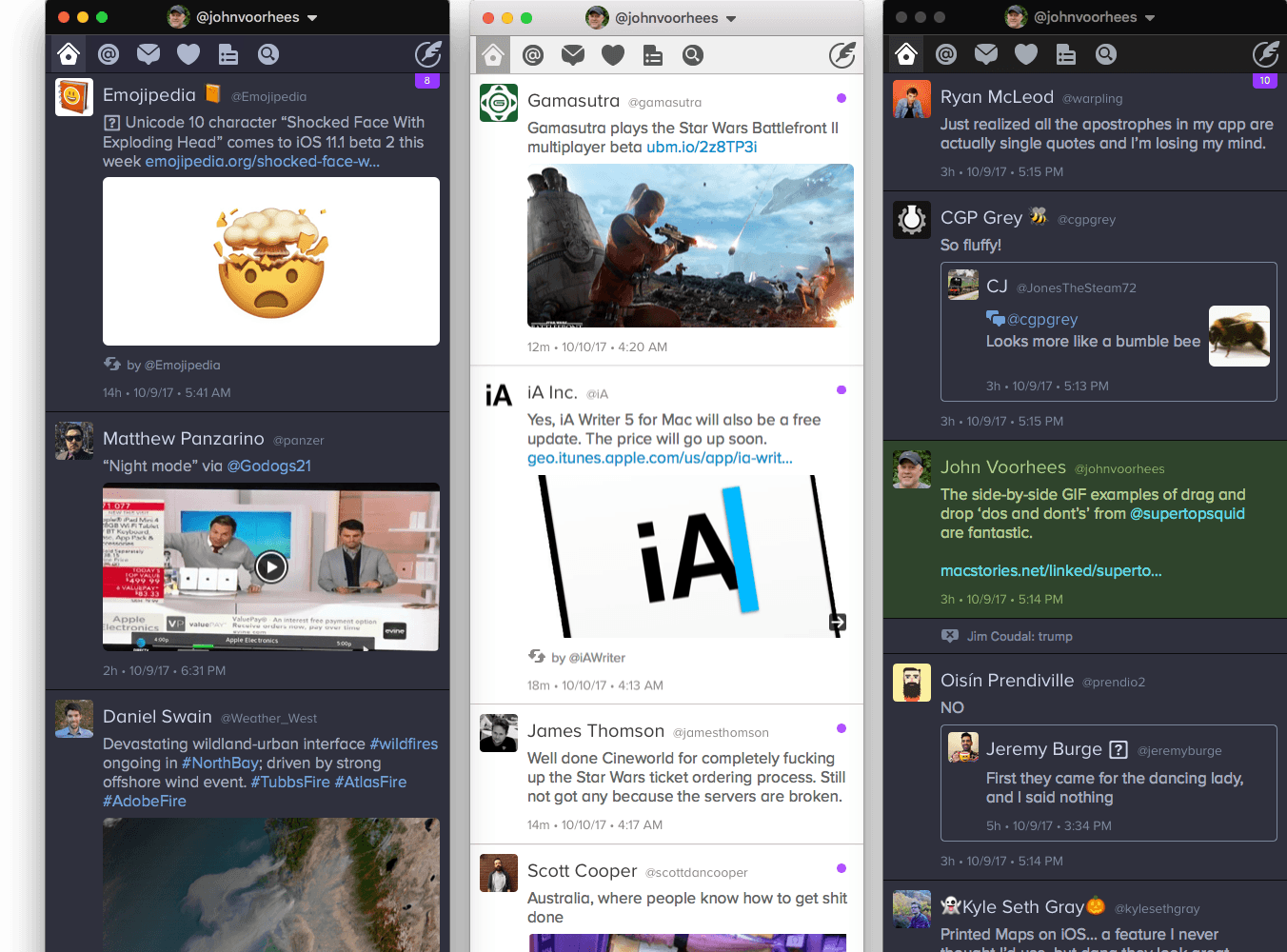
For years, Twitterrific for iOS and macOS were developed side-by-side, each matching the other feature for feature. But around 2013, development of the macOS version of Twitterrific slowed, while the iOS version continued to push forward with innovative features like Center Stage, the app’s media browser. Sticking with Twitterrific for macOS meant forgoing features supported by competing Twitter clients and Twitterrific’s iOS version.
With the relaunch of Twitterrific for macOS today, The Iconfactory has begun to change that. Funded by Kickstarter and codenamed Project Phoenix, the relaunched app is a solid 1.0 release that brings Twitterrific as close to parity with its iOS sibling as the two apps have been in years. There are still features that the iOS version of Twitterrific has that the macOS version doesn’t and that I’d like to see added, but for many people who move between Mac and iOS devices each day, today’s release makes Twitterrific a viable option for the first time in a while.
With the goal of encouraging a dialogue among developers, Supertop, the maker of Castro, has published a series of suggested best practices for implementing drag and drop on iOS. As Oisin Prendiville explains:
Ideally, experiences that users have in one app should stand to benefit them in others. As a community of developers and designers we should be looking to agree upon shared best practices to provide a consistent user experience. There’s an opportunity here to help users understand and embrace drag and drop as a powerful way to interact with touch devices, just as they have on the desktop for years.
The post considers five implementation aspects of drag and drop complete with animated GIF examples of ‘dos and don’ts.’
As we’ve discussed on AppStories, Castro’s execution of drag and drop is one of the best we’ve seen since iOS 11’s introduction. That makes the app an excellent jumping off point to frame the conversation among the broader iOS development community. I hope others take Supertop up on its offer to discuss these topics further because users could stand to benefit a lot from a set of canonical approaches to drag and drop.
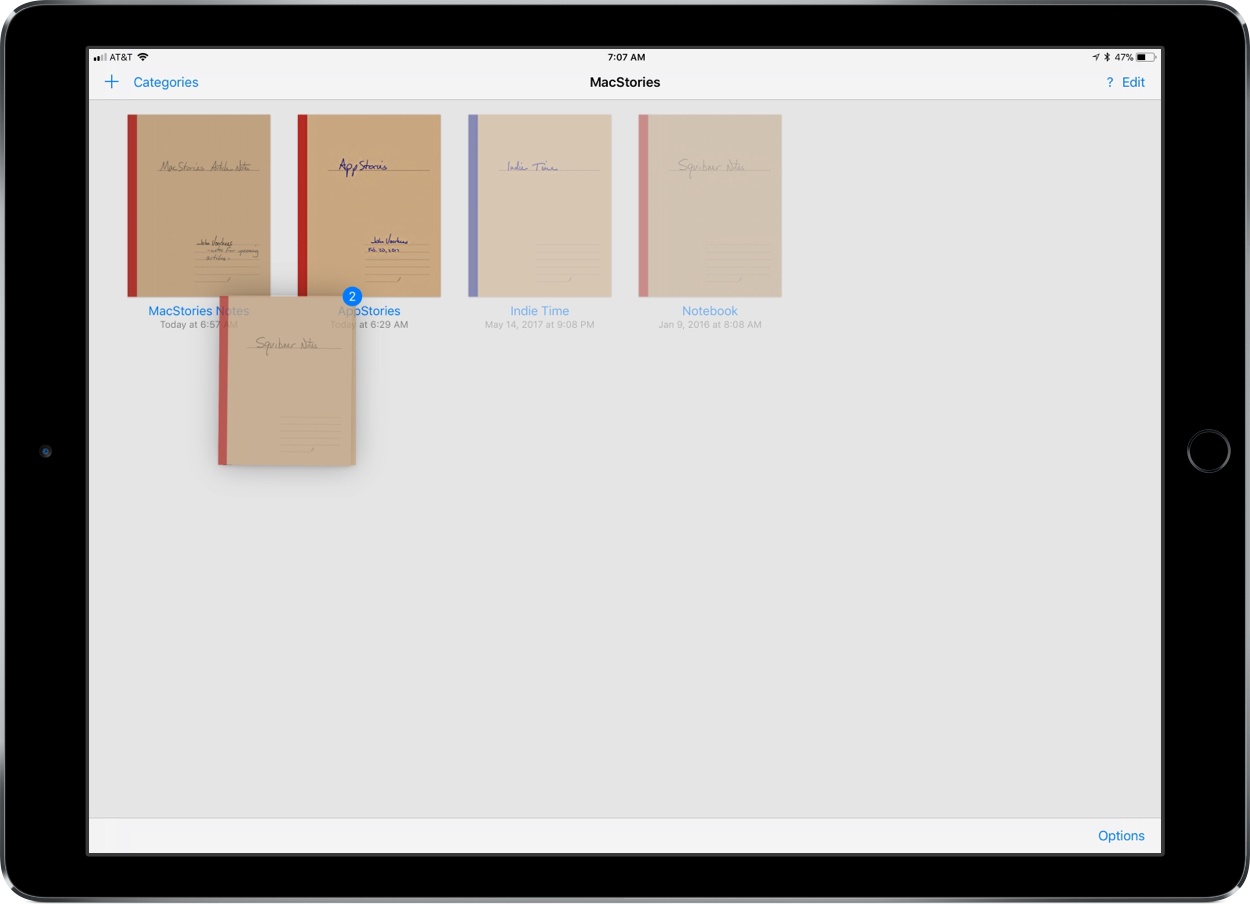
Drag and drop is a natural fit for a note taking app like GoodNotes. The app excels as a way to capture handwritten or typed notes, but one of its greatest strengths is the ability to combine notes with other media, which drag and drop makes easier than ever.
GoodNotes has one of the best ink engines of any note taking app I’ve used. You can choose from a preset selection of ink colors and line widths or customize them to suit your taste. There’s a highlighter tool for marking up your notes or other documents too. The lasso tool lets you select notes and other on-screen elements to move them on the page or, in the case of handwritten notes, convert them to text.
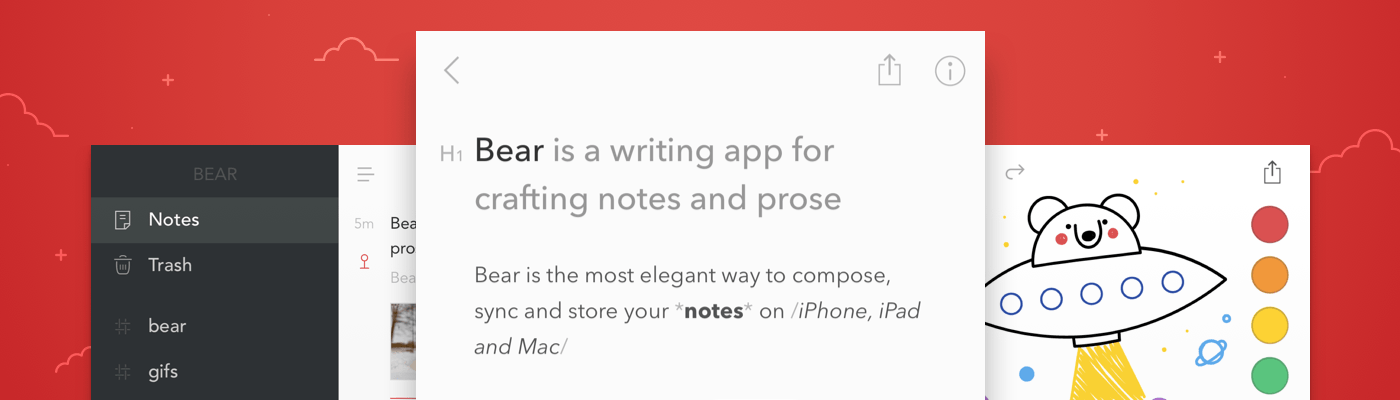
Bear is a beautiful, award-winning app for crafting notes and prose. It’s simple yet powerful, and flexible enough to be a personal journal, scratchpad, and webpage clippper. You can write a book with Bear, or just keep all those little snippets and files that don’t fit elsewhere. Bear works on iPad, iPhone, Mac and, soon, Apple Watch.
There are a lot of great perks and smart polish in Bear. It fully supports Markdown, uses #tags and nested tags for organization, stores all notes in plain text, has incredibly powerful search operators, and it can handle anything—text, photos, links, tasks, and even files. Bear syntax highlights over 20 coding languages, and exports notes to a variety of formats including PDF, HTML, RTF, and even JPG for sharing on social media.
Bear is free to use. To enable sync across all devices, pick from a wide variety of themes, use all export options, and support future awesomeness coming to Bear, subscribe to Bear Pro. It’s just $1.49 a month, or $14.99 a year (about 15 percent off), and all existing and future Bear Pro features will be unlocked.
Check out the Bear Blog and FAQs with tips and guides on how to get the most out of Bear.
Our thanks to Bear for sponsoring MacStories this week.
With Federico’s trip to the United States for the Release Notes conference just around the corner, he and John talk about the travel apps they use, from planning a trip, to getting around an unfamiliar city.
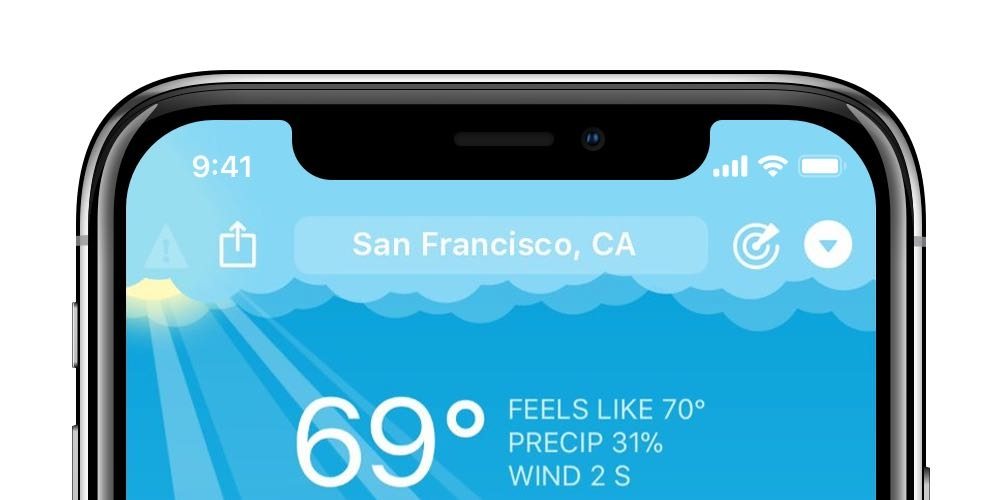
After revealing the iPhone X to the world on September 12th, Apple updated its Human Interface Guidelines and introduced a series of developer videos to address, among other topics, designing iOS apps with the iPhone X’s notch in mind. Designer Max Rudberg provides a comprehensive overview of Apple’s treatment of the notch. As Rudberg explains:
Apple is choosing to highlight the fact that the screen reaches the top left and right corner of the device. So the recommendation is clear. As a good platform citizen, one should follow their lead. By doing so, you likely have better chances to be highlighted by Apple in the App Store, or even win an Apple Design Award.
Eventually, they will get rid of the notch. It could be 2, 5, or even 10 years, but it’s a stop gap, not a permanent design solution. In the meantime, treat it like the elephant in the room. We all know it’s there, but for the most part, you should design as if it’s not.
Rudberg illustrates his article with screenshots of each point he covers and the dimensions of each screen elements adjacent to the notch. It’s not a substitute for reading the Human Interface Guidelines and watching Apple’s videos, but Rudberg’s article is a great place for developers to start when considering how to design for the iPhone X.
Sometimes the best distraction from a frantic and chaotic day is an even more frantic and chaotic game. Fowlst, which developer CatCup Games, describes as ‘an action game about an owl that is trapped in Hell for some reason’ is perfect for just such an occasion.
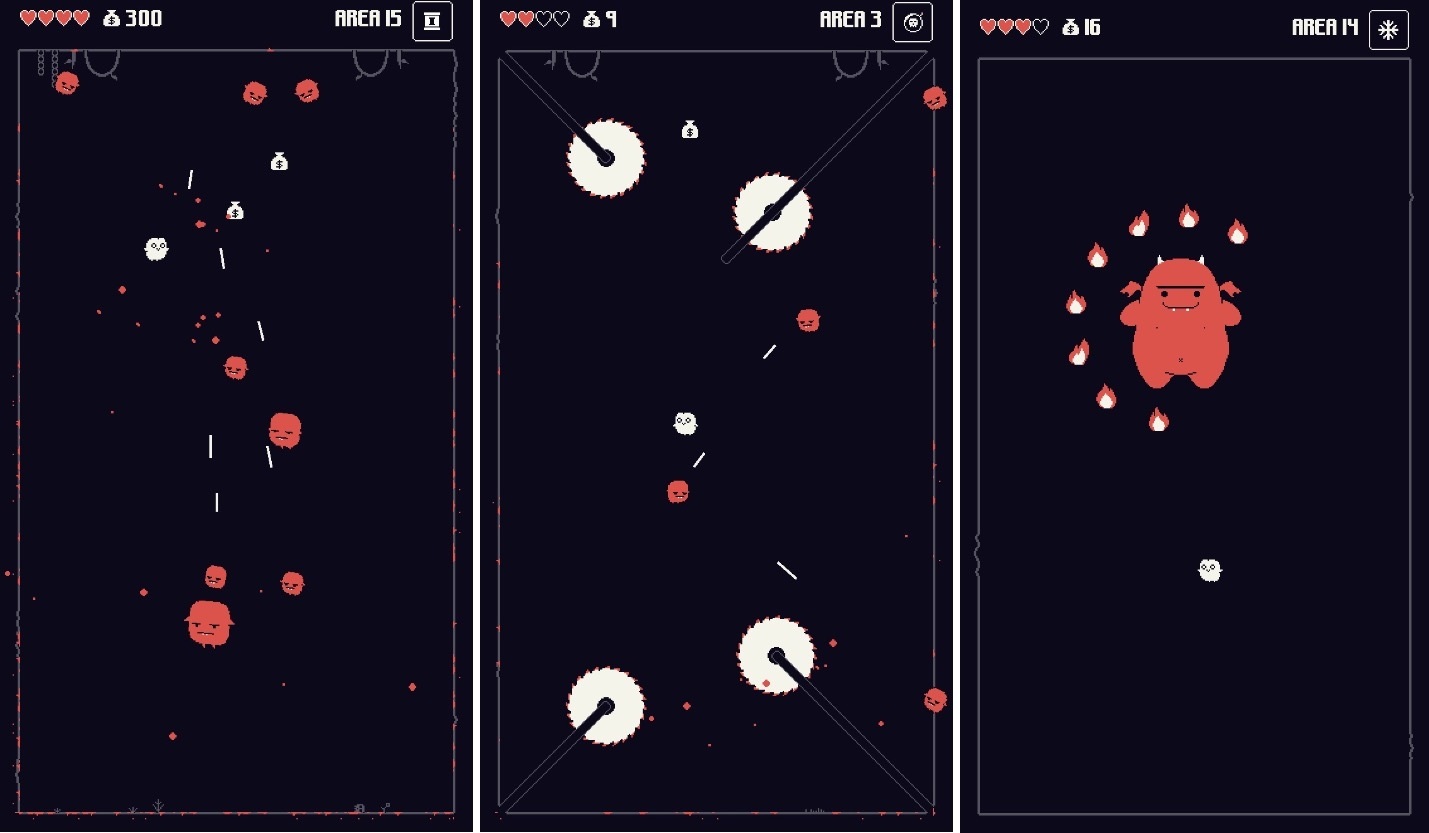
Fowlst is an arcade-style action, dodging game. You play as the owl, pursued by demons that shoot lasers at you while you try to avoid buzzsaws, fire, and other obstacles. The game gets crazy fast.
The mechanics remind me of Don’t Grind, one of my favorite arcade-style games released last year. You control your owl by tapping on the left and right-hand sides of the screen, which makes your owl fly in a bouncy kind of way in the direction of your taps. The controls purposefully require a careful coordination of left and right taps to navigate your owl. Power-ups are activated by swiping up on the screen. It’s a simple control scheme that makes Fowlst easy to pick up and start playing, but difficult to master.
Demons are defeated by colliding with them before you run out of hearts from being hit by lasers or other obstacles. Unlike Don’t Grind, you don’t have to keep your owl aloft constantly. You can rest on the bottom of any stage or a perch, but constantly moving helps make it harder for the demons to get you. There are also periodic bosses theoughout the game to mix up the pace of the action.
When you defeat a demon, it’s replaced with a floating sack of money and occasionally a heart or power-up that disappears after a few seconds. To collect items, you need to steer your owl into them while simultaneously dealing with other demons and obstacles. The cash you collect can be spent to upgrade your owl with health and weapons.
The game ends when you run out of hearts. Fowlst then tallies the money you collected, the number of levels cleared and shows how you did compared to your high score, which has the effect of making the game wonderfully-compulsive to play. Fowlst keeps things interesting by randomizing the levels you are presented each time you play through. It’s a carefully struck balance that keeps the gameplay familiar enough to avoid frustration but also avoids becoming monotonous.
Fowlst combines its arcade action with pixelated art, a complementary chiptune soundtrack, and lots of ‘pew-pew’ laser sound effects. The result is an addictive arcade game that has almost no learning curve and is easy to pick up and play for short periods of time but is difficult to master and hard to put down. It’s a perfect combination for a mobile game, making Fowlst a title I’m going to be returning to often.
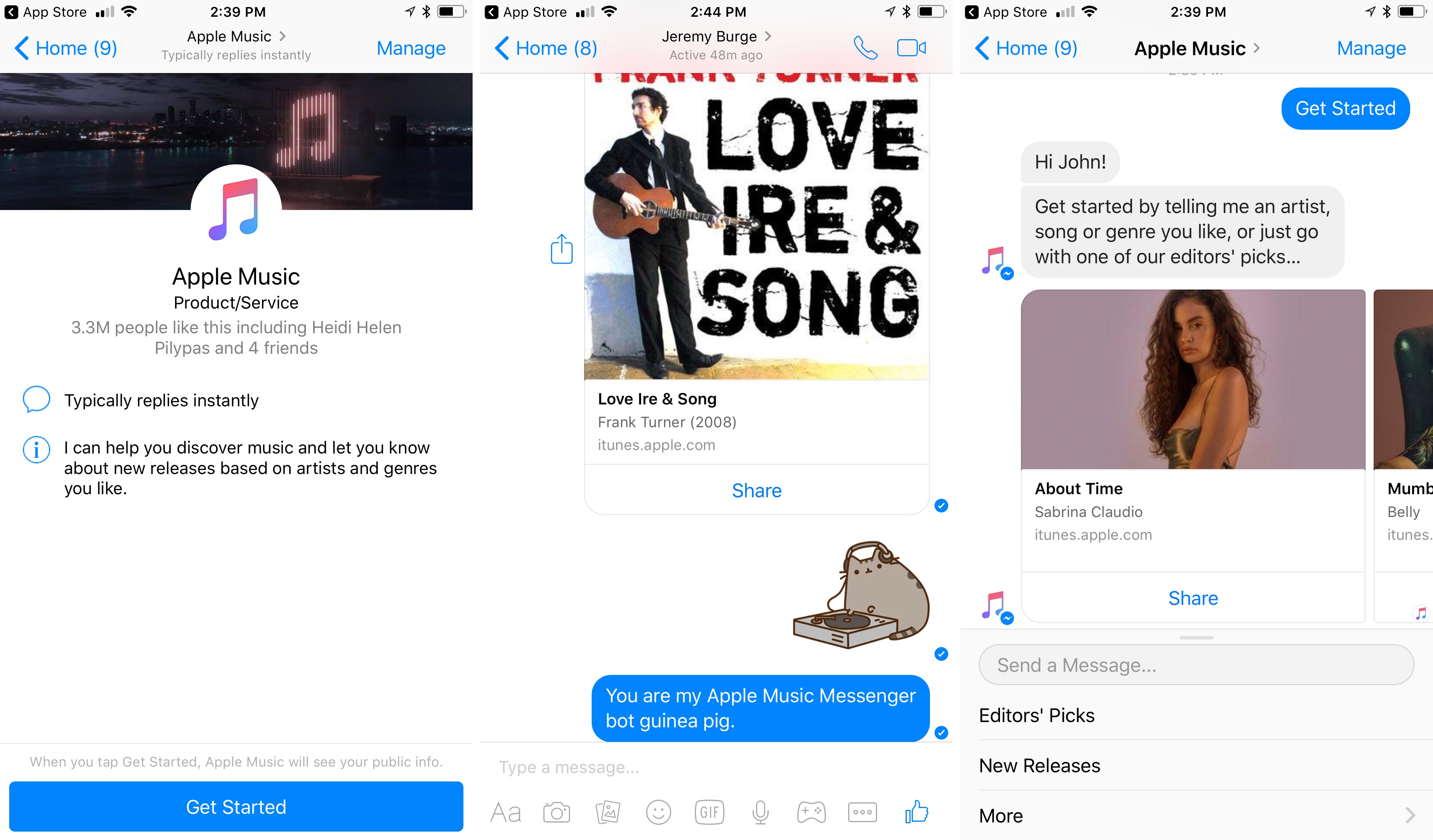
Apple Music has released a bot on Facebook Messenger, joining over 200,000 other active bots. According to Facebook’s announcement:
The Apple Music experience on Messenger is unique in that it allows Apple Music subscribers on iOS to play complete songs, right in the app. Of course it will enable listening and sharing of 30-second sound bites cross-platform (Android and iOS) to non-subscribers. You can even send an emoji to the bot and it will suggest a playlist – try sending ? or even ✨❓? to see what Apple Music bot suggests – and know what’s playing live on Beats 1 and see which shows are coming up next. And if you’re interested in becoming an Apple Music subscriber, you can also easily start your 3 month free trial via a native, seamless flow.
With a potential audience of over 1.3 billion people and competitors like Spotify on Facebook Messenger with a bot of its own, it makes a lot of strategic sense for Apple to be involved too. Signing up for a free trial is only a couple taps away in the bot interface, which I imagine should help Apple Music grow its subscriber base too.
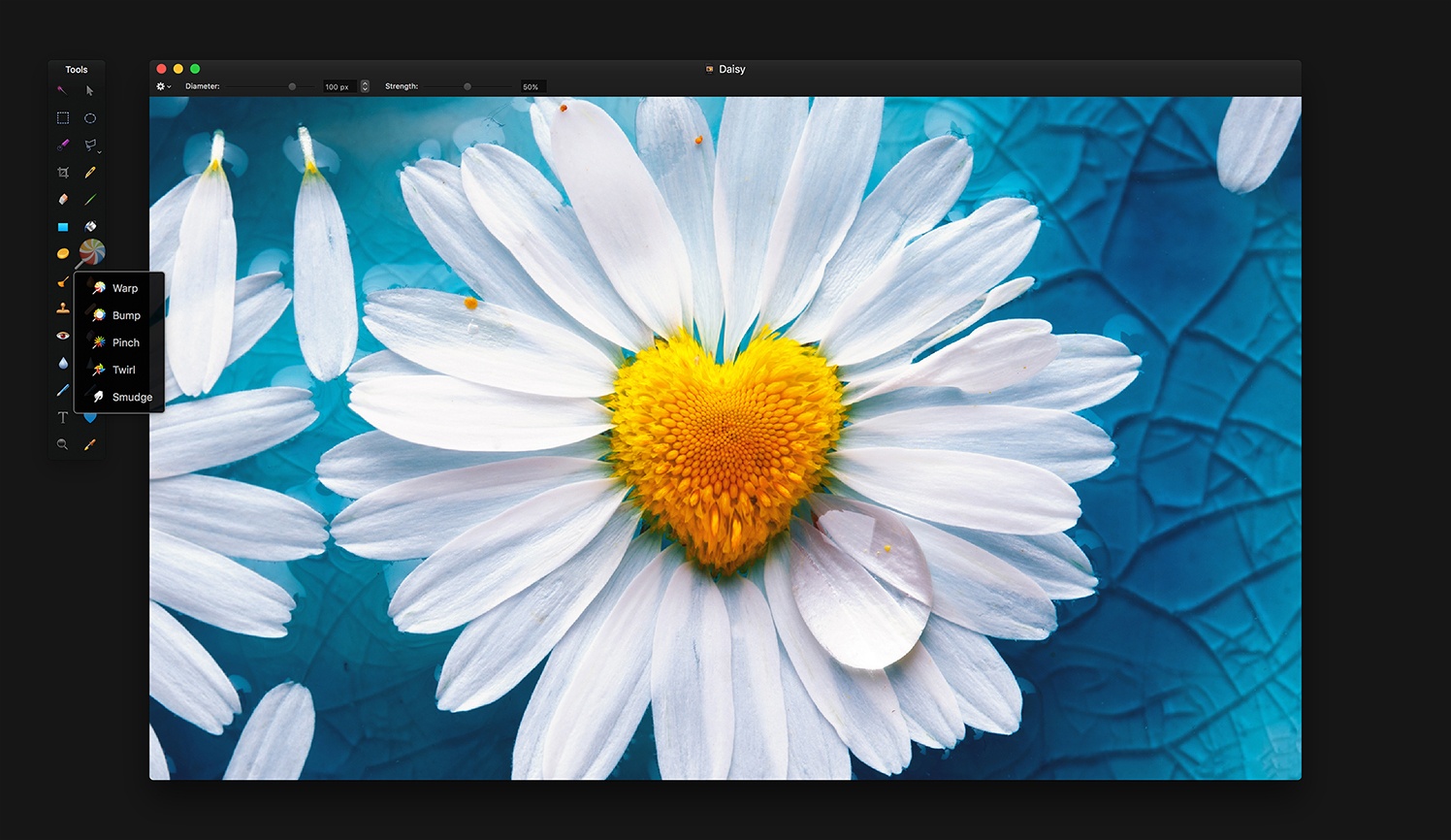
In addition to bug fixes, Pixelmator 3.7 supports importing HEIF image files. Pixelmator can be opened directly from Apple Photos now too. The feature, which was added to Apple Photos as part of High Sierra, allows users to choose an image in Apple Photos, but edit it in Pixelmator. All edits made in Pixelmator will be saved back to the original file in Apple Photos. Pixelmator posted a video that explains how the feature works:


 Federico