John is MacStories' Managing Editor, has been writing about Apple and apps since joining the team in 2015, and today, runs the site alongside Federico.
John also co-hosts four MacStories podcasts: AppStories, which covers the world of apps, MacStories Unwind, which explores the fun differences between American and Italian culture and recommends media to listeners, Ruminate, a show about the weird web and unusual snacks, and NPC: Next Portable Console, a show about the games we take with us.
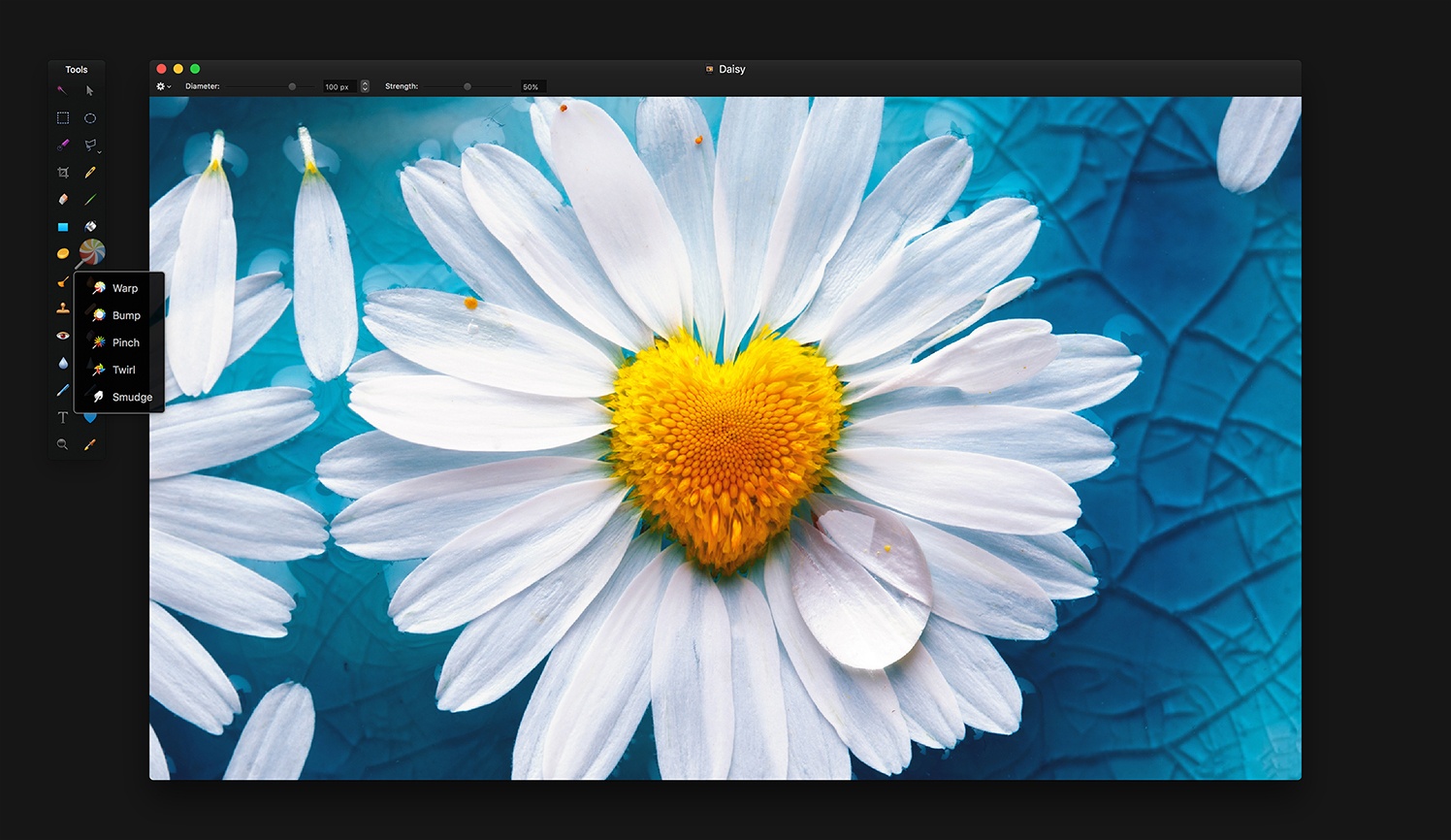
In addition to bug fixes, Pixelmator 3.7 supports importing HEIF image files. Pixelmator can be opened directly from Apple Photos now too. The feature, which was added to Apple Photos as part of High Sierra, allows users to choose an image in Apple Photos, but edit it in Pixelmator. All edits made in Pixelmator will be saved back to the original file in Apple Photos. Pixelmator posted a video that explains how the feature works:
Codea The popular game-making app for iPad has received a substantial update that brings the ability to create 3D worlds as well as ARKit projects. These are incredible additions to Codea: you can visually create an augmented reality experience right inside the app, and also craft unique 3D worlds with settings for cameras, dynamic...
Rabbids I’ve been enjoying Mario + Rabbids Kingdom Battle on the Nintendo Switch this past week, which makes these stickers perfect. In addition to Mario, Luigi, and Princess Peach versions of Rabbids, there are a lot of other mischievous Rabbids doing crazy things all fully-animated, which makes this a fun pack to share with...
Question: Sometimes I get tagged on a Twitter thread that I want no part of. I know I can block or mute certain people, but is there a way to completely mute a conversation, perhaps by muting mentions of an individual? I’ve tried this in Tweetbot, but I can’t get the recipe right. (Jason Martin,...
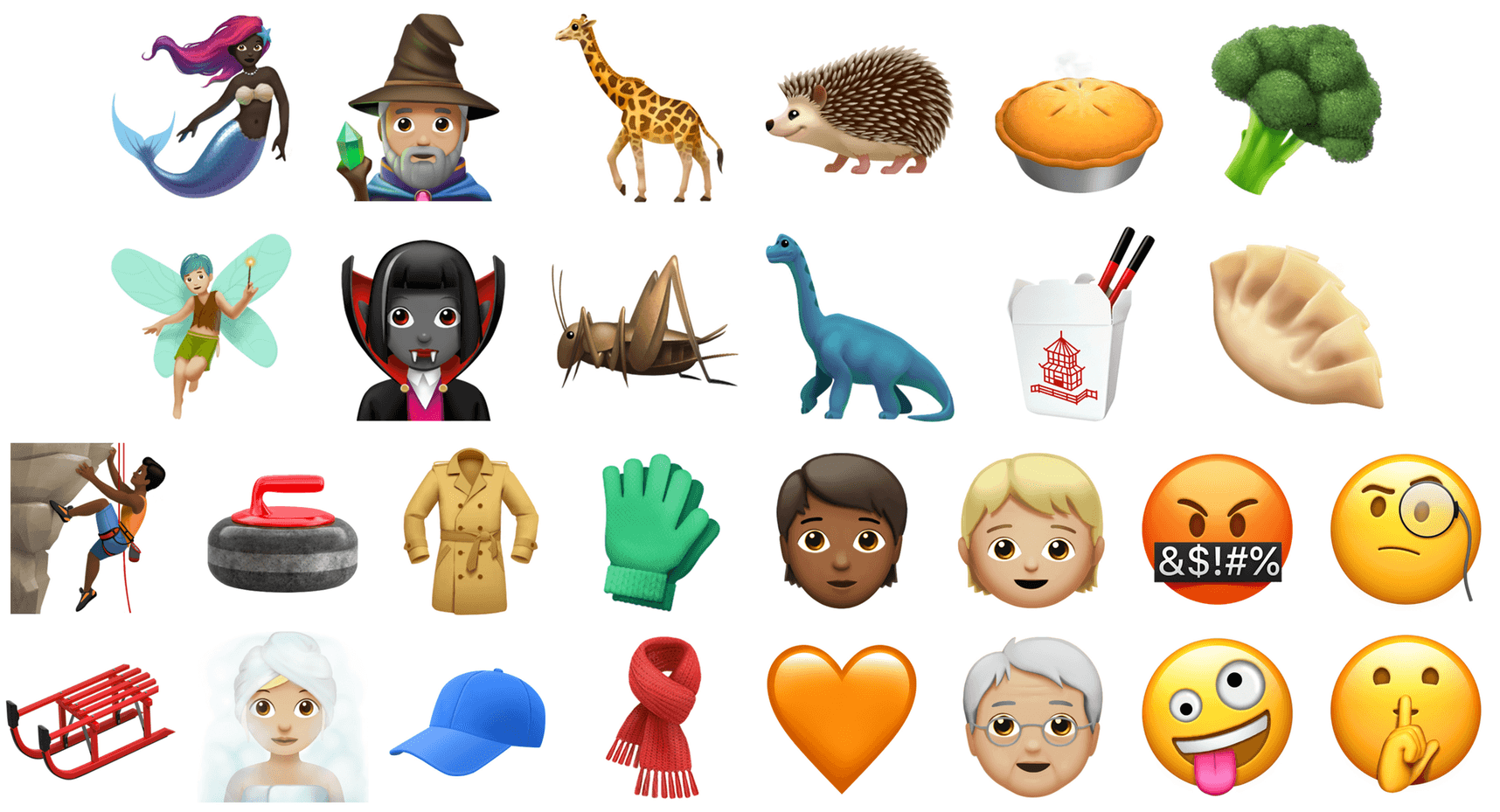
Hundreds of new emoji, including more emotive smiley faces, gender-neutral characters, clothing options, food types, animals, mythical creatures and more, are coming to iPhone and iPad with iOS 11.1.
The first chance to try the new emoji will come in the second beta of iOS 11.1, which BuzzFeed News reports will be released on Monday, October 9th.
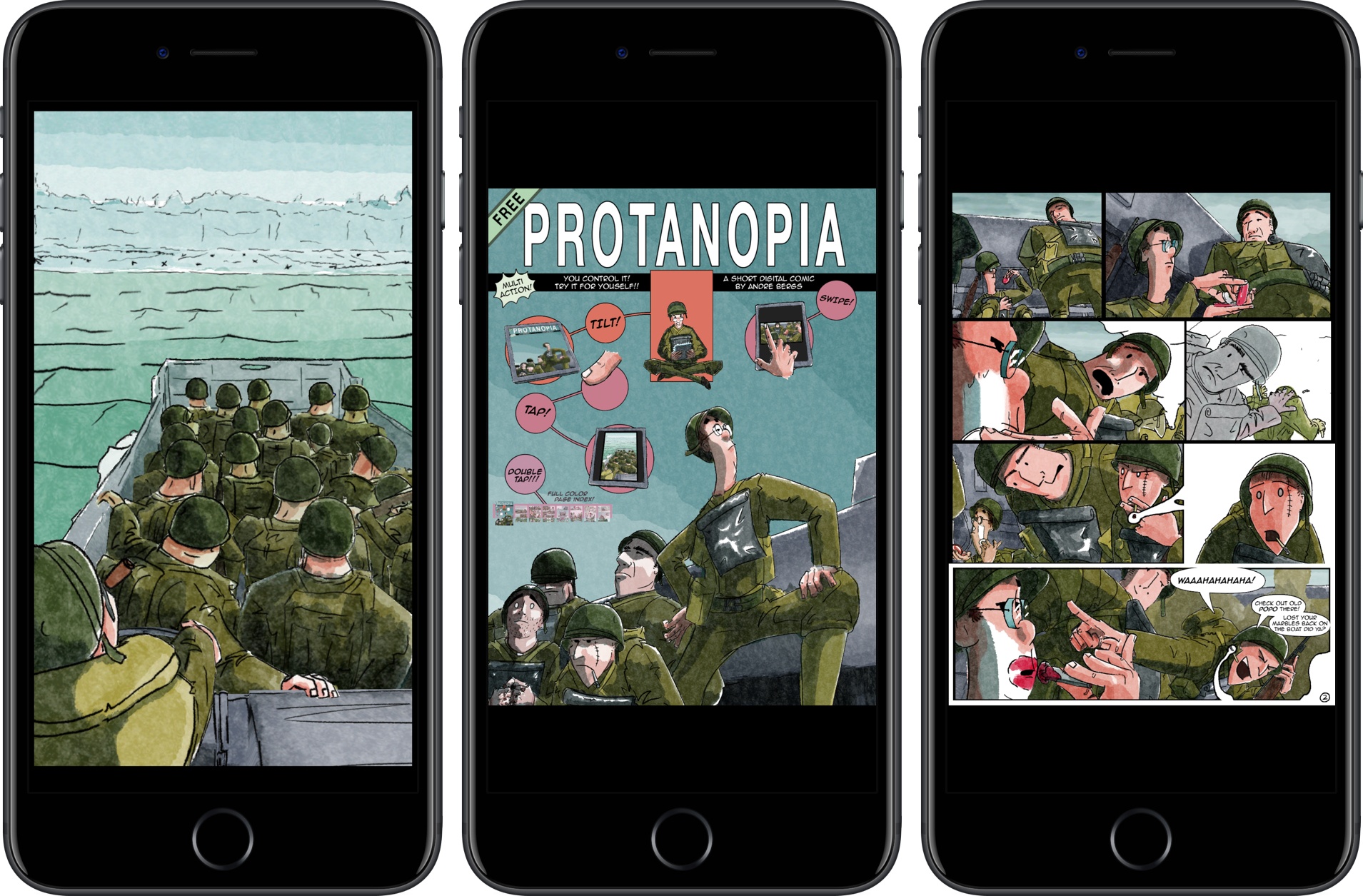
Protanopia is a reimagination of what a comic book can be on an iOS device. The short comic is a stand-alone Universal app, that tells the story of soldiers landing on the beaches of Normandy during World War II.
Created as an experiment into the possibilities of digital comics. Using elements from 3D and 2D animation in a realtime game engine, it creates an unique visual style, whilst still having a familiar feeling.
As the landing craft bobs on the waves, the soldiers inside it move too. By layering the 2D art and animating each layer independently, a 3D effect is created. By itself, it’s a cool effect that brings the comic to life, but there’s more to it than that. The comic also responds to tilting your iOS device. You can tilt your iPhone or iPad to get a different perspective on the scene and peek at details that can’t be viewed from certain angles.
Protanopia is unlike any other comic I’ve read. While tilt control may not suit the storyline of every comic, it adds a dynamism to this story that makes it come alive in a way that static art doesn’t. It’s fascinating to see game engine technology deployed in a different medium and something with which I’d love to see more artist experiment.
On this week’s episode of AppStories, we talk about iOS 11’s drag and drop feature, examples of some of our favorite apps that implement it, and the apps we’d like to see add it next.
Sponsored by:
Balance - A wallet for all the worlds currencies and tokens.
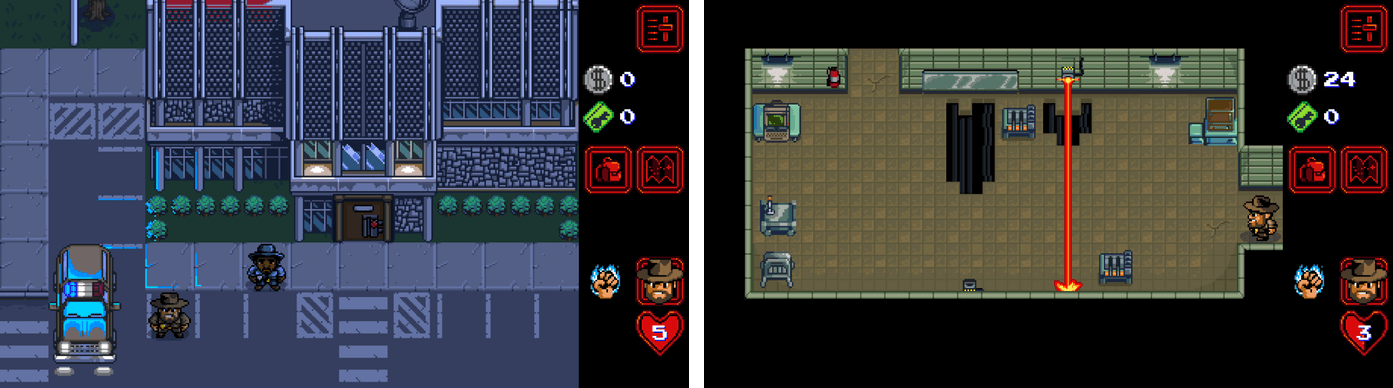
Season 2 of Netflix’s original series Stranger Things will debut on October 27th. To promote the new season, a retro-style RPG game featuring the characters and scenes from the show has been released on the App Store.
The free game promises hours of gameplay with 7 playable characters, 6 dungeons, and 30 quests. There are two difficulty levels, ‘Normal’ and a punishing ‘Classic’ mode, and lots of in-game collectibles and puzzles to solve along the way.
I have only had a short time to start exploring Stranger Things: The Game, but anyone who enjoys the TV show and retro-style games should have fun playing through the Stranger Things world and listening to the excellent chiptune soundtrack.
Yestereday, David Sparks and Brett Terpstra released a new MacSparky Field Guide called 60 Mac Tips, Volume 2. The new volume picks up where Volume 1 left off with lots of great tips that are accompanied by highly polished screencasts narrated by the two authors. Sparks, who also co-hosts Mac Power Users on Relay FM with Katie Floyd, and Terpstra, an independent developer, author, and podcaster, have packed 60 Mac Tips with a wide range of topics that should appeal to beginners and experts alike including, Mail, Automator, Safari, Siri, Apple Notes, Apple Photos, Terminal, and much more.
60 Mac Tips, Volume 2 is available as an iBook on the iBook Store or from Vimeo as a series of downloadable videos. Both versions include high definition video, but I like the iBook version the best because it creates a convenient organizational structure around the videos.


 Federico