John Voorhees

5409 posts on MacStories since November 2015

John is MacStories' Managing Editor, has been writing about Apple and apps since joining the team in 2015, and today, runs the site alongside Federico. John also co-hosts four MacStories podcasts: AppStories, which covers the world of apps, MacStories Unwind, which explores the fun differences between American and Italian culture and recommends media to listeners, Ruminate, a show about the weird web and unusual snacks, and NPC: Next Portable Console, a show about the games we take with us.

AirScrobble Greatly Expands Its Utility with Headphone Compatibility, Live Activity Support, and App Shortcuts

It’s time to take a brief break from widgets to bring you scrobbles. Scrobbling is Last.fm’s name for matching and logging the music to which you listen. The payoff of scrobbling is the in-depth statistics that Last.fm delivers monthly and annually to users. It’s also a great way to relive musical moments in your life and find music that you may not have in your library but that you may have heard while you’re out and about.

One of the best ways to scrobble on the iPhone and iPad is with AirScrobble, which has grown into a terrific all-around Last.fm utility. One of the app’s previous limitations, though, was that it only worked with music playing over a speaker. If you were using AirPods or other headphones, so the music couldn’t be matched via an iPhone or iPad’s microphone, you were out of luck. However, with the app’s latest release, you can now scrobble even while listening with headphones.
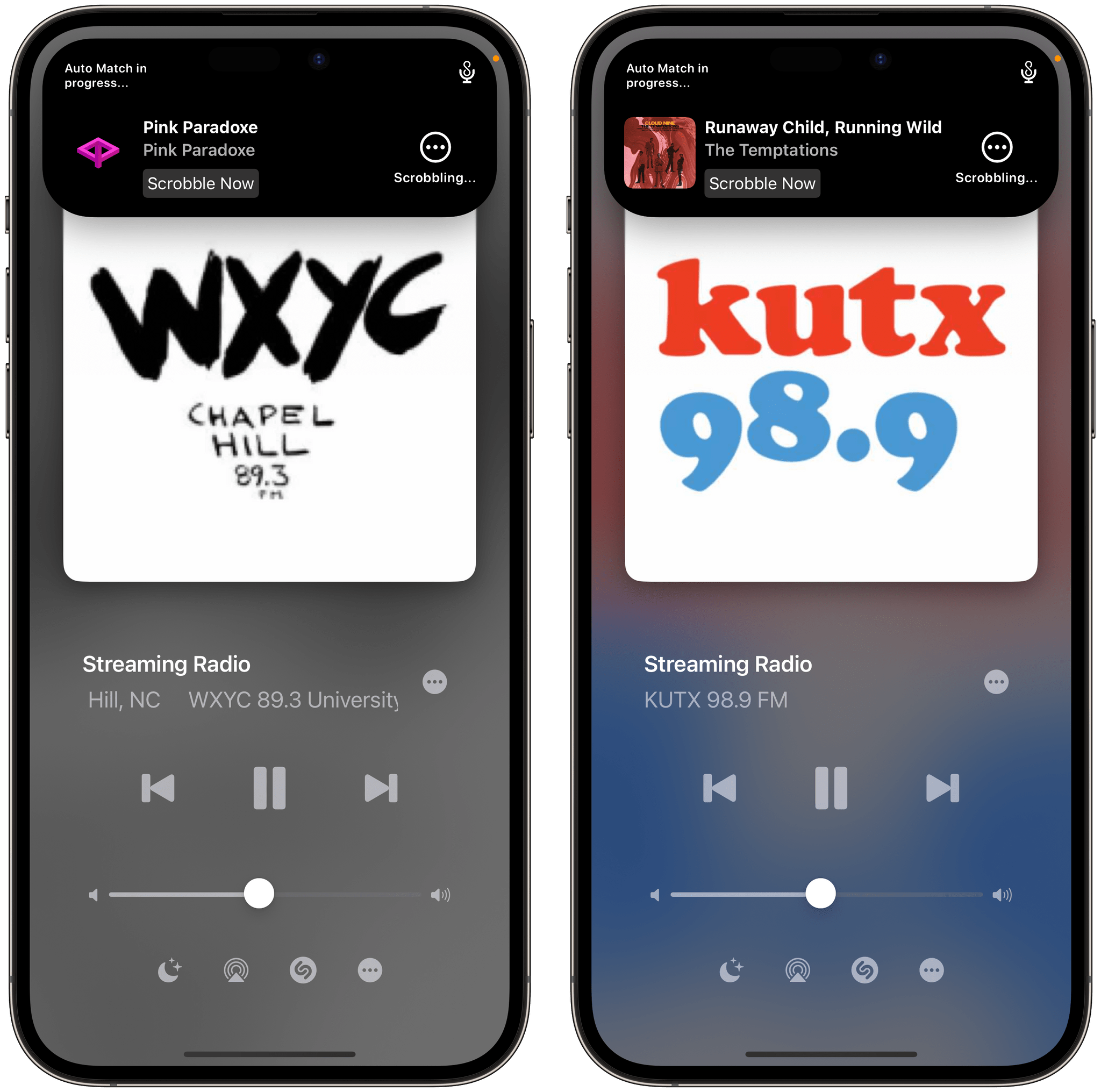
Scrobbling from Broadcasts.

Scrobbling from Broadcasts.

That alone is pretty great, but AirScrobble now works with any app that produces audio, too. Say you’re using Steve Troughton-Smith’s excellent Internet radio app Broadcasts to listen to your favorite college radio station. Now, AirScrobble can match the songs as you listen. The same goes for Reels you watch on Instagram, YouTube videos, and a lot more.

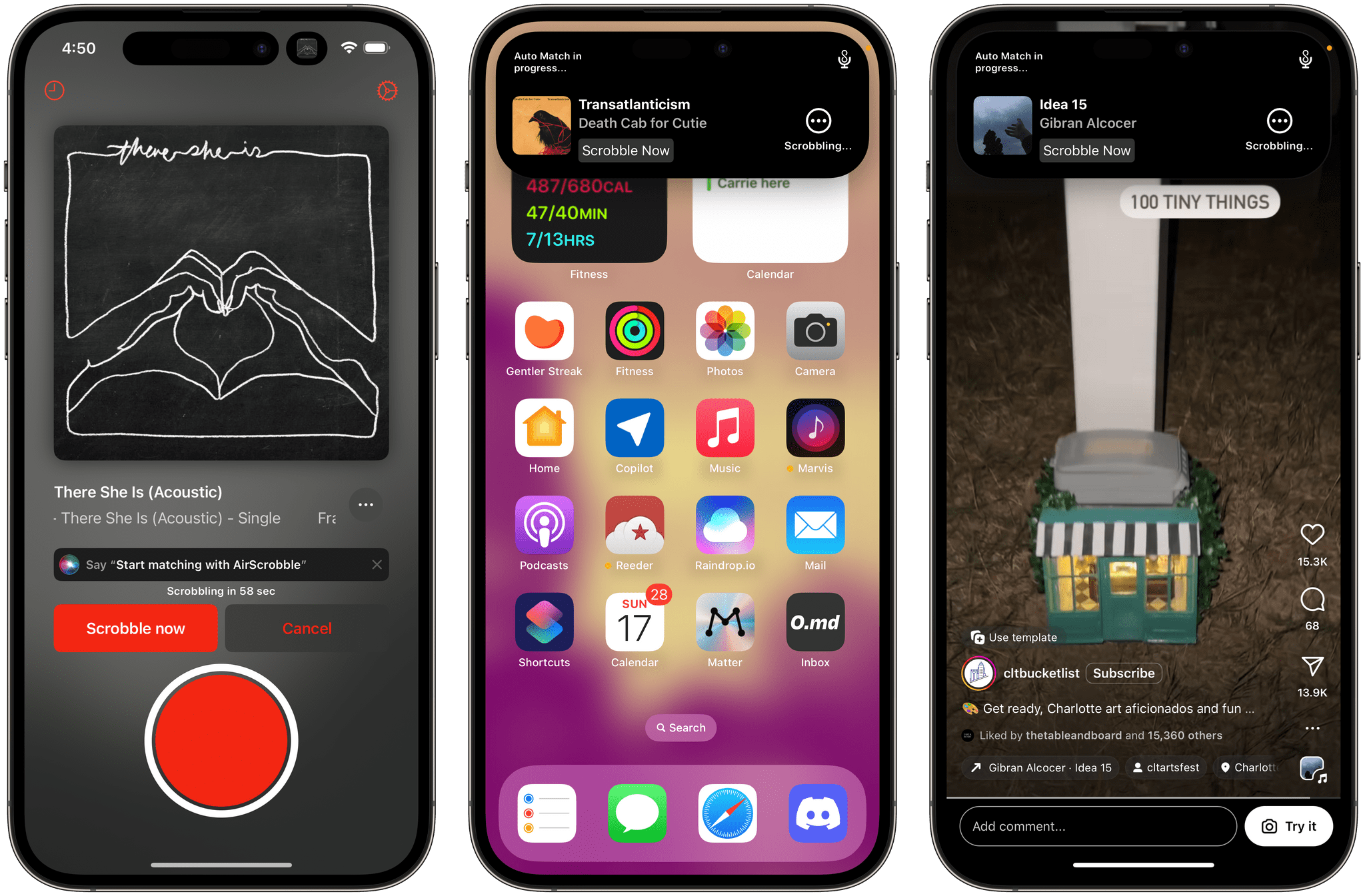
AirScrobble also includes Live Activity support. If you’ve started automatically scrobbling as you listen, the Live Activity expands when a song is recognized, offering an interactive button for manually scrobbling the song immediately.
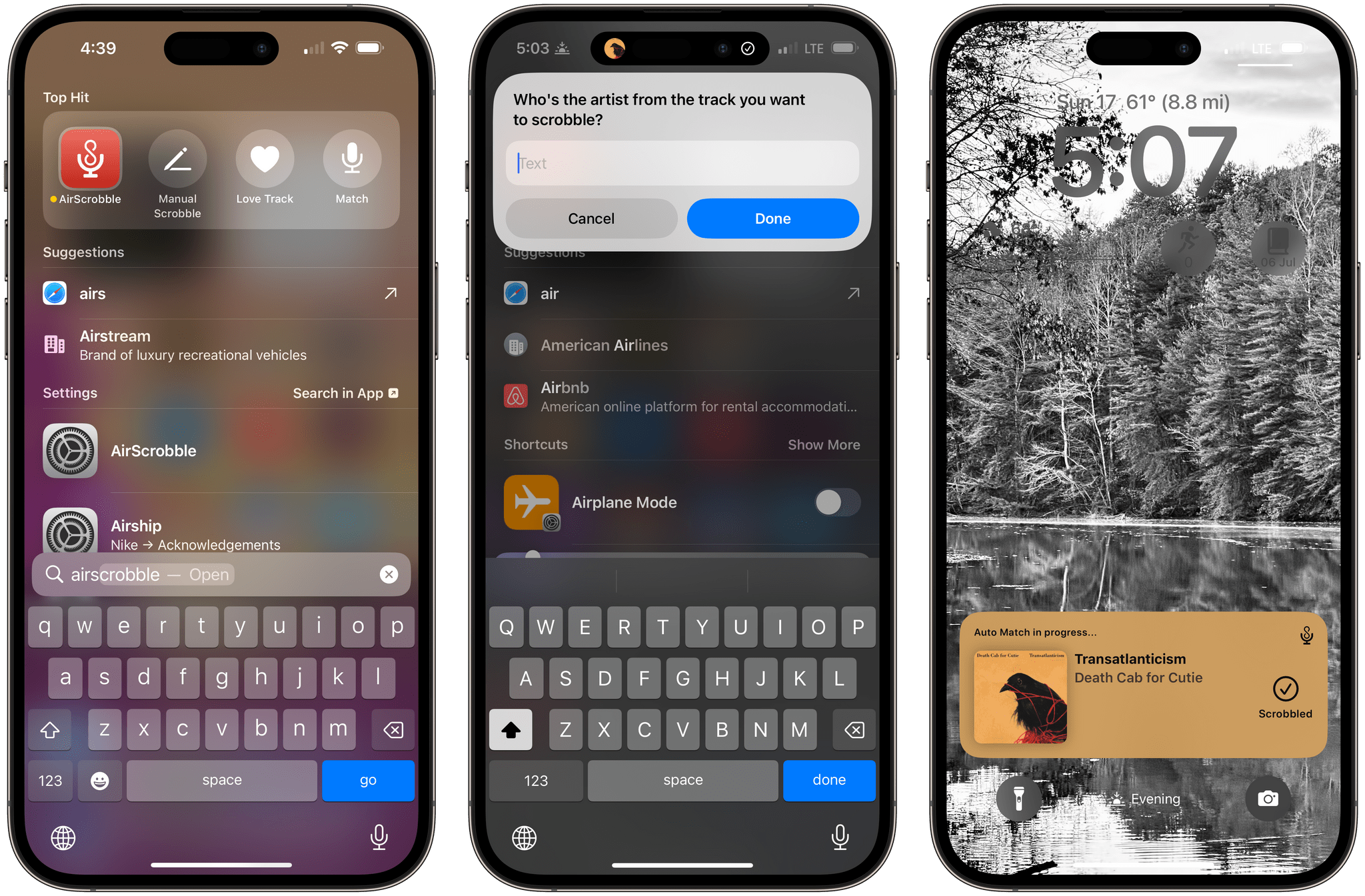
AirScrobble's App Shortcuts, Manual Scrobble App Shortcut, and Live Activity on my Lock Screen.

AirScrobble’s App Shortcuts, Manual Scrobble App Shortcut, and Live Activity on my Lock Screen.

The app has added support for App Shortcuts, too. If you’re out at a restaurant and hear a song you don’t know and want to capture it, do a quick Spotlight search for ‘AirScrobble’ and pick the Match App Shortcut. There’s also a Manual Scrobble App Shortcut, which lets you search for the name of a song using the search field. Plus, there’s a Love Track App Shortcut for marking a track as one of your favorites.

I love this update to AirScrobble. It works in so many more situations now that headphones are supported, as well as other audio sources. The Live Activity makes it easy to scrobble while doing something else on your iPhone or iPad, too. If you’re a music lover and use Last.fm, check be sure to check out AirScrobble.

AirScrobble is available on the App Store as a free download. Some of the app’s features require a subscription.

Home Widget Unlocks HomeKit Device Control That Apple’s Home App Doesn’t Offer

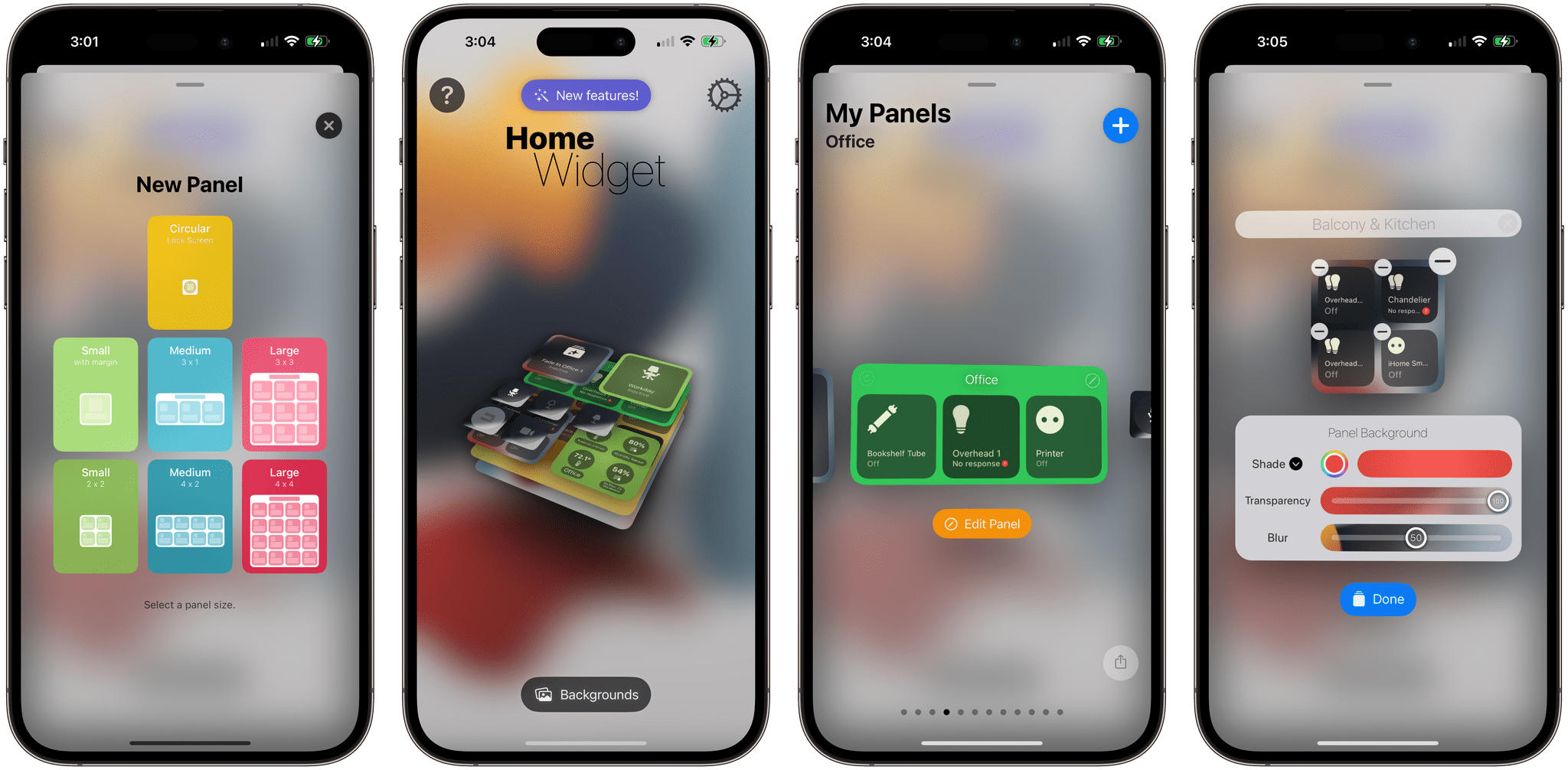
You might have wondered what would become of widget-focused apps like Home Widget when Apple announced at WWDC that a Home widget was coming to iOS 17, iPadOS 17, and macOS Sonoma. I did too. But, even though the Home widget works well, it’s limited, leaving room for developers like Clément Marty to take their widgets to an entirely different level.

If you’re a home automation nerd, you’ll quickly run into the Home widget’s limitations. For instance, it’s great for toggling lights on and off, but it can’t dim your lights or change their color. Home Widget goes beyond the binary choice of on or off across a spectrum of features, making it indispensable for home automation fans.

Let’s see what it can do.

Read more


Timery’s Updated Widgets Enable Starting and Stopping Timers, Pagination, and More

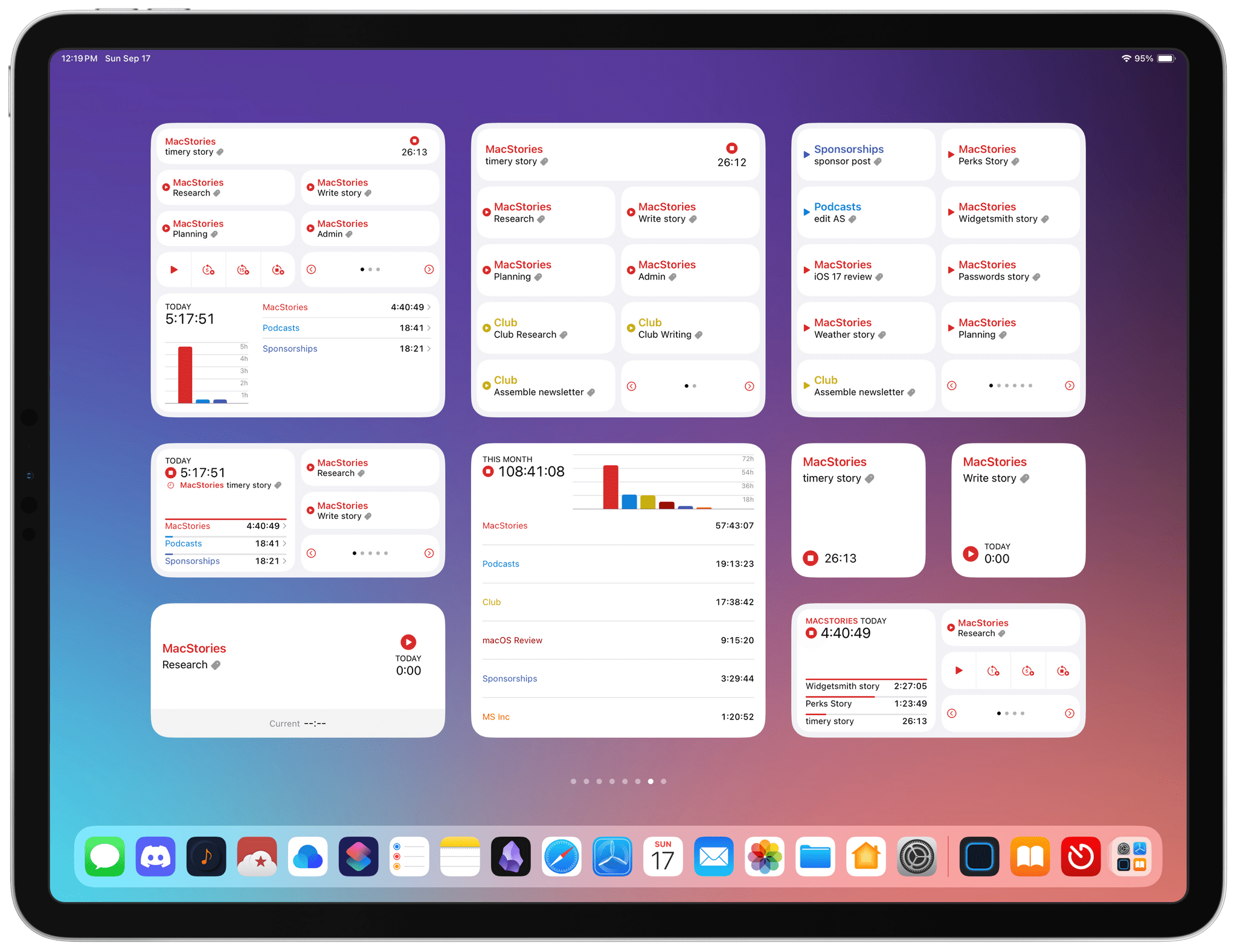
It’s interesting to compare Timery 1.6, Joe Hribar’s time tracking app for iPhone, iPad, Mac, and Apple Watch, with Widgetsmith. David Smith’s app uses interactivity across a wide range of different types of widgets, allowing for a highly personalized approach to your Home Screen. Timery is a little different. It’s just as customizable, if not more so, but in a deep, focused way that makes it hands-down the most customizable and useful way to track time from a widget.

If you had asked me how I used Timery in the spring, I would have said I primarily use the Mac app. That’s changed drastically over the summer. My answer now is that I’m primarily a Timery widget user.

What I love about the app’s widgets is that they allow you to create a set of widgets that work how you use the app and nothing more. One of Timery’s strengths has always been its rich set of features that make it valuable to a broad cross-section of users. However, that means there is more to Timery than most people need. But with the app’s widgets, it’s possible to pare the app down to just the components that are essential to you, which is the ultimate in customization.

That doesn’t mean you won’t use the main app ever again. Some people may, but I certainly haven’t. Instead, it’s been more of a focus shift that allows me to continue whatever I’m working on, switching timers as needed on the fly from whichever device I have handy at the moment without opening the app most of the time. Timery’s update is a stellar release, which also comes with a new watchOS app that fans of the app are going to love.

Read more


Widgetsmith Pushes the Boundaries of Widget Interactivity

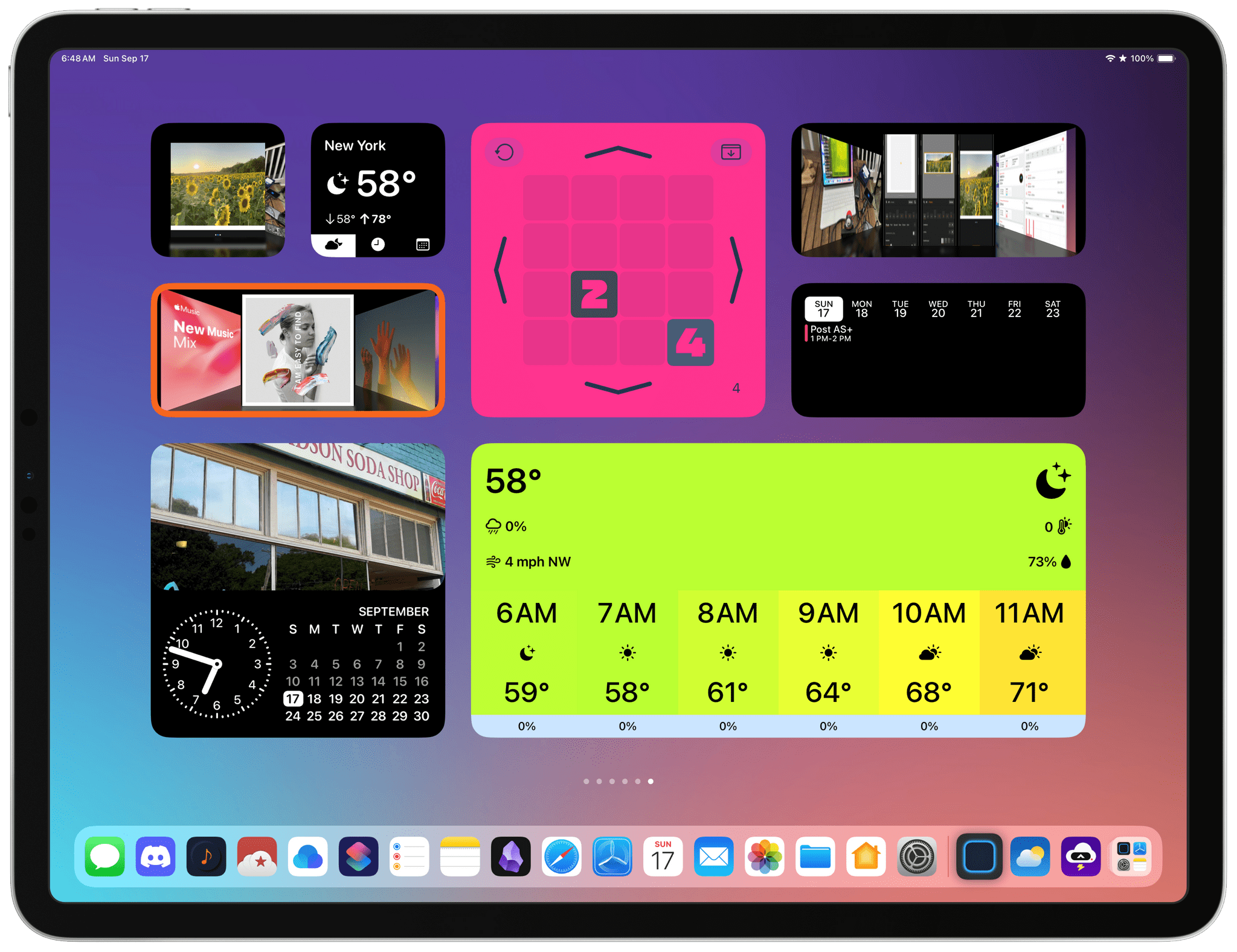
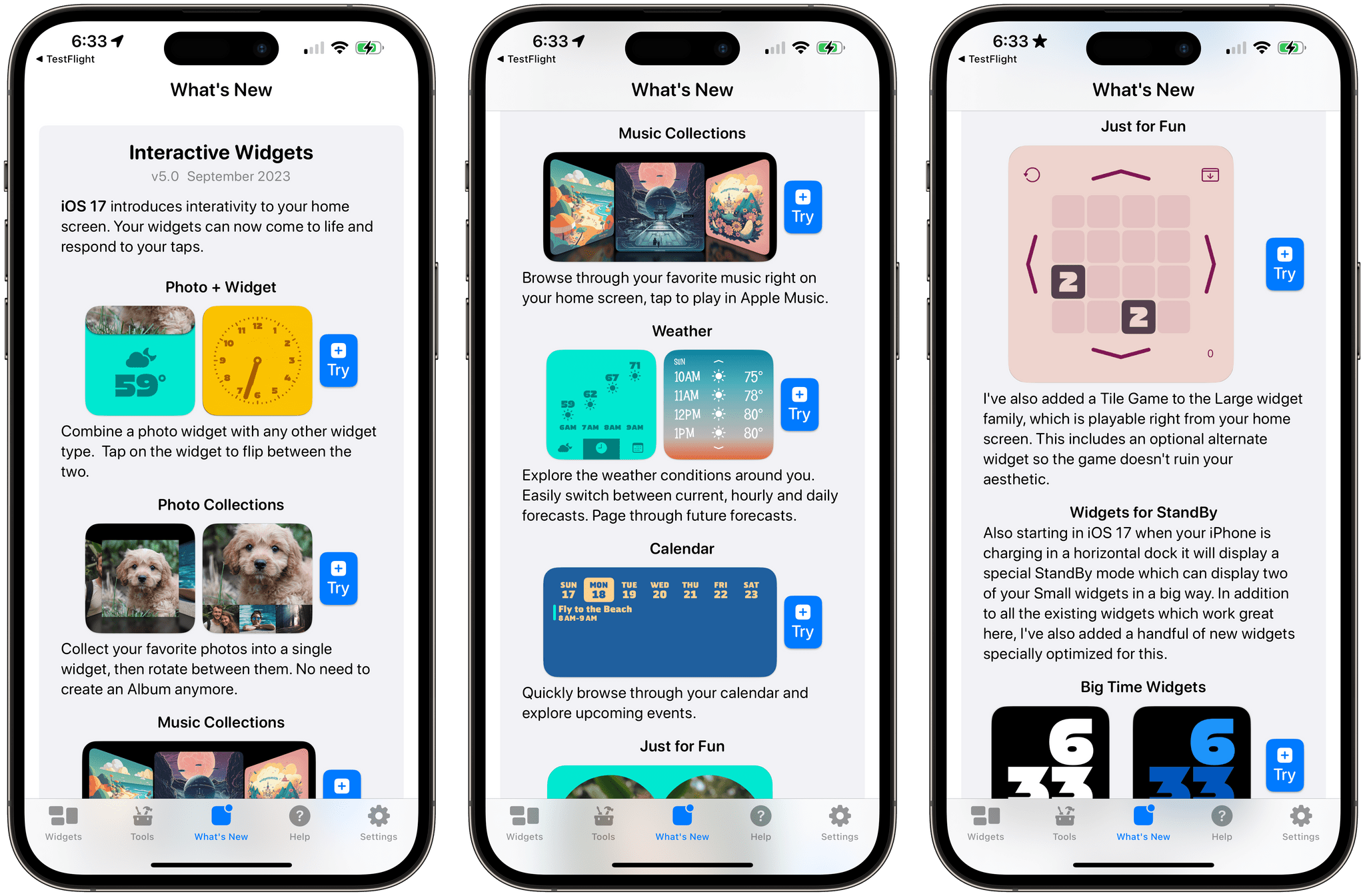
It’s clear from David Smith’s iOS 17 update to Widgetsmith that he intends for the app to hold its position among the most customizable widget creation tools available. That’s exactly what he’s done with a long list of new widgets, customization options, and features that push interactivity to the limit of the technologies Apple provides.

The new widgets focus on weather, calendar events, photos, and a game. The number of permutations available is vast because there’s so much to customize. The image at the beginning of this story is just a small sample of what is possible, but with adjustable colors, fonts, and other elements, the combinations that can be created are nearly endless. So, let’s dig into the highlights.

Read more


AppStories, Episode 351 – iOS and iPadOS 17: The MacStories Review

This week on AppStories, we dig into Federico’s review of iOS and iPadOS 17.

Sponsored by:

  • Setapp – Power up your efficiency.
  • Things 3 – Ready for iOS 17, watchOS 10, and macOS 14
  • Daylite CRM – Spend less time managing your business and spend more time doing what you love. Regain control now!
  • HelloFresh – Use code 50appstories for 50% off plus free shipping.
  • Electric – Unbury yourself from IT tasks. Get a free pair of Beats Solo3 Wireless Headphones when you schedule a meeting.

On AppStories+, Federico takes listeners behind the scenes of his iOS and iPadOS 17 review with a look at the custom Obsidian plugins he used to produce the review that will be available as an exclusive perk for Club MacStories members.

We deliver AppStories+ to subscribers with bonus content, ad-free, and at a high bitrate early every week.

To learn more about the benefits included with an AppStories+ subscription, visit our Plans page, or read the AppStories+ FAQ.

Permalink

iOS and iPadOS 17 Review Extras: eBook, Special Editions of MacStories Weekly and AppStories+, and Two New Obsidian Plugins

Today, Federico published his iOS and iPadOS 17 review. As in past years, we’re releasing a wide variety of perks exclusively for Club MacStories members throughout the week, including an eBook version of the review, a special ‘making of’ edition of MacStories Weekly, a behind-the-scenes AppStories+ segment, and two new Club-exclusive Obsidian plugins.

Read more


The Weather App Adds More Detailed Data in iOS 17, iPadOS 17, and macOS Sonoma

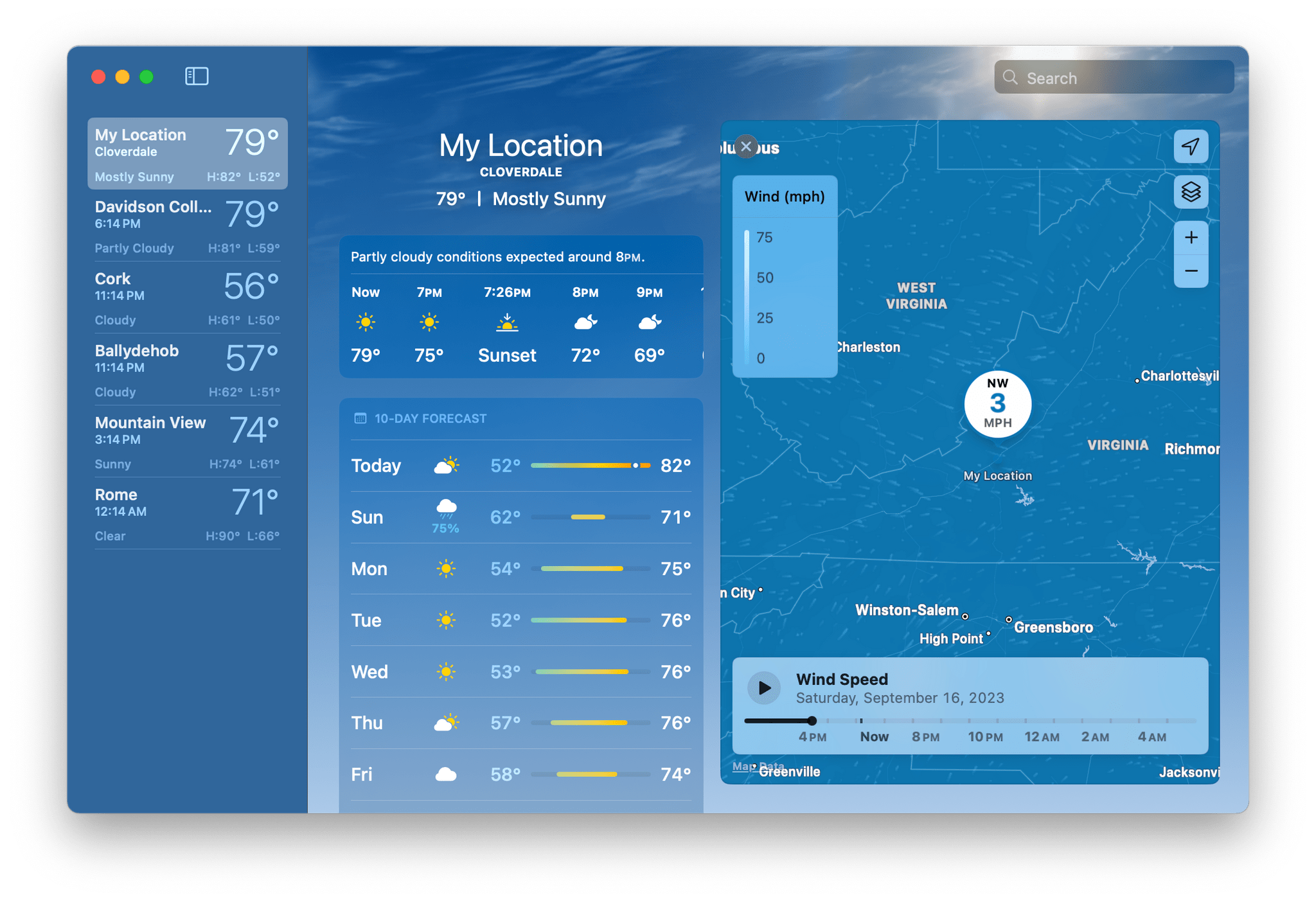
Apple’s Weather app is packing more data than ever before on iOS 17, iPadOS 17, and macOS Sonoma. The thing about weather is that beyond the basics, everyone cares about different things, and some people care about it all. With Apple’s latest version of Weather, there’s more weather to nerd out on than ever before.

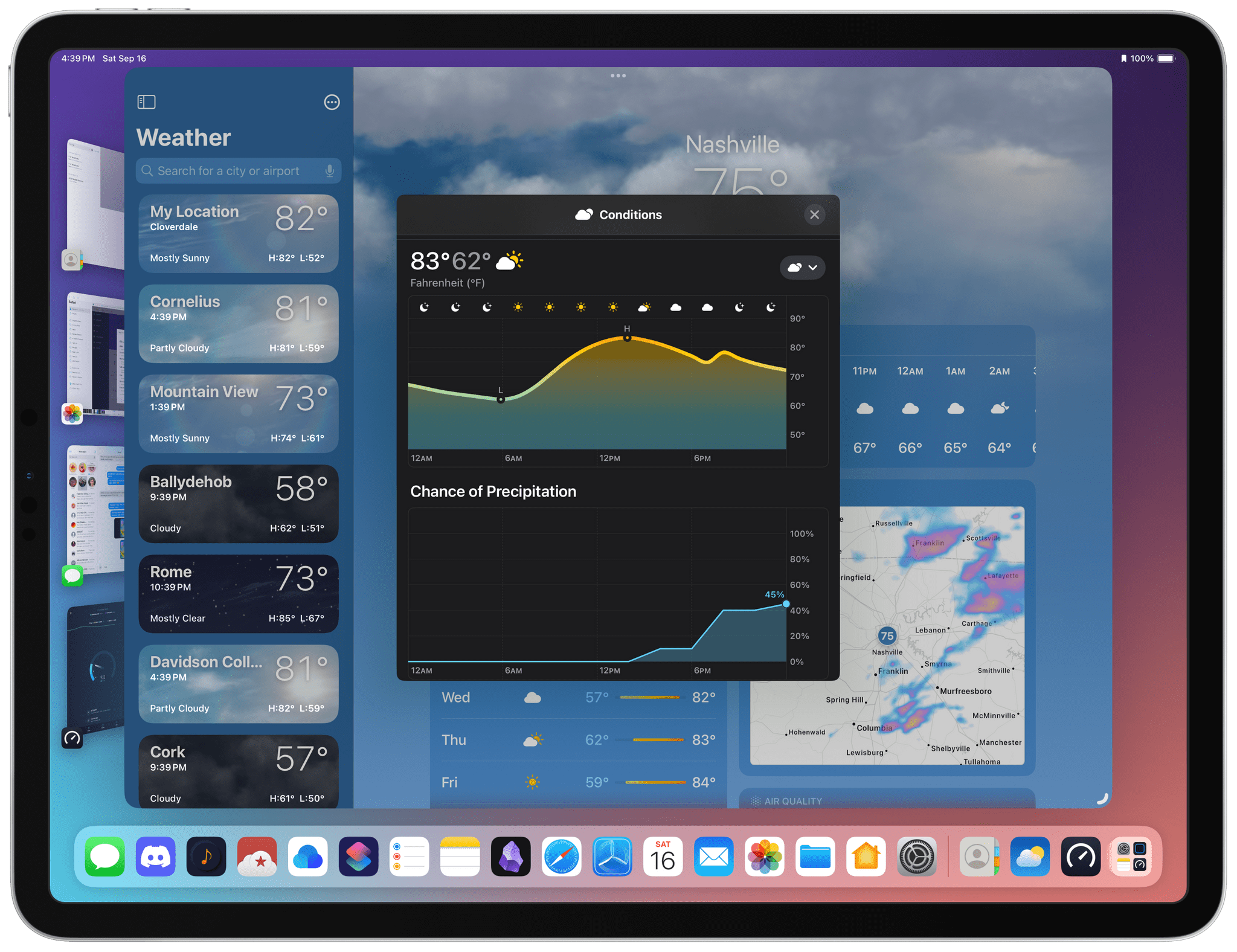
Hourly precipitation predictions for a full 10 days.

Hourly precipitation predictions for a full 10 days.

The Weather app includes hourly precipitation predictions in its 10-day forecast detail view. Is there really a 45% chance of rain in Nashville a week from Monday? Probably not, but if that sort of precision is what you’re looking for in a weather app, Weather has it.

The wind animates on the new radar map overlay.

The wind animates on the new radar map overlay.

Wind map overlays have been added to Weather, too. The overlay looks excellent and animates to show you which way the wind will blow over the next 24 hours. It’s a great addition if you’re going out to fly a kite or a drone, sail a boat, and more.

Read more


iOS 17, iPadOS 17, and macOS Sonoma Expand Password Management and Access System-Wide

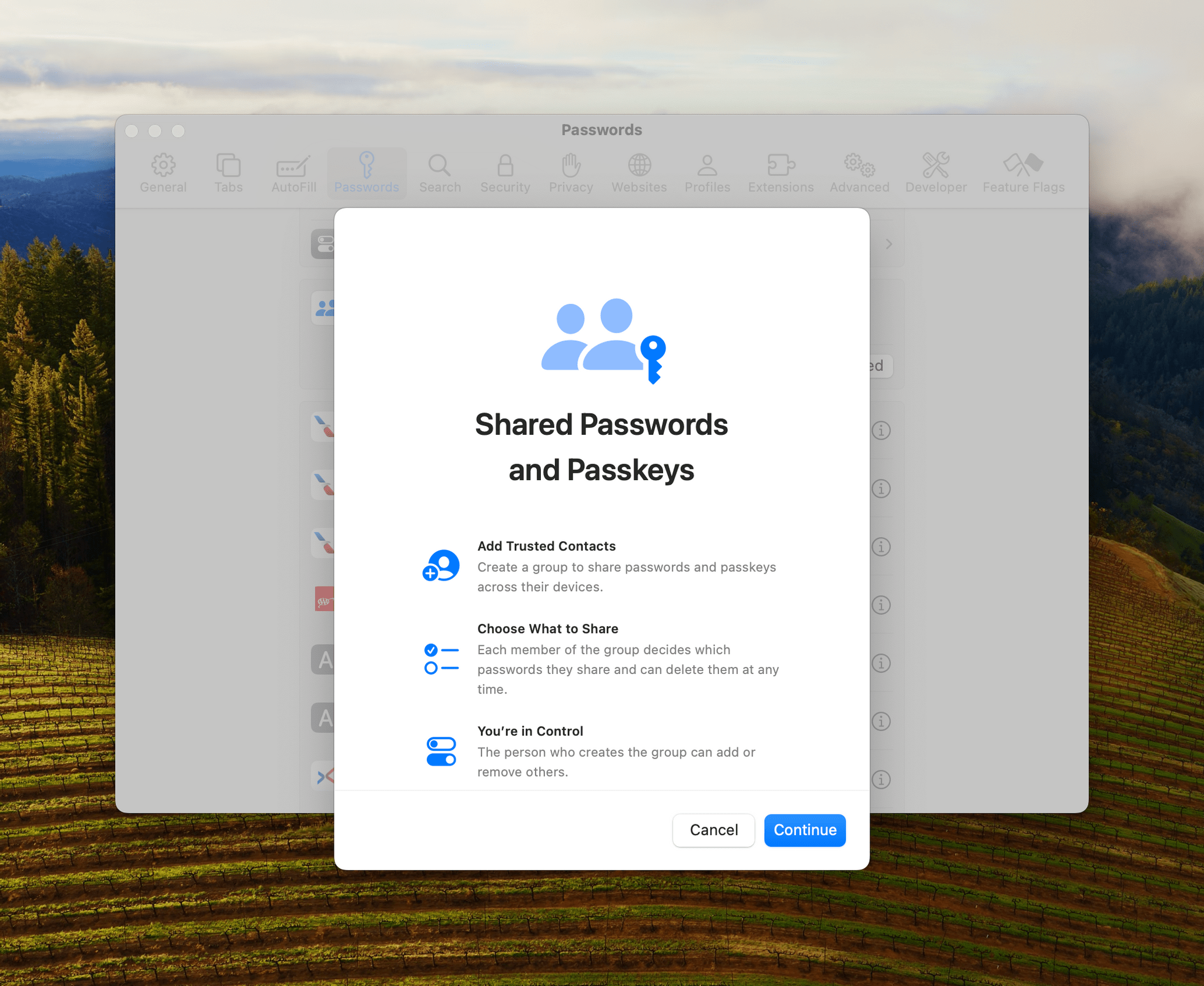
Passwords permeate our lives. With an ever-growing number of sites, services, and apps to log into, people need help generating, managing, and accessing them. There are excellent third-party apps that can help, but the reality is that most people aren’t going to download a third-party app, and even fewer are likely to pay for one. That’s why Apple’s work with passwords is so important.

However, what makes that work impressive is the lengths to which the company has gone to make good password practices easy for users. The password updates to iOS 17, iPadOS 17, and macOS Sonoma are fantastic examples, making it easier than ever to share passwords and for users to begin adopting passkeys, a superior method of authentication compared to traditional passwords.

Read more