MacStories Unwind: Alto Returns, Transloader Review, and a New Way to Organize and Charge Your Gear

AppStories+ Deeper into the world of apps
0:00
21:14

AppStories+ Deeper into the world of apps


Sponsored by: Hook – Find Without Searching

This week, Federico and John talk about the new trailer for Alto’s Odyssey: Lost City, which is coming to Apple Arcade soon, John’s review of a big update to Transloader, the Kensington StudioCaddy, plus videogame and music picks for your weekend.

MacStories

Club MacStories

  • MacStories Weekly
    • Beyond iPhone and iPad Gaming
    • Safari tab tips for macOS Monterey
    • Unabridged interviews with Majid Jabrayilov, Ish ShaBazz, Sawyer Blatz, and John Sundell
    • MacStories Unplugged

AppStories

Unwind


Team Alto Releases Trailer for Alto’s Odyssey: Lost City, A Special Edition of the Original Game Coming to Apple Arcade

Next Friday, July 16th, Alto’s Odyssey: Lost City is coming to Apple Arcade. Lost City is a special edition of the hit sandboarding game by Team Alto (a collaboration between Land & Sea and Snowman) that debuted on the App Store in early 2018, winning an Apple Design Award and Game of the Year in our inaugural MacStories Selects Awards. If you’re not familiar with Alto’s Odyssey, I recommend reading Federico’s review. It’s one of my favorite of his reviews because it so perfectly captures the charm and vibe that makes Alto’s Odyssey special.

First teased by Team Alto last month, the new trailer below provides a glimpse of what appears to be an ancient city through which Alto will race.

Knowing the team behind Alto’s Odyssey, I expect Lost City will be a great way for existing fans to get more out of the original game and new players to discover the fun that garnered the game such a loyal following three years ago.

Alto’s Odyssey: Lost City is already listed on the App Store, where Arcade subscribers can pre-order it, so they are notified when the game becomes available on July 16th.


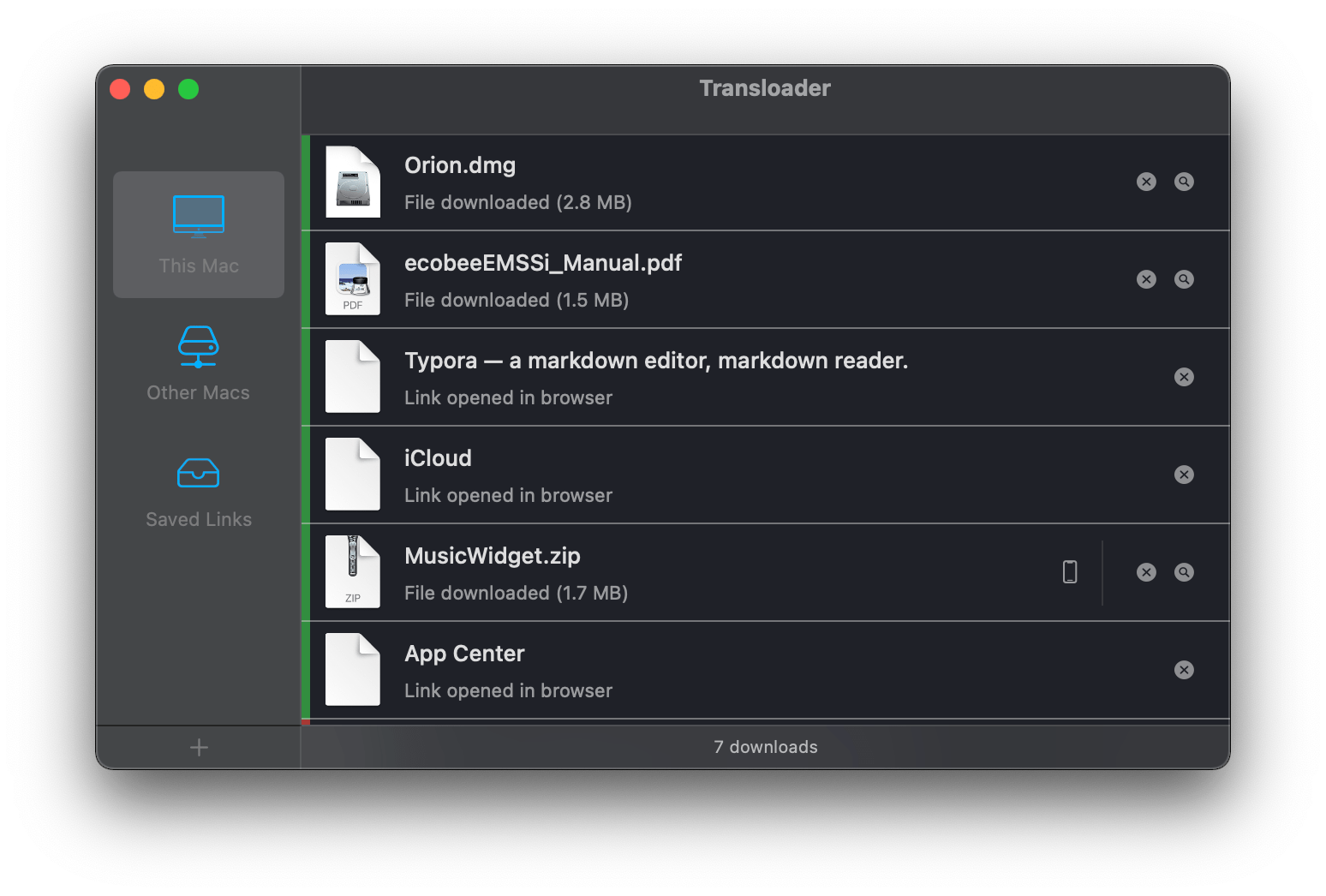
Transloader 3: A Simple, Versatile Way to Remotely Manage Mac File Downloads from an iPhone or iPad

Matthias Gansrigler of Eternal Storms Software recently released Transloader 3, an app for remotely controlling Mac file downloads from an iPhone or iPad. Although the app has been around for a long time, version 3 might as well be a completely new app because it’s packed with new features, making it worth revisiting if you haven’t tried it in a while.

Transloader is one of those utilities that reduces the friction of working on multiple devices by solving a common problem that Apple’s OSes could handle better: cross-device downloads. There are a couple of scenarios where I run into this all the time. The first is with email. With no TestFlight for Mac yet, developers often send me links to a ZIP or DMG file of their apps to try. Going through email messages is one of those tasks that I often leave until late in the day when I’m away from my desk, using my iPad or iPhone. The second scenario is when I’m researching apps and find one or a related press kit I want to download to check out later.

In both cases, I could save the app or other files to iCloud Drive’s Downloads folder and revisit the materials the next time I’m at my Mac. However, with Transloader, I’ve got many more options thanks to its built-in automation tools as well as other features that make managing downloaded files easier.

Read more


Kensington Releases Two-Piece StudioCaddy Charging Station and Organizer for Apple Devices

Today, Kensington released the StudioCaddy, a $179.99, two-piece charging station and device organizer for Apple devices. Kensington sent me a review unit, which I’ve been using for about a week, so I thought I’d share my first impressions.

The StudioCaddy has a unique two-piece design. One half features Qi charging stations for an iPhone and AirPods, plus USB-A and USB-C charging ports. The other half is a weighted stand with slots to hold a Mac laptop and iPad vertically. The two parts can be used separately or connected magnetically.

Read more


Hook: Find Without Searching [Sponsor]

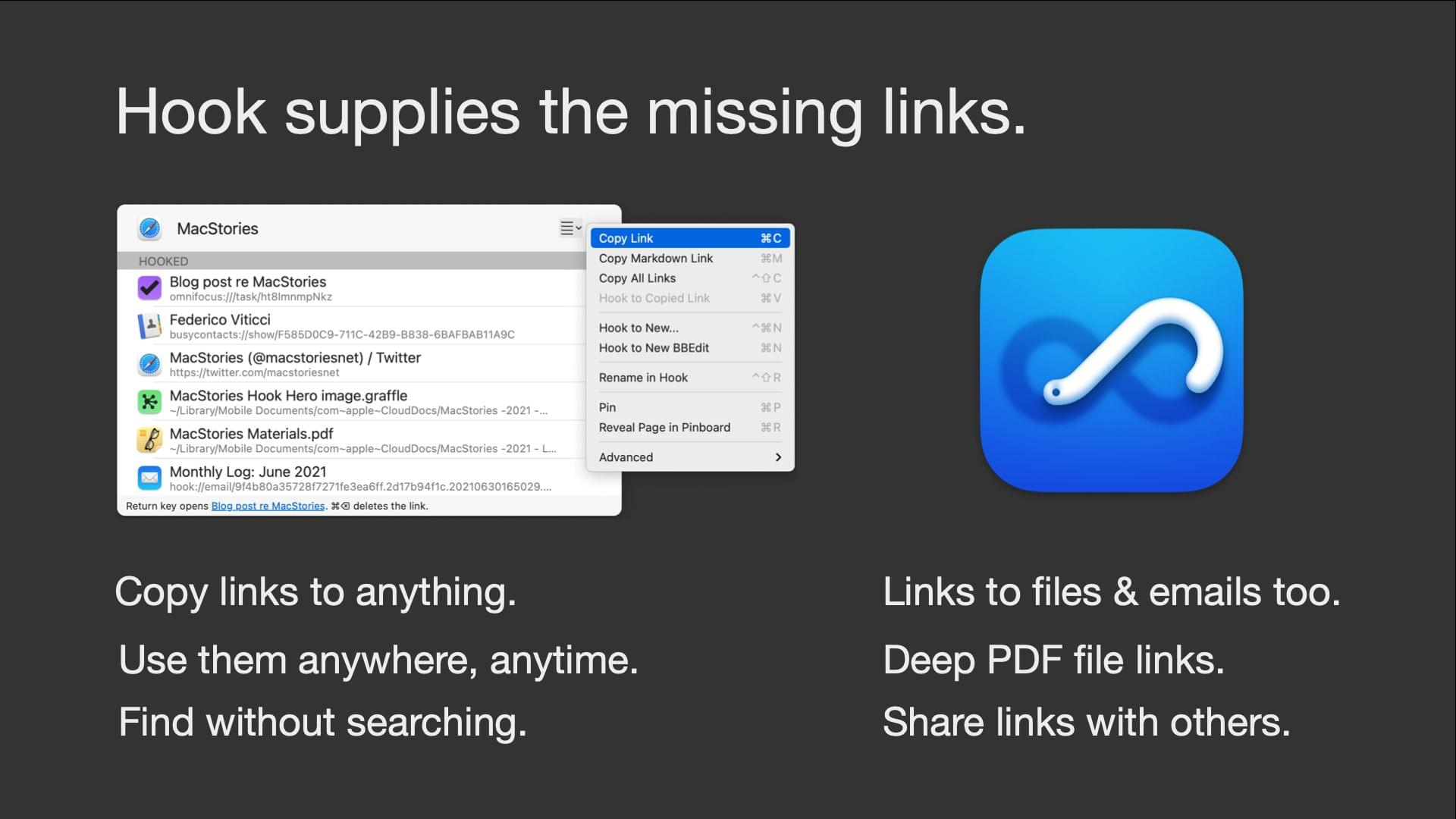
Hook is a revolutionary CogSci Apps® invention that links your digital work. Its contextual window enables you to link items between your favorite Mac apps and to instantly open linked items — without searching.

  • Immediacy. Hook’s Copy Link (⌘C) instantly copies a properly labeled hotlink to the foreground app’s selected/open item. No more manually editing links with ⌘K!
  • Universal Copy Link Most apps don’t have a command for copying links️. Hook solves that: its ‘Copy Link’ works not only with entire webpages but with almost any item in any app: files, objects, tasks, calendar entries, emails, etc.
  • Consistency. Unfortunately, different apps use different names, locations, and shortcuts for their Copy Link command (that’s if they support copying links)️. Hook’s ‘Copy Link’ uniformly solves that. Use the same simple habit everywhere.
  • Ubiquity. Paste links to any linkable object into any app, anywhere.
  • Two-way links (“hooks”). Hook can bi-directionally link information from any linkable app, so you can remain in context.
  • Context sensitivity. Our “hooks” are context-sensitive; no need to search.
  • Robust file links. macOS file:// links are brittle️. Contrast: Hook’s file links work even after you move or rename the files they reference.
  • Deep PDF links. Hook can even copy links to specific locations in a PDF.
  • Shareable links. Send links to shared files or links to mutual emails to your recipients. When your recipients click on the link, Hook will reveal the file (even to the specific location in a PDF!) or open the email on their Mac! Hook Lite activates links and is free. Your recipients will save time and love you for it.
  • Copy Markdown Link. Instantly create a Markdown-formatted link to the foreground app’s current item (webpage, file, etc.)
  • Reveal it. Hook’s Reveal File in Finder command works across all compatible apps.
  • Automatic bookmarking. Copying links is the best signal of future relevance! So Hook bookmarks automatically what you link (files, emails, etc.) It can also sync to services like Pinboard.
  • And much more!.

Hook is an extensible native macOS app that augments you and your favorite apps! Your data stays on your devices and can be synced.

Visit https://hookproductivity.com/ to better understand why Mac users get hooked on Hook. Take advantage of a special 30% reader discount for Hook productivity.

Our thanks to Hook for sponsoring MacStories this week.


MacStories Unwind: Developer Debrief, OS Previews, and Shortcuts Talk

AppStories+ Deeper into the world of apps
0:00
28:42

AppStories+ Deeper into the world of apps


Sponsored by: Concepts – Sketch, Note, Draw

This week on MacStories Unwind:

MacStories

Club MacStories

  • Monthly Log
    • Safari Tab Groups
    • Flexible Work Environments
  • MacStories Weekly
    • Command Browser
    • Five things you may have missed in the iOS and iPadOS 15 betas
    • Unabridged versions of three developer interviews from our developer debrief feature story

AppStories

Unwind