This week on AppStories, we move on from hardware to explore visionOS, where it hits, where it misses, and what we’d like to see in the future from the OS.
On AppStories+, we discuss the developer strap and how it could potentially gain new features in the future, as well as the idea of using a headless Mac as a Vision Pro accessory.
Adi Robertson writes for The Verge about the Vision Pro’s lackluster support for multiple users and how hard it is to share the device with someone else:
The Vision Pro is $3,499 and only one person in your household can ever use it fully, which makes no sense at all. The privacy issues are technically there on the Vision Pro — letting anyone else use it without setting restrictions in guest mode grants them access to everything you’ve got on the headset, including your messages. But as my experience demonstrates, they may not even be able to use it well enough to get that far. You can start a guest session by holding the Vision Pro’s left-side hardware button for four seconds, but you can’t store a second user’s information so they can log in quickly next time without calibration. Basically, imagine if every time you passed an iPad to somebody else in your family, they had to spend a minute poking colored dots.
The worst part of using the Vision Pro for the past two weeks has been trying to get someone else in my family to use it. As a novel type of computer that almost demands to be tried by different people in your life, the lack of multi-user support at launch is a major cause of friction for me right now. I’ve been able to get a separate set of light seal and cushion for Silvia and my mom, but the problem is visionOS. There is a guest mode, but every time someone other than me wants to try the Vision Pro, they have to do the eye setup process from scratch. It gets annoying quickly without the ability to save calibrated presets for other people.
In the demos I’ve conducted for people in my family over the past week, I’ve also realized how hard it is to guide someone else through visionOS for the first time. I wish Apple had built a dedicated “demo app” for new users who try the Vision Pro – sort of like a pre-installed (and interactive) version of Apple’s guided tour, which is also very similar to the demo I had at WWDC last year.
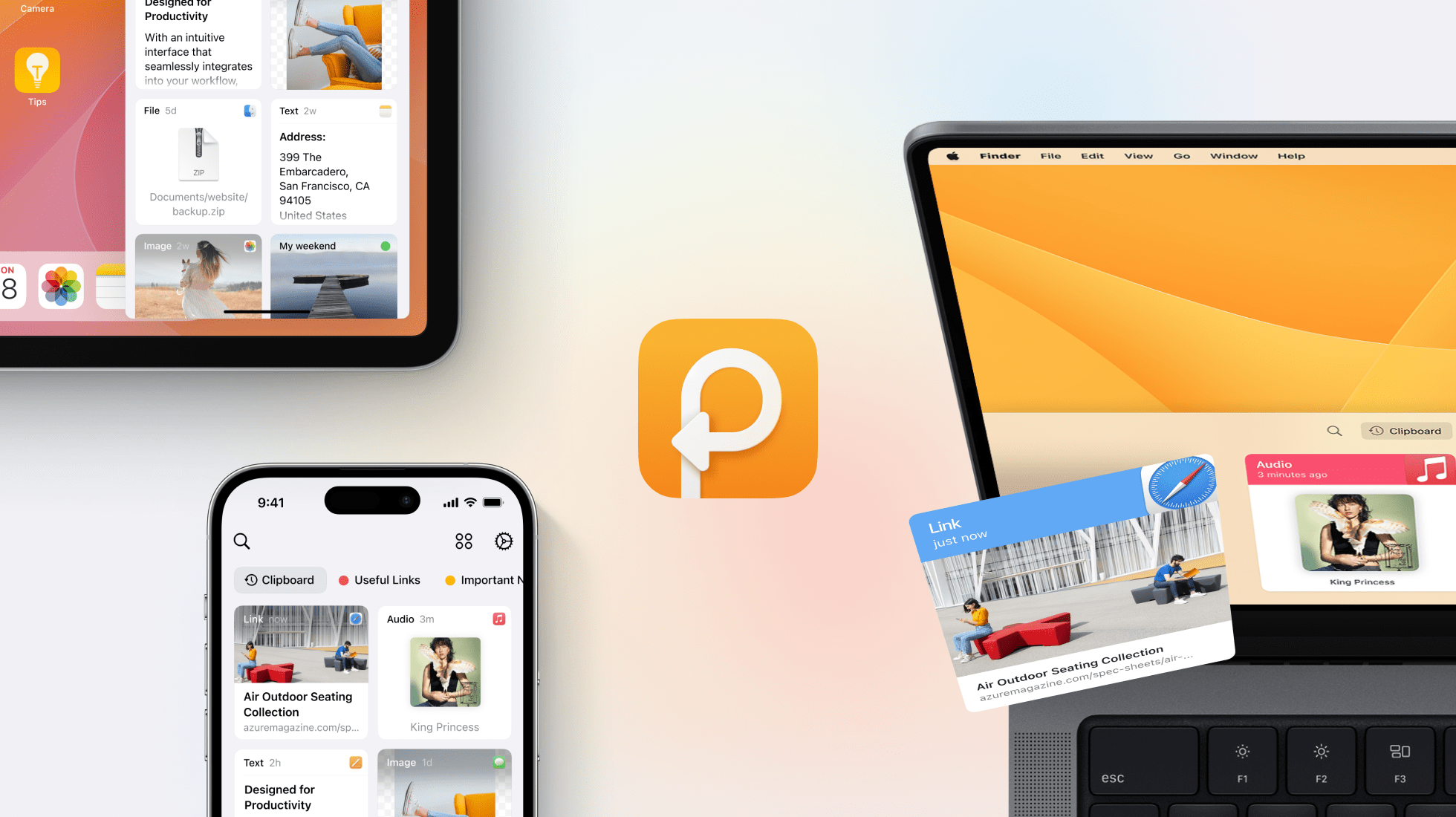
In the dynamic digital world, efficiency is key. That’s where Paste steps in - your indispensable clipboard manager for Mac and iOS. Designed for the Apple enthusiast, Paste elevates your workflow to new heights of organization and ease.
With Paste, every copied item - whether text, image, or link - is intuitively stored across your Apple devices. This ensures that your clipboard history is always at your fingertips, whether you’re working on your Mac, iPhone, or iPad.
Paste is more than just a clipboard manager; it’s a time machine for your digital life. Intelligent search allows you to swiftly find anything you’ve previously copied on any of your devices and customizable rules give you full control over your data privacy, letting you decide what gets stored and what doesn’t.
Designed to integrate seamlessly into your workflow, Paste offers large, easy-to-read content previews for quick retrieval. You can edit your clipboard contents before using them in other applications, keeping your most frequently used items just a click away.
Using Paste daily unlocks even more potential. Become a Pro user and enhance your efficiency by integrating Paste with Siri Shortcuts, stripping formatting with PlainText, and leveraging an extensive range of shortcuts.
Discover why Paste is a game-changer for productivity. Try it now for free on the Apple App Store and transform the way you manage your digital life.
Our thanks to Paste for sponsoring MacStories this week.
This week on MacStories Unwind, we answer questions from Jonathan Reed and Club MacStories members about the Apple Vision Pro live from the Club MacStories Discord audio channel.
Sponsored By:
Kolide – It ensures that if a device isn’t secure it can’t access your apps. It’s Device Trust for Okta. Watch the demo now.
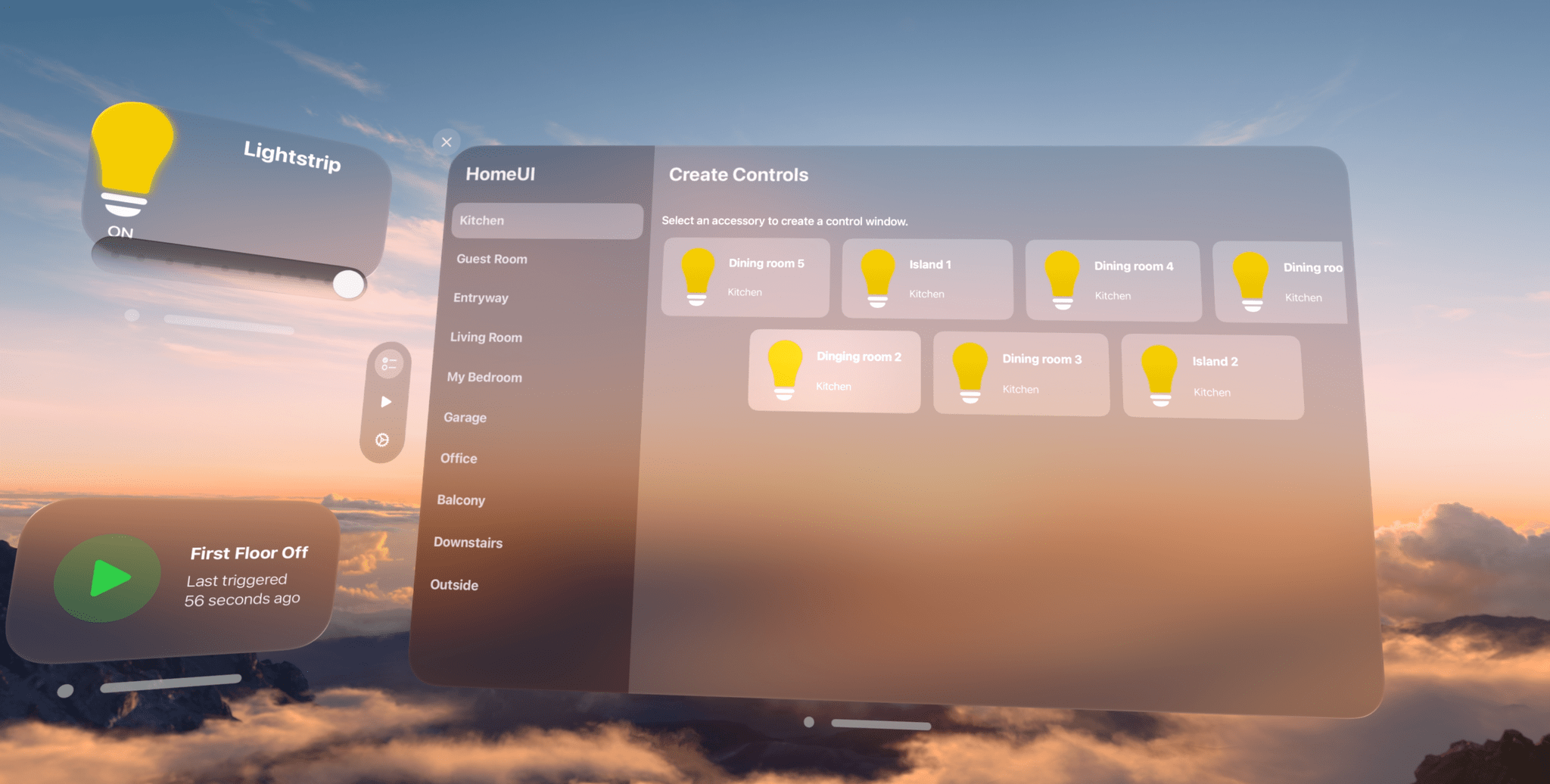
The Apple Vision Pro doesn’t have a native version of the company’s Home app. You can launch the iPad version in compatibility mode, which I’m glad is available, but that means it doesn’t offer any spatial computing features beyond a window floating in your environment. Fortunately, HomeUI by Rob Owen fills the gap with a native visionOS app focused on lights, electrical outlets, and switches.
One change in iOS 17.4 is that the iPhone now supports alternative browser engines in the EU. This allows companies to build browsers that don’t use Apple’s WebKit engine for the first time. Apple says that this change, required by the Digital Markets Act, is why it has been forced to remove Home Screen web apps support in the European Union.
The upshot of Apple’s answer to why PWAs no longer work in the EU is that it would be hard to implement the same thing for other browsers, few people use PWAs, and the Digital Markets Act requires browser feature parity, so they took the feature out of Safari. Each step in that logic may be true, but it doesn’t make the results any more palatable for those who depend on web apps, which have only grown in importance to users in recent years.
For anyone who was there when Steve Jobs declared web apps a ‘Sweet Solution’ when developers clamored for Apple to open up the iPhone’s OS to native apps, taking them away in the face of regulations that force Apple to open up to alternative browser engines carries a heavy dose of irony. It also illustrates that when the motivations behind software design are driven by lawyers and regulators, not market forces, things get weird. And as iOS 17.4 shows, EU-iOS is solidly in weird territory.
PWAs may not be a top 10 feature of Safari, but that’s at least partly the result of the company’s own decisions because it wasn’t until recently that PWAs became viable alternatives to some native apps. Web apps aren’t going anywhere, and choosing to eliminate PWAs from Safari instead of doing the work to extend them to all browsers runs counter to the open web and the momentum of history. I hope Apple reconsiders its decision.
While I admire the great care Apple takes before it brings a product to market, I do sometimes think that the company is missing out on some potentially great products because they’re not willing to get weird and risk failure. Consider the original MacBook Air, which was deeply weird but led to a second-generation model that became the template for Apple’s laptop design for the next decade!
The technology already exists today for Apple to create some wild stuff, the likes of which we’ve never seen from them. The Vision Pro has broken the seal. Let’s get weird, Apple.
As a longtime proponent of Weird in my computing life (I mean), I love that Apple released the Vision Pro in its current form: it’s a weird product with tons of rough edges and I want to make it my main computer. But, like Jason suggests, there are so many other product categories where I’d like to see Apple try and make something weird and wonderful. I have some experience with Android foldables, including some recent ones, and while I like the form factor a lot, I can’t help but think how glorious an Apple device that unfolded to become a larger tablet could be.
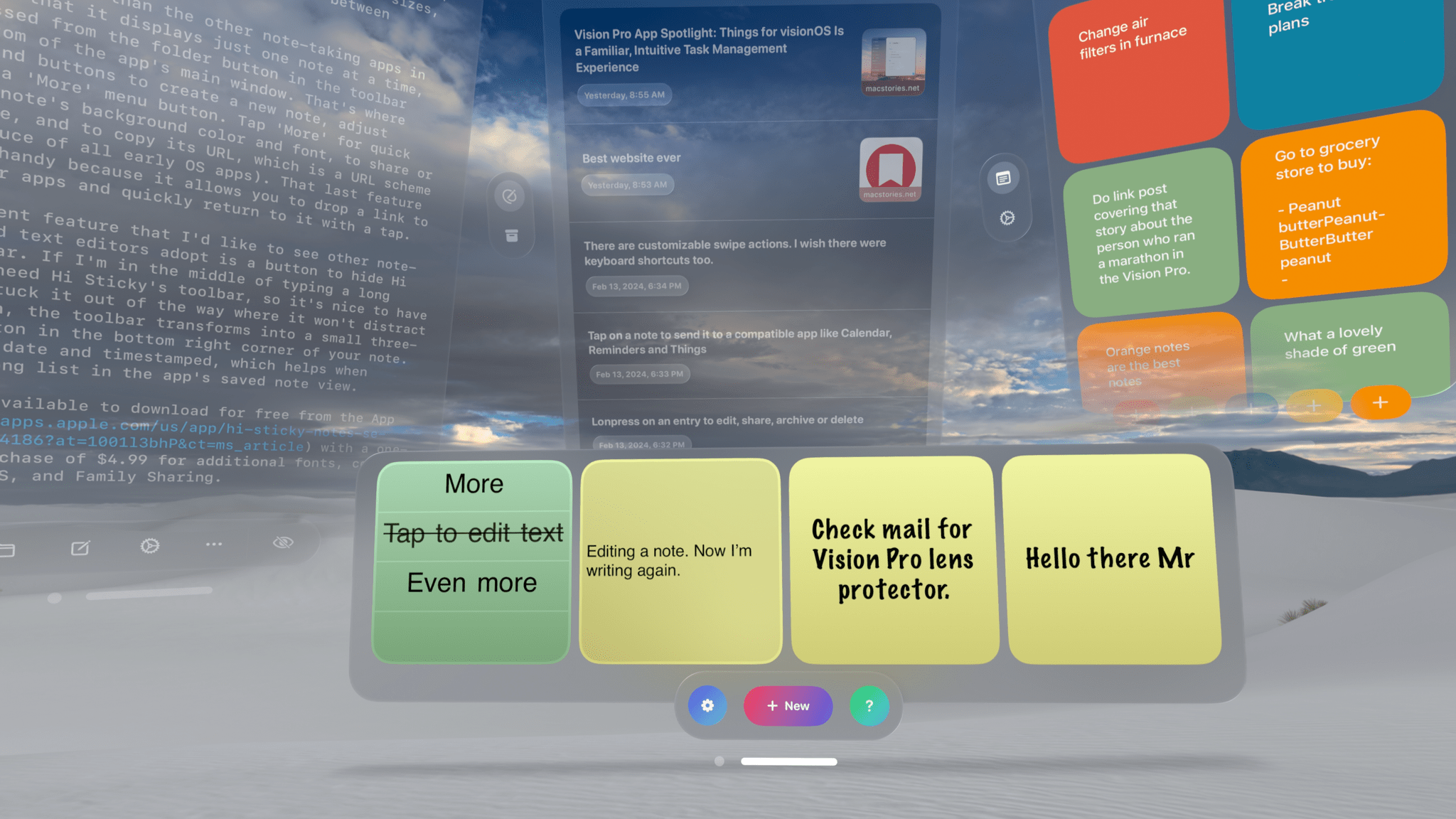
One of the advantages of working with the Vision Pro is the flexibility of using your surroundings to spread out. Your entire room becomes your workspace, and if you’re in an Environment, your workable space expands even further. That makes it easier to keep a note-taking app open at all times than on any other device. In turn, that makes having an app to quickly jot down your thoughts all the more useful.
There are already quite a few interesting note-taking apps on the App Store, so I wanted to highlight a handful I like, each of which has something unique to offer.








](https://cdn.macstories.net/banneras-1629219199428.png)