My scanning needs are modest. I occasionally need to scan a receipt or document for personal or work reasons, but the frequency with which I do that has steadily declined over the years. I have a Fujitsu ScanSnap scanner, which is excellent, but if it broke, I wouldn’t replace it. That’s because iPhone and iPad scanning apps have improved just as steadily as my scanning needs have declined.
These days, the ScanSnap sits in a drawer, demoted from taking up valuable desktop space that I need for the tools I use every day. I still set it up from time to time when I’m working at my desk, but more and more often, I’ve found it to be more trouble than it’s worth to set up.
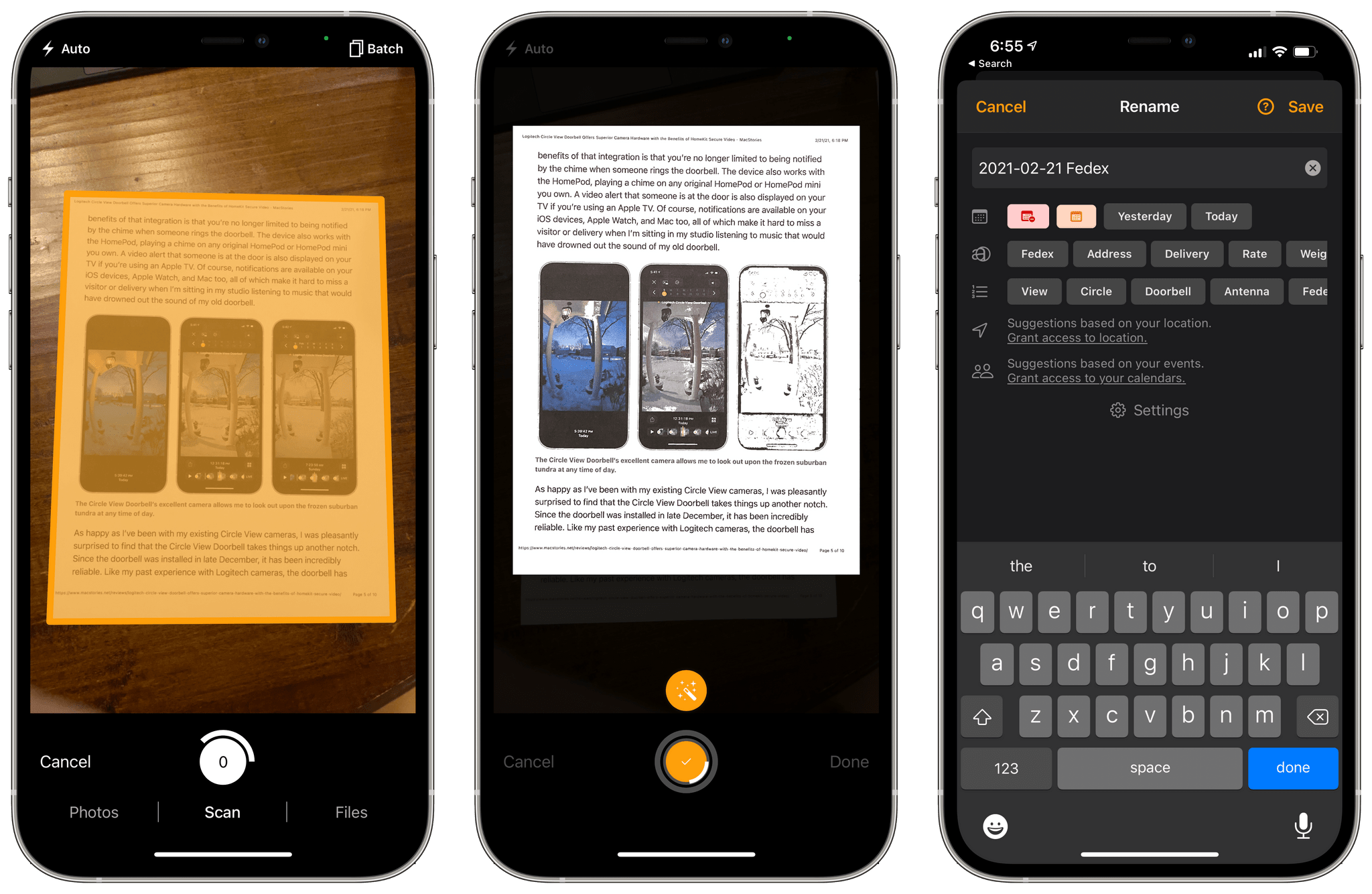
Instead, I’ve been experimenting with a variety of iPhone and iPad scanning apps, including Genius Scan 6, which was released today. The app has a long list of features, but at its core, what I like most about Genius Scan is its fast, flexible scanning workflow and business model that fits with a wide range of user needs from someone like me who doesn’t scan documents very often to people for whom scanning is essential to their daily tasks.
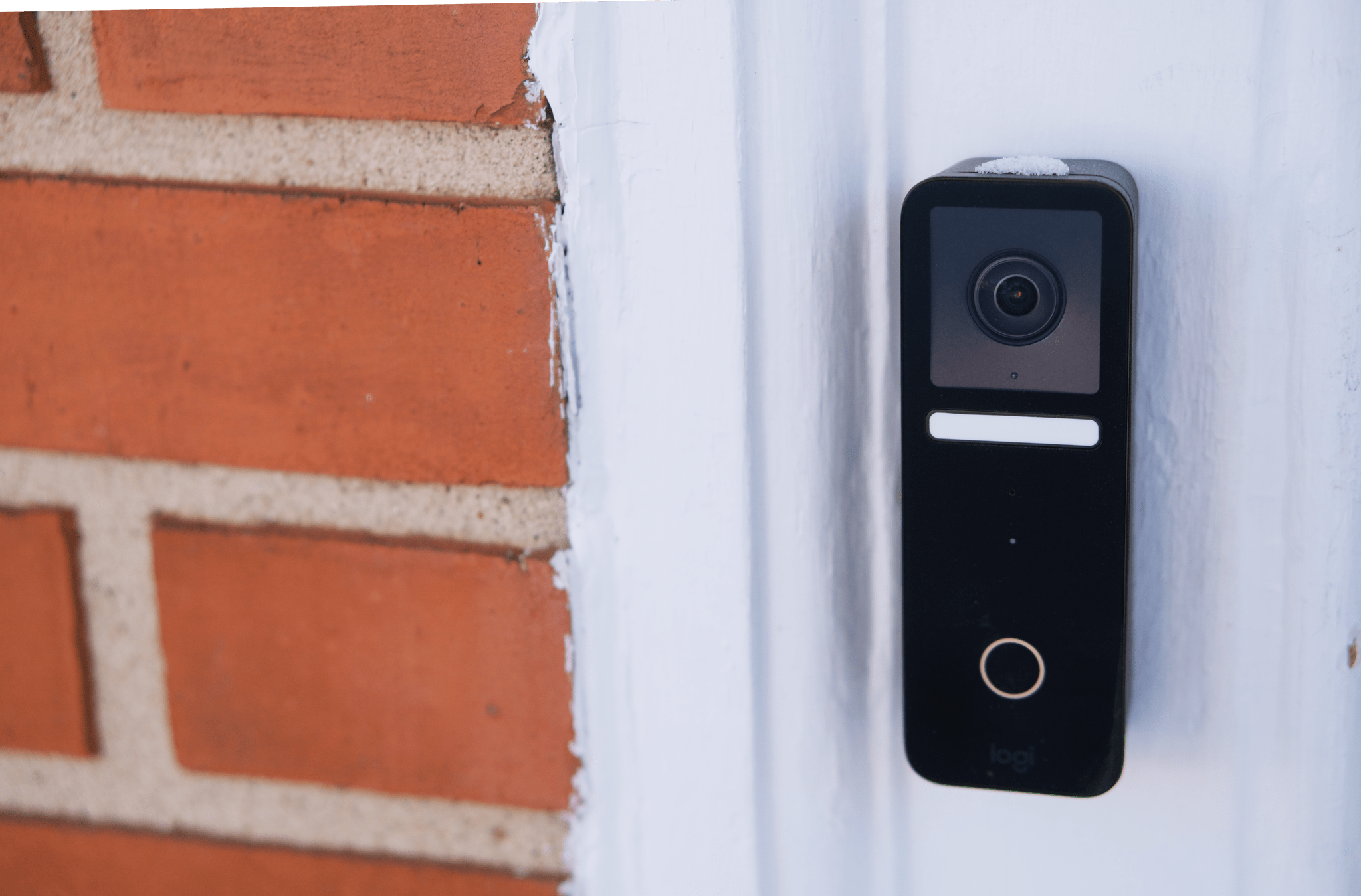
For nearly a year, I had a Logitech Circle View camera perched above the front door of my house, which allowed me to keep an eye out for visitors and deliveries. The wide-angle lens was able to capture my front stoop as well as my yard, providing an excellent perspective on what was happening outside.
That setup worked extremely well. In fact, my two Circle View cameras are so reliable that I had begun thinking about replacing a second outdoor camera from Canary that I was using in the back yard. That’s why when Logitech got in touch to see if I wanted to try its new Circle View Doorbell, I jumped at the chance. I figured that if it worked out, I could migrate the Circle View to the back yard. I was also intrigued by some unique features of Logitech’s doorbell and eager to see how well they worked in practice. I haven’t been disappointed.
It’s always a good sign when the hardest part of writing a game review is putting the game down. That has absolutely been the case with Kitty Letter, the new word game from Matthew Inman, the artist behind The Oatmeal webcomic. The core mechanic is familiar: make as many words as possible from a handful of jumbled letters. But as with many of my favorite iOS games, Kitty Letter takes a classic genre and adds a twist.
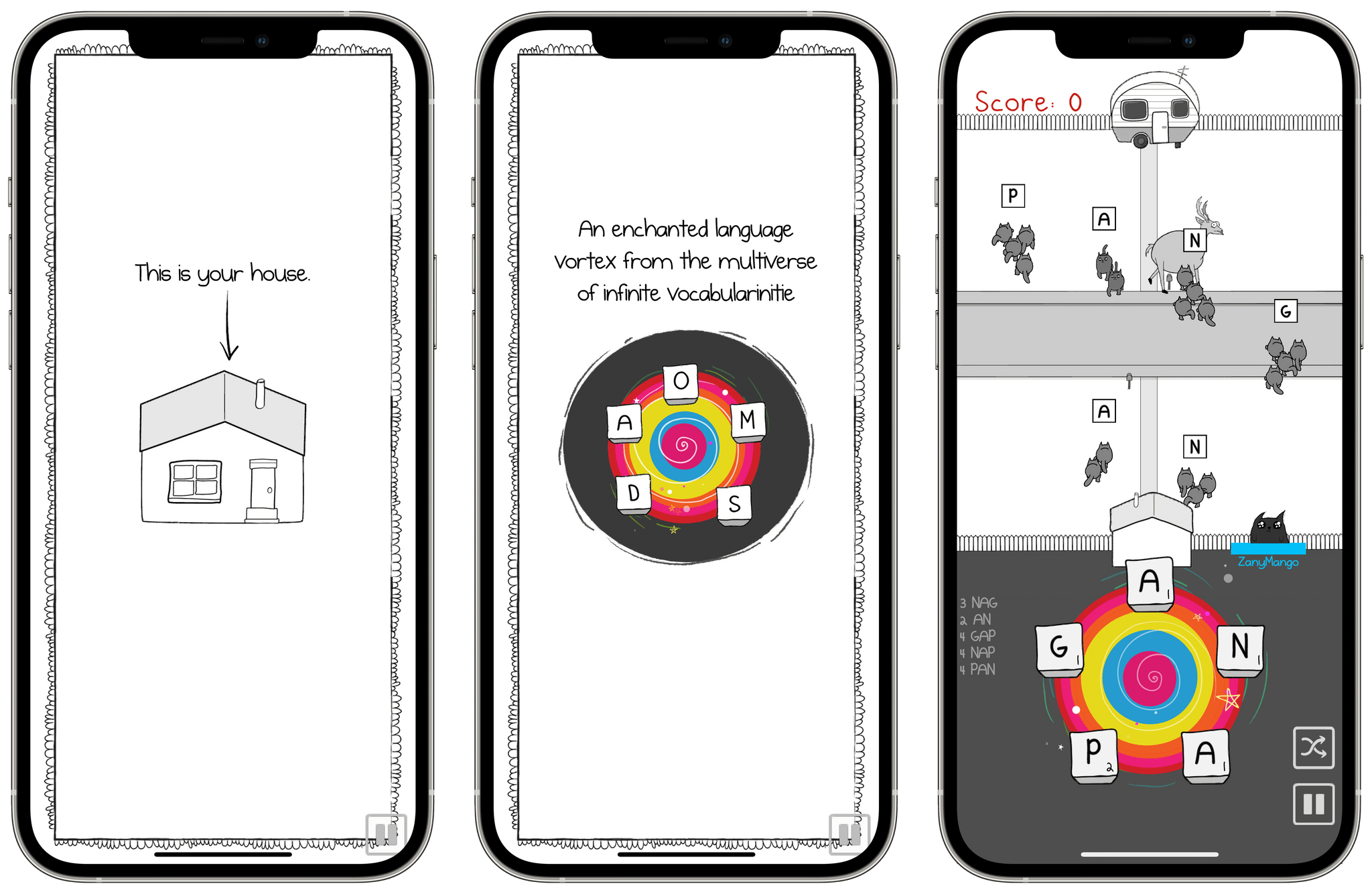
Inman’s twist reminds me of another classic iOS genre: tower defense games. As you create words by swiping across the letters that appear in a mysterious language vortex, armies of exploding cats are launched, countering other cats bent on destroying your home and attacking the crazy cat man who lives in a trailer across the street. Add collectible power-ups, a funny storyline, The Oatmeal’s signature humor and art, and multiple game modes, and Kitty Letter is completely absorbing. The game is perfect for one-handed mobile play and theoretically short sessions because no single level takes that long to play, but that’s only the case if you actually manage to peel yourself away from it.
Kitty Letter can be played in single or multiplayer modes, each of which has two ways to play. In single-player story mode, battles are interspersed with a storyline that I won’t spoil, but which includes elements like a fish you have to slap repeatedly to defrost and groaning deer. I’ve played through the first set of levels, and the story adds depth to single-player mode, which lacks the competitive dimension of multiplayer mode. The other single-player mode is an arcade mode, where the goal is to survive as long as you can, racking up points as you are relentlessly attacked by waves of exploding cats that come at you faster and faster as you play.
In multiplayer mode, you can play head-to-head against a friend or against a stranger. I played several matches against strangers and only won a couple of times. Kitty Letter has only been out a few days, but there are already some terrific players. What makes multiplayer mode difficult, absorbing, and incredibly fun is that, like Arcade mode, it’s critical to maintain a quick (but not too quick) pace and be good at coming up with lots of words. You can try to slow down a little to see what your opponent throws at you, but if you slow down too much, your letters reset. If you play fast, you may overwhelm your foe, but you also might run out of words too quickly and have to wait for new letters, helpless against an onslaught of cats.
In both modes, the game mechanics are roughly the same. Build words from the letters launching cats that counter incoming armies and hit back at your enemy to inflict damage (or win points in arcade mode) when your cats make it through your enemy’s defenses. The longer the words you put together, the bigger the cat armies you generate are. Timing counts, too, because incoming groups of cats can only be countered by making a word that starts with the letter that appears above the group of enemy felines. As you and your opponent are hit by incoming cats, your health meter tracks the damage you each take. Whoever’s health runs out first loses.
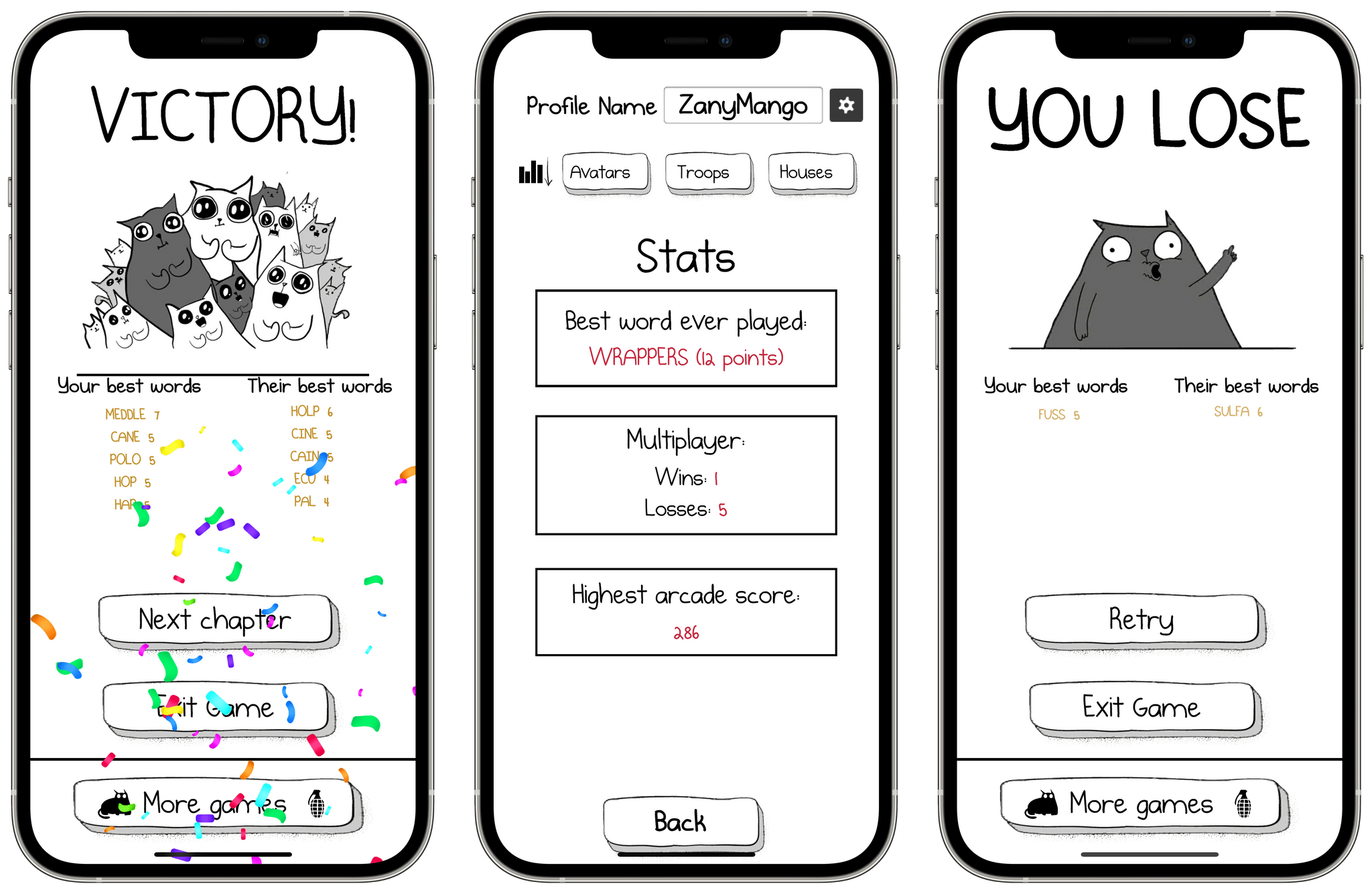
Kitty Letter is available on the iPhone, iPad, and M1 Macs, but it’s best on the iPhone, where you can quickly swipe across letters to make words one-handed with your thumb. The game includes a stats page that keeps track of your highest scoring word, wins and losses in multiplayer mode, and your highest arcade mode score. Kitty Litter is free and has no ads, other limitations, or gimmicks to entice you to spend money. Instead, there are a variety of avatars, cats, and houses that you can buy as In-App Purchases, but they are purely cosmetic and don’t affect the game.
It’s been a while since I found a casual iOS game that is this fun and distracting. Kitty Letter silly, challenging, and addicting, which is the perfect formula for fun.
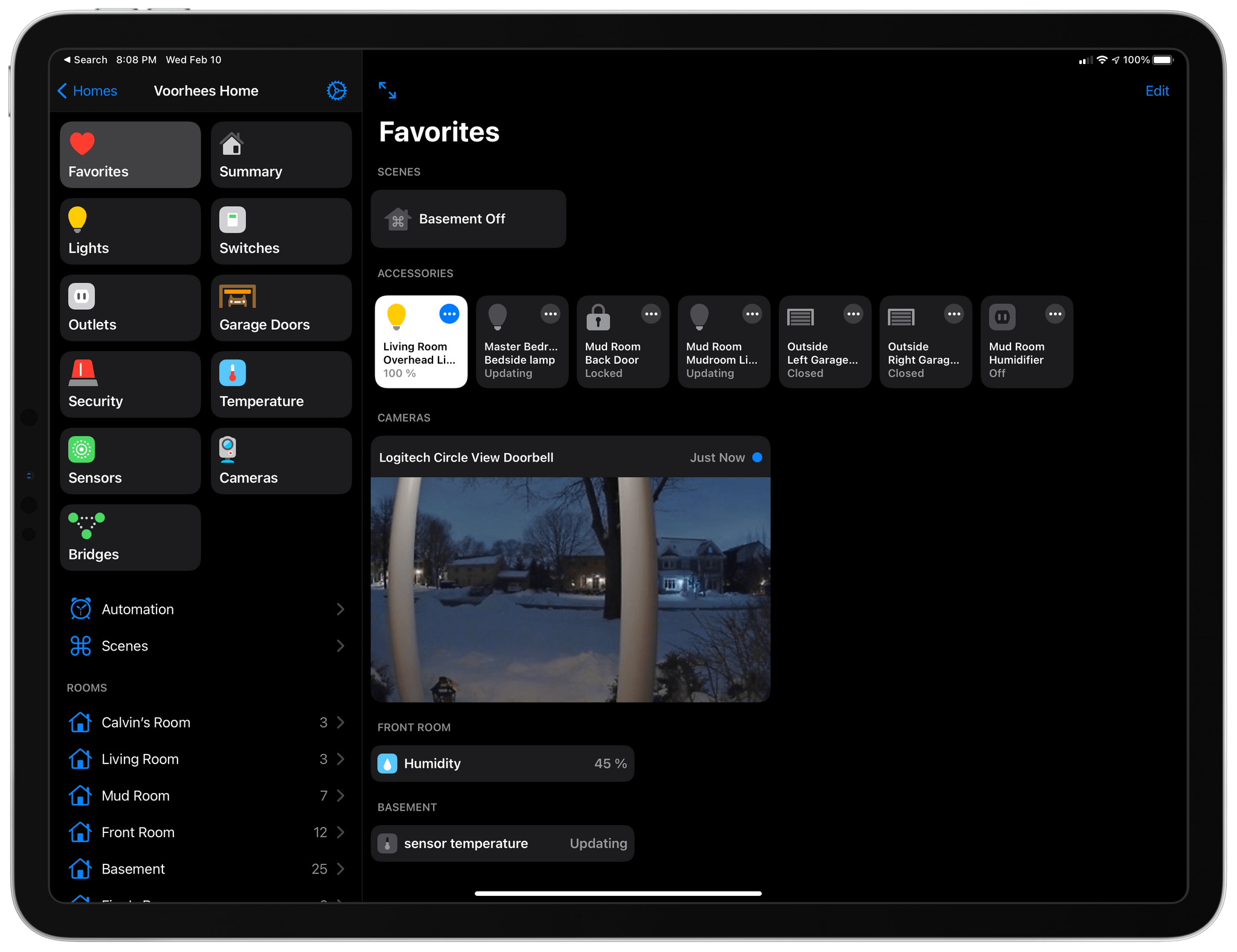
With the release of Home+ 5 by Matthias Hochgatterer, there are more reasons for HomeKit power-users to try the app than ever before. One of the app’s strengths has always been creating automations based on device attributes that aren’t available in Apple’s Home app. That’s why I was already using Home+. However, now, the app has added a new design, folders to organize automations, Smart Groups for accessories, a Favorites view, and backups, which make the app more compelling than ever.
I’ve been intrigued by Insta360’s action cameras since coming across them during CES in 2020. I bought a DJI Osmo Pocket when it launched at the end of 2018, which sold me on the notion of a tiny, versatile camera that integrates with the iPhone. So, when Insta360 offered to send me the Apple Store bundle to try, I was curious to see what it can do and what a 360-degree perspective would add to the mix. I’ve only had the ONE X2 for a few days during a brutal Chicago cold snap, so my use of the camera has been limited. Still, the excellent app integration has made getting started a breeze, so I wanted to share my first impressions.
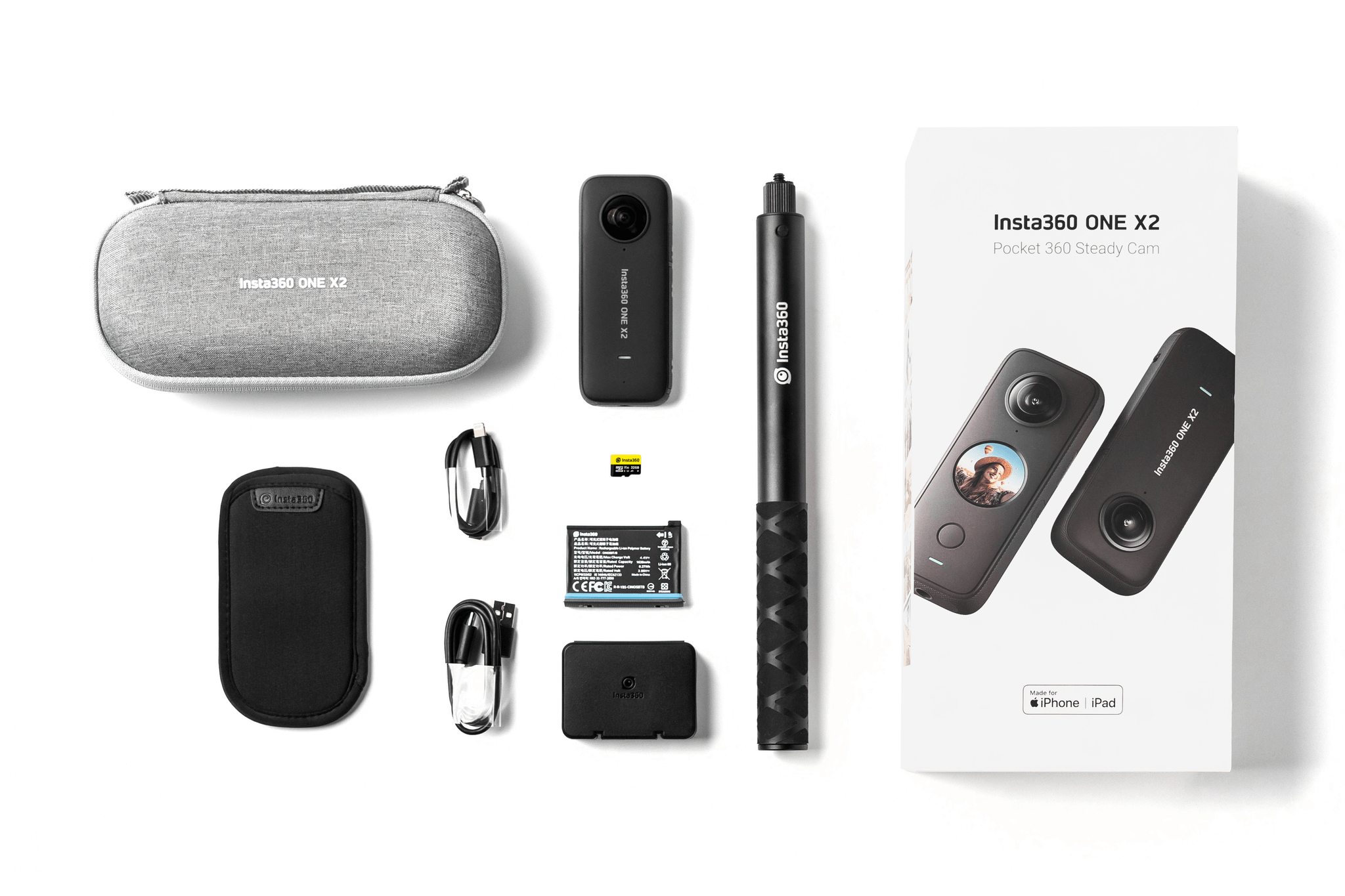
The Insta360 ONE X2 bundle being sold by Apple is a great starter package that includes the ONE X2 camera, an Invisible Selfie Stick, an extra battery and case to carry it, a 32 GB MicroSD card and SD card adapter, two charging cables (USB-A to USB-C and USB-C to Lightning), a carrying case, and a soft pouch. Separately, the camera retails for $429.99, and with the accessories, the entire package would cost around $511 based on the prices listed on Insta360’s website. However, through Apple’s online store, you can purchase the kit for $479.99, saving some money and getting everything you’ll need to get started.
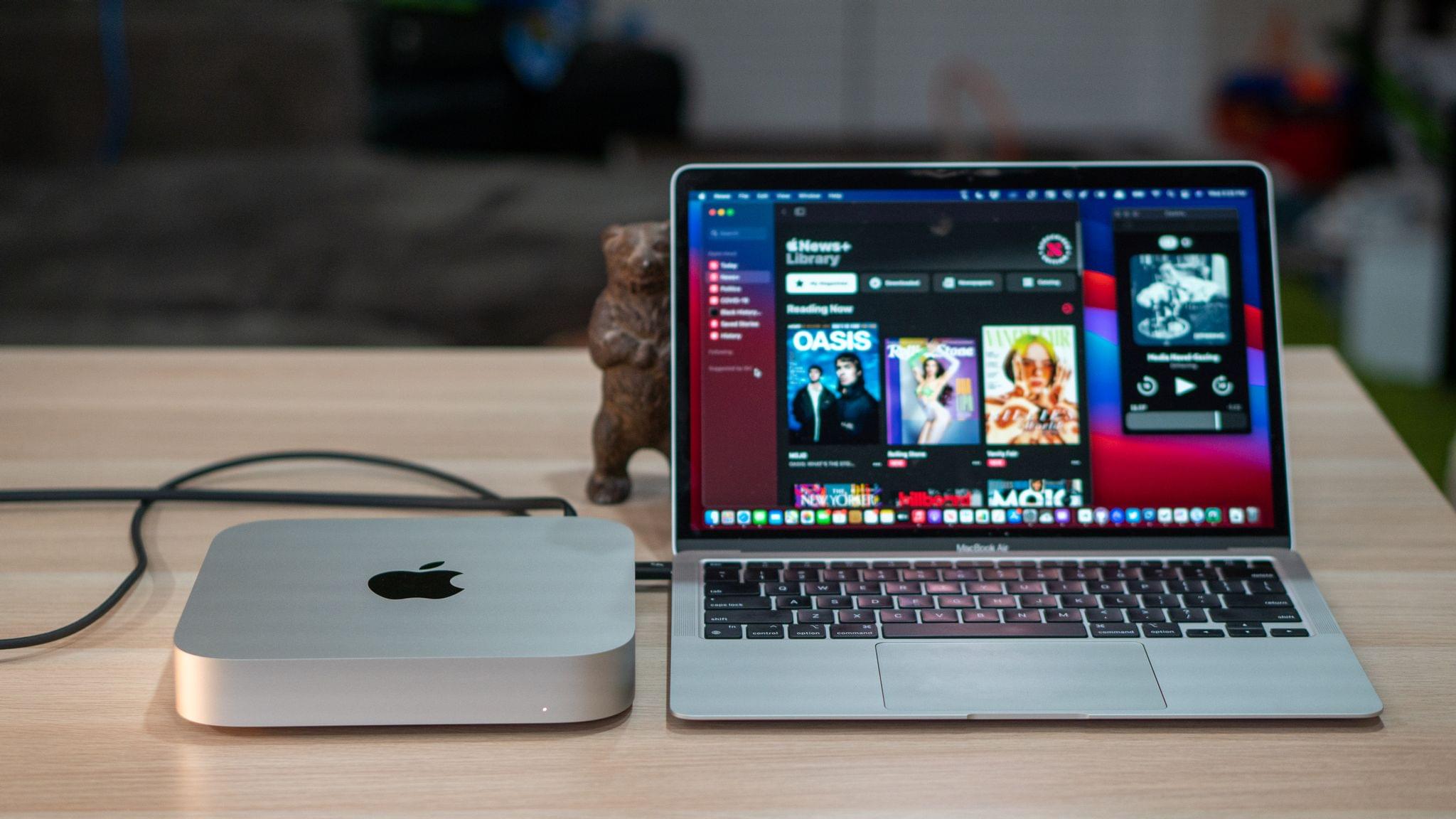
It’s been just over two months since the first M1 Macs were delivered to customers. I purchased an M1 MacBook Air to replace my aging 2016 MacBook Pro, and not long after, Apple sent me an M1 Mac mini to try. In the ten weeks or so since then, I’ve used both almost exclusively for a wide variety of tasks, and although both computers are somewhat limited by their lack of ports, that has been less of an issue than I anticipated. What’s been far more notable, remarkable in fact, is the performance of the new MacBook Air and Mac mini.
Benchmarks don’t do these Macs justice. There are plenty of CPU-intensive tasks that are faster than before, which I expected would be the case. However, living with both of these Macs for as long as I have has given me a much greater appreciation for the impact that the M1 has on ordinary, day-to-day tasks. The differences are less pronounced for individual tasks that require less computing power, but the aggregate impact has still been significant for both computers, especially the MacBook Air.
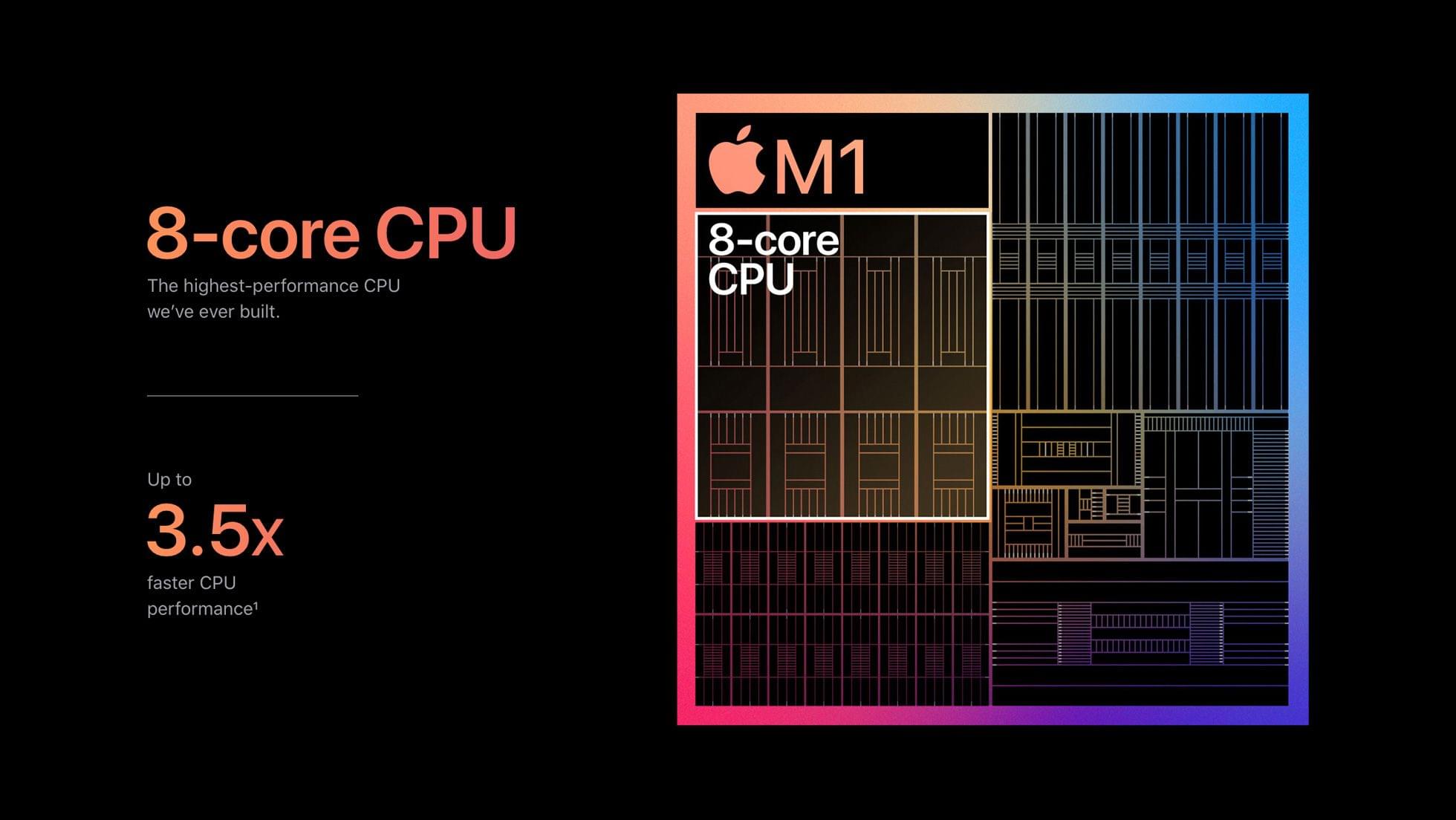
The M1 SoC. Source: Apple.
Performance increases quickly become the ‘new normal.’ They tend to fade into the background. What starts as startling soon becomes ordinary and expected. The M1 Macs are no different in this respect and perhaps even more so because they look like the machines that came before them.
Still, if you step back and consider these new Macs in the context of those that immediately preceded them and account for the fact that these are entry-level models, the future of the Mac is bright. The M1 update makes these Macs substantially better deals than the versions they replace with computing power to spare for most users. The new machines also bode well for the remainder of the Mac lineup that hasn’t been updated yet.
I’m excited to see what the M1 means for the rest of the product line, and I’m sure I’ll be tempted to try them, but I’ve also never been more content with new Macs than these. I’m sure there are things I do that future M1 Macs will do even faster, but the M1 MacBook Air and Mac mini have introduced a fluidity in my daily computing that I haven’t experienced since I first tried the iPad Pro. It’s the sort of subtle, qualitative shift that can’t be captured by benchmarks but has rekindled my fondness for the platform by improving the experience across the board. Here’s what I mean.
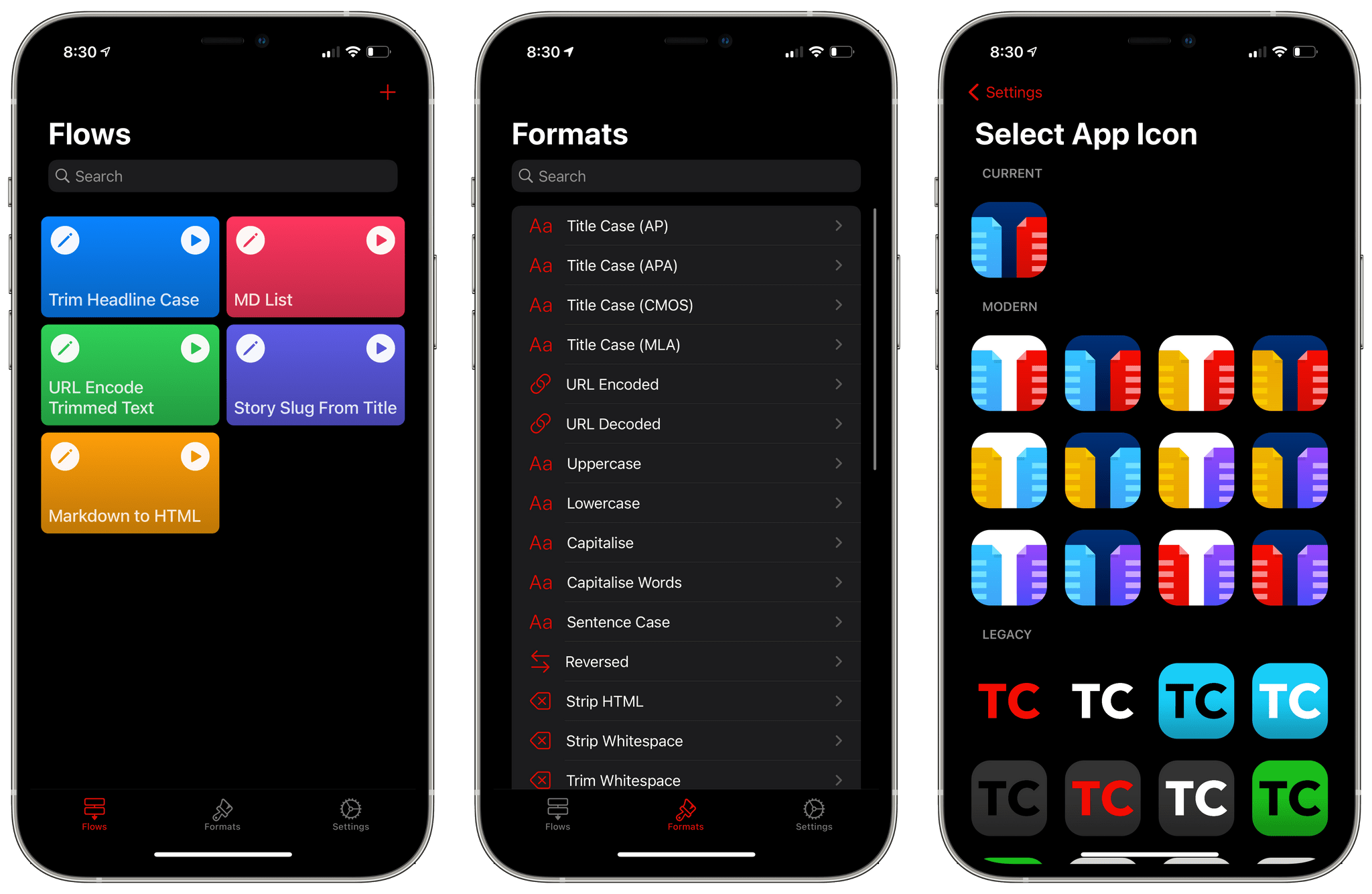
Text Case is a text transformation app that includes 37 text transformations. The app can capitalize titles according to multiple style manuals, trim whitespace, URL encode and decode text, change text to all uppercase or lowercase lettering, generate Markdown, and more.
You can type or paste text into Text Case to transform it, but with the introduction of Shortcuts support in 2018, Text Case became an app that could be used exclusively as a series of Shortcuts actions too. The hasn’t changed, but now, you can also create multi-step text transformations for use in the app itself or from Shortcuts or the share sheet, adding a new level of convenience. The update marks an interesting shift of focus from a tool that applied individual transformations to text one at a time to a text workflow creation tool that uses a UI that is reminiscent of Shortcuts.
When I think about my writing, I think in outlines, which is a remnant of my days as a law student. A big part of every law school’s first-year curriculum is teaching students how to synthesize vast quantities of research materials into carefully-organized outlines. Outlines are a system of organizing my thoughts that have served me well, but it’s not the only approach, nor is it always the best.
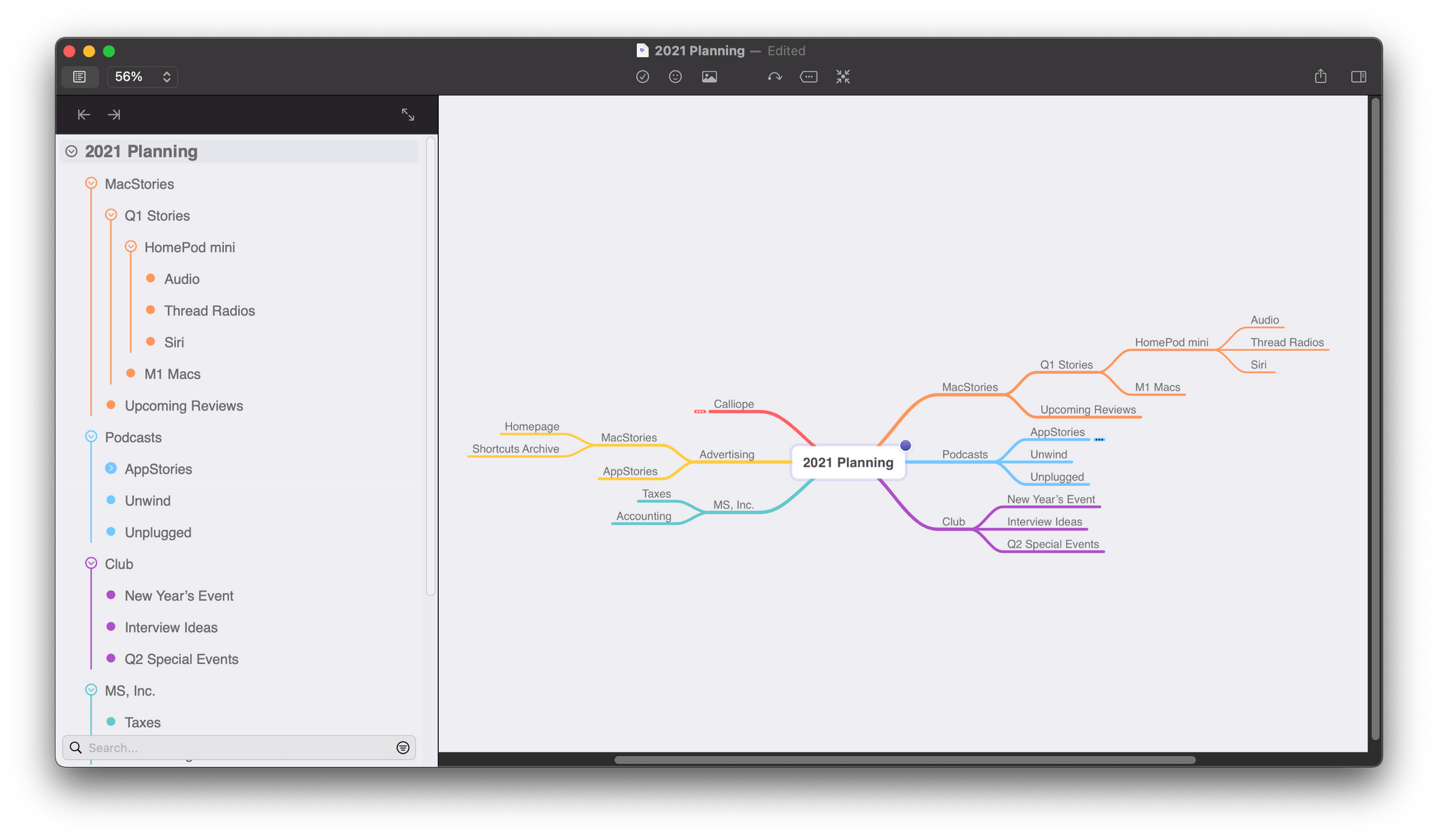
Mind maps provide a more visual way to organize your thoughts and afford more room for creativity by making it easier to spot connections between related ideas and organize them in a less constrained way. Outlines suffer from a linearity and information density that makes those connections harder to find. However, when you pull back and consider most mind maps and outlines from a birds-eye perspective, they’re complementary rather than alternative ways to approach the same problem.
Last year, as I planned my Big Sur review, I briefly considered switching from MindNode to an outlining app to organize my notes. MindNode has included an outline view for years, but it wasn’t editable, which always bothered me. I appreciated the alternate visualization but wanted the ability to move nodes around within the outline’s hierarchy.
I came across Puppr during its recent feature as Apple’s App of the Day and decided to give it a try. The app is a simple and fun instructional tool for teaching your dog new behaviors and tricks. Since I’ve been staying with my parents for the last couple of months, I decided to take it for a spin doing some training with the family dog.
Puppr’s Home view consists of a scrolling list of categories for dog lessons. You can start simple with the ‘New Dog’ or ‘Basics’ categories, but it quickly ramps up from there. Each category consists of a series of behaviors or tricks, and tapping one opens its details view. Within this view you can see a brief video of the trick in action with a real dog. There’s also a difficultly rating, a description, and a badge for whether it’s safe to teach this trick to puppies. Each trick includes a status dropdown which you can use to note that you’re in progress of teaching it to your dog, or that your dog has mastered it.