This Week's Sponsor:

Clic for Sonos

The native app Sonos should’ve made. No lag, no hassle, just music. Save up to 50%.


Posts in Linked

Decoding “Developer” in a Changing App Landscape

Boy, have things changed. A lot. When I started writing at MacStories over a decade ago, there was a long list of beloved native Mac apps. It was a stable group of excellent apps, but there weren’t many new ones coming on the scene. Instead, developers were focused on iOS and iPadOS. Then, as recently as a couple of years ago, it seemed as though cross-platform apps based on web technologies were destined to overtake native Mac apps.

Web apps are still a big part of the Mac scene, but something fundamental has shifted, as Jason Snell noted yesterday on Six Colors:

These days, I’m getting emails pitching me for an endless stream of new Mac apps. It’s quite remarkable because there was a period five or ten years ago when it seemed like all app development on Apple’s platforms was focused on iOS. Even more interesting, these are all indie Mac apps that seem to be built using native Mac frameworks, not the product of big corporations that are just rolling their cross-platform development system out everywhere. These apps seem to have a point of view and are focused on the Mac.

Of course, it’s happening because of AI.

He’s right. We’ve seen the same thing at MacStories. I can barely keep up with my inbox. It’s full of all kinds of app pitches, but the number of brand new Mac apps in particular is off the charts compared to anytime in the past decade.

You might assume that these apps are all low-quality slop. But here’s the thing. They really aren’t. Okay, some are, but we’ve always been pitched on poor-quality apps. What’s telling is that the signal-to-noise ratio hasn’t changed noticeably.

Instead, what I’m seeing is a new cohort of people with innovative ideas bringing them to life with the help of agents. And while it’s still true that some level of technical know-how and product sense is required to build an app, typing the code by hand is no longer a prerequisite, which eliminates a lot of the friction of starting an app. Just look at the examples Jason cites: Federico’s Shortcuts Playground, Lex Friedman’s recent GIF utility called Gnome, and his own Mac utility, Double Ender, for syncing up podcast audio. The three of them collectively have decades of experience with apps and Apple technologies, which is still necessary to make a good app.

That’s because what agents haven’t changed is the rest of the process, which is hard to put a name to, but also leaves space for a lot of human creativity. Having used Claude Code to build a bunch of native and web apps myself, I couldn’t agree more with Jason that:

Whatever you call it, whether it’s being a producer or product manager or something else that isn’t a programmer, creating good software in the AI era still requires the power of a human brain: being creative, solving problems, and making decisions. Some people will be better at it than others. It’s a skill, and a bit of an art. I’m excited that modern coding tools have given people with vision and desire the ability to make software.

These tools allow more people to experience the creative process of building an app, which I love. I’m no more sure of what to call someone who builds apps this way than Jason is, but I do know that the app landscape is fundamentally changing in ways that were hard to imagine even six months ago. Boy, have things changed.
Permalink

RemCTL 1.0.5, Now with Support for All-Day Reminders and Task Assignments

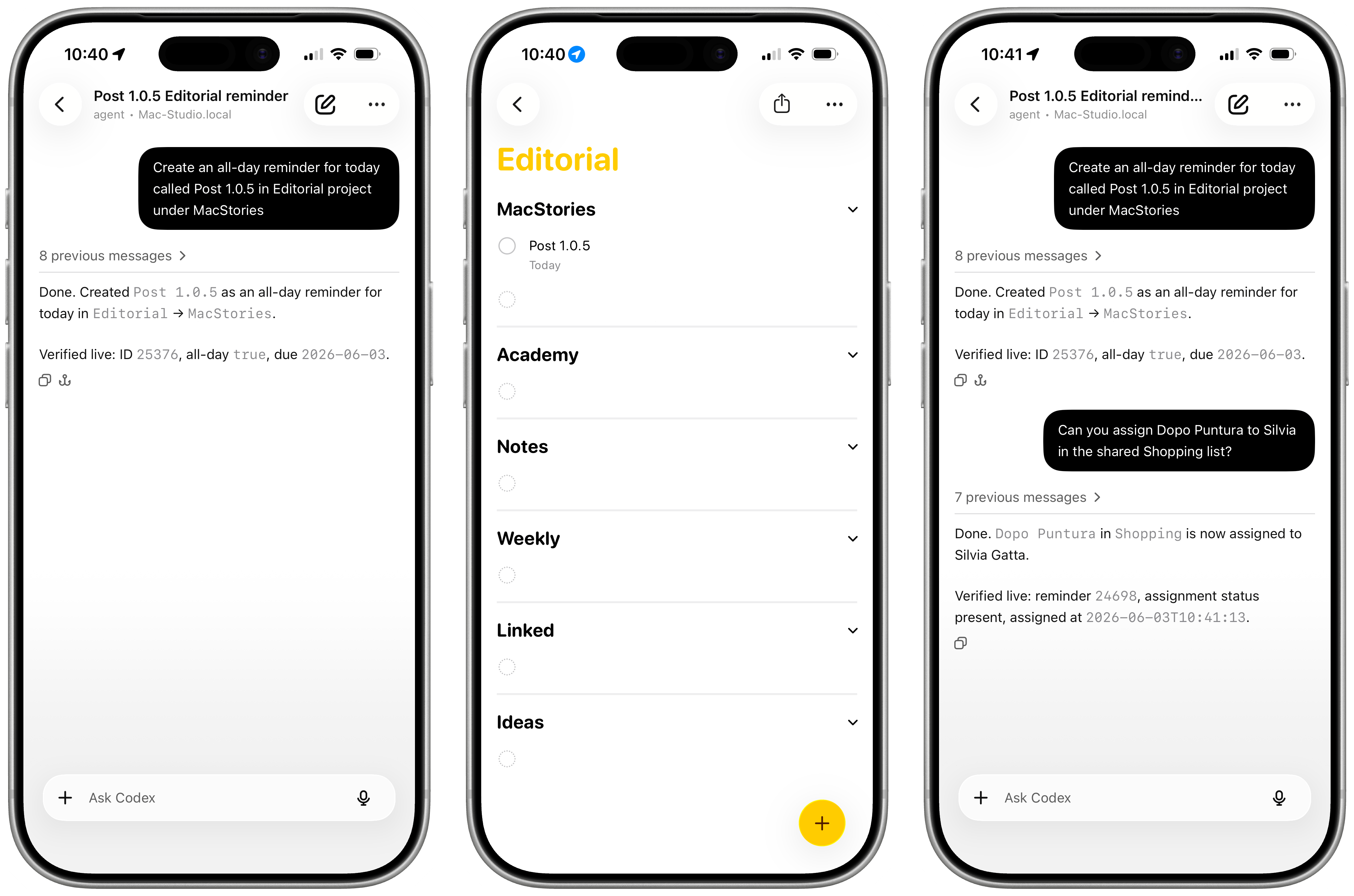
RemCTL 1.0.5 with support for task assignments and all-day reminders.

RemCTL 1.0.5 with support for task assignments and all-day reminders.

I wanted to share a quick update to RemCTL, my CLI for Reminders that I released last week, which brings almost every Reminders feature to your agent or terminal of choice.

As it turns out, I forgot to support two more Reminders-exclusive (i.e. not available to third-party clients) functionalities in the initial version: all-day reminders and the ability to assign a reminder to another person in a shared list. The former is the feature that lets you enter a task with a due date such as “Tuesday” but without a due time;. those tasks can now be properly read and written by RemCTL.

Additionally, while RemCTL cannot share lists with iCloud (it requires a private Apple entitlement – same reason why the CLI cannot share a template via iCloud), it can now read and create task assignments from an already-shared Reminders list. In a nice touch, you can even lookup assignees by name, email address, or phone number.

You can find a detailed changelog of the latest release here. As always, the best way to update the CLI is to simply ask your agent to pull the latest version and update its installed skill to match the most recent version from the repo.

Permalink

Designed in California: An Apple History Podcast from Myke Hurley and Jason Snell

Apple has one of the richest and most interesting histories in Silicon Valley. It’s the story of a startup, a company that nearly failed, and a remarkable comeback all rolled into one that’s punctuated by some of the most beloved products in tech history, along with some duds.

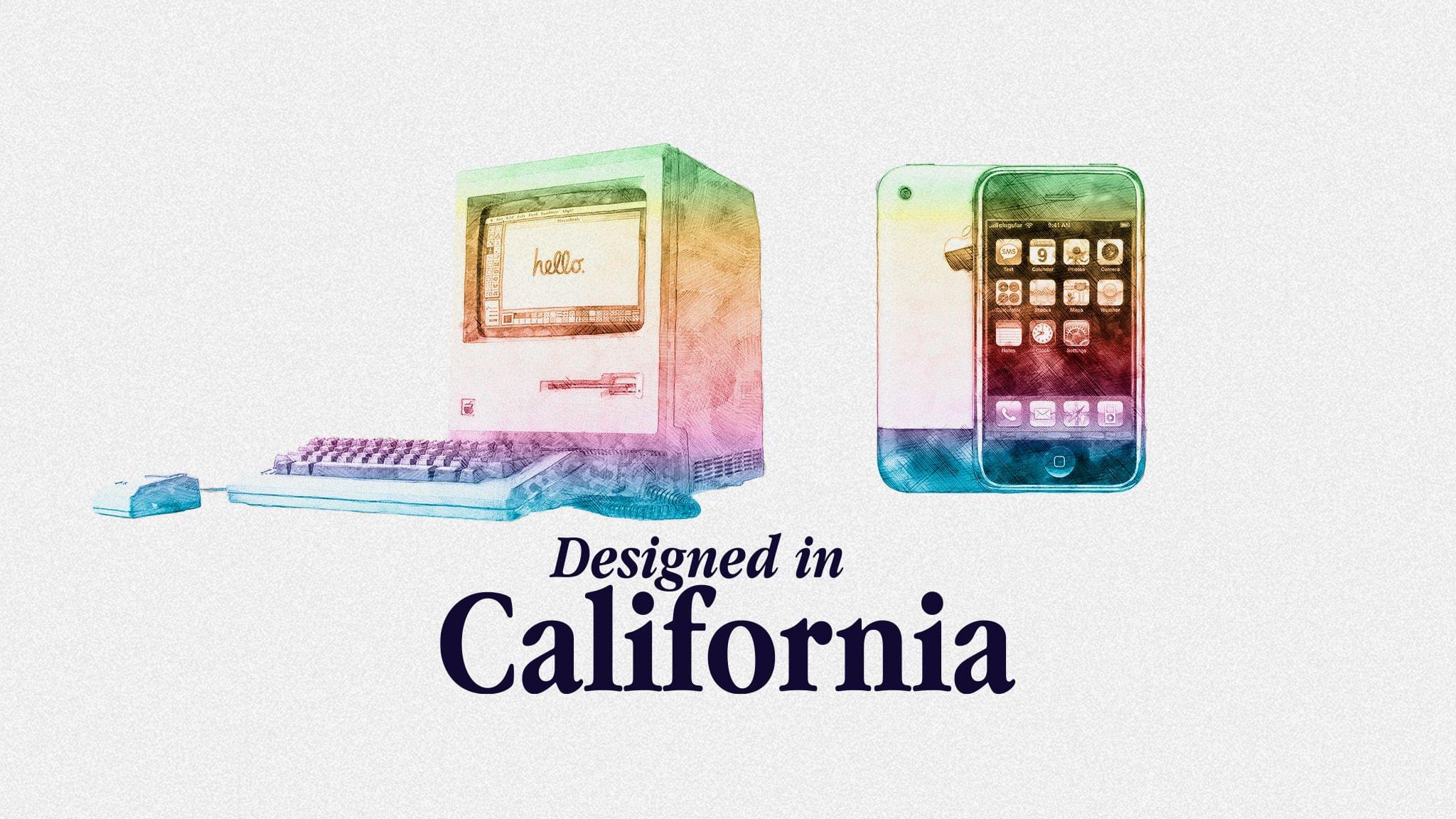
Today, Myke Hurley and Jason Snell launched a Kickstarter campaign aimed at funding a podcast called Designed in California that will tell the history of Apple, drawing on their own knowledge of the company and research. Myke and Jason have promised backers at least 30 episodes in the show’s first year on topics ranging from Apple’s founding, its near-death experience in the 90s, as well as more recent events during the Tim Cook era.

As I publish this, Designed in California has already met its $40,000 campaign goal, so it looks like the show is a go. Myke and Jason have promised a taste of what’s to come during June segments of Upgrade, which will be followed by the new show’s full episodes when the Kickstarter campaign ends. If you want to support the Designed in California campaign, there are a wide variety of backer options from $20 to $1,000 with perks that include ad-free episodes, wallpapers, an enamel pin, a signed print of the show’s artwork, and more depending on how much you pledge.

Permalink

Apple Recognizes Developer Community Leaders

Source: Apple.

Source: Apple.

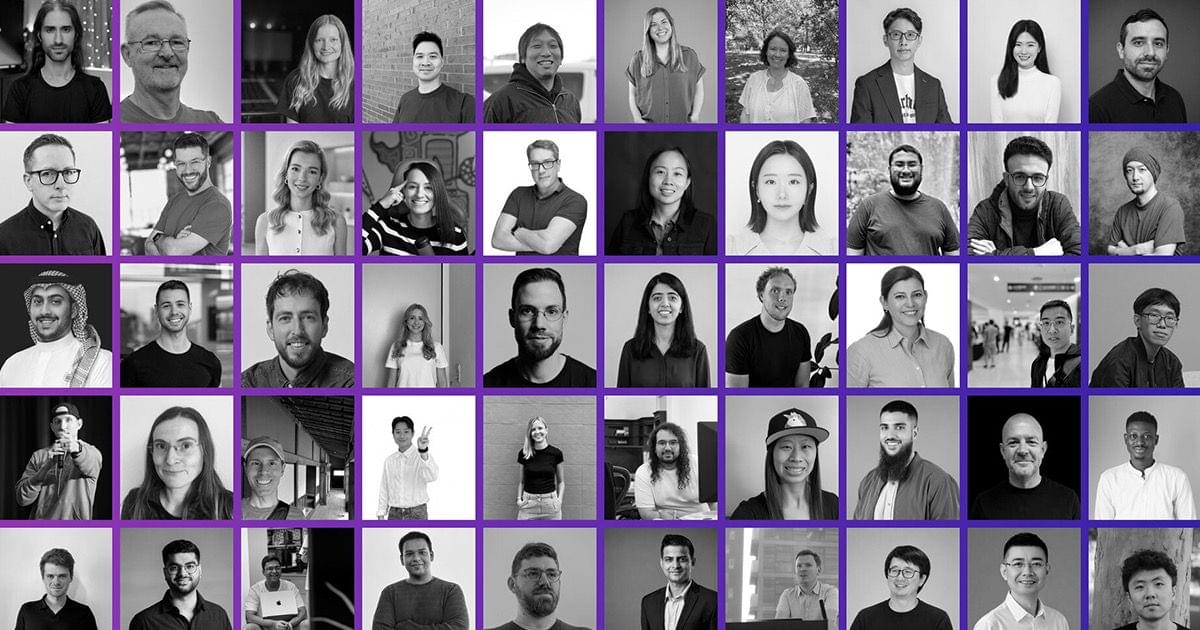
Yesterday, Apple published a new page on its Developer site highlighting the contributions of 50 prominent members in the Apple developer community. The page recognizes individuals from around the world and across a variety of disciplines, from technical writing, content creation, and education to event organizing and accessibility advocacy. Each profile includes a photo, a short biography, and a link to the person’s LinkedIn profile.

It’s great to see Apple give this well-earned special recognition to those who do so much to improve the lives of users everywhere through their apps and other work. The community of developers that has grown around Apple’s platforms is a priceless asset to the company and its customers, and they deserve to be honored. I hope we’ll see even more of this public positive engagement with developers out of Apple going into and following WWDC.

I highly recommend browsing through the page on the Developer site. You’ll likely see some faces you recognize from our coverage and apps you love, including Hacking with Swift’s Paul Hudson, visionOS educator Joseph Simpson, previous First, Last, Everything guest Robin Kanatzar, Mercury Weather’s Malin Sundberg, and many more. If there’s another developer you think should be recognized in the future, the page includes a link to submit their name to Apple for consideration as well.

Permalink

Spotify CLI Turns Personalized Audio into a Podcast Feed

Spotify introduced a new feature called Personal Podcasts today that’s really clever. It’s a CLI, a set of agent skills, and a Claude plugin available from GitHub that, once installed, lets users prompt AI agents to create personalized audio that can be listened to like a podcast.

Here’s how Spotify explains the feature:

People are already starting to use their agents to create personal audio that guides their day: from summaries of class notes before an exam to briefings of what’s on their calendar. And they’re asking for a way to listen to it on Spotify, where they already listen to everything else.

Now, we’re making it possible to save and play Personal Podcasts on Spotify. Your agent can generate a daily briefing, private to you, and it’s saved alongside everything else in Your Library. And as always with Spotify, it’s seamlessly integrated across the devices you use.

This is a lot like a tool I built for myself that lives on a Mac mini server and generates a podcast feed from articles I save. I’ve enjoyed the experience so much that I plan to expand my server setup to handle exactly the sort of daily briefings Spotify envisions. What’s great about Spotify’s solution is that it eliminates the sort of tinkering I went through to build a suite of tools on a personal server. Yes, you still need to install a command-line tool, but with an AI agent to help, that’s simple.

I’m actually surprised that no indie developer of a podcast app has built a CLI for side-loading audio yet. The closest thing I’ve found is a Python CLI that automates the web-based uploading of audio to Overcast for premium subscribers. That’s an okay solution, but it’s unofficial, which means changes to the Overcast website could break it. Hopefully we’ll see something like this from more than just Spotify soon.

Permalink

GameHub’s Desktop Beta Promises to Expand Mac Gaming

If you follow our show NPC: Next Portable Console, you probably know about GameHub, an app from controller maker GameSir. GameHub first appeared on Android, where it has become one of the hottest recent developments in handheld gaming because it lets you play Windows PC games on Android devices. That’s not something that’s possible on iOS or iPadOS, which Apple tightly controls through the App Store, but macOS is a different story altogether, which is why GameSir is bringing GameHub to the Mac.

Currently in beta, GameHub isn’t the first to bring PC games to the Mac using a software compatibility layer, but it’s one of the more user-friendly implementations, thanks to tight integration with Steam and the Epic Games Store. In fact, GameHub itself is a fork of the Winlator open-source project. And, while it’s still early days for PC games on Android and even earlier for PC games on the Mac, GameHub’s beta is making steady progress as Russ Crandall of Retro Game Corps showed off in his most recent YouTube video:

Of the 20 games Crandall tried, none of which are otherwise available on the Mac, about 60% were playable. As on Android, some games required some tweaking to get them working, but overall, the results were impressive, especially when it comes to games like Pragmata, which has only been out for about a week.

What GameHub for Mac demonstrates is just how capable Apple silicon is. The compatibility layers built to run Windows games on Android, and now the Mac, are complex, but at its core, it’s the sheer horsepower of ARM-based processors that makes this possible, regardless of the OS they run. It also makes me wonder why Apple doesn’t turn its Game Porting Toolkit that helps developers translate PC games to the Mac into a consumer product. It’s been done before with Whisky, a SwiftUI wrapper around the Game Porting Toolkit and Wine, but that project is no longer maintained. It strikes me as a great way to expand the gaming universe on the Mac and encourage more developers to support macOS directly. Maybe we’ll hear something from Apple on the topic at WWDC in June.

In the meantime, you can visit the GameHub website and join its Discord server where you’ll find instructions on joining the beta. And, if you’re interested in learning more about how GameHub and similar solutions work on Android and Mac, a good place to start is with NPC, Episode 48, Steam Emulation on Android Gets Real.

Permalink

Coding Agents Are Reshaping the App Store

While I think it’s fair to take reports from Appfigures and its cohorts with a large grain of salt, its latest report that the App Store is booming rings true to me. As Sarah Perez reports for TechCrunch, first quarter 2026 app releases were up 60% year-over-year. That’s in line with a surge that occurred at the end of last year and just so happened to coincide with the release of Claude Opus 4.5, the model that ignited a coding boom.

Another interesting tidbit from Appfigures is that the Utilities app category moved up the top five chart and Productivity apps, which were missing from the Q1 2024 and Q1 2025 top fives, made it into this past quarter’s top five.

As Perez reports:

The working hypothesis here is that AI-powered tools, like Claude Code or Replit, could be behind the surge of new launches. It also seems possible that we’re hitting some sort of tipping point in terms of AI usability, where it’s easy enough for people to leverage these tools to build their own desired mobile apps more quickly — or even build their first apps ever.

That hypothesis lines up well with the deluge of app pitches we’ve received at MacStories since the end of last year. At first, 2025 just seemed like an unusually busy fall. We always see lots of new apps when Apple refreshes its OSes after all. However, this year, the pace never let up. In fact, the pace accelerated into 2026.

From the view on the ground, this is absolutely the result of AI coding tools. Seasoned developers are releasing new apps more often and updating existing ones faster, and there are more new developers releasing their first apps than ever. Lower barriers to entry and tighter development cycles juiced by coding agents are clearly major factors.

What’s most interesting to me, though, is that the mix of quality apps hasn’t suffered meaningfully. We’ve always been sent a healthy portion of poor quality apps. But from where I sit today, the tidal wave we’ve seen so far isn’t slop. Maybe that will change, and perhaps we’re insulated from it to some degree, but I would have thought that at the pace App Store submissions have increased that there would have been a big difference in the pitches we receive. So far, not so much. Weird, right?

Permalink

How Can Everybody Hate Their Weather App When There Are So Many Great Choices?

Twitter clients may have been a design playground in the early days of the App Store, but it’s weather apps that have carried the torch. That’s because the developers of weather apps have to simultaneously contend with a vast amount of data and a wide variety of user preferences.

Last week, for The New Yorker, Kyle Chayka profiled Acme Weather, the new weather app from the team behind Dark Sky that I recently reviewed.

The problem with weather apps, as Brian Mueller, who was interviewed for the story, puts it is that:

“Everybody wants their own weather app,” Mueller told me. An Angeleno may care more about air quality, for instance, whereas a Bostonian wants to know the chance of snow. Carrot’s imperfect solution is to allow users to customize their own display, choosing which information to foreground, against a backdrop of chaotic animations and snarky jokes (“The temperature is low, but my disdain for you is even lower”). Hello Weather separates various stats—on UV or wind—into separate onscreen tiles. Acme’s answer, the most elegant of the three, is to show a minimum of information based on what matters most in a given moment.

Chayka clearly prefers Acme’s approach, which overlays weather predictions from multiple forecasters accompanied by a short narrative summary. I like Acme Weather’s, too, but Chayka was too quick to dismiss CARROT Weather and Hello Weather’s approaches. The fact that all three, plus other top tier weather apps like Mercury Weather can co-exist proves Mueller’s point that everyone wants their own weather app. I’d argue the real problem is that most users haven’t found the right weather app for them or aren’t willing to pay for a better one. Acme Weather is an excellent app, but it’s just one among many great choices, and as users, we’re fortunate that there’s room for all of them.

Permalink

For Apple’s 50th Anniversary, Tim Cook Looks Back to Move Forward

Today is Apple’s 50th anniversary, and for the occasion, Tim Cook sat down with Ryan D’Agostino of Esquire for a lengthy interview about Steve Jobs, Apple’s values as a company, and where the company’s next big idea will come from.

It’s an interesting read that doesn’t cover much new ground, but does reveal some of Cook’s personality, which is sometimes hard to gauge because he’s such a reserved person. During the interview, Cook addressed critics who would prefer that he not meet with politicians who don’t share Apple’s values, noting that:

These things [Apple’s values] can’t move around as the world is moving. They have to stay. They’re our rails—but that doesn’t mean that you don’t communicate and engage with people that have different views. That’s where I always come from, anyway. So you’ll see me everywhere, and you’ll wonder, Oh, he’s meeting with somebody that has a different view than him. I think that’s good. I think it’s good. I think a problem in the world right now is that it’s so polarized and different views aren’t shared or discussed. They just become hardened. And I don’t think that’s good.

Apple may not be a company that looks at its past often, but there’s a wisdom in Cook’s approach that’s ripped straight from a past when respectful debate of issues and compromise helped move society forward in a way we haven’t seen for quite some time. Maybe Cook is naive to believe that approach can still work or is looking at the past through rose-colored glasses, but it’s a perspective that’s aligned with Apple’s values, is deeply rooted in its culture, and gives me hope for its future.

Permalink