Posts tagged with "sponsorships"

DetailsPro: A Design Tool for SwiftUI [Sponsor]

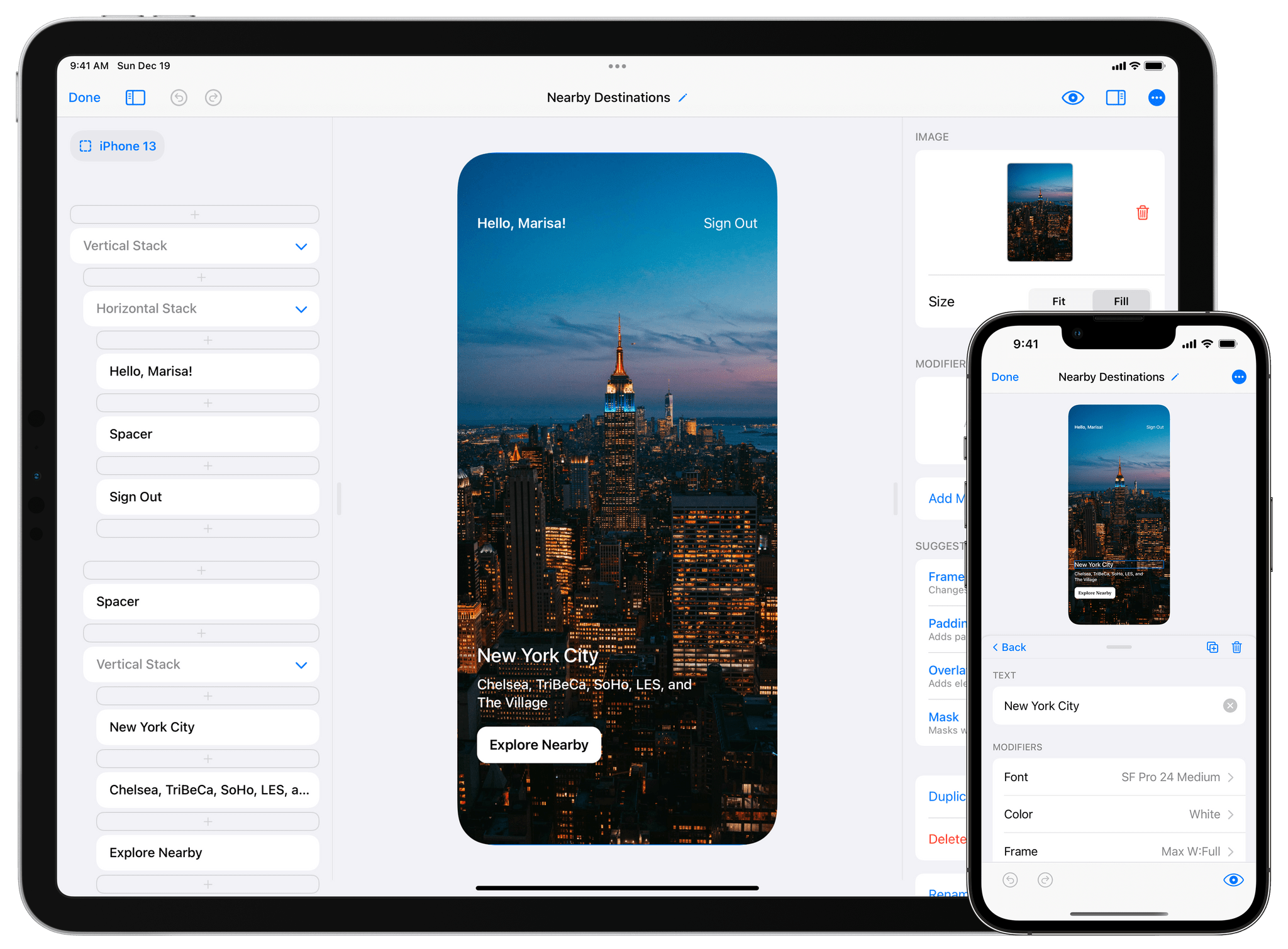
DetailsPro is the accessible, graphical tool for the iPhone, iPad, and Mac that brings your app designs to life with SwiftUI. The future of modern app design on Apple’s platforms is SwiftUI, and with DetailsPro, you can be up and running immediately, designing UIs without typing a line of code.

DetailsPro uses a drag and drop interface to make designing app interfaces, widgets, and screens a completely graphical, natural experience. There are no multi-gigabyte downloads or any of the complexity you find in a tool like Xcode. Instead, DetailsPro focuses on your design first. The app is also a fantastic way to learn core SwiftUI concepts in an environment that provides immediate feedback. There’s also a terrific DetailsPro community that offers in-app downloadable templates to learn, remix, or use as starting points for your own projects.

When you’re happy with your design, simply export it to SwiftUI code to Swift Playgrounds or Xcode. That’s the sort of design pipeline that makes handing your work off to your developers simple while ensuring that the fidelity of your designs is preserved in the process.

Built in SwiftUI itself by a former Apple Design Prototyper, DetailsPro is trusted industry-wide by designers at companies like Apple itself, Starbucks, Microsoft, Nike, and Porsche, and it’s easy to see why. DetailsPro brings sophisticated SwiftUIs to life quickly and easily in a way that feels like magic.

If you’ve been looking for a way to get into designing with SwiftUI, your search is over. You can download DetailsPro today for free and use it with five files, but you can unlock unlimited files, MapKit maps, and upcoming features like versions, reusable components, designing with data, and more for just $19.99/year or a one-time payment of $49.99. That’s a fantastic price for an app that will save you time and simplify your design process.

So, download DetailsPro today, and get started designing with SwiftUI.

Our thanks to DetailsPro for sponsoring MacStories this week.
Access Extra Content and Perks

Founded in 2015, Club MacStories has delivered exclusive content every week for nearly a decade.

What started with weekly and monthly email newsletters has blossomed into a family of memberships designed for every MacStories fan.

Learn more here and from our Club FAQs.

Club MacStories: Weekly and monthly newsletters via email and the web that are brimming with apps, tips, automation workflows, longform writing, early access to the MacStories Unwind podcast, periodic giveaways, and more;

Club MacStories+: Everything that Club MacStories offers, plus an active Discord community, advanced search and custom RSS features for exploring the Club’s entire back catalog, bonus columns, and dozens of app discounts;

Club Premier: All of the above and AppStories+, an extended version of our flagship podcast that’s delivered early, ad-free, and in high-bitrate audio.

Learn more here and from our Club FAQs.


Concepts: Sketch, Note, Draw [Sponsor]

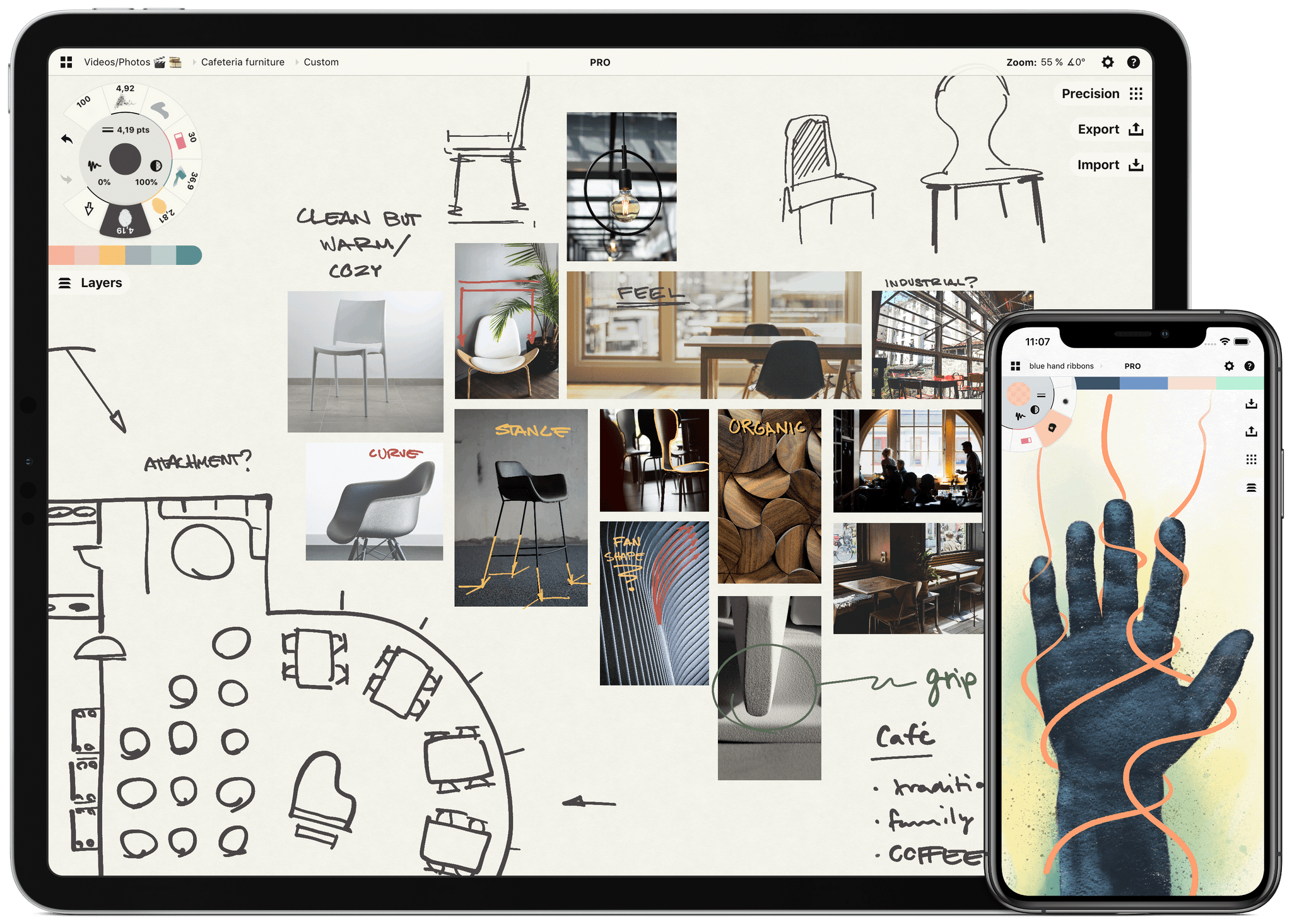
Sketch, note, and explore endless ideas with Concepts’ infinite canvas for iPad. Draw in designer COPIC colors with liquid pens and brushes, and organize images, text and sketches into visual mood boards. Used by creative professionals for visual thinking, note-taking, team communication, storyboarding, product design and architectural planning, Concepts lets you sketch and share your ideas in the moment.

Everything you draw in Concepts is a flexible, editable vector. Nudge, edit and reorganize your ideas with natural finger gestures. Drag and drop images and objects onto the canvas for fast ideation and reference, use layers and grid layouts to organize your work, mark up PDF documents, and apply real-world scale for professional design projects. Export and share standard, high-resolution and vector file types for flexible work between teams and apps.

Concepts’ built-in Presentation Mode lets you connect with others for live sharing and graphic discussion too. Whiteboard virtually with teams and clients using apps like Zoom, then instantly share your discussion.

The app comes free as a basic sketching tool, with the ability to unlock 200+ libraries of brushes, objects and services via subscription or one-time purchase. To learn more about Concepts visit their website today.

MacStories readers – Enjoy a special 1 month extended free trial when you sign up for an annual subscription. Get a month of infinite creativity before you are billed.

Our thanks to Concepts for sponsoring MacStories this week.
Access Extra Content and Perks

Founded in 2015, Club MacStories has delivered exclusive content every week for nearly a decade.

What started with weekly and monthly email newsletters has blossomed into a family of memberships designed for every MacStories fan.

Learn more here and from our Club FAQs.

Club MacStories: Weekly and monthly newsletters via email and the web that are brimming with apps, tips, automation workflows, longform writing, early access to the MacStories Unwind podcast, periodic giveaways, and more;

Club MacStories+: Everything that Club MacStories offers, plus an active Discord community, advanced search and custom RSS features for exploring the Club’s entire back catalog, bonus columns, and dozens of app discounts;

Club Premier: All of the above and AppStories+, an extended version of our flagship podcast that’s delivered early, ad-free, and in high-bitrate audio.

Learn more here and from our Club FAQs.


MacStadium: Orka Virtualization Is Coming to Apple Silicon Hardware [Sponsor]

Orka is MacStadium’s virtualization layer created for Mac build infrastructure that allows Mac and iOS developers to orchestrate macOS in a cloud environment using Kubernetes on genuine Apple hardware. Soon, Orka 2.0, which is currently in beta, will be released, allowing developers to harness the combined power of Apple’s M1 chip architecture and Orka for the first time.

Since Orka was first released, users have used it to streamline their development pipeline with high-performance, scalable, secure, and reliable Apple hardware. Soon, Orka will run on Apple silicon Macs too. With Orka 2.0, developers will be able to virtualize macOS across M1 Macs just like they’ve been doing on Intel machines and even mix clusters using both Intel-and M1-based virtual machines. It’s a big step forward, which will make it easier for developers to migrate their Mac and iOS build pipelines to Apple silicon. With Orka 2.0, you’ll be able to control Orka VMs with a native Kubernetes command line too.

The possibilities created by Orka 2.0 don’t end there, though. Just last week, AWS announced that EC2 instances on M1 Mac minis are on the way. AWS’s M1 mini instances are currently in preview, but the news opens up intriguing possibilities for developers, such as running Orka 2.0 on AWS or building a hybrid cloud pipeline on MacStadium servers and AWS.

Learn more about Orka 2.0 at MacStadium and sign up for the beta today to be among the first to experience your development pipeline on M1 Macs. It promises to be a big leap forward that you won’t want to miss.

Our thanks to MacStadium for sponsoring MacStories this week.
Access Extra Content and Perks

Founded in 2015, Club MacStories has delivered exclusive content every week for nearly a decade.

What started with weekly and monthly email newsletters has blossomed into a family of memberships designed for every MacStories fan.

Learn more here and from our Club FAQs.

Club MacStories: Weekly and monthly newsletters via email and the web that are brimming with apps, tips, automation workflows, longform writing, early access to the MacStories Unwind podcast, periodic giveaways, and more;

Club MacStories+: Everything that Club MacStories offers, plus an active Discord community, advanced search and custom RSS features for exploring the Club’s entire back catalog, bonus columns, and dozens of app discounts;

Club Premier: All of the above and AppStories+, an extended version of our flagship podcast that’s delivered early, ad-free, and in high-bitrate audio.

Learn more here and from our Club FAQs.


Create, Edit, and Collaborate on Documents on Your Desktop and Mobile Devices with Your Free Office Suite by ONLYOFFICE [Sponsor]

ONLYOFFICE is the premier productivity suite for desktop and mobile that’s also open-source and free. The suite is a powerful choice for anyone who works across multiple devices, including Apple hardware and Windows and Linux devices. That means whatever device or system you’re using, you’ve got ONLYOFFICE close at hand to help you get things done. ONLYOFFICE is fully-compatible with M1 Macs too, where it’s blazingly fast.

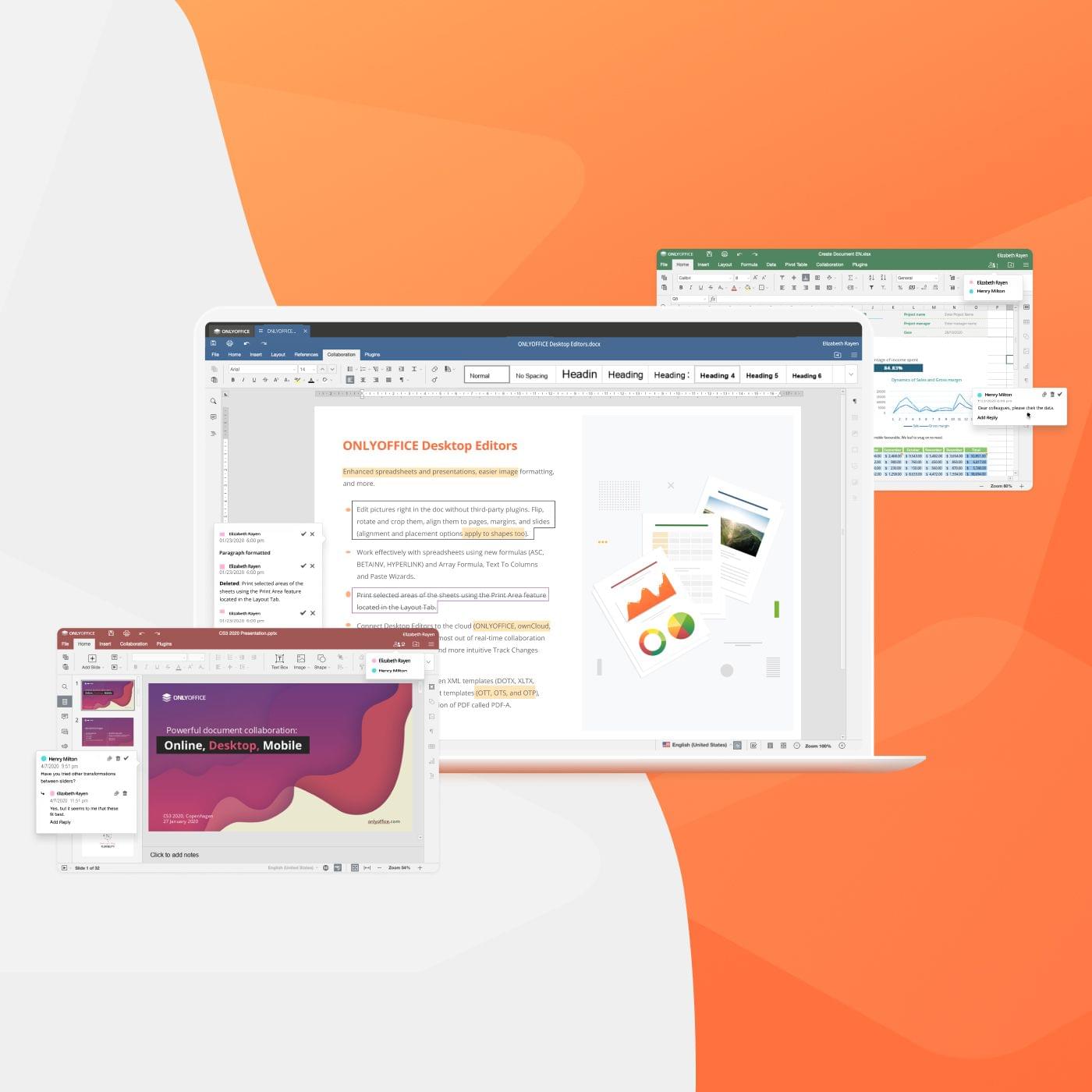
ONLYOFFICE offers a complete set of word-processing, spreadsheet, and presentation tools that support all the file formats you’ll need, including DOCX, ODT, XLSX, ODS, CSV, PPTX, ODP, and more. What’s more, with its tabbed interface, ONLYOFFICE lets you work efficiently with multiple file types at one time. The suite also features a deep set of sophisticated tools for editing and formatting your documents, so your work always looks fantastic.

ONLYOFFICE is security and privacy-minded too. The suite includes password protection, digital signature support, watermarking, and more. They’re features that provide the peace of mind that your data is yours and only shared by you when and how you choose.

Collaboration and extensibility are core to ONLYOFFICE. The suite features a rich ecosystem of third-party plugins that support other services like Google Translate, YouTube, DocuSign, cloud storage providers, WordPress, and many more. With ONLYOFFICE Workspace, Nexcloud, ownCloud, or Seafile, you can collaborate with your colleagues on documents too, editing, commenting, and reviewing together in real-time.

If you haven’t checked out ONLYOFFICE yet, now is the time to do so. Visit ONLYOFFICE’s website today to learn more about how you can integrate this powerful and free suite of open-source applications into your workflow.

Our thanks to ONLYOFFICE for sponsoring MacStories this week.
Access Extra Content and Perks

Founded in 2015, Club MacStories has delivered exclusive content every week for nearly a decade.

What started with weekly and monthly email newsletters has blossomed into a family of memberships designed for every MacStories fan.

Learn more here and from our Club FAQs.

Club MacStories: Weekly and monthly newsletters via email and the web that are brimming with apps, tips, automation workflows, longform writing, early access to the MacStories Unwind podcast, periodic giveaways, and more;

Club MacStories+: Everything that Club MacStories offers, plus an active Discord community, advanced search and custom RSS features for exploring the Club’s entire back catalog, bonus columns, and dozens of app discounts;

Club Premier: All of the above and AppStories+, an extended version of our flagship podcast that’s delivered early, ad-free, and in high-bitrate audio.

Learn more here and from our Club FAQs.


UpNote: The Best Note-Taking App Across Platforms [Sponsor]

UpNote is an elegant and powerful note-taking app that works across every major platform, making it the perfect solution for your note-taking needs. Designed to make it easy to take notes anywhere and stay focused, UpNote combines a beautiful interface with a fast, fluid workflow for a refined and reliable note-taking experience. The app is also continuously updated to support the latest technologies on all platforms with new and innovative features.

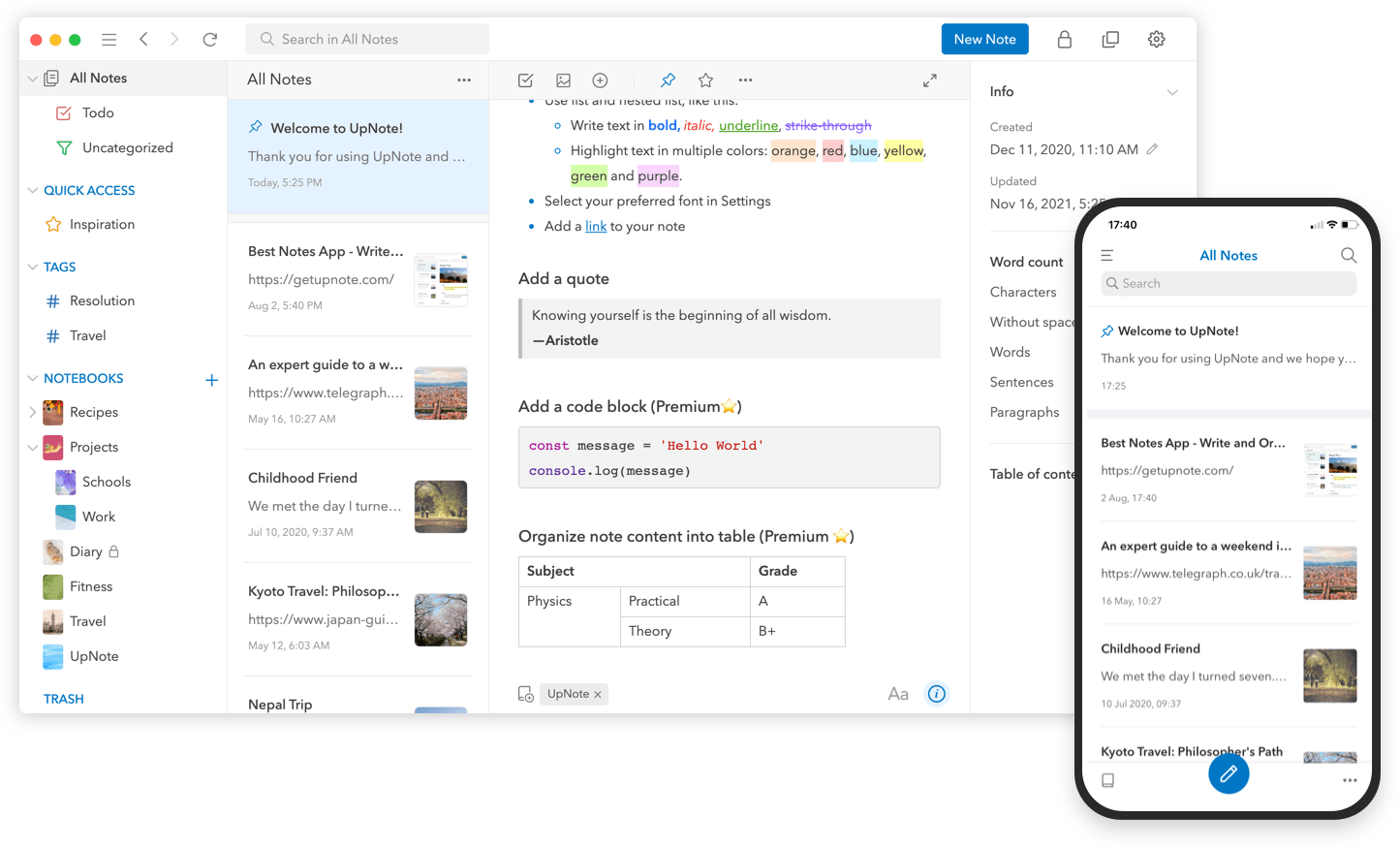
The app works on iOS, Android, the Mac, and Windows, making it an excellent solution for anyone who needs access to their notes across multiple platforms thanks to the app’s fast, reliable sync. UpNote works online and off, too, so you’re always able to capture your thoughts. With colorful themes and many font choices, you can make UpNote your very own, organizing notes into notebooks, which can be nested, adding hashtags to notes, and pinning and bookmarking notes for quick access. It’s a structure that’s supplemented by powerful search and sorting to make navigating even the largest collections of notes a breeze.

UpNote has all of your note-taking needs covered. The app offers a web clipper extension so you can quickly save links and content as you browse and research on the web. There’s a focus mode that eliminates distractions, so you can capture your thoughts quickly and efficiently, too. There’s even a great solution for longer notes: a table of contents feature that makes navigating long notes a breeze. The app can also be locked, which makes it perfect for journaling.

Switching to UpNote is easy, with powerful import functionality that can handle Evernote, Markdown, and other formats. UpNote’s text editor is fully featured, too, with support for rich-text, bi-directional linking, to-do lists, images, attachments, tables, and code blocks. Of course, the app supports Markdown syntax as well. And, when you need to use your notes elsewhere, you can export them as Markdown text, HTML, or PDFs. Combined with its cross-platform support and its stunning design, UpNote is a powerhouse note-taking app like none other.

Now is the perfect time to try UpNote. The app includes subscription and lifetime upgrade options, and for a limited time, MacStories readers can purchase UpNote’s lifetime premium upgrade for 30% off. This is an amazing deal, so don’t delay. Go check out UpNote now and take advantage of this offer.

Our thanks to UpNote for sponsoring MacStories this week.

Access Extra Content and Perks

Founded in 2015, Club MacStories has delivered exclusive content every week for nearly a decade.

What started with weekly and monthly email newsletters has blossomed into a family of memberships designed for every MacStories fan.

Learn more here and from our Club FAQs.

Club MacStories: Weekly and monthly newsletters via email and the web that are brimming with apps, tips, automation workflows, longform writing, early access to the MacStories Unwind podcast, periodic giveaways, and more;

Club MacStories+: Everything that Club MacStories offers, plus an active Discord community, advanced search and custom RSS features for exploring the Club’s entire back catalog, bonus columns, and dozens of app discounts;

Club Premier: All of the above and AppStories+, an extended version of our flagship podcast that’s delivered early, ad-free, and in high-bitrate audio.

Learn more here and from our Club FAQs.


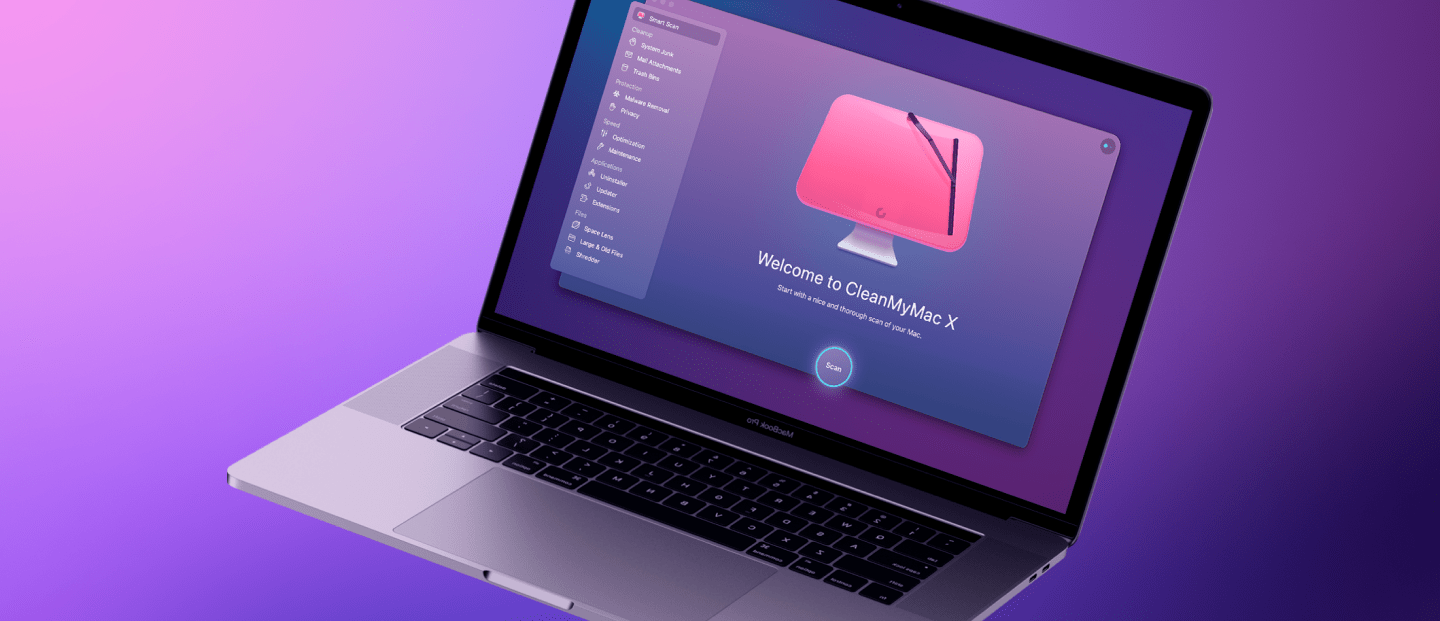
CleanMyMac X: Make Sure You Can Trust Your Mac [Sponsor]

In these uncertain times, the only person who we can truly rely on is ourselves, more specifically, you and your computer. But can your Mac help you reach your goals? Is it in good enough shape, fast, and organized?

To be sure, you need CleanMyMac X from MacPaw. It’s the ideal decluttering app for Mac.

CleanMyMac X isn’t just one tool, though. It’s an entire suite of powerful utilities designed to tune up your Mac:

  • It includes 49 tools to find and delete invisible junk.
  • It removes junk that’s slowing your Mac down, so it always runs at its maximum speed.
  • It organizes disk space, too, showing your large hidden folders.
  • It can free up tons of space, so your Mac never runs into storage issues.
  • It’s also the perfect tool to get your Mac ready for macOS Monterey too.
  • Finally, it fights Mac-specific malware and adware.

There are a lot of other Mac cleaning utilities available, but CleanMyMac X stands out with its award-winning, elegant design that makes it a pleasure to use every day. In fact, in 2021, CleanMyMac was honored with the Red Dot Award and the UX Design Award. It’s so enjoyable to use, and you’ll be discovering new ways to optimize your Mac each time you run this app.

Moreover, CleanMyMac X is notarized by Apple, so you can use it with the confidence that it’s safe.

MacPaw has a special deal just for MacStories readers. For the next four weeks, you can purchase the app for 5% off by using this link. So, get started today with CleanMyMac X to make sure you can trust your Mac.

Our thanks to CleanMyMac X from MacPaw for sponsoring MacStories this week.

Access Extra Content and Perks

Founded in 2015, Club MacStories has delivered exclusive content every week for nearly a decade.

What started with weekly and monthly email newsletters has blossomed into a family of memberships designed for every MacStories fan.

Learn more here and from our Club FAQs.

Club MacStories: Weekly and monthly newsletters via email and the web that are brimming with apps, tips, automation workflows, longform writing, early access to the MacStories Unwind podcast, periodic giveaways, and more;

Club MacStories+: Everything that Club MacStories offers, plus an active Discord community, advanced search and custom RSS features for exploring the Club’s entire back catalog, bonus columns, and dozens of app discounts;

Club Premier: All of the above and AppStories+, an extended version of our flagship podcast that’s delivered early, ad-free, and in high-bitrate audio.

Learn more here and from our Club FAQs.


Daylite is Monterey Ready! [Sponsor]

Hey Apple fans, excited for the macOS Monterey? So are we! Daylite is an award-winning CRM and productivity app made exclusively for your Mac, and it’s now Monterey ready! Daylite goes beyond the essential CRM experience or project management tool for small businesses; it seamlessly integrates with Apple devices and most of the built-in Apple apps and features you already use and love, with or without an internet connection. Direct Apple Mail integration so you and your team can capture all email communication in one place. That means you can create opportunities, appointments, and tasks in Daylite right from your Apple Mail.

Daylite’s productivity-focused design helps you and your team get more done throughout the full customer lifecycle. From meeting prospects and winning business to managing the moving pieces on projects, all the way through to following up for referrals and repeat business, it’s all done in Daylite.

If you live by the Mac, you’ll love Daylite. Start your free 30-day Daylite trial today!

Our thanks to Daylite for sponsoring MacStories this week.
Access Extra Content and Perks

Founded in 2015, Club MacStories has delivered exclusive content every week for nearly a decade.

What started with weekly and monthly email newsletters has blossomed into a family of memberships designed for every MacStories fan.

Learn more here and from our Club FAQs.

Club MacStories: Weekly and monthly newsletters via email and the web that are brimming with apps, tips, automation workflows, longform writing, early access to the MacStories Unwind podcast, periodic giveaways, and more;

Club MacStories+: Everything that Club MacStories offers, plus an active Discord community, advanced search and custom RSS features for exploring the Club’s entire back catalog, bonus columns, and dozens of app discounts;

Club Premier: All of the above and AppStories+, an extended version of our flagship podcast that’s delivered early, ad-free, and in high-bitrate audio.

Learn more here and from our Club FAQs.


I Made the Most Annoying App. And People Loved It. [Sponsor]

Annoying” is probably not a word a developer would like his app to be associated with.

I certainly don’t mind.

Thankfully, users have also thought of my app as “indispensable” and a “game changer.

Hi, I’m Junjie, and I made Due.

It has helped people living with ADHD and early dementia. It has saved marriages. And it seems to have even saved lives.

I’d love to say I had these noble goals in mind when I made Due.

The truth is, I created Due in 2010 for myself.

The first version tackled just one thing—quickly capture what needs to be done, and when it needs to be done.

When I realized it was easy to miss notifications, I added Auto Snooze. It repeatedly notifies me of overdue reminders until I act on them.

Often, I also needed to reschedule reminders. So I made it easy to postpone a reminder—even without launching the app.

Someone who had used Due for the past 9 years said the person who created Due knows his stuff.

I guess that’s because there isn’t a day that goes by where I don’t use Due myself.

Learn more about what Due can do for you. Available on iPhone, iPad and Apple Watch.

Also available separately for Mac—on the Mac App Store and Setapp.

Our thanks to Due for sponsoring MacStories this week.

Access Extra Content and Perks

Founded in 2015, Club MacStories has delivered exclusive content every week for nearly a decade.

What started with weekly and monthly email newsletters has blossomed into a family of memberships designed for every MacStories fan.

Learn more here and from our Club FAQs.

Club MacStories: Weekly and monthly newsletters via email and the web that are brimming with apps, tips, automation workflows, longform writing, early access to the MacStories Unwind podcast, periodic giveaways, and more;

Club MacStories+: Everything that Club MacStories offers, plus an active Discord community, advanced search and custom RSS features for exploring the Club’s entire back catalog, bonus columns, and dozens of app discounts;

Club Premier: All of the above and AppStories+, an extended version of our flagship podcast that’s delivered early, ad-free, and in high-bitrate audio.

Learn more here and from our Club FAQs.


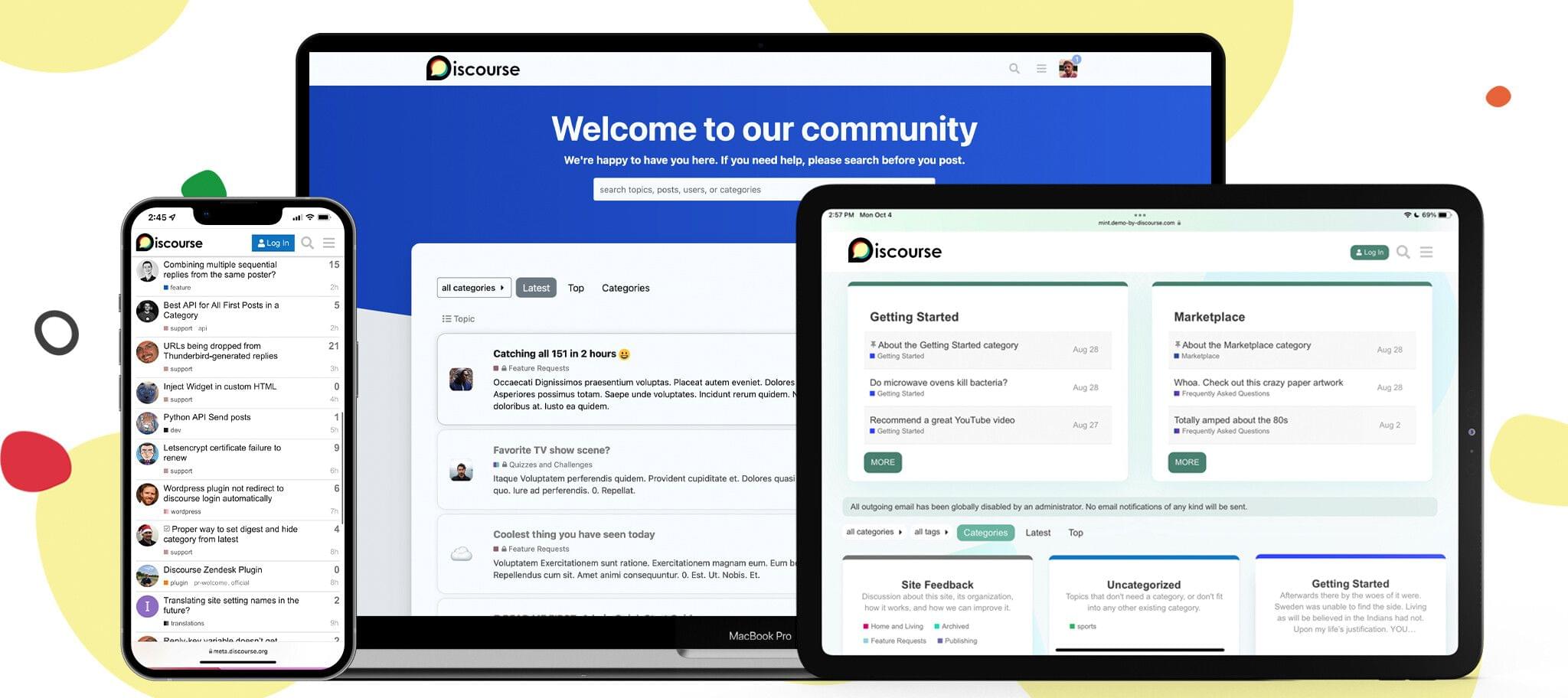
Discourse: A Powerful, Customizable Platform for Civilized Discussion [Sponsor]

Discourse is a powerful, customizable, open-source platform designed to facilitate civilized discussion for your community. We’re reimagining what a modern discussion platform could be. Discourse is designed with the tools to create and scale a healthy, vibrant, and fun place to connect with your customers, superfans, or teammates online.

Toxicity and spam are two of the biggest problems for online communities, and we’ve developed features to help make your corner of the Internet a more civilized place. Discourse’s automatic trust system encourages new users to interact with your community in helpful, thoughtful ways – all while keeping spammers at bay. Plus, our built-in community-led moderation tools assist in keeping the trolls out and topics on track.

Wondering if your site will look just like every other community out there? We have you covered. Whether you’re a gaming community or a worldwide brand, you can customize Discourse to fit your company’s image with our extensive theming system. Additionally, our developer API and plugin ecosystem give you the ability to extend Discourse in a limitless number of ways.

Oh, and did we mention that you can trust your data with Discourse? Discourse never sells your data to advertisers, and you can download a full backup of your community at any time – no questions asked and no hidden fees.

Ready to try it out? MacStories readers can get a 60-day 100% free trial by using coupon code SHORTCUT when signing up. Start building your community today with Discourse.

Our thanks to Discourse for sponsoring MacStories this week.

Access Extra Content and Perks

Founded in 2015, Club MacStories has delivered exclusive content every week for nearly a decade.

What started with weekly and monthly email newsletters has blossomed into a family of memberships designed for every MacStories fan.

Learn more here and from our Club FAQs.

Club MacStories: Weekly and monthly newsletters via email and the web that are brimming with apps, tips, automation workflows, longform writing, early access to the MacStories Unwind podcast, periodic giveaways, and more;

Club MacStories+: Everything that Club MacStories offers, plus an active Discord community, advanced search and custom RSS features for exploring the Club’s entire back catalog, bonus columns, and dozens of app discounts;

Club Premier: All of the above and AppStories+, an extended version of our flagship podcast that’s delivered early, ad-free, and in high-bitrate audio.

Learn more here and from our Club FAQs.