Posts tagged with "photos"

360 Panorama Gets Major Update with New UI, Social Features and More

Occipital’s 360 Panorama is an iPhone app we first reviewed in December that, through an intuitive interface, allowed you to snap a panoramic shot using your iPhone by simply panning it around to capture things around you. The concept was simple: instead of merging multiple shots into a single panoramic one like most apps do, 360 let you “paint” the panorama on screen by waving the iPhone and making sure light conditions were optimal. A few weeks later, Occipital also showcased the gyroscope support for 360 shots uploaded online and visible in Mobile Safari, thanks to the new API introduced in iOS.

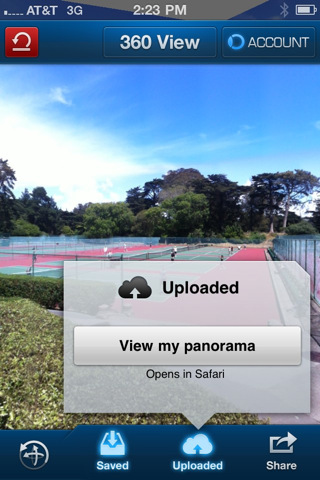
360 Panorama is receiving a major update today, bringing the app to version 4.0 and introducing a new icon, a redesign interface and brand new social features to share photos online and browse panoramas shared by other users. As in the previous version, you can see a panorama being built in real-time as you move your iPhone’s camera around; panorama quality has been improved in the new version, thanks to a new algorithm used by Occipital that will also increase quality over time by processing the image synthesizing server-side. After a few tests, it really looks like Occipital has managed to find a way to create even better panoramas, which were good-looking in 360 version 3.0 but far from perfect. The interface has been redesigned and streamlined to be more intuitive, elegant and accessible; the sharing functionalities on Twitter and Facebook have been completely overhauled to make it easier to send a panorama off to your favorite social network, and Occipital also took care of implementing private uploads and deeper sharing options. On top of that, the app now supports multiple Facebook and Twitter accounts and the image saving process has been made faster to allow users to build a panorama and share it in seconds. 360 Panorama now works on the iPad 2 as well, with the engine being optimized to take advantage of the device’s dual-core CPU.

Last, Occipital is also launching an all-new online interface for panoramas called 360verse that allows users to browser for pano shots using a search functionality based on location and time of upload. Furthermore, the app now packs a new 360.io shortening system, as well as the possibility to create Occipital user accounts to check out all the photos you’ve uploaded over time.

360 Panorama 4.0 has been released a few minutes ago in the App Store and it’s available as a limited time offer at $0.99. Get it here.


Instagram 1.7 Released, Brings New Profile View

While we’re still playing with Carousel and looking at its beautiful interface for the Mac, Instagram – the official app – has received a majore update on the iPhone that reaches version 1.7 and adds a number of new features, alongside the omnipresent speed improvements and stability enhancements (for older phones this time). Instagram 1.7 brings custom notifications for likes and comments – in the Edit Profile screen, you can specify whether you want to receive notifications from everyone, people you follow, or simply turn them off. This is a welcome addition if you were being annoyed by continuous notifications and badges. In the same screen, you can now add a Bio to display on your public profile. And profiles have gotten a brand new grid view as well, which makes it easy to check out photos at a glance on profiles that have hundreds, if not thousands, of uploads.

Instagram 1.7 is available now in the App Store.


Carousel Is A Beautiful Instagram Client for Mac

Back in April we covered Instadesk, the first Instagram client for Mac that, through an interface design similar to iTunes and iPhoto, allowed you to browse Instagram photos, users, likes and comments directly from your desktop. The app was one of the thousands of results coming from the launch of the Instagram API, a set of tools that enable third-party developers to plug into your Instagram feed to retrieve photos uploaded by you or relevant to you. Of all the Instagram-connected apps we’ve covered, Instadesk saw a huge success as it was the first one to land on the Mac App Store.

Carousel, however, wants to step the game up by offering a beautiful and slick way to access Instagram from your Mac with a design that’s heavily inspired by iOS, yet runs natively on OS X. I don’t know if the developers are using the Iconfactory’s Chameleon framework for this, but it certainly looks like Carousel has some similarities with Twitterrific – the Twitter client from the Iconfactory that shares it codebase across the Mac, iPhone and iPad. So what’s this all about? First off, Carousel presents a minimal, vertical-oriented interface as if you were looking at your iPhone’s screen in portrait mode while browsing Instagram. The photo stream is embedded directly into the app’s window, with beautiful Instagram photos to flick through as they load. At the bottom, three tabs allow you to switch between your feed, popular photos and your profile. Every photo can be enlarged via Quick Look, saved locally on your Mac, or commented / liked thanks to a wide selection of keyboard shortcuts to choose from.

In Carousel, you can open every user’s profile to check out their photos. You can comment and like pictures, too, with interaction happening inside an iOS-like popover that resembles Twitterrific’s implementation of conversation views and profiles. You can even view if a user’s following you, or if you’re following him. Last, the app can be themed. Carousel’s default theme is already gorgeous in my opinion, but you can switch to a classic Mac or red one from the Settings.

Carousel can be downloaded for free, or you can purchase a license at $4.99 (introductory price) from the developer’s website. More screenshots below. Read more


AirServer Brings AirPlay For Everything to OS X

During the past months, I’ve stumbled upon several Mac apps that enable to turn your computer into an AirPlay receiver. None of them, however, provided the same amount of stability and functionality I’ve found today in AirServer, a $3 app that easily turns your Mac into an AirPlay device for audio, photos and videos. Since Apple introduced AirPlay with iOS 4.2 back in November, many have wondered whether it’d be possible to use the streaming features of the protocol (for music and other kinds of media) on a Mac, rather than on iPhones, iPads, and Apple TVs. The number of Mac apps that came out promising to bring AirPlay on the desktop was quite overwhelming: from simple utilities to stream music to more complex solutions like Banana TV, developers didn’t even refrain from creating similar alternatives for iOS devices, turning an iPad into a receiver for video. And if that’s not enough, remember a few weeks ago a hacker cracked the encryption keys used by Apple in the AirPort Express station – opening the door to even more apps with AirPlay / AirTunes integration.

AirServer brings some clarity and unification with a $3 purchase and a simple package that runs in the menubar. That’s it, no UI. Heck, the icon can be removed from the menubar, if you want. What AirServer does is simple: it turns a Mac into an AirPlay receiver for anything. Provided you have an iOS device (or another Mac) to start a streaming session, you’ll be able to listen to music (or any other audio) or watch videos and photos coming from AirPlay on your Mac’s big screen. I have an iMac at home, and AirServer is just perfect on it: I can fire up Instacast on my iPhone and listen to my favorite podcast on better speakers (pardon me if I don’t have external speakers); I can find a cool YouTube video and instantly beam it to my Mac without sharing any link; I can take my entire Camera Roll and show photos of my last vacation to my (poorly sighted) parents on the iMac. Now we’re talking.

As for quality, I have tested AirServer on two different local networks with pretty good results. Videos stored on device start playing almost instantly; music quality was great, with a couple of lags on my slower home network in a 2-hour playing time; photos stream just fine with responsive touch controls as you swipe. AirServer takes a minimal footprint on your Mac, and I’ve also noticed it reproduces the fading effect you get on the iPhone when you change your audio source. Overall, the app is stable and I was pleased to see an update was issued a few hours after I bought the app.

To sum up: at $3 you get an AirPlay receiver for Mac that supports audio, videos (even from Youtube and other apps) and photos. If you love AirPlay, get AirServer.


Instagram 1.6.5 Gets More Tiltshift And It’s Faster

A new update to Instagram for iPhone was released a few minutes ago in the App Store, and it looks like Burbn’s main goal with this app really is to make sharing photos as fast as possible. Just as with the recent 1.6 update, Instagram’s performances have been improved to make the overall navigation faster, more responsive and less buggy when switching between sections. The difference is notable and makes resuming the app from the multitasking tray or tapping quickly on the bottom bar’s tabs a pleasure. The developers say the new Instagram also has “image quality improvements when choosing from library.” I usually don’t pick photos to share on Instagram from the iOS camera roll, but that’s a welcome addition nevertheless.

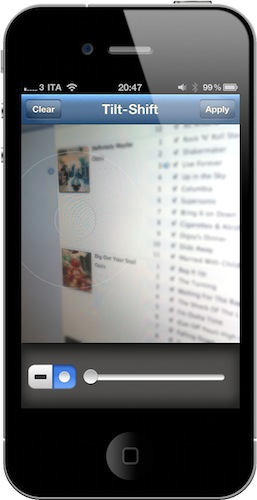
Instagram 1.6.5 also get a new filter – or, an expansion to the existing tiltshift mode. Alongside regular tiltshift introduced a few months ago, the developers added a “radial” variation that should come in handy when applying the effect to large objects or multiple ones in focus. You can download the latest Instagram update from the App Store.


Microsoft Releases New iPhone App To Create Panoramic Photos

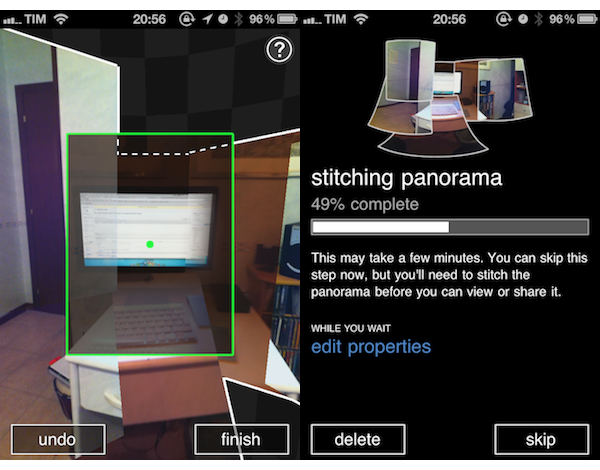
In its ongoing effort to support the iOS platform with a steady flow of new releases and updates, Microsoft released earlier today a new app for iPhone called Photosynth which is aimed at letting you create panoramic, 360-degree photos with your device’s camera. The concept and overall execution are very similar to Occipital’s 360 Panorama for iPhone: you hold your iPhone, and rotate it to capture what’s around you. The app will then “stitch” the panorama to offer a zoomable image that you can pan with your fingers to see the complete result. Unlike Occipital’s software, Microsoft’s application comes with sound effects for each photo (in fact, Photosynth does nothing but capturing a series of photos and making a collage after processing them) and simpler on-screen guides. I’ve used the app for a couple of hours now and, lack of gyroscope aside, it seems to me that Occipital’s app still produces better panoramas both in direct sunlight and low-light conditions. There’s some serious overlapping of photos in Photosynth, and the underlying processing algorithm doesn’t look very smart to me.

However, if you’re a fan of Microsoft’s new Metro style, the Photosynth app will please you with Windows Phone 7-like menus and buttons. The animations are quite nice, but not exactly “iOS native.” Photosynth also comes with several sharing functionalities: you can send panoramas to the Photosynth.net service (requires a Windows Live ID login), Facebook and even Bing Maps. Microsoft actually encourages you to share through Bing Maps, as “millions of people could see your panoramas on maps and in search results for locations you’ve captured.”

Photosynth is an interesting experiment, and I look forward to future updates. Get the app here.


Postagram: Print Postcards From Your Instagram Photos

A few days after Instagram launched its official API, web services and third-party applications promising integration with the popular photo sharing platform started popping up on the Internet and, as it usually happens, most of them were just cool experimentations not meant for massive usage on a large scale. That’s why we called Instaprint, a device that plugged into Instagram to print Polaroid-like photos, the coolest use of Instagram’s API we had seen. In the past weeks, you might have noticed we covered other interesting apps that rely on the API to deliver photos from Instagram on otherwise unsupported platforms like, for example, the Mac.

Clearly inspired by what Instaprint did with the mini-printer, Postagram is an actually working service and app available in the App Store that allows you to turn your Instagram photos into physical glossy postcards at 300 dpi. The concept is simple: you download the free app, log in with your Instagram account and grant authorization to Postagram. Once logged in, all you have to do is pick a photo from your Instagram stream, and choose to make it a postcard that will be sent to you in 2-5 business days (if you live in the United States). Printing a postcard costs $0.99 right now – the price will likely go up in the next weeks once this initial promotion is over – but users who sign up now can print a photo for free. I did, and I should receive it next week. The process is really super-easy, and you can also enter a personal message if you want – by default, the app picks the description from an Instagram photo (see screenshot above).

Postagram lets you send an Instagram postcard to any recipient, and if you’re planning on sending multiple ones the app will be able to remember previous choices so you don’t have to re-enter an address every time. You can enter credit card information in-app, but there’s no interface to track the status of a shipment – likely because it happens through regular postage. Furthermore, if you don’t like having your photo inside a postcard you can pop it out and end up with a single square in your hands, perfect for – say – your desk.

You can download Postagram from the App Store now and start ordering prints right away. We think this is a great idea – it’ll be huge for vacations this summer, if only the service will start offering discounts on large sets of photos – and I look forward to getting my postcard next week. Check out more screenshots below. Read more


Plex Releases Major 1.1 Update: The King Of iOS Media Players

If you’re serious about your media library, you’ve probably heard of Plex: dubbed as the “solution for local and online media”, Plex is a fantastic multi-platform media center that runs on Macs and Windows PCs and has great iOS and Android clients. Once installed on your desktop machine (which becomes a “server”) Plex can fetch music, movies and TV shows stored on your computer or anywhere else on an external hard drive, organize them properly into categories by adding the correct metadata, and handle streaming to the clients (such as the iPhone or iPad apps) with live conversion of unsupported video formats. All your media can also be played locally on a computer without the need of a mobile client thanks to the desktop Plex app, which is highly customizable: you can add your own themes, install plugins (like Spotify) and connect to online content providers such as the CNN, Vimeo, Cnet TV, Youtube, Apple Movie Trailers and many others. If that’s not enough for you, Plex can also enable you to connect to your media library remotely via WiFi or 3G with a global hostname, through the iOS apps. Read more


PhotoSync 1.1 Lets You Upload to Dropbox, AirPlay Videos

PhotoSync is a universal iOS application I reviewed a couple of months ago which allows you to share photos and videos shot on an iOS device in a completely new way: thanks to its powerful feature set, PhotoSync can send media from iOS to iOS, and from iOS to a Windows PC or Mac. Unlike several other iOS apps that usually launch a WebDAV server locally to share photos with a computer, or only enable you to send files over to another machine through a standalone utility running on the desktop, PhotoSync can do an actual iOS-to-iOS communication as well as standard desktop sharing. It requires a companion app if you want to send items to your computer, but configuration is painless if you just want to share photos and videos between iPhones and iPads using WiFi or Bluetooth.

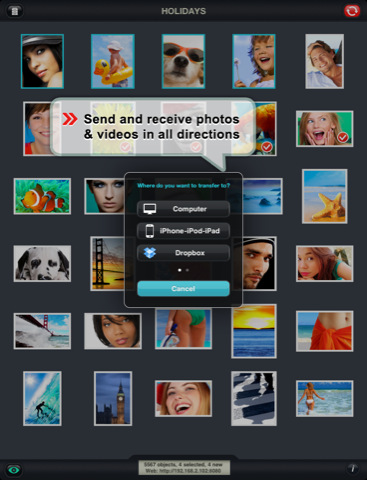
The latest update to PhotoSync, released a few hours ago in the App Store, adds the possibility of uploading files to Dropbox or FTP servers directly from the app – a highly requested feature I’m sure will come in handy for those large photo collections that need to go into Dropbox. Uploads in original size (and even RAW) are also supported. Multiple files at once can now be uploaded from the app’s web interface, and videos can be streamed to an Apple TV thanks to AirPlay integration (iOS 4.3 is required).

PhotoSync 1.1 is available at $1.99 in the App Store. Full changelog below. Read more