
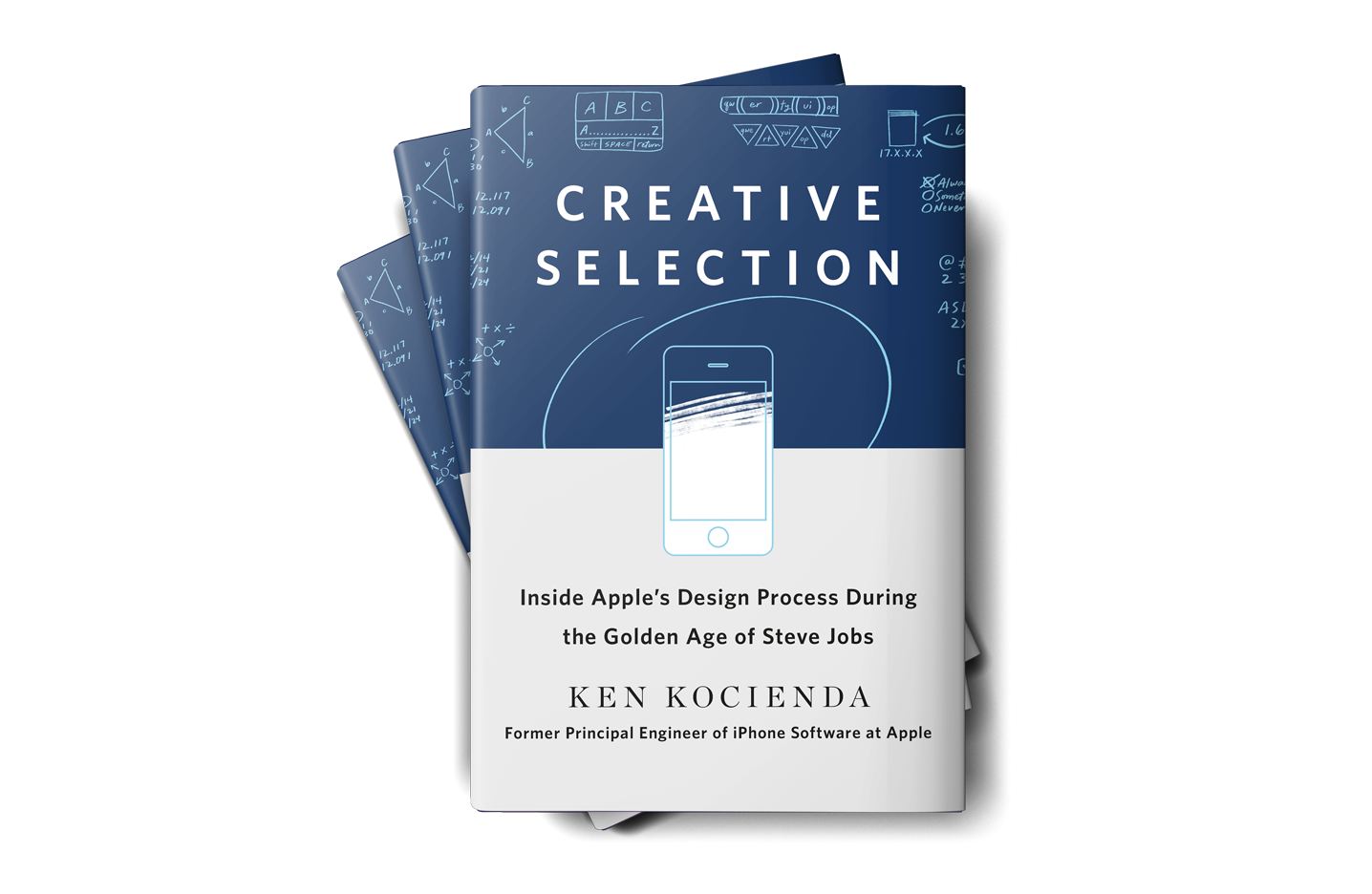
Today, former Apple engineer Ken Kocienda’s book Creative Selection, which covers his career at Apple and insights about the company’s software design process, was released. As an engineer at Apple, Kocienda worked on several high-profile projects including Safari on the Mac and the touch keyboards on the iPhone and iPad. Much of the publicity surrounding the book focuses on Kocienda’s work on the iPhone. However, there is a treasure trove of interesting anecdotes about other products and people that make Creative Selection an absorbing read for anyone interested in the creative process and Apple.
Posts tagged with "iPad"
Creative Selection Delves into Apple Software Design with Stories about Safari, the iPhone, and the iPad

Access Extra Content and Perks
Founded in 2015, Club MacStories has delivered exclusive content every week for nearly a decade.
What started with weekly and monthly email newsletters has blossomed into a family of memberships designed for every MacStories fan.
Club MacStories: Weekly and monthly newsletters via email and the web that are brimming with apps, tips, automation workflows, longform writing, early access to the MacStories Unwind podcast, periodic giveaways, and more;
Club MacStories+: Everything that Club MacStories offers, plus an active Discord community, advanced search and custom RSS features for exploring the Club’s entire back catalog, bonus columns, and dozens of app discounts;
Club Premier: All of the above and AppStories+, an extended version of our flagship podcast that’s delivered early, ad-free, and in high-bitrate audio.
FiftyThree Apps Paper and Paste Acquired by WeTransfer Along with Its Other Assets
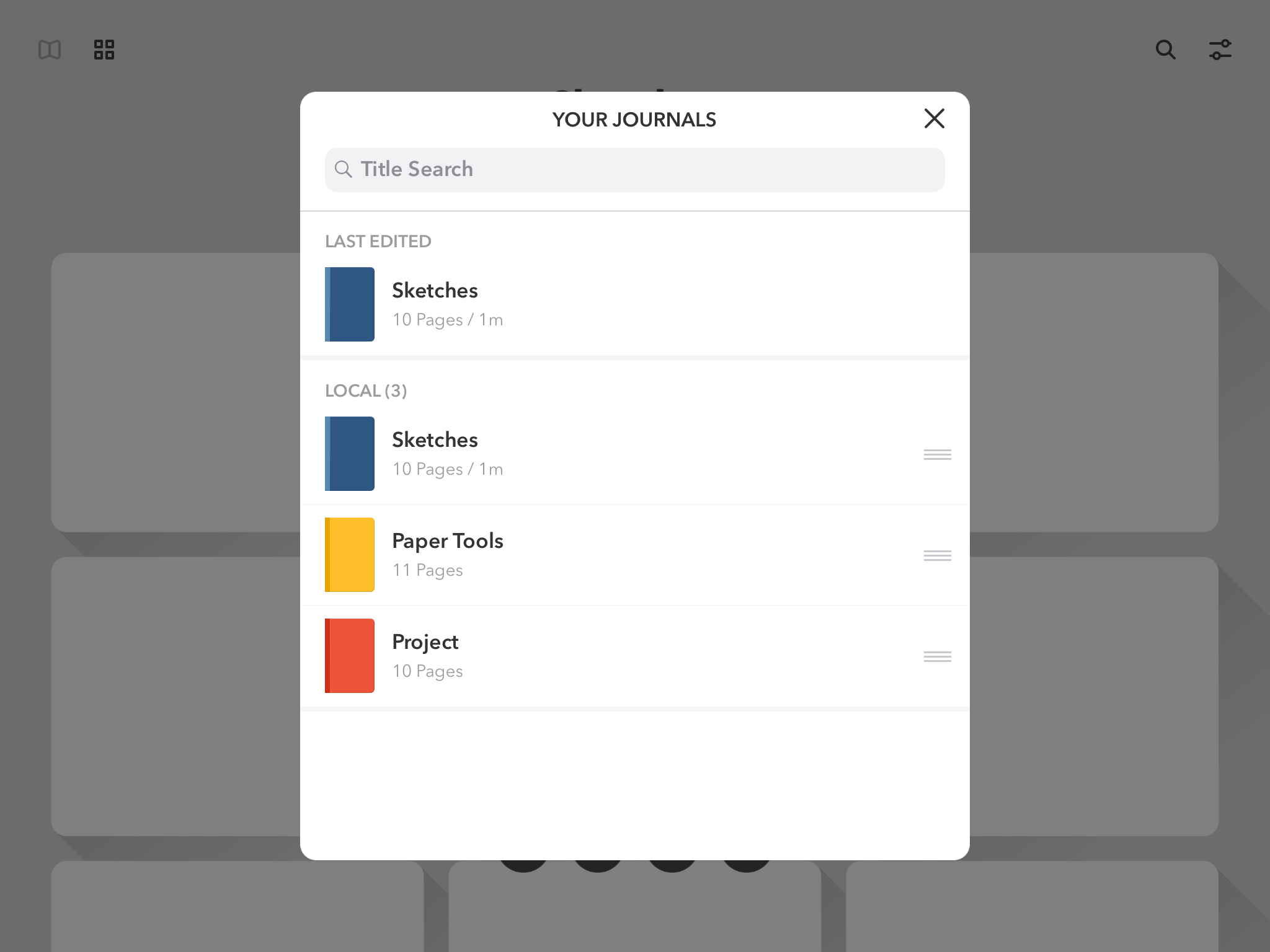
FiftyThree, the maker of the iOS apps Paper and Paste, has been acquired by WeTransfer, a file transfer company based in Los Angeles and Amsterdam. Paper, FiftyThree’s iPad drawing app, was named iPad App of The Year in 2012. Paste, which is FiftyThree’s iOS presentation app, allows users to create slides collaboratively.
In addition to its apps, FiftyThree is well-known for its creation the Pencil, a BlueTooth stylus that debuted before Apple’s identically-named Pencil. Although the Pencil is not mentioned by name in WeTransfer’s press release, the company is acquiring all of FiftyThree’s assets including intellectual property, which presumably covers hardware too.
WeTransfer provides web and app-based tools for transferring files among its users. In addition to offering a free version of its service, WeTransfer includes a premium paid version of its service and sells ads that appear in its web app. WeTransfer’s CEO Gordon Willoughby stated in the company’s press release that it had acquired FiftyThree to expand its ‘family of obvious creative tools, both on mobile and the web.’
FiftyThree has sought to reassure customers saying that:
For the millions using Paper and Paste, we want to assure you that we are dedicated now more than ever to building and growing both tools. This doesn’t change our path, it only accelerates it — the same great team will continue working on both tools. If you’re a paying Paste or Paper customer, nothing is changing around pricing or functionality in the near term, and we’ll keep you well-informed of any upcoming changes that may impact you. We’ve got a few big ideas cooking that we think you’ll be thrilled about.
I imagine the introduction of Apple’s Pencil took its toll on FiftyThree’s attempt to use hardware to build a sustainable business model. Hopefully, joining forces with WeTranfer will allow Paper and Paste, which are both excellent apps, to continue to be developed long into the future.
Access Extra Content and Perks
Founded in 2015, Club MacStories has delivered exclusive content every week for nearly a decade.
What started with weekly and monthly email newsletters has blossomed into a family of memberships designed for every MacStories fan.
Club MacStories: Weekly and monthly newsletters via email and the web that are brimming with apps, tips, automation workflows, longform writing, early access to the MacStories Unwind podcast, periodic giveaways, and more;
Club MacStories+: Everything that Club MacStories offers, plus an active Discord community, advanced search and custom RSS features for exploring the Club’s entire back catalog, bonus columns, and dozens of app discounts;
Club Premier: All of the above and AppStories+, an extended version of our flagship podcast that’s delivered early, ad-free, and in high-bitrate audio.
Microsoft Announces iPad Edition of Minecraft for Education Coming in September

Today, Microsoft announced that it was expanding Minecraft: Education Edition to include the iPad. According to Microsoft:
Now, students can tap into the power of iPad to build historic monuments, swim through coral reefs with the Update Aquatic, bring creative stories to life, experiment with chemistry, and document their learning with the camera and portfolio features.
The latest expansion of Minecraft: Education Edition adds to the existing 35 million teachers and students in 115 countries that were already using the app on other platforms. The program includes training and curriculum resources for teachers too.
Minecraft is being offered as part of Microsoft’s 365 for Education program and will be available on the iPad beginning in September.
Access Extra Content and Perks
Founded in 2015, Club MacStories has delivered exclusive content every week for nearly a decade.
What started with weekly and monthly email newsletters has blossomed into a family of memberships designed for every MacStories fan.
Club MacStories: Weekly and monthly newsletters via email and the web that are brimming with apps, tips, automation workflows, longform writing, early access to the MacStories Unwind podcast, periodic giveaways, and more;
Club MacStories+: Everything that Club MacStories offers, plus an active Discord community, advanced search and custom RSS features for exploring the Club’s entire back catalog, bonus columns, and dozens of app discounts;
Club Premier: All of the above and AppStories+, an extended version of our flagship podcast that’s delivered early, ad-free, and in high-bitrate audio.
Adobe Acknowledges Working on a Full Version of Photoshop for the iPad→
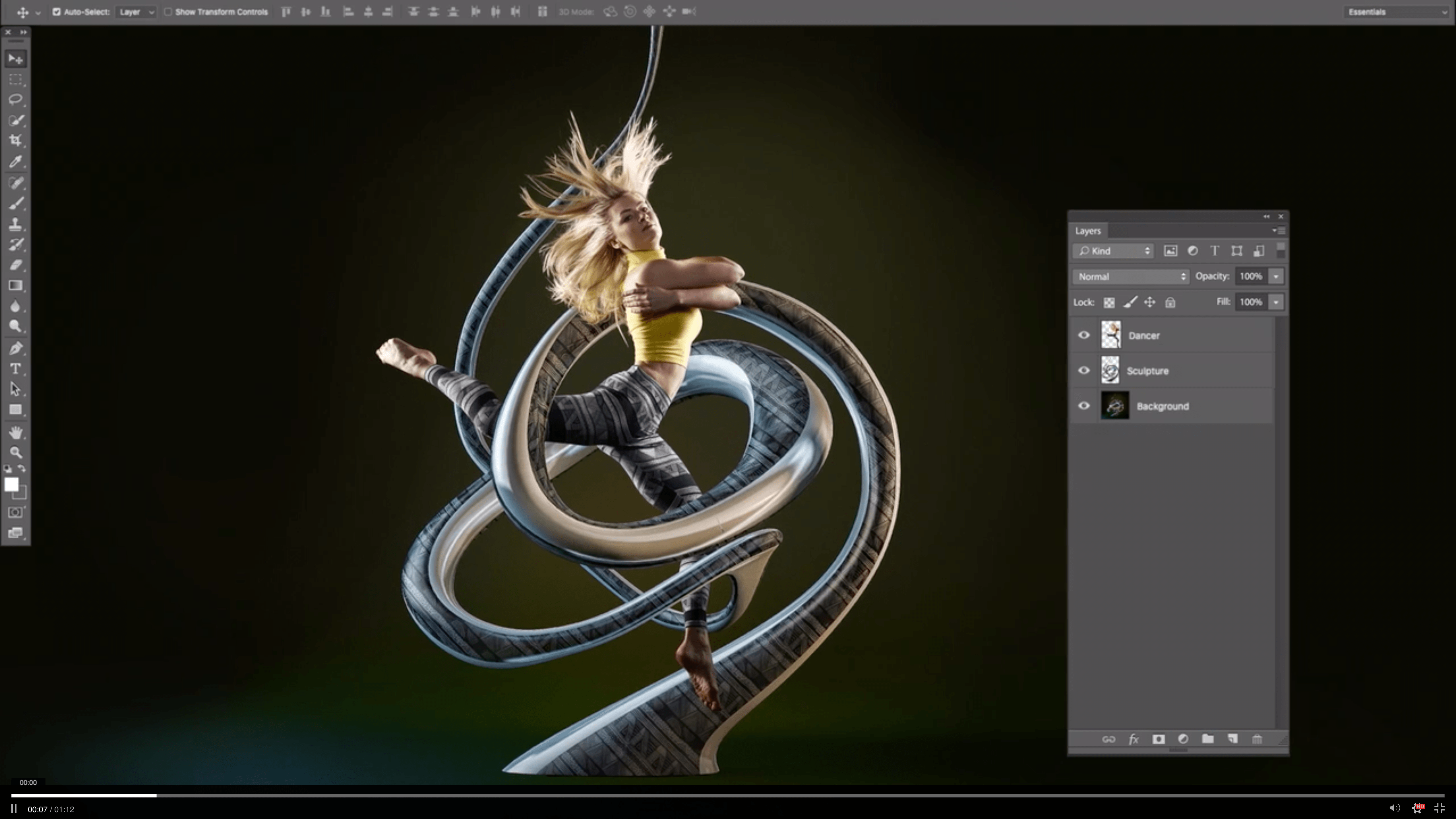
Bloomberg reports that its sources say that Adobe is working on full versions of its desktop Photoshop app and other Creative Cloud apps for the iPad. Although Adobe has not committed to the October unveiling and 2019 ship date also cited by Bloomberg’s sources, its Chief Product Officer, Scott Belsky did acknowledge that the company is working on a new cross-platform version of Photoshop and other apps. Bloomberg’s sources say Illustrator is one of the other apps being developed for the iPad, which they say will be released sometime after Photoshop.
Belsky, noting that newer versions of Apple’s iPad Pro line are now capable of running Photoshop, told Bloomberg:
“My aspiration is to get these on the market as soon as possible,” Belsky said in an interview. “There’s a lot required to take a product as sophisticated and powerful as Photoshop and make that work on a modern device like the iPad. We need to bring our products into this cloud-first collaborative era.”
The addition of Photoshop and other Creative Suite apps to the iPad would be a significant step forward for the tablet’s push into the pro user market. Currently, only Microsoft’s Surface line of tablets is capable of running a fully-functional version of Adobe’s pro apps, making it the default choice for creative professionals who want to use Creative Suite on a tablet.
New Videos Highlight the iPad’s Power and Flexibility in Common Situations

Today Apple launched four new 15-second ads, each of which highlights the iPad’s capabilities in common domains – travel, notes, paperwork, and portability – compared to common tools in those same settings.
Two of the ads showcase the iPad’s usefulness as a paperless solution in the workplace and at school. While other employees and students wrangle with messy desks full of disorganized papers, the iPad users in the ads access all their documents and books from the compact tablet. Another ad takes place on an airplane, where flyers have tray tables that are over-crowded with their meal and laptops – the iPad Pro user, however, simply collapses the Smart Keyboard and uses the iPad in tablet mode to free up more space. Finally, the last ad shows users packing overstuffed bags with items like books, while the iPad user easily throws their sleek device into a backpack.
Apple clearly wants to convey how the iPad can make people’s lives easier and more organized – a fitting message during a season packed with travel and back-to-school plans.
Access Extra Content and Perks
Founded in 2015, Club MacStories has delivered exclusive content every week for nearly a decade.
What started with weekly and monthly email newsletters has blossomed into a family of memberships designed for every MacStories fan.
Club MacStories: Weekly and monthly newsletters via email and the web that are brimming with apps, tips, automation workflows, longform writing, early access to the MacStories Unwind podcast, periodic giveaways, and more;
Club MacStories+: Everything that Club MacStories offers, plus an active Discord community, advanced search and custom RSS features for exploring the Club’s entire back catalog, bonus columns, and dozens of app discounts;
Club Premier: All of the above and AppStories+, an extended version of our flagship podcast that’s delivered early, ad-free, and in high-bitrate audio.
Apple Releasing Schoolwork App for Teacher and Student Assignment Collaboration Today
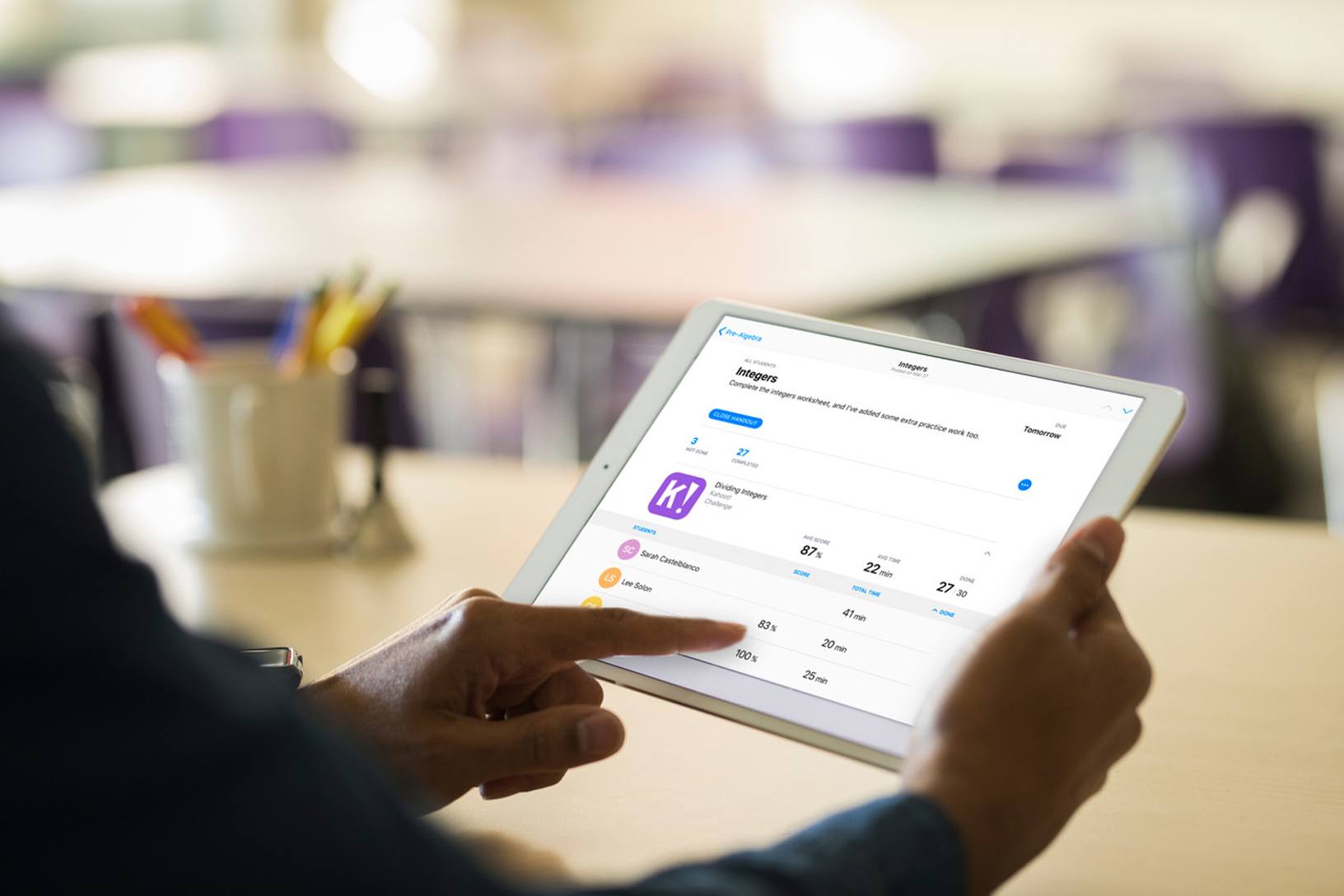
At an education-focused event held in Chicago this past March, Apple previewed an app called Schoolwork for teachers and students, which the company released today.
By integrating features for teachers and students, the app is meant to serve as a central location for coordinating assignments and collaborating. The free iPad app allows teachers to distribute announcements and assignments to students as well as materials like links, PDFs, and other documents. Teachers can also create assignments that take students to specific activities within apps that support Schoolwork. Class performance can be monitored too:
Schoolwork and the apps supporting it give teachers new insight into how their students are performing, helping them tailor their teaching to the needs and potential of each student. Teachers have a snapshot of class performance and can check on an individual student’s progress across activities — progress within apps or projects they’ve created.
Students can use the app to access assignments, track their progress, and access materials from their teachers.
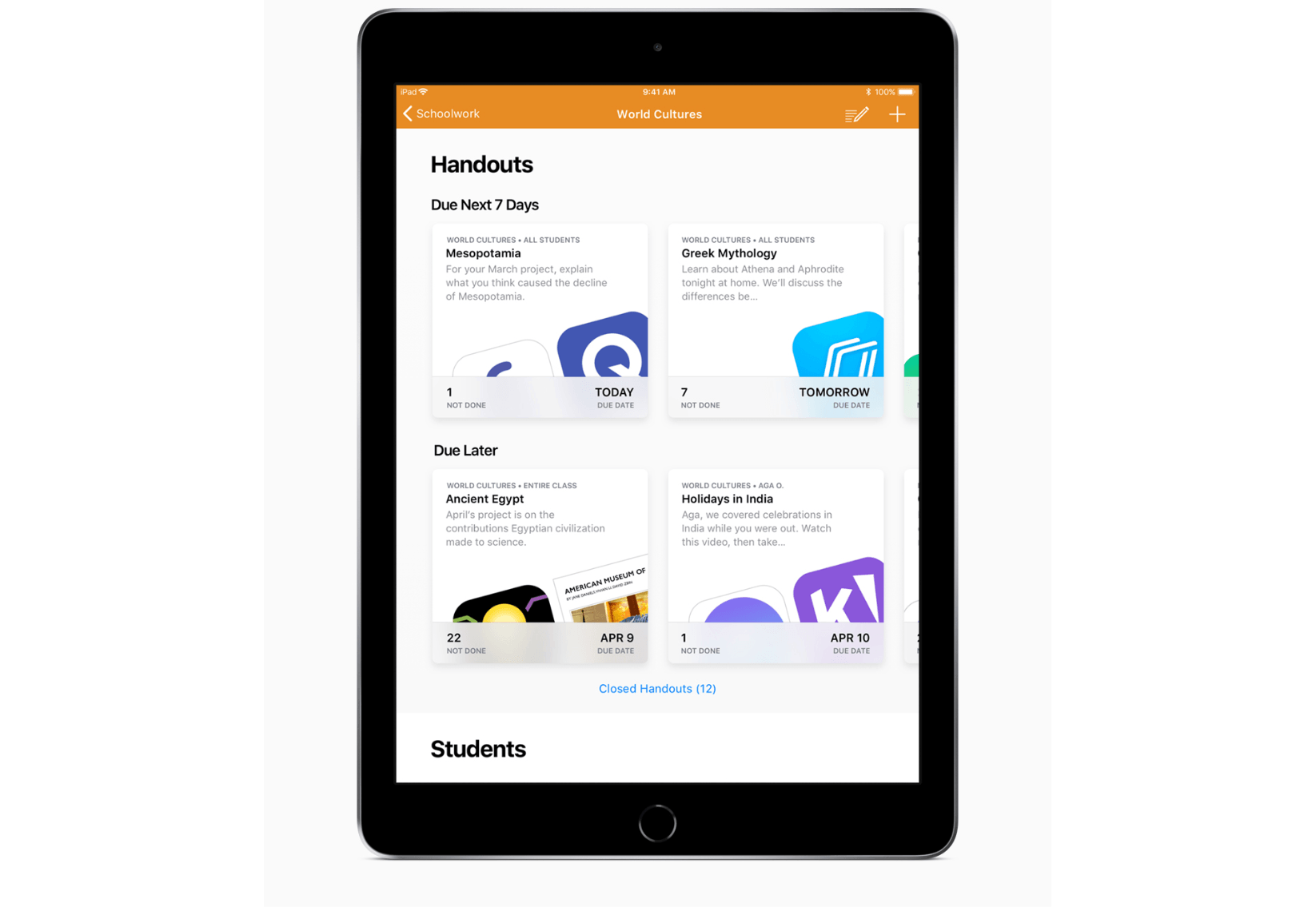
Schoolwork looks like an good way to streamline the process of distributing and tracking assignments between teachers and students. However, some of the most compelling features of Schoolwork require apps to support it. Apple says apps like Explain Everything, Tynker, GeoGebra and Kahoot! already support Schoolwork, and hopefully, others will follow suit.
Schoolwork should be available to teachers on the App Store soon. In the meantime, you can learn more about the app on Apple’s Education page.
Access Extra Content and Perks
Founded in 2015, Club MacStories has delivered exclusive content every week for nearly a decade.
What started with weekly and monthly email newsletters has blossomed into a family of memberships designed for every MacStories fan.
Club MacStories: Weekly and monthly newsletters via email and the web that are brimming with apps, tips, automation workflows, longform writing, early access to the MacStories Unwind podcast, periodic giveaways, and more;
Club MacStories+: Everything that Club MacStories offers, plus an active Discord community, advanced search and custom RSS features for exploring the Club’s entire back catalog, bonus columns, and dozens of app discounts;
Club Premier: All of the above and AppStories+, an extended version of our flagship podcast that’s delivered early, ad-free, and in high-bitrate audio.
Things 3.6 Reimagines External Keyboard Control on iPad
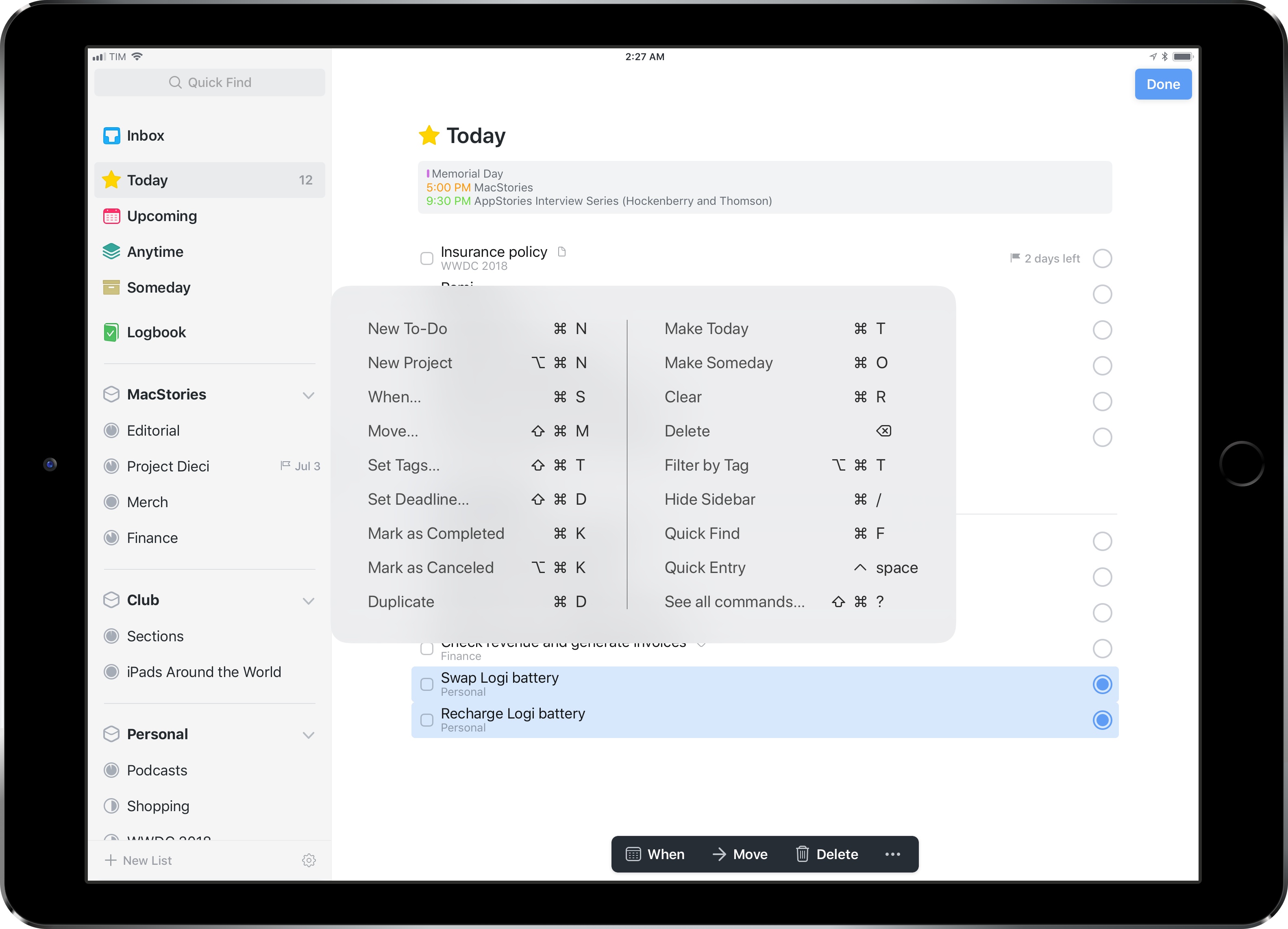
Despite Apple’s message that the iPad Pro can be a viable PC replacement because, among other features, it natively supports a dedicated external keyboard, its software still isn’t fully optimized for keyboard control. This isn’t surprising at all: iOS was designed with multitouch in mind; as long as the iPad shares a common foundation with the iPhone, it’ll always be first and foremost a touch computer. The iPad Pro line, however, is nearing its third anniversary, and its external keyboard integration still feels like an afterthought that’s hard to reconcile with the company’s marketing.
Take multitasking for example: after three years, Split View, one of the iPad’s marquee exclusive features, still can’t be controlled from an external keyboard. If you buy an iPad Pro with a Smart Keyboard and assume that you’re going to be able to assign an app to a side of the Split View, or maybe resize it, or perhaps change the keyboard’s focus from one side to another…well, do not assume. As much as Apple argued against vertical touch screen surfaces in laptops years ago, the iPad Pro ended up in this very situation: if you want to take advantage of all the great features iOS 11 offers to pro users, you will have to take your hands off the Smart Keyboard and touch the screen. There are dozens of similar instances elsewhere in iOS. For the most part, the iPad treats external keyboards as inferior, bolt-on input devices.
It’s with this context that I want to cover Things 3.6, a major update to the task manager’s iPad version that gives us a glimpse into what Apple could do with external keyboard control on iPad if only they understood its potential.
I’ve been able to play around with Things 3.6 on my iPad Pro for the past couple of weeks. This isn’t another “keyboard-centric” update that only adds a handful of shortcuts to trigger specific commands. Instead, the developers at Cultured Code have focused on an all-encompassing keyboard control framework for the whole app, from task lists to popovers and multiple selections. With version 3.6, Things has the best implementation of external keyboard support I’ve ever seen in an iPad app.
Access Extra Content and Perks
Founded in 2015, Club MacStories has delivered exclusive content every week for nearly a decade.
What started with weekly and monthly email newsletters has blossomed into a family of memberships designed for every MacStories fan.
Club MacStories: Weekly and monthly newsletters via email and the web that are brimming with apps, tips, automation workflows, longform writing, early access to the MacStories Unwind podcast, periodic giveaways, and more;
Club MacStories+: Everything that Club MacStories offers, plus an active Discord community, advanced search and custom RSS features for exploring the Club’s entire back catalog, bonus columns, and dozens of app discounts;
Club Premier: All of the above and AppStories+, an extended version of our flagship podcast that’s delivered early, ad-free, and in high-bitrate audio.
iOS 11’s Streamlined, Yet Extensible File Management
I was editing a Markdown text file in Pretext yesterday, when it occurred to me how naturally I was able to create a document and upload it to GitHub without dealing with the limitations and workarounds that used to be commonplace in older versions of iOS. Here’s a brief account of what happened.
Access Extra Content and Perks
Founded in 2015, Club MacStories has delivered exclusive content every week for nearly a decade.
What started with weekly and monthly email newsletters has blossomed into a family of memberships designed for every MacStories fan.
Club MacStories: Weekly and monthly newsletters via email and the web that are brimming with apps, tips, automation workflows, longform writing, early access to the MacStories Unwind podcast, periodic giveaways, and more;
Club MacStories+: Everything that Club MacStories offers, plus an active Discord community, advanced search and custom RSS features for exploring the Club’s entire back catalog, bonus columns, and dozens of app discounts;
Club Premier: All of the above and AppStories+, an extended version of our flagship podcast that’s delivered early, ad-free, and in high-bitrate audio.
Serenity Caldwell’s 2018 iPad Review→
Serenity Caldwell, writing on iMore:
To me, the 2018 base-model 9.7-inch iPad is a special beast: It hits a line drive right through the company’s fabled intersection of technology and liberal arts — and at the right price point. The iPad Pro did it first, but at a cost unattainable for all but the tinkerers and serious artists, and without iOS 11’s crucial multitasking features. At $329, the iPad offers a low-end tablet experience unlike any other on the market. Add an extra $99 for Apple Pencil, and Apple has created the best device for all-purpose education, period.
But it’s easy to make that claim, and a whole other thing to explain why I believe it so whole-heartedly. As a result, I decided to try and prove it: Starting with a blank page in Procreate, I created an entire iPad review video by just using my 2018 iPad, Apple Pencil, and third-party apps. My Mac came into play only once — when I uploaded my video to YouTube.
I know what you’re thinking – the new iPad is “boring” compared to the iPad Pro and you don’t need to watch another video about it. But trust me, you’ll want to watch Serenity’s review because it’s unlike anything you’ve seen for a new iPad. Only Serenity could put this together – including the music, which she composed in GarageBand; everything was drawn, assembled, and edited on a “boring” 2018 iPad. You can watch the video below and read Serenity’s technical notes here.