Posts tagged with "iPad Pro"

Phil Schiller and Anand Shimpi Discuss the iPad Pro’s A12X Chip

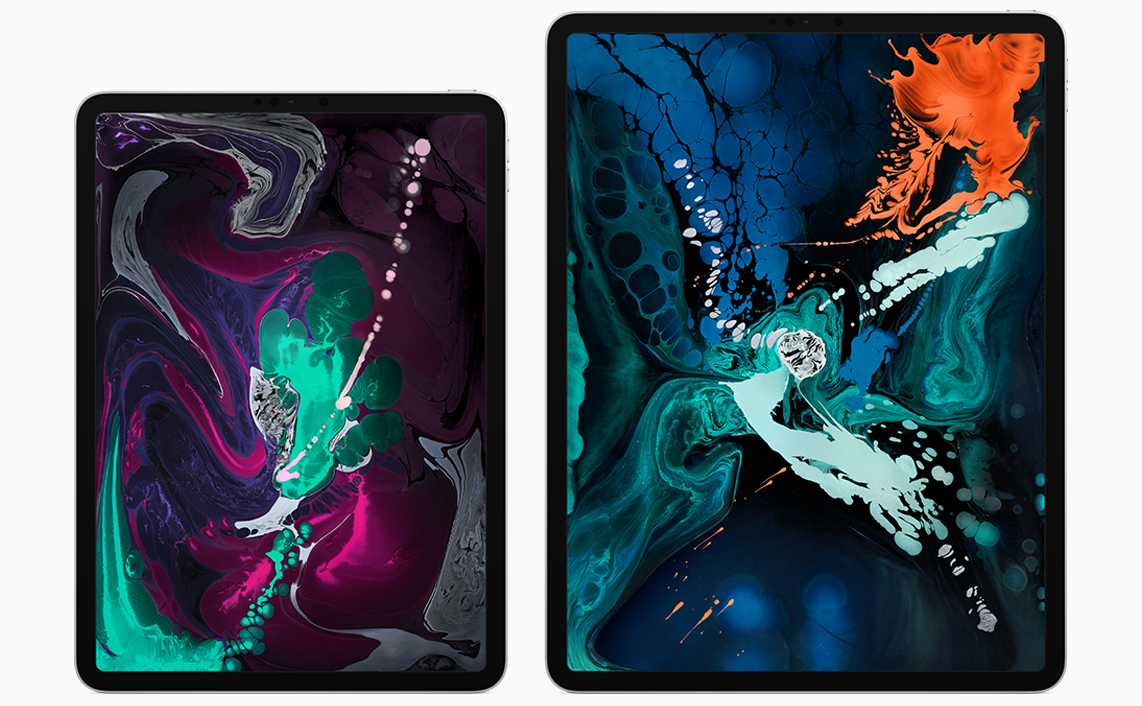
Ars Technica interviewed Phil Schiller, Senior Vice President of Worldwide Marketing, and Anand Shimpi, from Apple’s Hardware Technologies group, about the new iPad Pro’s A12X system on a chip. The article also benchmarks the iPad Pro against other iOS devices, Macs, and competing products. The results of Ars Technica’s tests are impressive. The iPad is not only the fastest iOS device available, but it also compares favorably with Apple’s pro Mac lineup.

In the interview, Samuel Axon of Ars leads off by asking about the iPad’s CPU. Shimpi explains how the chip outperforms the A10X:

“We’ve got our own custom-designed performance controller that lets you use all eight at the same time,” Shimpi told Ars. “And so when you’re running these heavily-threaded workloads, things that you might find in pro workflows and pro applications, that’s where you see the up to 90 percent improvement over A10X.”

Regarding the GPU, Shimpi says:

“It’s our first 7-core implementation of our own custom-designed GPU,” he said. “Each one of these cores is both faster and more efficient than what we had in the A10X and the result is, that’s how you get to the 2x improved graphics performance. It’s unheard of in this form factor, this is really an Xbox One S class GPU. And again, it’s in a completely fanless design.”

Apple is predictably tight-lipped about the Neural Engine, which powers machine learning tasks. In response to why the company keeps pushing its chip technology forward so rapidly despite its lead, Schiller pointed to Apple’s culture:

We don’t care if they’re doing something that isn’t interesting to us. We don’t care if we’re lapping them. Good. We’ll lap them ten times. It doesn’t matter because it’s in service to the user, not the competition.

It’s not surprising that Apple was unwilling to share much detail about how and why it’s pushing so aggressively with its custom silicon solutions. What’s clear, however, is that the company is well aware of the advantage its custom solution provides and is moving forward as fast as ever to improve it even further.
Permalink

iPad Pro Review Roundup: Impressive Hardware Held Back by iOS Limitations

The initial reviews of Apple’s new iPad Pros are out. There is a general consensus that the hardware is impressive, but many reviewers conclude that limitations of iOS are holding the device back. Here are highlights from some of the reviews:

Performance

Laptop Magazine sums up what many reviewers discovered about the iPad Pro’s hardware:

The iPad Pro is the quintessential tablet for power users and creative pros. It’s so fast that I imagine the likes of Qualcomm and Intel are getting nervous. This tablet wiped the floor with premium Windows laptops and 2-in-1s, in both benchmarks and real-world tests. The iPad Pro’s display, sound and battery life are also top-notch, and the improved Apple Pencil is more comfortable and easier to store.

John Gruber, writing for Daring Fireball says:

“No one buys an iPad because of CPU benchmarks”, I wrote last year. I don’t think that’s true any more. I think there are people who will and should buy the new iPad Pro because of its performance. At the hands-on area after last week’s event, Apple was showing Adobe Lightroom editing 50 megapixel RAW images from a Hasselblad camera. The photos were by Austin Mann, who was there, and helpfully demoed the software, showing what a real pro photographer would do in real life with real images. The experience was completely fluid and instantaneous.

Read more


Jony Ive Reflects on the Design of the New iPad Pros, Apple Pencil, and MacBook Air in a New Interview

Jony Ive, Apple’s Chief Design Officer, sat for an interview with David Phelan of The Independent to talk about designing Apple products in general and the new iPad Pros, Apple Pencil, and MacBook Air in particular.

On redesigning successful products Ive said:

Because when a product has been highly regarded there is often a desire from people to see it redesigned. I think one of the most important things is that you change something not to make it different but to make it better.

If you are making changes that are in the service of making something better, then you don’t need to convince people to fall in love with it again. Our sense of habit and familiarity with something is so developed, there is always that initial reaction that is more of a comment on something being different rather than necessarily better or worse. In my experience, if we try very hard to make material improvements, people quickly recognise those and make the sort of connection they had before with the product.

Ive also revealed that the original iPad was designed to be used primarily in a portrait orientation, while the new iPad Pros have no orientation:

So, in the new iPad Pro, one of the things we’ve been wanting to get to for a long time is a sense that the product is not oriented in a primary and then, therefore, in a secondary way.

The first iPad had a very clear orientation which was portrait. It had the ability to be used in landscape, I think very well, but it was pretty clear how the product was designed. And I think with the first iPad you had the sense that it was a product made up of distinct and somewhat separate components.

What I think marks the new iPad Pro as particularly special is it doesn’t have an orientation. It has speakers all the way around the perimeter. By getting rid of the Home Button and developing Face ID, the tablet is able to work in all of these different orientations.

On the Apple Pencil, Ive describes how its design abstracts away the underlying technical complexity to focus the user on the task at hand:

I think the way it just snaps onto the side, well, that’s a nice example of a sort of that magical feeling. It’s unexpected, we don’t quite understand how it’s working and even more incomprehensible is the fact that it’s also charging. You can see how that’s aligned with this idea that you can just pick the product up and use it without thought.

Actually, you’re using it with tremendous thought, but it’s based on what you want to be doing rather than wondering if you’re holding the tablet the right way up.

Phelan’s interview is full of many other wonderful insights and tidbits about the products Apple revealed earlier this week in New York and should be read in its entirety.

Permalink

The New 11” and 12.9” iPad Pros: My First Impressions and Hands-On

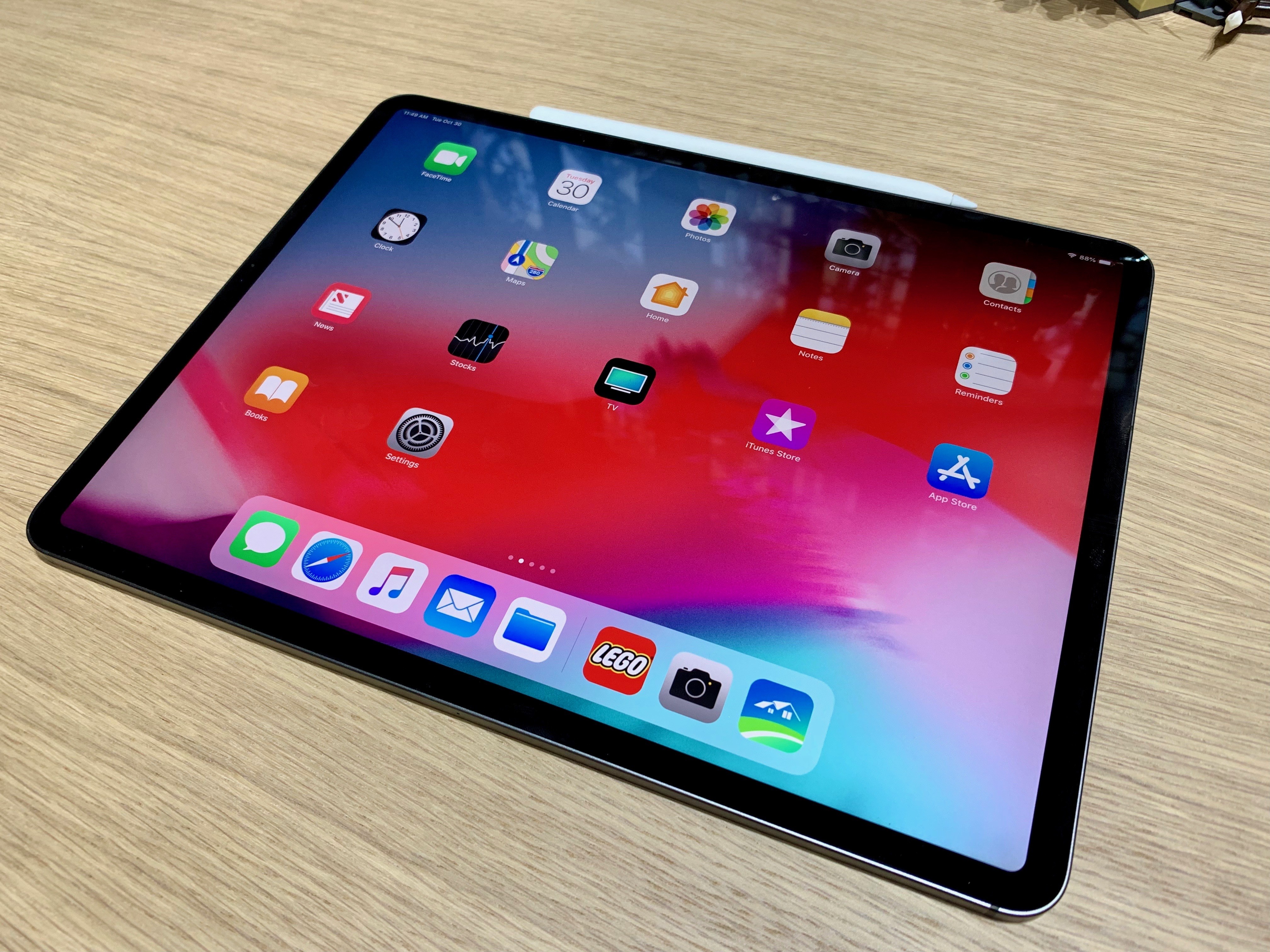
I just came back from the media event Apple held this morning in Brooklyn, during which the company announced major updates for the MacBook Air, Mac mini, and iPad Pro. Personally speaking, the star of the show was – unsurprisingly – the new iPad Pro line, with two new models featuring a stunning edge-to-edge display, an iPhone X-like gesture-driven interface, more powerful CPUs, and a more compact form factor.

We’re sharing more details about specs, new features, and prices in our dedicated overviews (you can find the iPad Pro, Mac mini, and MacBook Air overviews here, here, and here, respectively). In this post, I’m going to be sharing some quick first impressions about the new iPad Pros along with some notes and pictures I took at the hands-on area Apple set up after the event. Obviously, I will be sharing a lot more about the new iPad Pros over the next few days and weeks both on MacStories and AppStories.

Read more


Apple Adds Videos to Developer Portal Featuring the New iPad Pro and Pencil

To help developers take advantage of the latest features of the iPad Pro and Apple Pencil, Apple has posted two new videos to its developer portal. Even if you aren’t a developer though, the videos include interesting insights on some of the unique features of the new iPad Pros.

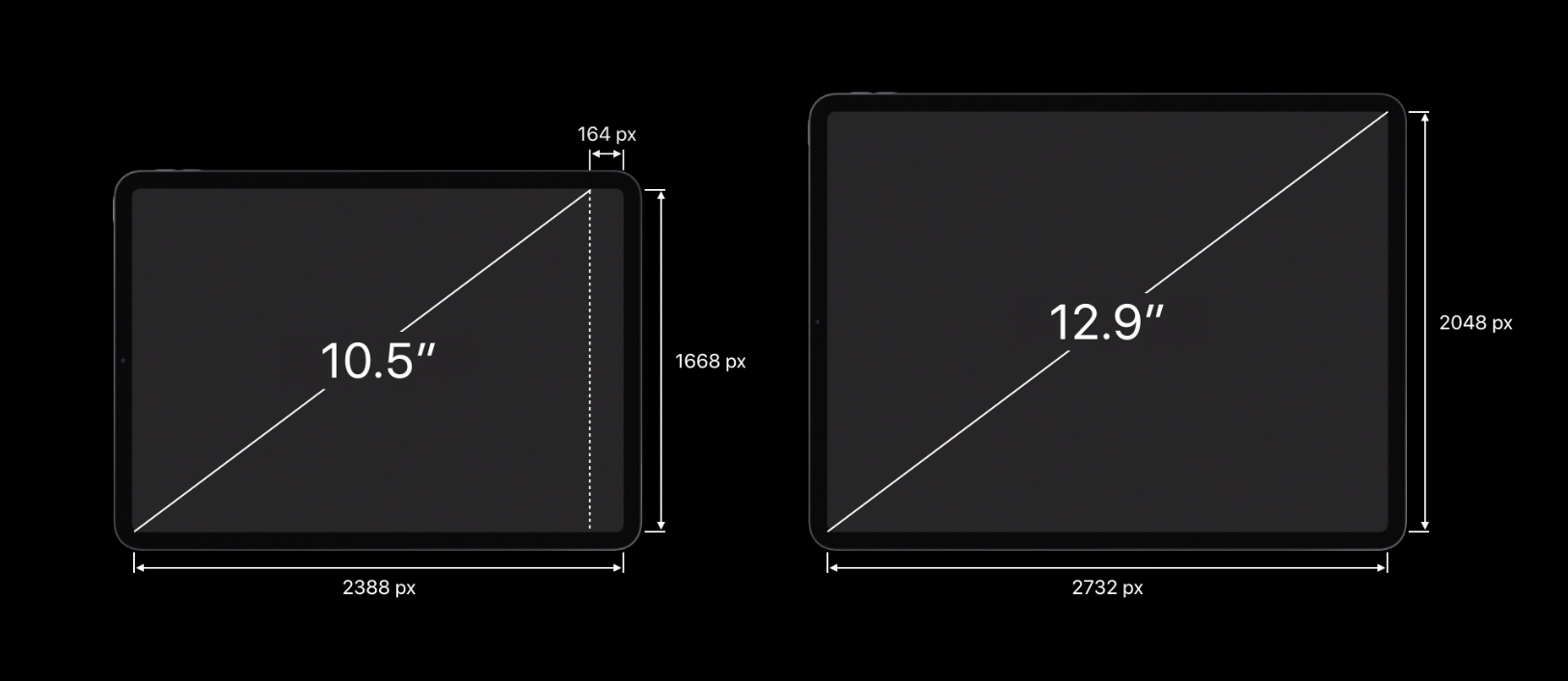
The videos cover development and design issues that should be considered when adapting apps to the new iPad Pros like using safe area insets to avoid crowding content into the rounded corners or under the home indicator. Another consideration to take into account is that unlike the previous iPads, the 11” iPad Pro doesn’t have a 4:3 aspect ratio, which means apps hard-coded to those dimensions will have areas cut off at the top and bottom.

Also, apps that don’t link against the iOS 12.1 SDK will run in a compatibility mode when multi-tasking, which will add an inset at the top and bottom of the screen for both apps instead of running them fullscreen. Apple says that making sure iPad apps can handle the inset compatibility mode will also help with bringing iOS apps to the Mac in 2019.

The Apple Pencil has a set of default double-tap settings that we covered in our iPad overview, but developers have the option to customize the double tap action in their apps. Apple also encourages developers not to hide functionality behind the gesture or turn custom actions on by default.

The videos cover the iPad Pro’s new USB-C connector too. The iPad Pro supports HDR 4K up to 60Hz and external displays up to 5K as well as USB audio devices, Ethernet, and MIDI. The iPad Pro can also send simultaneous USB-C outputs, which permits uses like connecting a DSLR Camera and 5K display to the iPad Pro at the same time.

The new videos are available as part of Apple’s Tech Talk series.


You can also follow all of our Apple event coverage through our October 30, 2018 hub, or subscribe to the dedicated October 30, 2018 RSS feed.

Permalink

The New 12.9- and 11-inch iPad Pros: The MacStories Overview

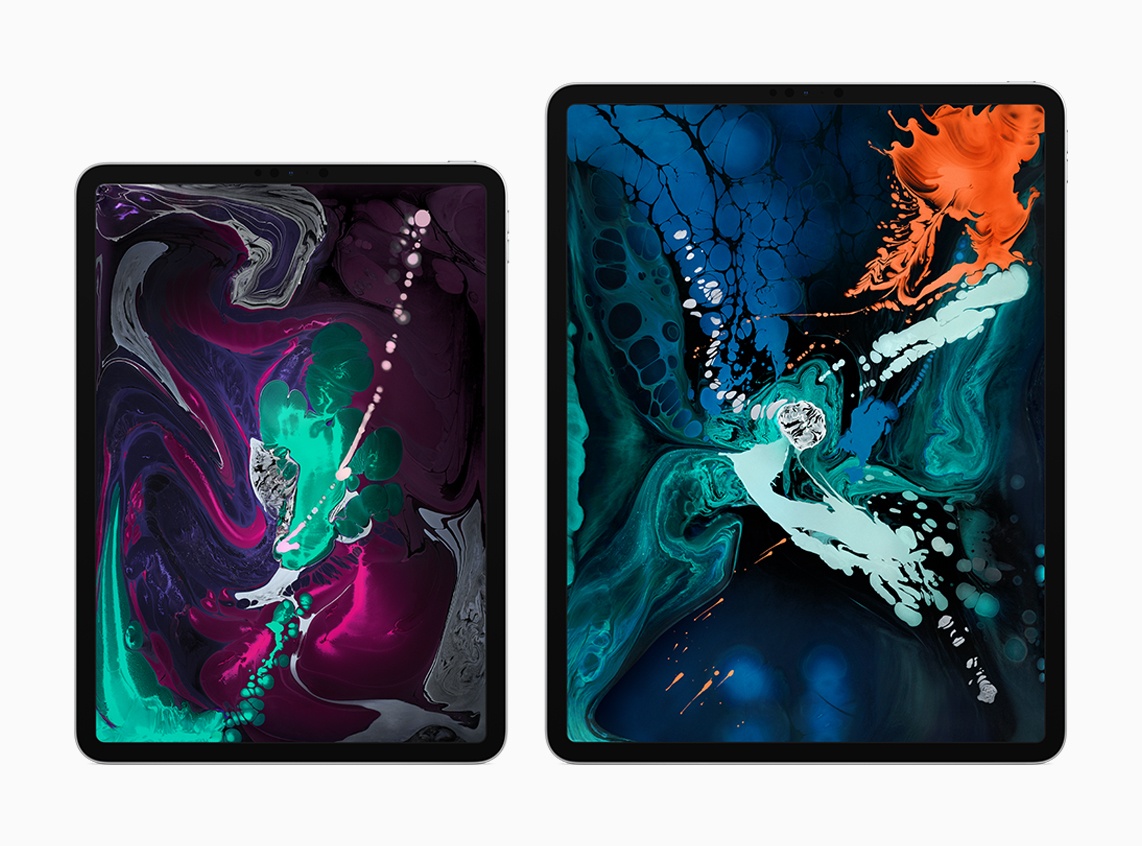
Today during its keynote event in Brooklyn, Apple took the wraps off the most radical change to iPad hardware since the first iPad Pro launched in late 2015. The new 12.9-inch and 11-inch iPad Pro models represent the iPad’s ‘iPhone X moment,’ bringing drastic changes to Apple’s tablet platform aimed at making the iPad an even more valuable tool for creation and productivity. While many of these iPad Pro changes are directly inspired by Apple’s iPhone efforts over the last 12 months, some represent new innovations entirely.

“The new iPad Pro is a huge step forward for powerful, creative, mobile computing; it has an all-new thinner design, speeds through projects with the super-fast A12X Bionic chip and unlocks with a glance using Face ID in any orientation — while you’re sitting or standing, with iPad Pro on your desk or lap, with the new Smart Keyboard Folio and new Apple Pencil,” said Philip Schiller, Apple’s senior vice president of Worldwide Marketing. “There has never been a mobile device anything like the new iPad Pro; it has a gorgeous edge-to-edge Liquid Retina display that curves into the corners, breakthrough performance that outperforms most laptops, Face ID, support for the new Smart Keyboard Folio and new Apple Pencil, advanced new cameras and sensors for the best AR experiences ever in any device, a high-speed USB-C connector, louder speakers, faster wireless and more, all packed into a thinner device that has all-day battery life and is 25 percent smaller in volume.”

Read more


Why Photoshop on iOS Is A Huge Win for the iPad Pro

Jason Snell, writing for Macworld on the announcement of Photoshop coming to iPad next year:

Adobe’s move to iPad instantly makes everyone who knows, loves, or relies on Photoshop a possible candidate for an iPad Pro. And make no mistake, the iPad Pro is already plenty powerful enough to run Photoshop, and with the Apple Pencil it’s got an input method that will satisfy most graphics pros. Even better, Adobe has said that it will be building in cloud syncing for Photoshop files, so that you’ll be able to seamlessly hand off projects directly from one device to another.

A lot of the criticism of the iPad Pro as a flawed tool for doing real work comes down to software. The hardware is capable—but where’s the software? These arguments have been weak for a while now—I think Microsoft Office for iPad is aces, and Apple’s iWork apps are remarkably capable, too—but with every major app that arrives on the platform, the quieter that criticism has to get. Adobe’s also bringing a simplified version of Premiere, called Premiere Rush, to the iPad. I wonder if Apple’s considering just how Final Cut and Logic might work on the iPad?

As I’ve been arguing for a while now, I believe we’re witnessing a shift in how tech companies – both platform owners and development studios – approach desktop and tablet software. Multiple factors – from better-looking displays and more powerful GPUs to cloud-based file management and subscriptions – are converging to make it possible to have a consistent app experience on every device you have without compromise. In this transition, iPad versions of desktop apps will be treated less like “companion” apps to a “real” desktop one and more like the same app, with the same features, optimized for touch and capable of adapting to the kind of computer it is running on (and adaptivity becomes especially important when you start considering external display output, for instance).

Photoshop, as Snell writes, is a first step. If Apple is truly pushing this vision forward, perhaps it’s time they also start treating the iPad as a place for real pro apps, not just companion utilities of macOS apps.

Permalink

Project Gemini Is a New iPad Illustration App Coming from Adobe

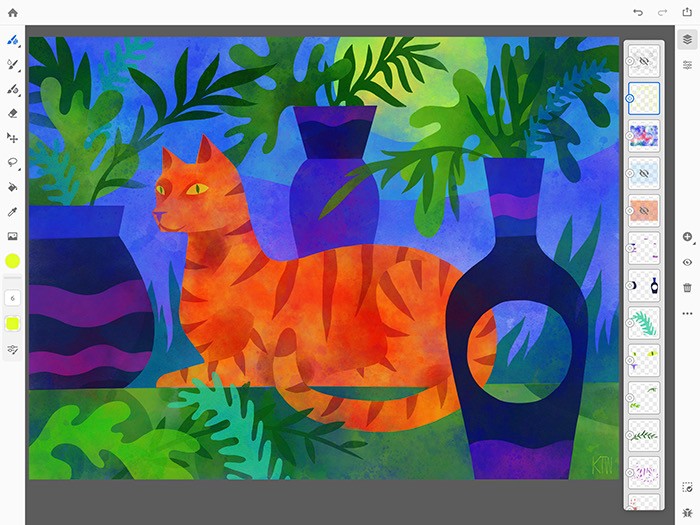
Along with details about the forthcoming Photoshop for iPad, Adobe has announced another brand new iPad app coming soon, dubbed Project Gemini:

Today we announced Project Gemini—a focused new app focused specifically on drawing and painting. Building on Photoshop’s powerful brush engine, this new app combines powerful Photoshop brushes, precise and scalable vector brushes, and an entirely new category of groundbreaking Live oil and watercolor brushes – you’ve never seen anything like them. In addition, layers, selections, and masks enable the most modern non-destructive drawing and editing workflows.

Most importantly, though, we’ve built Project Gemini with the illustration community.

Kyle Webster, of KyleBrush.com, joined Adobe in 2017 to help build Gemini and act as an ambassador and advocate for the illustration community. Along with Kyle, a group of illustrators with diverse styles and backgrounds have been working closely with us to help Gemini achieve its potential.

According to the announcement post, the genesis of this new app was advancements in hardware that enabled Adobe’s team to build more powerful tools than were previously possible. They highlight “selection and masking tools, combined raster and vector drawing capabilities” as some examples.

I’m not in the target market for this app, but I’m excited to see Adobe continue to rethink how modern iPads can enable more powerful, yet accessible app experiences than before.

If you’d like to join the Gemini beta when it begins, Adobe has a short survey available for interested testers.

Permalink

Adobe Unveils Photoshop for iPad, Launching in 2019

Earlier this year Adobe confirmed that it was working on a full-featured version of Photoshop for the iPad, but no real details on the product were given. Today that changed, however, as the app’s official announcement arrived alongside the kickoff of Adobe’s MAX conference.

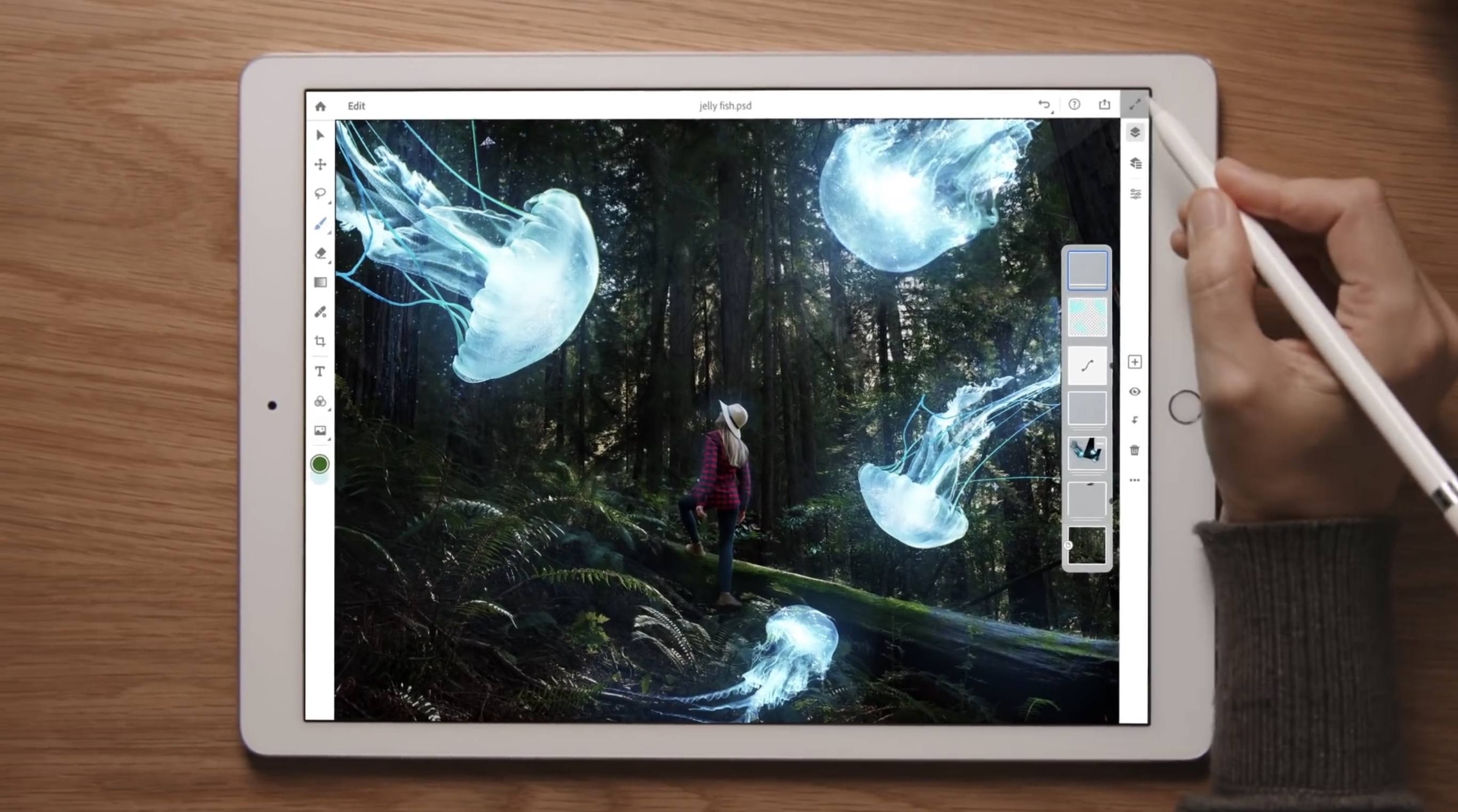
Photoshop for iPad won’t arrive until some time in 2019, but when it does launch it will differ drastically from Adobe’s current lineup of Photoshop-related iOS apps. Rather than focusing on an individual subset of desktop features, like Adobe’s existing Photoshop Fix, Express, and Mix do, the aim with this forthcoming app is to provide the full desktop Photoshop experience on an iPad.

As part of its iPad efforts, Adobe has brought the same underlying codebase of Photoshop for desktop to iOS, and it has also worked to modernize PSD files for the cloud. These new Cloud PSDs will be the default file format on the new iPad app, offering a seamless file experience across multiple devices. Adobe’s chief product officer, Scott Belsky, told The Verge:

“Cloud PSDs, when we ship Photoshop on the iPad, will also run and automatically show up on your desktop…Suddenly, you’ll have this cloud-powered roundtrip experience akin to a Google Docs experience, where literally the source of truth of your Photoshop creation is in the cloud.”

Cloud PSDs will eliminate the need for importing or exporting files, removing a major friction point that currently stands in the way of working with Adobe’s apps on the iPad. With Creative Cloud’s automatic syncing of all files, you should be able to pick up editing on any device at any time without needing to do a thing.

When manual importing or exporting does make sense to your workflow, those options will still be available in Photoshop for iPad. The app will support file providers like iCloud Drive, Dropbox, and more. Based on the preview version of the app, it appears to support Files.app’s document providers, and I’m hopeful that iOS 11’s drag and drop features will be supported as another option for importing and exporting.

The Verge was granted a week of hands-on time with Photoshop for iPad, and has a great video that demonstrates the app in action. It appears very similar to Photoshop on desktop, with some adaptations made for OS differences like iOS’s lack of a menu bar. There are sure to be touch-optimized improvements offered too though, such as a gesture the video highlights where you can tap with two fingers on the screen to undo.

Though Adobe’s goal is full feature parity between desktop and iPad versions of Photoshop, the 1.0 release of Photoshop on iPad will lack certain features that will be added over time with future updates. That full list of missing features is unavailable at this time, but we’re sure to learn more as the launch approaches.

Photoshop for iPad will be available free to all Creative Cloud subscribers, but there’s no word currently on whether a standalone purchase or iPad-only subscription will be possible. It would be a strong vote of confidence in iPad-first users to make the app available for non-CC subscribers, but based on Adobe’s history that appears unlikely.

Today’s announcement highlights what an exciting time it is to be an iPad user. With new iPad Pro models expected to be announced in the coming weeks, and a reported focus on significant iPad features coming in iOS 13, there’s no time like the present for the full power of Photoshop to make its way to Apple’s tablet.