Posts tagged with "browser"

Skyfire Coming To The iPad, Integrates Facebook & Twitter In The Browser

Remember Skyfire? The Flash browser for iPhone? Yes, the one that lets you watch Flash videos on the iPhone by quickly converting them to HTML5. In our review, we wrote that the app, besides Flash converting capabilities, also had a lot of neat features to bring an innovative browsing experience to the iPhone. Even if I’m sure many users bought it and quickly came back to Safari, Skyfire managed to gain quite a few followers. Skyfire is now coming to the iPad.

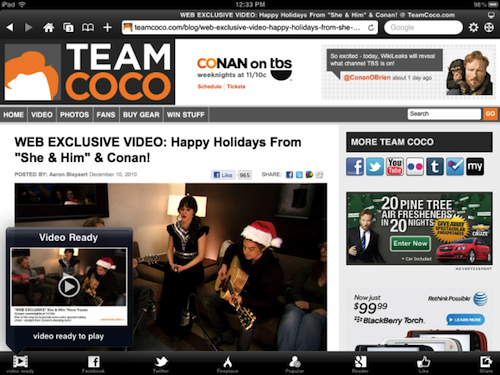
The iPad app, which according to Wired should be released “before Christmas” at $4.99, will come with even more functionalities than its mobile counterpart. Skyfire for iPad, thanks to the tablet’s larger screen, will integrate lots of social features such as the possibility to access your Facebook wall at any time, Twitter, Google Reader and a bunch of other websites all within popovers on screen. Skyfire for iPad will allow yo to quickly access your social profiles and check on links shared by your friends and people you follow, tap on them and open everything inside the browser, in additional tabs. The tab interface looks cool and well-animated, but I wonder why the developers went for an iPhone-like approach instead of mimicking the tabs seen in Mobile Safari for iPad.

Also, I don’t know why would I want to see my Facebook wall at any time in the browser. I can understand the Google Reader integration, but all these other social features sound like a useless overlay to me. Oh, and Skyfire for iPad will also have a universal Facebook Like button that will let you like any page without opening Facebook. This, admittedly, sounds pretty cool.

I’m not sure about all this social stuff in browsers (remember RockMelt?), but I’ll be keeping an eye on this new version of Skyfire. With Apple’s devices dominating encoded web video, clearly there’s not this huge need of a browser capable of converting Flash anymore. Perhaps all we need is a social browser for the tablet. [via MobileCrunch] Read more
Access Extra Content and Perks

Founded in 2015, Club MacStories has delivered exclusive content every week for nearly a decade.

What started with weekly and monthly email newsletters has blossomed into a family of memberships designed for every MacStories fan.

Learn more here and from our Club FAQs.

Club MacStories: Weekly and monthly newsletters via email and the web that are brimming with apps, tips, automation workflows, longform writing, early access to the MacStories Unwind podcast, periodic giveaways, and more;

Club MacStories+: Everything that Club MacStories offers, plus an active Discord community, advanced search and custom RSS features for exploring the Club’s entire back catalog, bonus columns, and dozens of app discounts;

Club Premier: All of the above and AppStories+, an extended version of our flagship podcast that’s delivered early, ad-free, and in high-bitrate audio.

Learn more here and from our Club FAQs.


Webout Enables AirPlay Video Streaming From The Browser

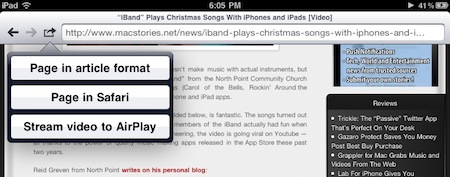
We don’t know what’s the secret behind webout, a universal app for iPhone and iPad, and we don’t know if Apple is going to remove this soon from the App Store – but it works. As you may know, you can’t stream video using AirPlay to the Apple TV with Mobile Safari. Only native Apple apps have the video functionality enabled, and if you try to open Youtube.com in the browser you’ll notice that the AirPlay icon doesn’t show up. Read more

Access Extra Content and Perks

Founded in 2015, Club MacStories has delivered exclusive content every week for nearly a decade.

What started with weekly and monthly email newsletters has blossomed into a family of memberships designed for every MacStories fan.

Learn more here and from our Club FAQs.

Club MacStories: Weekly and monthly newsletters via email and the web that are brimming with apps, tips, automation workflows, longform writing, early access to the MacStories Unwind podcast, periodic giveaways, and more;

Club MacStories+: Everything that Club MacStories offers, plus an active Discord community, advanced search and custom RSS features for exploring the Club’s entire back catalog, bonus columns, and dozens of app discounts;

Club Premier: All of the above and AppStories+, an extended version of our flagship podcast that’s delivered early, ad-free, and in high-bitrate audio.

Learn more here and from our Club FAQs.


aTV Flash Beta 2 for Apple TV Available, Adds 4.1 Support

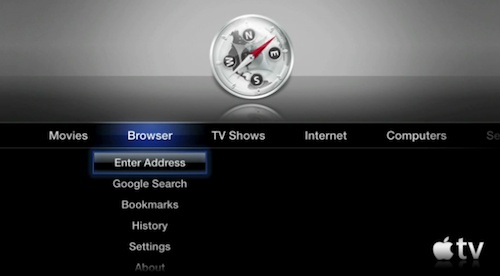
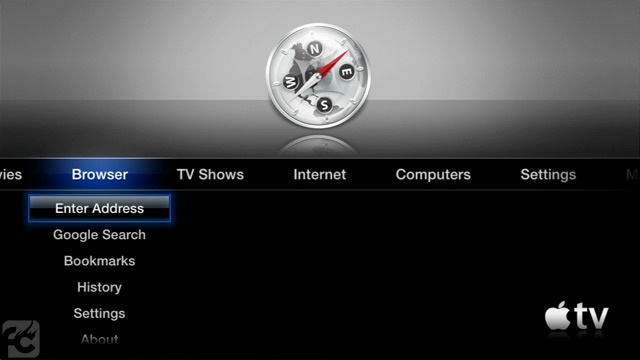
ATV Flash is an excellent application for jailbroken Apple TVs that adds a browser, Last.fm integration and extends the media playback capabilities of Apple’s tiny black device. The latest update to the app, beta 2, which was released yesterday, adds a number of improvements and fixes and introduces support for iOS 4.2.1 – known as 4.1 for Apple TV owners.

The developers say that aTV Flash is perfectly compatible with the latest OS, even if a untethered jailbreak still isn’t available for iOS 4.2.1 / 4.1. If you don’t want to jailbreak your Apple TV with the current tethered redsn0w jailbreak, feel free to wait for the Dev Team to ship a better solution as, anyway, support for the latest software update is built into aTV Flash beta 2.

aTV Flash is available here. Check out the full changelog below. Read more

Access Extra Content and Perks

Founded in 2015, Club MacStories has delivered exclusive content every week for nearly a decade.

What started with weekly and monthly email newsletters has blossomed into a family of memberships designed for every MacStories fan.

Learn more here and from our Club FAQs.

Club MacStories: Weekly and monthly newsletters via email and the web that are brimming with apps, tips, automation workflows, longform writing, early access to the MacStories Unwind podcast, periodic giveaways, and more;

Club MacStories+: Everything that Club MacStories offers, plus an active Discord community, advanced search and custom RSS features for exploring the Club’s entire back catalog, bonus columns, and dozens of app discounts;

Club Premier: All of the above and AppStories+, an extended version of our flagship podcast that’s delivered early, ad-free, and in high-bitrate audio.

Learn more here and from our Club FAQs.


Move Your Browser Tabs Across Mac and iOS Devices

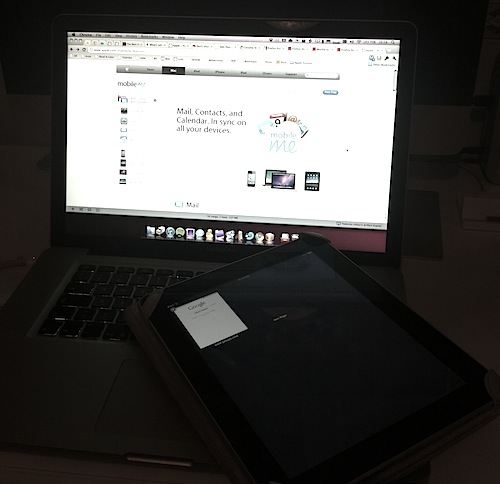
In a perfect world, we wouldn’t have to worry to manually trigger any sync process. Everything would happen in the background, in your local wireless network or over-the-air, and manual sync would be an option to customize contents and options. In today’s world, and especially if we happen to have multiple iOS devices, we’re stuck with cables and fragmented databases.

Several developers are trying to put an end to this by supporting online sync services such as Dropbox in their mobile apps, some devs are even trying to do this on the desktop. Apple, on the other hand, still forces you to sync music, apps and movies with the cable, in iTunes, on your computer. Read more

Access Extra Content and Perks

Founded in 2015, Club MacStories has delivered exclusive content every week for nearly a decade.

What started with weekly and monthly email newsletters has blossomed into a family of memberships designed for every MacStories fan.

Learn more here and from our Club FAQs.

Club MacStories: Weekly and monthly newsletters via email and the web that are brimming with apps, tips, automation workflows, longform writing, early access to the MacStories Unwind podcast, periodic giveaways, and more;

Club MacStories+: Everything that Club MacStories offers, plus an active Discord community, advanced search and custom RSS features for exploring the Club’s entire back catalog, bonus columns, and dozens of app discounts;

Club Premier: All of the above and AppStories+, an extended version of our flagship podcast that’s delivered early, ad-free, and in high-bitrate audio.

Learn more here and from our Club FAQs.


Webcorder: iPhone Browser That Can Record Quicktime Videos

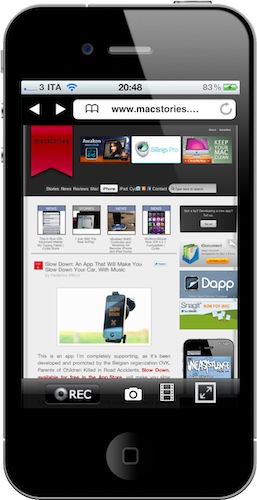
Available at $0.99 in the App Store, Webcorder is a rather simple browser for iPhone that doesn’t come with breakthrough functionalities or a beautiful interface. Instead, it stands out because it allows you to capture a Quicktime video of your web browsing session. Read more

Access Extra Content and Perks

Founded in 2015, Club MacStories has delivered exclusive content every week for nearly a decade.

What started with weekly and monthly email newsletters has blossomed into a family of memberships designed for every MacStories fan.

Learn more here and from our Club FAQs.

Club MacStories: Weekly and monthly newsletters via email and the web that are brimming with apps, tips, automation workflows, longform writing, early access to the MacStories Unwind podcast, periodic giveaways, and more;

Club MacStories+: Everything that Club MacStories offers, plus an active Discord community, advanced search and custom RSS features for exploring the Club’s entire back catalog, bonus columns, and dozens of app discounts;

Club Premier: All of the above and AppStories+, an extended version of our flagship podcast that’s delivered early, ad-free, and in high-bitrate audio.

Learn more here and from our Club FAQs.


Pure Reader: Amazing Google Reader Mod

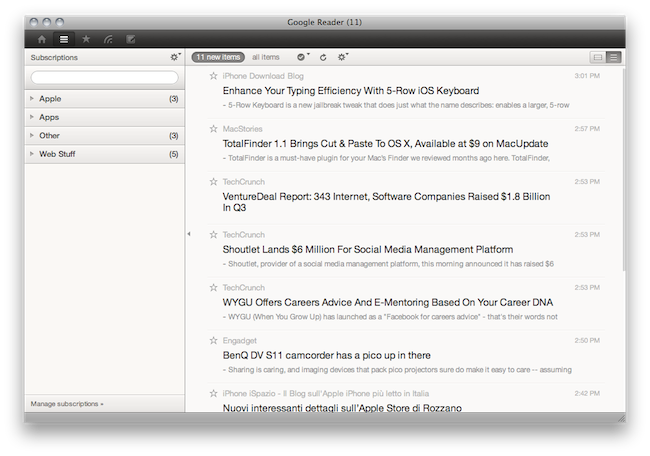
A lot of people started using RSS once again when Reeder for Mac (public beta) came out last week. It is a beautiful app that brings the power of Google Reader to the desktop with a lot of additional functionalities such as support for sharing on multiple social networks and background loading of webpages. But many users are still tied to Google Reader in the browser, that pinned tab that they just can’t close.

If so, take a look at Pure Reader, a browser extension by designer Na Wong. Read more

Access Extra Content and Perks

Founded in 2015, Club MacStories has delivered exclusive content every week for nearly a decade.

What started with weekly and monthly email newsletters has blossomed into a family of memberships designed for every MacStories fan.

Learn more here and from our Club FAQs.

Club MacStories: Weekly and monthly newsletters via email and the web that are brimming with apps, tips, automation workflows, longform writing, early access to the MacStories Unwind podcast, periodic giveaways, and more;

Club MacStories+: Everything that Club MacStories offers, plus an active Discord community, advanced search and custom RSS features for exploring the Club’s entire back catalog, bonus columns, and dozens of app discounts;

Club Premier: All of the above and AppStories+, an extended version of our flagship podcast that’s delivered early, ad-free, and in high-bitrate audio.

Learn more here and from our Club FAQs.


aTV Flash Available: Supercharge Your Apple TV Now

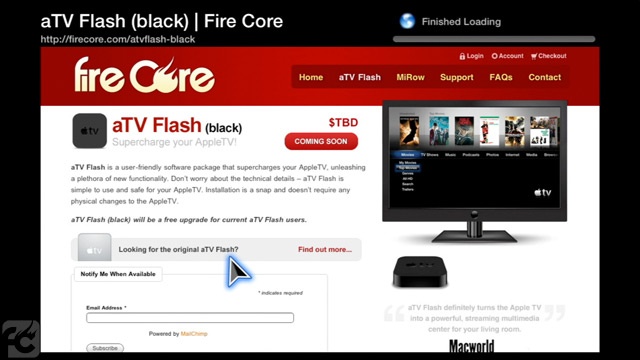
aTV Flash, the first alternative browser and multimedia center for the new Apple TV, is out and available for purchase. We have covered aTV Flash in the past week, and we saw the app it’s capable of bringing several new features to the 2nd gen Apple TV, such as HTML5 playback via a custom browser or weather information.

The first public version of the app is available for $19.95 during the beta (or pre-order) phase here. Read more

Access Extra Content and Perks

Founded in 2015, Club MacStories has delivered exclusive content every week for nearly a decade.

What started with weekly and monthly email newsletters has blossomed into a family of memberships designed for every MacStories fan.

Learn more here and from our Club FAQs.

Club MacStories: Weekly and monthly newsletters via email and the web that are brimming with apps, tips, automation workflows, longform writing, early access to the MacStories Unwind podcast, periodic giveaways, and more;

Club MacStories+: Everything that Club MacStories offers, plus an active Discord community, advanced search and custom RSS features for exploring the Club’s entire back catalog, bonus columns, and dozens of app discounts;

Club Premier: All of the above and AppStories+, an extended version of our flagship podcast that’s delivered early, ad-free, and in high-bitrate audio.

Learn more here and from our Club FAQs.


Hacked Apple TV Plays HTML5 Video via Web Browser

Of all the cool mods and hacks for Apple TV 2nd gen and AirPlay we’ve been covering in the past weeks, this one’s for Cupertino’s little black box has to be the most promising one.

Two weeks ago a video of aTV Flash, developed by Fire Core, made the rounds as it appeared like full-featured web browsing with Last.fm integration was coming to jailbroken Apple TVs. Development on the suite has been proceeding steadily, and a few days ago a new video of the tweak in action surfaced showing support for HTML5 video inside Fire Core’s browser – all played smoothly by the Apple TV.

As wrote by the developers, some parts of the app like Last.fm integration and the installer are ready for beta, but the release of iOS 4.1 for Apple TV and support for additional video codecs are turning out to be more difficult tasks to accomplish. In the meantime, check out the demo video below, and get ready for aTV Flash to make your Apple TV a lot more useful in the upcoming weeks. [via 9to5Mac] Read more

Access Extra Content and Perks

Founded in 2015, Club MacStories has delivered exclusive content every week for nearly a decade.

What started with weekly and monthly email newsletters has blossomed into a family of memberships designed for every MacStories fan.

Learn more here and from our Club FAQs.

Club MacStories: Weekly and monthly newsletters via email and the web that are brimming with apps, tips, automation workflows, longform writing, early access to the MacStories Unwind podcast, periodic giveaways, and more;

Club MacStories+: Everything that Club MacStories offers, plus an active Discord community, advanced search and custom RSS features for exploring the Club’s entire back catalog, bonus columns, and dozens of app discounts;

Club Premier: All of the above and AppStories+, an extended version of our flagship podcast that’s delivered early, ad-free, and in high-bitrate audio.

Learn more here and from our Club FAQs.


GridTab for Safari Enables iPad-like Tabs On The iPhone | Cydia Store

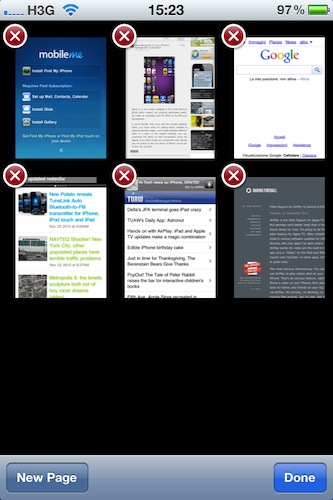
Is there’s one thing I can’t stand on Safari for iPhone is the way it displays “tabs”: by default, when you hit the tabs button in the toolbar you’re brought to a page with a “gallery” of all your open pages, and you have to swipe between them to navigate to the site you want to switch to. On the iPad, Safari is much better: it doesn’t display real desktop tabs (although there’s an iCab for that), but at least it presents them as beautiful thumbnails on a dark grid. It’s easier to switch between websites on the iPad because you just have to tap.

GridTab, a new tweak available on the Cydia Store at $0.99, enables iPad-like tab navigation on the iPhone. Once installed, you’ll be able to switch between open pages just like on the iPad by tapping on thumbnails. Very cool.

GridTab is available at $0.99, and I highly recommend it.

Access Extra Content and Perks

Founded in 2015, Club MacStories has delivered exclusive content every week for nearly a decade.

What started with weekly and monthly email newsletters has blossomed into a family of memberships designed for every MacStories fan.

Learn more here and from our Club FAQs.

Club MacStories: Weekly and monthly newsletters via email and the web that are brimming with apps, tips, automation workflows, longform writing, early access to the MacStories Unwind podcast, periodic giveaways, and more;

Club MacStories+: Everything that Club MacStories offers, plus an active Discord community, advanced search and custom RSS features for exploring the Club’s entire back catalog, bonus columns, and dozens of app discounts;

Club Premier: All of the above and AppStories+, an extended version of our flagship podcast that’s delivered early, ad-free, and in high-bitrate audio.

Learn more here and from our Club FAQs.