This Week's Sponsor:

Hello Weather

Half Off for WWDC Week, Just in Time for Summer.


Posts tagged with "browser"

Gmail Notifications Come To The Desktop with Chrome

A few minutes ago Google rolled out a new feature for Gmail and Chrome users: native Gmail notifications. These notifications are only available to Google Chrome users for now, and they’re very similar to Growl in the way they appear on your computer on top of any window you’re currently on. Unlike Growl, though, it all runs natively within Chrome and Gmail.

These notifications, however, seem to be in need of some serious tweaking. Testing them briefly, I’ve noticed that they stick on the desktop, there’s no timeout option (Growl offers this functionality in its preferences) and they’re definitely slower then Growl associated to, say, Mailplane. Also, they don’t work in Safari and Firefox – just Chrome. They work both with new email messages, new “important” messages (in Priority Inbox) and IMs.

To activate Gmail notifications, head over your inbox, then Settings and enable as you can see in the screenshot below.


Google Improves Weather Results on Mobile Safari

There is no shortage of weather apps on the iPhone, from the most professional ones to beautiful user-friendly software like Outside, but Google thinks you should just head over google.com and check out their new, mobile-optimized weather forecast view. The feature, which should work both on iOS and Android phones, will be activated once you open google.com on your browser and search for “weather”. The browser will ask you to give location permissions to Google, and you’ll be presented this neat search result page with fancy graphics for your location’s weather on top of everything. Fortunately, you can also enter a location manually inside a dropdown menu (Google got my location wrong, and I don’t know why).

The information displayed on screen are pretty useful and well designed. Google even bothered to add a slider that flicks through hourly updates and changes the background gradient from darker (night) to lighter blue (day). You can visualize temperature in Celsius or Fahrenheit degrees, check on humidity and wind strength.

Well done, Google. We look forward to better Twitter integration in your search results now.


Skyfire Makes Another Million With iPad App

Remember Skyfire? The alternative browser for the iPhone that comes with a lot of extra functionalities, including the possibility to play Flash videos through remote proxy servers that transcode Flash content to iOS-optimized video. The iPhone app was insanely successful as it managed to pull in a million dollars in just three days in the App Store. The app has also been sitting on top of the iPhone charts for weeks now.

In case you didn’t notice, right ahead of Christmas the Skyfire team released an iPad version of the app, priced at $4.99. It was good timing and a clever move as the App Store was about to shut down for developers and apps that climbed the charts in those days gained thousands of downloads. Skyfire for iPad is no exception: three weeks into the App Store, another $1 million in the developers’ hands – although 30% will go to Apple. That’s around $700,000 in revenue so far, as MobileCrunch reports.

Skyfire for iPad is available here. It’s a cool browser, but I’m still not sure what’s the real need of Flash compatibility for videos on iOS devices. Apparently though, people bought it. And that should be enough for the developers. Read more


iTunes To Become Part Of Safari? We Don’t Believe It

According to website Three Guys and a Podcast, Apple has been working on a major redesign of its iTunes software that will see the music manager / app organizer / media hub become part of Safari. The new system is rumored to be announced at Apple’s music event that should take place (as every year) in September and will be the evolution of Apple’s original plans during the lala acquisition.

Apple may be preparing a massive move that will propel Safari from niche browser to market leader. The move to merge Safari and iTunes into one software solution appears long in the works, which may arrive this fall at Apple’s usual iPod special event.

It is believed that Safari will be the only browser able to access iTunes, as iTunes is built into the browser itself. “Moving iTunes organizational side-bar into Safari isn’t a monumental task” claimed a source, adding “Safari would skyrocket in use as a result of integrating the software titles together.

Read more


Browser+ for iPad Aims To Reinvent Safari

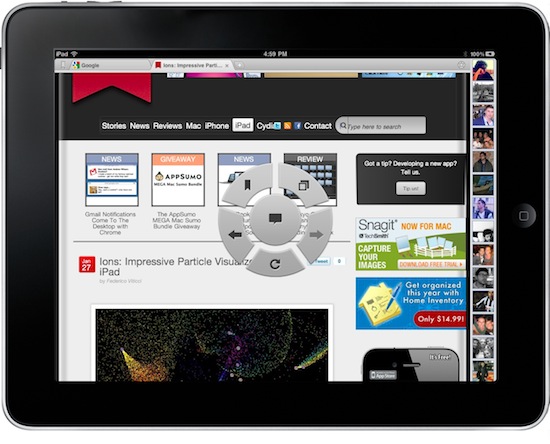
I have been trying a lot of alternative browsers for the iPad over the past months. Since my good friend @kenyarmosh suggested me to give a spin to iCab Mobile (for iPhone and iPad), my interest for well-crafted, feature rich and innovative third-party browsers reached a new level. And while I’m still digging into all the features offered by iCab (which is, without a doubt, the most powerful alternative to Apple’s default browser), I have also been testing other simpler, minimal browsers that aim at offering a different take on browsing the Internet on the tablet.

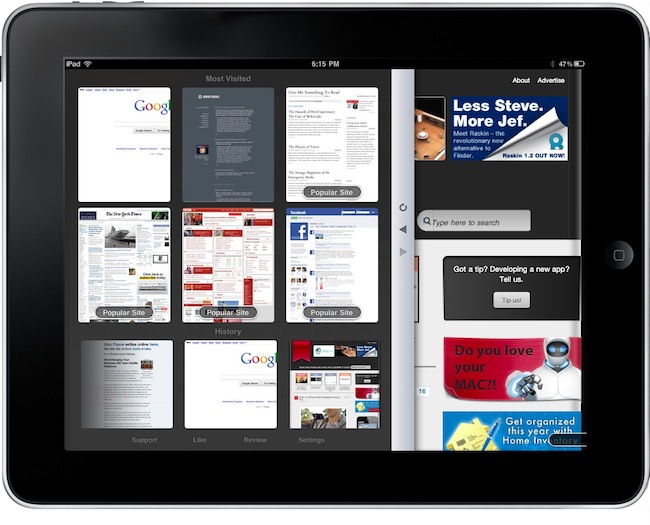
Browser+ HD for iPad, in spite of its not-so-appealing name, is the freshest and simplest browser I have found in the App Store so far. What Browser+ does is simple: it takes standard elements of web browsing such as tabs, address bar and history and completely re-imagines them as if they were built from scratch for the iPad. Pretty much like Flipboard did for web content that has to be consumed on a tablet’s screen. Browser+, sold at $0.99 in the App Store, doesn’t come with all the functionalities found in Apple’s Safari or iCab Mobile, but what’s there has been recreated to fit better on the iPad. Read more


Handoff Pushes Web Pages From Your Computer to Any iOS Device

One of the features many users wish Apple implemented by default on OS X is the possibility to easily and quickly send any kind of content to iOS over the air. Through the Internet, in seconds, from a computer to the iPhone or iPad. We’re not talking “sync” here: I’m talking about web links, images, maps, phone numbers, Youtube videos “pushed” instantly to an iOS device. The other way around, from iOS to the Mac, would be welcome as well: instead of relying on third-party apps, one could save content and information to consume later on a Mac. Like a video you don’t want to watch while you’re out because, honestly, Instapaper wasn’t meant for video.

Luckily for us, a number of apps that enable OS X to iOS communication over the air have surfaced in the past years, and today we’re taking a look at a new one. The app / service is called Handoff, and it’s probably the simplest I’ve stumbled upon so far. It allows you send web links from your browser to the iPhone or iPad (the iOS app is universal) through a bookmarklet or extension. Read more


Twitter for Mac Bookmarklet

Twitter for Mac Bookmarklet

This one’s a useful bookmarklet you can use in your default browser to send the current webpage title and link to Twitter for Mac. Works great – too bad Twitter for Mac doesn’t offer a way to wrap links in your own shortener instead of the not-so-popular t.co.

Install here.

Permalink

iPod touch and Arduino Create Remote Etch a Sketch

Engineer Saeki Yoshiyasu created a system that allows him to connect to a server with his iPod touch and draw a design on the web browser using nothing but a Graphics LCD, an Arduino, and a WebSocket server (that he wrote using Python / Tornado). The result: his movements on the iPod touch’s screen are recreated on the LCD. If you want to see his code, or try it yourself, visit his site link below. It’s very nerdy but at the same time very simple and cool!

Video after the break.

Read more


Sleipnir: Free, Innovative Browser for iPhone

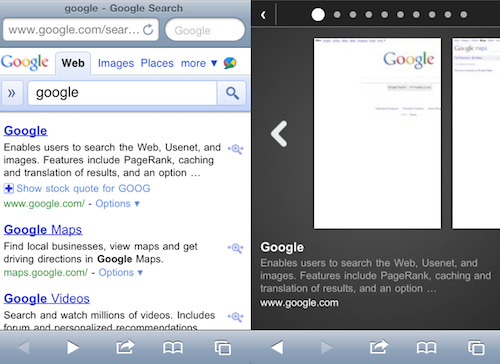
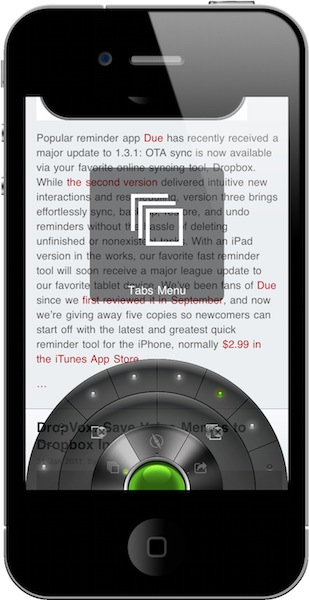
From the same developers of Inkiness for iPad comes Sleipnir, a new app for the iPhone that’s without a doubt one of the most innovative, stable and fast alternative browsers released in the recent months. My problem with alternatives to Mobile Safari is that they don’t provide anything better than Apple’s implementation, aside from a different visualization of tabs. Many apps sold through the App Store simply gained popularity because they brought “desktop-class tabs” to the iPhone or iPad, with the trade-off of adding ugly UIs and navigation controls to an already-powerful WebKit engine. I’m all for alternatives and different solutions to built-in software (especially when the third-party version is available for free, like Sleipnir), but I’m looking for something that really takes advantage of iOS. Not just a port of desktop functionalities.

Sleipnir offers just that. From the first first launch, you’ll immediately notice it’s an app developed with the iPhone (and iPhone users) in mind. It doesn’t come with “desktop tabs” yet it allows you to organize open pages in an innovative and useful “tabbed view” I haven’t seen in any other app. Sleipnir might just be the most innovative iPhone browser to date, powered by a nice interface design and a seriously great engine. Read more