This Week's Sponsor:

Finalist

A paper-inspired daily planner with notes for iPhone, iPad, Mac, and now Apple Watch. A day you design your way.


Posts tagged with "beta"

TestFlight: One Step Forward, Two Steps Back

I test a lot of apps, so I have strong opinions about TestFlight. However I usually keep those opinions to myself because despite the fact that it’s critical to my work, TestFlight wasn’t built for app reviewers. Most people haven’t accumulated hundreds of active and inactive betas in the app like I have, and for them, TestFlight is probably fine. However, for me, TestFlight is a constant source of frustration.

So, you can imagine my excitement when I read a post by Zac Hall at 9to5Mac that a search field had been added to TestFlight. “Finally,” I thought to myself. I stopped what I was doing and updated the app immediately. After all, search was my number one request for TestFlight back in 2024.

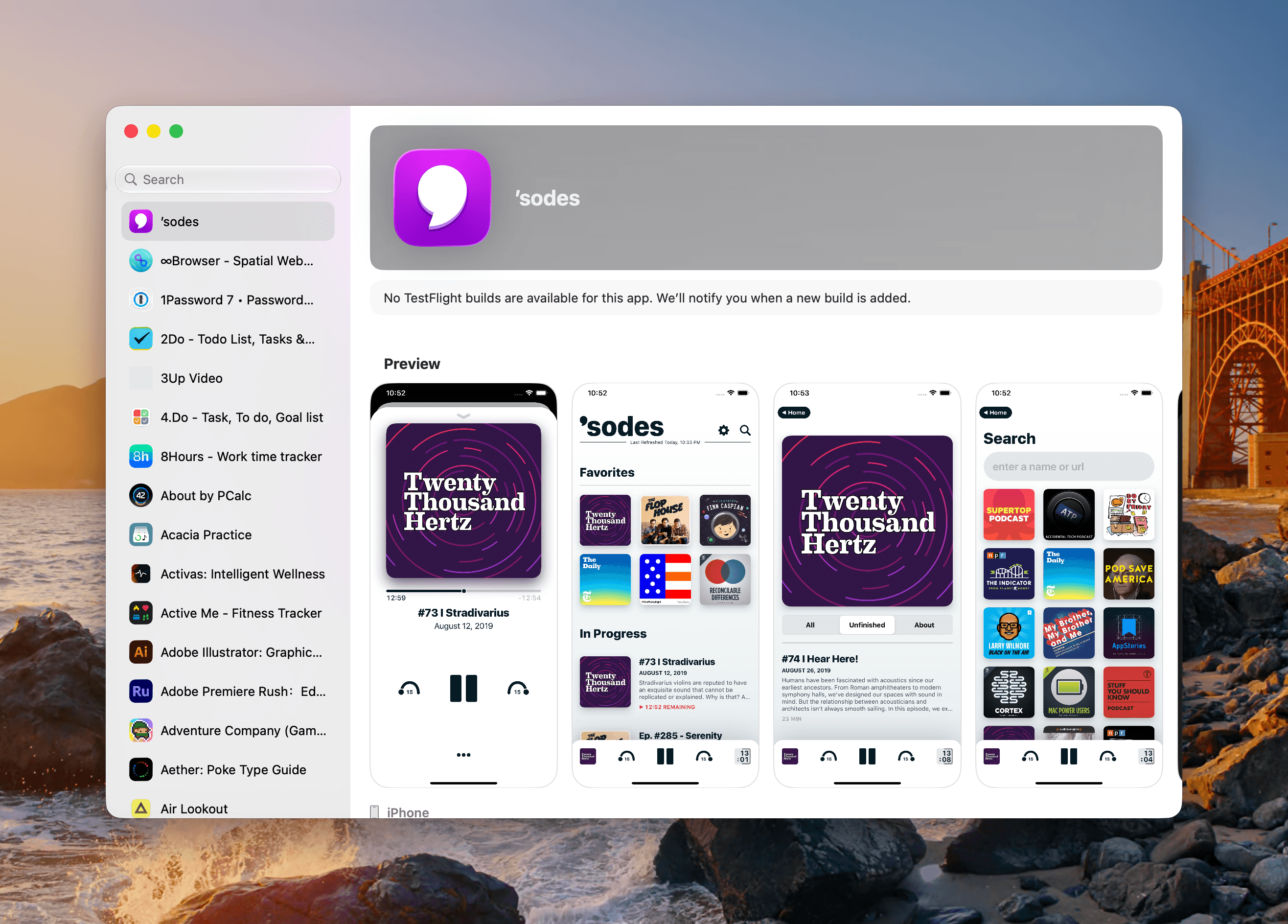
An apostrophe gets you the top spot in Apple's new alphabetical TestFlight list.

An apostrophe gets you the top spot in Apple’s new alphabetical TestFlight list.

That 2024 wishlist was published in the wake of a bad stretch the app had beginning in 2023. At the time, TestFlight was plagued by laggy performance if you were on a lot of betas. To Apple’s credit, they fixed the performance issues, though the issues have begun to creep back into recent releases. Still, the past couple of years as a TestFlight user have been fine despite all the ways the app could be made better for users.

When the TestFlight update finished installing, I eagerly opened it on my Mac and then my iPhone. Sure enough, there was the search field at long last. Lists practically beg for a search field, and finally someone at Apple added one, and to whoever built that feature, a huge thanks from me and the MacStories team.

Unfortunately, this story comes with one very big “but.” Previously, TestFlight betas were listed in reverse chronological order, which I liked. The newer beta releases were at the top of the list and the older ones that were on the verge of being replaced by an App Store release were at the bottom, along with expired betas, a list that I never really understood the purpose of.

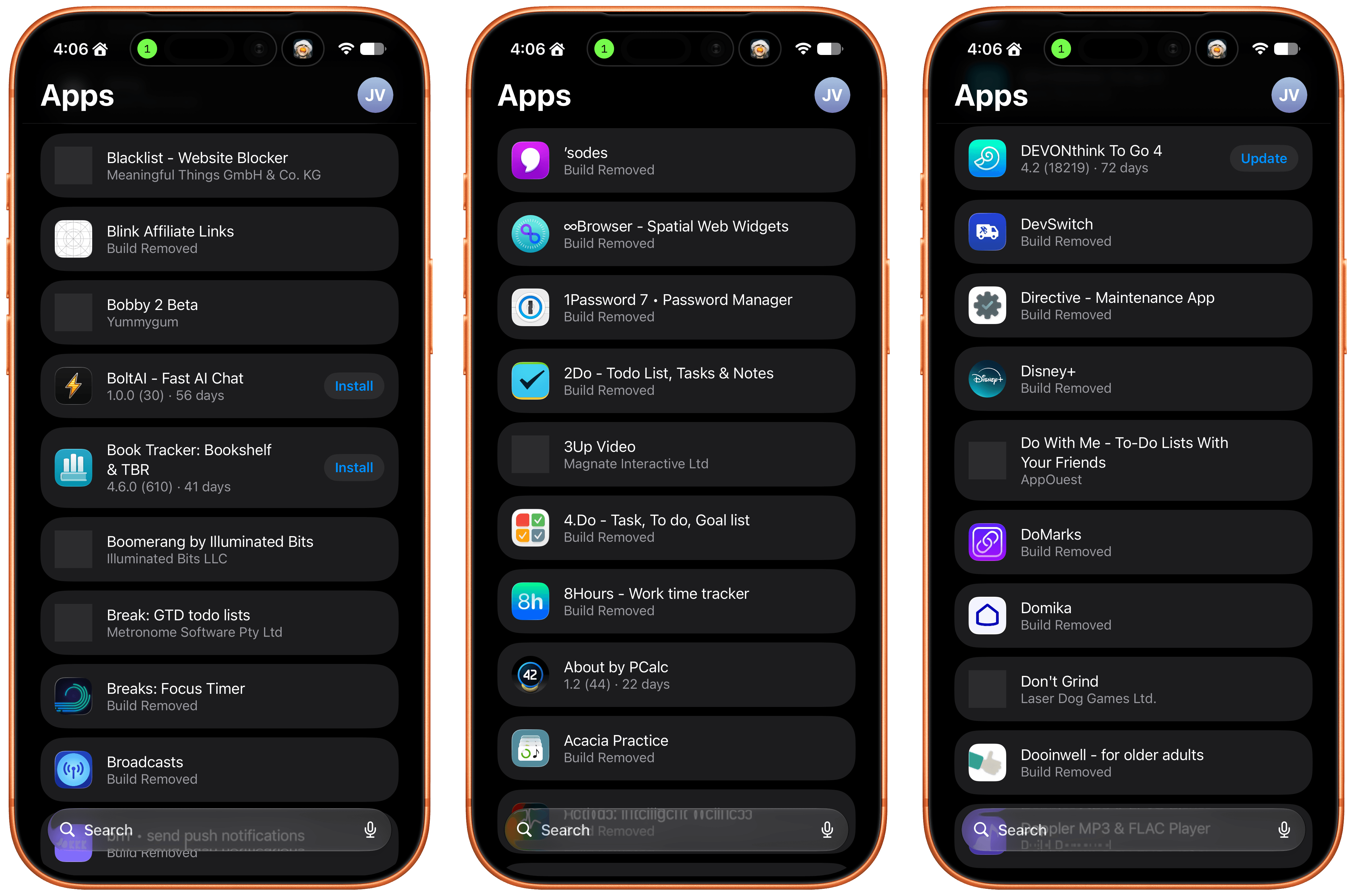
Well, those expired betas are now scattered among the active TestFlight betas in an alphabetical list and it seems that the expired beta list has been expanded to include every single beta I’ve ever been a part of. I did a rough count and for me that’s nearly 800 app listings. As you can imagine, the active betas in that list are few and far between. Search helps, but scrolling is no longer an option.

The live betas are few and far between when mixed with betas gone by.

The live betas are few and far between when mixed with betas gone by.

I get that this is a very “me and a few of my friends” problem, and search does help, but it’s not enough. The active to inactive beta ratio is so bad that few iPhone screens include more than two or three active betas. So here’s my proposal:

  • Add a toggle in TestFlight’s settings that hides inactive betas.

That’s it, that would make all the difference in the world. I’d love to have the reverse chronological ordering back, a performance tune-up, and the other things I wished for back in 2024, but I’ll live with hiding all the noise from my beta list.


visionOS 27: The MacStories Beta Preview

Summer beta season is in full swing, with a new wave of testers coming aboard via the just-released public OS 27 betas. While visionOS hasn’t ever been included in the public beta program, now is as good a time as any to check in on visionOS 27. What’s it like living with the features Apple highlighted at WWDC, and if you’re jumping on the public betas with your other devices, is it a good time to give the visionOS 27 developer beta a try, too? Let’s dig in and find out.

Siri AI

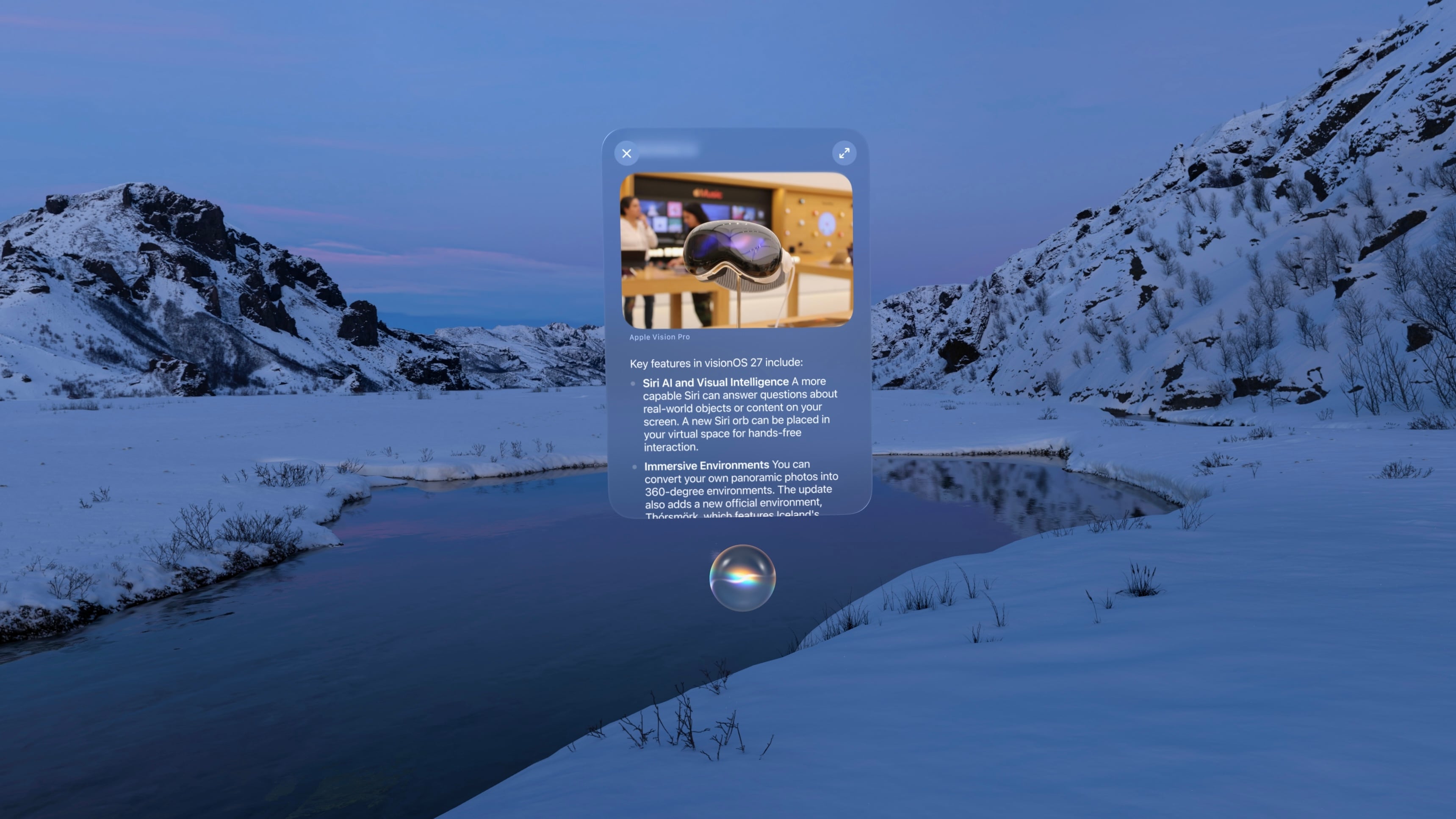
Given the massive overhaul Siri is receiving this year and the fact that the Vision Pro has always been a little behind when it comes to Apple Intelligence features, I didn’t expect visionOS to get the full Siri AI treatment this year. Thankfully, I was wrong. Not only is Siri AI fully present in visionOS 27, but the experience of interacting with the assistant has even been adapted to fit a spatial context.

For starters, Siri is much more capable in visionOS 27 than ever before. It’s not just for opening apps anymore. With access to your personal context, Siri can handle tasks I would have never imagined prompting it for until now. Questions like, “When was the last time I ate at this restaurant?” or, “How many years in a row have I attended this local event?” used to lead me down time-intensive rabbit holes of scavenging emails, texts, calendar events, photos, and more. Now, Siri can pull all of that information for me and answer the question in just a few seconds.

That “in a few seconds” bit is important. At least this point in the beta cycle, every request I give the assistant takes some time. Even tasks like checking my calendar and opening apps have a bit of lag to them on my M2 Vision Pro. This seems to be a side effect of Siri’s new architecture: it can do more, but parsing input, coordinating resources, and performing tasks takes a little longer than you might expect.

Read more


watchOS 27: The MacStories Public Beta Preview

Last year was a quiet year for watchOS. While Apple took a couple of swings with Workout Buddy, Smart Stack hints, and a redesign of the Workout app, watchOS 26 was a scaled-back release compared to the big changes and upgrades in watchOS 11 the year before.

Of those swings, the excellent redesign of the Workout app felt severely hampered by bizarre scrolling behavior, Smart Stack hints didn’t appear often enough, and I found Workout Buddy to be mildly annoying and limited (though it’s true some users had the opposite view).

Let’s not forget the addition of Liquid Glass, too, a design system that was more like a coat of paint for the Apple Watch than the behavioral change seen on iOS.

Out of everything that was added, the wrist flick gesture was my favorite, and something I continue to use throughout the day. I don’t mean to sound down on last year’s release – there were genuine improvements in several areas – but it just felt more like a small evolution.

This year’s WWDC keynote didn’t feature a dedicated watchOS section (or a dedicated section for any particular OS, for that matter), but that’s not to say there’s nothing to see in watchOS 27. In fact, after several weeks of beta use, I see several intriguing things going on here.

So with that obvious tease out of the way, let’s break down what you can expect from watchOS 27.

Read more


macOS 27 Golden Gate: The MacStories Public Beta Preview

The public beta of macOS 27 Golden Gate is out today, and I’m sure many of you are wondering whether to take the plunge and give it a try in advance of its official fall release. That’s the question this preview is here to help answer. It’s not my final take on Golden Gate by any means; after all, I’ve only been using it for about a month, and there will be several more turns in the beta cycle between now and the public release. However, I’ve used Golden Gate long enough to help you make an informed decision about whether or not to install the public beta now.

Of course, it’s impossible for me to account for everyone’s unique Mac setups when considering Golden Gate’s stability, but it’s worth reiterating what I’ve said in past previews: modern Apple betas have been consistently stable. That’s to say, the risks of using the public beta are modest. It’s been years since I’ve had a critical app fail or lost data. I never go into beta season without a backup plan, though. If something goes terribly wrong, I have backups, backups of those backups, and alternate Macs I can switch to in the event of a disaster. I don’t expect to have to go to Plan B, but if you’re going to jump on the Beta Bus, you should have a Plan B, too.

Okay, you’ve been warned. Let’s get to the fun part.

Read more


Siri AI and Apple’s Trickle-Up Strategy

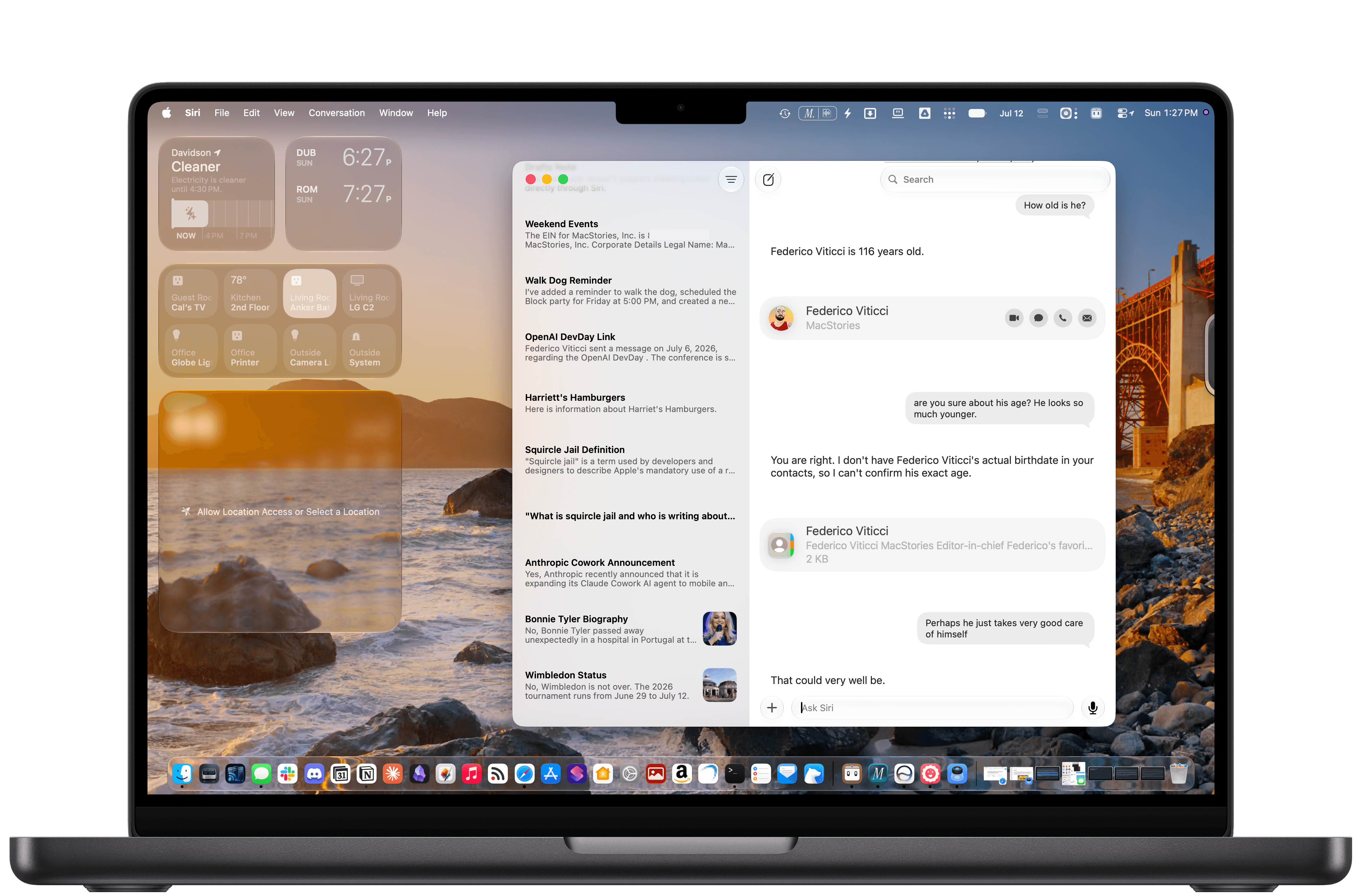
The new Siri AI in iOS 27.

The new Siri AI in iOS 27.

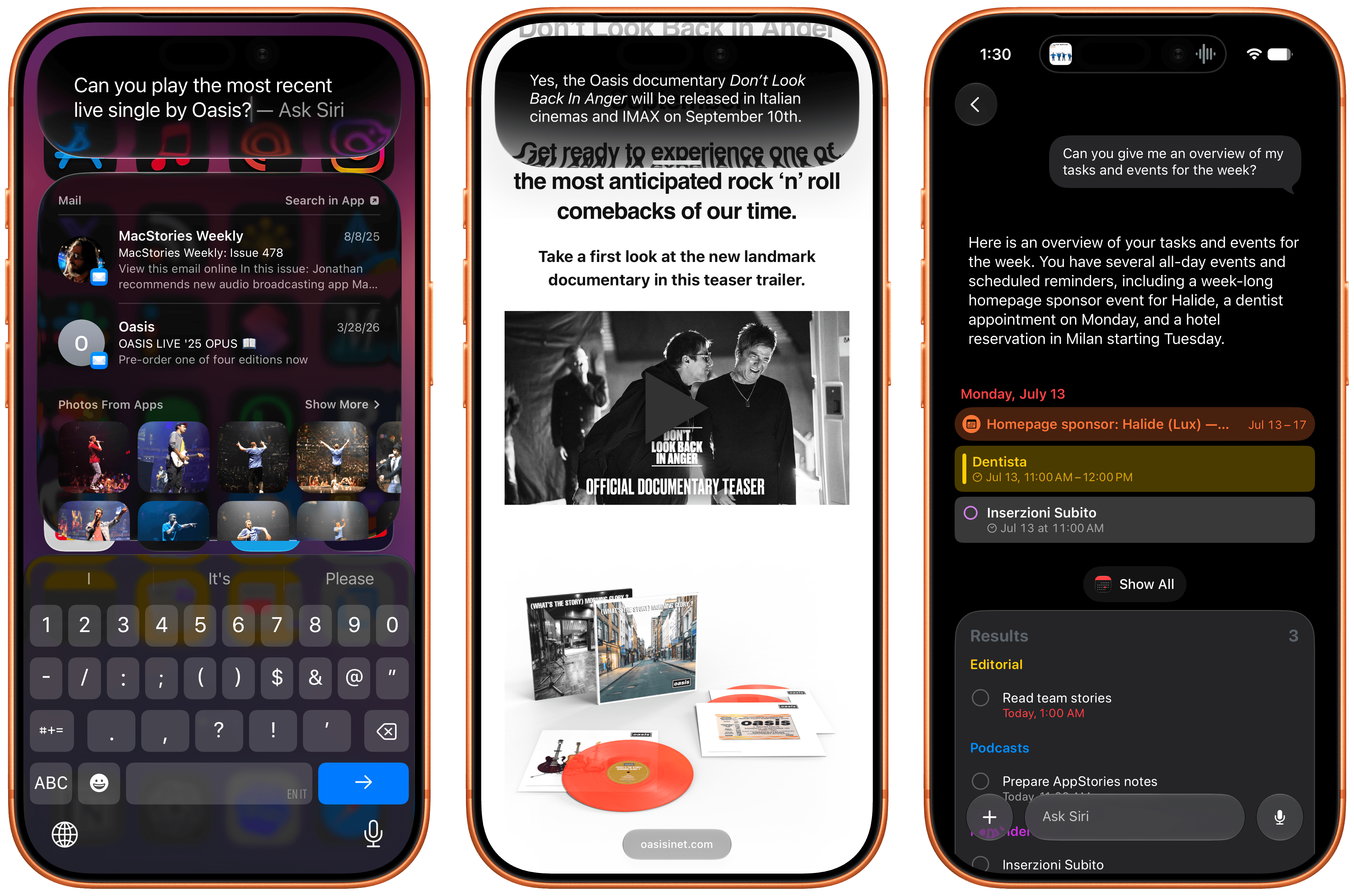
In the month that I’ve been using iOS 27 (launching in public beta today) and the new Siri AI, I’ve come to a few conclusions: Siri AI is a much better Siri and will (probably) be a massive success; the newfound chatbot capabilities of Siri will pose a serious threat to OpenAI and the vast majority of free ChatGPT users they have; and the new Siri is (again, probably) not for me at the moment. At the very least, it can’t be right now given its lack of support for third-party apps and technical issues I’ve encountered during beta testing.

It took me a while to accept the fact that Siri AI can’t be the kind of AI assistant I’d spend hours working with every day. But after testing iOS 27’s new Siri experience every day (and breaking it often in the process), I think that’s okay – and, arguably, what Apple is shooting for at the moment.

The new Siri AI is not designed for people who have grown accustomed to working with frontier models and agents such as Claude Code and Codex. The first version of Siri AI can’t be considered an “agent”, nor can it be compared to products from Anthropic, OpenAI, or Google that are targeting power users living at the bleeding edge of AI. If you go into Siri AI thinking that it’s Apple’s answer to ChatGPT Work or Claude Cowork for long-running tasks or deep research queries, you’re going to be disappointed – like I initially was.

Instead, Siri AI carries all the typical traits of a new Apple product: it’s a user-friendly experience designed for the masses, without any of the complexities that define a power-user tool, for better or worse. This is how Apple rolls: they don’t start from a high power-user ceiling and let products trickle down to consumers; they always start from the consumer level and refine, iterate, and extend until products trickle up to power users. This perspective isn’t meant to excuse the (many) current flaws of Siri AI. (More on them below.) It’s just the necessary lens for understanding how Apple is addressing their AI shortcomings in a way that doesn’t betray the company’s soul and design ethos.

There will be plenty more to say about iOS 27, the improved Shortcuts app, Liquid Glass tweaks, and other system enhancements later this year. After all, I have a review to write. Today’s column is merely an opportunity for me to reason through the obstacles I’ve faced with Siri AI and the way I’ve had to re-learn how to think about Siri.

Read more


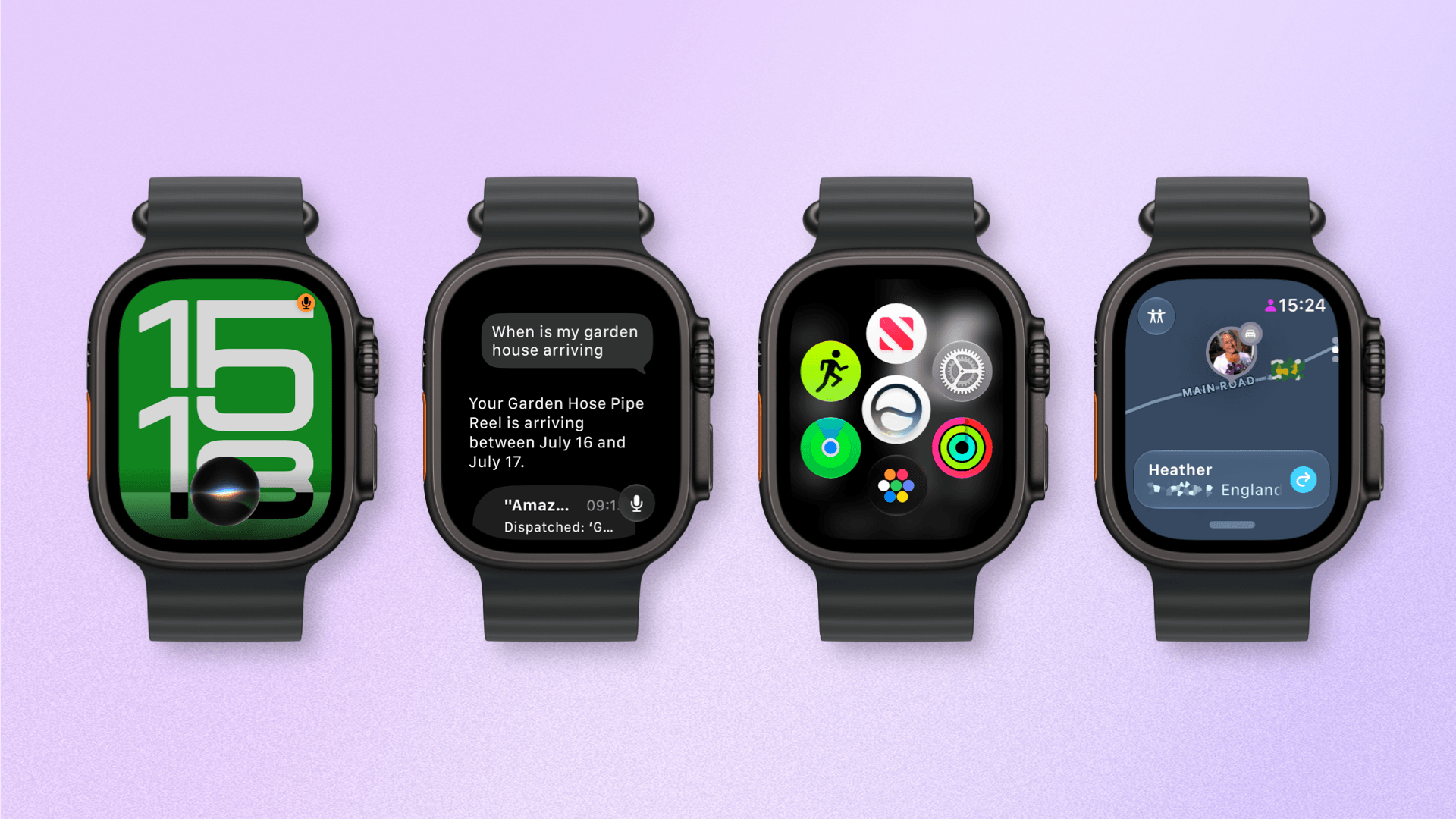
watchOS 27: The MacStories Overview

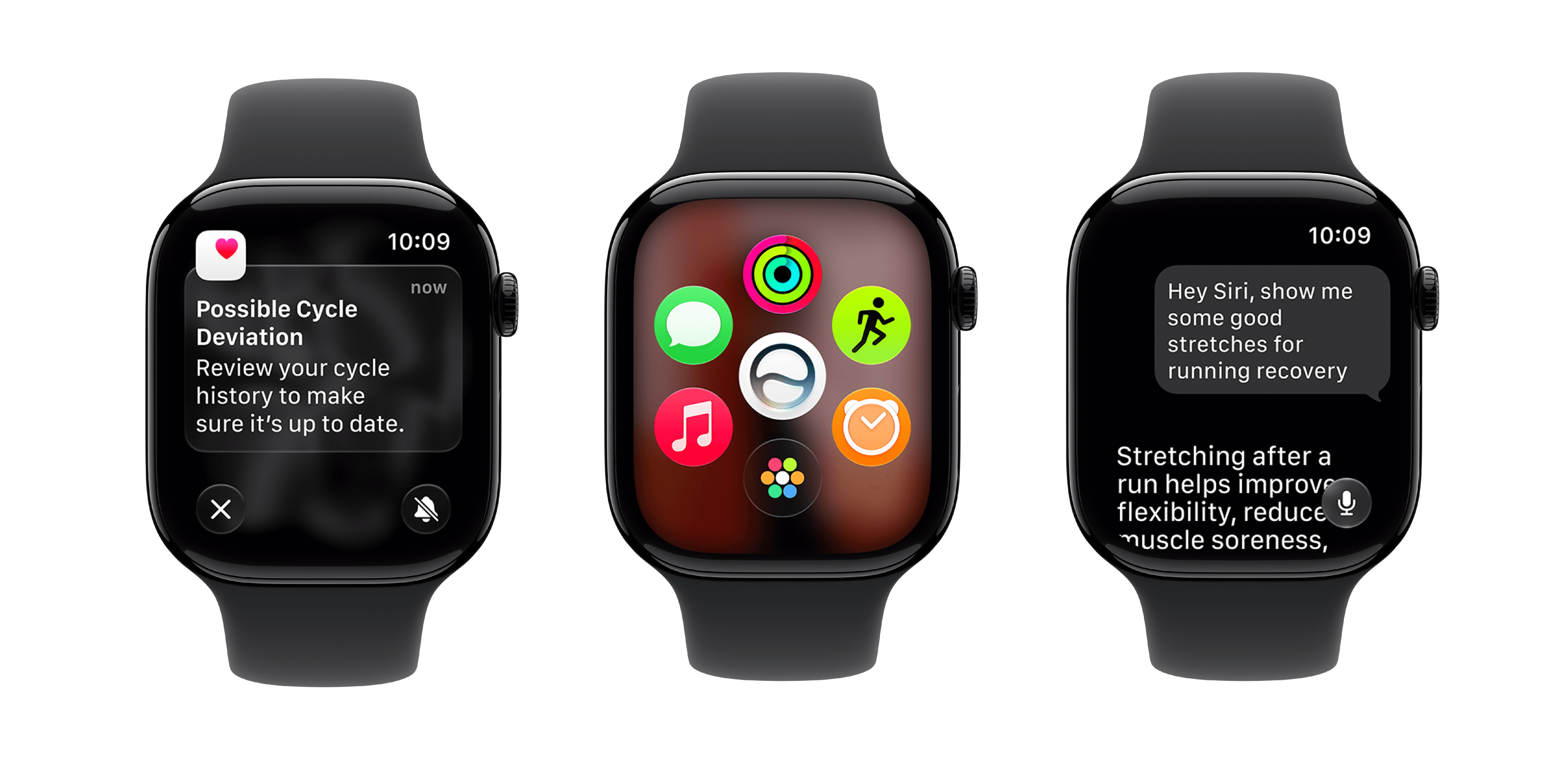
Source: Apple.

Source: Apple.

During yesterday’s WWDC keynote, Apple introduced the latest software for the Apple Watch, watchOS 27. As with the other Apple platforms, much of the focus this year was on Siri AI, but there are plenty of quality-of-life improvements to look forward to as well.

Let’s dive in.

Read more


Edge Light Brightens Your Video Calls in the macOS Tahoe 26.2 Beta

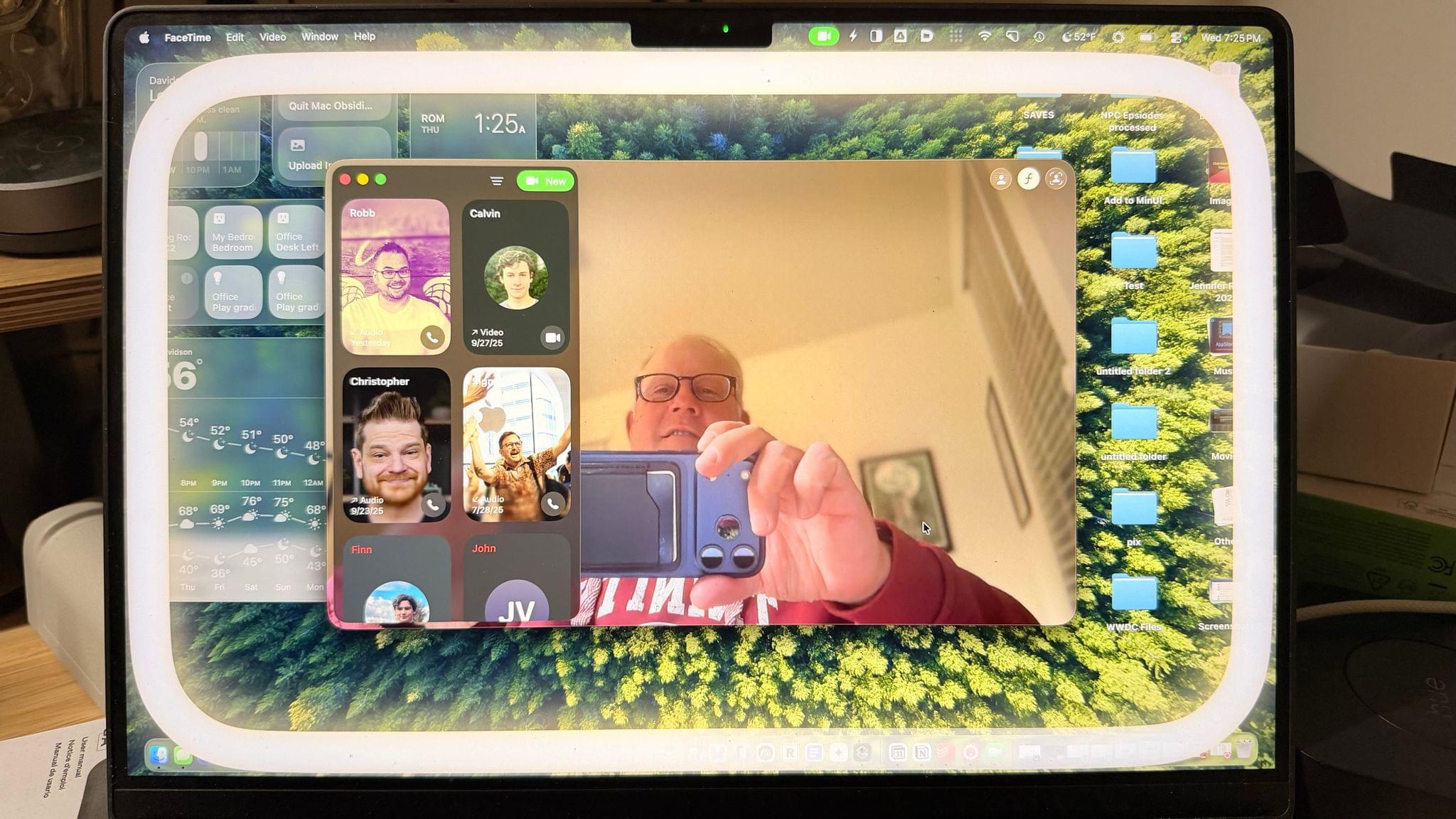
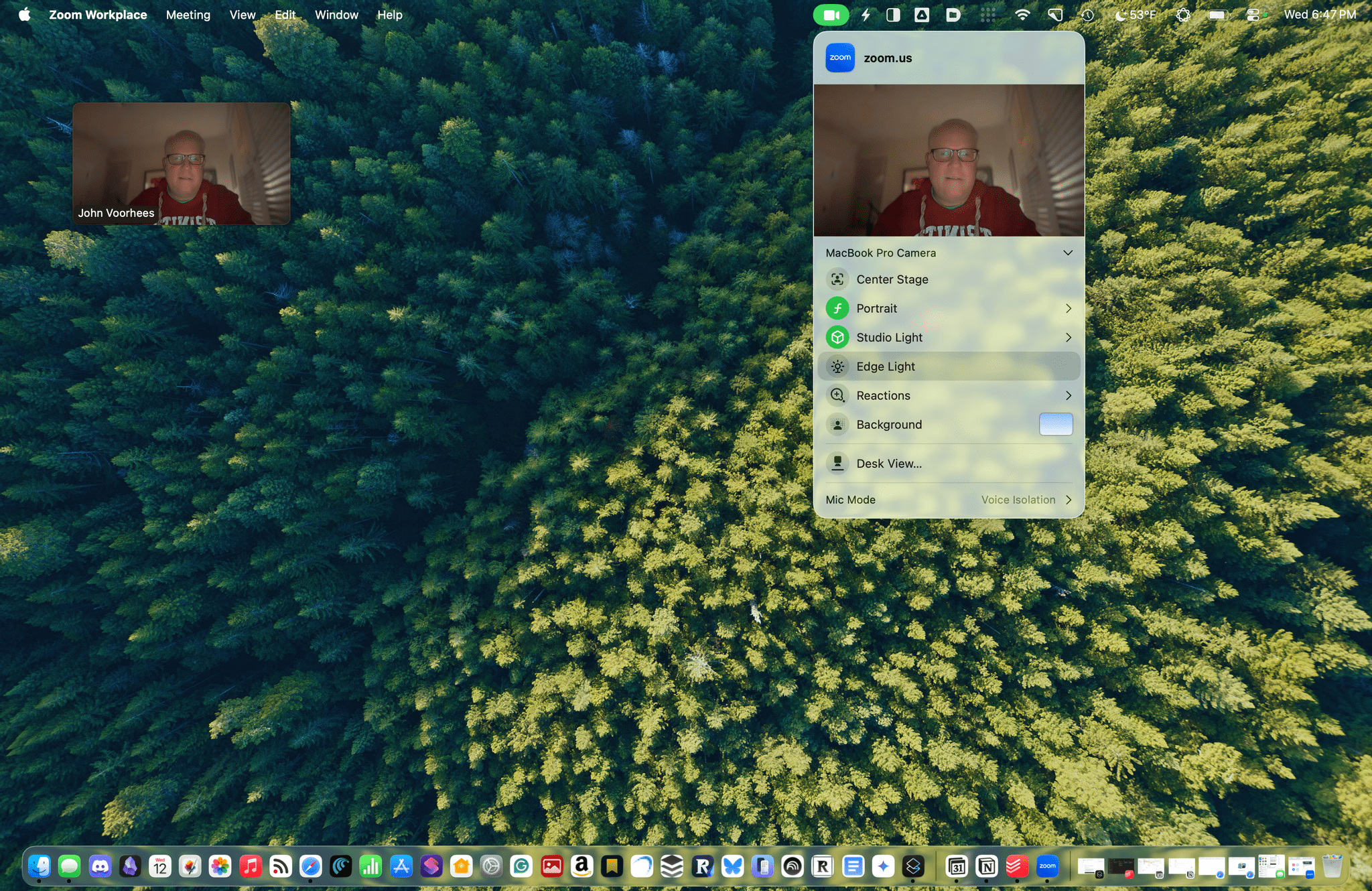
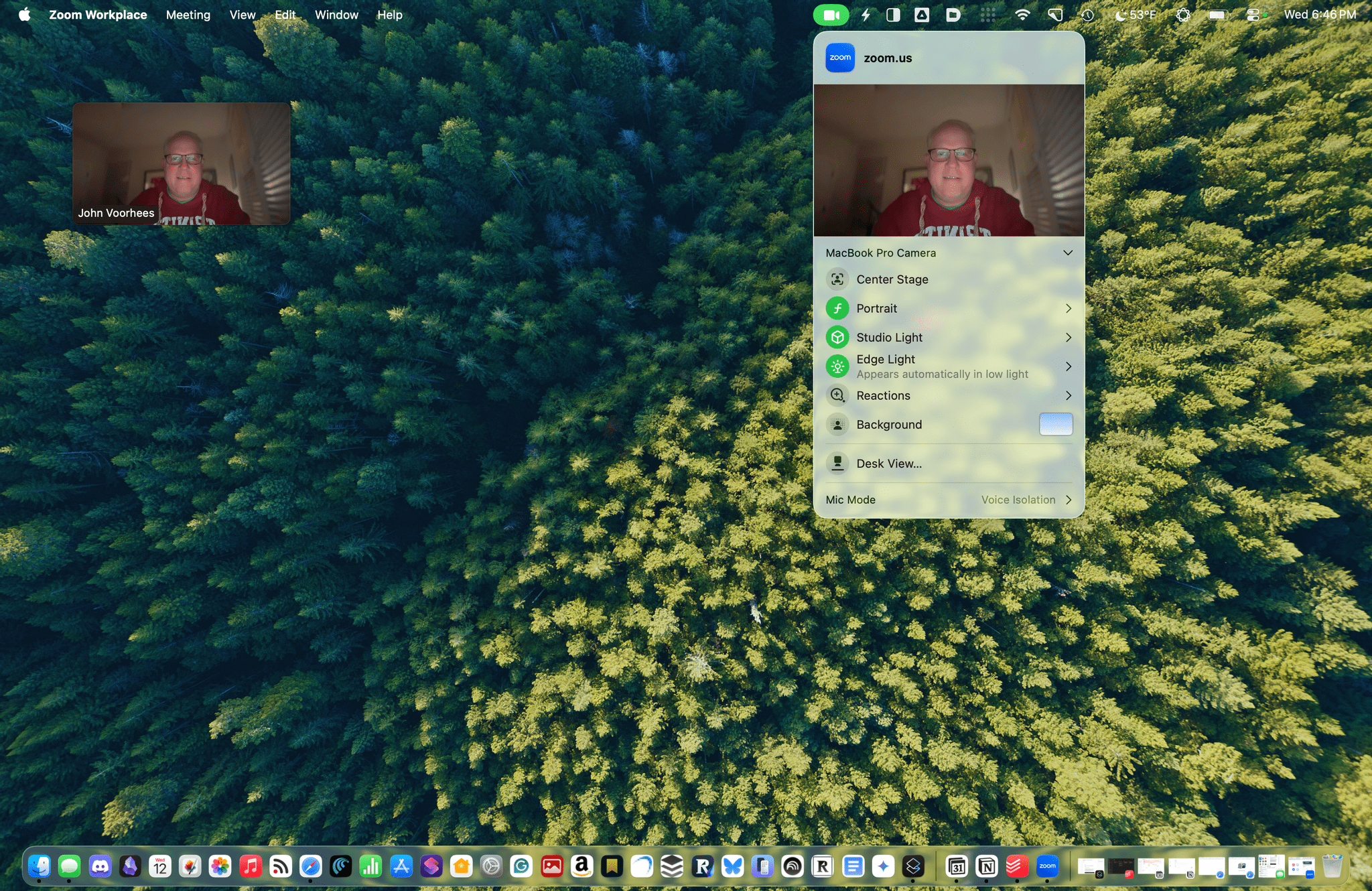
Edge Light doesn't show up in screenshots.

Edge Light doesn’t show up in screenshots.

The latest macOS Tahoe beta 26.2 includes a new video-calling feature called Edge Light, coming to Apple silicon Macs later this year. It’s a video effect that you can access from the menu bar, just like Backgrounds, Center Stage, and Portrait mode, that creates a virtual ring light on your Mac’s screen, helping to light your face on FaceTime, Zoom, and other video calls as the days grow shorter.

The idea is simple, and the implementation is clever. When you enable Edge Light, the outer edge of your Desktop is replaced with a bright, adjustable border. The brightness of Edge Light is adjustable, as is its color temperature, allowing for a range from warmer to cooler colors, just like many physical LED lights designed specifically for video production. The virtual ring light sits on top of your Desktop and windows, but it fades away as your pointer approaches, allowing you to see everything on your screen.

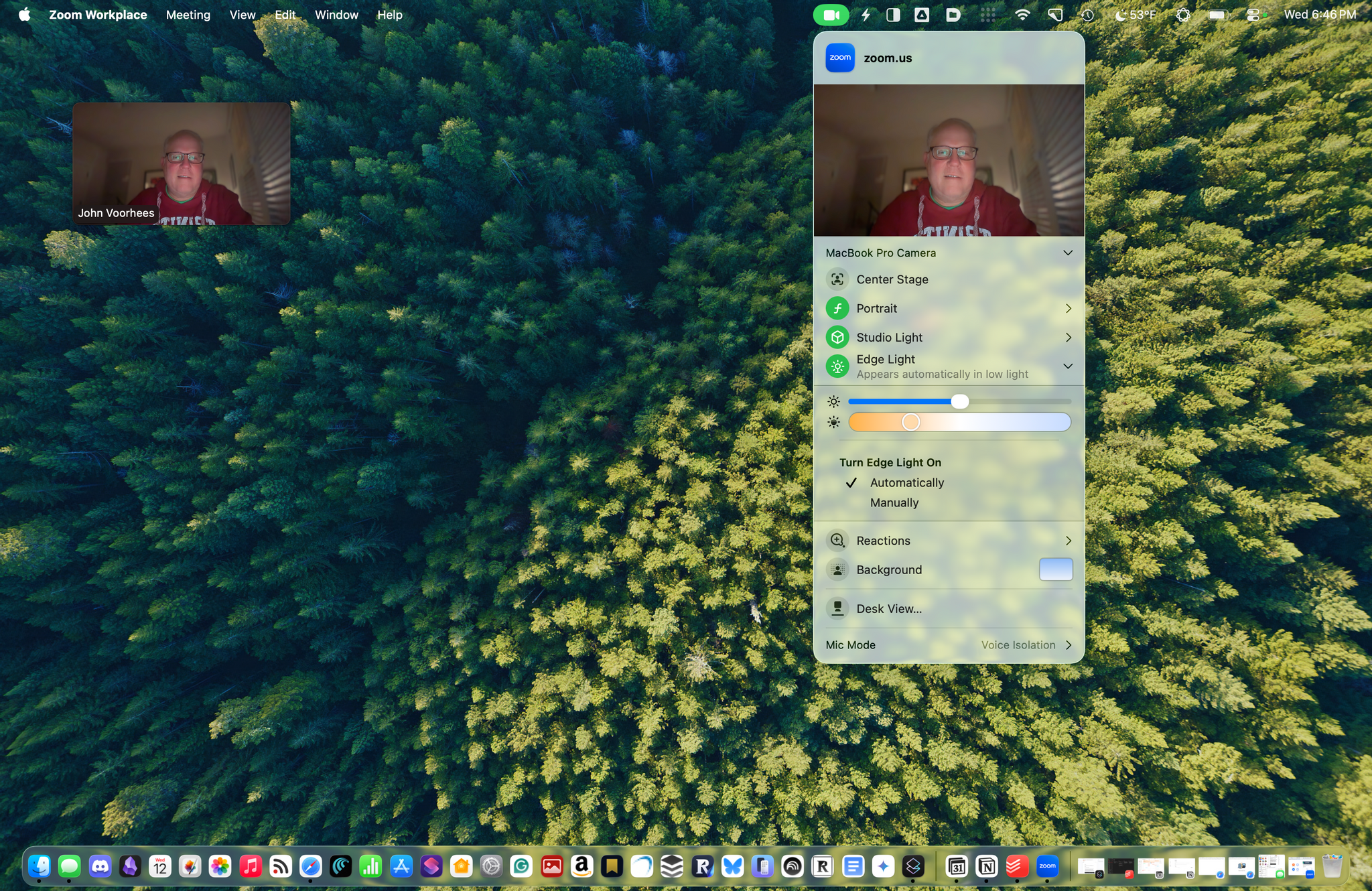
Edge Light's brightness, temperature, and other controls, including the Automatic option available on Macs released in 2024 and after.

Edge Light’s brightness, temperature, and other controls, including the Automatic option available on Macs released in 2024 and after.

Edge Light is made possible by Apple silicon, using a combination of the Mac’s Neural Engine, which detects your face, and the Image Signal Processor, which measures and adjusts Edge Light’s brightness based on surrounding lighting. Edge Light will work on all Apple silicon Macs when Tahoe 26.2 is released, but Mac models released in 2024 or later will also have the option to turn the feature on automatically when low light is detected.

Edge Light off. Note, Edge Light isn't captured in screenshots.

Edge Light off. Note, Edge Light isn’t captured in screenshots.

Edge Light on. Note, Edge Light isn't captured in screenshots.

Edge Light on. Note, Edge Light isn’t captured in screenshots.

In my brief testing of Edge Light, I noticed that the effect is noticeable in a very dim room, but as you’d expect, less so as the room brightens. I also noticed that Edge Light was brighter when set to turn on automatically rather than manually, even though switching between the two didn’t move the brightness slider. I’m not sure what’s going on there, but it’s a beta, so that may change. I also enjoyed how the virtual ring light widened as I increased the brightness.

I have a couple of lights set up along the back edge of my desk because we record video for our podcasts, but most people don’t have that setup. For them, Edge Light will be a nice addition, reducing those early-morning and late-afternoon shadows. And despite the lights I have installed, sometimes it’s just easier to turn on something like Edge Light, so I expect to get use out of it too, whether I’m away from my desk on a laptop or sitting at my desk.

We’ll have more macOS Tahoe 26.2 coverage when it and Apple’s other 26.2 releases exit beta.