Posts tagged with "app store"

GoodReader Gets a Big Update for iOS 7

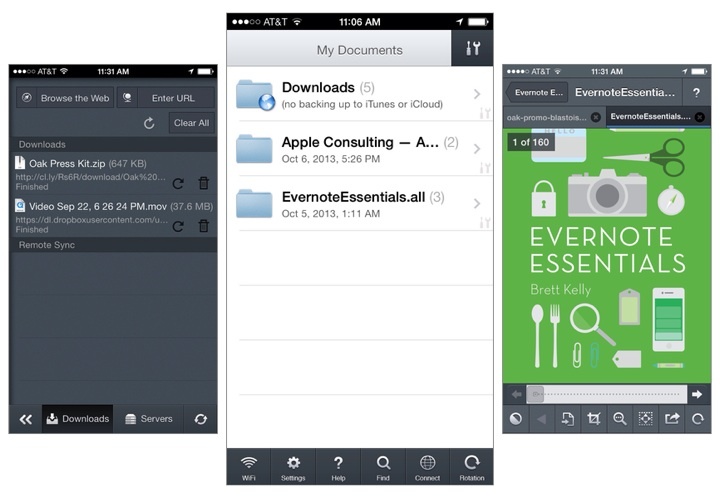
GoodReader is the missing file manager for the iPhone[1]. It virtually eliminates the compromises you have to make on a mobile device by allowing you to download files from the web; view and arrange documents, photos, music, and video into folders; and connect to local servers over Wi-Fi or your Dropbox, SkyDrive, Google Drive, WebDAV, or FTP server on the web. Conveniently, you can connect to GoodReader over your local network to grab files by plugging in an IP address on your Mac or Windows box.

GoodReader’s most immediate change is their update interface, which puts all of the most used tools in a tab bar at the bottom of the display. The two tabs you’ll likely use the most are WiFi and Connect, which starts a WiFi transfer or lets you grab files from the web. Otherwise, a tools button in the top right of the file browser brings up the usual action sheet for selecting files, creating new text documents, creating folders, renaming files, opening files in other apps, etc. In short, everything’s a lot easier to find[2].

Tossing an album onto your iPhone? GoodReader finally lets you listen to audio in the background while you read or do other things on your iPhone.

Images copied in the clipboard can be pasted as a file in GoodReader[3]. Look in the second page of tools for the paste command when an image is copied to the clipboard. The opposite is true as well: you can copy images to the clipboard to paste into other apps like Mail. Images can now also be imported / exported directly into and out of GoodReader, so multiple photos can be saved to your camera roll at once for example. This can be incredibly useful for shuffling files from your iPhone between multiple online services, like Dropbox and a hosted web server.

Various improvements to PDFs have been added across the board, such as faster rendering for certain files and the ability to flatten (embed) annotations as they’re emailed prior to sending. And while GoodReader itself doesn’t require iOS 7, GoodReader will open iWork 2013 files for those that are running Apple’s the latest iOS.

The iPad and iPhone versions can be purchased separately on the App Store, each version costing $4.99. Links below:


  1. What I mainly use GoodReader for: if I purchase an eBook on the go, I can paste the download link into GoodReader, which will usually suck down a ZIP file since all the DRM free formats are there. I can unzip the archive, send the EPUB to iBooks, and send my other files to my computer or to a service. You don’t have to manage much on OS X if you use something like Hazel so MOBI files are automatically dropped into your Kindle the next time you plug it into your Mac. As a nice bonus: iTunes doesn’t mediate anything. And you can apply this system to a lot of things, such as music downloads if you make purchases on anything outside of iTunes or Amazon (i.e. Bandcamp) or even documents a friend might share with you from Dropbox or SendSpace.  ↩
  2. Remember when you had to visit that red web downloads folder to get files from the web?  ↩
  3. Part of the problem is that images are often linked to other web pages, and the Copy action in Safari copies the URL the image links to, not the actual image itself. Unless you can get to the root of the image on your iPhone or iPad, getting to images on mobile is not as easy as right clicking and selecting “view image” on a desktop browser.  ↩

Horizon Captures Landscape Videos, No Matter the Orientation

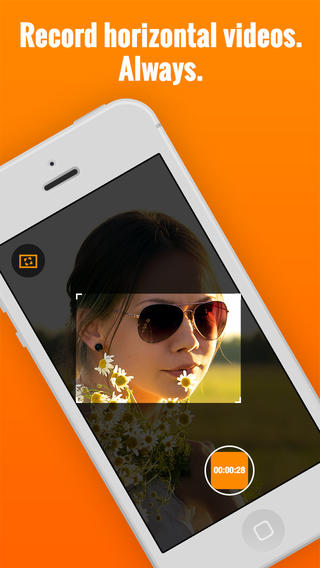
Here’s an app that fixes a common problem in recording videos: recording horizontal, widescreen videos no matter how you’re holding your iPhone. As you rotate the phone from landscape to portrait, or vice versa, Horizon uses the iPhone’s sensors to keep the aspect ratio the same. The phone rotates around a virtual frame, rather than being the actual frame. The transitions aren’t perfect yet, but it works pretty well and I imagine camera shake can be ironed out in future updates. Horizon lets you capture video in other aspect ratios as well, has few different filters to choose from, and lets you share your videos to social networks like Twitter and Facebook. Download it from the App Store for a dollar during their launch sale.

Permalink

Yahoo News Digest

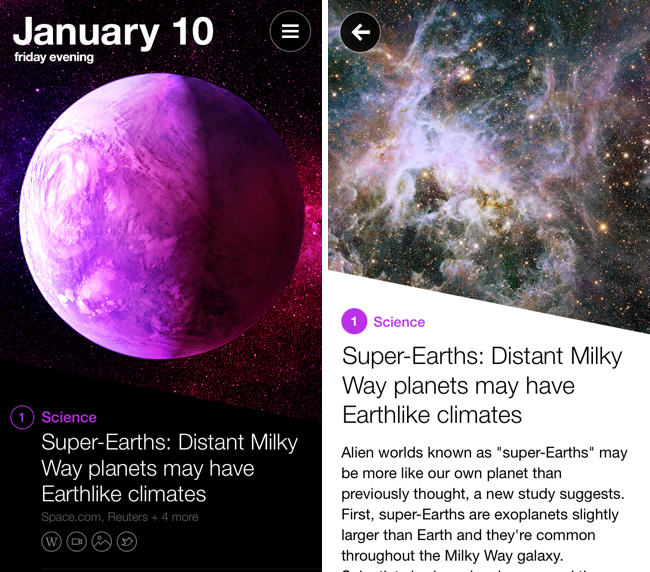
As someone who both enjoys long form content and sharing what I think others might enjoy, it’s easy to write off Yahoo News Digest as something that feels indifferent. Unlike the Evening Edition, which features important world news summarized by real people, Yahoo boasts its mobile digest as a product of algorithms, whose editors bring together the day’s hot topics into smart summaries from multiple sources. It’s considered to be the result of Yahoo’s $30 million acquisition of Summly, with founder Nick D’Aloisio taking charge behind the company’s initiative into the “news for everyone” space.

It’s not a new endeavor, however, if you consider previous forays like Livestand, which brought news and weather together in a magazine-like format on the iPad. Then there’s Yahoo’s self titled app, which later integrated Summly to create an endless stream of news, entertainment, sports, and lifestyle content. Even Yahoo’s homepage is a landing page for those subscribed to Internet service providers like AT&T, delivering trending topics, stories, local weather, and stocks to anyone who wants to log into their provider’s email accounts. This is unlike Google, whose homepage is barren sans occasional promotions and informational snippets. Needless to say, Yahoo has been dishing out news for a long time.

Yahoo News Digest is their attempt to modernize the thirty minute local or national news segment, re-imagining it for mobile as series of articles covering current events from around the world. Digested down to eighteen articles, nine for the morning and nine for the evening editions, Yahoo shares what they consider to be the most relevant articles of the day, rounding out the day’s news under traditional topics such as US News, World News, Entertainment, Sports, etc. It’s a news service built for the masses.

So… Is it any good?

Read more


Eidetic Helps You Remember Anything

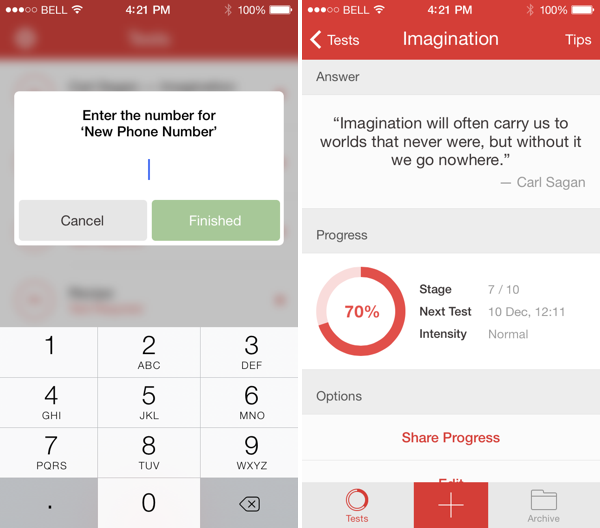
Think of Eidetic as the modern flashcard for the iPhone and iPad. Eidetic uses a memorization technique called spaced repetition, which helps you commit information to long term memory. Whether you’re cramming for a test or need occasional reminders, Eidetic notifies you when it’s time to study. Outside of coursework, Eidetic is helpful for memorizing pin codes, phone numbers, addresses, and passwords. If you have an iPhone and iPad, Eidetic will store what you’re memorizing to iCloud so you can study on either device. You can download the app for free from the App Store, unlocking tests via inexpensive in-app purchases.

Permalink

Shoots and Leaves Uploads Photos and Sends Links to Other Apps

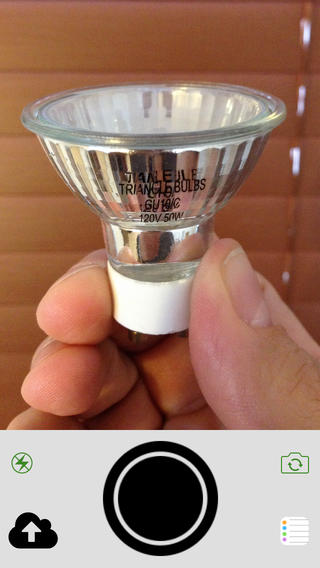
Shoots and Leaves, a snap and forget it photo app akin to something like QuickShot, uploads captured photos to services like Imgur, Dropbox, or CloudApp, and then sends the public links to an app like Mail, Reminders, or Safari. Given our focus on productivity apps, an app like this is useful for generating Markdown links that can be pasted into upcoming articles. Inspired by Shoots and Leaves’ Reminders integration, I’d love if Evernote was added as a service, with the ability to send a photo’s link to an Evernote reminder. It’s laser focused, does one thing well, and is $2.99 on the App Store.

Permalink

The Rate Friday Initiative

Luc Vandal:

You see, we independent developers rarely get any positive feedback. A lot of it is composed of bad reviews (that are actually support or feature requests) with the occasional pat on the back.

I’m also a consumer and, like most of you, I rarely take the time to write a review for apps I use daily. I’m also guilty of leaving bad reviews that may not have been deserved or didn’t bother to contact the developer first.

With over one million apps on the App Store, it’s getting harder and harder to have your app stand out in such a crowded market.

This is a good idea. Most people don’t know how positive ratings and reviews can help in the App Store. The fact that users tend to publicly point out the things they don’t like rather than describe the ones they enjoy doesn’t help either.

If apps make your personal life or work even just a little better every day, consider using 10 minutes of your time to rate them on the App Store. If you have more detailed feedback or feature requests, send an email to the developers directly. I know what I’m doing tonight.

Permalink

Typeset Lets You Mix and Match iOS 7 System Fonts for Finding the Perfect Combination

Developers building iOS 7 apps may want to download Typeset by MartianCraft, a free app that lets you preview iOS 7 system fonts side by side. Typset includes layout cards for previewing how fonts look in various configurations, tools for adjusting line spacing and font sizing, and the option to mark saved sets as favorites for later browsing. A $5.99 in-app purchase unlocks Typeset Pro, which enables the option to export the end result as a predefined stylesheet or PDF. Download it from the App Store.

Permalink

Mailbox for iOS Updated With Support for iCloud and Yahoo Mail

Now available on the App Store, the latest iteration of Mailbox adds support for iCloud and Yahoo Mail accounts. While iCloud and Yahoo Mail are the most likely alternatives to Gmail, I am surprised to see Outlook.com left out of the mix. Personally, I’m still looking forward to having general IMAP support so I can add my self hosted email accounts. The latest version also introduces background syncing for devices running iOS 7, which means your email will already be in your inbox before you even open the app (previously you had to wait for the app to pull down the latest emails after it was opened). Download the latest update for free from the App Store.

Permalink

Apple Posts “Best of 2013” iTunes Lists

Last night, Apple published its annual “Best of iTunes” list, which includes editorial picks for the best releases in music, movies, TV shows, apps, books, and podcasts of 2013. The special page, featured across the entire iTunes Store, can be viewed here.

For apps, as in previous years Apple has picked apps and games of the year, runner-ups, and other notable app releases of the year. The App Store category is organized in iPhone, iPad, and Mac apps; this year, Apple has included sub-sections as “Trends”, listing apps belonging to popular categories such as photo editing, productivity, and multiplayer games.

On iOS, Apple has picked Duolingo and Ridiculous Fishing as app and game of the year for iPhone, and Disney Animated and BADLAND on the iPad. For the Mac, Apple has chosen Wunderlist and XCOM: Enemy Unknown as app and game of the year; on the Mac App Store, Apple hasn’t included Trends, opting for a simpler “best apps” and “best games” organization.

Last year, Apple picked Day One and Deus Ex: Human Revolution as winners for the Mac; Paper and The Room for the iPad; and Action Movie FX and Rayman Jungle Run for the iPhone.

We have compiled the full list of apps below.

Read more