

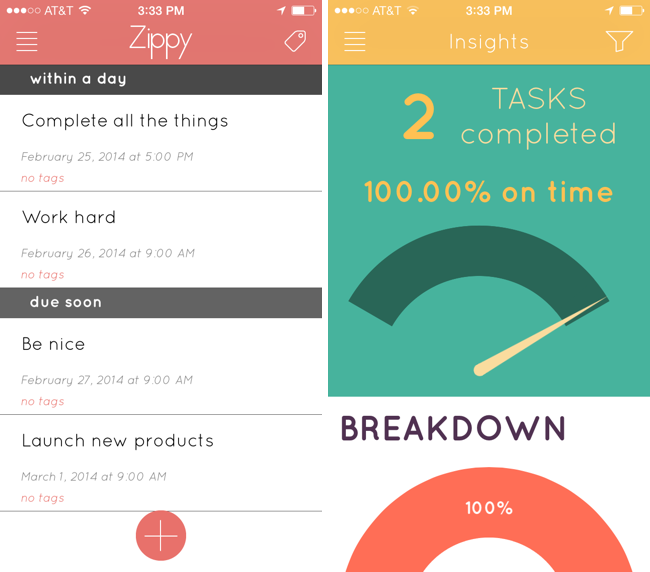
There’s lots of task managers on the iPhone, but how many break down just how good you are at getting things done? Zippy adds some recent features that have found their way into apps like Mailbox, such as a flyover grid of options for snoozing tasks until a later date, and maintains a list of completed tasks and whether you’ve completed them on time. Tags help keep your tasks organized so you can attribute things to home, work, and personal projects, and view tasks per tag. Perhaps the only improvement Zippy could make is the ability to add tags when creating tasks themselves. The insight’s tab is Zippy’s most original feature, and it breaks down things like when you complete tasks, how good you are at planning in advance, and what times of the day you’re most likely to mark things as done. Analyze your daily routine and replace your stack of sticky notes with Zippy, which is only a dollar until March 4th. Grab it from the App Store.
Zippy: A Task Manager With Insights→
OS X 10.9.2 Update Adds FaceTime Audio Calling, iMessage Blocking, Fixes Mail and Security Bugs→
If you have a Mac running OS X Mavericks, update 10.9.2 has been pushed to the Mac App Store, which adds several new features, fixes a variety of bugs, and namely fixes the SSL/TLS vulnerability. On the feature side, 10.9.2 adds the ability to initiate and receive FaceTime audio calls, while also blocking individual senders on iMessage. Mail is named as having received a slew of bug fixes: compatibility improvements for Gmail’s Archive folder and labels are listed, as well as resolutions for a bug that prevented Mail from receiving messages from “certain providers.” The update will require a restart for installation.
- More information about 10.9.2 can be found here: http://support.apple.com/kb/HT6114
- Security details about 10.9.2 can be found here: http://support.apple.com/kb/HT6150
- Download link for the combo update (for advanced users installing the update outside of the Mac App Store): http://support.apple.com/kb/DL1726
Tact Adds Contacts To Your iPhone’s Home Screen→
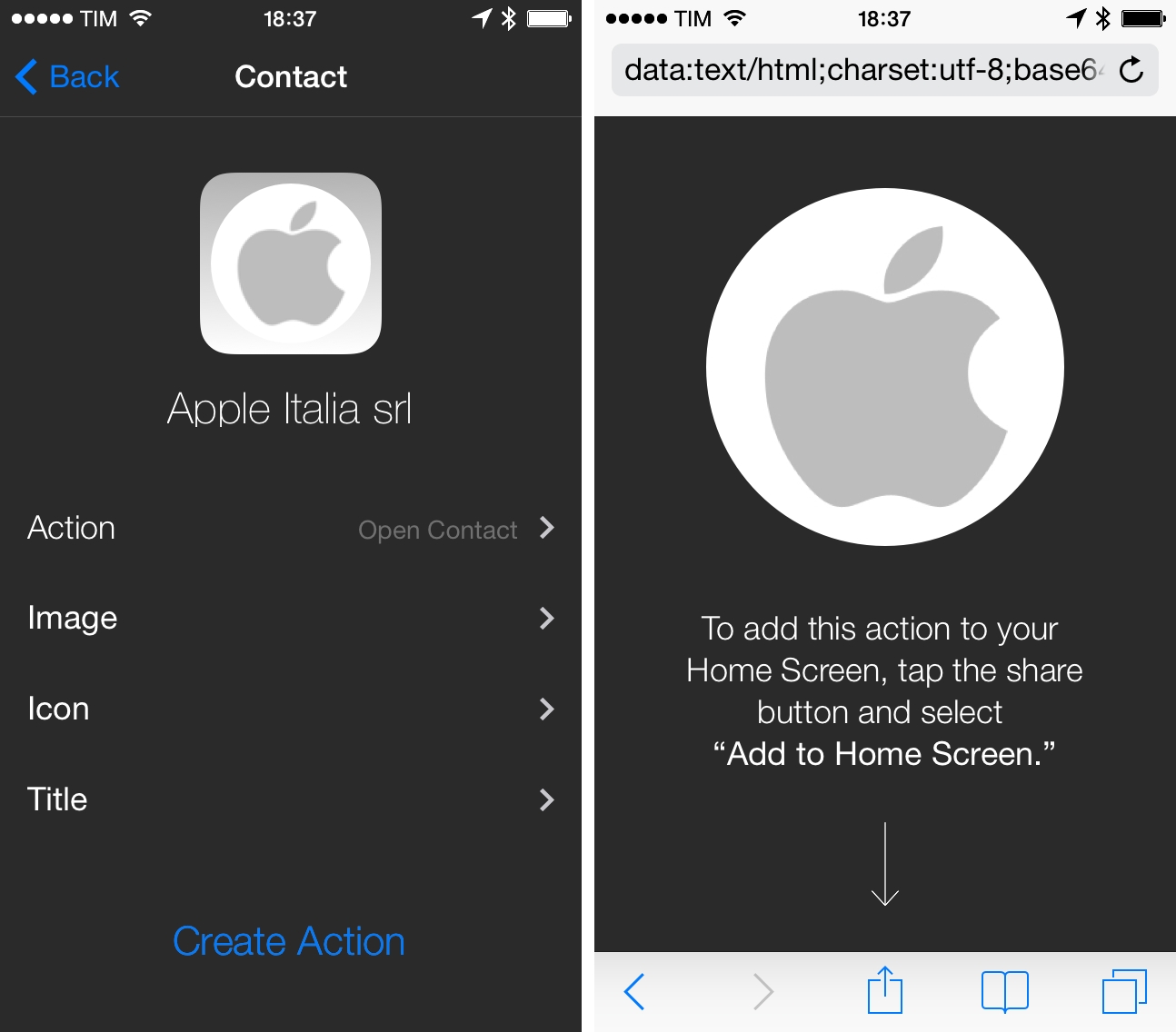
There are plenty of apps to create Home screen shortcuts for contacts, but Tact by Marco Tabini is polished and easy to use.
If you want a more direct access to your contacts than what Launch Center Pro can provide, Tact presents a contact picker that you can scroll to pick one of your contacts that you want to turn into an icon shortcut. Each contact can be assigned one of four actions (Call, Message, Email, and Open) and icons can be tweaked: you can choose a color, title, and image – if having an iPhone Home screen with faces of your friends inside icons is your thing, Tact lets you do that. Technically speaking, Tact creates Home screen icons by generating webclips from Safari – unlike other apps, the process is well explained and, when launching Tact’s icons, you’ll get a nice preview image before being taken to the corresponding action in the Phone, Messages, or Mail app.
UpWord Combines Dropbox Notes with Reminders and Gestures
Some Of Apple’s Lemons→
Stephen Hackett:
While Macintosh hardware is considered some of the most reliable in the industry, the company has had some pretty epic failures in the past. We spoke about some of these a couple of weeks ago on The Prompt, but after doing some digging, I’ve tweaked and expanded the list.
Yahoo News Digest 1.1 Adds “What You’ve Read” and Other Improvements→
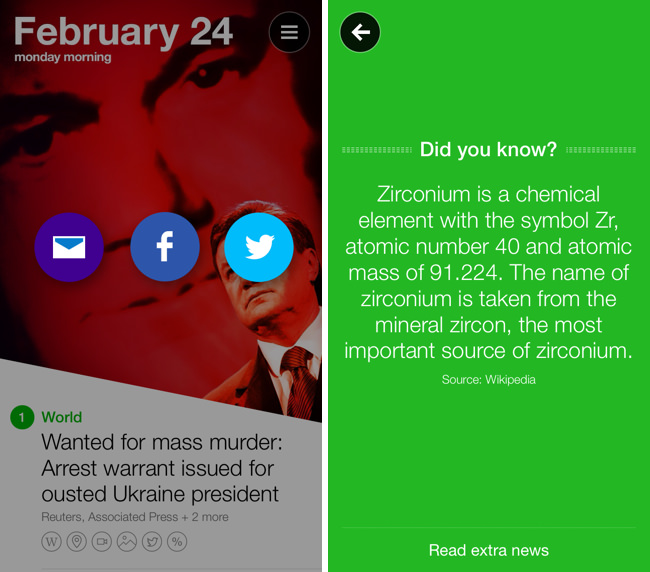
I’m a fan of Yahoo News Digest simply for the fact that it breaks me out of the tech news bubble in short spurts. The latest point update adds atoms for Weather and Statistics, new sharing options such as the ability to tweet Cover Posters, and a new “What You’ve Read” overview has been added that shows you a grid of what digests you’ve browsed through. Shown above, there’s also a little “Did you know?” section that now precedes extra articles in the app. Yahoo News Digest is free to download from the App Store.
Macworld’s FAQ on Apple’s SSL Bug in Plain English→
On Friday, Apple issued what seemed at first to be a run-of-the-mill security update. According to the update’s initial documentation, the patch was supposed to “provide a fix for SSL connection verification.” But when Apple posted the patch’s security information to its website, the company revealed that the fix was for something quite serious: Without the patch, “an attacker with a privileged network position may capture or modify data in sessions protected by SSL/TLS.” That was hardly run-of-the-mill.
The next time your friends, family, or coworkers tell you that Apple has been hacked or if they ask you what’s going on, send them this article by Macworld. A few of the authors on the site put together some nice tidbits of information explaining what the SSL bug is, what’s vulnerable, and what you can do to secure your communications online. Update your iOS devices if you haven’t already, and use an alternate web browser on your Mac until a patch can be downloaded.
Google Music for Mac Brings the Web Player to the Desktop
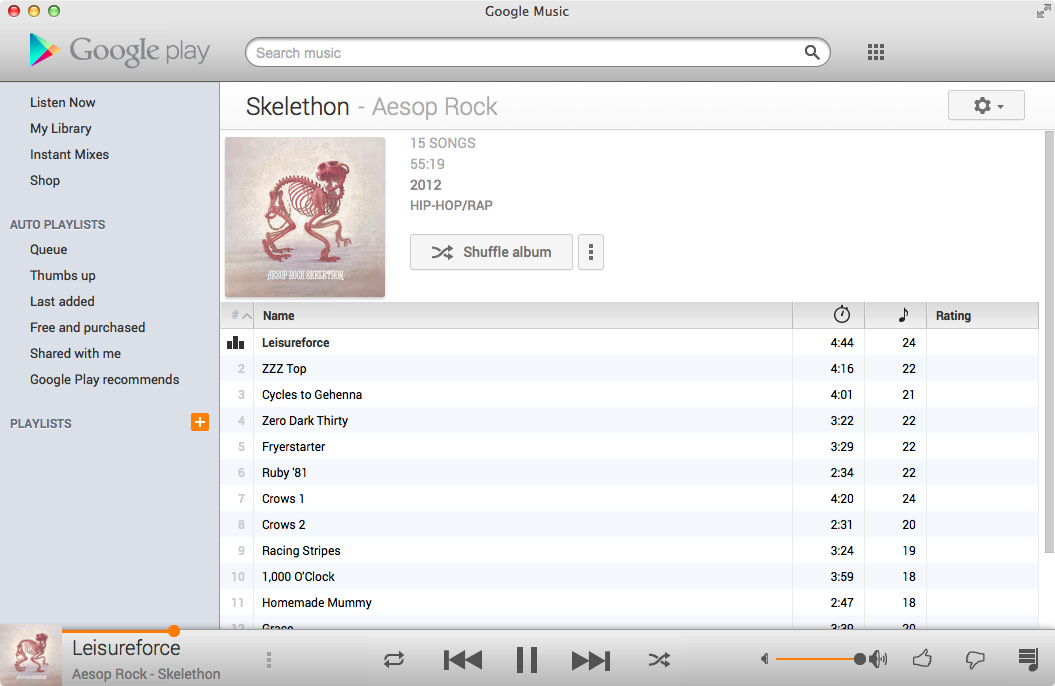
One of the least talked about music services is Google’s Play Music service, a combination music store and digital locker that can match up to 20,000 songs from your local library and stream them to your devices over the web for free. With All Access, you can stream Google’s entire catalog of music for $9.99 a month.
I’ve dabbled with the service before, using it with my previous storage limited MacBook and giving it an honest shot when away from home. The service has some nice touches, such as a miniature spectrum visualizer that designates the currently playing track and album in a variety of views, thumbs-up and thumbs-down ratings in contrast to stars, and instant mixes that create Genius-like playlists from your music library on the fly. I’ve always thought the player itself was good, and it’s certainly a usable alternative to iTunes for those listening on their work machine or Chromebook. The separate manager for matching songs is a little clumsy, but it’s not a deal breaker.
While the service offers a proper mobile experience on iOS and Android, the desktop experience is limited to the browser. At least that was until Google Music for Mac, an open source application that wraps the experience in a native player and binds the app to your Mac’s media keys.
The app lets you play your music Library through its native experience or, like Fluid, simply present the web app in a window. The experience largely reminds of Pocket for Mac, with the Google Play logo, search, and popover menus comprising the native wrapper.
I like the player. While I don’t see the purpose of including a button for other Google apps, the player rightfully does Google’s service justice on the desktop. You’ll have to log into the app using your username and password, and for those who are security conscious, the app does display your email address in the top right. Regardless, the app itself does a swell job of presenting your music (and Free from Google tunes) in a presentable interface. Small touches reformat the sidebar into something more appealing for OS X. All the little details from the web service have been carried over as-is, such as how album artwork fades into view, how soft shadows bring artists and albums forward, and Google’s distinct orange highlights. Shortcuts are peppered throughout the app, letting you create playlists or jump to an artist view without having to go through library links or categories. Highlighting the scrubber brings up the play timer, and takes to you whatever point in the song you click.
The app’s free to download from Google Music for Mac’s project page, letting you skip Github if you’re not interested in the repository.
[Hat tip @smileykeith]
Creating and Sharing Text Files In Launch Center Pro
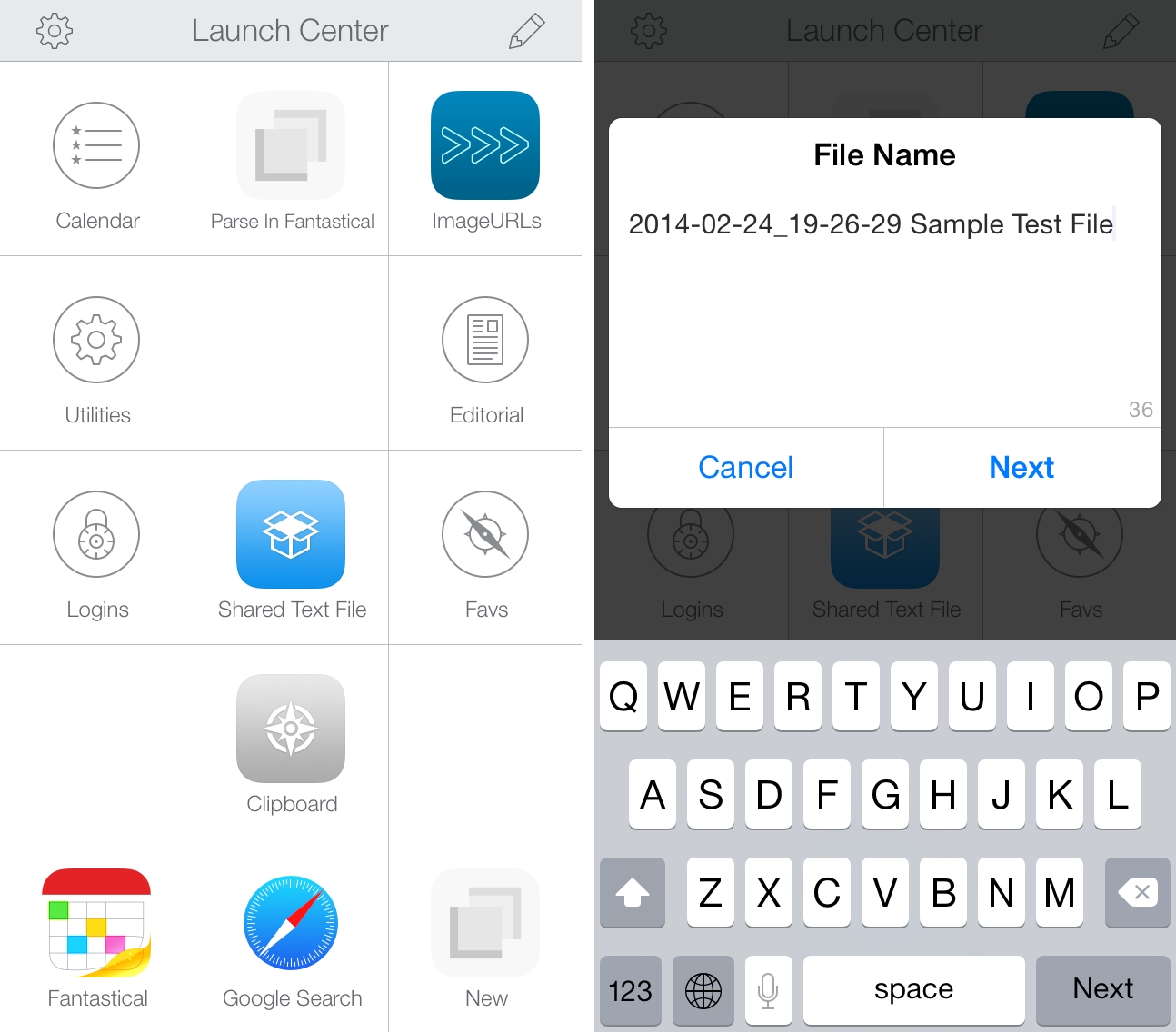
When Launch Center Pro 2.2 was released last month, I mentioned the addition of Dropbox actions for creating and modyfing text files, but I didn’t share any action example because I couldn’t find a possible use of the feature in my workflow. This morning, I realized that my old workflow to generate and share text files with Dropbox could be simplified with Launch Center Pro, so I rewrote it using the app’s new Dropbox functionalities.
I often need to create text files and share them quickly with Dropbox. These are usually notes that don’t fit in a Twitter DM or long crash reports for developers of apps I’m testing. In my old workflow, I used to type file name and file contents in Launch Center Pro, then, with two steps of inter-app communication, upload the file with Drafts, get the shareable link back with Launch Center Pro, and start a new tweet with the link in Tweetbot.
The workflow still gets the job done but the new version is simpler, faster, and more flexible. It’s just three steps:
- Type file name;
- Type file contents;
- Get public link to text file in Dropbox.
With a single action that doesn’t involve switching between apps, I can type a file name in a Launch Center Pro prompt, insert contents manually or by pasting, and hit Done to create a text file in Dropbox. Launch Center Pro gets the link of the just-created file and presents an iOS share sheet with a series of options for the file’s public link so that I’m not limited to Tweetbot anymore; I discovered that I often needed to DM or email a link, and with the old workflow I was forced to start a new tweet then select and copy the link manually from it. With the new action, everything happens inside Launch Center Pro in seconds and I can pick the best option for me (it’s usually “Copy”).
I was skeptical as to whether I would need Dropbox actions in Launch Center Pro, but this workflow shows some clear benefits of Contrast’s app – keyboard prompts and a native share sheet combined with Dropbox text features make for a quick and elegant note-taking and sharing experience.
You can download the action here.